
Product updates
Feature launches, new integrations, and product improvements — every update, in one place.
Automations: One Place for Everything Improvado Runs for You
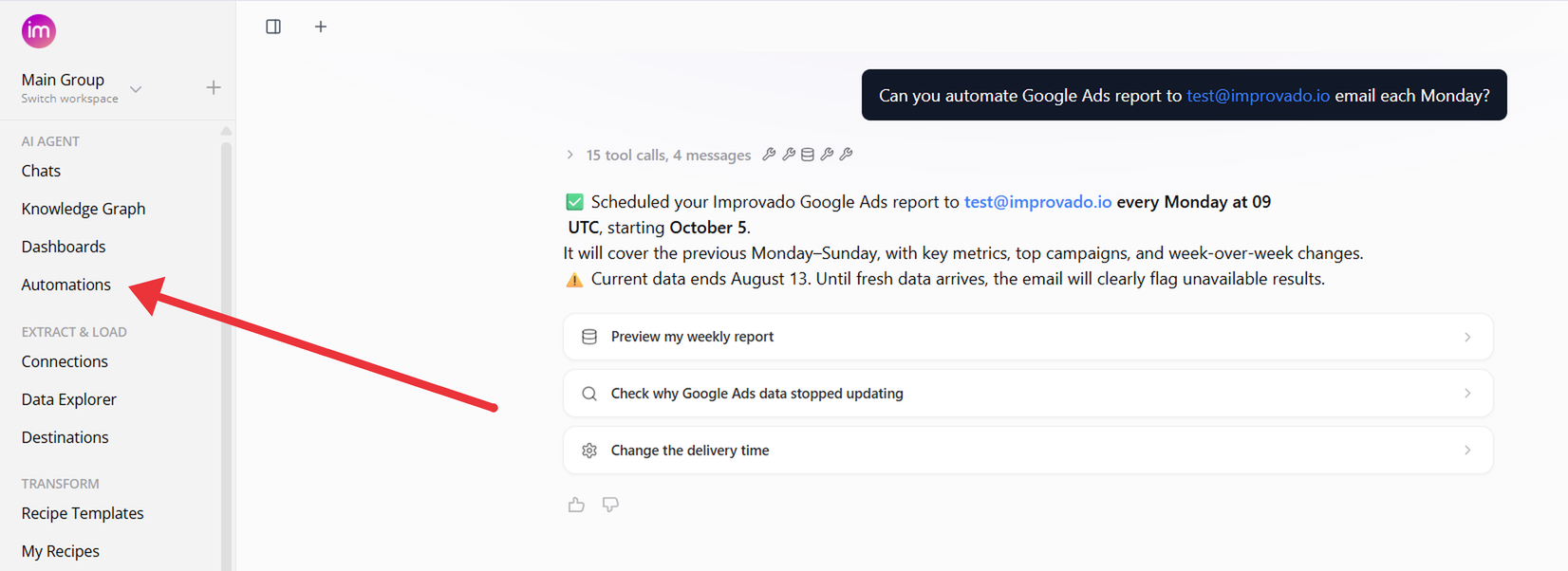
Scheduled AI Agent work and data pipelines now live together under Automations in the left menu. They used to be split between the Chats page and Custom Pipelines.
What's new
- One list. Agent automations and pipelines side by side, with their category, schedule, latest run and owner. Search by name and filter by status.
- One button. New automation creates either kind: fill in a short form for an agent automation, or describe what you need and the Agent sets it up in a chat.
- A page for every agent automation. The latest result with recommended actions, run history, success rate and the prompt it runs.
- Scheduled chats are now automations. Your existing schedules moved over with their name, prompt and schedule, and their earlier results became run history.
Data Governance: See Who's on a Violation and What's New
Two changes help your team handle data governance violations without stepping on each other or re-reading old alerts.
Working on it
- Show who is fixing it. On the Data Governance Dashboard, mark a violation as Working on it. The row stays visible and shows who picked it up and since when.
- Track what's in progress. The In progress tab lists everything your team has picked up. Release a violation when you are done, or undo a misclick.
- Work in bulk. Select several violations and mark or release them at once.
New violations in digest emails
- NEW badge. Violations that were not in the previous digest are marked NEW and listed first.
- Counts at a glance. Each rule shows how many violations are new and how many are in progress, and the summary adds New Violations and Critical Violations.
- Who's on it. A Working On It column shows who picked each violation up.
September 2026
New API integrations 🧩
We have added several new data sources with the following report types:
- Business Units
- Campaigns
- Customers
- Invoices
- Jobs
- Marketing Ads Attributed Leads
- Marketing Ads Performance
- Technicians
- Product Catalog Uploads
- Segments
- Webhooks
- Lighthouse Scores
- Lighthouse Audits
- Files
- Campaigns
- Campaigns Entity
- Creatives
- Creatives Entity
- Keywords
- Sources
- Activity Logs
- Boards
- Column Values
- Columns
- Groups
- Items
- Teams
- Users
- Workspaces
- Global Email Statistics
- Products
- Reviews
- Events
- Persons
- Projects
- Calls
- Channel Members
- Channels
- Direct Messages
- Files
- Group Direct Messages
- Message Replies
- Messages
- Private Channel Messages
- Private Channels
- User Groups
- Users
- Campaigns Entity
- Creatives Entity
- Reports
Dashboard Sharing: View-Only Workspace Access and Sharing with Roles
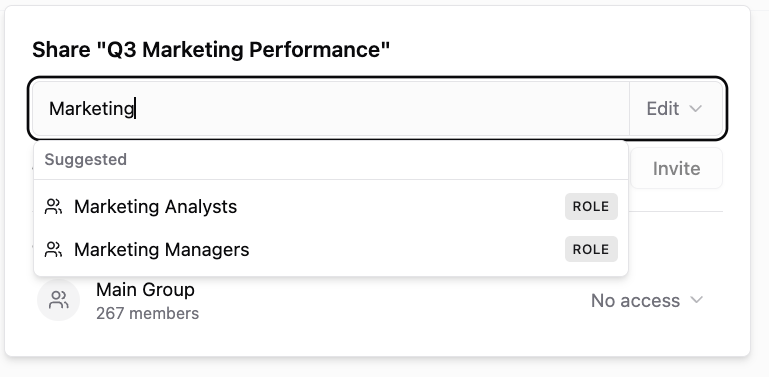
Until now, opening a dashboard to the workspace meant everyone whose role could edit dashboards could edit it too, and sharing with a group meant inviting people one by one. The Share dialog now covers both.
What you can do
- Choose what the workspace gets - General access is now Can edit, Can view or No access. Can view opens the dashboard read-only to the whole workspace, even to people whose role could edit.
- Share with a role - start typing in the Share dialog and workspace roles, custom ones included, show up next to people. Everyone who holds the role gets the level you pick: View, Edit or Edit & Share.
- Get the strongest access - when someone has access through General access, a personal invite and a role, the strongest one applies.
- See who is in the workspace - the General access row shows how many members the workspace has.
Existing dashboards keep their access: the old Workspace setting is now Can edit, and Restricted is now No access.
Chat with the AI Agent Right on Your Dashboard
Asking the AI Agent about a dashboard no longer takes you away from it. Click Chat in the dashboard header, or press Cmd+J (Ctrl+J on Windows), and the Agent opens in a panel on the right. The dashboard stays in view, and the Agent already knows which dashboard and page you are on, its data table and your filters.
What's new
- Changes appear as they happen. When the Agent adds a widget or edits a chart, the dashboard refreshes in place, no page reload. Unsaved edits in Edit Mode are never overwritten.
- Annotate a widget. The button formerly called Pin is now Annotate: click it, click a widget, and ask your question. It lands in the chat panel with the widget's context attached.
- Your chat is still there. The panel reopens your last conversation for the dashboard, and you can continue it as a full chat in the AI Agent.
- Fits your screen. Resize the panel by dragging its edge, or pop it out into a floating window.
A Page for Every Data Source
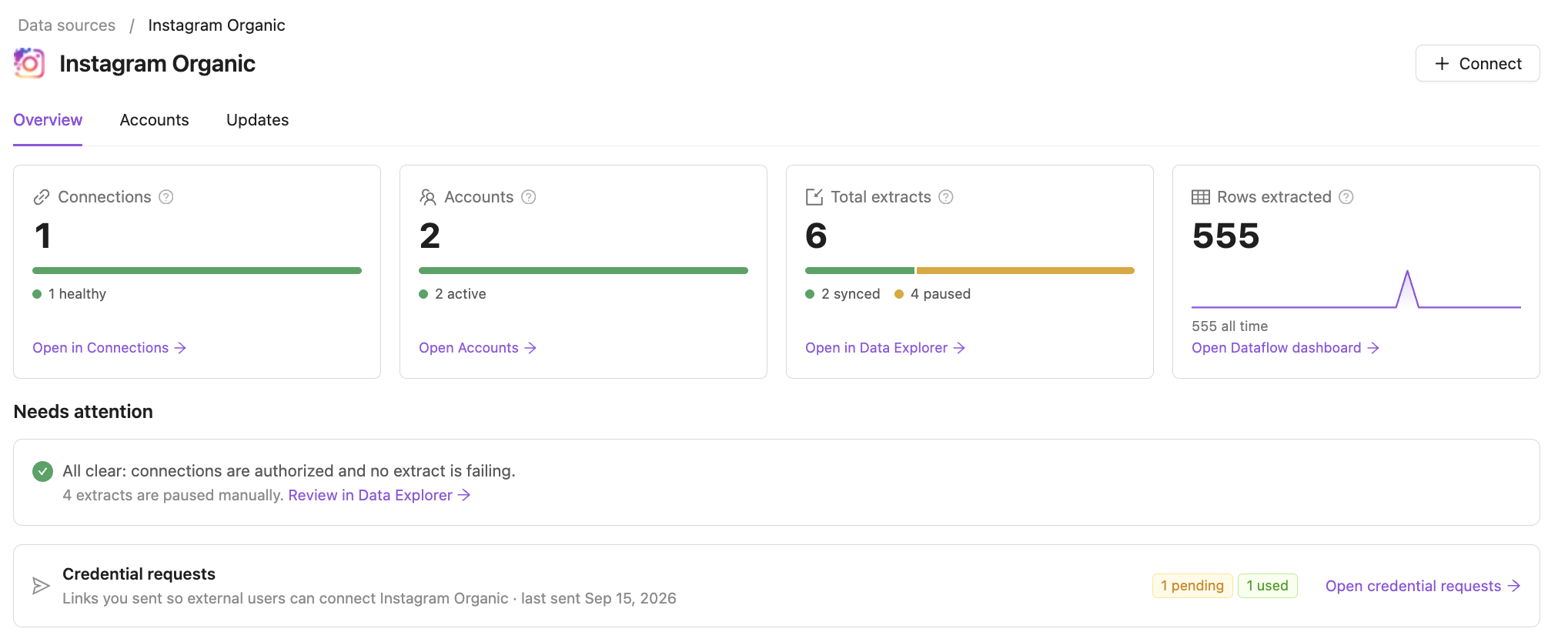
Every data source in your workspace now has its own page. Open it from the Data source column in Connections or Data Explorer, or from the breadcrumbs on a connection's page, to see how that source is doing and what needs fixing — without collecting it from several lists.
What you get
- The source at a glance — connections, accounts, extracts and rows extracted in the last 30 days, each split by status, with a link to the full list already filtered to this source.
- Needs attention — connections to re-authorize, credentials about to expire, failing extracts grouped by error, and extracts paused after failing. Or All clear.
- Accounts — every account of the source, listed once even when it comes through several connections.
- Updates — the setup guide, the API guide in your Knowledge Graph, and upcoming changes to the source's API.
- Ask AI Agent — ask about the source; the agent already knows which one you are looking at.
Also new
- Connections, Data Explorer and Credential requests can open filtered to one data source, from the links on its page.
- Data source names in Connections and Data Explorer link to the source's page, and the grouped views have an Open hub link on each data source.
Approve Flat Data Config Changes Before They Load
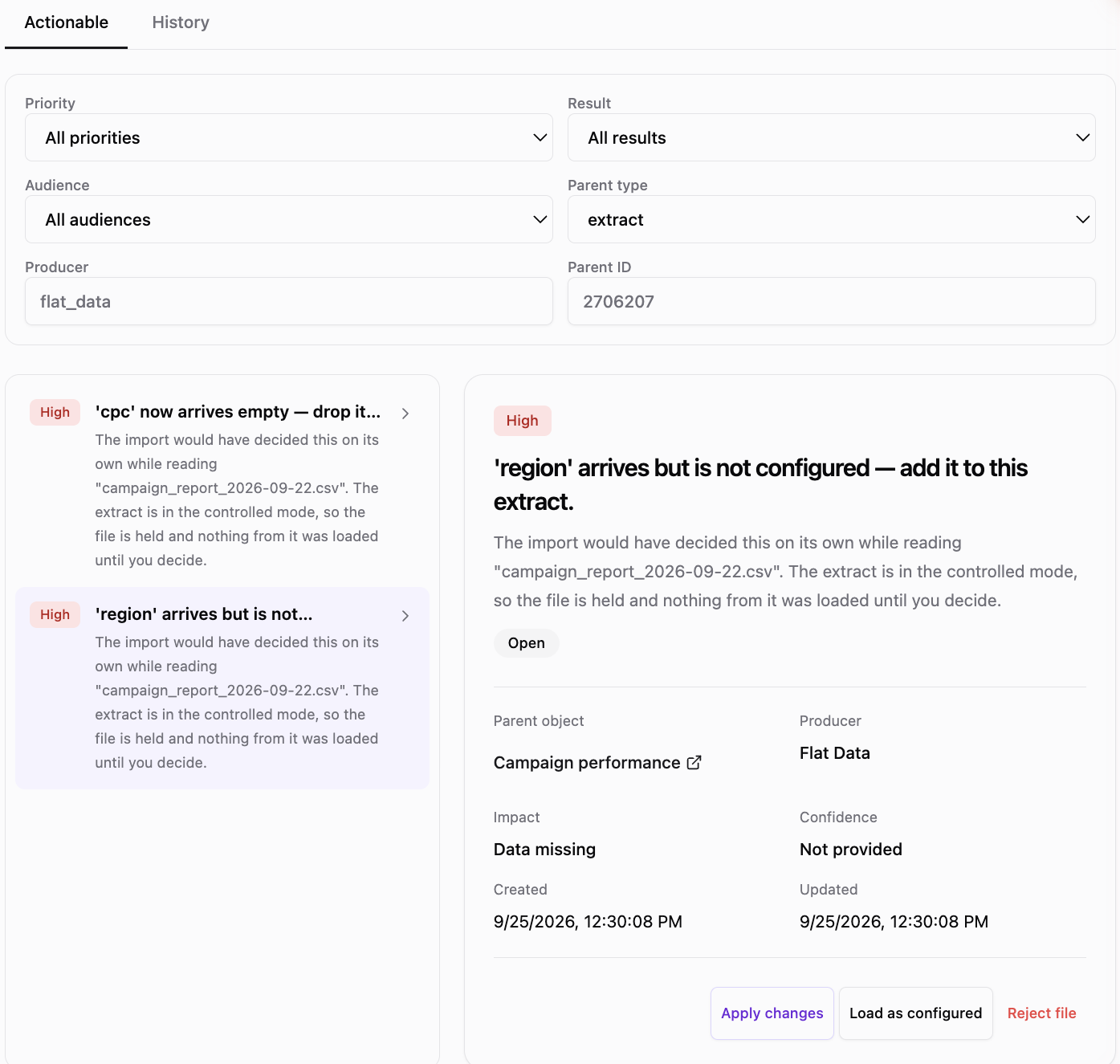
By default, a Flat Data file that does not match its extraction is loaded right away, and the run records what it decided as closed cards you can read later. Now you can choose the other way: hold such a file and load nothing from it until someone approves the change.
What you can do
- Turn it on for the organization - the Approve Flat Data config changes switch on the Organization page.
- Override it per extraction - On, Off or Organization default, which shows the current organization value.
- Decide in one click - Apply changes, Load as configured or Reject file, and the AI Agent carries it out.
- Decide once per file - one choice covers every difference in the file and every held file with the same difference.
Held files show Awaiting approval in the uploaded files list; files that match the extraction load as usual.
Drill-Down in Charts and Sankey, and Reusable SQL Sources in AI Dashboards
Two updates to AI Dashboards: bar charts and Sankey diagrams now support drill-down, and custom SQL has been rebuilt as SQL sources — named queries you write once in the UI and reuse across widgets.
Drill-down in bar charts and Sankey
Set up a hierarchy — for example Campaign → Ad group → Ad — and click any bar or node to open its next level right in place. The parent and its siblings stay on screen, so you can compare a branch against the rest without losing context.
- Expand in place. Click a bar to expand it into grouped child bars; click again to collapse. Open several branches at once and use Collapse all to return to the top level.
- Sankey drill-down. Click a node to reveal the flows behind it. Ribbons animate in and out, and repeated names stay tied to their own parent path.
- Drill and filter together. A plain click drills down; Cmd/Ctrl + click filters the other widgets by the full path (for example, Campaign A → Prospecting).
- Same chart settings. Expanded bars keep the chart's colors, number formats, orientation, stacking, value labels and sorting.
- One setup for tables, charts and Sankey. Turn on Drill-Down Mode in the widget's Data section and order the levels. Documentation →
SQL sources: reusable named queries
Instead of replacing a widget's whole query, you now write SQL as a source — a query that widgets read from, just like a data table. You pick metrics, dimensions and the date field on top of it as usual, and the dashboard date range and filters apply automatically. Edit the source, and every widget that uses it updates — the same way custom metrics work.
- Editable in the UI. In the widget's Data section, switch from Table to SQL, write the query in a built-in SQL editor with highlighting and one-click formatting, and save.
- Named, reusable queries. Pick an existing source from a searchable list or create a new one. Each widget keeps its own metrics and grouping.
- Regular widget controls. No placeholders to remember — date range, filters, grouping and limits work exactly as they do on a table.
- Works across widgets. Table, Chart, KPI, Pie, Funnel, Heatmap, Sankey, Geo map and Custom Component widgets.
- Easy clean-up. Sources no widget uses are marked Not used and can be deleted from the picker; rename a source without breaking its widgets. Documentation →
Why it matters
Finding what drives a number no longer takes a separate widget for every level — go from campaign to ad group to ad in the same chart and share the finding with the rest of the dashboard in one click. And custom logic such as a CRM join or cleaned-up channel names now lives in one place instead of being copied into every widget, so a dashboard stays consistent as it grows.
Available on all AI dashboards. Existing custom SQL widgets keep working.
Dashboards: Click-to-Filter, Geo Maps, Sankey Charts, and More
Explore your data with a click.
Select a bar, pie slice, or table row to filter compatible widgets.
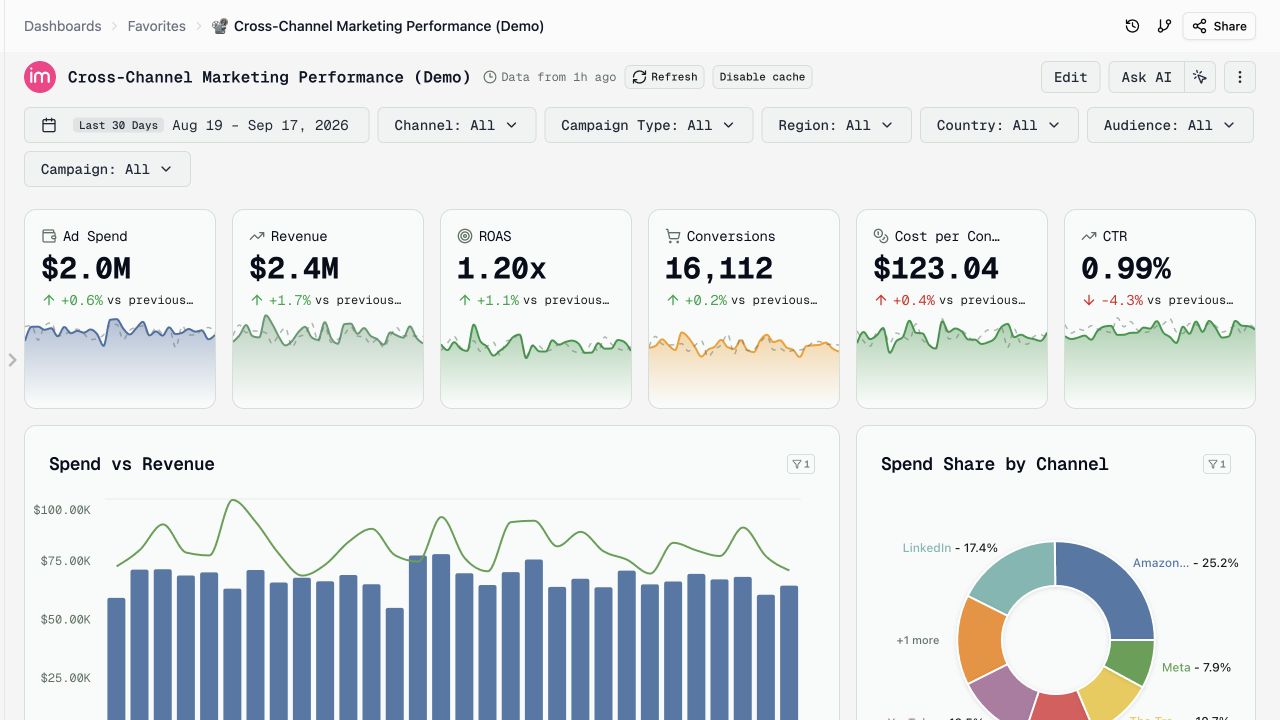
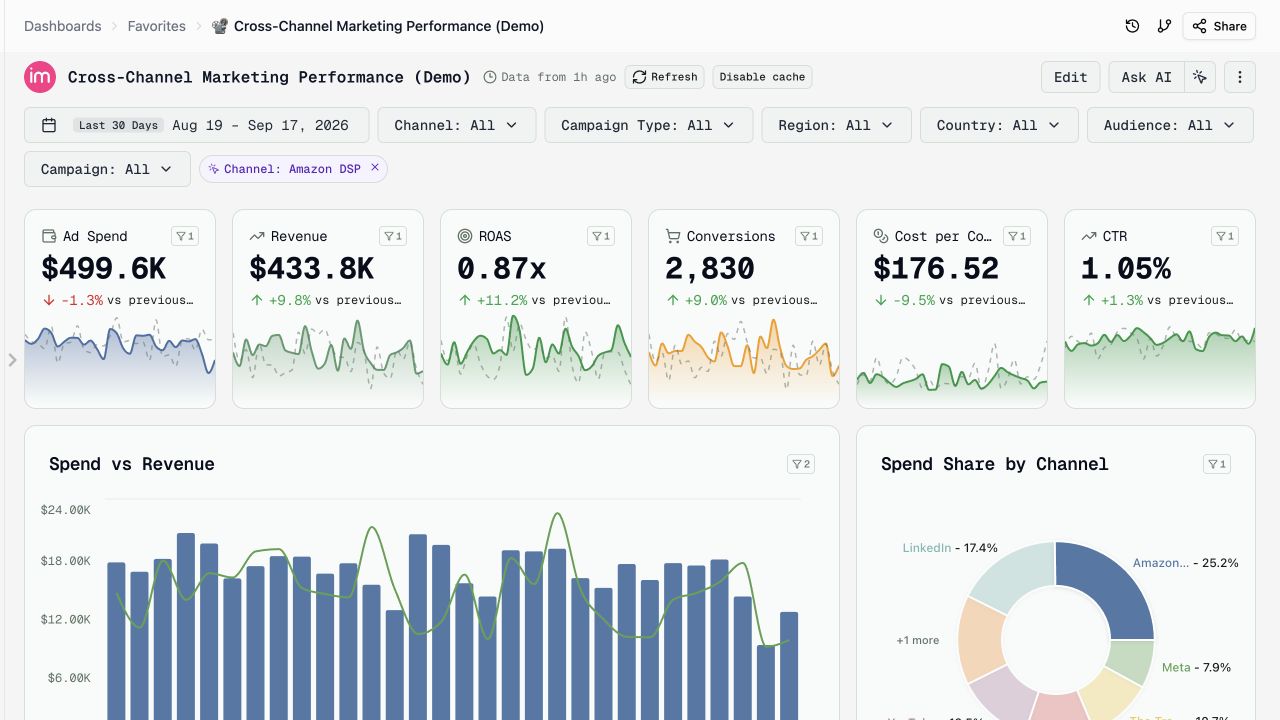
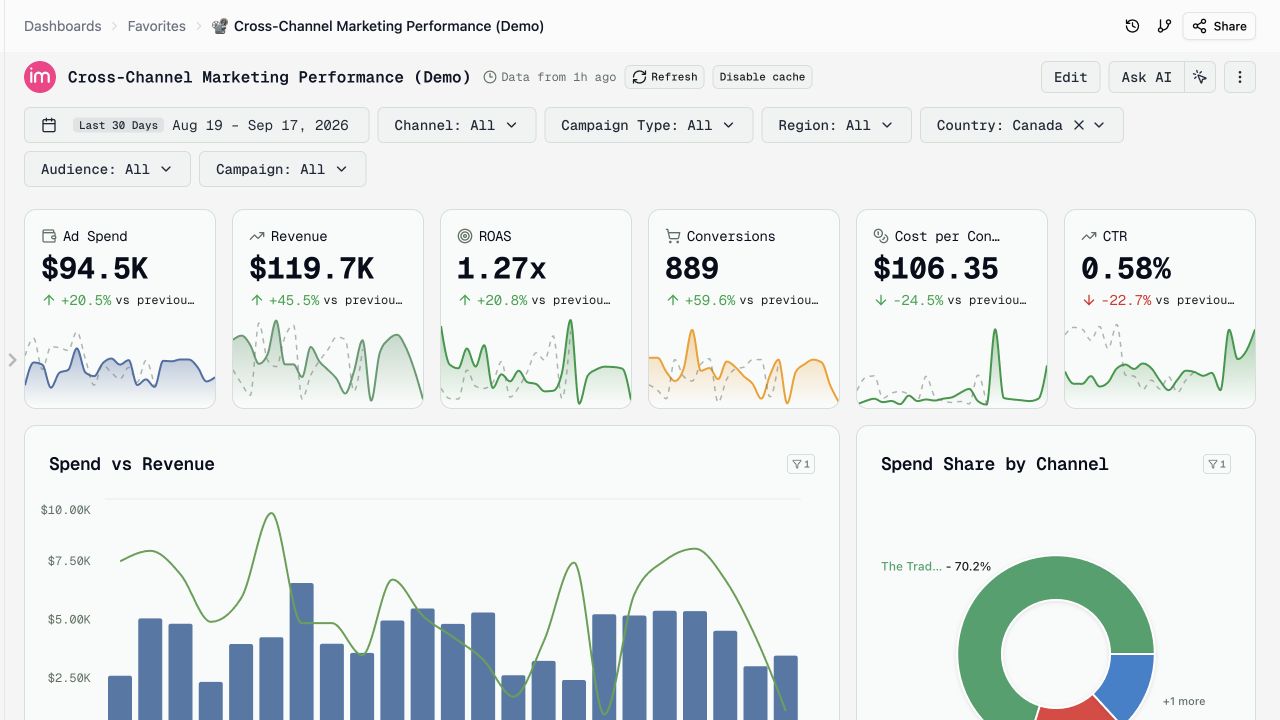
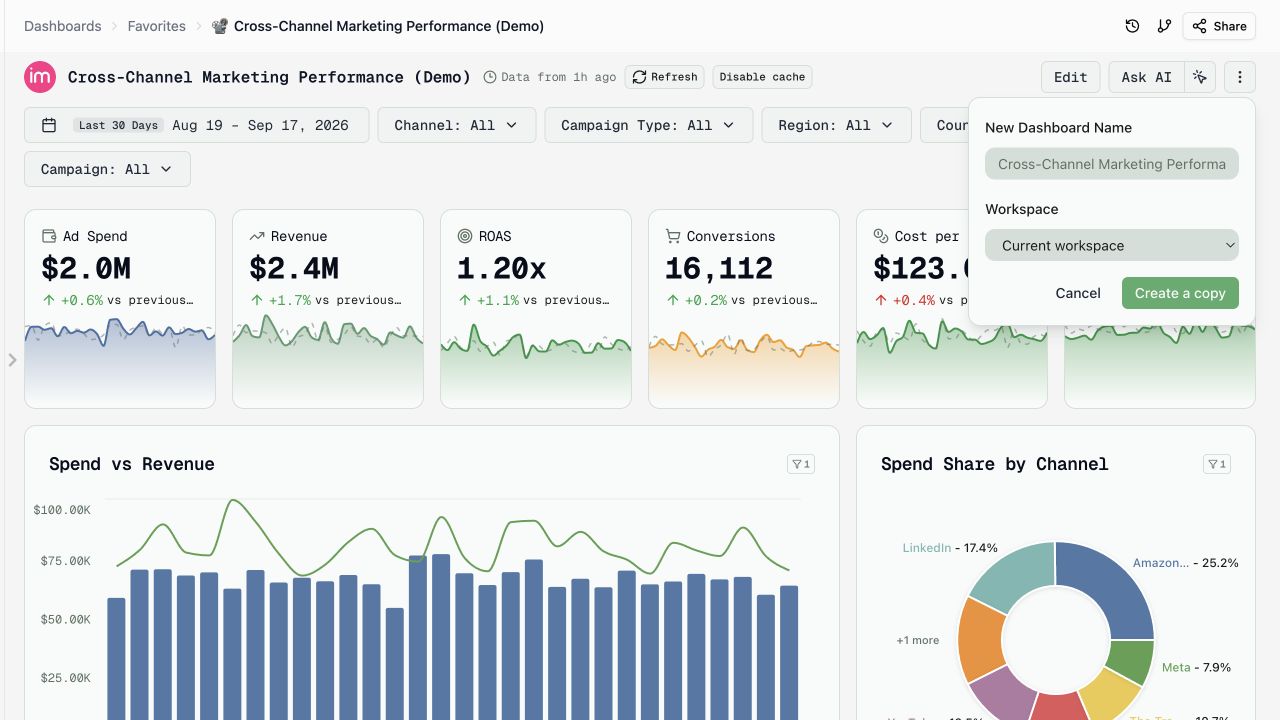
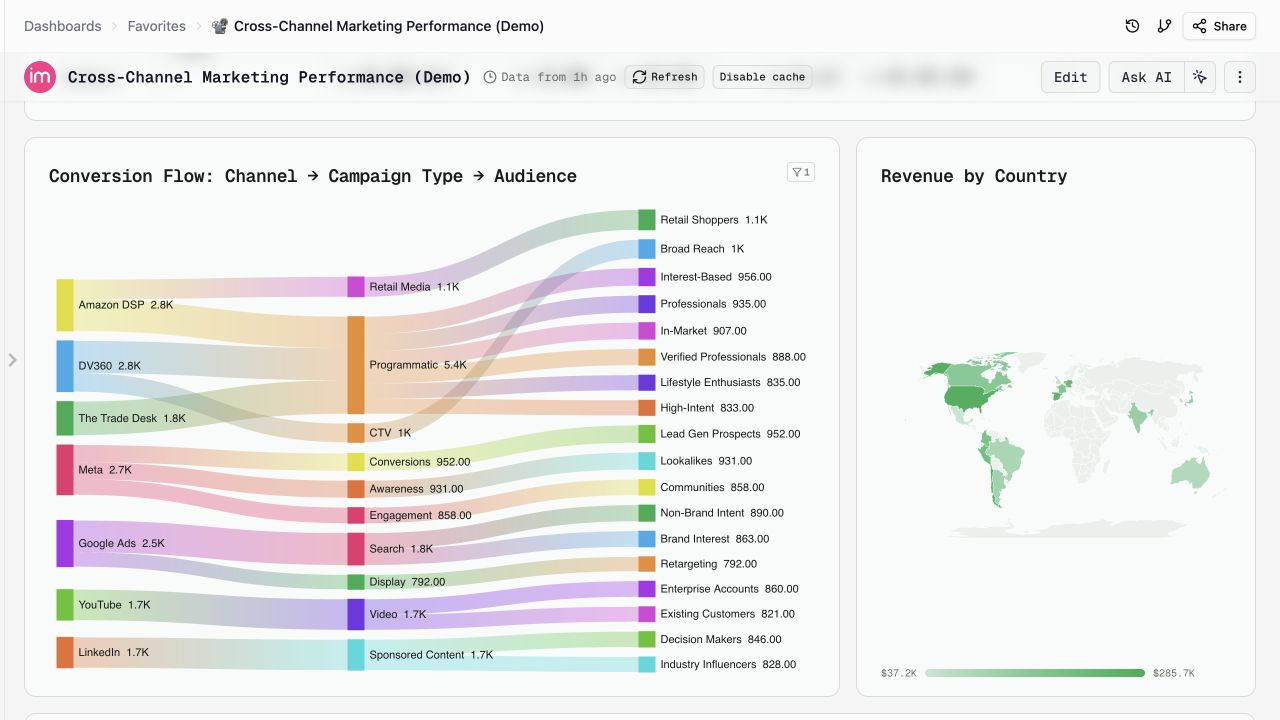
Explore data with a click, share filtered views, and reuse dashboards across workspaces.
- Click-to-filter. Select a bar, pie slice, or table row to filter compatible widgets on the page. Enable it in Customize. How it works →
- Share a focused view. Links preserve your selected tab and dashboard filters. Temporary click-to-filter selections are excluded.
- Copy to another workspace. Choose a destination when duplicating a dashboard. Copies retain their original data source.
- Geo maps and Sankey charts. Compare countries or US states, and visualize flows across channels, campaigns, and audiences.
Other updates
- All tabs: include every page when duplicating or exporting to PDF or PowerPoint.
- Match dashboard layout: keep widgets arranged as they appear on the dashboard when exporting to PowerPoint.
- Color-coded table labels: show text values as colored tags and pin colors to specific values.
- Faster navigation: find overflow tabs in a searchable N more menu, and search both Customize and individual widget settings.
- Fonts and icons: choose a dashboard font and add an icon or emoji.
- Speed and UX: faster repeat visits with cached results (beta), freshness indicators, and smoother editing and filtering.
AI Dashboards Open in Seconds — Cached Widget Results with One-Click Refresh (Beta)
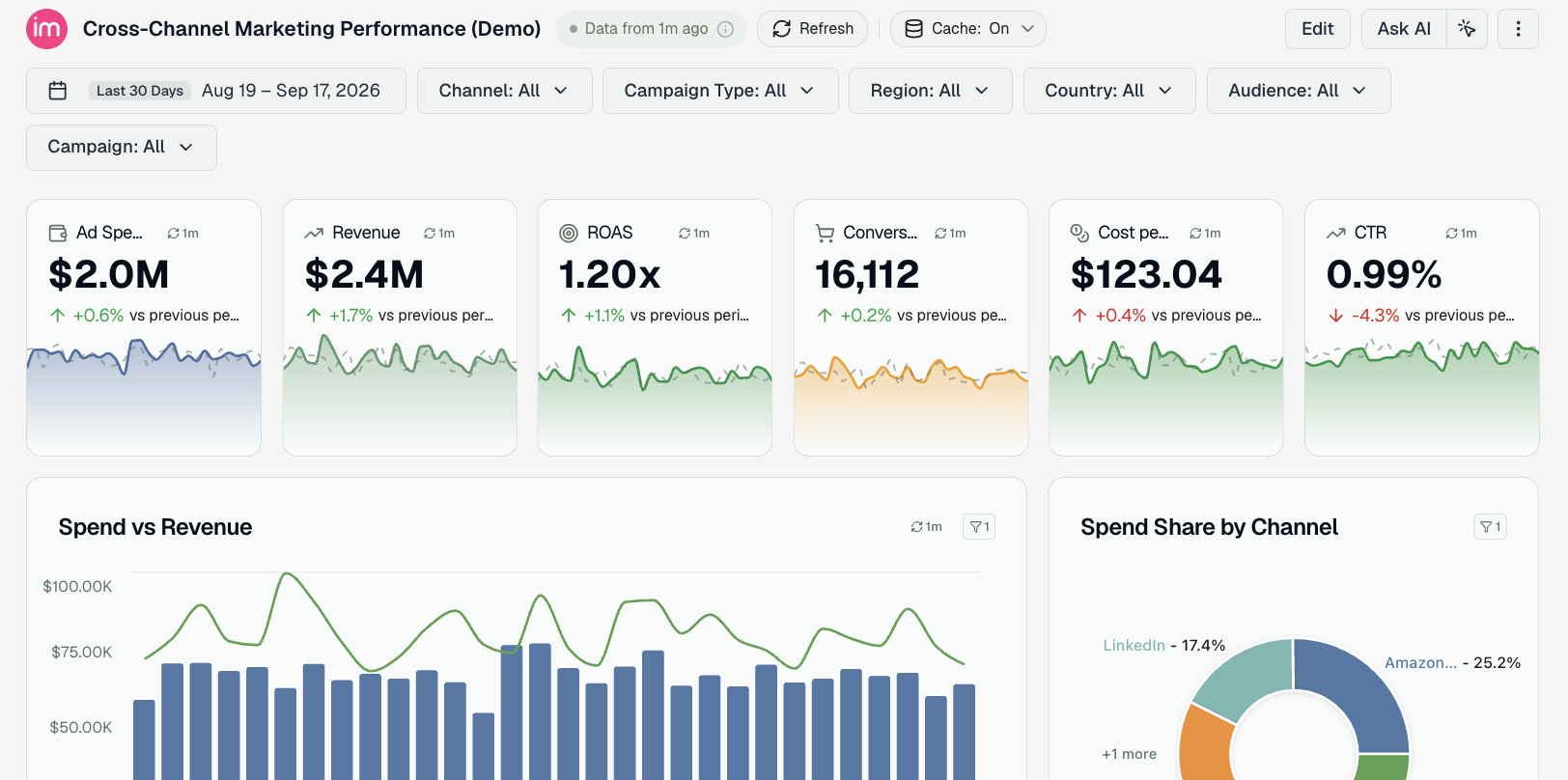
Dashboards built with the AI agent now open in seconds, even when their widgets run heavy queries. The first time a slow widget query runs, its result is saved; the next time anyone opens that dashboard, the widget is drawn from the saved result right away and quietly refreshed in the background. A dashboard that used to take close to a minute to fill in now shows every widget in about a second.
This caches query results, not your data. Your data is still pulled from the platforms on its usual schedule — the cache only skips re-running the same heavy query over data that is already in Improvado. Every dashboard shows how fresh its numbers are, and reloading them on demand is one click.
What's new
- Instant reopen. Widget queries that take more than a few seconds are saved after they run and served from that copy on the next open — by you or by anyone else who can view the dashboard.
- Always refreshing. Saved results are refreshed in the background as they age, so a dashboard you keep coming back to stays current without waiting.
- Freshness at a glance. Next to the dashboard title you'll see Data from 20 min ago; each widget carries a small chip with its own age. Hover either one to see exactly when the numbers were last computed and how long the underlying query takes without the cache.
- Refresh on demand. The Refresh button next to the title re-runs every widget query from scratch; the chip on a single widget reloads just that widget; the ↻ inside any filter's dropdown reloads that filter's list of values.
- Turn it off per dashboard. If a dashboard must recompute on every open, use Disable cache next to the title or the switch under Appearance → Data. The dashboard then behaves exactly as before.
Why it matters
Heavy queries are what make a rich dashboard slow, and most opens ask the same questions as the last one. Reusing those answers takes the wait out of opening a dashboard for the tenth time in a day — while the freshness label, Refresh, and the per-dashboard switch keep you in control of when the numbers are recomputed.
Cached widget results are in beta. Available on all AI-built dashboards. No setup required — it's on by default. Check the documentation →.
Knowledge Graph: Guided Onboarding
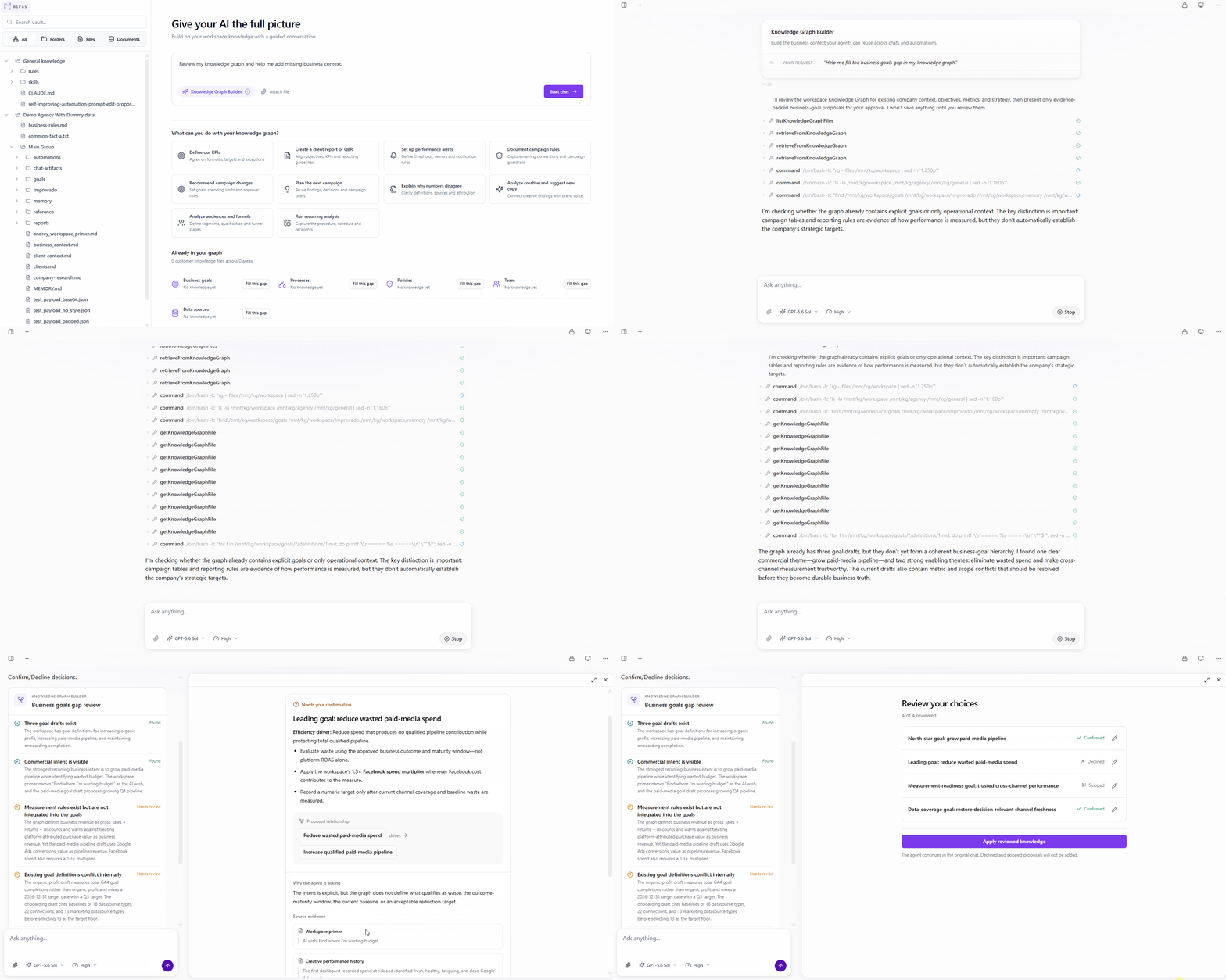
Every team has its own definition of a qualified lead, its own reporting expectations, campaign guardrails and approval rules. That context decides whether an AI answer is actually useful - and whether the same work can be repeated. The Knowledge Graph now builds it with you, through a conversation.
What's new
- Start from a real use case - define your KPIs, analyze audiences and funnels, or explain why numbers disagree.
- The Builder finds the gaps - it reviews the knowledge you already have and asks about the details that are missing.
- Every proposal argues its case - each one arrives as a card with the evidence behind it and an explanation of why it is asking.
- You decide, one by one - confirm, correct, decline or skip. Only approved knowledge is saved, and the agent reuses it from then on.
- Pause whenever you like - the review stays in the original chat and in Welcome's Suggestions. Once you apply your choices, the agent writes them in the background.
Set your context once - definitions, guardrails, reporting rules - and it carries into future reports, funnel analysis and recommendations: less repeated briefing, more consistent output, and a clearer path from one good conversation to a workflow you can run again.
Budget Pacing
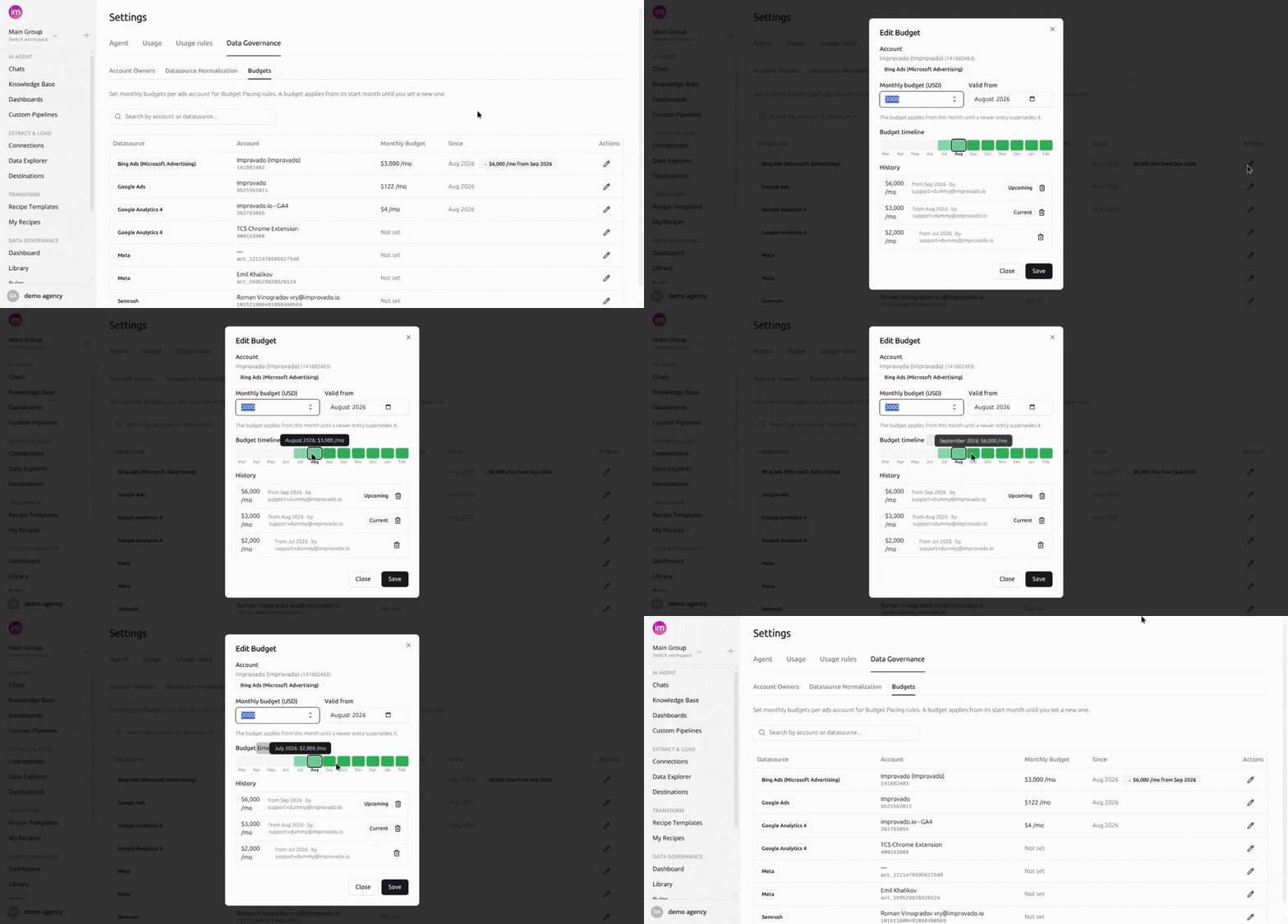
Plan monthly budgets per ads account in Improvado, and Budget Pacing rules do the comparison for you: on every run they resolve the budget in force for that month, check it against actual spend, and raise a violation when the account goes over.
What you can do
- Plan per account, per month - a budget carries forward until a newer entry replaces it.
- Schedule ahead - pick a future start month; the current budget applies until then.
- Keep the history - every entry records its amount, start month, and who set it.
- See the results in context - on the Budget Pacing tab of the Data Governance Dashboard and in your digest emails.
Budgets are account-level, monthly, in USD, and workspace-scoped. An account appears once a rule has run against it, and deleting an entry is permanent.
Find them under Settings → Data Governance → Budgets.
Credentials Expiration on Connections
Some platforms issue credentials that stop working on a fixed date. Improvado now takes that date from the platform for each connection and warns you in time to reconnect, so extractions keep running.

What you get
- A warning on the connection - from 30 days before the date, the connection shows an orange Expires in N days tag in the connections list and on its page, and the page shows a banner with a Reconnect button on every tab.
- Email ahead of time - a Notification Center email 30, 14, 7 and 1 days before the date, listing each expiring connection with its date and a link to reconnect it.
- A clear status if it lapses - a connection that stops working after its date shows Expired next to Error, and the banner turns red, with the same Reconnect button.

Which connections
Apple Search Ads, LinkedIn Ads, LinkedIn Organic and LinkedIn Personal - the sources whose platforms publish an expiry date. Connections created before this release have their dates too.
Who gets the email
Everyone subscribed to Data source connection error is also subscribed to the new Data source credentials expiring event, and can turn it off in Notifications. The people who connected a data source, last re-authorized it, or have it shared with them hear about it even without a subscription. A private connection is announced only to the people who can see it.
How to renew
Click Reconnect on the connection or in the email. For LinkedIn, sign in again; for Apple Search Ads, follow the Apple Search Ads guide.
AI-Proposed Remediation Actions
Finding a violation was never the slow part - acting on it was. Now each violating entity carries an action button that launches an AI agent, applies the fix, re-checks the rule, and reports the outcome back onto the same card.
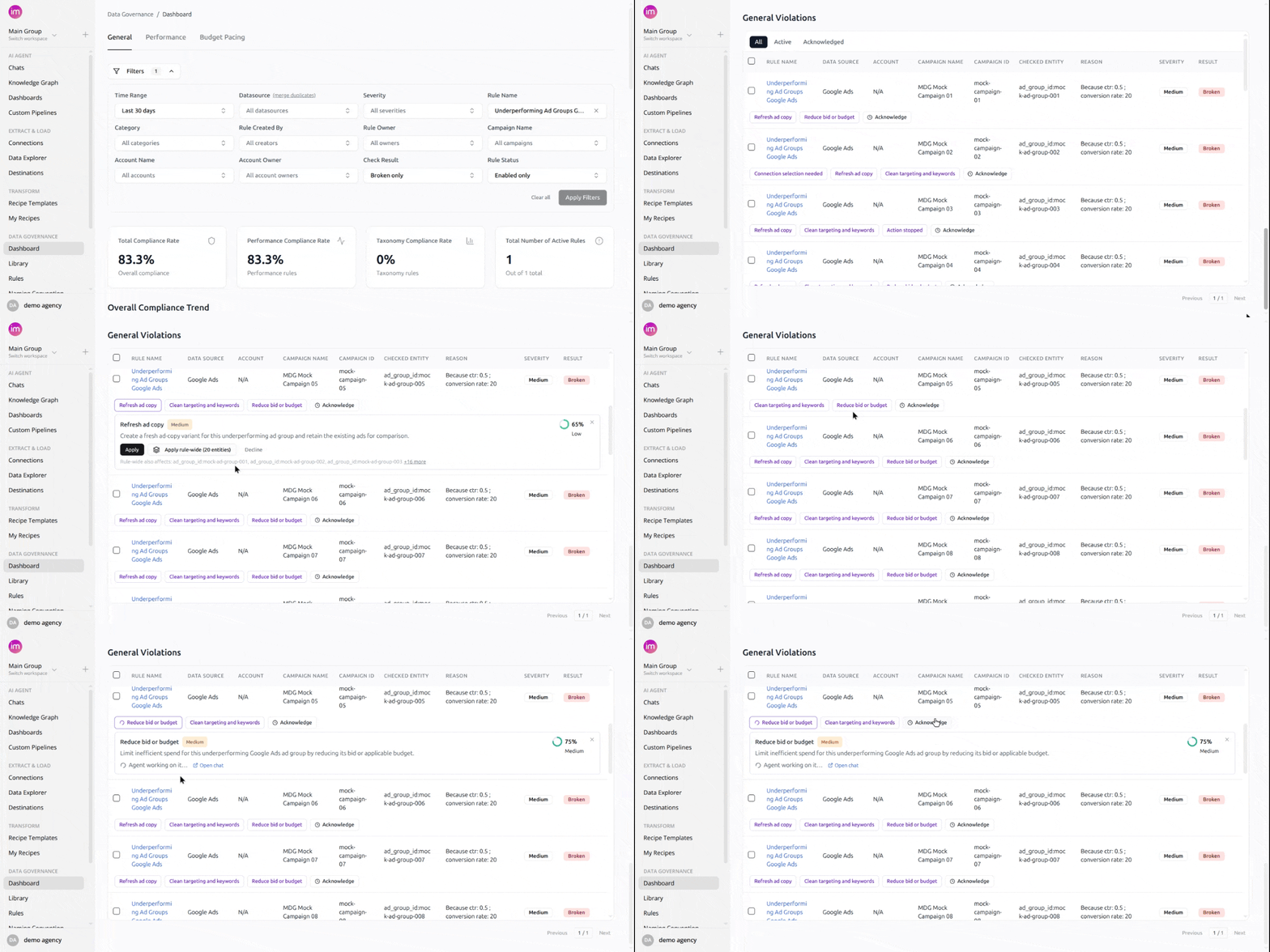
What you can do
- See it before it runs - description, confidence, and priority on the card.
- Fix one entity or the whole rule - Apply rule-wide shows the exact scope first.
- Watch the agent work - every fix runs in its own chat, linked from the card.
- Decide what gets offered - a rule's Action Required field drives the fixes.
- Decline what you don't want - for that entity and no other.
Entities under one rule can get different fixes, up to five per rule, and a daily refresh picks up new violations. Fix actions and acknowledgements stay separate: acknowledging hides an alert, a fix action corrects the data.
Find them in the violations table under Data Governance.
Organize Your Data Governance Rules
Three changes to data governance rules: you can see how an entity has behaved over the past week, group rules into folders, and name them yourself.
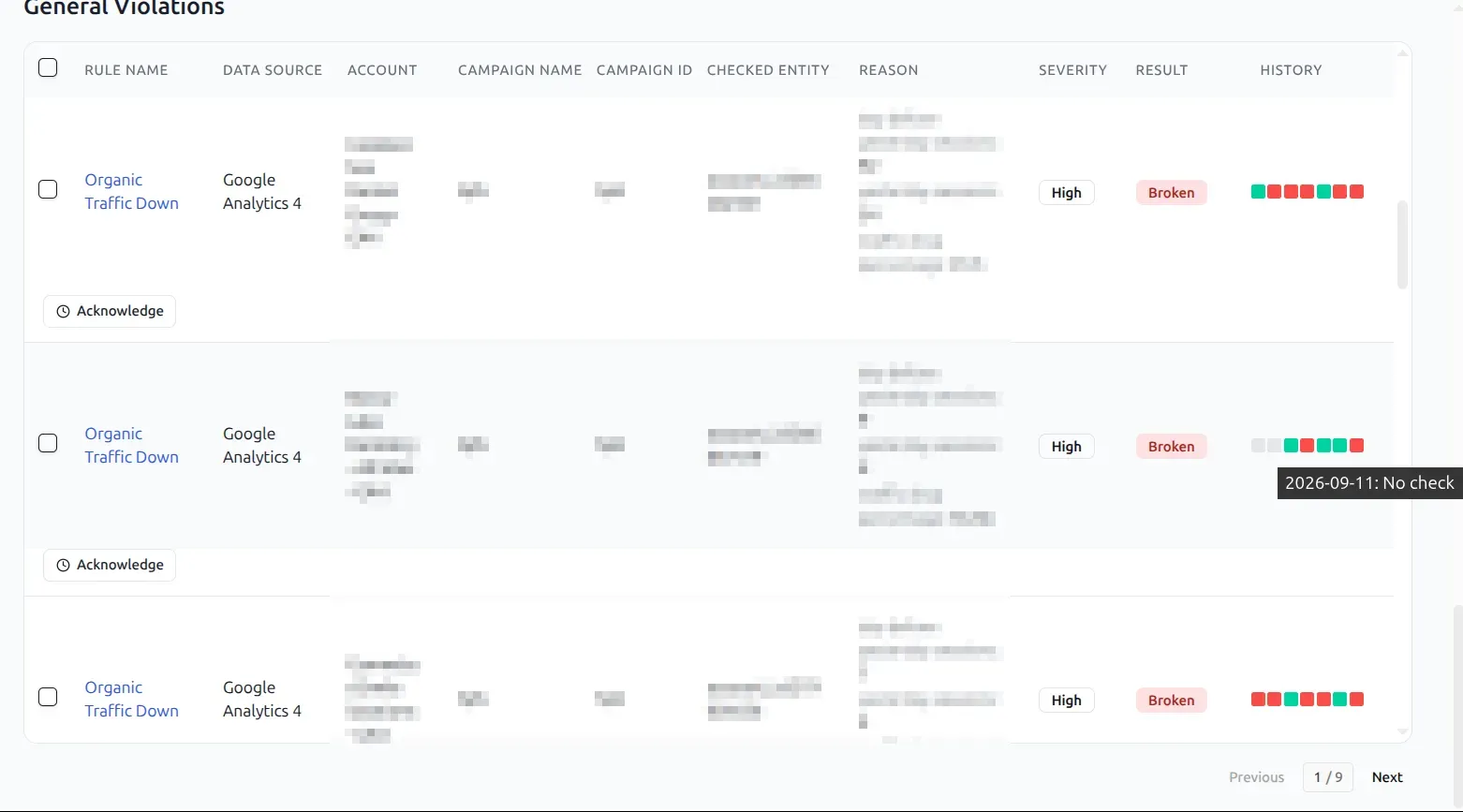
A week of history on every violation
The violations table carries a History column - seven squares, one per day - so an entity that has been breaking a rule all week reads differently from one that started today. Hover a square for that date and what happened on it, including the days when no check ran.
Folders for the rules list
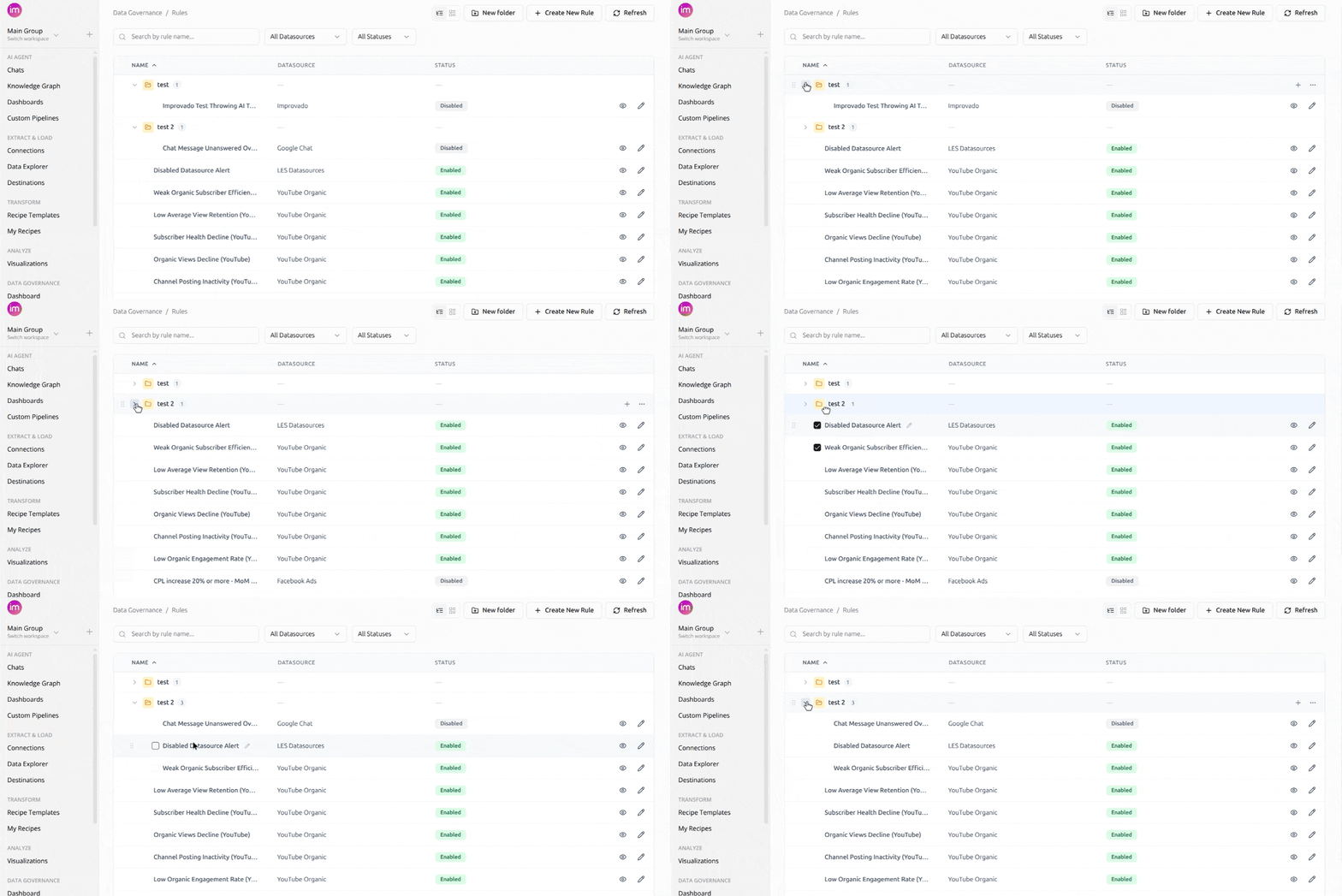
Group rules into folders, the same way you already group dashboards, so the list reflects how your team is organized. Each folder collapses and carries a count of what is inside it.
Names you choose
Give a rule a name and description that say what it checks. Both are editable in place, so a rule created through the AI chat can be titled for the people who will read it later.
See What a Flat-Data Run Decided
Every flat-data run reads your file and settles the details it finds there. Those decisions are now reported back to you, one card each, so what landed in the table can be traced to what the run did with the column it came from.
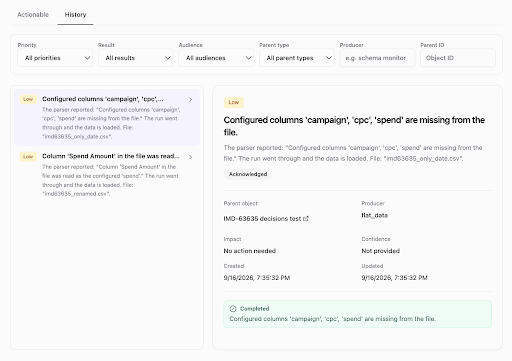
What the run decided
Each card names one decision and the column it applies to: a column taken from the file that the configuration did not mention, a renamed column mapped back onto the one you configured, a parsing setting chosen by reading the file, or a value flagged as unparseable. Open one and it names the file, the impact, and whether anything is expected of you - most say no action needed. Filter the list by priority, result, audience or producer when a run has a lot to report.
Fields that come back
When a platform begins exposing a field it had stopped returning, that field is selected again automatically. Data resumes on its own, without anyone having to spot the change and act on it.
Bring Your Own Provider Key
Agent work can now run on your own provider key. Add an Anthropic or OpenAI key under Settings → Provider Key and the AI Agent uses it for its model calls, billed by your provider rather than drawn from Improvado credits.
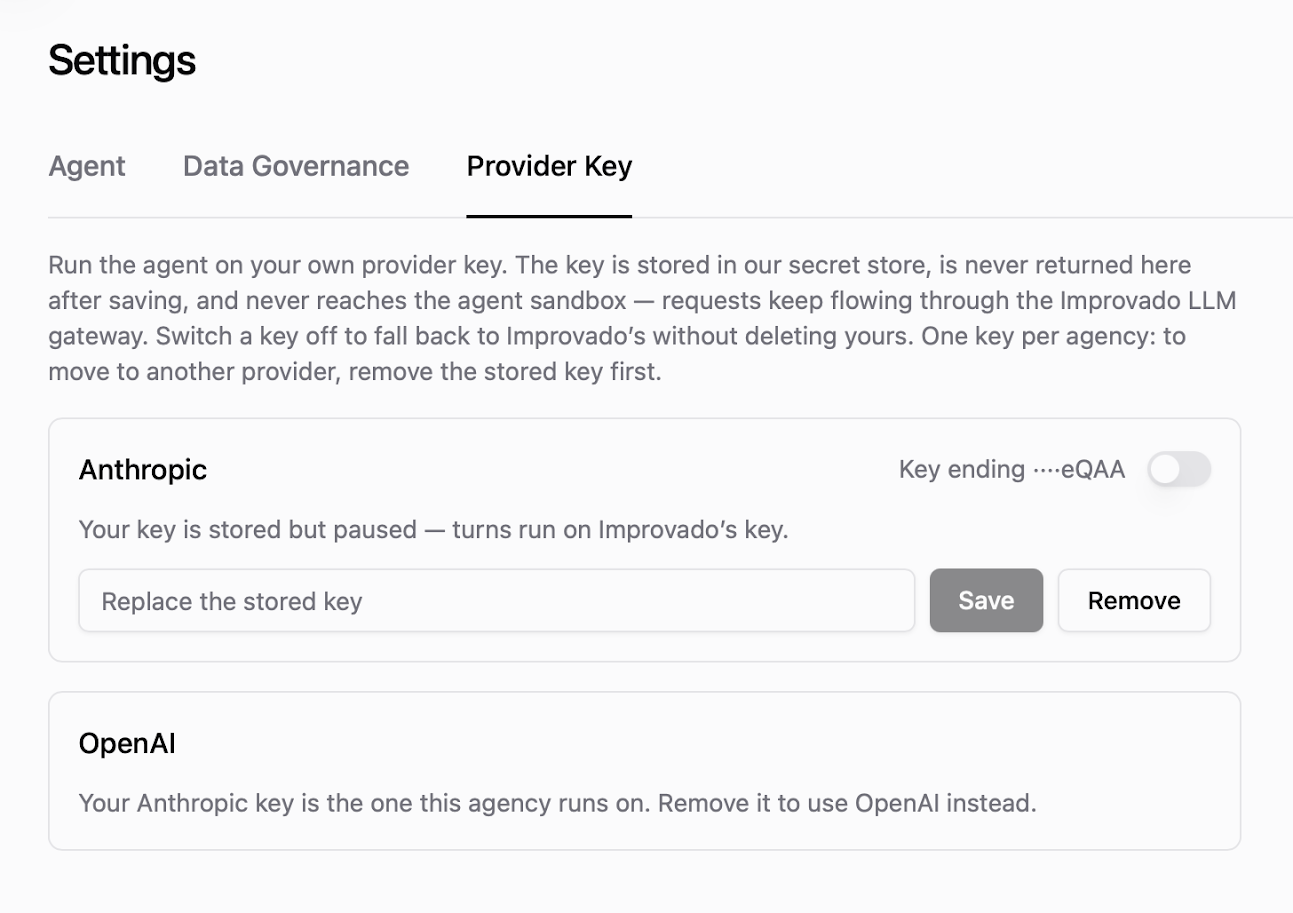
The key goes into a secret store: it is never shown again after saving and never reaches the agent sandbox, with requests continuing through the Improvado LLM gateway as before. A switch on the stored key hands the agent back to Improvado's key at any time, without deleting yours - useful while you sort out quota or billing on your own account.
One key per agency, so moving between providers means removing the stored key first. This suits teams that already hold a provider contract - a negotiated rate, a committed spend, or a procurement requirement that model calls sit on the company's own account. Available per agency on request: speak to your Customer Success Manager to have it enabled.
August 2026
New API integrations 🧩
We have added several new data sources with the following report types:
- Surveys
- Directory Users
- Other Contacts
- Inventory
- Items
- Orders
- Returns
- Orders
- Issues
- Projects
- Forms
- Responses
- Workspaces
- Histogram Distribution
- Histogram Time Series
- Mentions
- Resources
Publish Your Own Dashboard Templates
The dashboard template catalog used to be ours alone. Now it is yours too: build a dashboard once and publish it as a template the rest of your team starts from, listed right beside the ones Improvado ships.
Open a dashboard's ⋯ menu, choose Save as template, name it, and pick who it is for — this workspace, or your whole organization.
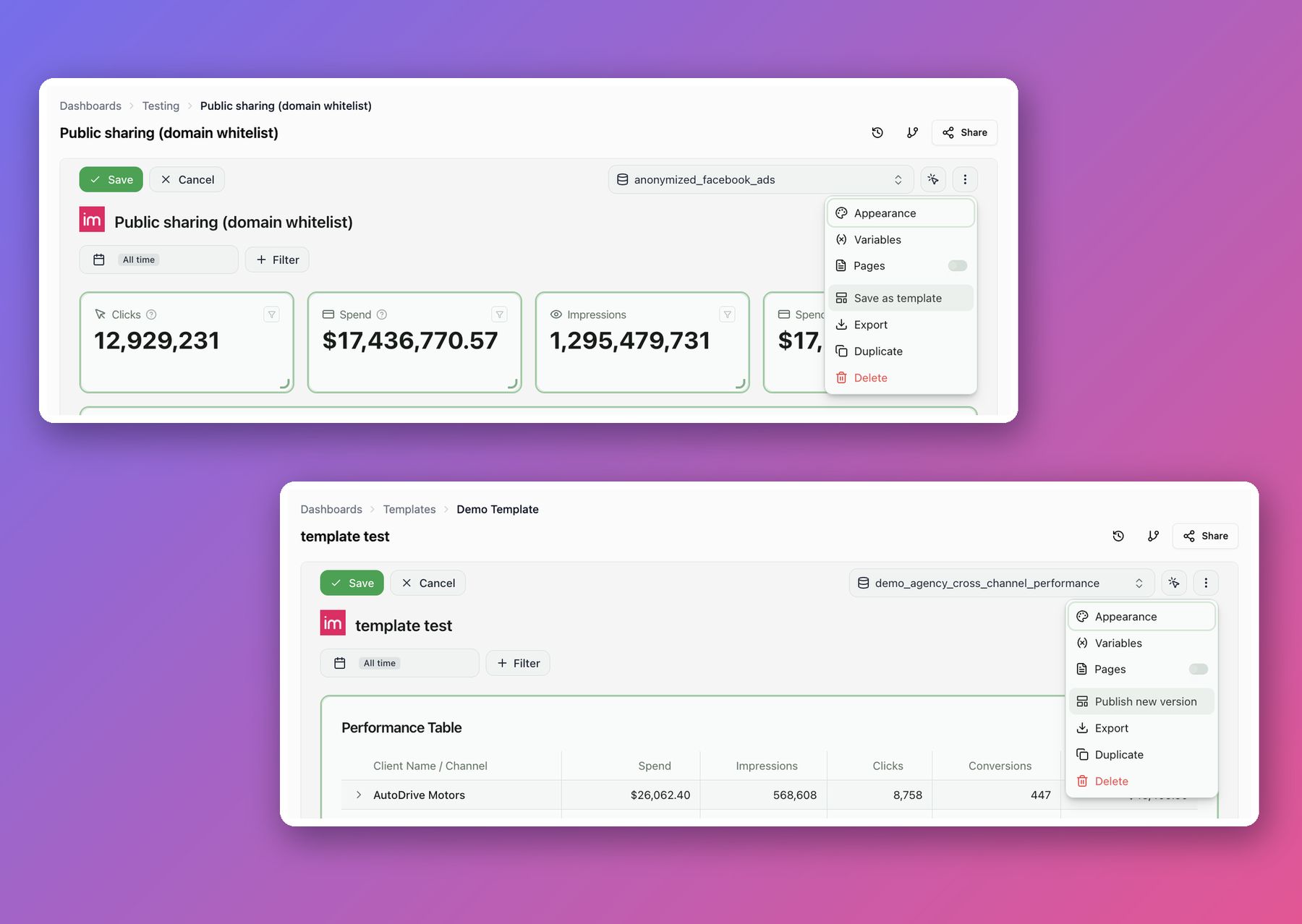
- Offered where dashboards are made. Your templates appear in the dropdown next to Create on the Dashboards page, not only in the catalog.
- Copies stay linked. Publish a new version of a template and everyone who built from it can pull the change in with Sync with template — keeping their own edits.
- Edited like any dashboard. A template opens in the ordinary editor. Your work stays private until you publish a version.
- Filter by what actually works here. The catalog flags templates whose underlying data your workspace does not have yet.
- Change the audience anytime. Switch a template between one workspace and the whole organization from the catalog list.
Note that publishing turns the dashboard into the template — it leaves your dashboards list and becomes the template's editing surface. The dialog spells out what that costs, including how many people lose access, before you confirm.
Dashboard Lineage
"Where does this number actually come from?" used to be a manual answer: open the widget, find the view it reads, work out which recipe writes it, then track down the connection behind that. By the time you had the chain, you had lost the thread of whatever you were checking.
Dashboards now answer it themselves. Click the lineage icon in the dashboard header and a panel opens with the whole chain drawn out — the recipes and SQL views the widgets read, the data tables behind them, and the source connections the data arrived through.
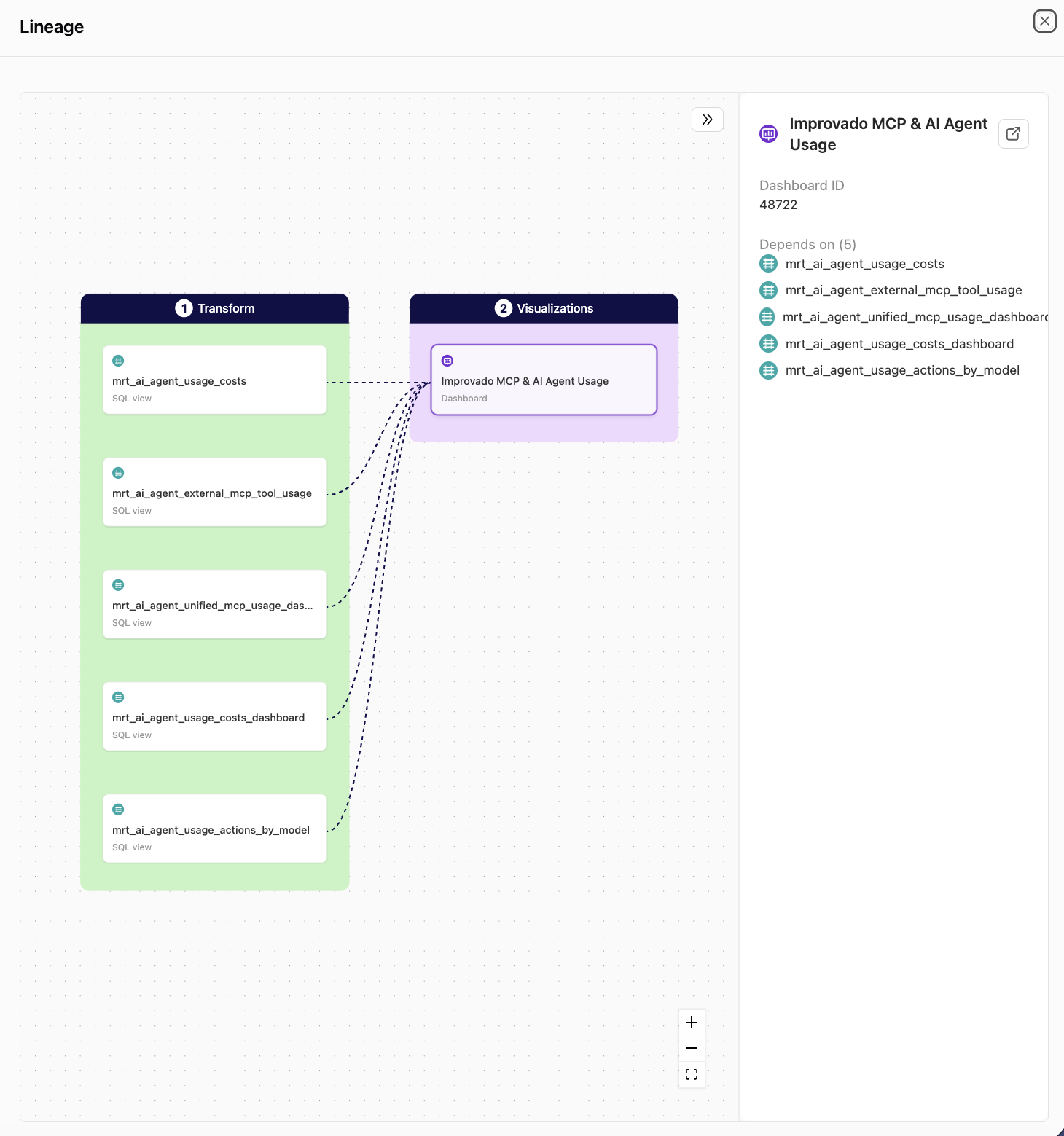
What you can do
- See the whole chain at a glance — Extract, Transform and Visualizations laid out in order, with arrows into the dashboard.
- Check what a dashboard depends on before you change a recipe — the details panel lists every object feeding it.
- Jump straight to the source — open the data table, recipe or connection behind any card in a new tab.
- Hand it to someone new — the map explains a dashboard's plumbing without a walkthrough.
It is read-only and available on any dashboard you can open. Find it next to Share in the dashboard header.
Transfer Dashboard Ownership
A dashboard's owner used to be whoever created it, permanently. Only the owner can switch a dashboard between workspace-wide and restricted access, so a dashboard in the wrong hands was a dashboard nobody else could set access on — most visibly for the ones the AI Agent builds, where the creator is the Agent rather than a person.
Ownership now moves. Open Share, find the person under Who has access, and choose Make owner in their permission dropdown.
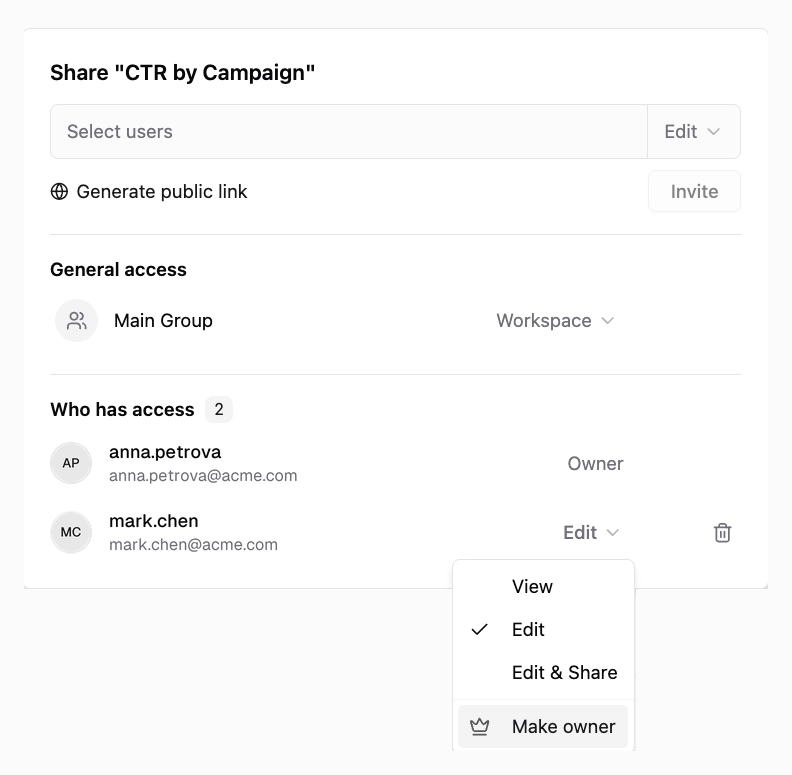
What to expect
- The new owner takes over what only an owner can do — switching the dashboard between workspace-wide and restricted access, and transferring it again.
- You keep Edit & Share, so you can still edit the dashboard, invite people to it, and manage its public link.
- Only the new owner can transfer it again, so the confirmation spells out what you are giving up before anything changes.
- Dashboards the AI Agent built are owned by the Agent — ask it in the chat to make you the owner, and it hands the dashboard over.
See Sharing Dashboards for the full picture.
Brand Presets for Dashboards
Putting a client's branding on a dashboard used to be per-dashboard work: set the logo, pick the colours, then do it again on the next one. When the client refreshed their palette, someone had to walk every dashboard and redo it.
Brand presets replace that. Save the logo and colour scheme once, apply it wherever you need it, and change it in one place when the branding changes — every dashboard following the preset picks it up.
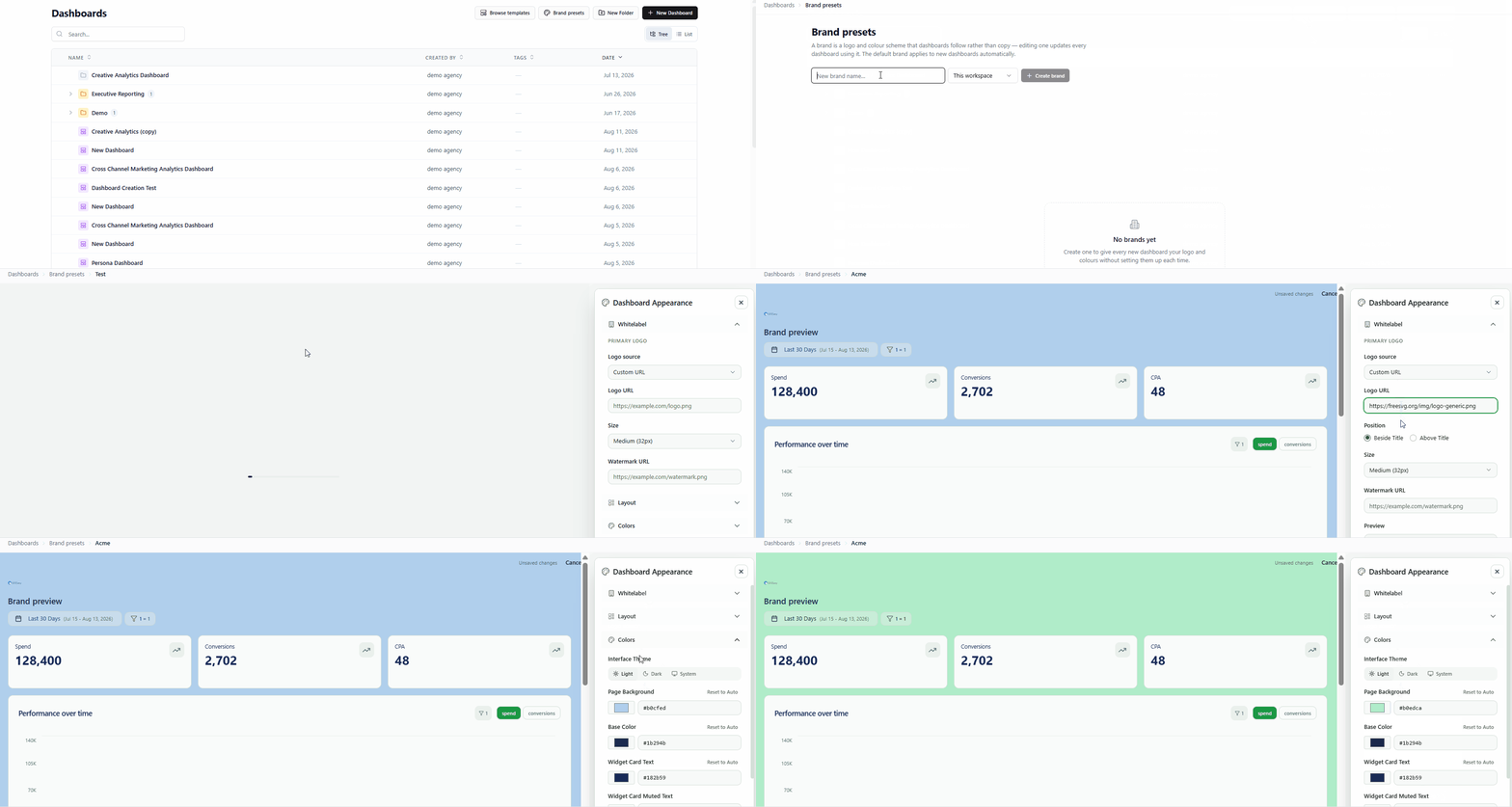
What you can do
- Brand a dashboard in one click — pick a preset from the Brand dropdown in the Appearance panel.
- Re-brand everything at once — edit the preset, and every dashboard following it follows the change.
- Start on-brand — mark one preset as default and every new dashboard gets it automatically.
- Share across workspaces — keep a preset to one workspace, or make it available to the whole agency.
- Still override anything — change a colour on one dashboard without leaving the brand; Reset to brand hands the field back.
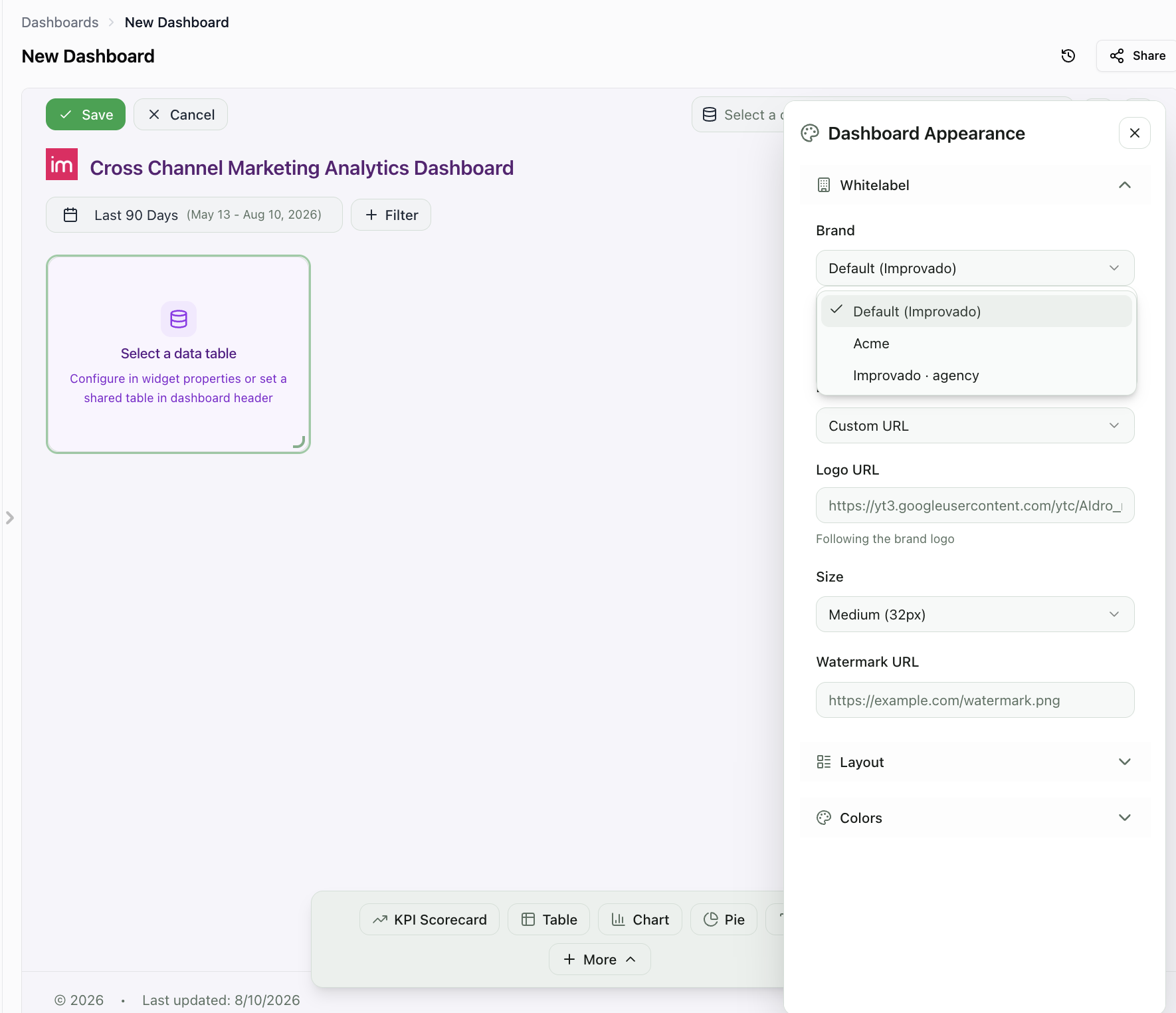
Find them under Dashboards → Brand presets.
Domain-Restricted Dashboard Links
Sharing a dashboard with a client used to mean one thing: a link anyone could open. Good enough to send a chart to a colleague, uncomfortable for a client report — a forwarded URL was all it took for the numbers to travel further than intended.
Now a shared link can be restricted to the domains you approve, and every viewer confirms their work email before the dashboard opens.
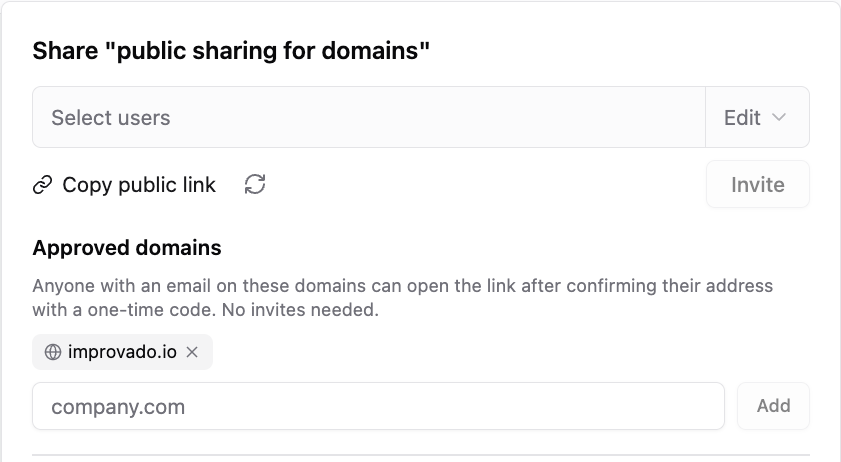
How it works
- You approve the domains. Open Share, add your client's domain under Approved domains. Free email providers are rejected — a domain anyone can sign up for would not restrict anything.
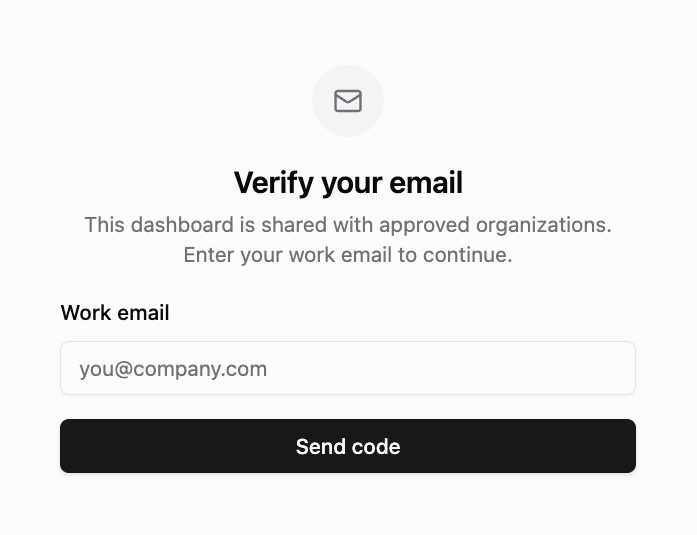
- The viewer proves the address. They enter a work email, get a six-digit code branded with your whitelabel, and the dashboard opens. No Improvado account, no invite, no seat.
- They are remembered for 14 days on that device, so a weekly report does not turn into a weekly code.
You can see who opened it
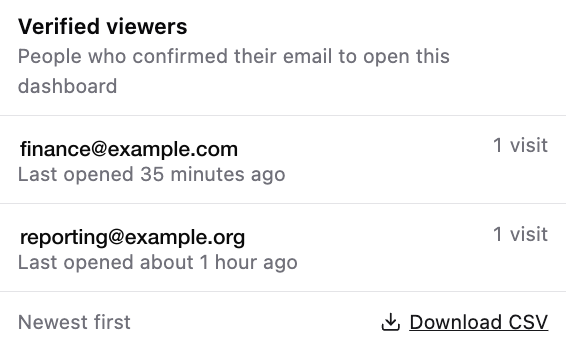
A restricted link keeps a record: who verified, when they last opened the dashboard, how many times. The ten most recent are one hover away in the share panel, and the full list downloads as CSV — the answer to "who has seen this report" is now a fact rather than a guess.
And you can take it back
Remove a domain and everyone who verified with it stops getting in, including the tabs already open — they cannot re-verify either. Regenerate the link and every viewer is out at once. Access that can be granted without a seat can now be withdrawn without one.
Nothing changes for links you already sent
An existing shared link keeps behaving exactly as before, because a link with no approved domains is still a public link. Restriction begins the moment you add the first domain — and ends when you remove the last one.
See Sharing Dashboards for the full setup.
Export Dashboards to PowerPoint & Google Slides
Dashboards already export as branded PDF reports. Now they export as slide decks — and not as pictures of a dashboard. Charts keep their numbers, tables stay tables, text stays text.
Open a dashboard, click Export, set File Format to PowerPoint Presentation, and choose how the deck should be built.
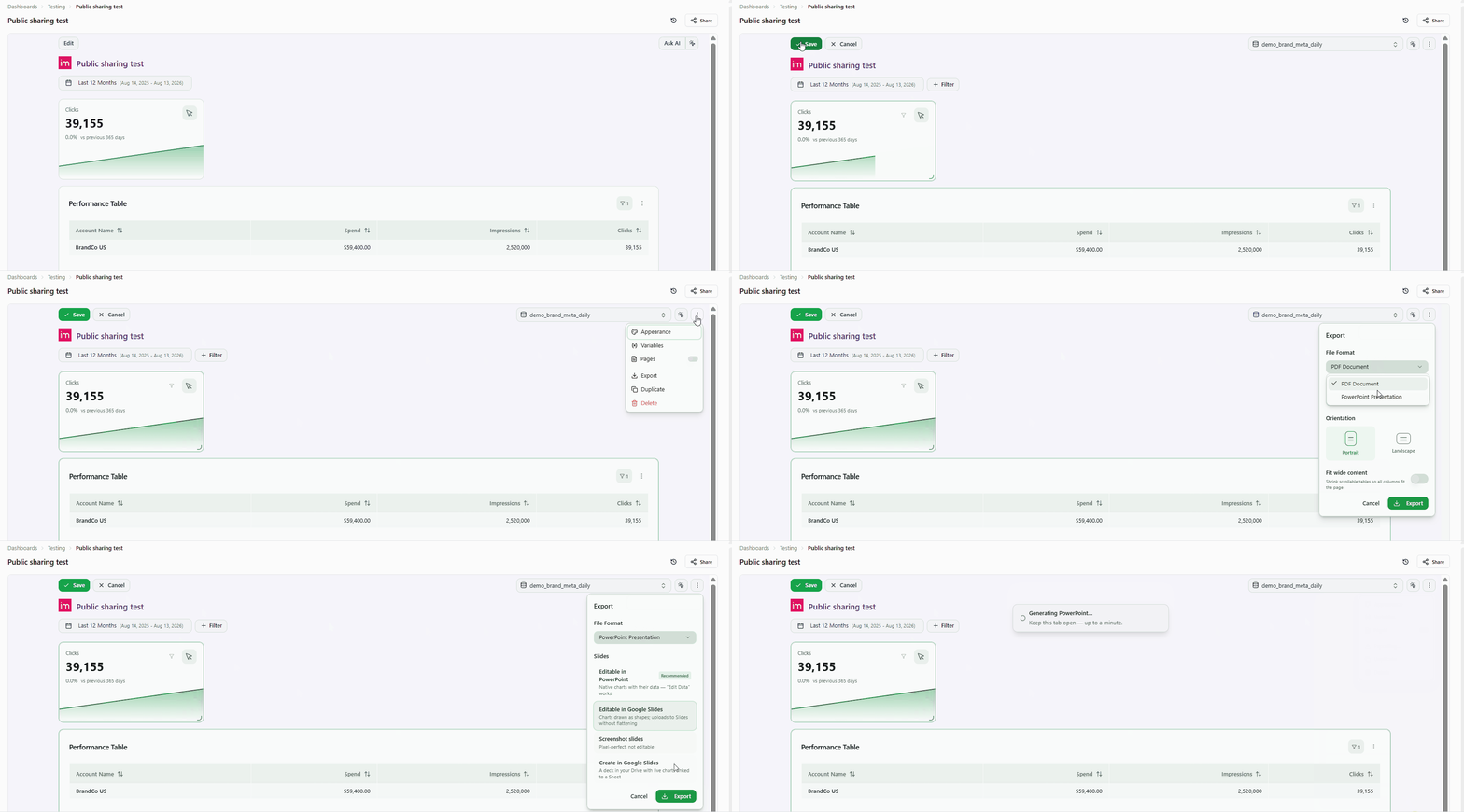
Four ways to build the deck
- Editable in PowerPoint — native charts that carry their own data. Right-click a chart, hit Edit Data, and the numbers are there.
- Editable in Google Slides — charts drawn as shapes, so Slides imports them without flattening them into images.
- Screenshot slides — pixel-perfect capture, for when the deck just has to look like the dashboard.
- Create in Google Slides — a presentation created straight in your Google Drive, with charts linked to a companion Sheet, so Slides' Update button stays wired to the data.
What carries over
- Your numbers, exactly as shown. The deck is built from what the dashboard renders — active filters and date range included — so a slide can never disagree with the screen it came from.
- Your look. Slide background, text, card and table colors follow the dashboard's appearance settings; charts and pies keep their own series and slice colors.
- KPI comparisons. Each KPI keeps its comparison line, not just the headline number.
- Every page, when you want it. On a multi-page dashboard, turn on Include all tabs to export all of its pages in one go, each behind its own section slide. By default, the tab you are viewing is exported.
Nothing quietly goes missing
Widgets with no slide equivalent — creative galleries, heatmaps, custom components — still get their own titled slide, as a picture of the real widget. So does a widget whose query is failing: the deck shows what the dashboard shows for it, instead of dropping it and leaving you to notice.
Why it matters
A dashboard exported as images is a dead end: every client tweak means going back to Improvado and exporting again. A deck that keeps its data is a starting point — reorder the slides, drop in a commentary slide, fix a label, adjust a chart, and send it. The reporting stays yours; the presentation becomes theirs.
Available now on every dashboard. Create in Google Slides needs a Google Sheets connection authorized read-write; the other three modes download a file and need no setup.
July 2026
New API integrations 🧩
We have added several new data sources with the following report types:
- Releases
- Calls
- Reporting Metrics
- Queries Entity
- Tags
- Triggers
- Variables
- Bitlinks Entity
- Clicks Report
- Digital Currency
- Forex
- Time Series
- Campaign Analytics
- Campaigns Entity
- Campaigns Lifetime Analytics
- Channels
- Channels History
- Contacts
- Contacts History
- Currencies
- Currencies History
- Order Statuses
- Order Statuses History
- Orders
- Orders History
- Price Lists
- Price Lists History
- Product Availability
- Product Availability History
- Products
- Products History
- Sales Credits
- Sales Credits History
- Sales Orders
- Sales Orders History
- Shipping Methods
- Shipping Methods History
- Tax Codes
- Tax Codes History
- Warehouses
- Warehouses History
Filter by Fields in the Extraction Flow
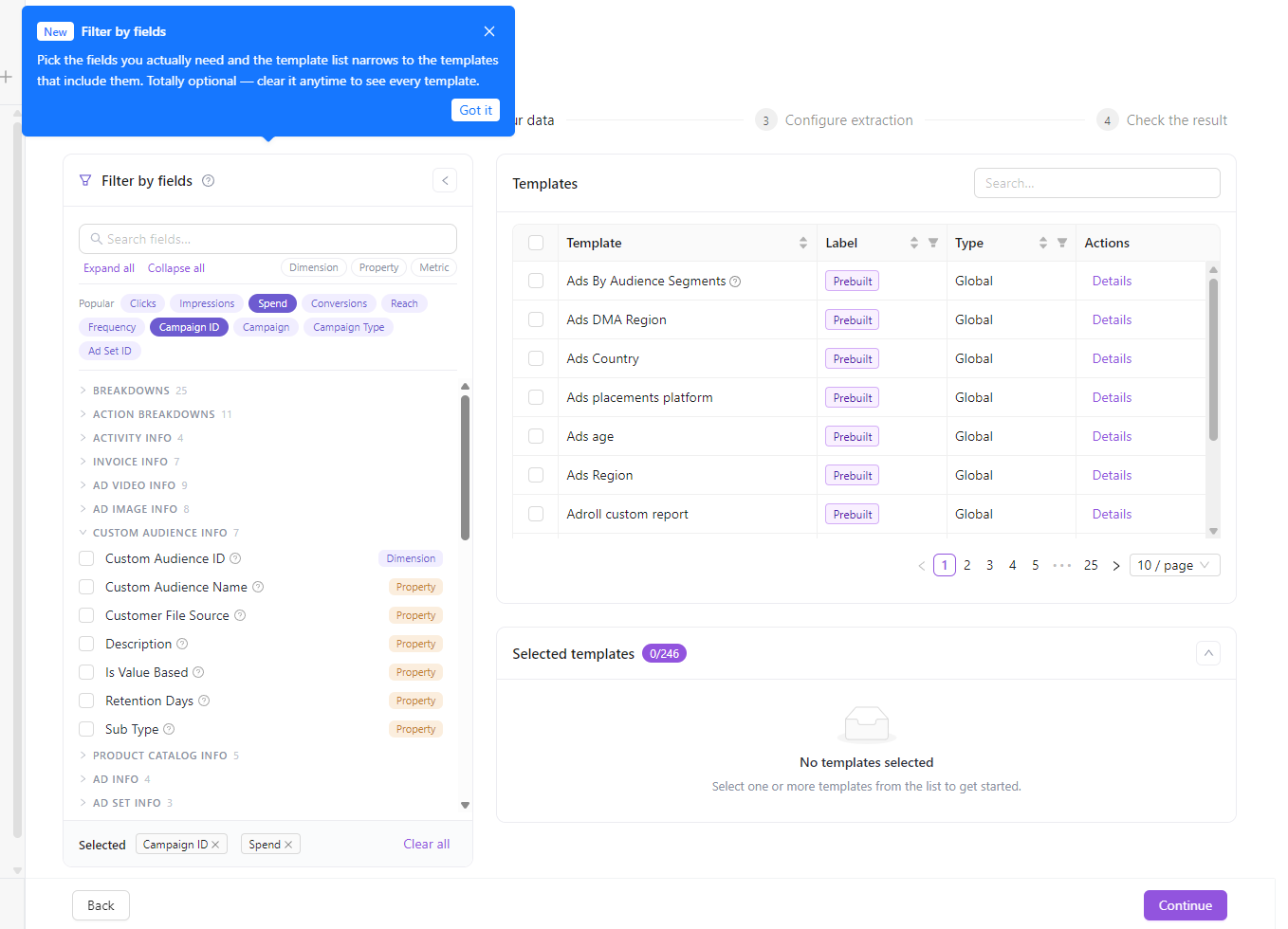
Choosing the right report template used to mean scrolling through a long list and opening templates one by one to check whether they contained the field you needed. Filter by fields flips that around: tell us which fields matter, and Step 2 “Choose your data” instantly narrows the template list to only the templates that include them.
The new panel sits on the left of Step 2. Search for any field by name, add it, and the Templates table on the right updates in place to show only matching templates — so you go from “which template has spend, impressions and campaign?” to a short, relevant shortlist in seconds.
What's new
- Narrow templates by the fields you need. Pick one or more fields and the template list is filtered down to only the templates that contain all of them.
- Search across every field. Type any field name to find it instantly, no matter which group it lives in.
- Popular fields, one click away. The most-used fields — clicks, impressions, spend, conversions, campaign and more — sit at the top as quick-add chips.
- Filter by field type. Quick toggles for Dimensions, Metrics and Properties let you focus on just one kind of field at a time.
- Fields grouped and counted. Fields are organized into logical groups (Breakdowns, Action Breakdowns, Performance, Costs, and so on) with a count on each — expand and collapse them, or expand all at once.
- See the exact SQL name. Each field’s tooltip shows the raw SQL column name, so you know precisely what will land in your data table.
Why it matters
Prebuilt templates cover a lot of ground, and that breadth used to make the right one hard to find. Filter by fields turns template selection into a fields-first workflow: start from the data you want in your report, and let the flow surface the templates that deliver it. Less scrolling, fewer wrong turns, and a faster path from connection to a running extraction.
Filter by fields is available now in the extraction flow — no setup required.
Dashboard Version History & One-Click Restore
Dashboards built and edited with the AI agent now keep a full version history. Every save — whether it came from you in the editor or from the AI agent — is automatically captured as a restore point, so you can always go back to a working state.
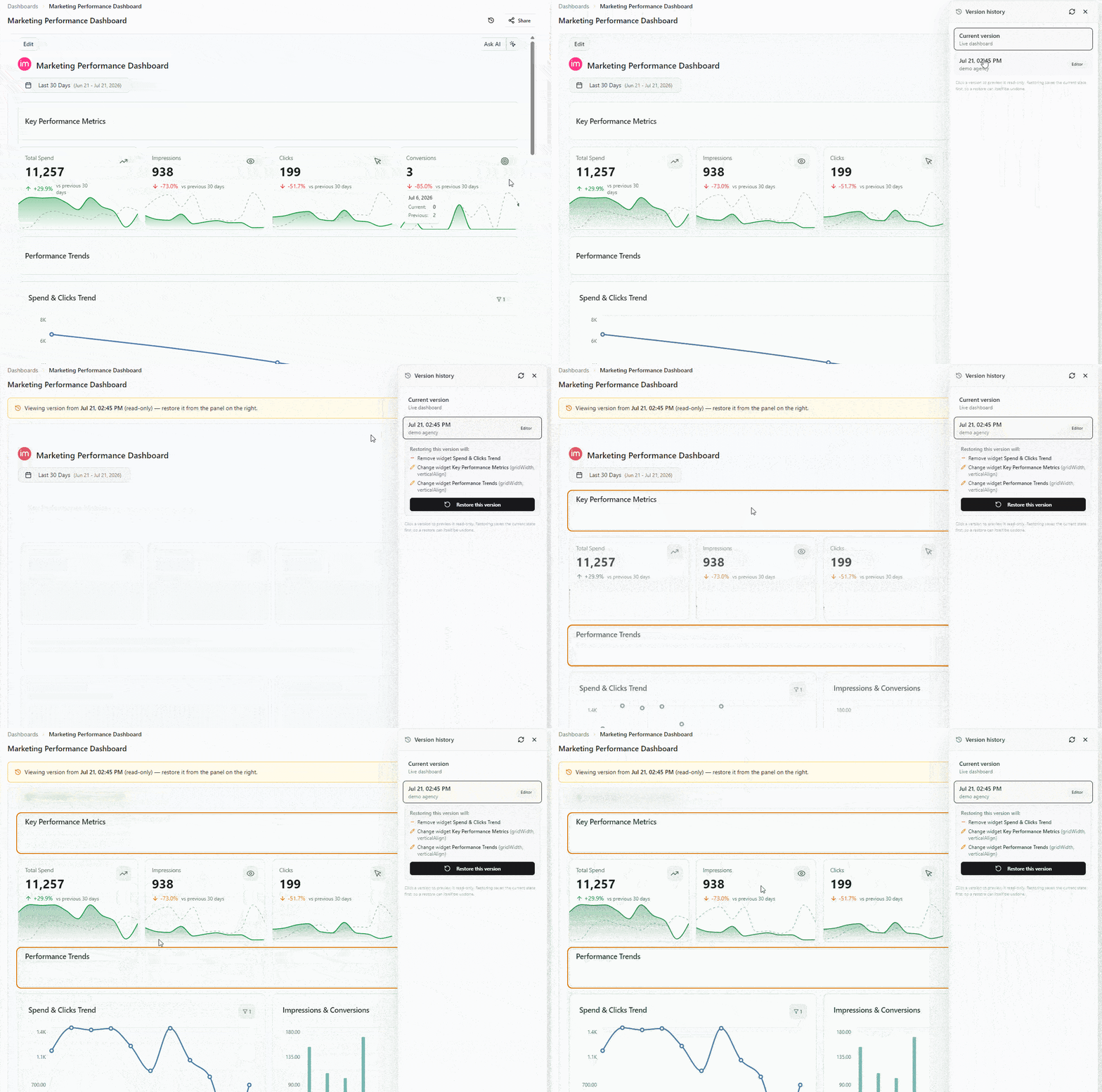
Open Version history from the dashboard header (next to Share) to see every change over time: when it happened, who made it, and whether it came from the editor or the AI agent. Select any entry to preview that version live and read-only, review exactly what a restore would change, and roll back with a single click.
What's new
- Automatic restore points. Every dashboard save is snapshotted — no manual "save a copy" step.
- Live read-only preview. Click a past version to see the dashboard exactly as it looked then, without touching the current one.
- See what changes before you restore. Each version shows which widgets and settings a rollback would add, remove, or change.
- One-click restore — itself undoable. Restoring saves your current state first, so you can always undo a restore too.
- Clear attribution. Each version is labeled by author and source (Editor / AI Agent), and agent changes link back to the chat that made them.
- Ask the agent to do it. You don't have to open the panel — just ask the AI agent to list past versions, preview one, or restore it. The same version-history actions are exposed as MCP tools, so they also work from any client connected to Improvado's MCP server.
Why it matters
AI makes editing dashboards fast — and version history makes it safe. If a change doesn't look right, you no longer need support to recover the previous state: browse the history, preview, and restore it yourself in seconds.
Version history is available on editable dashboards in the AI agent. No setup required — it's on by default. Read the dashboard version history guide.
Account-Specific Custom Extraction Settings
Custom extraction settings whose values depend on your connected account — like dataset IDs, custom conversions, or custom segments — can now be selected from a picker that loads the available options directly from your account, instead of being typed in by hand.
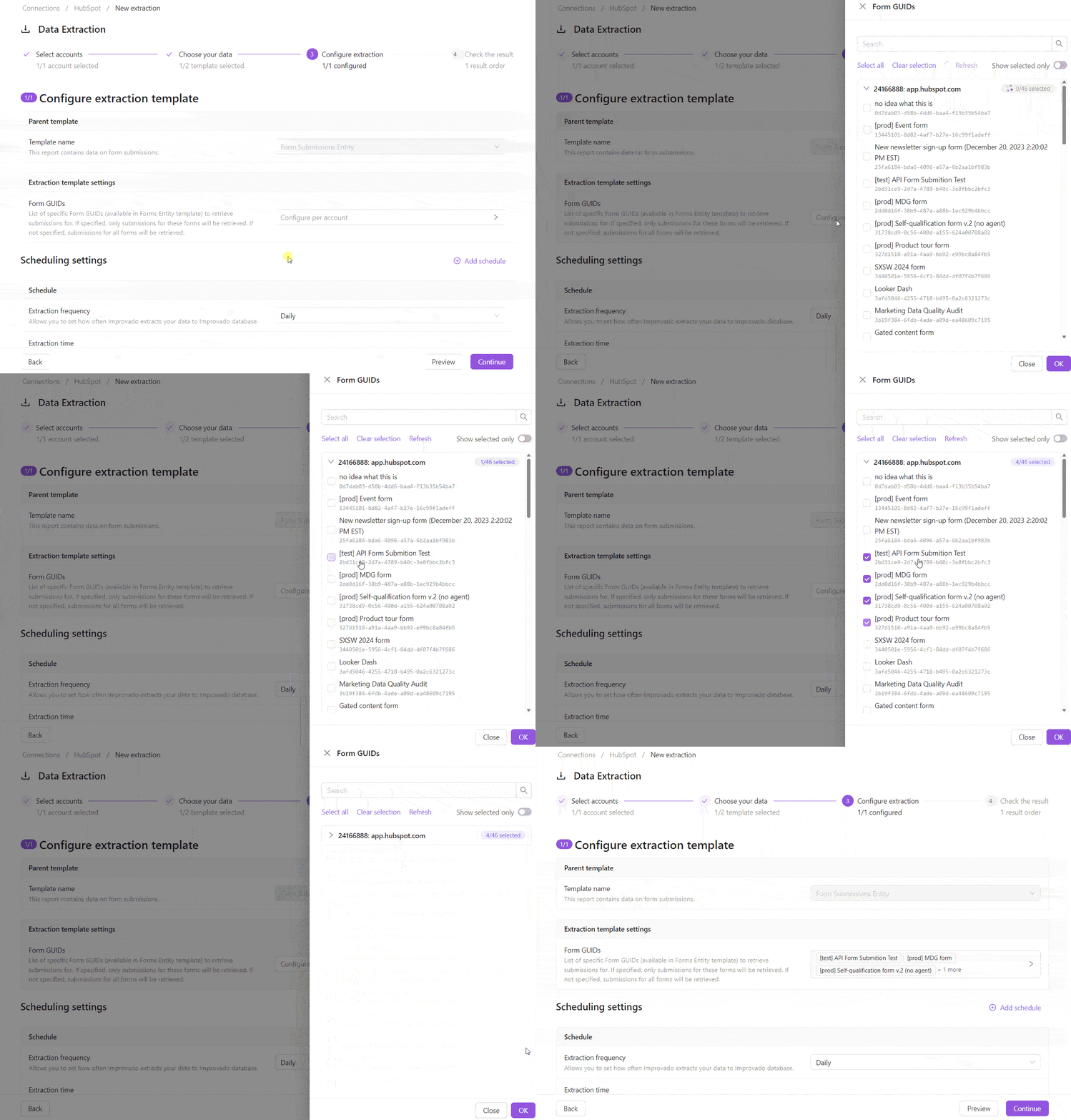
How it works
- For settings with account-specific options, the extraction template step now shows a picker — open it, search, and select one or more values loaded from your account.
- Multi-account setups are configured per account: expand an account to load its options, and a badge shows how many values are selected out of the total.
- Can't find a value, or the list can't be fully loaded? Add it manually — the manual-entry field is always available, even when an account fails to load.
- Your selections are saved into the extraction configuration and restored when you reopen the order.
Why it matters
Removes tedious, error-prone manual entry and keeps extraction configurations accurate to each data source.
June 2026
New API integrations 🧩
We have added several new data sources with the following report types:
- Contacts
- Events
- Messages
- Analytics Posts
- Analytics Profiles
- Messages
- Publishers Entity
- Transaction Details
- Ads Entity
- Ads Stats
- Bids Entity
- Campaigns Entity
- Campaigns Stats
- Fund Modifications
- Spots Entity
- Stats
Share a Connection with Specific Users
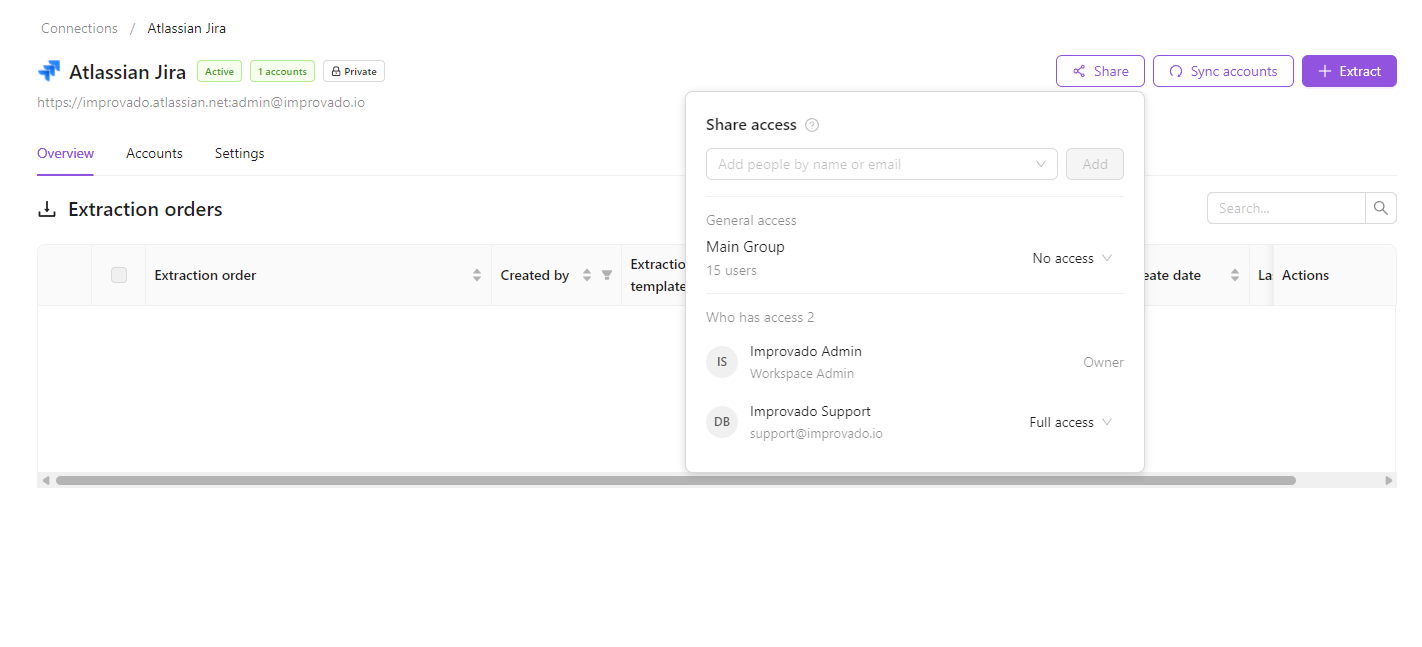
You can now share a private connection with specific people in your workspace — no longer an all-or-nothing choice between keeping it fully private and opening it to everyone.
How it works
- Open a connection and click Share in the top-right corner.
- Under General access, choose No access to make the connection private, or Full access to share it with the whole workspace.
- While it is private, add specific people by name or email. They get the same owner-level access and can use, re-share, and manage the connection.
Good to know
- You can share with existing workspace members and agency owners — no invitations are sent.
- Sharing settings are saved even while the connection has Full access, and apply again whenever you switch it back to No access.
- The owner, the last person to authorize the connection, and anyone it's shared with can manage who has access.
Data Governance Rules for Naming Conventions
Automatically generate data governance rules that enforce naming convention compliance across your marketing data.
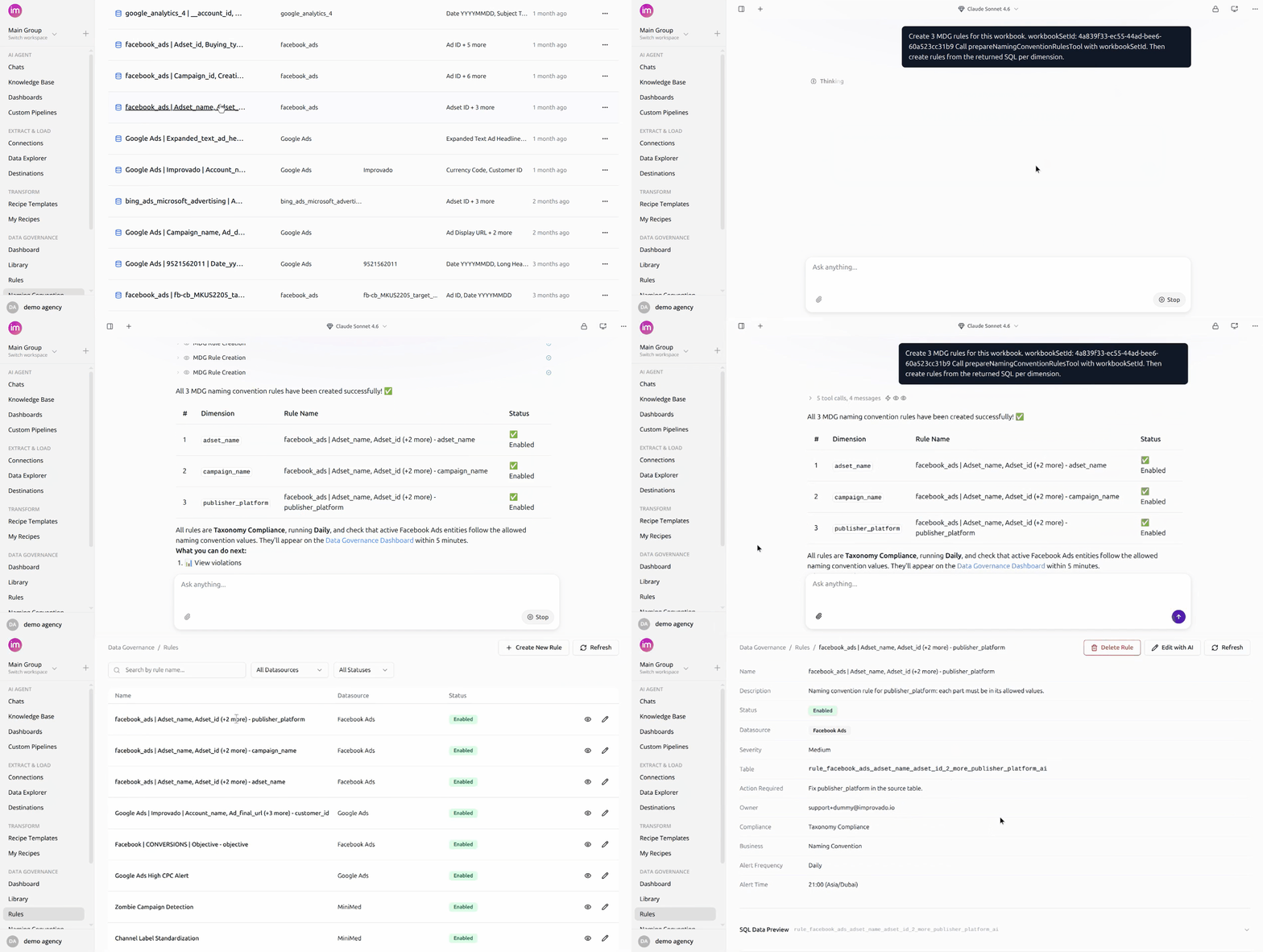
Why it matters
- Catch naming issues before they affect reporting.
- Generate compliance rules with one click.
- Keep rules automatically in sync with naming convention changes.
Learn more in Data Governance Rules for Naming Conventions documentation.
Monitor Connected Source with Discovery API Rules
AI-powered data governance rules for any connected marketing platform — no extraction pipeline required. Describe the metric you want to monitor in natural language, and the Improvado AI agent sets up the Custom Pipeline and writes the rule on top of it.
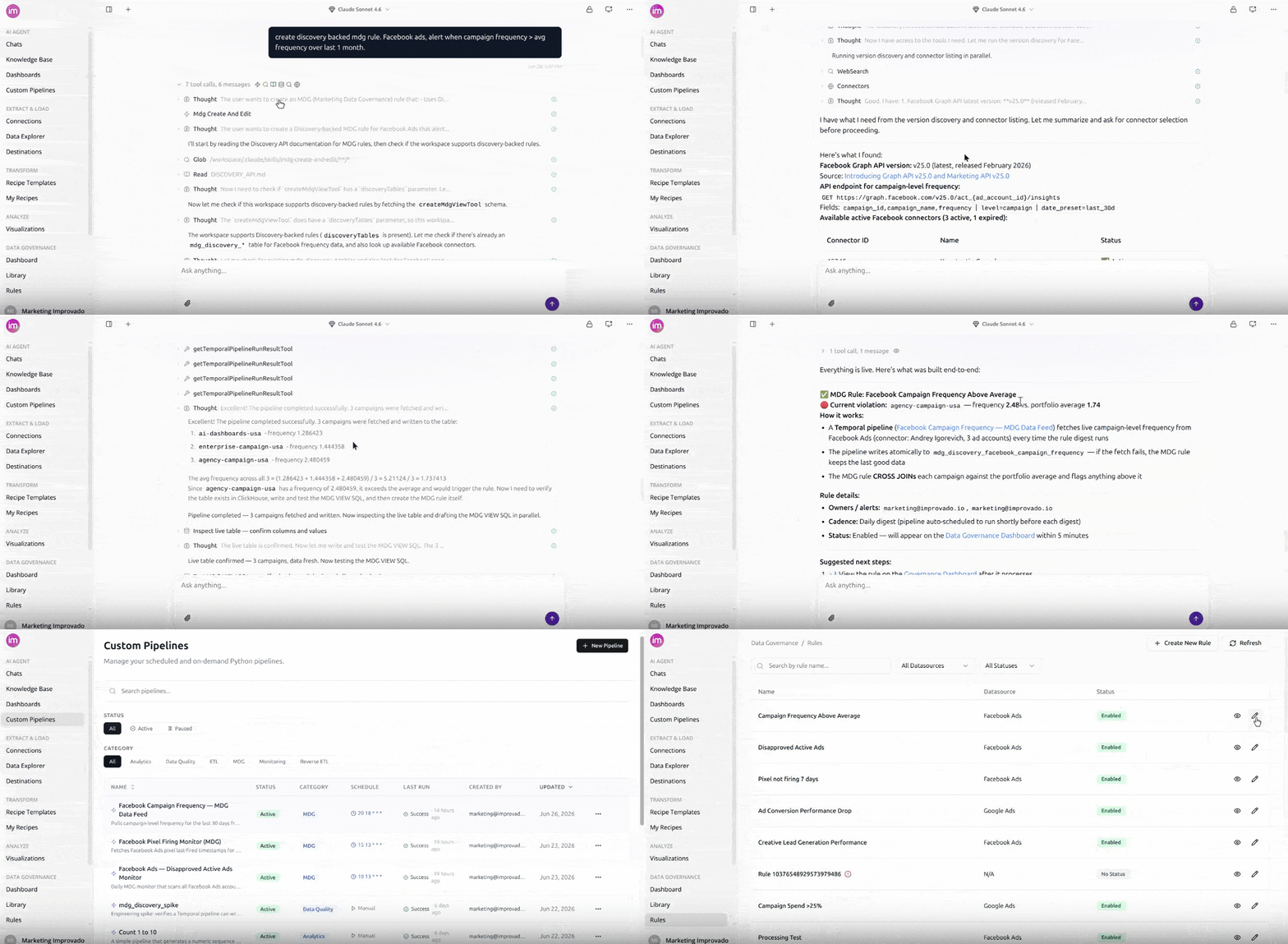
Why it matters
- Expands governance coverage beyond extracted data.
- Reduces implementation time and setup effort.
- Enables fast monitoring of critical metrics across connected platforms.
Learn more in Monitor Any Connected Source with Discovery API Rules documentation.
Actionable error notifications
When an extraction, data load, or source/destination connection fails, the notification email now tells you exactly what broke — and links you straight to fixing it, with no digging through the platform.
- Error shown inline — the actual failure message appears right in the email, so you see what went wrong at a glance.
- Deep links to the failing object — jump straight to the specific data table, load, or connection that failed instead of a generic page.
- Context-aware actions — buttons like View failing load or Reconnect data source match the problem at hand.
- Fix with AI Agent — one click opens the AI Agent pre-loaded with the error context, so you can diagnose and resolve in seconds (where AI Agent is enabled).
Why it matters: alerts should help you act, not just inform. Every failure notification now points to the exact problem and the fastest path to a fix — less digging, faster recovery.
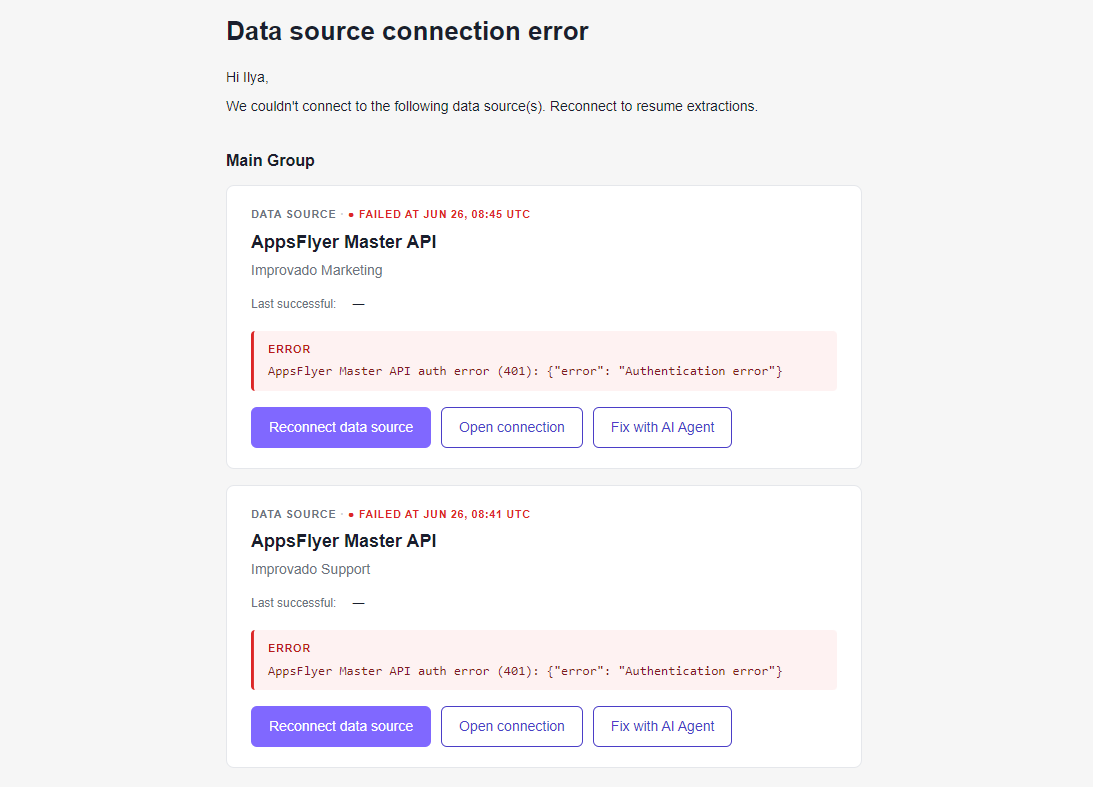
Learn more in Improvado Notifications documentation.
Export data to CSV — straight from the preview
Need your data in a spreadsheet? Now you can grab it the moment you see it. Export any data table to CSV directly from the Data Preview — no separate tools, no extra steps.
- One-click export — click Export CSV right in the Data Preview header
- Full table, every time — download up to 100,000 rows in standard CSV format
- Spreadsheet-ready — open instantly in Excel, Google Sheets, or wherever you work
Why it matters: ad-hoc analysis shouldn't mean a detour. Pull a clean CSV from exactly where you're already exploring your data, and get to work in seconds.
Good to know: the export always contains the full table (up to 100,000 rows). On-screen filters and grouping shape only the preview — they don't change the file. For larger or filtered deliveries, use Data Load to send data to your destinations.
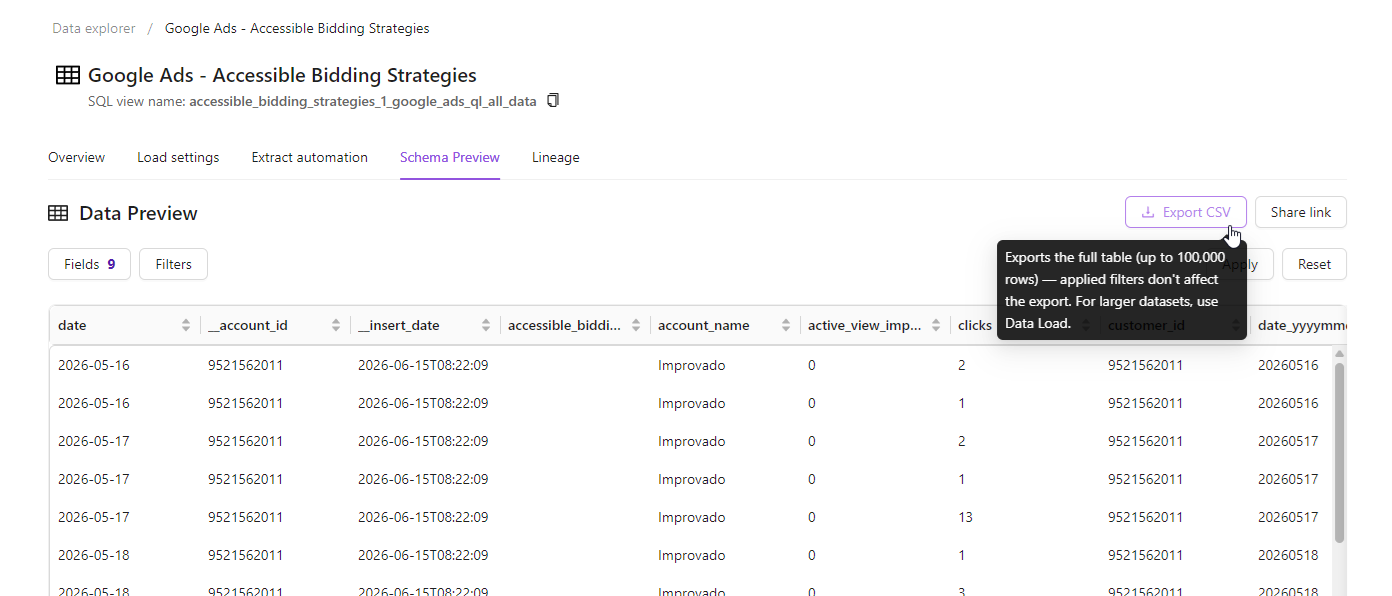
Learn more in Export to CSV documentation.
Organize dashboards with folders
Dashboards now live in folders, so a growing workspace stays organized and easy to navigate.
- Tree & List views — browse dashboards as a nested folder tree or a flat, sortable list. Your view is remembered.
- Create & nest folders — group dashboards by team, client, or campaign.
- Drag-and-drop or Move to folder — file dashboards from anywhere, including search results.
- Safe delete — deleting a folder moves its contents up to the parent instead of removing them.
You can also ask the AI Agent to create folders and move dashboards for you.
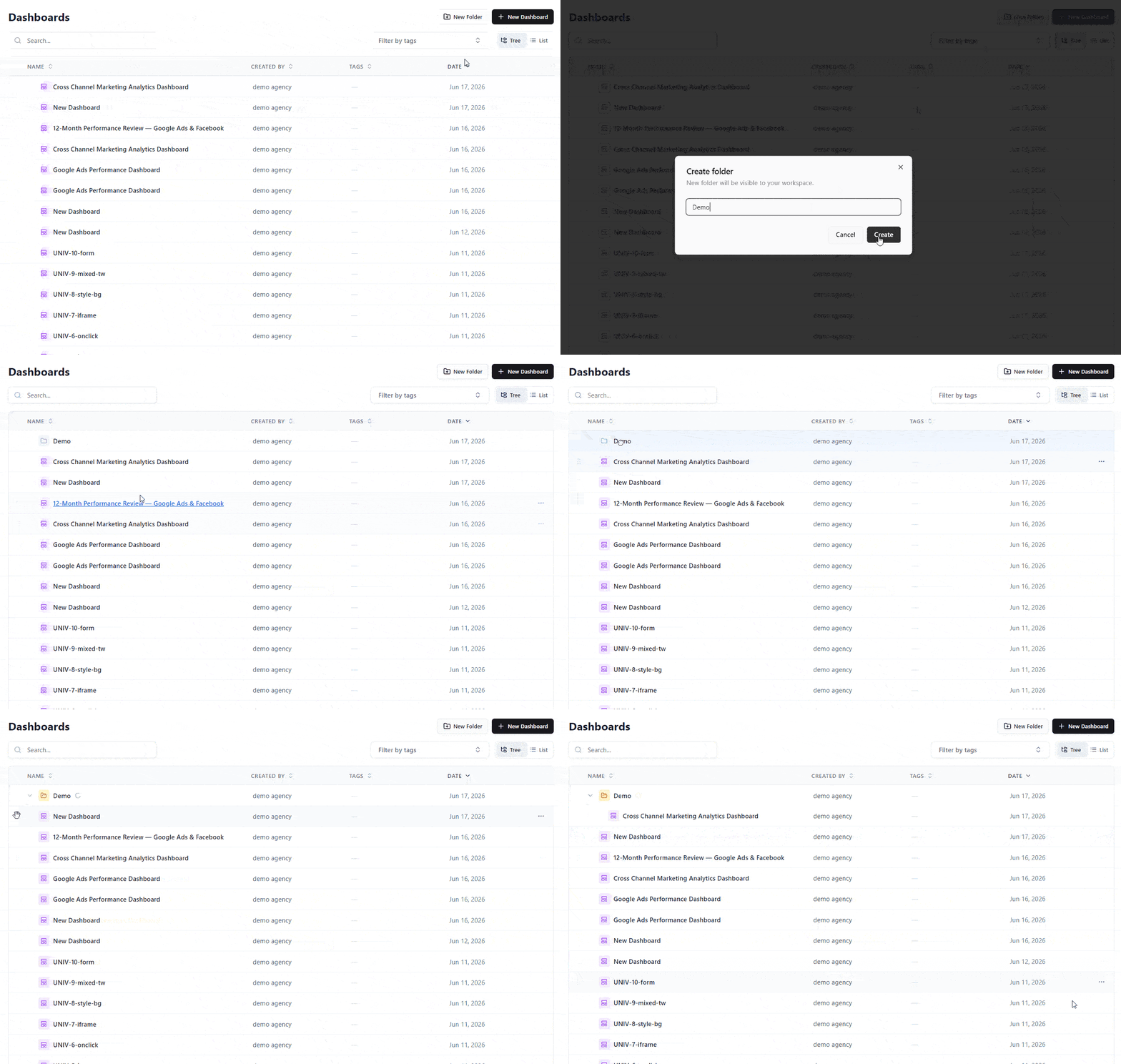
Learn more in Organizing Dashboards with Folders.
Tag your dashboards
You can now add tags to any dashboard directly from the dashboards list — in both List and Tree views. Open a dashboard's ⋯ menu → Edit tags to apply an existing tag or create a new one on the fly, then use the tag filter to find the right dashboard in seconds.
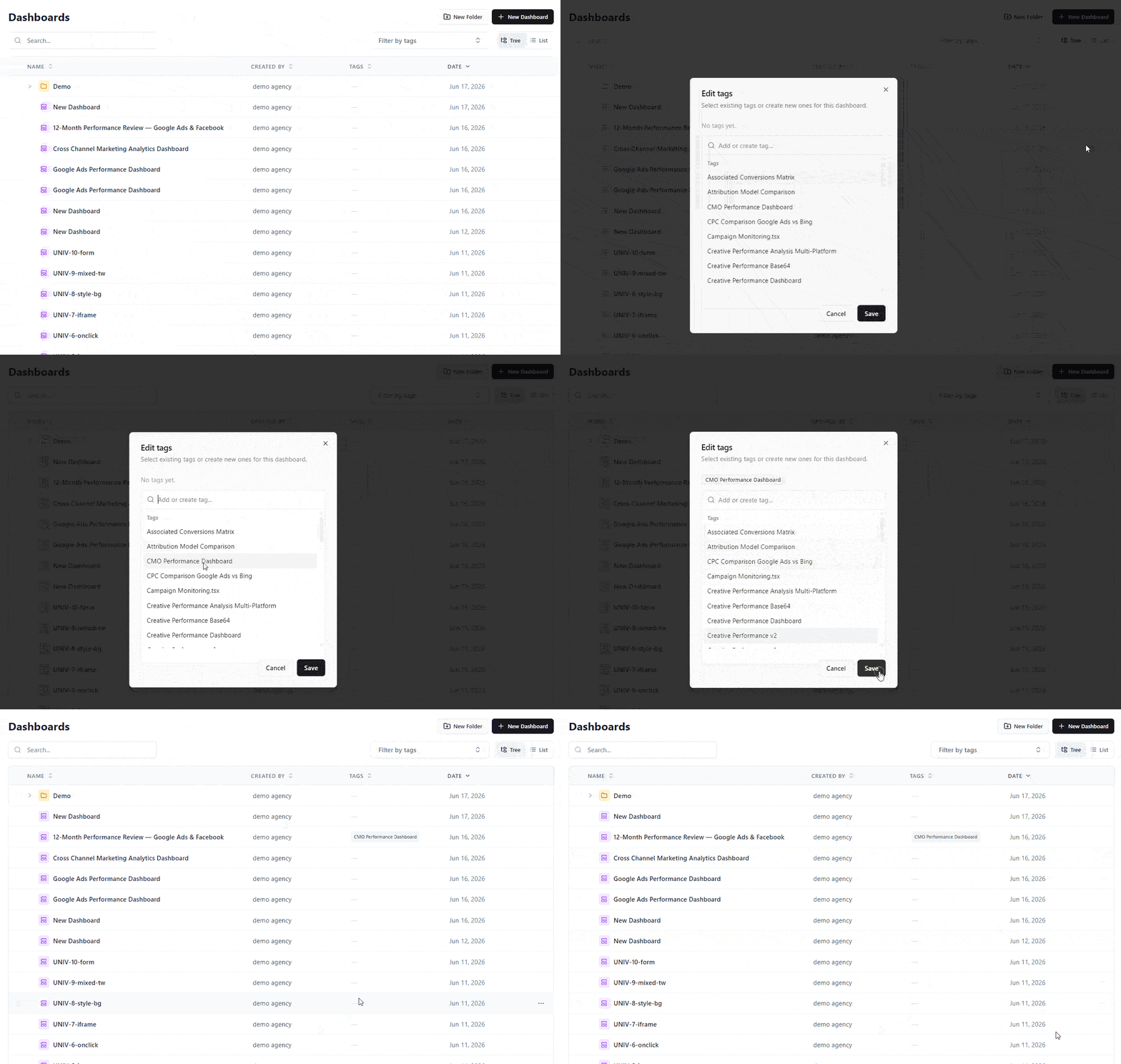
Learn more in Organizing Dashboards with Folders & Tags.
Export Dashboards as Branded PDF Reports
You can now export any dashboard as a polished, branded PDF report — ready to share with clients and stakeholders, no screenshots required.
Open a dashboard, click Export in the header, and keep File Format: PDF Document. Improvado renders the page you are on server-side into a clean, multi-page document — turn on Include all tabs to add every tab of a multi-page dashboard. KPI cards, charts, and tables are laid out to fit the page, your workspace branding and white-label theme are preserved, and the dashboard's filters and date range are applied exactly as you see them on screen. Pick Portrait or Landscape and A4 or Letter.
Great for recurring client reports, QBRs, and leave-behinds — your live dashboard, captured pixel-perfect.
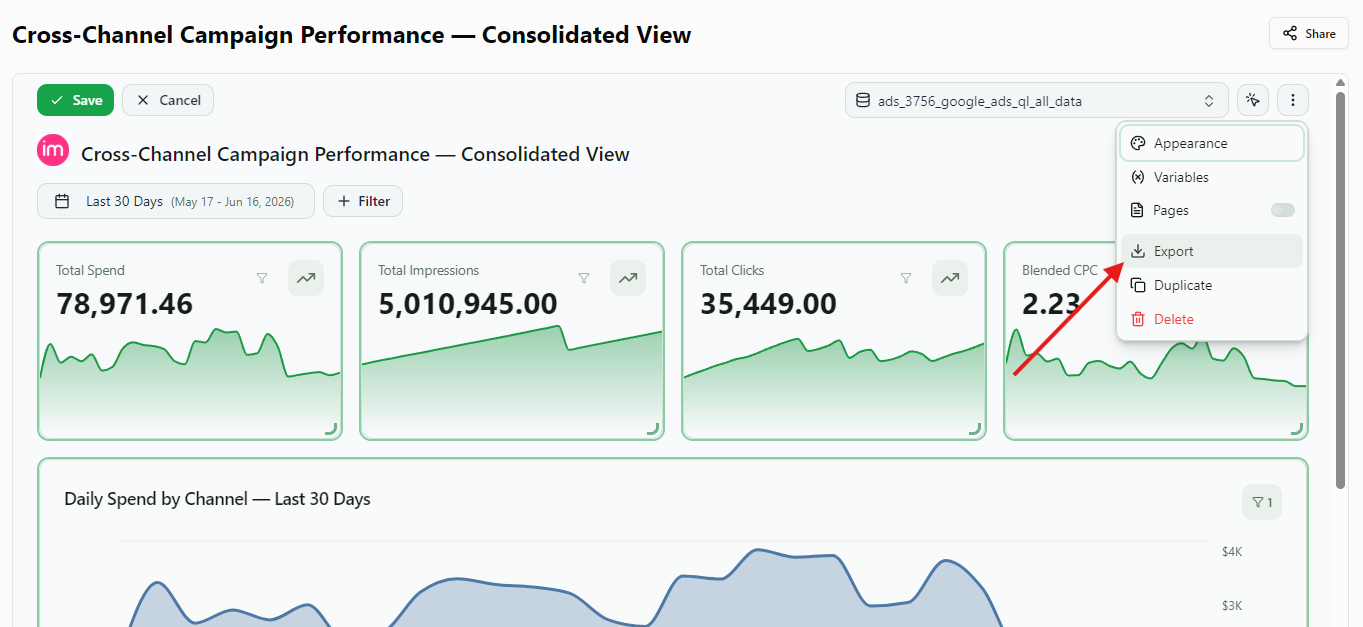
Edit Dimensions for Existing Wide Report Extractions
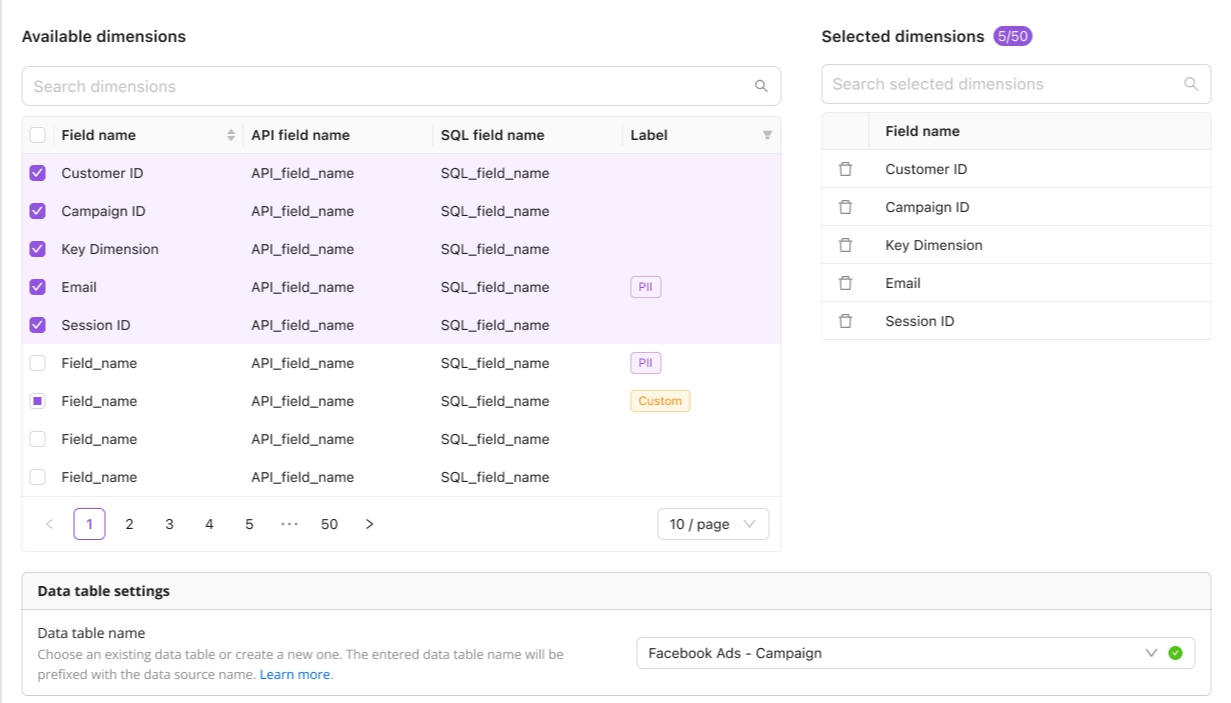
You can now add or remove dimensions on an existing Wide Report extraction without recreating it from scratch. Improvado spins up a new versioned extraction order with the updated schema and routes it to a new data table, while your original order is paused and your historical data stays fully intact. Available across the platform UI, the AI Agent, and the API.
Clustering Keys for Google BigQuery Destination
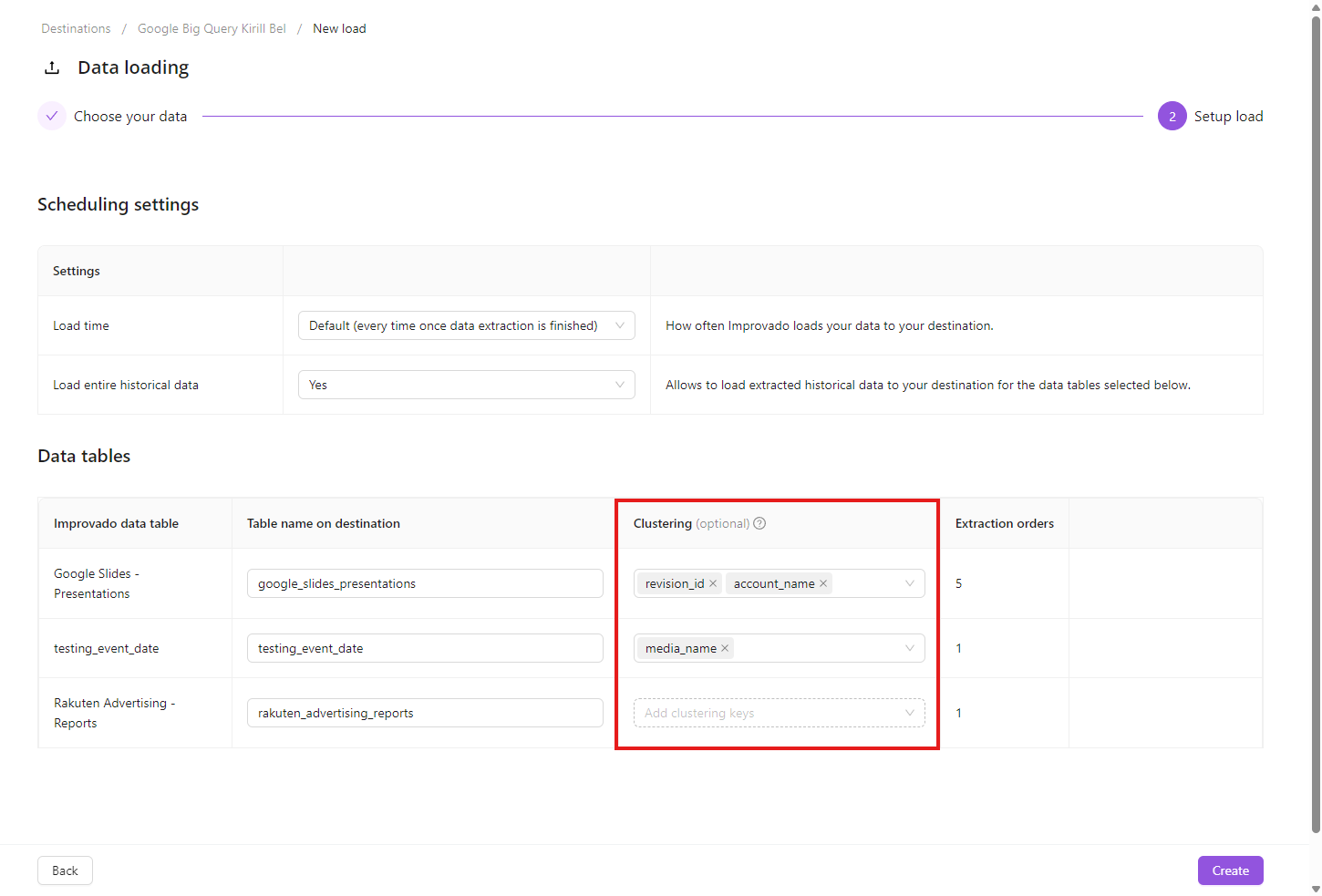
You can now set BigQuery clustering keys when creating a new load order to a Google BigQuery destination.
On step 2 of the New load flow, each data table gets a Clustering column — pick up to 4 fields, in the order BigQuery should filter by. Clicking the cell fetches the available fields from the source table on demand; metrics are filtered out automatically.
May 2026
New API integrations 🧩
We have added several new data sources with the following report types:
- Campaigns Entity
- Reports
- Call Recordings
- Files
- List Entries
- Lists
- Meetings
- Notes
- Record Entries
- Records
- Records History
- Tasks
- Threads
- Workspace Members
- Ad Groups Entity
- Ads Entity
- Campaigns Entity
- Insights
- Questions
- Responses
- Surveys
- Attachments
- Out of Office Entries
- Project Memberships
- Projects
- Sections
- Stories
- Team Memberships
- Members
- Users
- Subtasks
- Tags
- Tasks
- Workspace Memberships
- Recordings
- Transcripts
- Manufacturing Customer Feedback
- Manufacturing Forecasting
- Manufacturing Inventory
- Manufacturing Sales
- Manufacturing Sales by Geography
- Manufacturing Traffic
- Companies
- Contacts
Custom Roles & Permissions
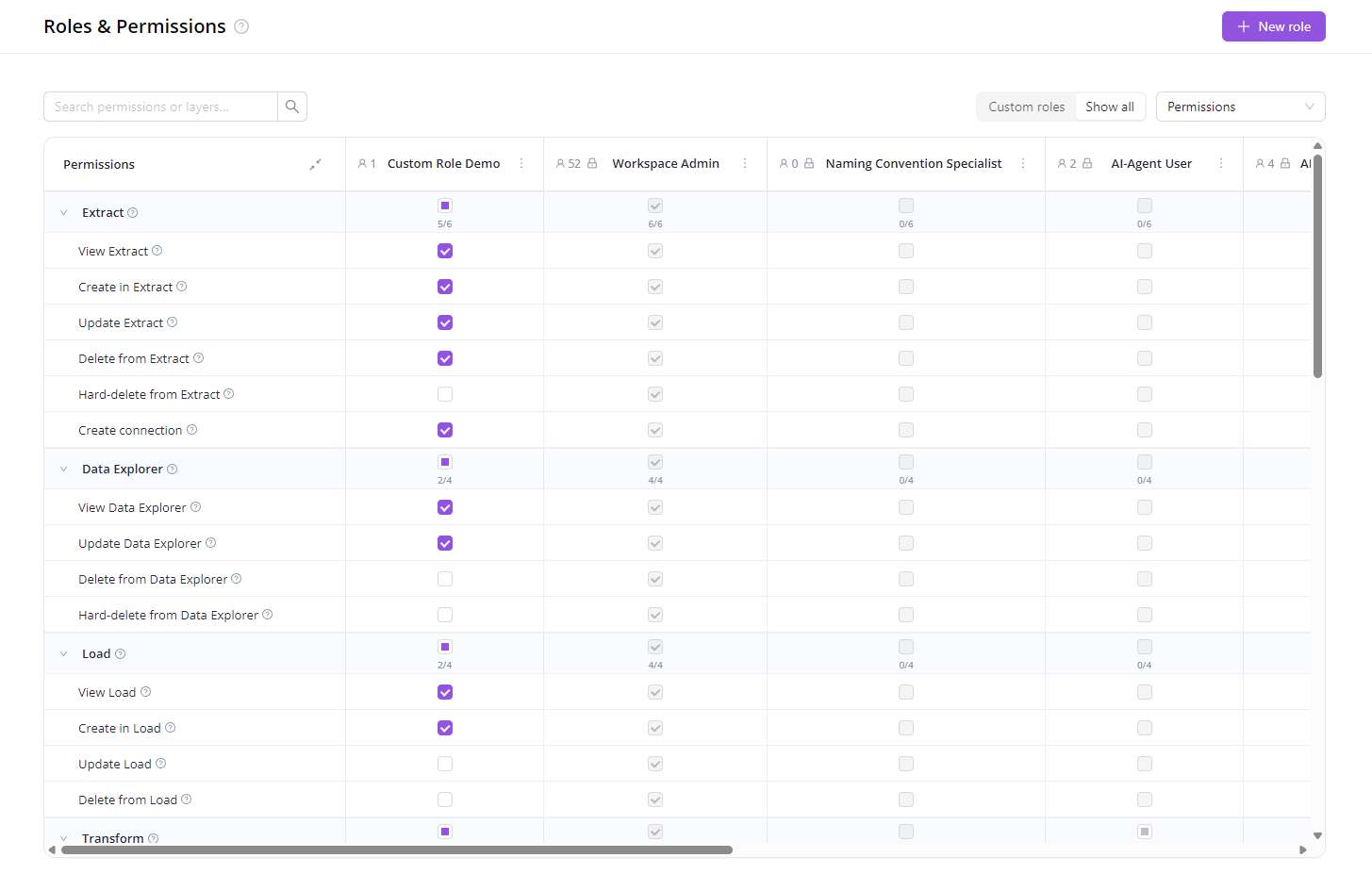
The predefined roles (Viewer, Editor, Workspace Admin…) cover most teams out of the box. When they don't, you can now build your own.
Pick exactly which areas of the product a role can see and what it can do there — and assign it to anyone in your workspace.
A few patterns this unlocks:
- Client access to dashboards only — brand stakeholders see their Dashboards and AI Agent, nothing about the pipelines behind them.
- Contractors and specialists — give a temp user one slice (e.g. only Naming Convention rules) and revoke when they're done.
- Separation of duties — keep analysts out of destinations, finance out of pipelines, marketing out of data loads.
- Tiered teams — Junior, Senior, and Lead with progressively more access.
- Read-only auditor — share view-everything / edit-nothing access, revoke when done.
Get started: open Organization → Roles, click New role, and pick the permissions you want.
Updated Welcome Page
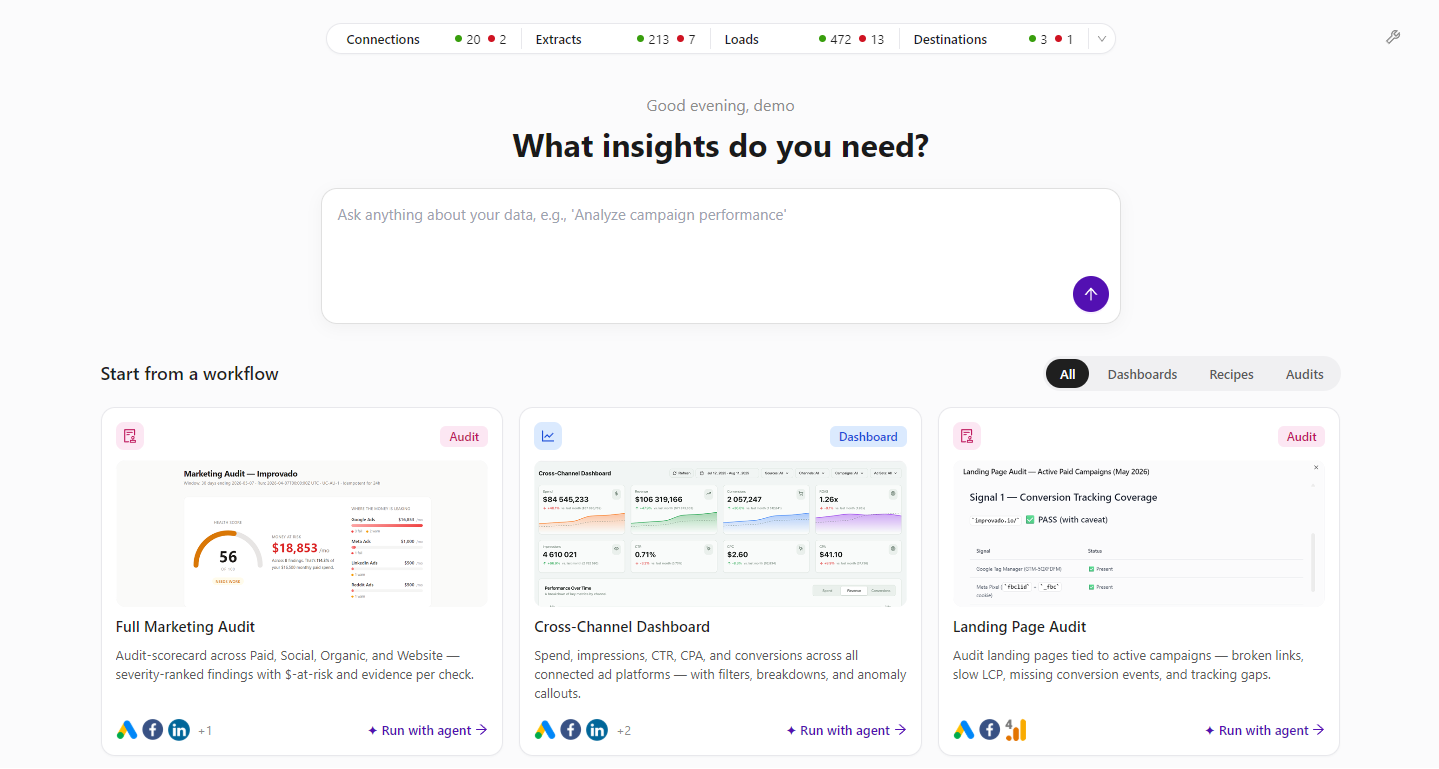
We’ve refreshed the welcome page to make it easier to monitor workspace health and start analysis faster. Users can now see a customizable stats overview for Connections, Extracts, Loads, and Destinations, then jump directly into workflow presets like marketing audits, cross-channel dashboards, and landing page checks.
This update gives every team a clearer starting point: review what needs attention, ask a data question, or launch an Agent-powered workflow in just a few clicks.
Acknowledge Violations in Data Governance
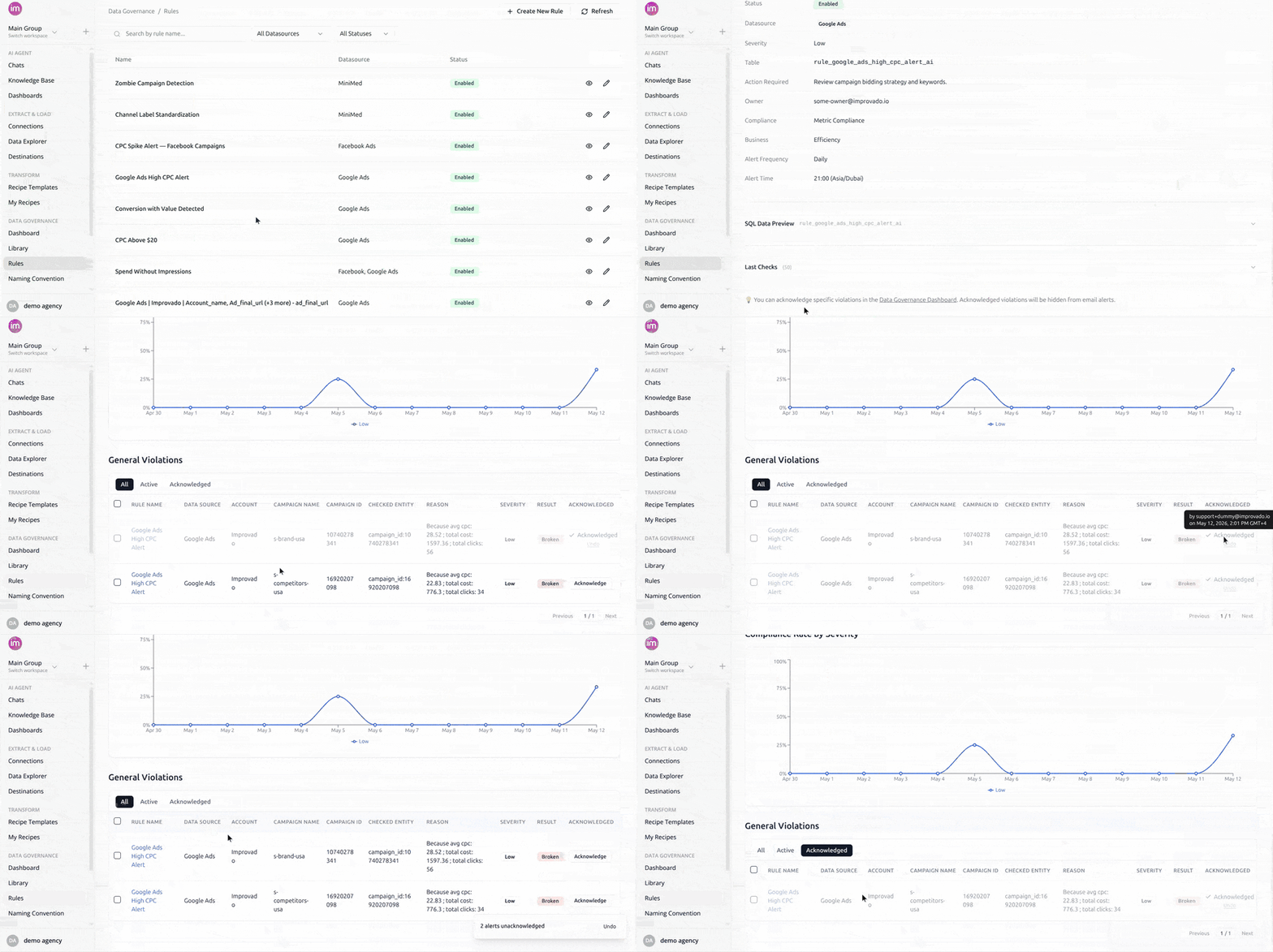
Mark reviewed violations as accepted so they stop appearing in your MDG email digests. Acknowledged violations stay visible on the dashboard but are filtered out of all future emails. Bulk-acknowledge, unacknowledge anytime, and see who acknowledged and when.
Credential Requests - Status Tracking & Revoke
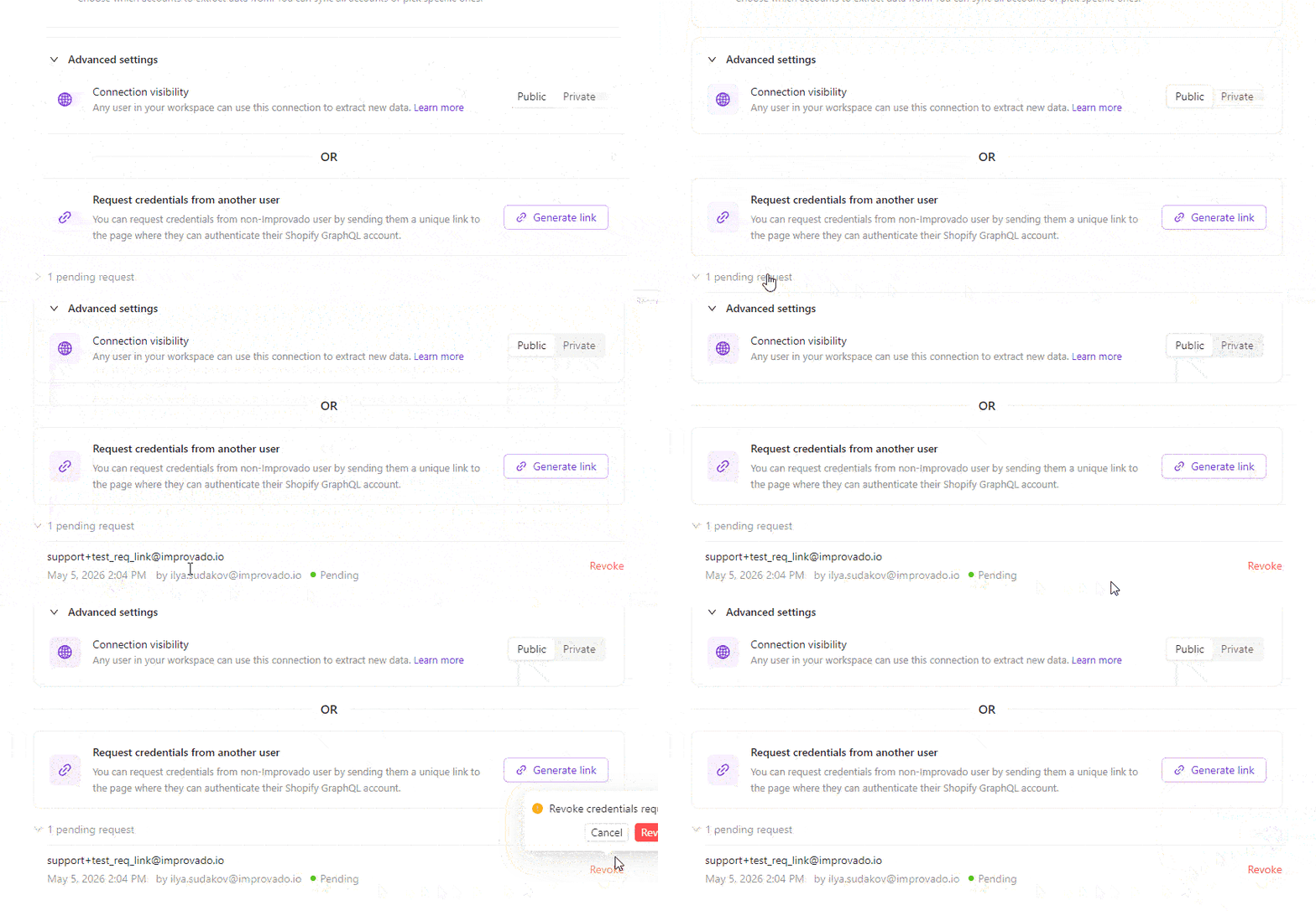
The Request credentials flow lets you send a unique auth link to someone outside Improvado so they can connect a data source on your behalf. We've added what was missing once you hit Send:
- Full history of every link you've sent - recipient, sender, timestamp, and status (Pending / Used / Expired / Revoked).
- One-click revoke for any pending link.
April 2026
New API integrations 🧩
We have added several new data sources with the following report types:
- Direct Campaigns
- Preferred Campaigns
- Marketplace Campaigns
- Campaigns Entity
- Ads Entity
- Advertisers Entity
- Inventory
- Demand
- Auction
- Tasks
- Workflows
- Folders
- Contacts
- Comments
- Timelogs
- Spaces
- Custom Fields
- Customer Journey Attribution Data
- Summary Page Data
- Report Definitions Entity
- Report Execution
- Ad Types Report
- Ads Report
- Campaigns Entity
- Campaigns Report
- Media Properties Report
- Sites Report

AI Dashboards — Pin to Ask AI, Granular Widget Tools, and Polish
AI Dashboards just got a faster path between your data and the AI Agent — plus a wave of polish across editing and sharing.
Pin a widget, ask the agent
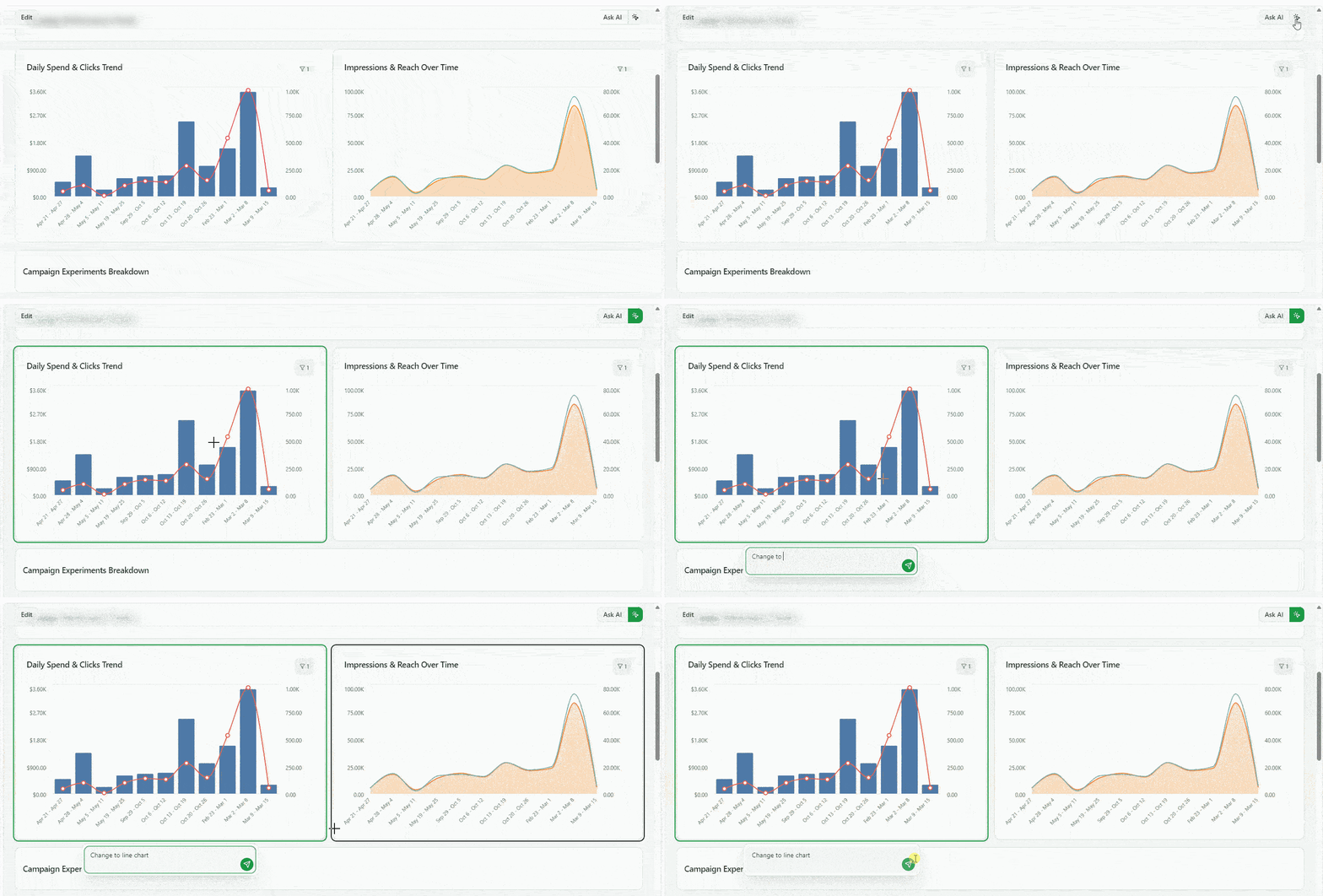
Click the new Pin icon in the dashboard header, select any widget, type a prompt — the AI Agent picks it up with the widget's full context (id, type, config, dashboard title) and either appends it to your current chat or opens a new one if you're outside the agent. Works on every widget type, including custom components.
Surgical widget edits via the AI Agent
The AI Agent can now edit individual widgets without rewriting the whole dashboard config. New skill commands to get, patch, add and validate widgets, as well as copy dashboard — give the agent atomic, idempotent operations. The result: faster iterations, smaller diffs, and far fewer surprises when the agent tweaks a single chart or KPI.
Polish across the editor and sharing
- View-only filter hide — mark filters as hide for view-only so shared-link viewers see a cleaner header
- Unified chart legend & colors — single-metric and multi-metric charts now share consistent legend defaults
- Numerous bug fixes — view-only filter logic, widget-level filter priority, stable schema validation across snake_case responses, and improved Public Link / Restricted access flows.
Improvado MCP — Connect Your AI Agent to Your Marketing Data
Connect any MCP-compatible AI agent (Claude, Cursor, Windsurf) to your Improvado platform through one secure connection. Access 1,350+ connectors, 46,000+ unified metrics, and 84 tools — ask questions in plain language and get real-time results. Uses OAuth with your existing Improvado credentials, no separate API keys needed. Setup takes under five minutes.
Data Preview for Extractions
You can now preview a sample of your data directly in the extraction setup — before committing to a full sync. See exactly which fields and values will be extracted, catch configuration issues early, and set up extractions with confidence.
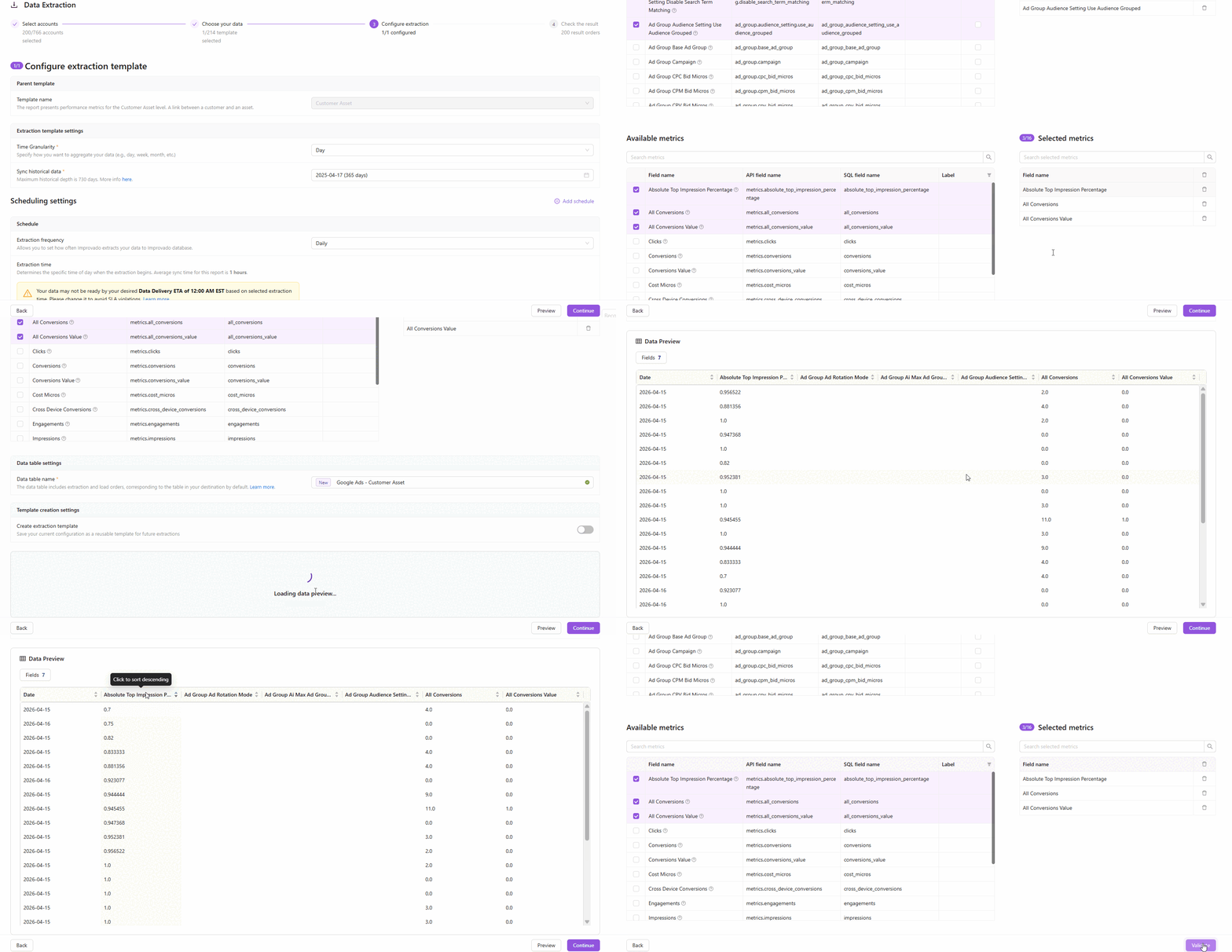
How it works
- On Step 3 of the extraction flow, click the Preview button to fetch a live data sample
- Improvado runs a lightweight extraction against your connected account and returns up to 100 rows of today's data
- The preview table shows all selected fields — including dynamic and custom CRM fields — so you know exactly what you'll get
Key highlights
- Available for most report types — covers the majority of connectors with synchronous API-based reports
- Dynamic CRM fields supported — custom Salesforce, Dynamics 365, and other CRM fields appear automatically in the preview
- Fast and safe — preview runs with a 2-minute timeout and doesn't affect your production extractions
- Smart account sampling — Improvado checks up to 5 accounts and returns the first non-empty result
Why it matters
No more blind extractions. Validate field mappings, check data availability, and verify custom settings — all before a single row hits your destination.
Webhooks: Automated Event Notifications
You can now register webhook endpoints to receive automated HTTP notifications whenever events occur in your Improvado workspace — no more polling the API to check for updates.
How it works
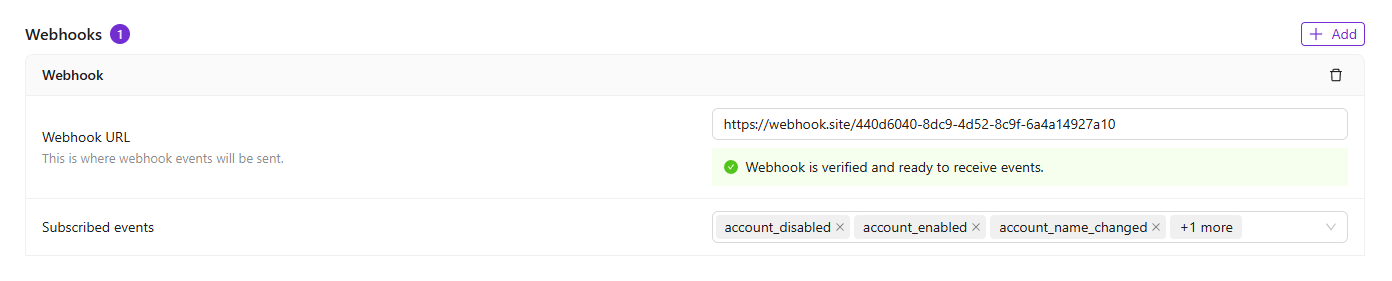
- Navigate to Settings → Notification Center → Webhooks and add your server URL
- Choose which events to subscribe to — from connection changes and extraction updates to load completions and user actions
- Verify your endpoint using a simple challenge-response handshake, and start receiving events automatically
Key highlights
- 80+ event types across accounts, connections, extractions, loads, transformations, data tables, users, and recipes
- Secure verification — Improvado validates endpoint ownership via a challenge-response mechanism before delivering any events
- Signing secret — each webhook includes a unique secret so your server can authenticate that requests are genuinely from Improvado
- Flexible subscriptions — add or remove event types at any time without re-creating the webhook
Apply Naming Convention via AI Agent
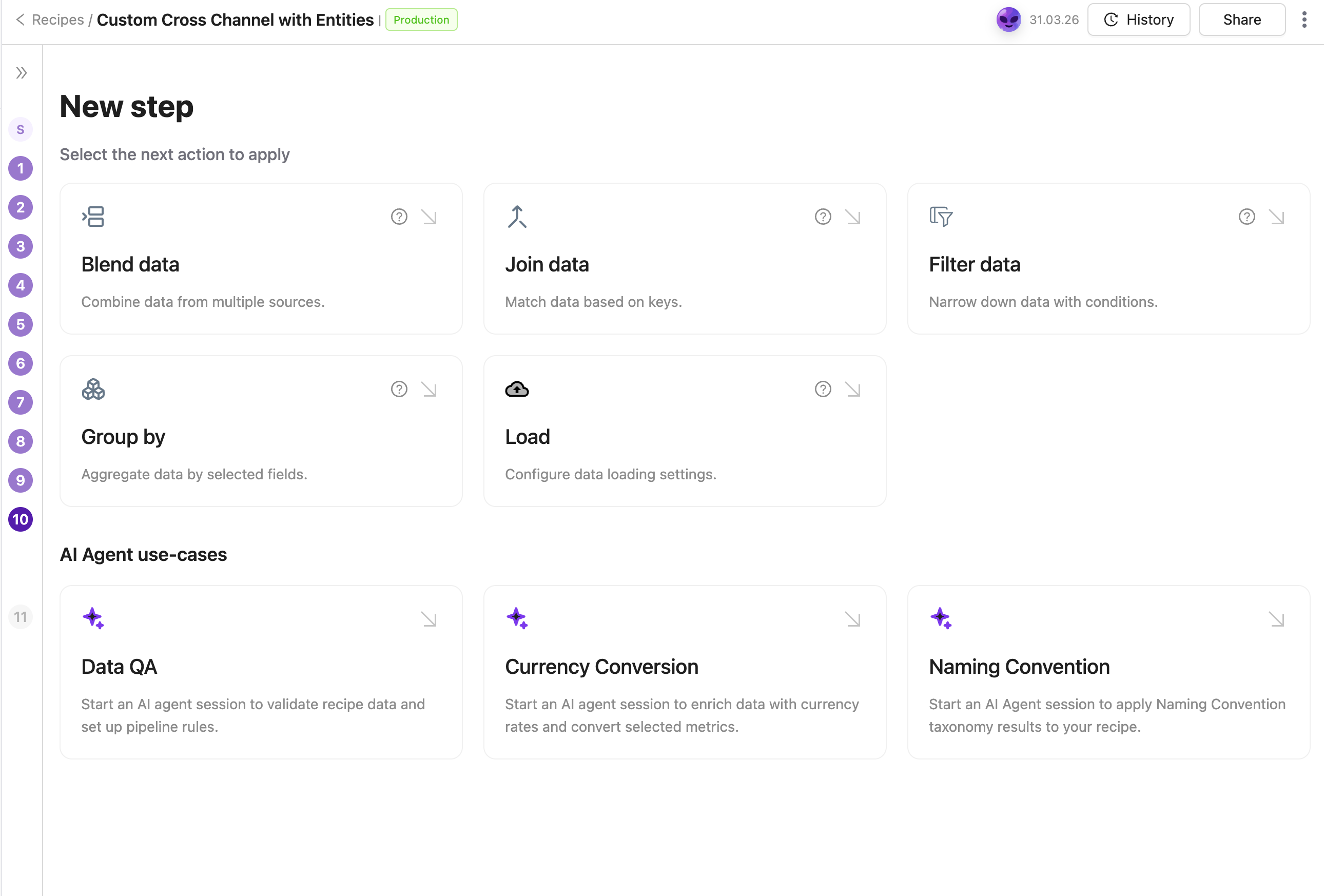
Apply your Naming Convention to any transformation recipe through a guided AI Agent flow. The Agent identifies the right taxonomy table, recommends dimensions to standardize, and configures the join automatically — no manual setup required.
March 2026
New API integrations 🧩
We have added several new data sources with the following report types:
Wistia
- Events
- Media Stats
- Media Stats Lifetime
Grafana OnCall
- Teams
- Alert Groups
- Integrations
- Users
- Resolution Notes
Nexxen
- Reports
Later Influence
- Network Performance
- Post Performance
- Instance Performance
- Influencer Performance
- Campaign Performance
- Network Return on Investment
- Instance Performance Over Time
- Instance Details
Light Trail
- Insights
- Retention
Rakuten Advertising
- Affiliate Order Detail
- Individual Item Report
Scope Level Selection
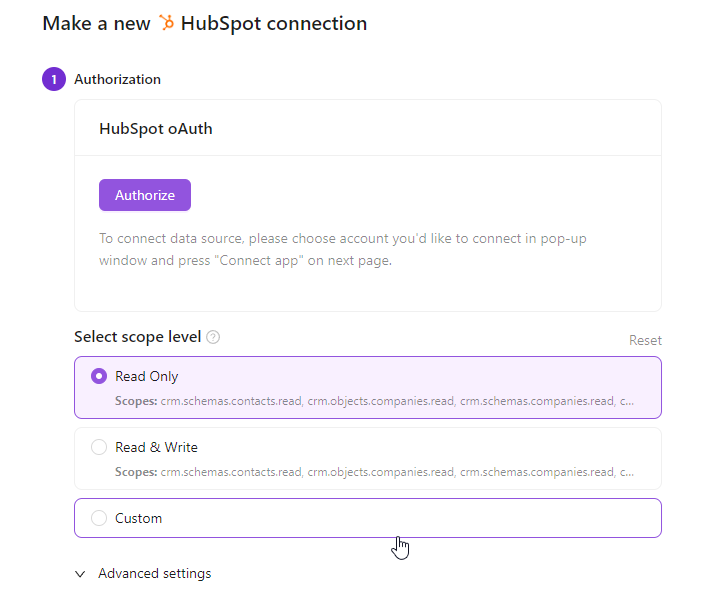
You can now choose the exact permission level when authorizing credentials — no more granting full read/write access when read-only is all you need. This gives enterprise teams greater control over data security and helps meet compliance requirements with ease.
- A default scope level can be configured and applied automatically to all new connections
- Per-connection scope can still be adjusted individually during setup
- Rolling out gradually, starting with the most requested connectors
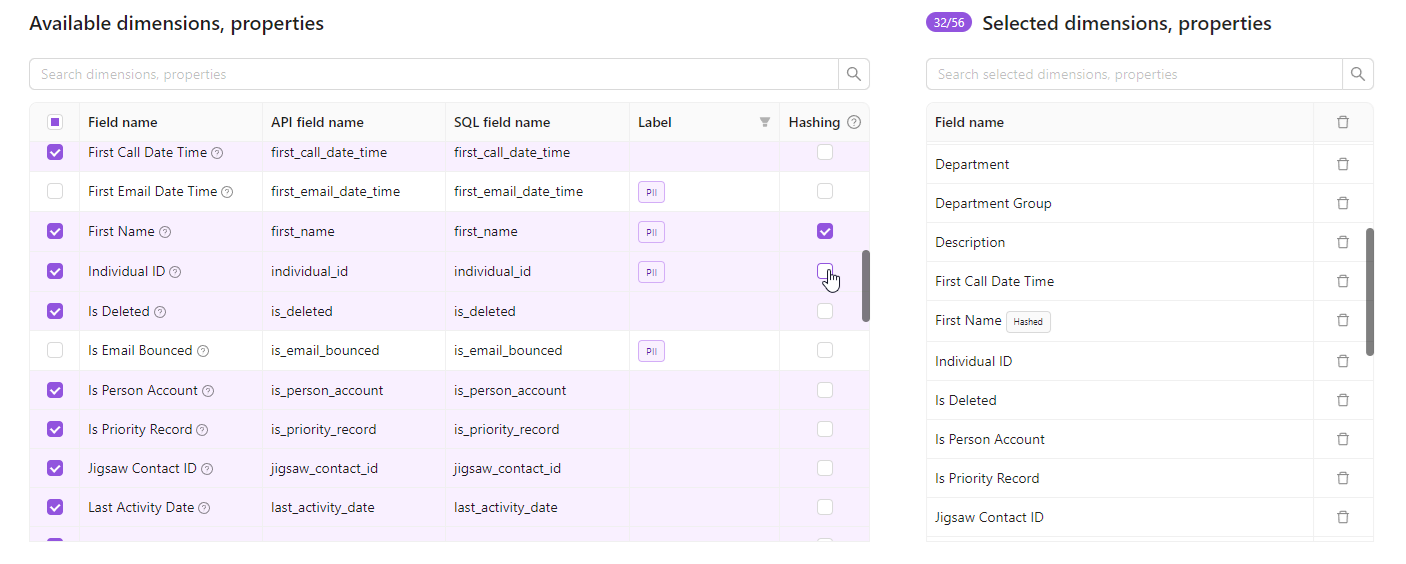
Field Hashing for PII Protection
Protect sensitive data without losing analytical value. Field hashing lets you apply irreversible SHA-256 encryption to string property fields directly within your extraction order — before data ever reaches your warehouse.
Key Benefits
- Privacy by default — PII fields like emails and user IDs can be hashed before storage, reducing exposure risk
- Join-friendly — identical inputs always produce the same hash, so hashed fields still work as join keys across datasets
- Zero code required — enable hashing with a checkbox in your extraction order settings
Notes:
- Available for string property fields only (not metrics or dimensions).
- Not yet available for all report types — if you don't see the Hashing column, contact your CSM
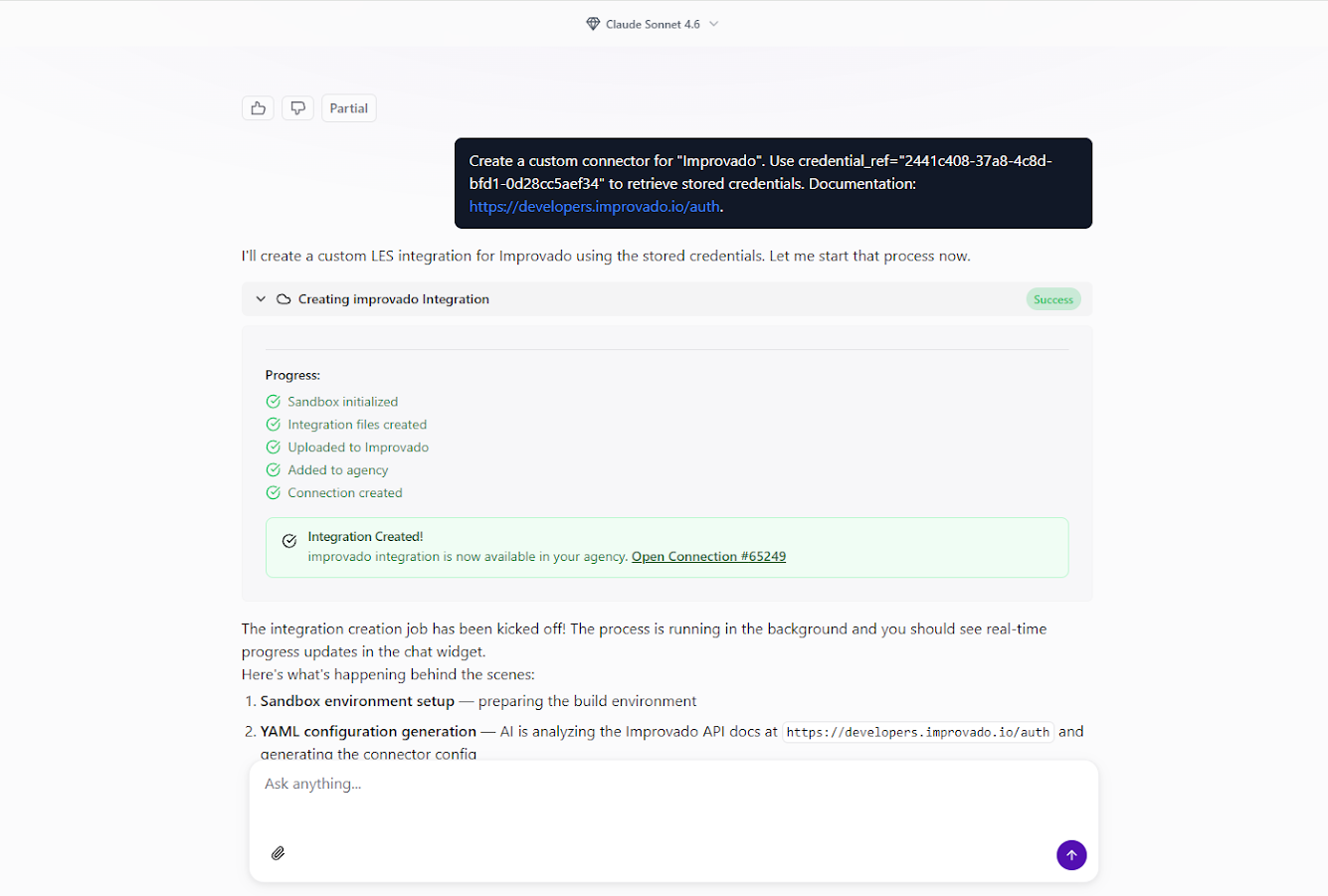
Custom Connector Builder
You can now create custom API connectors for any data source directly from the AI Agent chat interface. No separate forms, no coding — just describe what you need, and the AI Agent handles the rest.
How it works
- Ask the AI Agent — open the AI Agent chat and say something like "Create a custom connector for [platform name]."
- Fill in the details — provide the data source name, authentication credentials, and optionally a link to the vendor's API documentation and any specific requirements.
- Let the AI build it — the Agent sets up an isolated sandbox, reads the API docs, generates the integration, tests it, and deploys it to your workspace. You'll see real-time progress in the chat.
Explore your data with Discovery API
Once the connector is live, you can explore available endpoints and run test queries right from the chat:
- "Show available data for my [platform] connection via Discovery API"
- "What endpoints are available in my custom integration?"
- "Run a test query to get data from [specific endpoint]"
The AI Agent automatically generates documentation for all discovered API endpoints.
Key benefits
- Chat-first experience — everything happens inside the AI Agent, no context switching.
- No technical requirements — create integrations without coding knowledge or API expertise.
- Rapid implementation — connect to new data sources in minutes, not days.
- Secure sandbox — all implementation runs in isolated environments with credential protection.
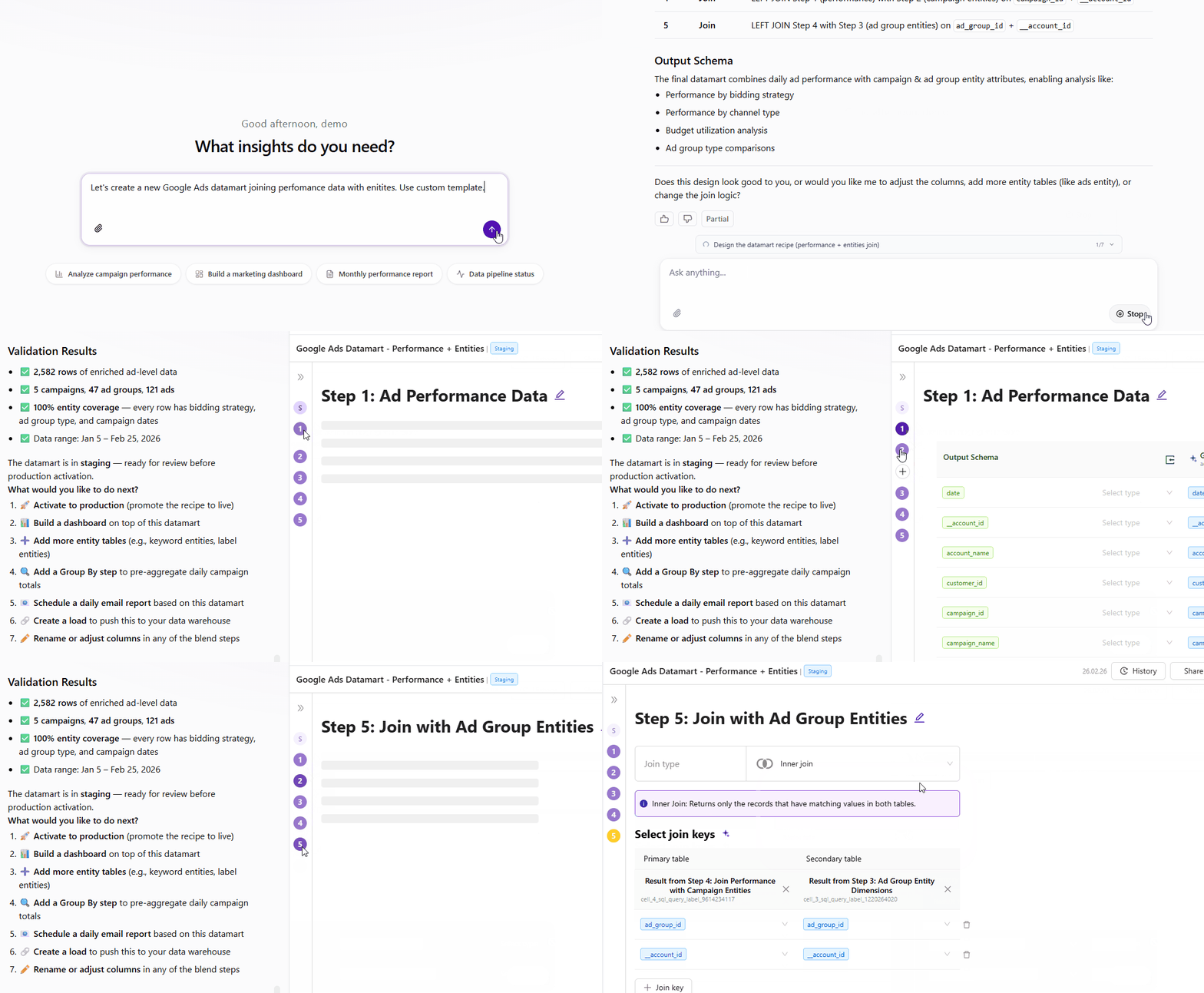
Recipe Creation via AI Agent
Build complex data models through conversation. Describe what you need in natural language, and the AI Agent handles exploration, schema design, joins, and validation automatically.
- Explore available tables and schemas
- Design and configure transformations
- Build and validate recipes end-to-end
- Get recommended next steps
Full control throughout—adjust via chat or edit in recipe configuration.
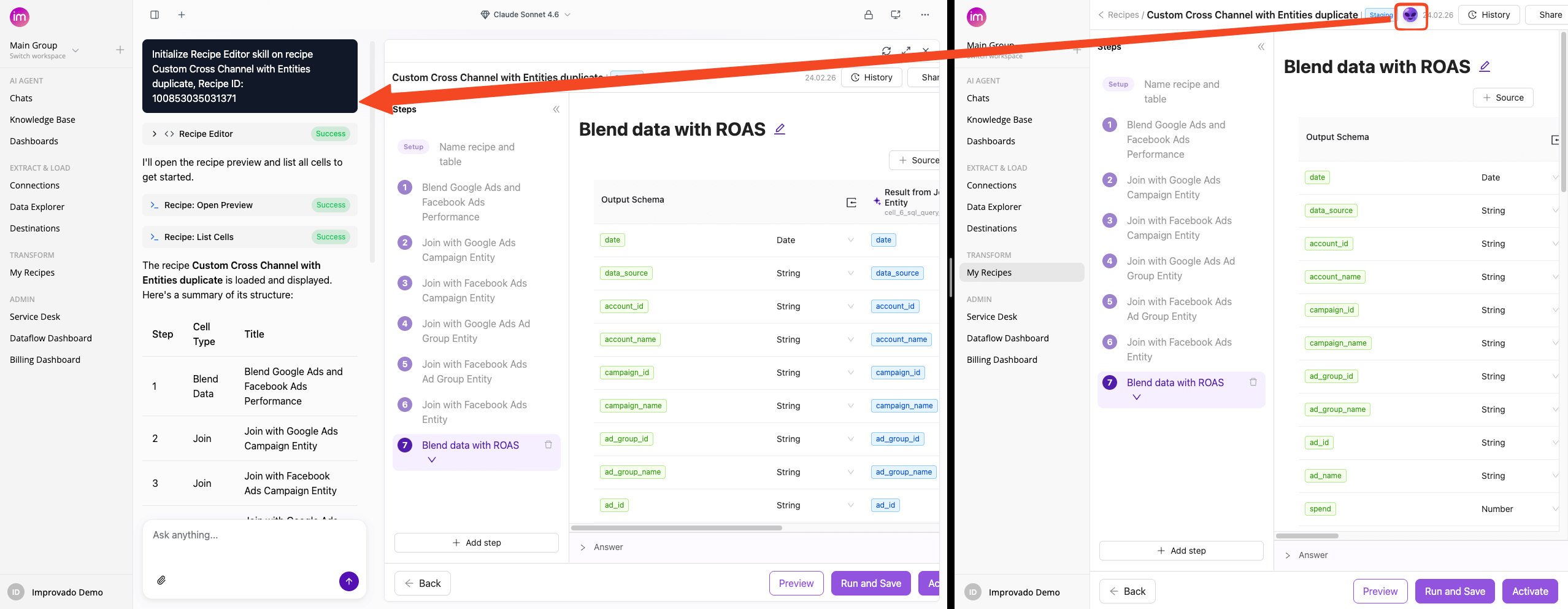
Also New
The AI Agent button in Transform Wizard now opens directly in Improvado Agent with the Recipe Skill initialized.
Dashboards Update: Create custom widgets, Add multiple pages and more!
Improvado dashboards are evolving into a full business intelligence platform — with developer-grade flexibility, deeper data control, and a faster, more intuitive experience for every user.
Custom Widgets
Embed any custom HTML visualization — built with D3, Chart.js, or any other library — wired directly to your connected data sources and dashboard filters. Full flexibility, zero compromise.
Custom SQL
Every widget can now run custom ClickHouse SQL with dynamic placeholders. The built-in Query Viewer lets you inspect the exact query being executed — full transparency into what's powering your data.
Pages
Dashboards are now full multi-page applications. Organize content across pages with List or Tabbed navigation. Pages load independently, keeping performance fast even as your dashboards grow in complexity.
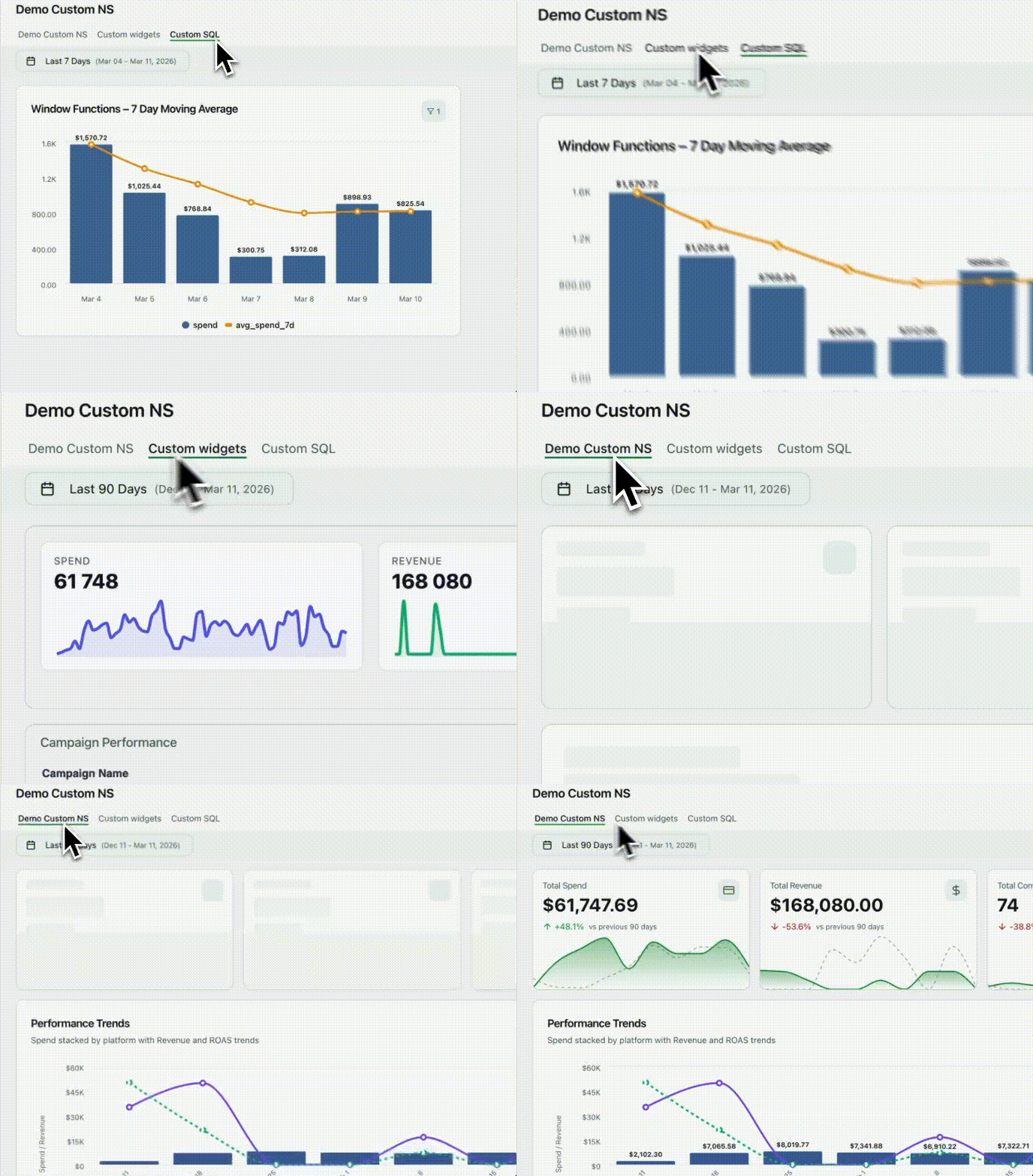
Other updates:
- Shared filters now apply across all widgets simultaneously
- Auto-complete speeds up navigation for filters and custom metrics
- Metric aliases let you display data in your team's own terminology
- Table widgets now support CSV and text export
- Aggregation methods in Table widgets are fully configurable
- Date range picker refreshed with more presets and a cleaner UX
- Faster data fetching speeds up load times across all dashboards
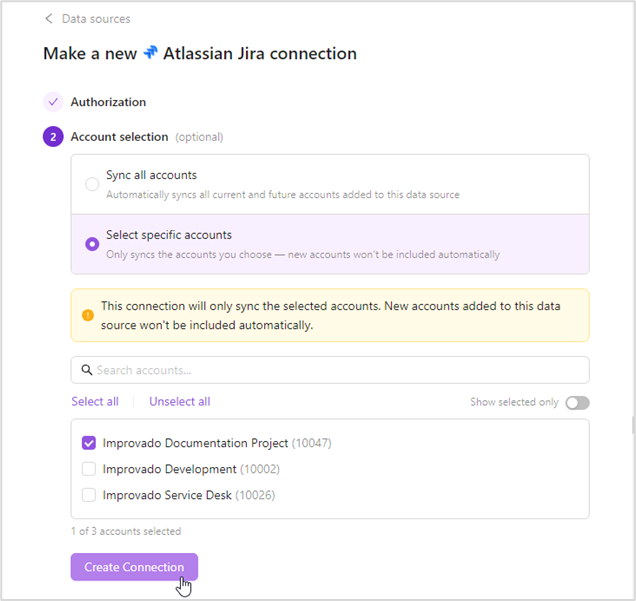
Select Specific Accounts During Authorization
Take full control over which accounts get synced when connecting credentials. Previously, authorizing a connection automatically pulled in every account, including ones you didn't need, leading to cluttered workspaces, unwanted data, and potential privacy concerns. That's now a thing of the past.
Choose the sync mode that works for you:
- Sync all accounts — all current and future accounts are synced automatically
- Select specific accounts — only your chosen accounts are synced; new accounts added later are excluded by default
February 2026
New API integrations 🧩
We have added several new data sources with the following report types:
BeMob
- Campaigns Entity
- Landings Entity
- Offers Entity
- Reports
Universal Ads
- Ad Report
- Adset Report
- Campaign Report
- Creatives Entity
API changes ⚙️
Google Ad Manager
We have upgraded our Google Ad Manager API to v202511.
Google Ad Manager (by Advertiser)
We have upgraded our Google Ad Manager (by Advertiser) API to v202511.
Discontinued data sources ⛔
- ShareASale
- Moat
Extract & Load Improvements
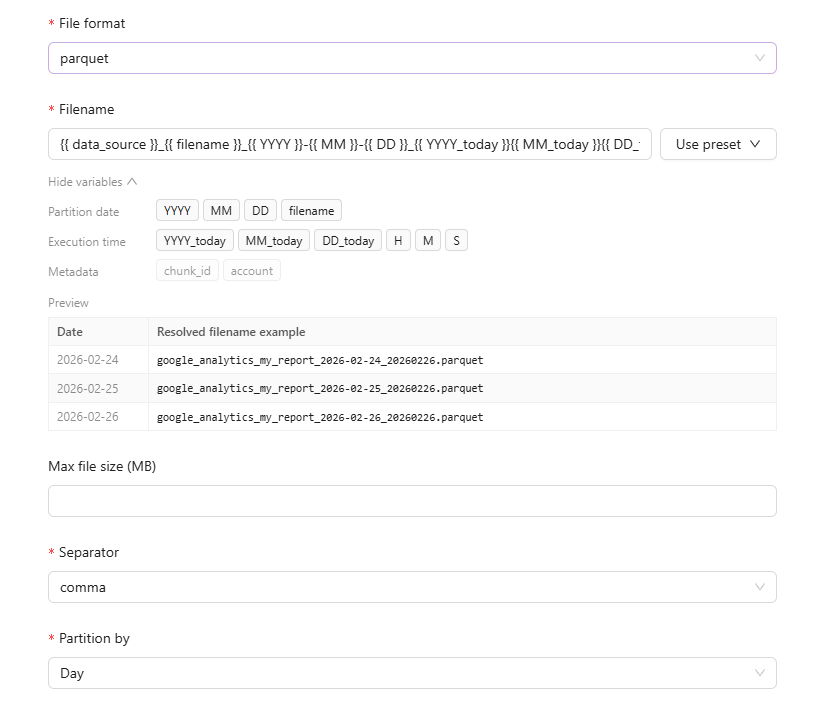
Redesigned File Path Configuration
We've redesigned how you configure filenames and folder paths for file destinations. The new interface includes a live preview of the generated path pattern, an interactive template builder with variables, and improved validation with clear visual feedback.
In-Context Field & Template Descriptions
Extraction templates and individual fields now display description tooltips directly in the setup wizard. When selecting a template or configuring dimensions and metrics, hover over the ℹ️ icon to view detailed descriptions without leaving the workflow.
Flat Data Extracts via AI Agent
You can now create extracts for Email, File Import, Managed SFTP, and Managed S3 integrations directly through the AI Agent. Simply upload a file or specify a remote path, and the Agent will configure the extraction automatically.
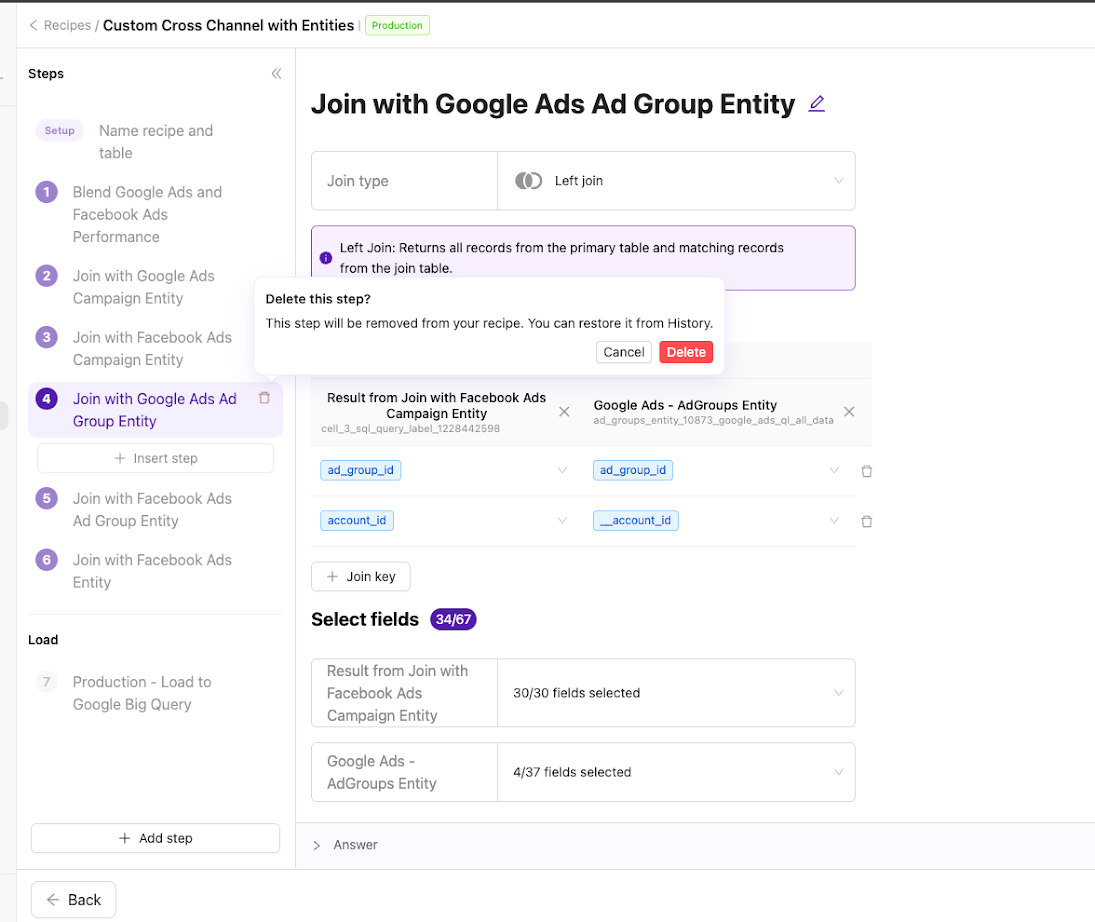
Wizard Navigation Update
- The intro "Name recipe" item is no longer numbered; numbering now starts from the first transformation step.
- Navigation UI refreshed for improved clarity, including step states, delete icon behavior, and collapsed-mode consistency.
- Step deletion now prompts for confirmation before removal.
- Insert-step hover now uses a delayed reveal to reduce accidental clicks.
- Fixed an issue where recipe steps remained highlighted when a Load step was selected.
January 2026
New API integrations 🧩
We have added several new data sources with the following report types:
Writesonic
- Performance Summary
- Websites Entity
- Topics Entity
- Performance Answers
- Content Citations
- Content Keywords
- Prompts Entity
- Performance Prompts
- Models Entity
HypeAuditor
- Snapchat
- Tiktok
- Twitch
- Youtube
Peec AI
- Prompts Entity
- Brands
- Brands Entity
- URLs
- Domains
API changes ⚙️
Criteo Retail Media
We have upgraded our Criteo Retail Media API to v2025-10.
For more information, see Criteo Retail Media API documentation.
Criteo
We have upgraded our Criteo API to v2025-10.
For more information, see Criteo API changelog.
Dashboards Update
Customization with AI Agent
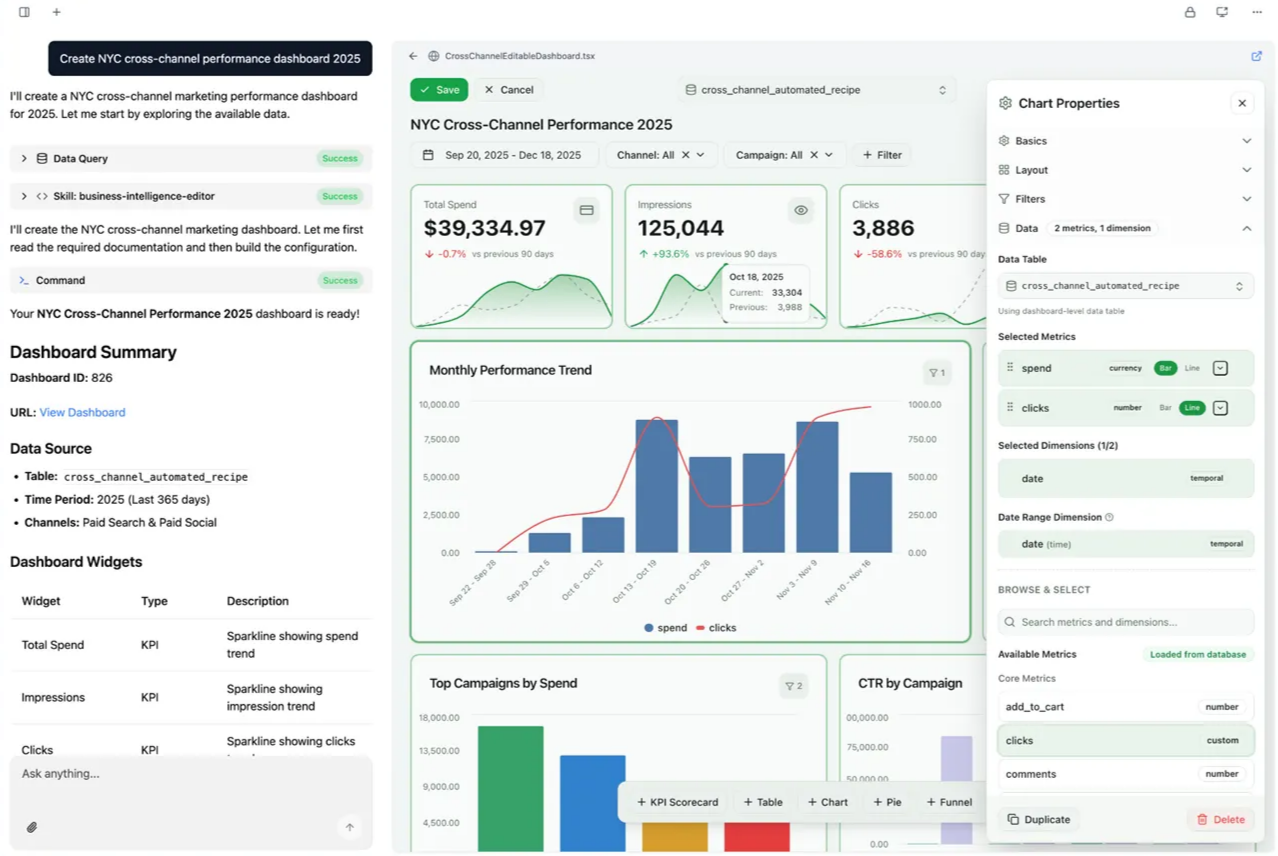
Customize dashboard appearance with whitelabeling, logos, color palettes, and light/dark mode—available in the editor or via AI Agent.
Generate full dashboards or make targeted changes using simple prompts—add branding, create visualizations, adjust formatting. Supports time-series trends, comparisons, and widgets like charts, tables, KPI scorecards, and funnels.
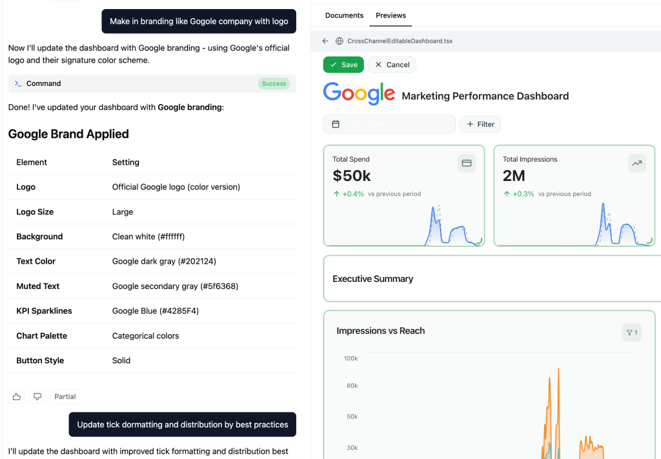
The AI Agent can also update formatting across multiple widgets at once and create reusable custom views:
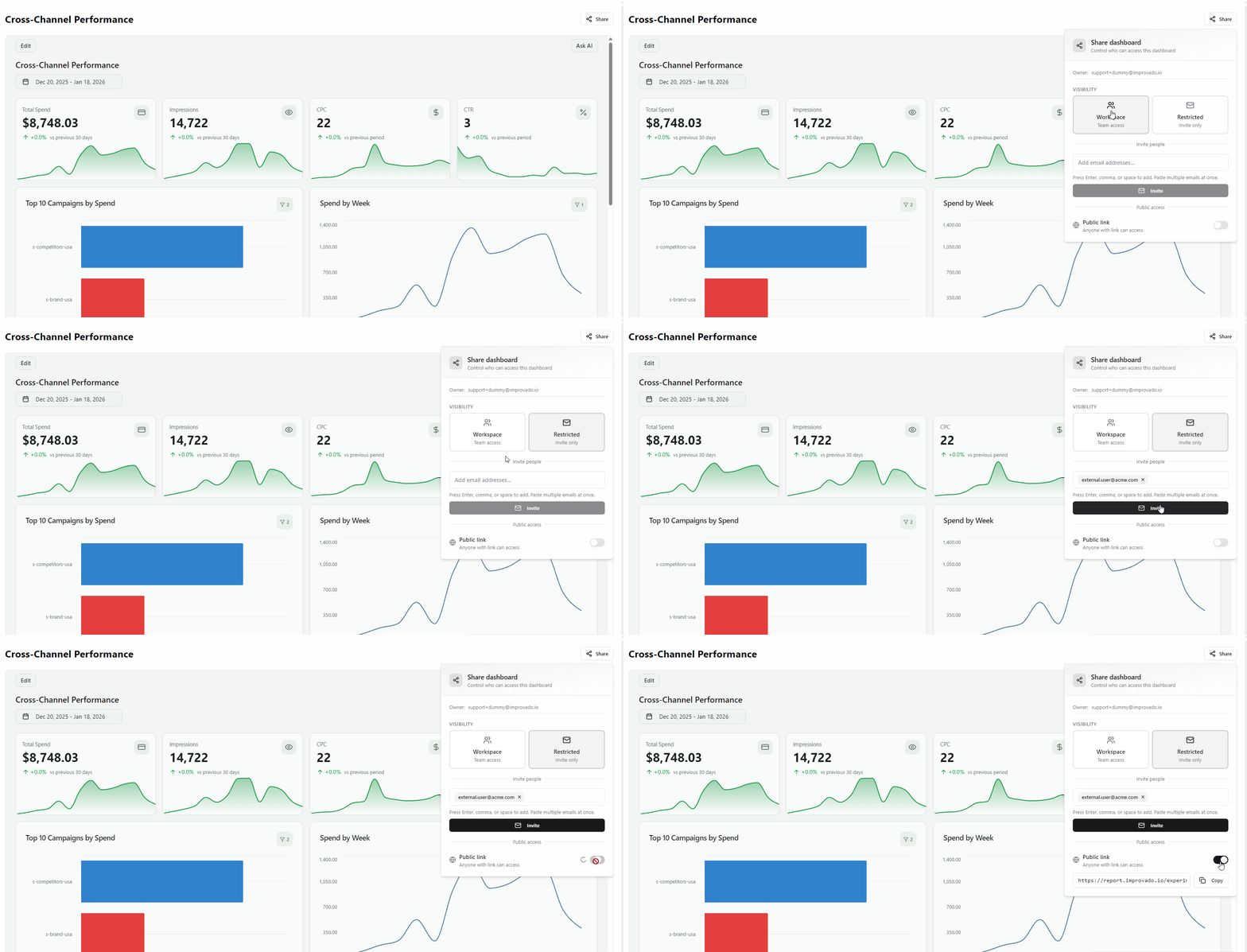
Sharing
Flexible visibility controls: workspace-wide access, invite-only, or public links for external stakeholders.
Other Improvements
Now you can apply reusable custom metrics and fine-tune per-metric formatting (axis labels, tick marks, display settings).
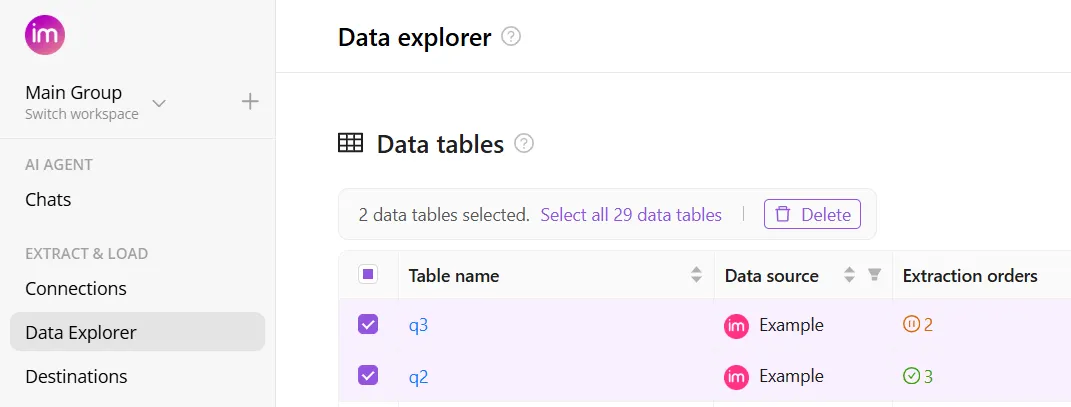
Data Deletion for Data Tables
Take control of your workspace with the new Data Deletion feature. You can now delete data tables directly from the UI, making it easier than ever to clean up irrelevant objects and keep your environment organized.
When you delete a data table, all associated extract orders, load orders, and saved data are automatically deleted, where manual cleanup is not required.
Query Destination Tool
AI Agent can now query data directly from your connected destinations—not just the Improvado ClickHouse database. This update includes:
- Write destination querying: AI Agent can access data in Google BigQuery, Snowflake, and MySQL.
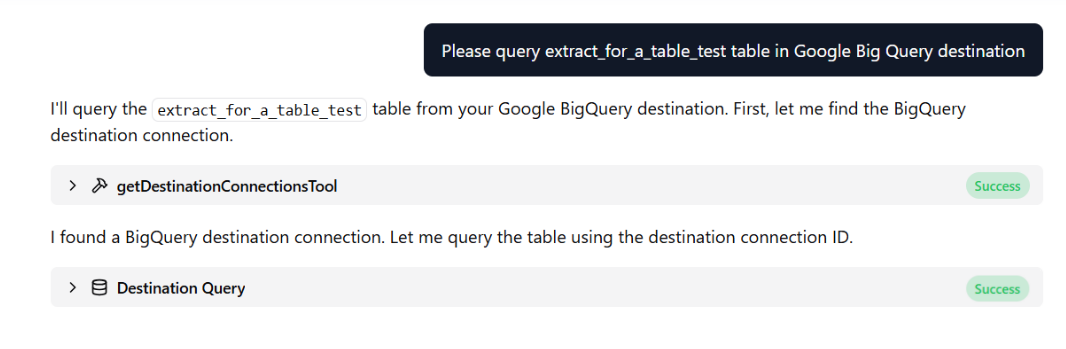
- Broader data coverage: Ask questions and get answers based on data wherever it lives.
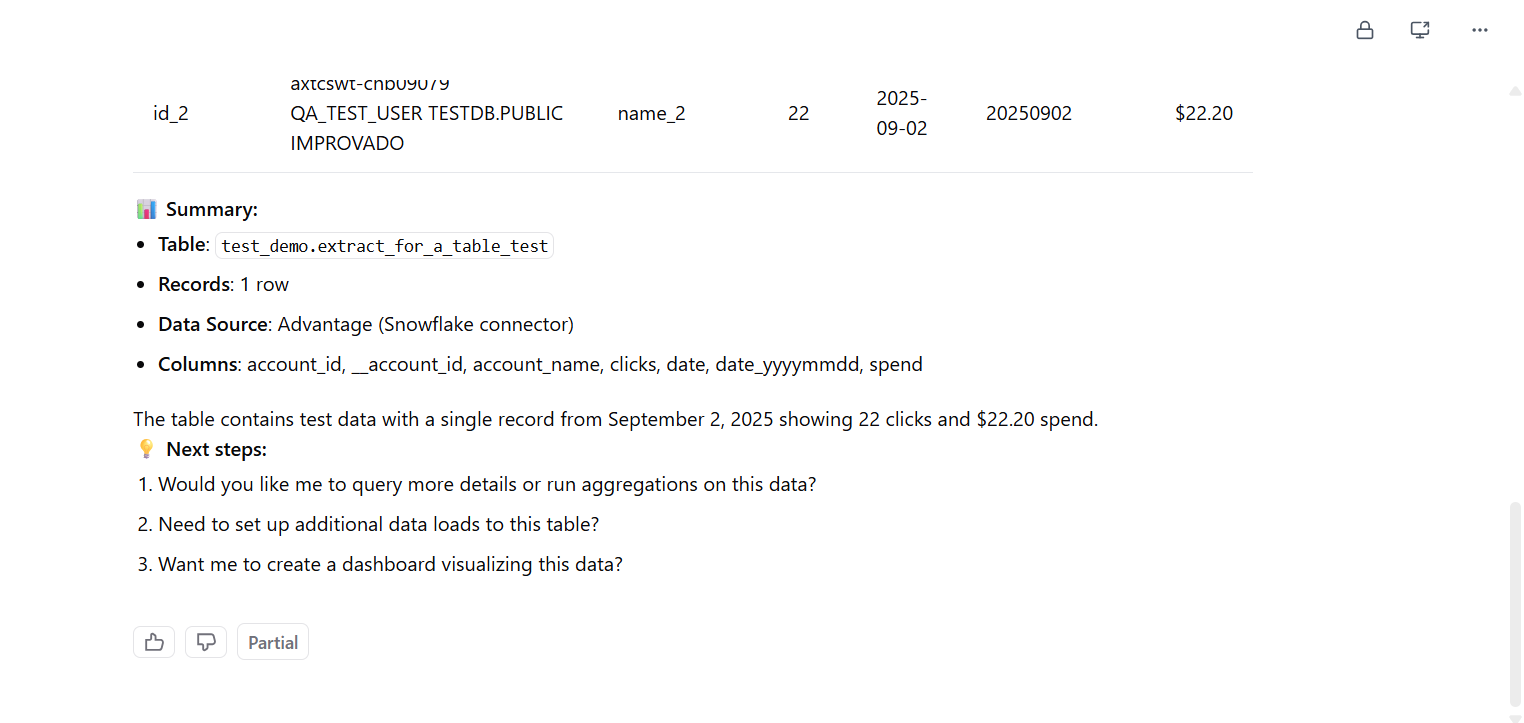
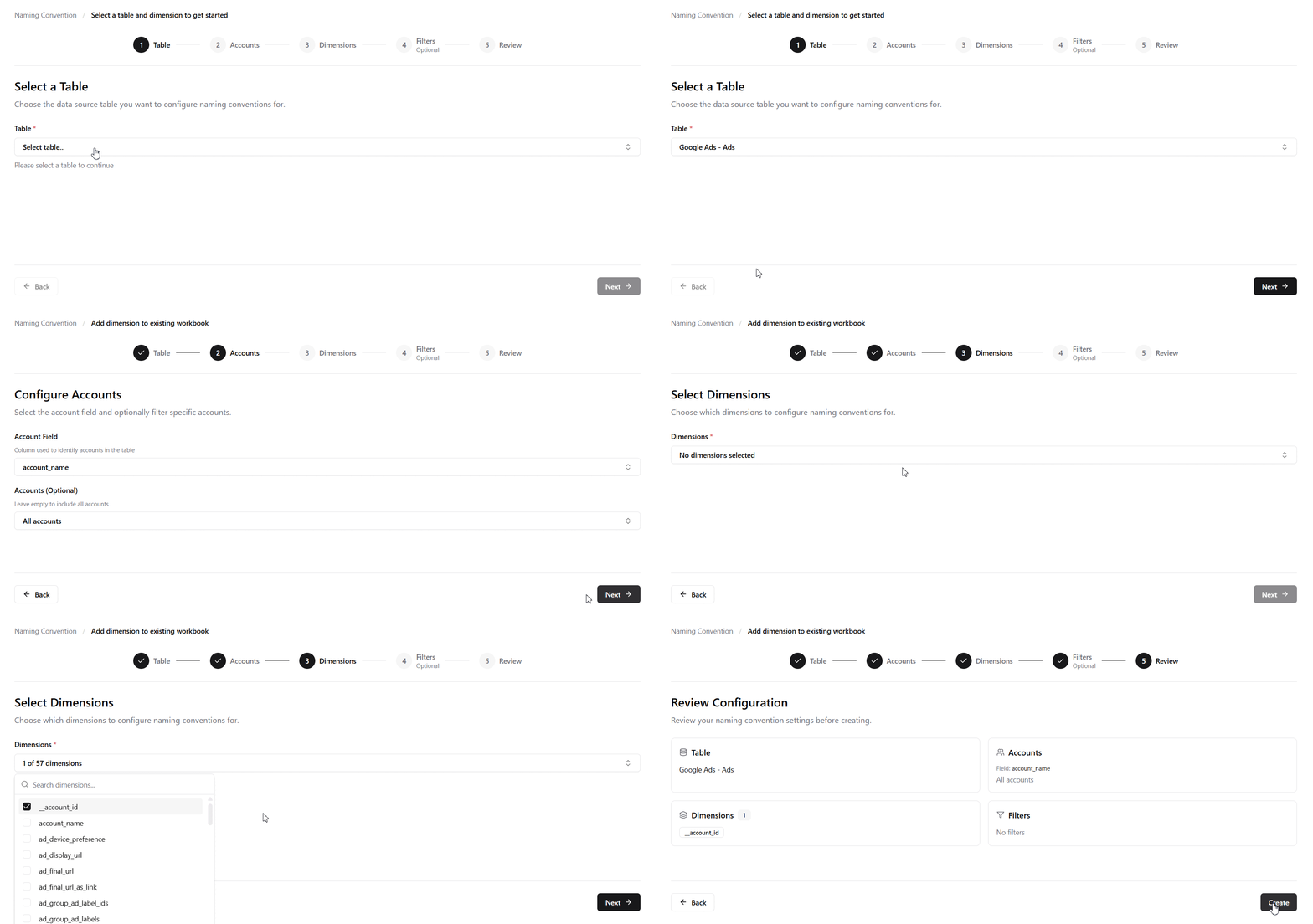
Simplified Naming Convention Flow
The naming convention setup has been redesigned as a streamlined wizard. Instead of navigating a complex interface, you can now create naming conventions quickly by following the guided steps from start to finish.
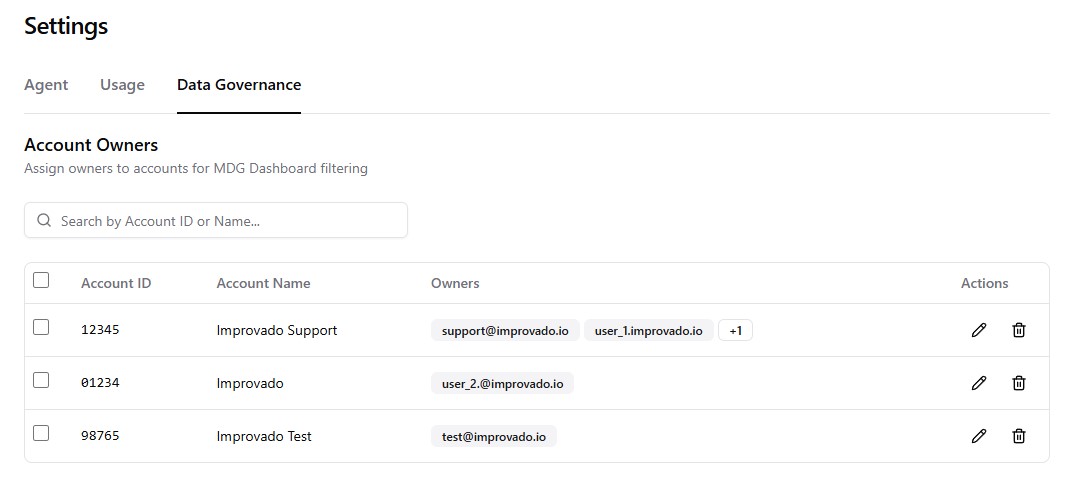
Assign Owner to Account
You can now assign account owners from Settings to enable MDG Dashboard filtering. Once assigned, account managers can filter the dashboard to view only their accounts and associated rules, making it easier to focus on relevant violations and compliance metrics.
Flat Data UI Updates
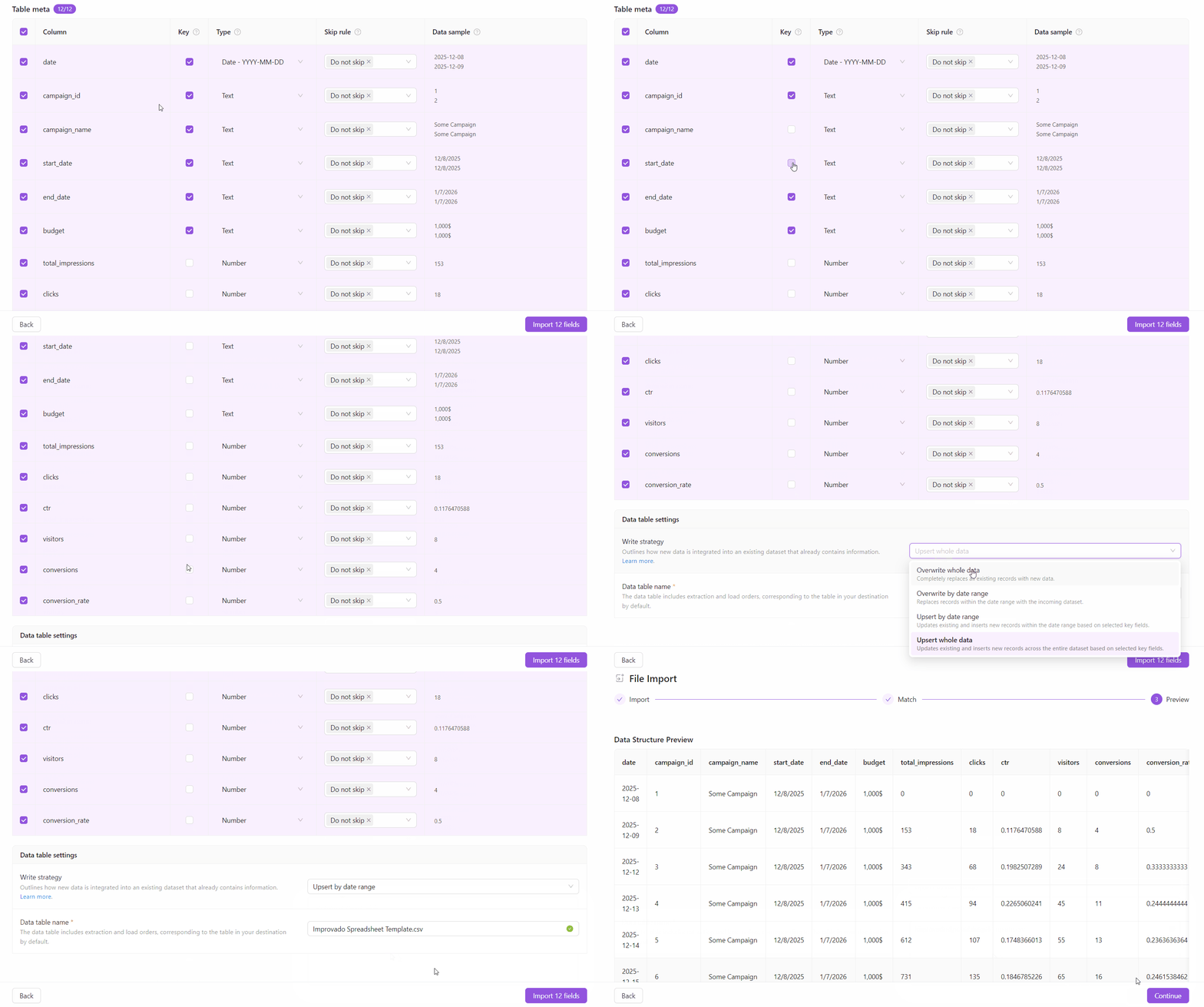
We’ve improved the Flat Data experience to give you more control over how data is written and to make the setup flow clearer and more consistent across all Flat Data integrations. This update includes:
- Write strategy: You can now define how new data is added for any Flat Data extracts using the new Write strategy setting - including overwrite and upsert-based options.
- Configurable key fields for Upsert strategies: When using Upsert, you can explicitly select which fields act as keys. These fields define record uniqueness and control whether rows are inserted or updated.
- Streamlined Flat Data UI: The setup flow has been simplified and unified across all Flat Data integrations.
December 2025
New API integrations 🧩
We have added several new data sources with the following report types:
Freshdesk
- Products
- Tickets
- Time Entries
- Satisfaction Ratings
- Automation Rules
- Agents
- Conversations
- Roles
- Groups
- Contacts
LiveChat
- Rating Report
- Total Chats Report
- Greetings Conversion Report
- Agents Performance Report
- Accounts Report
- Response Time Report
- Queued Visitors Report
- First Response Time Report
Similarweb
- Keywords
Site Impact OMS
- Orders
Profound
- Citations Report
- Categories Entity
- Visibility Report
- Sentiment Report
Claravine
- Dataset Transactions Entity
- Dataset Definition Entity
- Transactions Data
- Datasets Entity
FreshSales
- Contacts
- Accounts
- Owners
- Deals
Google Play Store
- Reviews
CAKE Admin API and CAKE Affiliate API
- Campaign Summary
- Conversions
- Sub-Affiliate Summary
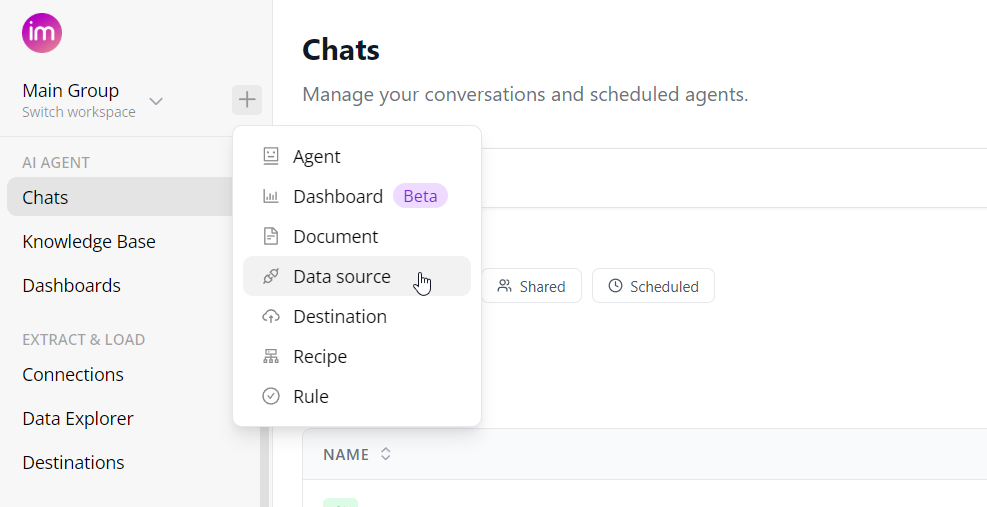
Unified navigation across the platform
We’ve taken a big step toward a more cohesive product by merging the Core Product and AI Agent UIs into a single, unified experience. As part of this update, we’ve introduced:
- One unified side menu across the entire platform (Core Product + AI Agent)
- Quick actions menu for fast access to creating any objects
- Whitelabel logo support in AI Agent
This update improves overall consistency and makes AI feel like a natural, integrated part of the platform - without changing existing user workflows.
AI Dashboards
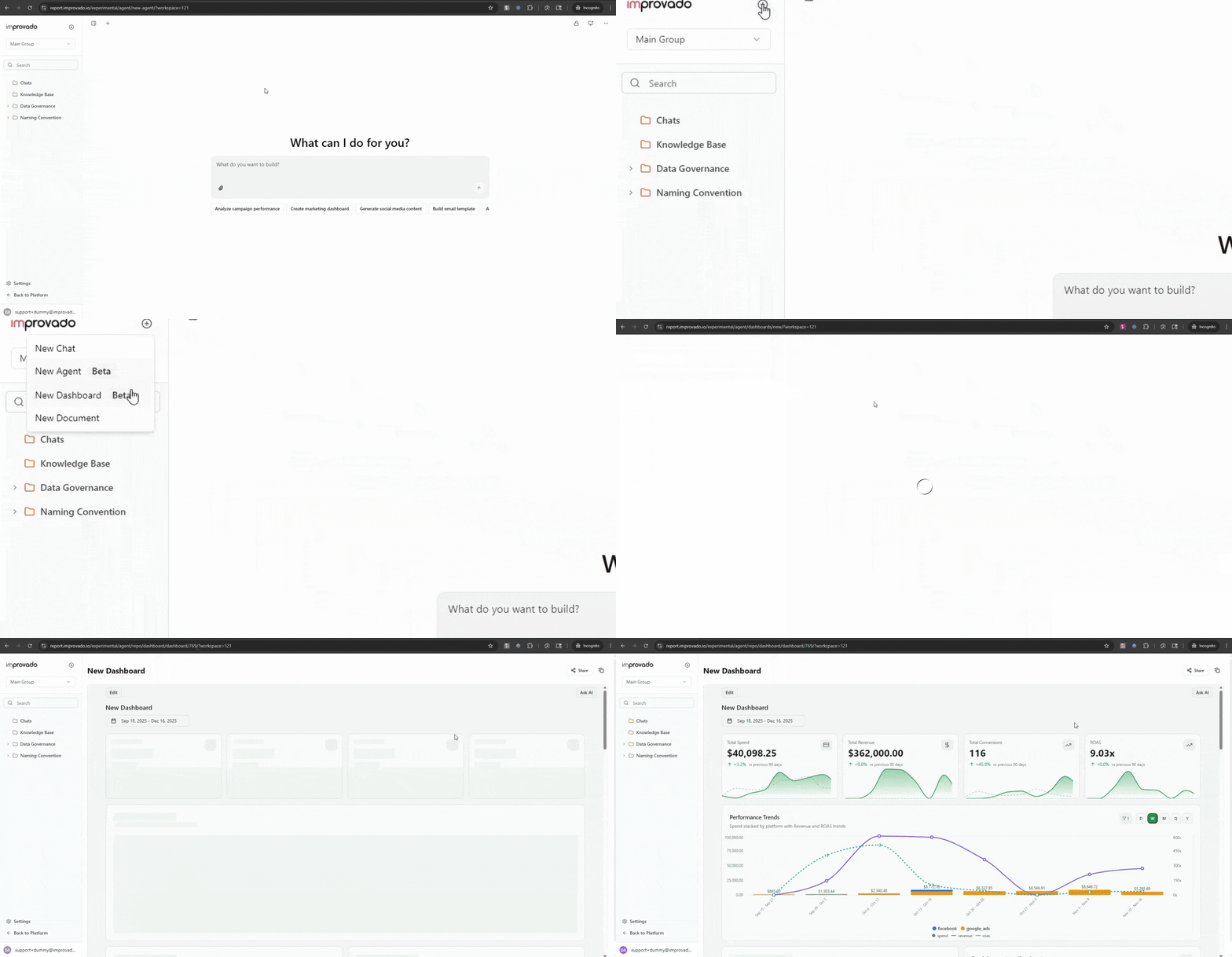
AI now automatically creates dashboards, manages charts, and optimizes layouts. You retain full manual control to tweak, adjust, or refine results at any time.
Recipe Logic Flexibility
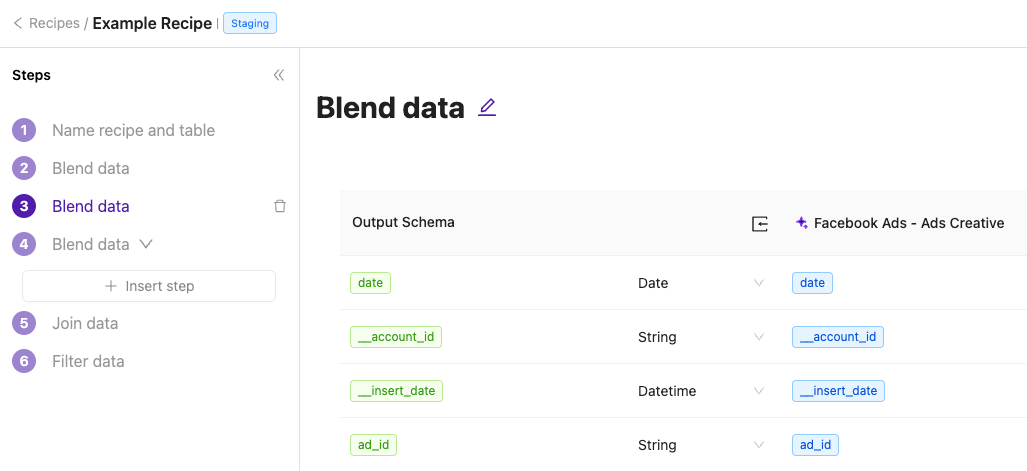
Insert new steps anywhere in your recipes, including between existing steps, to extend logic with additional filters, joins, sources, and mappings.
November 2025
New API integrations 🧩
We have added several new data sources with the following report types:
DoorDash Ads
- Ad Group Report
- Campaign Report
- Keyword Report
- Product Report
- Sponsored Products Ad Groups Entity
- Sponsored Products Campaigns Entity
Constant Contact
- Email Sends Report
- Email Opens Report
- Email Clicks Report
- Contacts Entity
- Campaigns Entity
- Campaign Activities Entity
Impact Agency and Impact Brand
- Reports
- Reports Entity
User Experience Updates
Automatic Pausing for Failed Load Orders
Load orders that repeatedly fail will now be automatically paused to prevent unproductive start–fail–retry loops and reduce unnecessary system load.
Learn more in How to Access and Manage Load Orders.
Data Explorer Visibility Upgrade
The Data Explorer now shows whether automatic extraction is enabled for each table and displays data lineage for improved visibility into dependencies.
Learn more in the Data tables documentation.
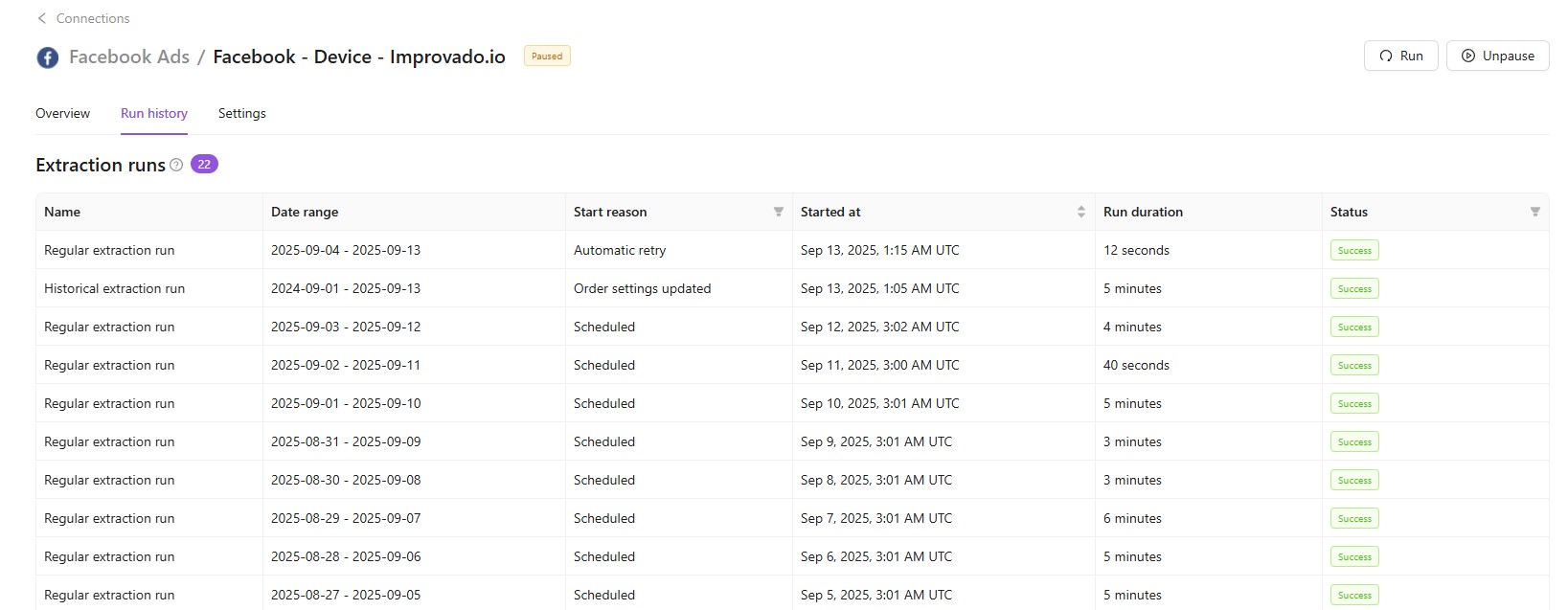
Extract & Load Run History
The run history view now provides detailed records of extract and load order executions from the last 60 days, including statuses, timing, and performance insights.
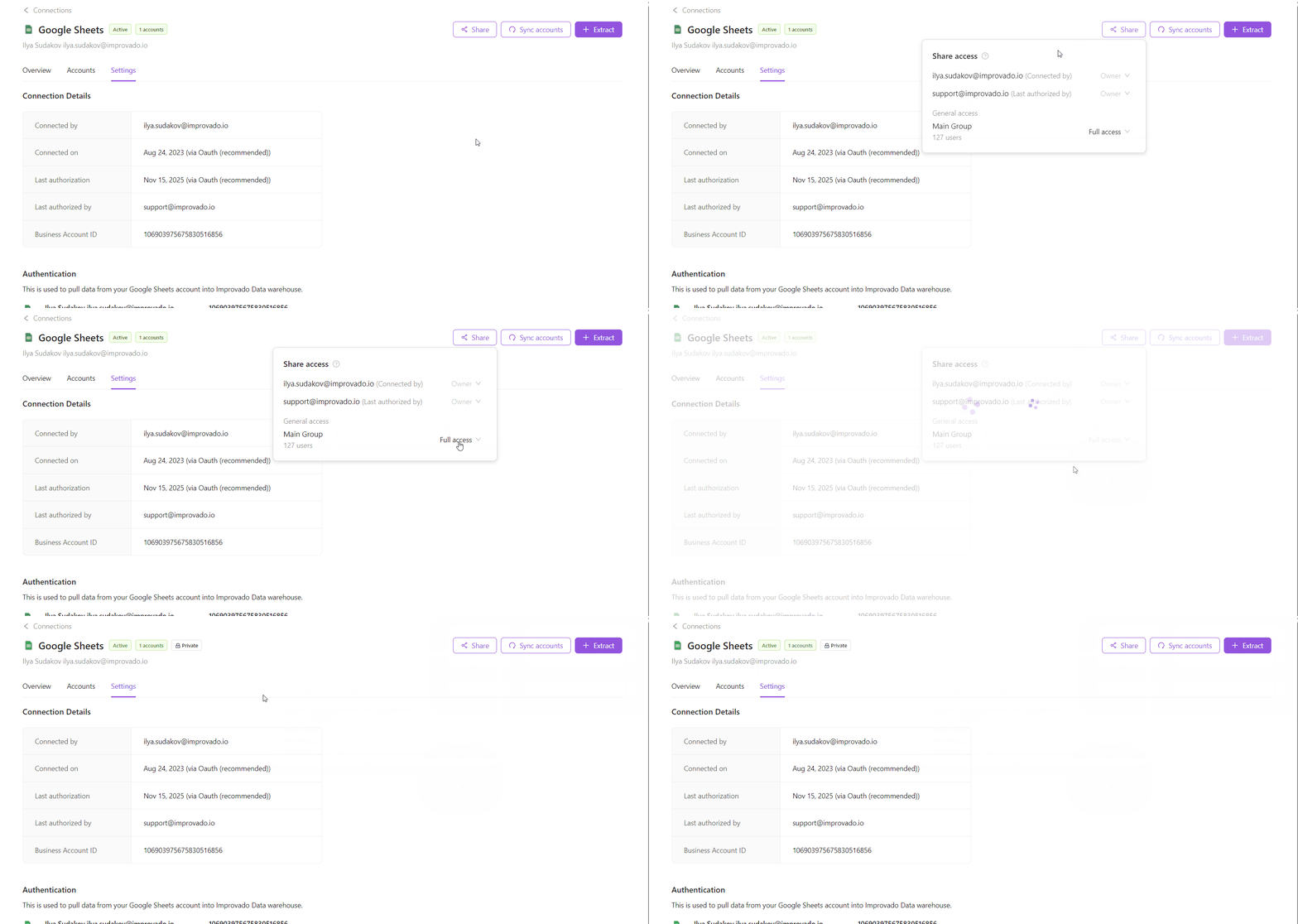
Private connections
You can now limit access to specific connections to protect sensitive data and take control over who can extract data from each connected source.
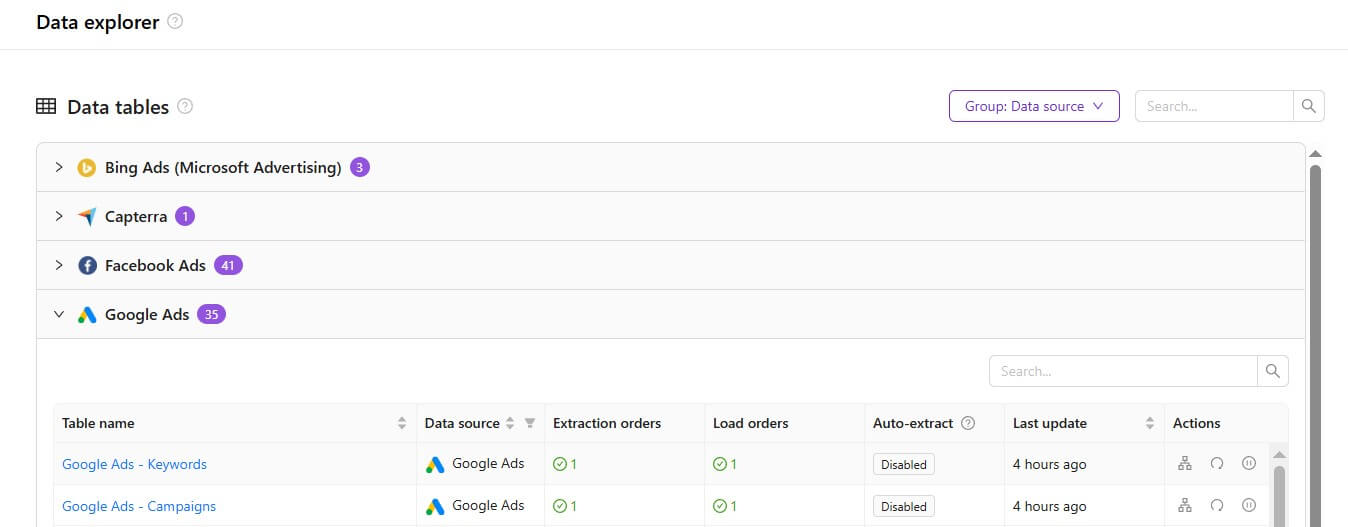
Grouping by Data Source or Destination
Data tables, connections, and destinations can now be grouped by their source or destination, making large sets of items easier to navigate and manage.
Expanded Azure Blob Storage Authorization Options
We’ve added more flexibility when connecting Azure Blob Storage as a destination. You can now authenticate using either a SAS Token or a Service Principal, depending on your organization’s security and access needs.
October 2025
New API integrations 🧩
We have added 2 new data sources with the following report types:
Cvent
- Report Accounts report type
- Events report type
Unity Ads
- Acquisitions Report free-form report type
- Report Accounts report type
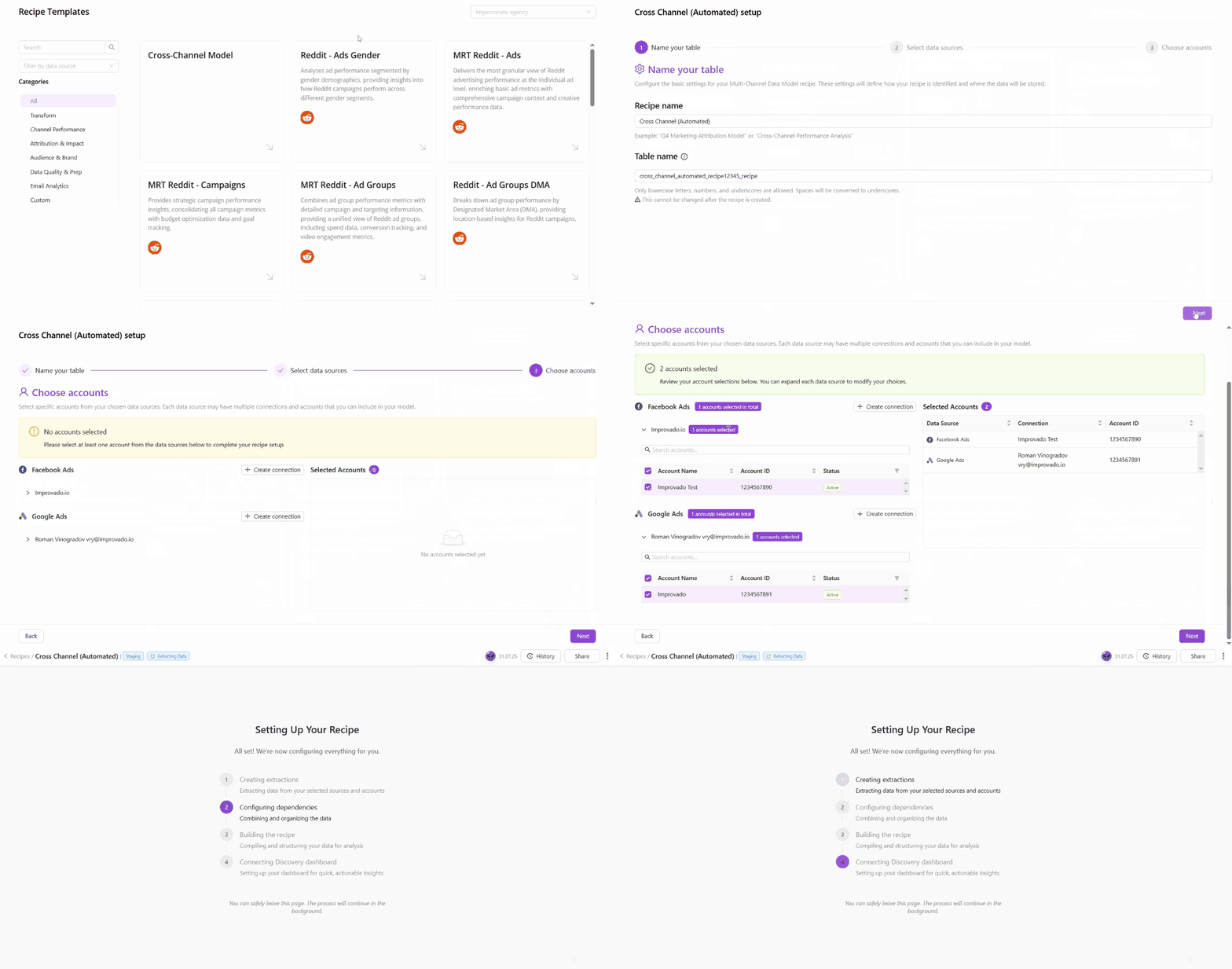
Automated Recipes
Automated Recipes introduce a new way to build and manage data workflows that configure themselves.
Unlike standard recipes, Automated Recipes automatically handle extract setup, data source connections, and dependencies - allowing you to create complete, production-ready workflows in just a few steps. Once created, your recipe automatically extracts and transforms data according to your configuration - keeping your workflows up-to-date without ongoing maintenance.
Custom Recipe Template
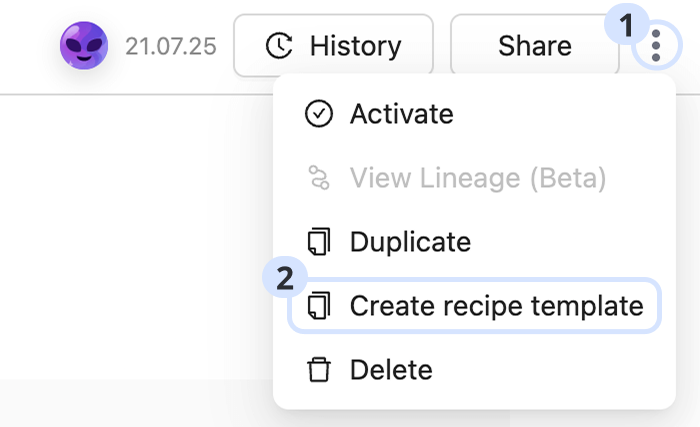
Custom Recipe Templates make it easy to turn any existing custom recipe into a reusable template. This allows teams to standardize workflows, maintain consistency, and deploy tested setups across multiple workspaces with a single click.
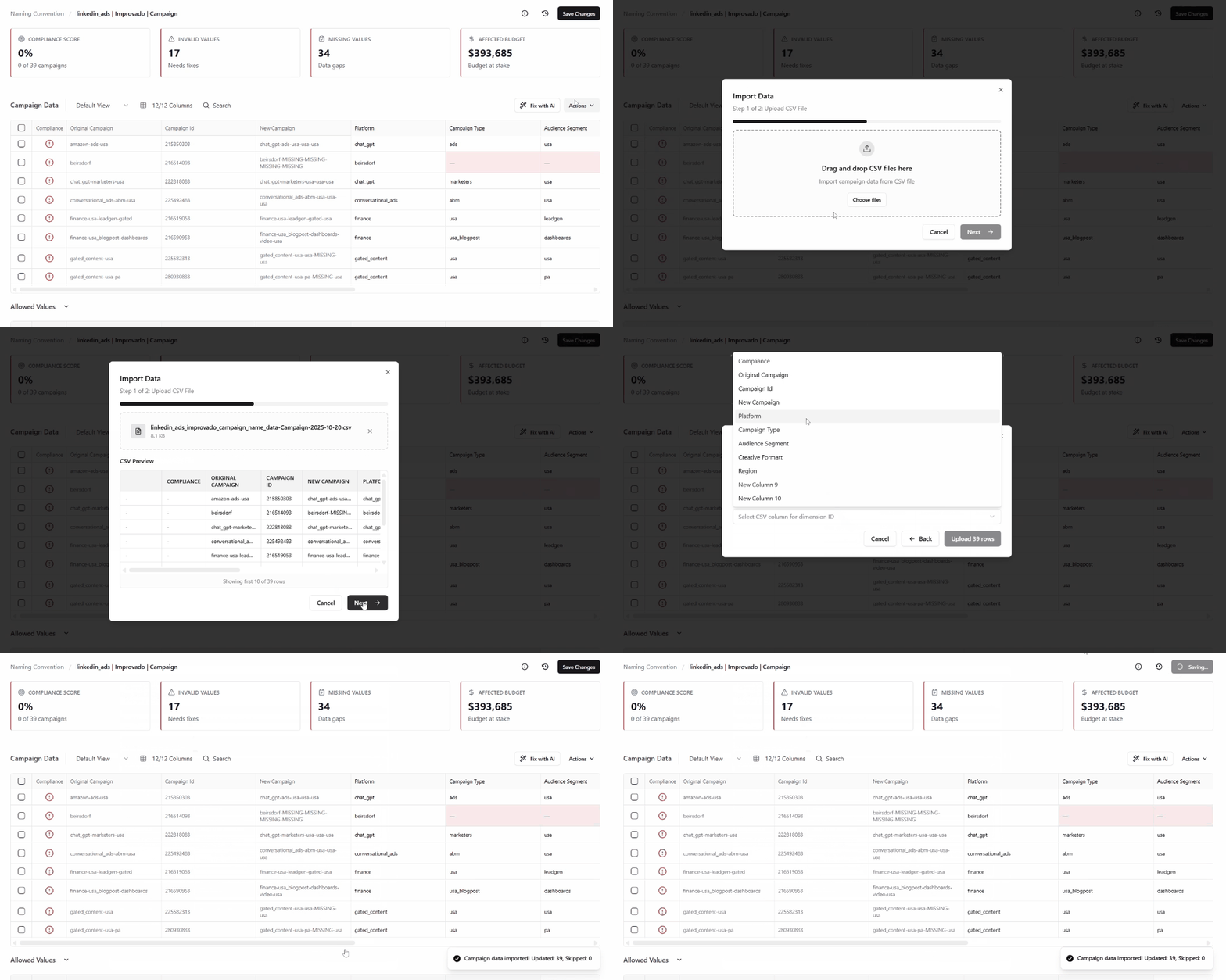
CSV Import for Naming Data
The new Import Data via CSV feature allows you to update large volumes of naming data — such as IDs, assets, creatives, or other taxonomy elements — in bulk, directly from a CSV file. This makes it easier to maintain and refresh existing taxonomy data without manual editing.
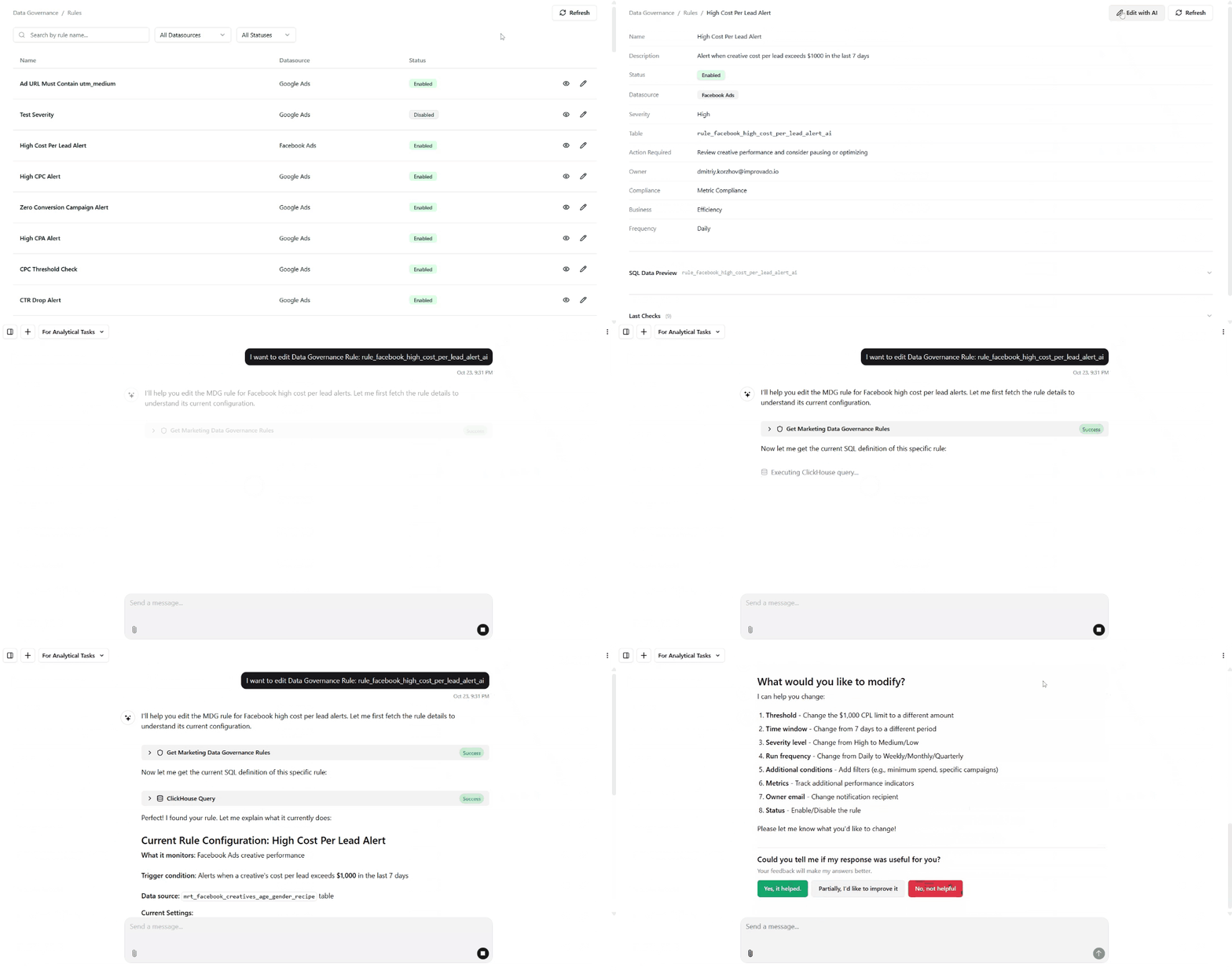
AI-Powered Rule Creation in Marketing Data Governance
This update entirely removes manual configuration, making rule creation faster and accessible to anyone who understands the business, not just analysts.
Major improvements include:
- Faster setup: Rule creation now takes seconds instead of several minutes of manual configuration.
- Higher-quality rules: AI automatically selects the correct tables and metrics, reducing human error and misconfigured logic.
- Real-time visibility: New rules appear on the Governance Dashboard within minutes, with live previews and up-to-date results.
September 2025
New API integrations 🧩
We have added 3 new data sources with the following report types:
Adobe Customer Journey Analytics
- Reports free-form report type
Chargebee
- Items report type
- Transactions report type
- Subscriptions report type
- Invoices report type
- Coupons report type
- Credit Notes report type
- Payment Sources report type
- Item Prices report type
- Customers report type
Five9
- Reports report type
- Agents Entity report type
AudioGo
- Reports free-form report type
API changes ⚙️
Meta
We have upgraded our Meta API to v23.
This change affects the following data sources:
- Facebook Ads
- Facebook Business
- Facebook Pages
- Facebook Threads
- Instagram Hashtag
- Instagram Organic
- Instagram Webhooks
For more information, see Meta API documentation.
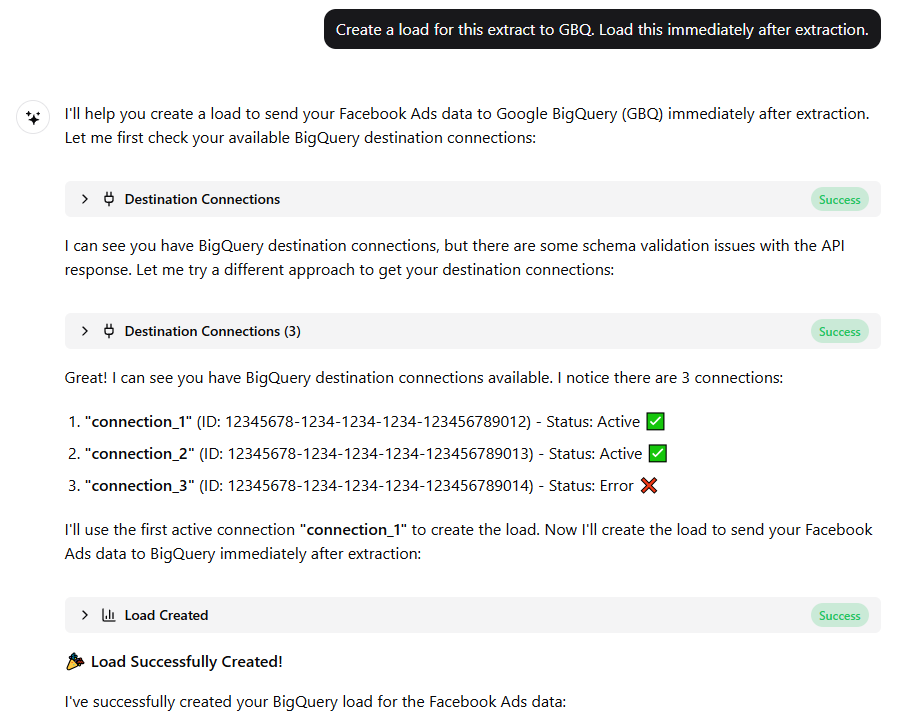
Extract & Load functionality in AI Agent
The AI Agent can now fully automate extract and load workflows. It identifies data sources and templates, estimates volumes, and schedules extractions and loading automatically. Complex data workflows are now faster, easier, and fully managed within the platform.
Custom query for SQL Flat Data integrations
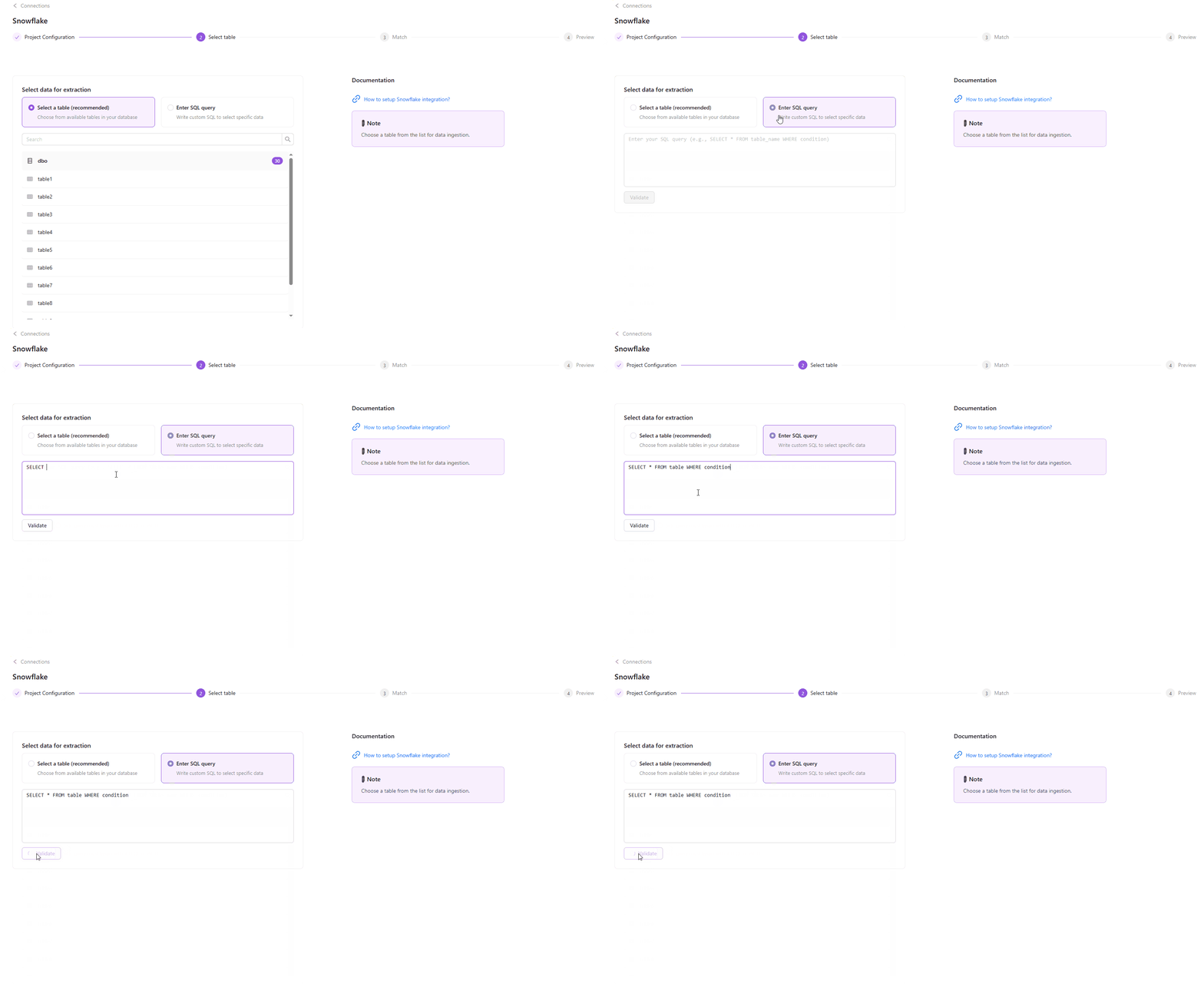
Now, instead of pulling entire tables, you can write your custom SQL query directly in the flat data extraction flow. This gives you more control to pre-filter or group your data before extraction, speeding up the process and reducing unnecessary load. Simply select Enter SQL query option, write your custom SQL query, validate it, and you’re ready to go.
Note: This feature is currently available only for Snowflake and Google BigQuery flat data ingestions.
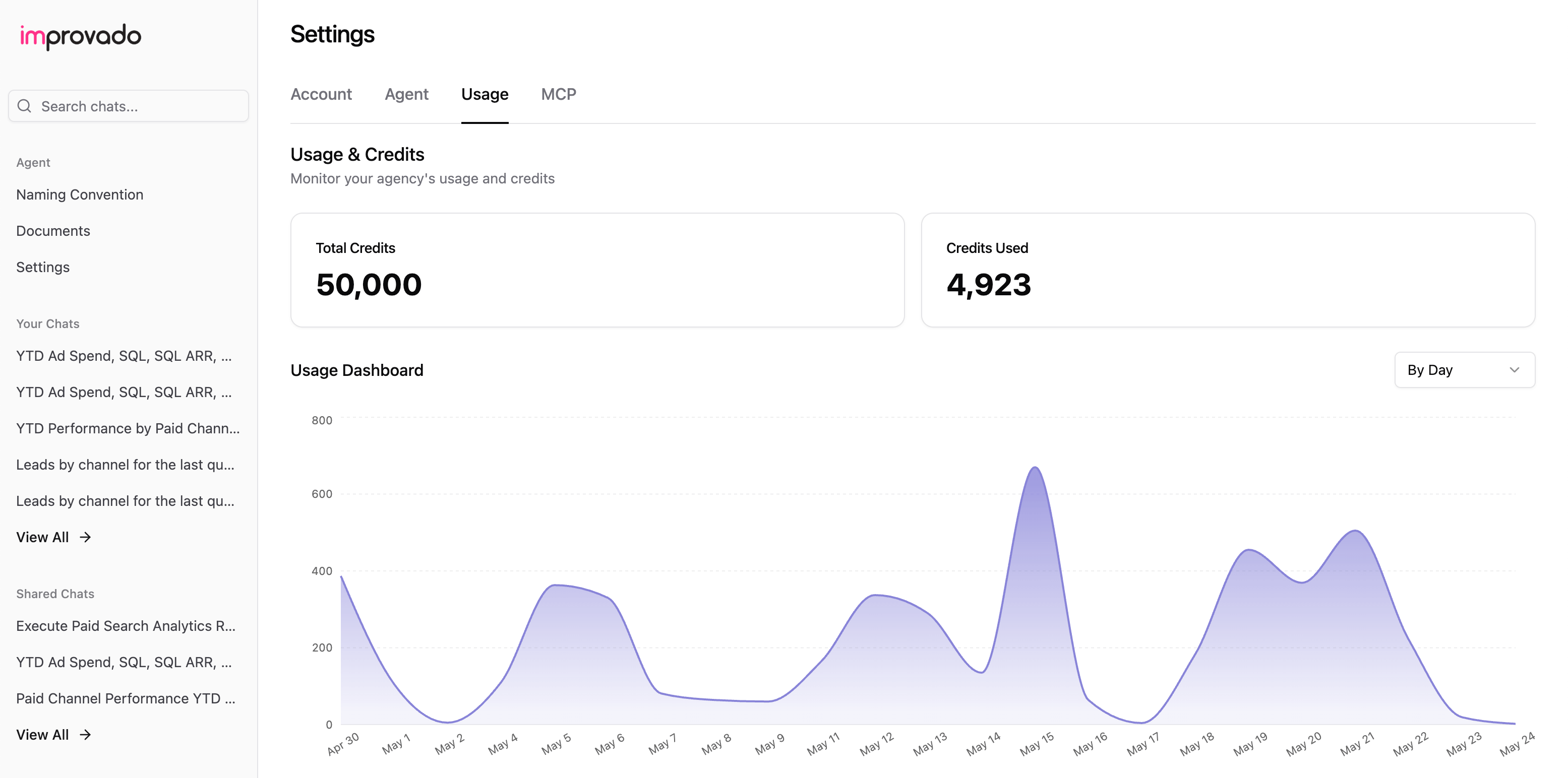
Agent Usage & Credits
The Usage page now provides a clearer view of how credits are used. Each tool call and action is detailed, with examples showing typical usage patterns.
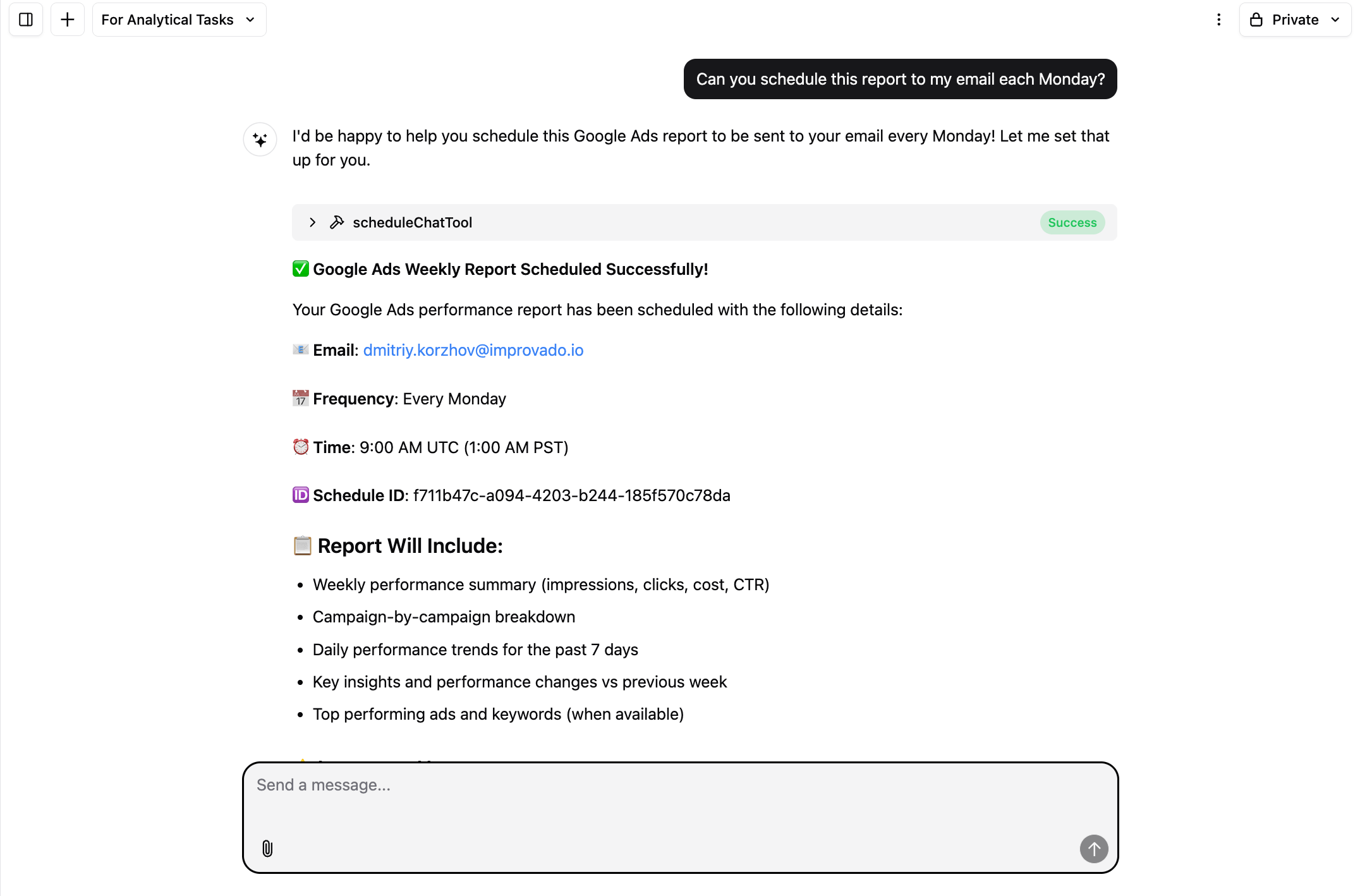
Scheduled Chats
The Agent will re-run the query on live data and email you the results at the frequency you define. This transforms one-off analyses into automated reporting flows — no need to repeat requests manually.
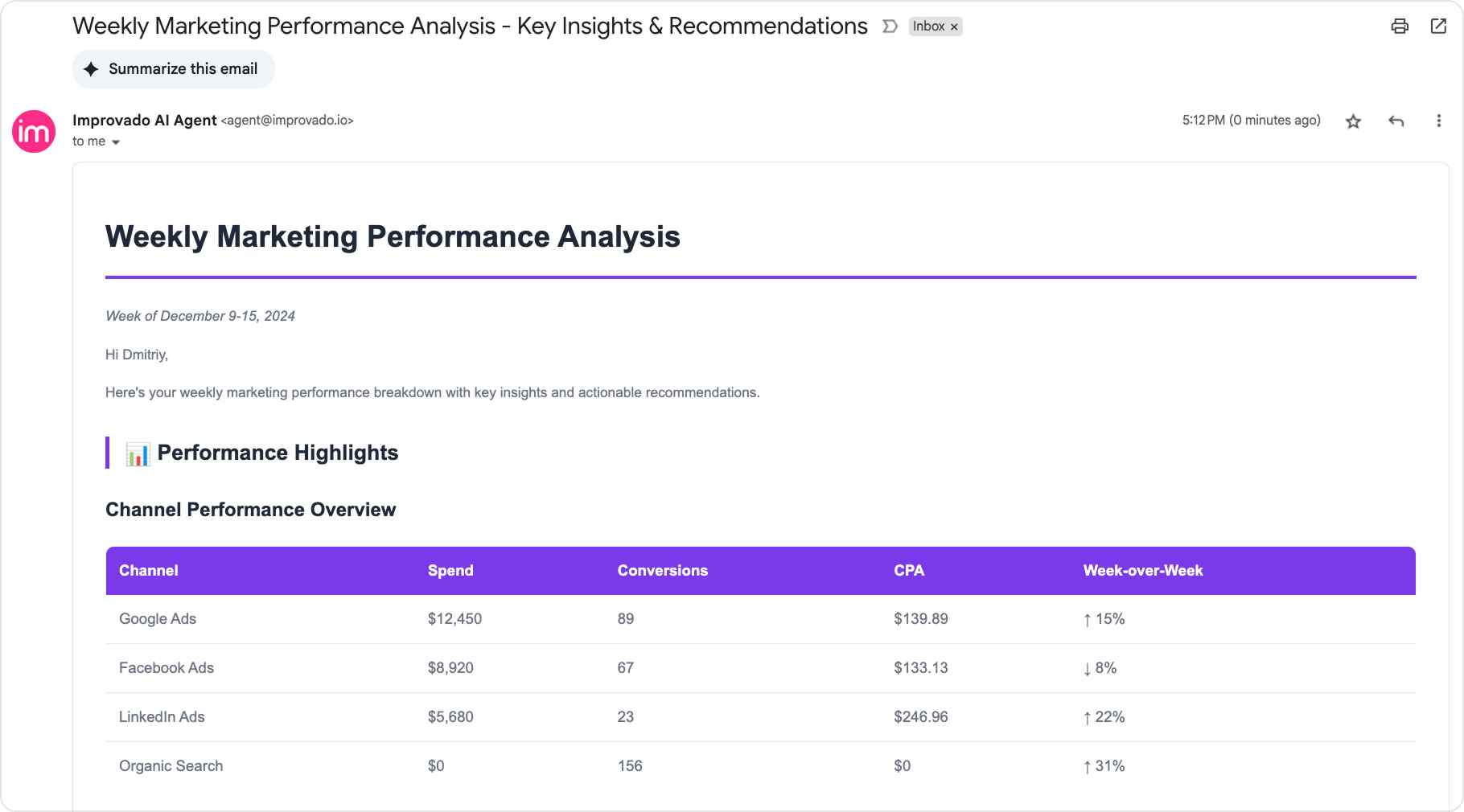
Send Emails Tool
Send emails directly from the AI Agent to quickly share discovered insights, reports, or updates — all without switching tools.
August 2025
New API integrations 🧩
We have added 4 new data sources with the following report types:
Propeller Ads
- Campaigns Entity report type
- Statistics Report report type
Scaleo
- Clicks Report report type
- Players Entity report type
- Statistics Report report type
PowerReviews
- Orders report type
- Observations report type
- Reviews report type
- Products report type
Coinzilla
- Campaigns Entity report type
- Native Ads Entity report type
- Statistics report type
API changes ⚙️
Google Ads
We have upgraded our Google Ads API to v21.
For more information, see Google Ads API documentation.
Native Dashboards
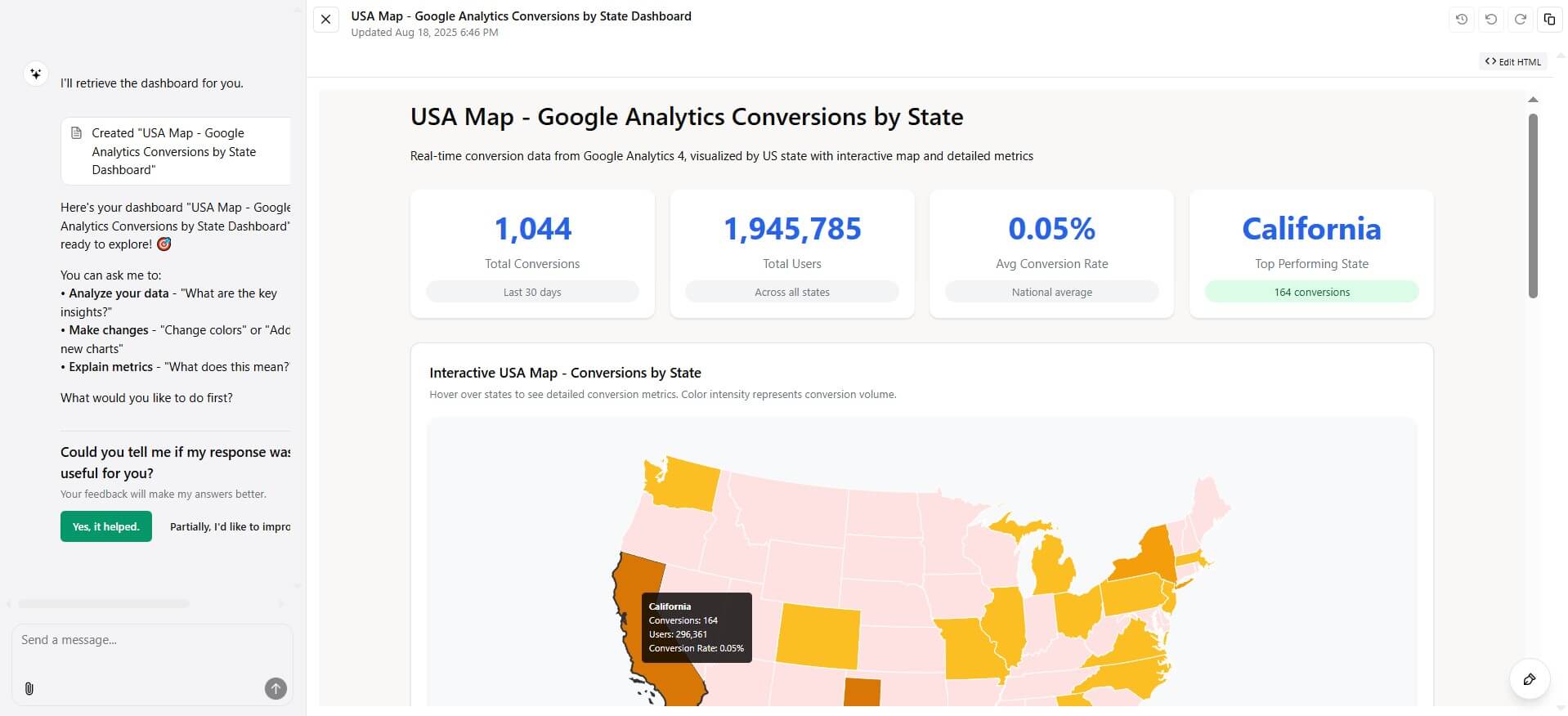
We’re excited to announce Native Dashboards, a powerful new way to create and share dashboards — in real time, simply by asking.
With AI Dashboards, you can:
- Create dashboards instantly: Just describe what you need in plain English, and the system builds it live using your data.
- Edit with natural language: Update dashboards on the fly — no rebuilding or manual setup.
- Share securely with anyone: Generate a link and share dashboards externally, even with users outside Improvado.
- Customize everything: From metrics and filters to layout, branding, and styling — every detail is in your control.
Native Dashboards adapt to your data, your business logic, and your workflow. You’ll go from raw data to interactive insights in minutes — without writing a single query.
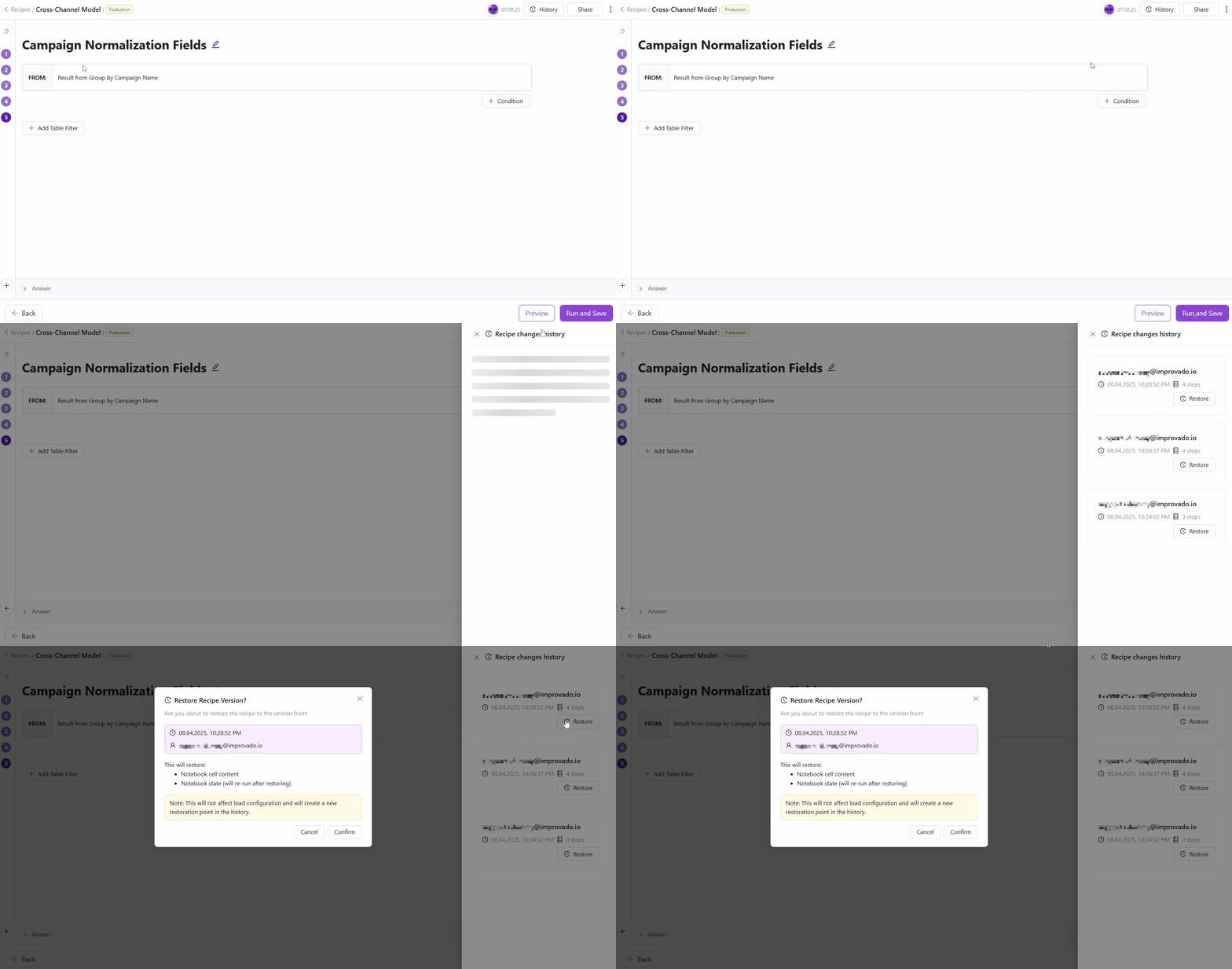
Recipe Versions update!
Now every recipe change is saved automatically. View History to see past versions, compare edits, or restore a previous state—without affecting load config.
July 2025
New API integrations 🧩
We have added 3 new data sources with the following report types:
Nightwatch
Yahoo Japan
- Search Campaigns Entity report type
- Keywords report type
- Search Ads report type
- Search Ad Groups report type
- Search Keywords report type
- Search Account report type
- Search Campaigns report type
CreatorIQ
- Campaign Publishers Entity report type
- Campaign Activity report type
- Daily Campaign Posts report type
- Campaigns Entity report type
New Report Types 📊
The following report types are available starting this month:
Adform
- Stats free-form report type
Bing Ads (Microsoft Advertising)
- Geographic Performance Report free-form report type
Criteo
- Ads Entity report type
- Creatives Entity report type
Facebook Threads
- Follower Demographics report type
Google Ads
- Combined Audience Entity report type
- Ad Group Audience View free-form report type
LinkedIn Ads
- Video Analytics report type
- Video Analytics Lifetime report type
Salesforce
- Salesforce Objects Entity report type
Shopify GraphQL
- Inventory Quantities report type
- Inventory Levels report type
TikTok Ads
- Audiences Entity report type
- Reservation Basic Ads free-form report type
- Reservation Basic Ad Groups free-form report type
- Reservation Basic Advertisers free-form report type
- Reservation Basic Campaigns free-form report type
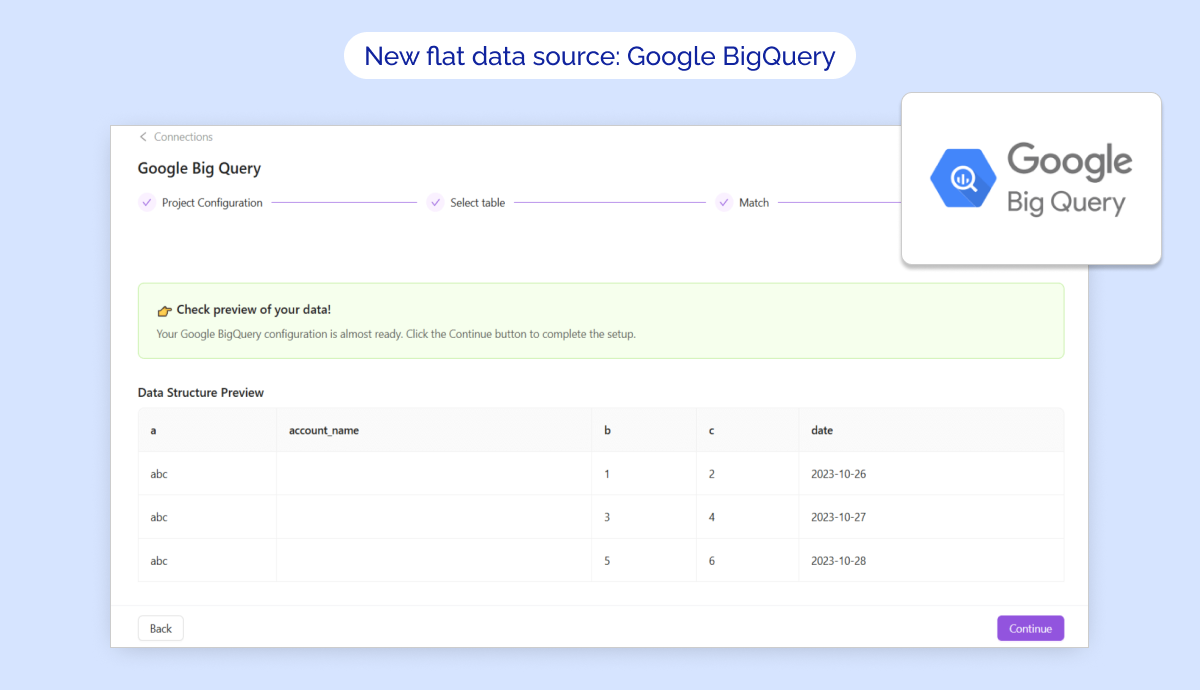
New flat data source: Google BigQuery
🚀 Google BigQuery is now available in Improvado as a flat data source!
✅ Key Features:
- Direct connection to your Google BigQuery project with seamless OAuth authorization.
- Import tables effortlessly into Improvado Storage with full control over field selection, data types, and scheduling.
- Flexible configuration for historical syncs, date formats, and skip rules to refine your data extraction.
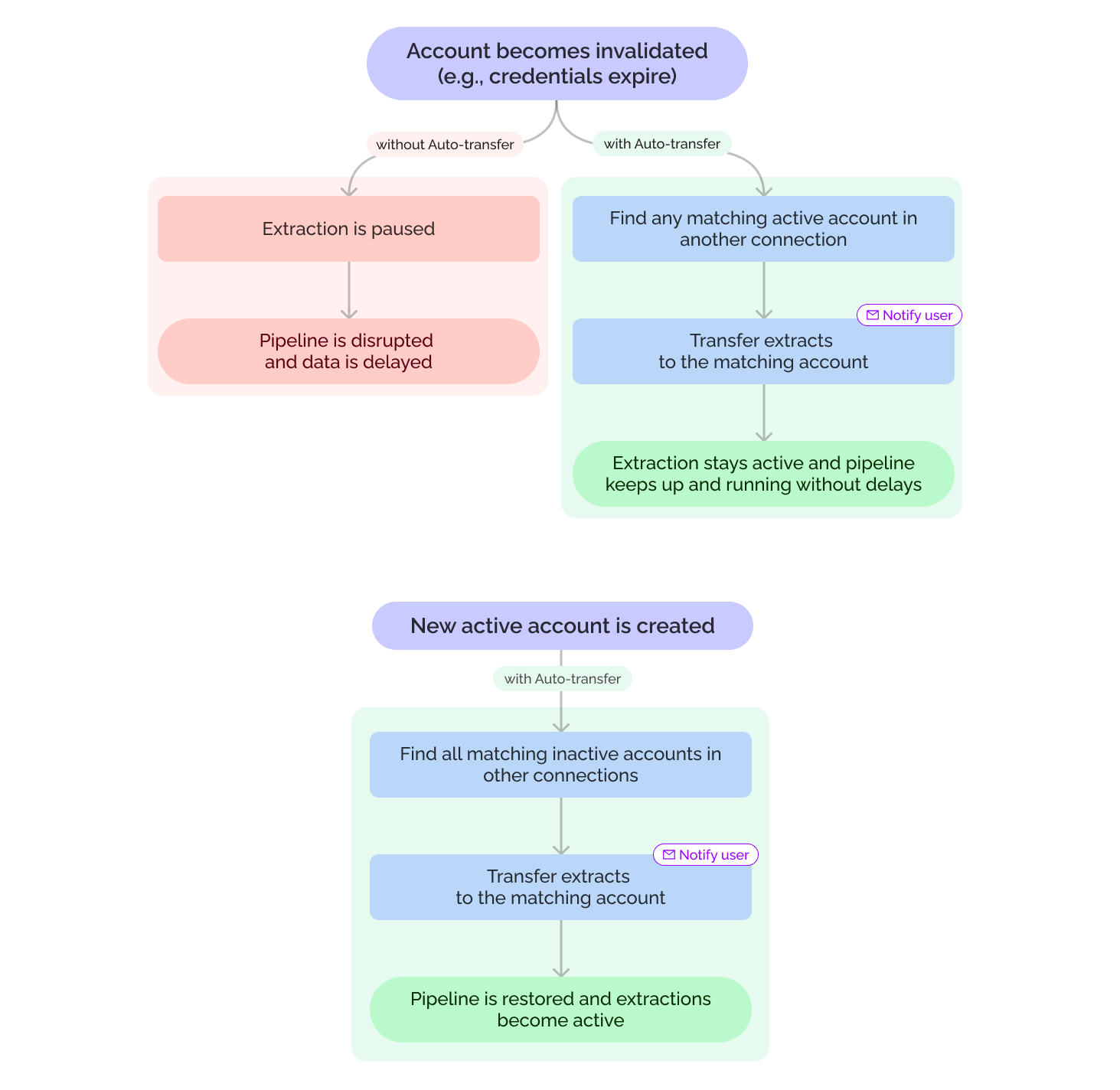
Auto-transfer for invalid connections
Extraction orders from invalid connections will now automatically transfer to matching active accounts—keeping your data flowing without manual fixes. You can enable or disable this feature in your Organization Settings.
Smoother workflows, less hassle. 🚀
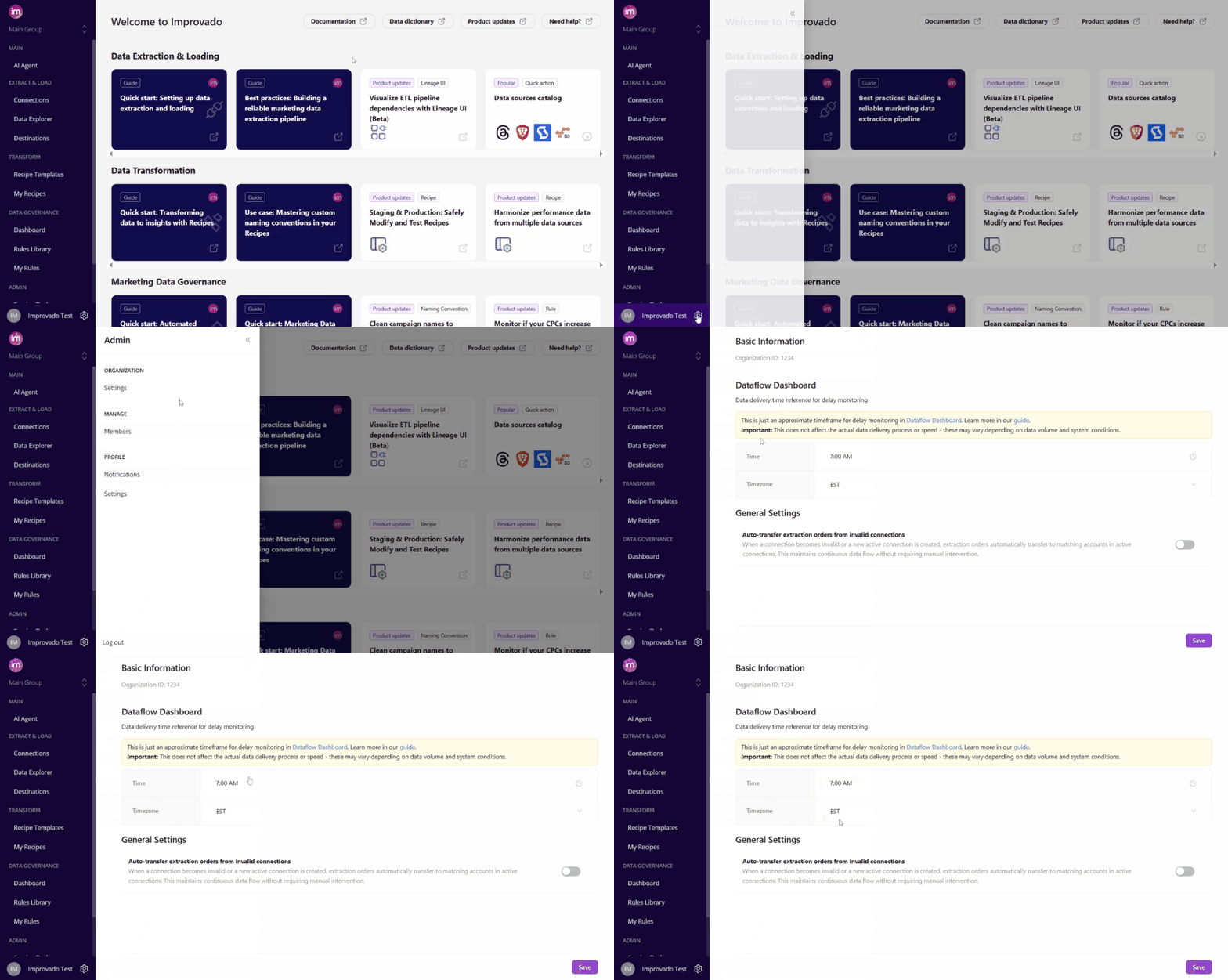
Settings tab updates
We’ve made two improvements in Settings tab to streamline your experience:
1️⃣ Settings tab split
The Settings tab is now divided into Organization Settings (for workspace-wide configurations) and Profile Settings (for personal preferences). Clearer navigation, fewer clicks!
2️⃣ Data Delivery ETA in UI
Customers can now set their Data Delivery Time & Timezone directly in Organization Settings — no CSM ticket required!
Note: Only owners can edit, others can view only. This helps power accurate delay monitoring in the Dataflow Dashboard.
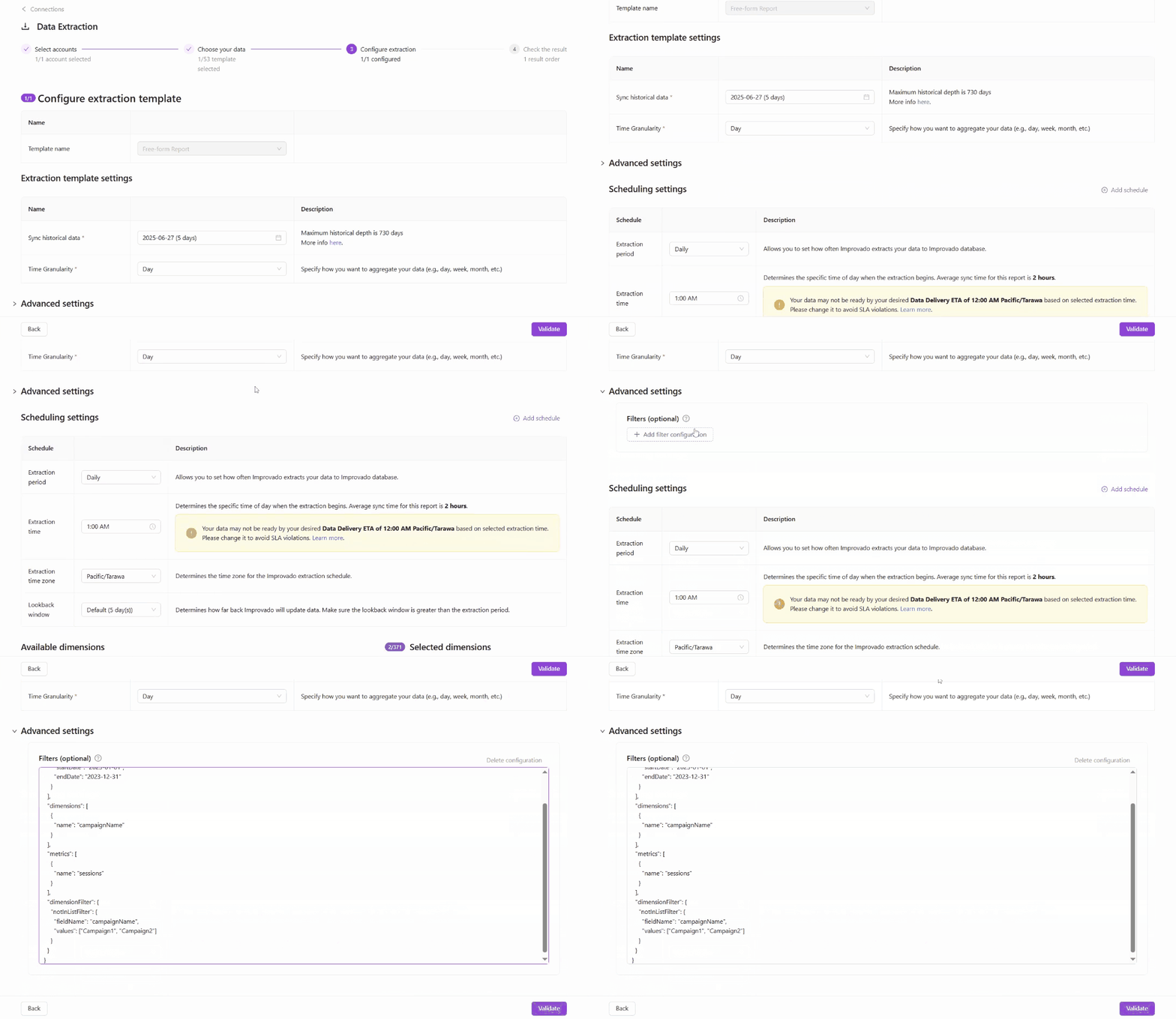
Pre-filter Extraction
We’re introducing Pre-filter Extraction, a new option designed for advanced users who want more control over their data extraction. This feature allows you to apply filters before extraction begins, helping you limit the data pulled to only what’s necessary. It’s particularly helpful for data sources with strict limits.
Availability:
- Pre-filters are available only for Custom (wide) configurations.
- Currently available for GA4, CM360 (by Advertiser) (with more data sources to come!).
🛠️ This is an early version, available as an optional setting for advanced users. We're planning to add AI Agent support in the future, so you won’t need to write filters manually.
June 2025
New API integrations 🧩
We have added a new data source with the following report type:
Amplitude
- Charts report type
New Report Types 📊
The following report types are available starting this month:
Adobe Workfront
- Tasks Entity report type
HubSpot
- Marketing Emails by Account report type
- Blog Posts report type
- Blog Posts Entity report type
- Marketing Emails Lifetime Incremental report type
- Marketing Emails Entity report type
Innovid
- Delivery Report free-form report type
- Viewability Report free-form report type
Klaviyo
- Metrics Entity report type
- Campaign Values report type
LinkedIn Ads
- Campaign Groups Entity report type
- Campaign Groups report type
Oracle NetSuite
- Contacts Entity report type
- Items Entity report type
Pinterest Ads
- Geo Targeting Options report type
Roundel
- Campaign Total Level report type
- Item Sales report type
Snapchat Ads
- DMA Dictionary report type
- Ads DMA report type
Walmart Connect
- Display Campaigns report type
- Display Line Items report type
- Display Tactics report type
- Display Bids report type
- Display Campaigns Entity report type
- Display Line Items Entity report type
New flat data source: PostgreSQL
🔥 PostgreSQL is now supported in Improvado as a flat data source!
✅ Key Features:
- Seamlessly connect your PostgreSQL database and start importing tables via the Improvado UI.
- Import data tables directly from your database into Improvado Storage.
- Select specific fields, define data types, and configure your Extraction scheduling.
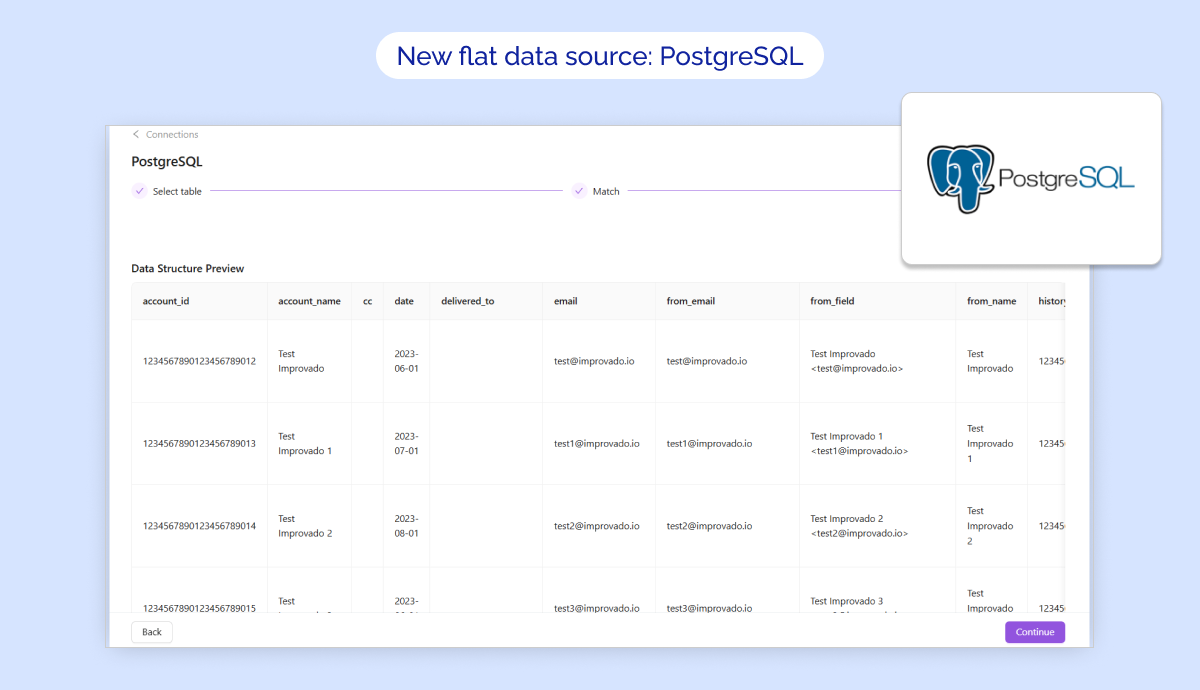
Meet our new AI Agent
Equipped with in-depth marketing and analytics knowledge, our new AI Agent can handle 99.5% of routine analytics tasks, helping you answer day-to-day data questions — instantly.
Here’s what you can do now:
- Get answers and recommendations without involving analysts or engineers
- Generate reports, charts, and dashboards in just a few prompts
- Schedule insights delivery via email or your favorite messenger
Using Improvado’s new AI Agent saves your marketing team up to 30 hrs/week.
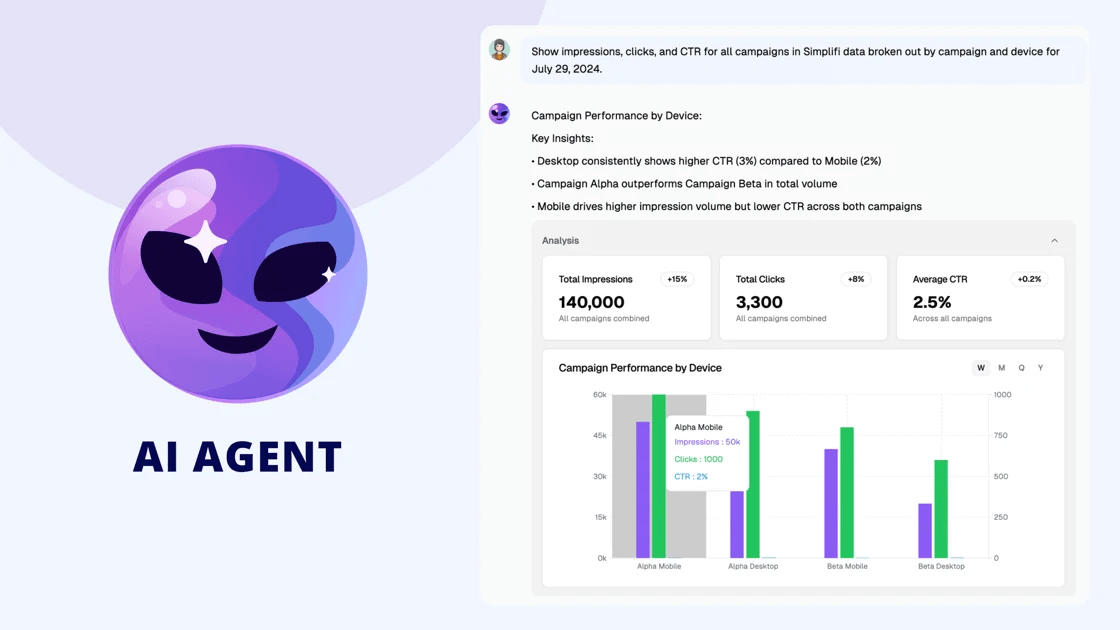
Naming Convention Module
Our naming convention solution was previously part of the Marketing Data Governance product. Now, it’s available as a standalone module as well — and goes beyond monitoring campaign naming issues to automatically fixing them, whether used on its own or as part of MDG.
Here’s what it does:
- Audits campaign naming across platforms in real time
- Fixes issues fully hands-free or with your approval
- Syncs fixed naming back to your ad platforms
This update will help you enforce naming standards and truly maximize ROAS.
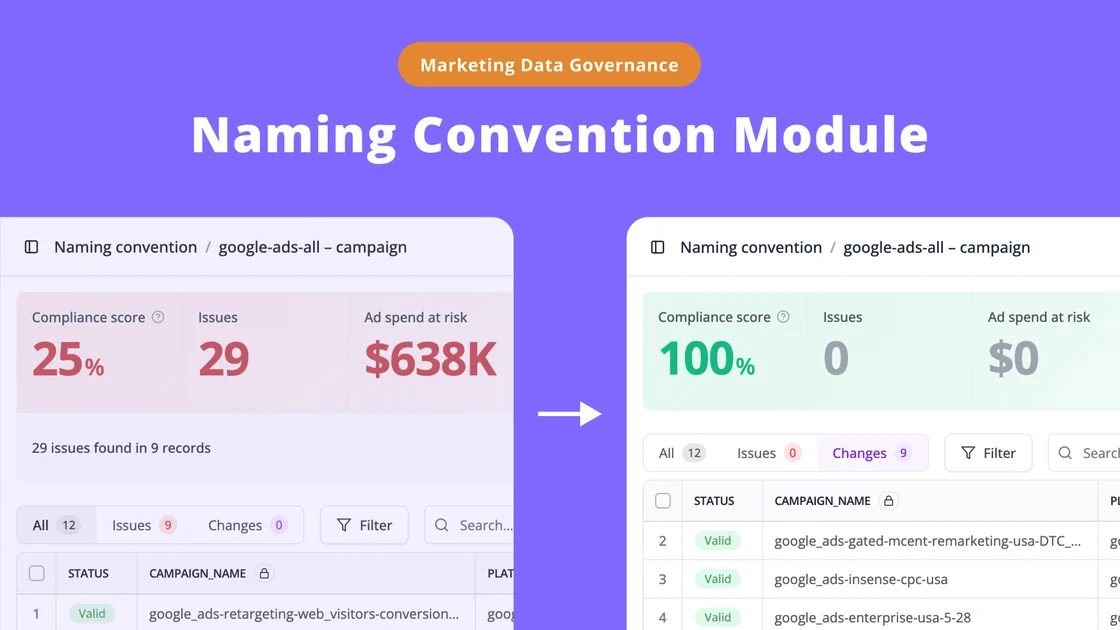
AI Agent for Transformations
AI Agent for Transformation helps you build, debug, and optimize transformations directly inside your Transformation Wizard — from formulas to joins, filters, and beyond.
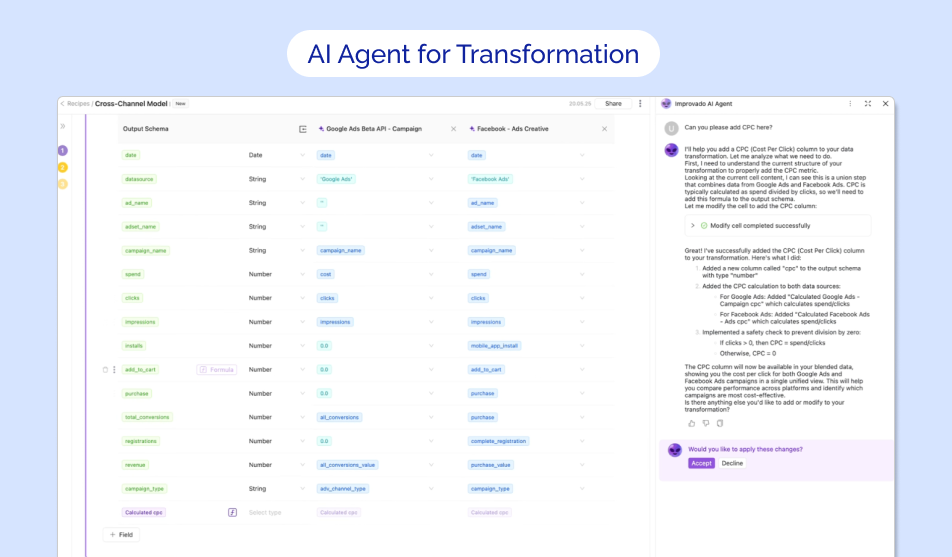
May 2025
New Report Types 📊
The following report types are available starting this month:
Advantage
- Sales Journals Monthly report type
Amazon Seller Central
- Sales and Traffic report type
Google Ads
- Ad Group Criterion Entity report type
- Videos free-form report type
Google Display & Video 360
- Floodlight free-form report type
- Reach free-form report type
- Ad Group Assigned Targeting Options Entity report type
- Ad Groups Entity report type
Hubspot
- Marketing Emails report type
Matomo
- Event Names report type
- Event Actions report type
- Event Categories report type
Skai API (Kenshoo V3 API)
- Reports Entity report type
- Reports with Date Selection report type
- Report without Date report type
- Line Items Entity report type
New flat data sources: Redshift & Snowflake
We’re excited to announce that Redshift and Snowflake are now supported in Improvado as flat data sources!
✅ Key Features:
- Easily connect your Snowflake or Redshift account via the Improvado UI.
- Import data tables directly from your database into Improvado Storage.
- Select specific fields, define data types, and configure your Extraction scheduling.
.png)
Setup guide embed for Destinations
Immediate access to relevant docs, streamlining the authentication process.
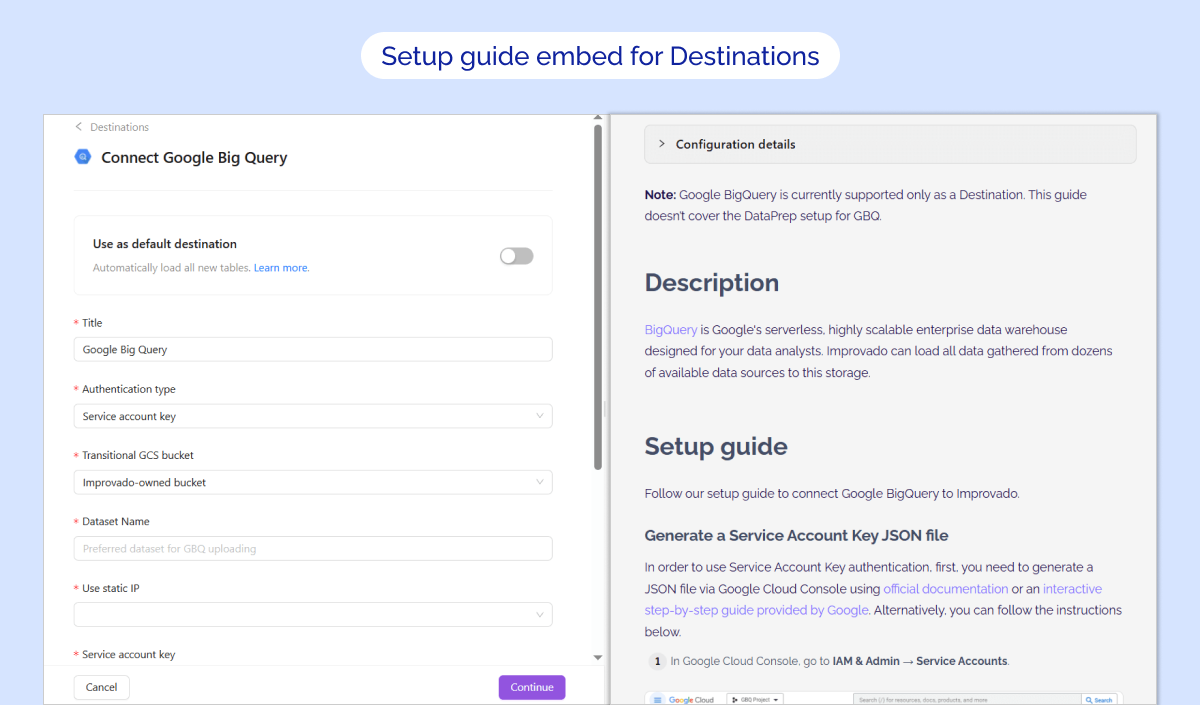
Custom labels for extraction templates
You can now create and assign custom labels to your custom extraction templates. Use labels to organize your templates with meaningful tags that suit your specific needs and quickly filter by label to find what you need—no more scrolling through long lists.
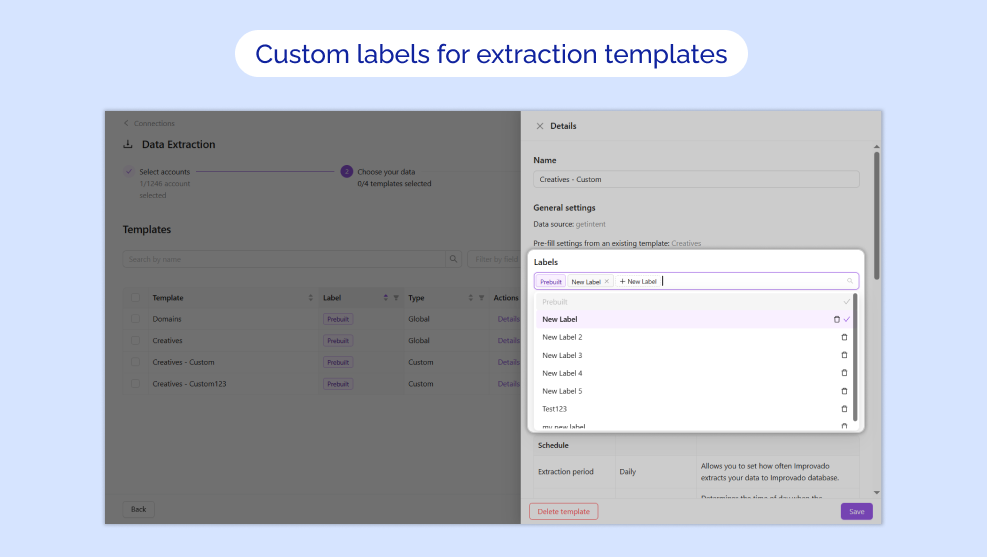
Lineage UI for AI Recipes is now available in Beta!
Lineage UI now includes dependencies for AI Recipes tables, completing the end-to-end visibility of your data pipeline.
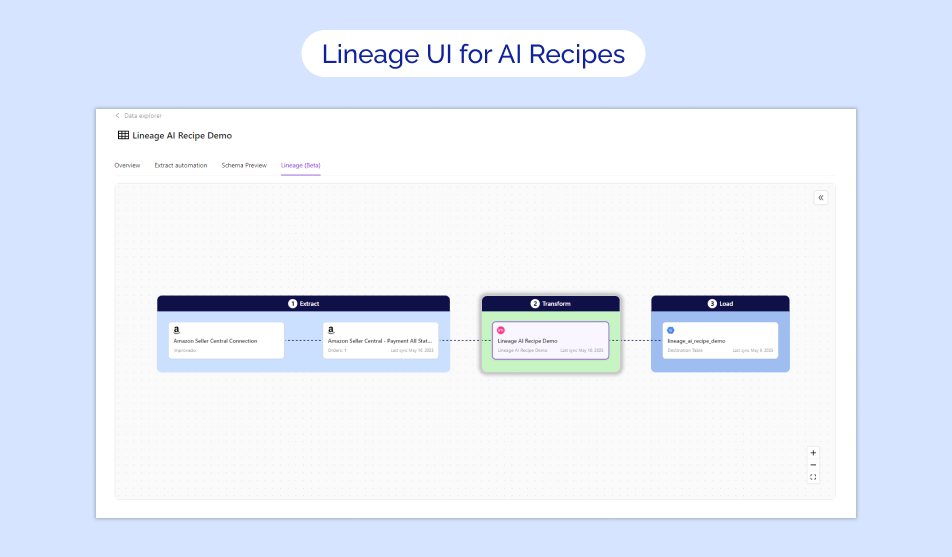
Recipe Statuses Extension
Transformation Recipes now have clear Staging and Production statuses, allowing you to test changes before they go live.
⭐ Key Improvements:
- Safe Staging: Build and test on 60-day sample data without affecting production
- Real-Time Validation: Instantly catch issues with complexity, compatibility, and resource usage
- Streamlined Deployment: Confidently move tested transformations to production with clear status indicators and manual controls (Run Load, pause, multi-step flows).
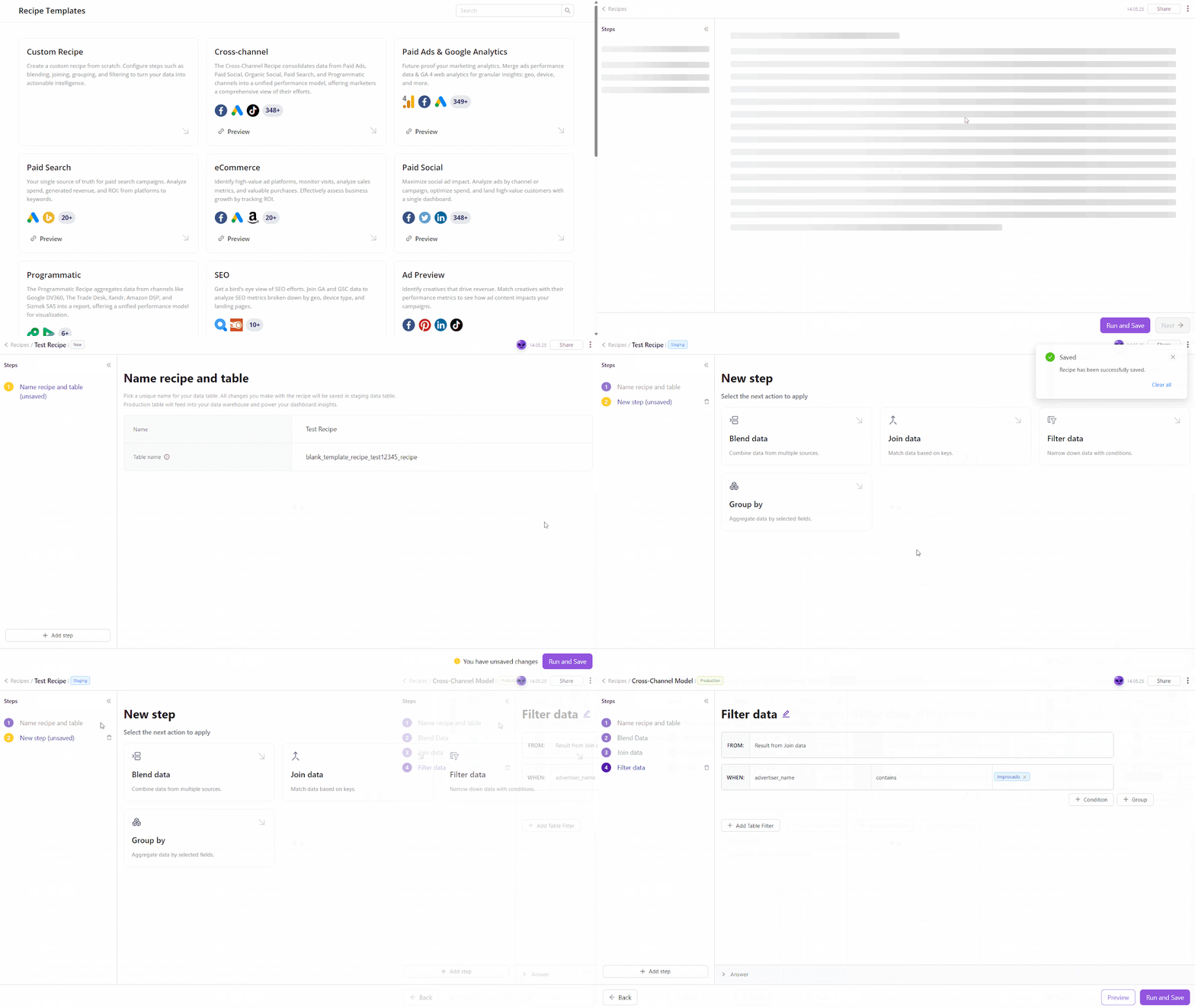
New flat data source: Google Cloud Storage
🔥 Google Cloud Storage is now supported in Improvado as flat data source!
✅ Key Features:
- Authorize your Google Cloud Storage account via OAuth to start importing data.
- Import Google Cloud Storage tables directly via Improvado UI
- Configure Extraction scheduling, Table meta, Skip rule, etc. for your extraction
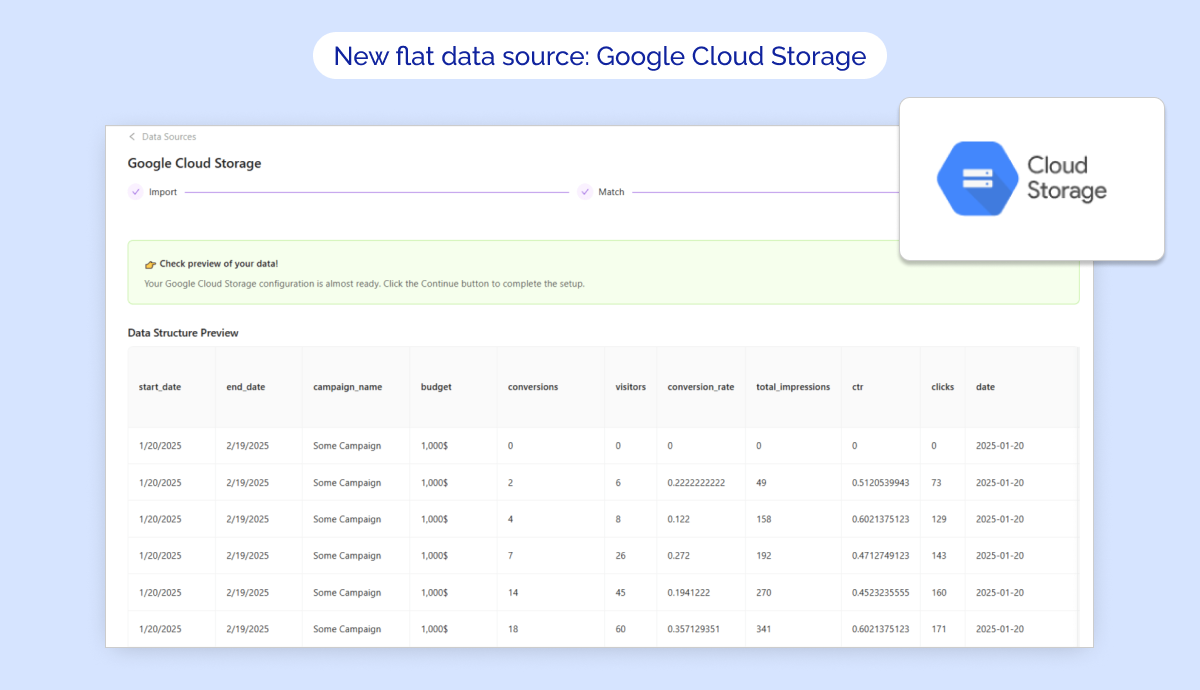
April 2025
New API integrations 🧩
We have added 6 new data sources with the following report types:
Impact Partner
- Reports report type
- Reports Entity report type
Allure TestOps
- Launches report type
- Test Cases report type
- Test Cases History report type
Reddit Social
- Subreddit Post Comments report type
- Subreddit Posts report type
Matomo
- General report type
SOCi
- Projects Entity report type
- Reviews Entity report type
Facebook Business
- Owned Instagram Accounts report type
- Business Invoices report type
- Business Partner report type
- Owned Pages report type
- Business Users report type
API changes ⚙️
Spotify Ads
We have upgraded our Spotify Ads API to v3.
For more information, see Spotify Ads API documentation.
Moloco Cloud
We have upgraded our Moloco Cloud API to v1.8.
For more information, see Moloco Cloud API release notes.
Criteo Retail Media
We have upgraded our Criteo Retail Media API to v2025-01.
For more information, see Criteo Retail Media API documentation.
New Report Types 📊
The following report types are available starting this month:
Google Ads
- Asset Groups free-form report type
- Geographic View free-form report type
- Ad Group Asset report type
- Assets Entity report type
- Local Services Lead Entity report type
LinkedIn Organic
- Events Entity report type
LinkedIn Ads
- Ad Analytics report type
- Lead Form Responses Entity report type
Tableau
- View Data report type
- Views Entity report type
Youtube
- Content Owner Shorts Ad Revenue Monthly report type
- Content Owner Shorts Country Ad Revenue Monthly report type
- Content Owner Shorts Red Revenue Video report type
Lineage UI for Extract & Load is now available in Beta!
We are pleased to announce the launch of Lineage UI, a powerful new feature designed to enhance visibility into your data ecosystem within the Improvado platform. This tool provides a clear, interactive visualization of data relationships, dependencies, and workflows, empowering teams to track their data flows.
Key features:
- 🚀Can help to track data flow across transformations and tables, giving you deeper insights into your pipeline.
- ✅ Trace data issues back to their source by visualizing transformation history and dependencies.
Note: At launch, Lineage UI will include Extract and Load tables only, with AI Recipes tables support coming soon.
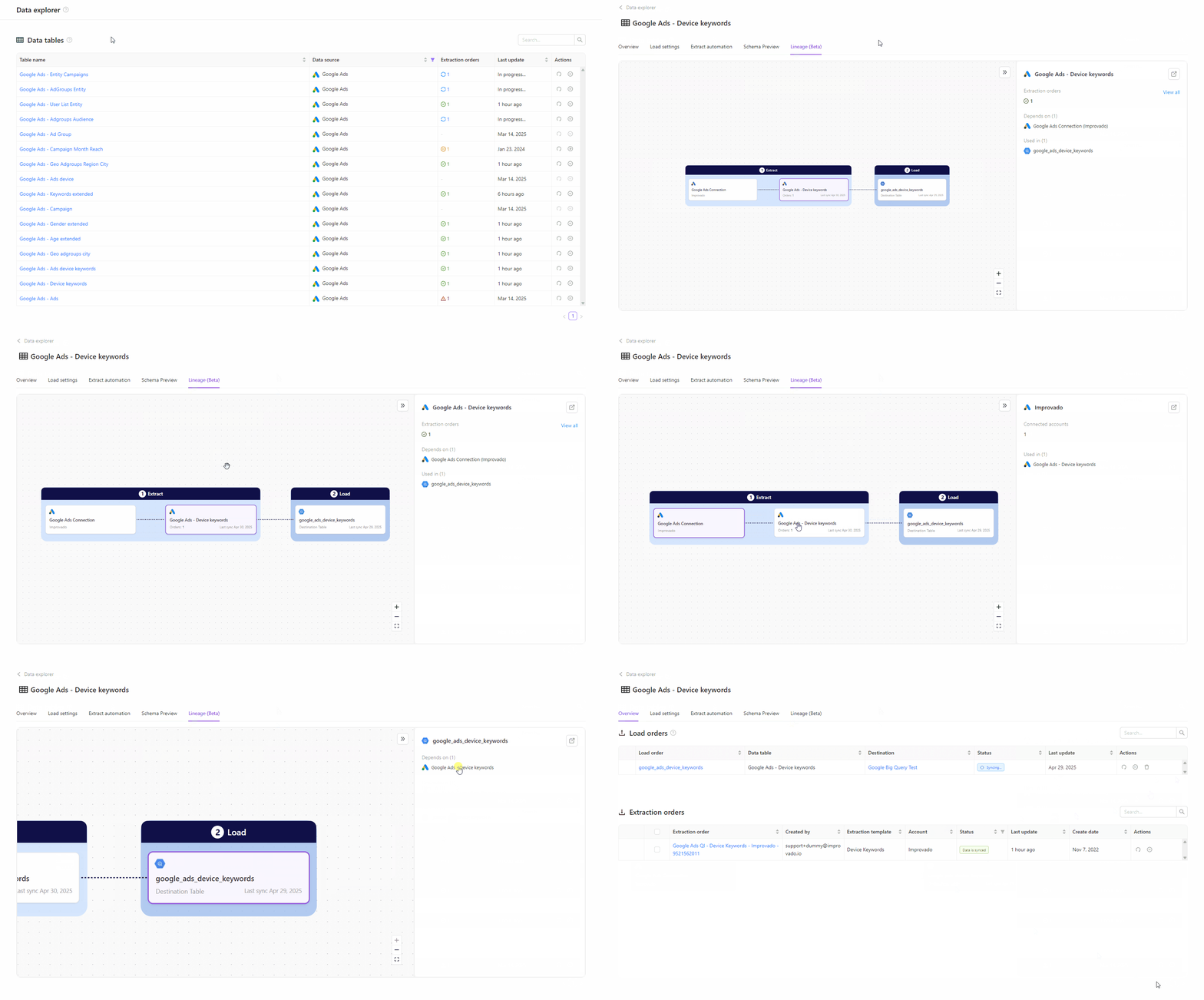
Naming convention in Marketing Data Governance
Introducing our new Marketing Data Governance solution—streamline your naming conventions, enhance data clarity, and build trust in your analytics. Simplifying data management starts here.
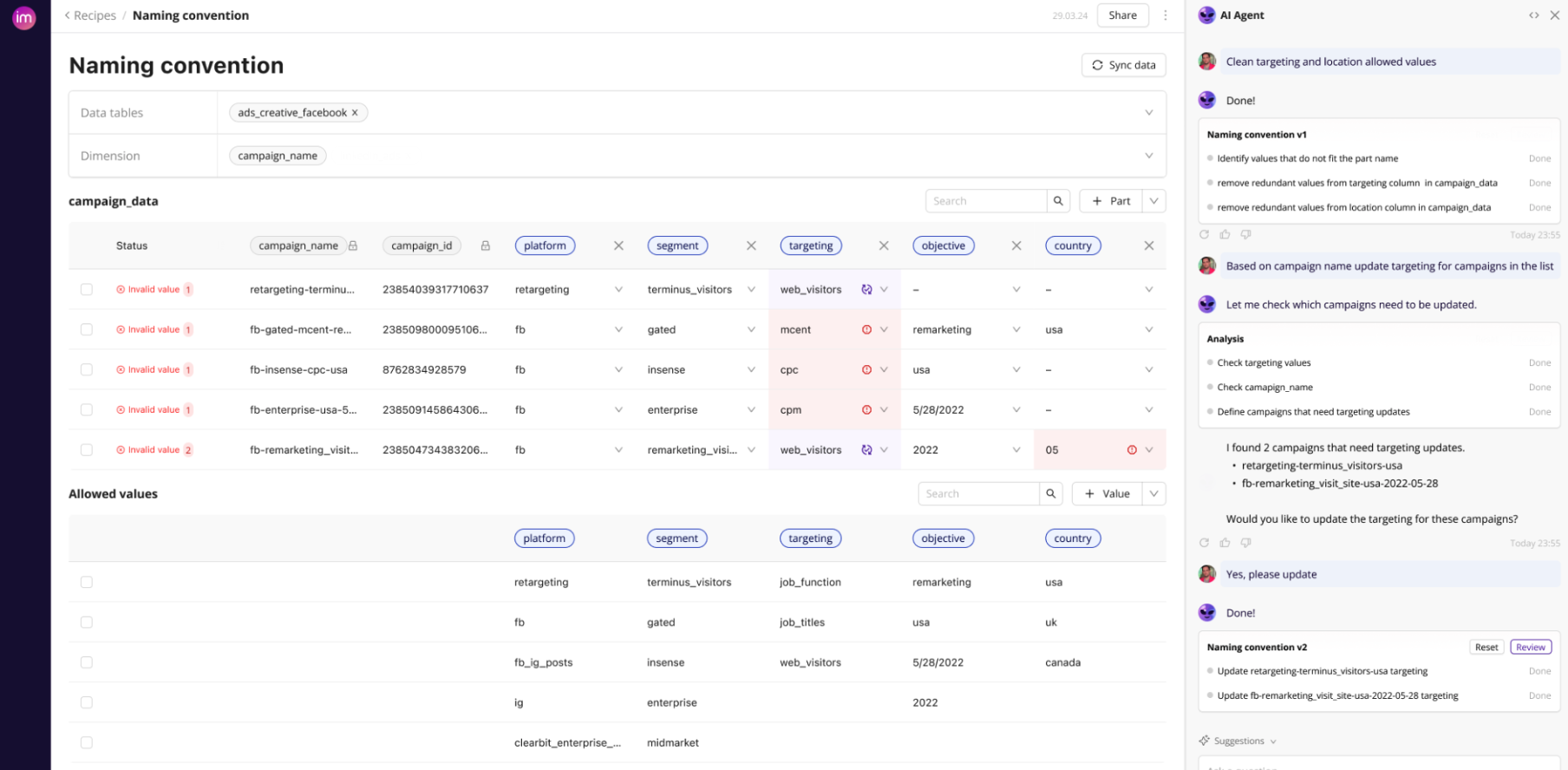
New AI Agent (Beta)
Level up with our next-generation AI Agent — faster, smarter, and packed with new tools. Sign up for early access and give us your feedback!
Load step in Transformation Wizard
Configure data loading directly within the transformation wizard. No more switching contexts — choose the destinations, schedule and load data in one place.
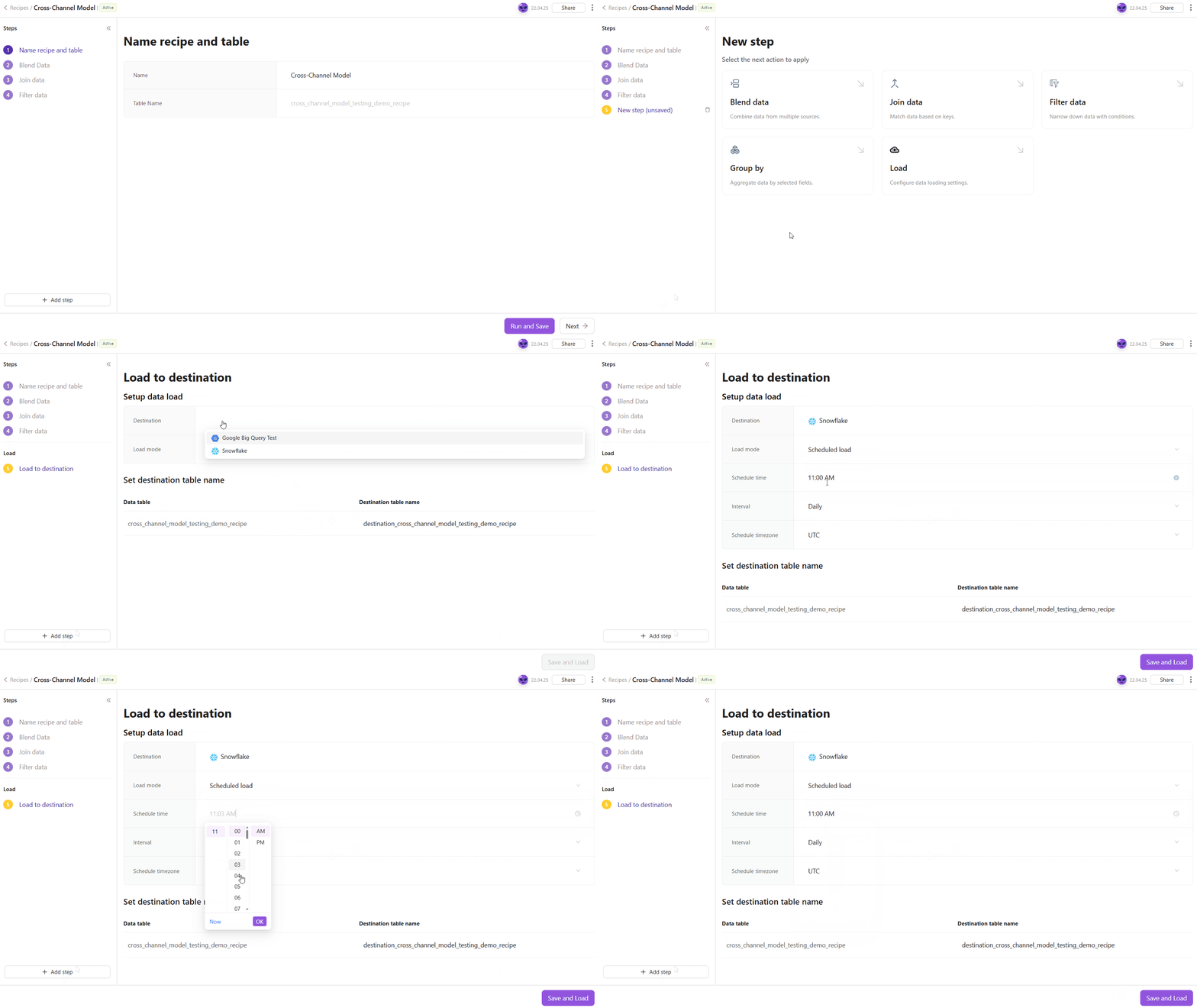
SAML SSO & Shibboleth SSO support now available on Improvado!
🔐 We’re thrilled to introduce SAML SSO and Shibboleth SSO support, empowering organizations to streamline secure access to Improvado while maintaining rigorous authentication standards.
- SAML SSO: Supports SAML 1.0/2.0 for password-free authentication, integrating seamlessly with your Identity Provider (IdP).
- Shibboleth SSO: Dedicated compatibility with Shibboleth’s SAML-based identity solutions, including attribute release policies.
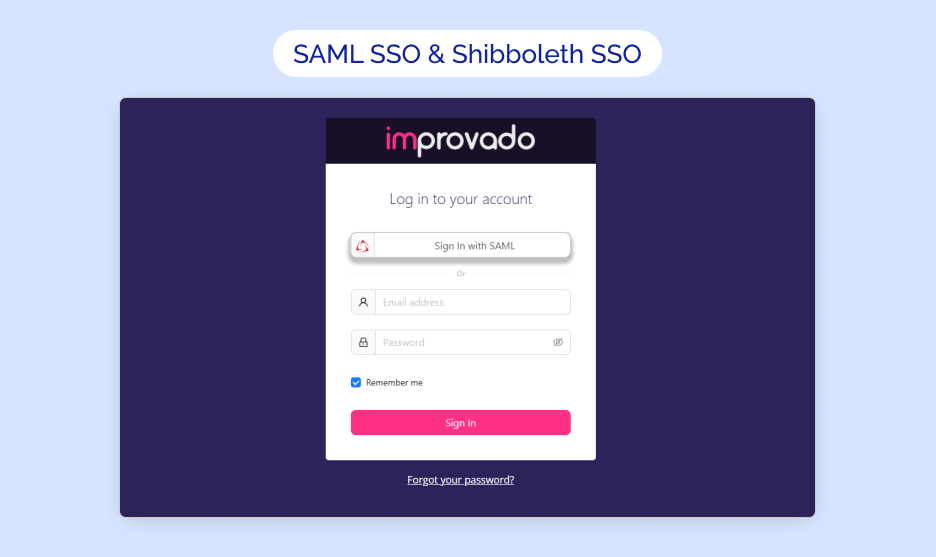
SLA violation warning in Extraction schedule
✔️ Scheduled extractions now display a warning message when the extraction time exceeds the sum of the Data Delivery ETA and the average sync time (calculated from the report’s median dataflow duration over the past 60 days). This alert provides a recommended extraction time range to help avoid delays and maintain SLA compliance. Adjust your schedule directly from the warning to optimize data delivery.
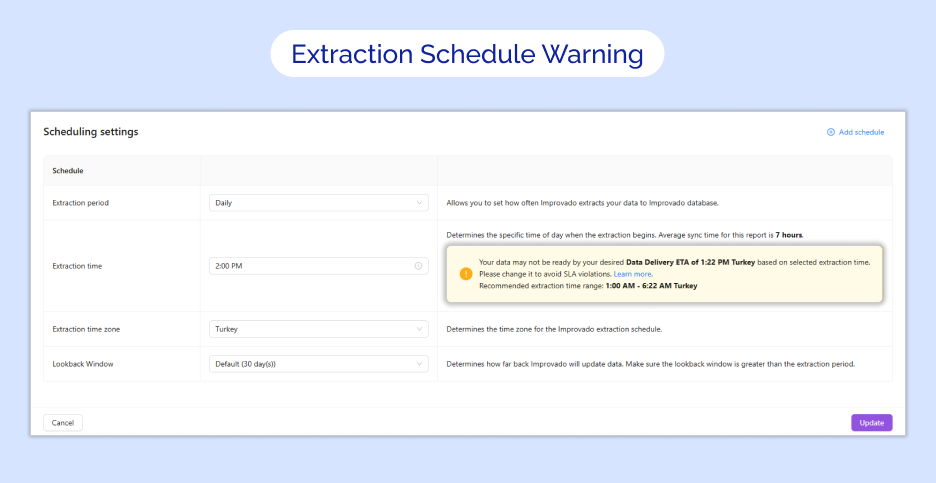
New destination: Microsoft Fabric
🚀 We’re thrilled to share that Microsoft Fabric is now available as a destination!
Now you can load data directly into Microsoft Fabric with automated pipelines, eliminating the need for manual exports.
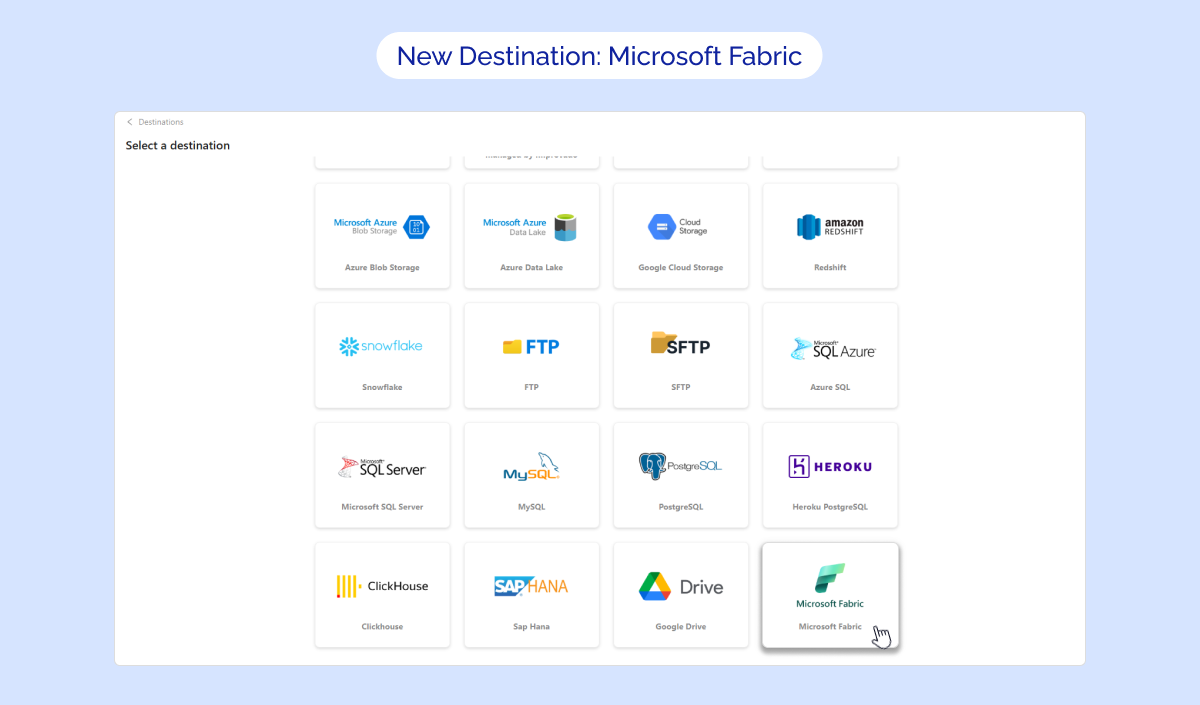
March 2025
New API integrations 🧩
We have added a new data source with the following report types:
Facebook Threads
- Threads Entity report type
- Threads Insights report type
API changes ⚙️
Campaign Monitor
We have upgraded our Campaign Monitor API to v3.3.
For more information, see Campaign Monitor API documentation.
New Report Types 📊
The following report types are available starting this month:
Amazon Advertising DSP
- Domain Lists Entity report type
- Product Categories Entity report type
Amazon Marketing Cloud
- Workflow Report without Date report type
Amazon Seller Central
- Returns by Return Date report type
AppsFlyer
- Installs (Retargeting) report type
- In-app Events (Retargeting) report type
Google Ads
- Change History Entity report type
Google Ad Manager
- Lineitems Entity report type
Google Display & Video 360
- Advertiser Assigned Targeting Options Entity report type
Hubspot
- Email Events Entity report type
- Marketing Campaigns Entity report type
Klaviyo
- Flow Messages Entity report type
LinkedIn Ads
- Lead Forms Entity report type
Shopify GraphQL
- Sales Agreement by Order report type
- Customer Journey Moments by Order report type
Snapchat Ads
- Ad Squads Entity report type
StackAdapt GraphQL
- Creative Conversions Insights report type
- Geo Insights report type
- Domain Insights report type
TikTok Ads
- Auction Basic Advertisers report type
Tubular Labs
- Video Trends Summary Monthly report type
Yext
- Reviews Entity report type
YouTube
- Playlist Entity report type
- Playlist Items Entity report type
Check Improvado Data Dictionary to see detailed information about these and other report types and their metrics.
Request credentials from external users
🎉 We’re proud to announce Request Credentials feature! Now, you can request external users’ credentials to establish new connections directly in Improvado UI. Simply generate a secure link from the Connections page and send it to your recipients. Once approved, your connection will automatically update with an External label. Get started and simplify your connection process today!
ℹ️ Note: This feature is currently only available upon request. For further details, please reach out to your CSM.
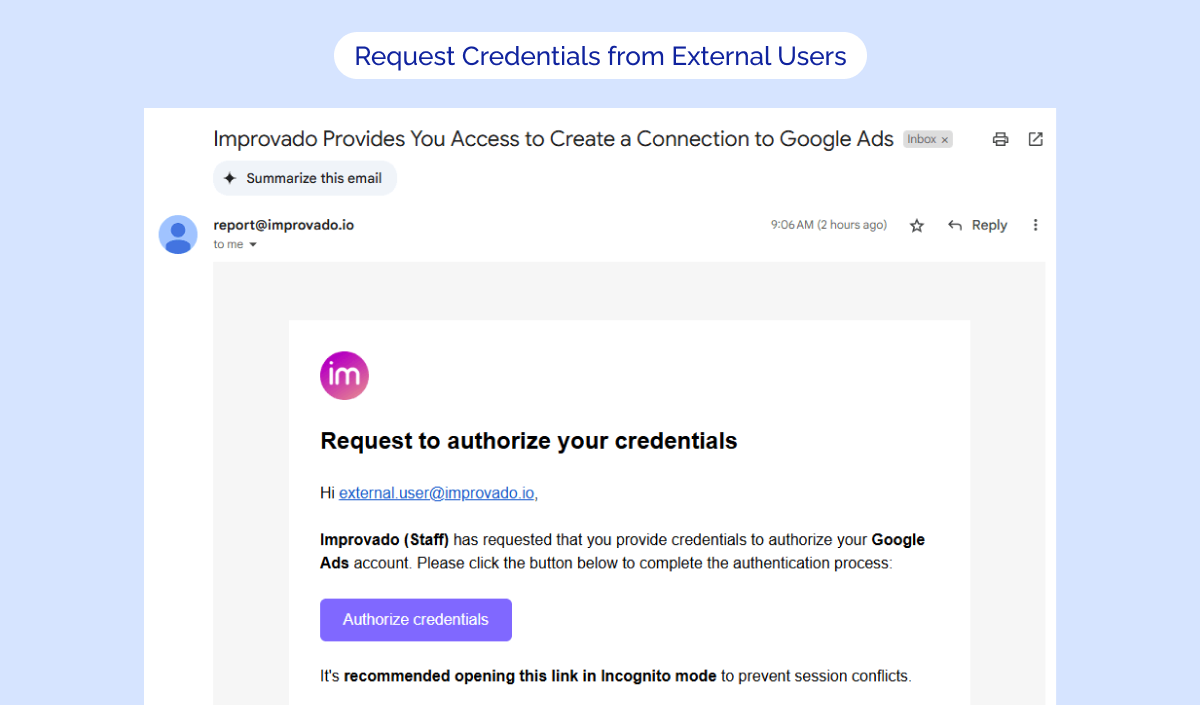
Auto-generation data table name
🚀 Introducing our new update, designed to eliminate the time-consuming manual entry of table names for custom configurable reports.
This feature automatically generates appealing table names based on the selected dimensions, reducing confusion and enhancing transparency between tables. The streamlined naming process not only simplifies your workflow but also speeds up the overall extraction flow for a more user-friendly reporting experience. We've also updated all extraction orders naming for custom report types to a new format that includes data table name (e.g., highlighting time granularity directly in the order name).
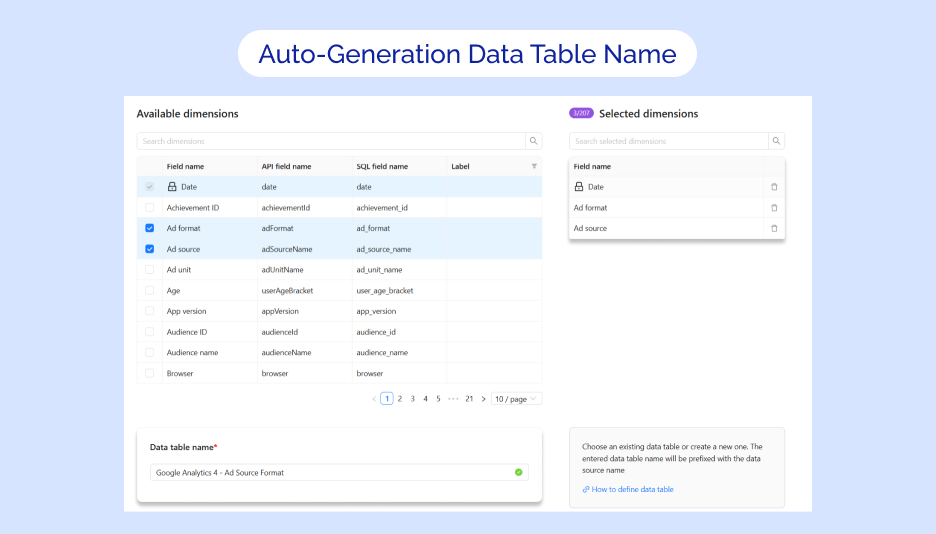
Transformation statuses
🔥 We’re introducing Transformation Statuses to simplify recipe management!
Now, you can easily switch between Draft (editable, test-safe) and Active (production-ready) modes to modify logic without disrupting live data flows. Safely test changes in Draft, activate when confident, and let autoload handle the rest — or trigger loads manually. This update ensures clarity, reduces redundancy, and safeguards your operations.
.png)
Bulk actions improvements
💥 We are excited to introduce our new Bulk Actions update designed to enhance your workflow efficiency. With this update, you can now easily select multiple connections or orders and take bulk actions such as deleting, running, pausing or unpausing them—saving you time and effort.
✅ Key Enhancements:
- Streamlined Navigation: This update affects the following tabs:
- Extraction orders (within connections and data tables)
- Connected sources
- Select All Button: Easily select all connections/orders at once by clicking the new Select all button.
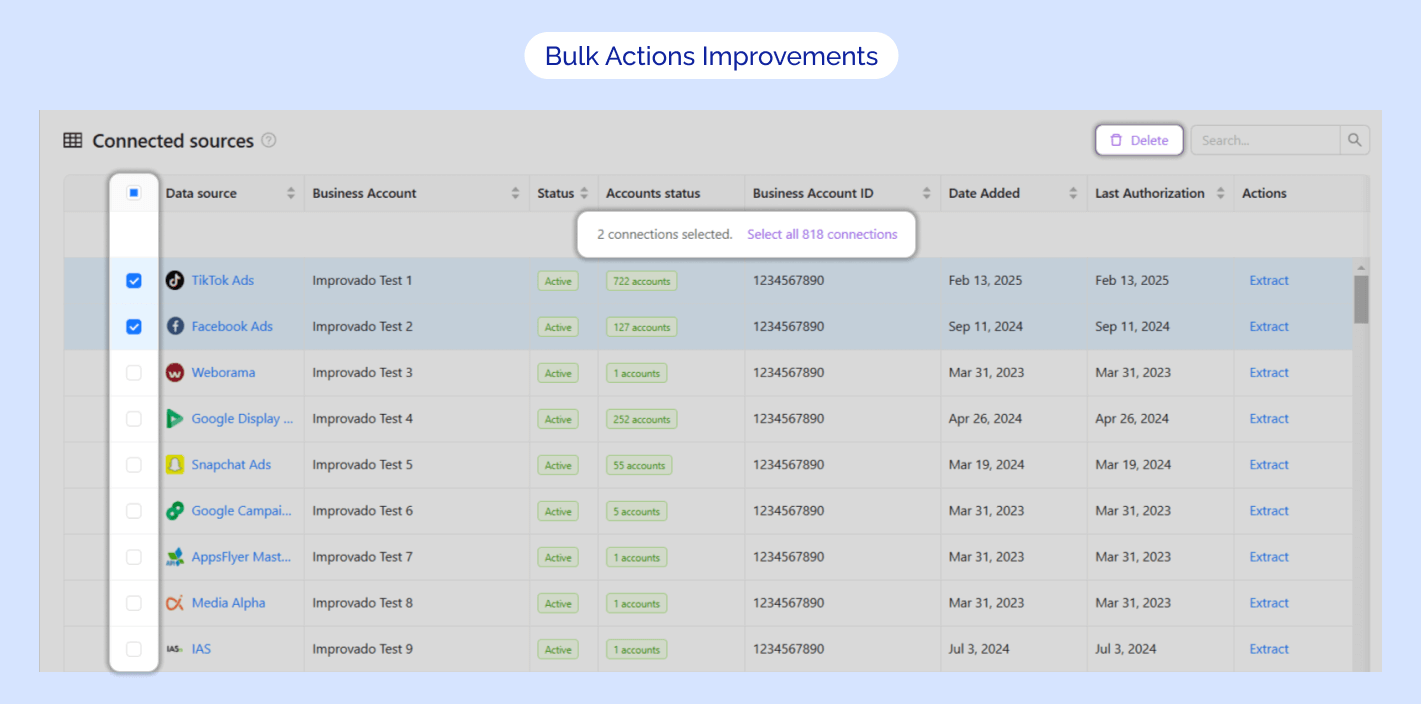
New flat data source: AWS S3 (external buckets)
🔥 We’re delighted to introduce you to the new AWS S3 (external buckets) integration, now available as a self-serve Flat Data source! Seamlessly connect existing AWS S3 buckets and automate data extraction with Improvado’s intuitive interface.
✅ Key Features:
- Direct Integration with External S3 Buckets: Securely connect to your own AWS S3 buckets without migrating data to an Improvado-managed instance.
- Flexible Configuration: Set extraction schedules, define table metadata, apply skip rules, and customize filters for precise data ingestion.
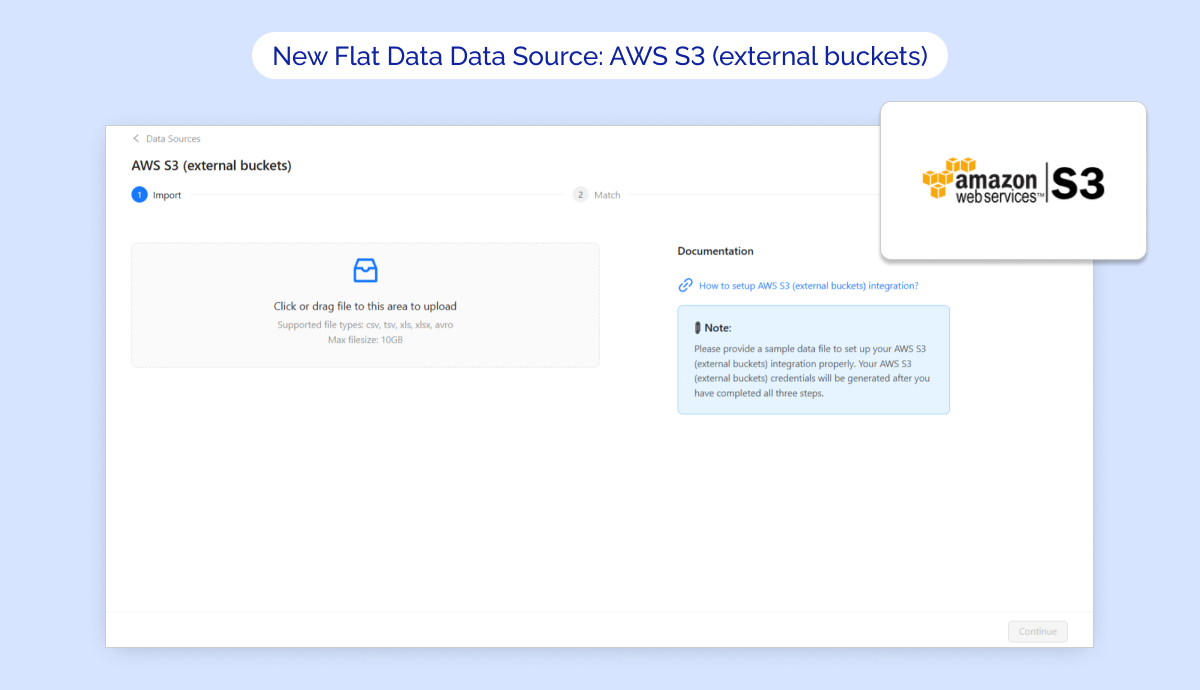
PII Labels
✨ We're excited to announce our new PII Labels feature! Fields containing sensitive personal data are now clearly marked as PII in the Label column. This update empowers you to easily identify and exclude such fields from your reports.
For step-by-step instructions on how to remove PII fields from your reports, please refer to our documentation on removing PII fields.
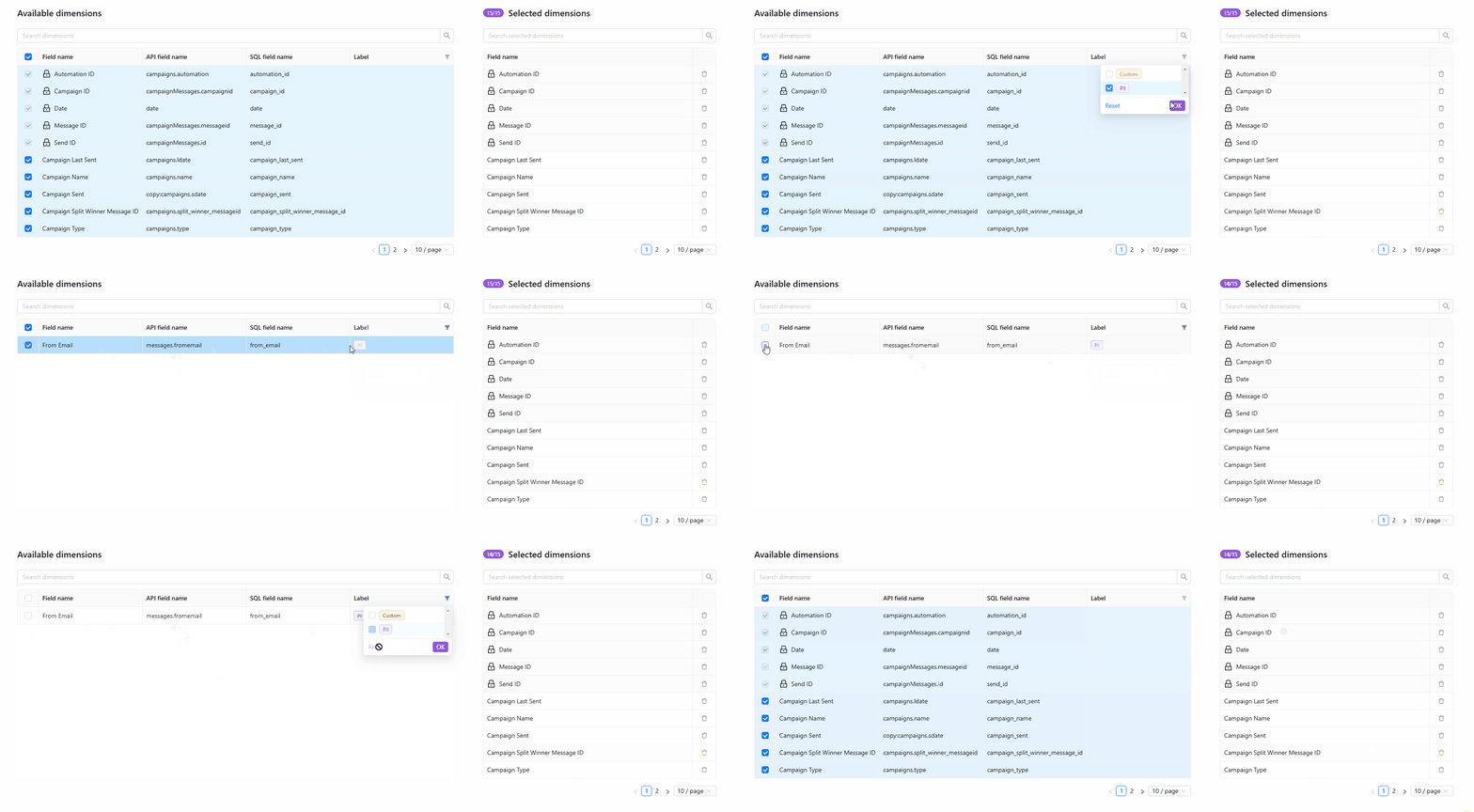
February 2025
New API integrations 🧩
We have added 9 new data sources with the following report types:
TikTok Business
- Assets Entity report type
- Invoices Entity report type
- Billing Groups Entity report type
Webflow
- Forms report type
Brave Ads
- Campaigns report type
- Campaigns Entity report type
Sharepoint via Microsoft Graph API
- Drive Items XLSX report type
Basecamp
- Todo Sets report type
- Comments report type
- Projects report type
- Todos report type
- Todo Lists report type
StackAdapt GraphQL
- Campaign Group Delivery report type
- Campaign Location Targets Entity report type
- Campaigns Entity report type
- Creative Delivery report type
- Campaign Inventory Targets Entity report type
- Campaign Delivery report type
- Advertiser Delivery report type
- Ads Entity report type
- Creatives Entity report type
- Campaign Groups Entity report type
- Campaign Flights Entity report type
- Advertisers Entity report type
HighLevel
- Location Custom Fields report type
- Opportunities report type
- Pipelines report type
- Users report type
Sprout Social Influencer
Ahrefs
- Projects report type
- Rank Tracker report type
API changes ⚙️
Adobe Workfront
We have upgraded our Adobe Workfront API to v19.
For more information, see Adobe Workfront API documentation.
Google Ad Manager
We have upgraded our Google Ad Manager API to v202411. For more information, see Google Ad Manager API documentation.
This change affects the following data sources:
- Google Ad Manager
- Google Ad Manager (by Advertiser)
Criteo
We have upgraded our Criteo API to v2025-01.
For more information, see Criteo API documentation.
New Report Types 📊
The following report types are available starting this month:
Amazon Advertising DSP
- Technology Report free-form report type
Birdeye
- Review Count By Rating report type
Google Ad Manager
- Orders Entity report type
- Creatives Entity report type
- Lineitems Entity report type
- Reports free-form report type
Google Campaign Manager (by Advertiser)
- Standard free-form report type
Google Display & Video 360
- Channels Entity report type
Pinterest Organic
- Pins Entity report type
Teads
- Reports free-form report type
TikTok Ads
- Auction Audience Ads free-form report type
Tubular Labs
- Properties Entity report type
- Creator Properties Monthly Trends report type
- Creator Monthly Trends report type
VTiger
- Contacts Entity report type
January 2025
New API integrations 🧩
We have added 2 new data sources with the following report types:
Singular
- Cohort Metrics Entity report type
- Conversion Metrics Entity report type
- Custom Dimensions Entity report type
Amazon Marketing Cloud
- Workflow Report with Date Selection report type
- Workflows Entity report type
API changes ⚙️
We have upgraded our Facebook API to v21. For more information, see Facebook API documentation.
This change affects the following data sources:
- Facebook Ads
- Facebook Pages
- Instagram Hashtag
- Instagram Organic
- Instagram Webhooks
Google Ads
We have upgraded our Google Ads API to v18.
For more information, see Google Ads API documentation.
New Report Types 📊
The following report types are available starting this month:
Amazon Advertising DSP
- Targets Entity report type
Bing Ads (Microsoft Advertising)
- Audience Performance Report report type
Facebook Ads
- Conversions report type
Facebook Pages
- Stories Entity report type
Google Ads
- Customer Manager Link Entity report type
- Web Page View report type
Harvest
- Users Entity report type
Linkedin Ads
- Ad Video Preview report type
- Videos Entity report type
- Ad Image Preview report type
- Images Entity report type
- Posts Entity report type
- Campaigns Entity report type
- Creatives Entity report type
ShipHero
- Shipments report type
- Allocation Line Items report type
- Order Line Items report type
- Orders report type
Custom Wizard Transformation
We're excited to introduce the new Custom Wizard feature, empowering you to build custom transformations by assembling modular workflow steps tailored precisely to your needs. With complete control at your fingertips, you can easily create a blank template, add and manage a variety of steps—like blending, filtering, joining, and grouping data—and adjust each step on the fly. Elevate your data transformation process with a tool designed to make your data actionable and analysis-ready.
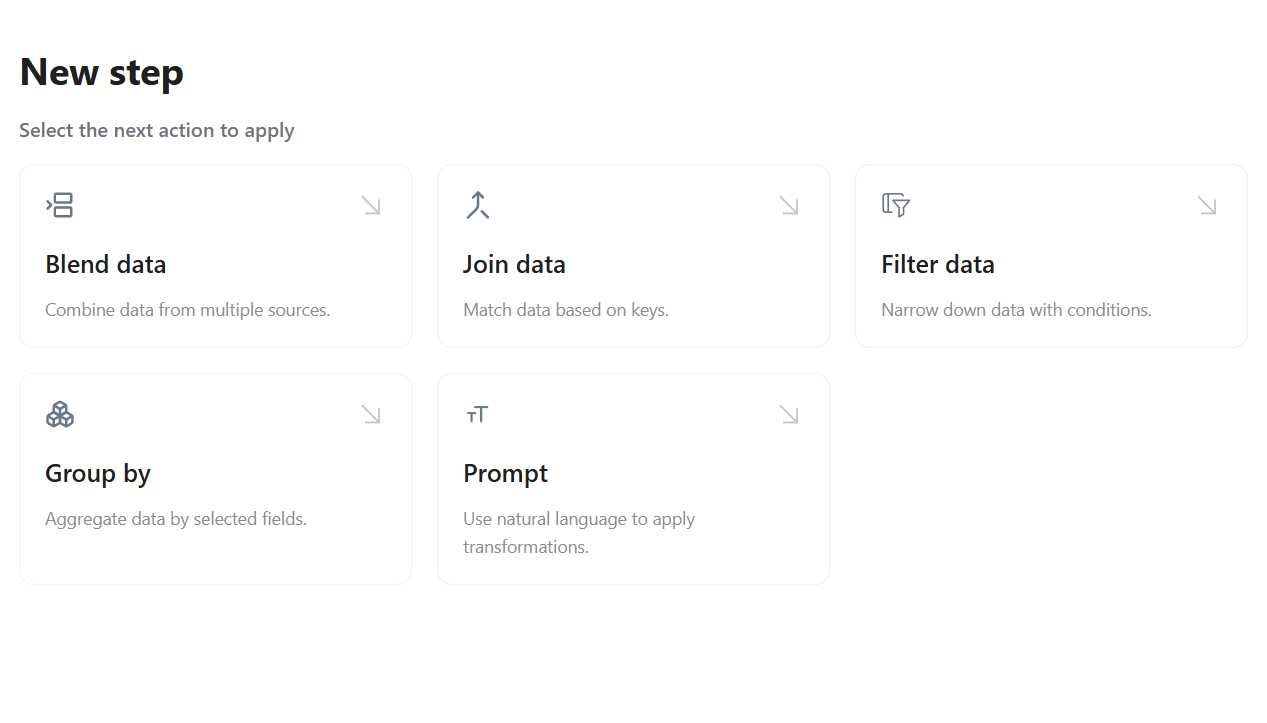
Shareable Dashboards
We’re excited to introduce Shareable Dashboards, making it simple to collaborate with external stakeholders. With just a click on the Share button in the top-right corner of your dashboard, you can generate a public link that lets anyone view your dashboard.
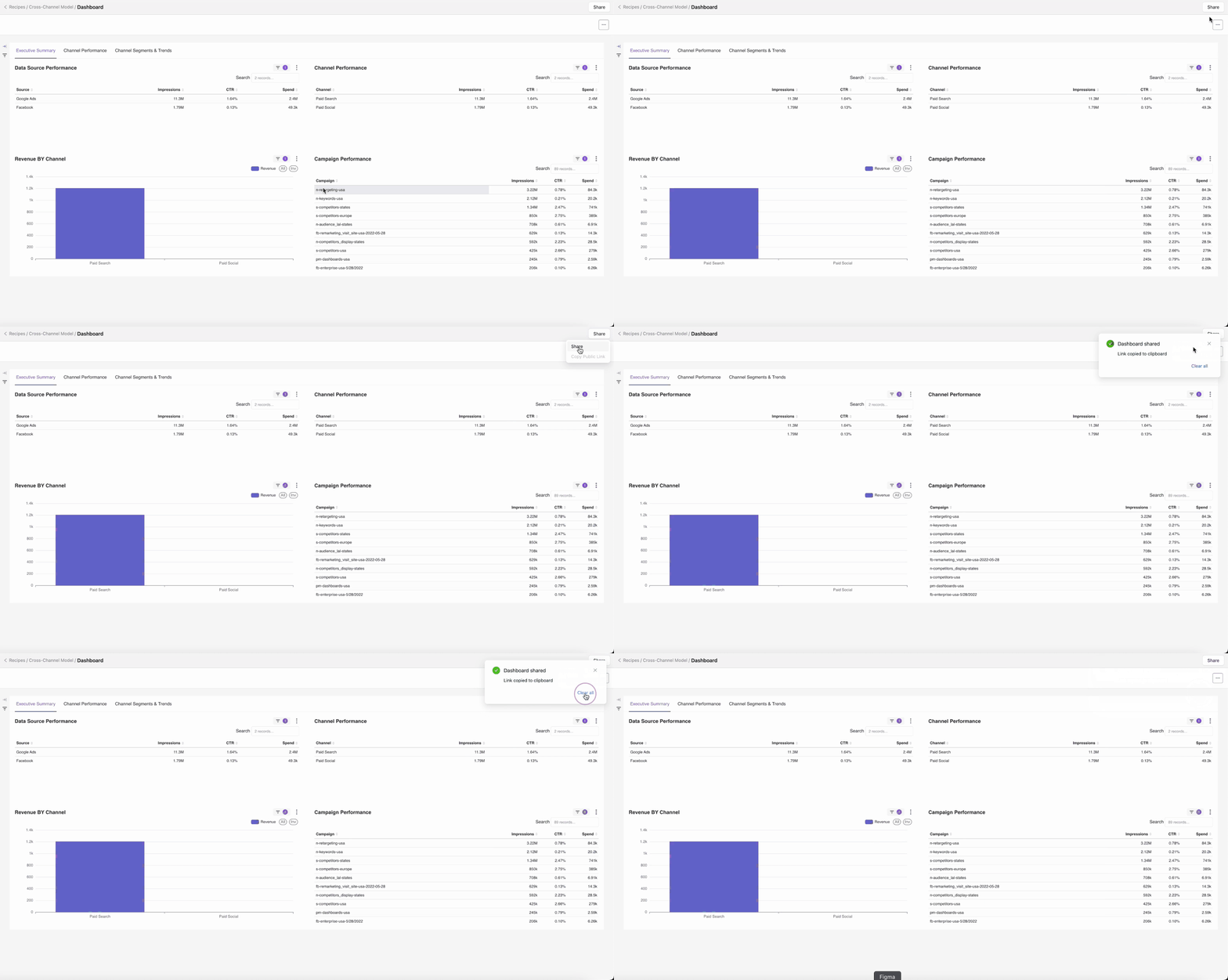
Import Columns to Blend Data
We’re pleased to unveil the Import Columns to Blend Data feature, designed to streamline your workflow. This enhancement allows you to quickly bulk import columns from previous steps or existing tables, making data integration smoother than ever.
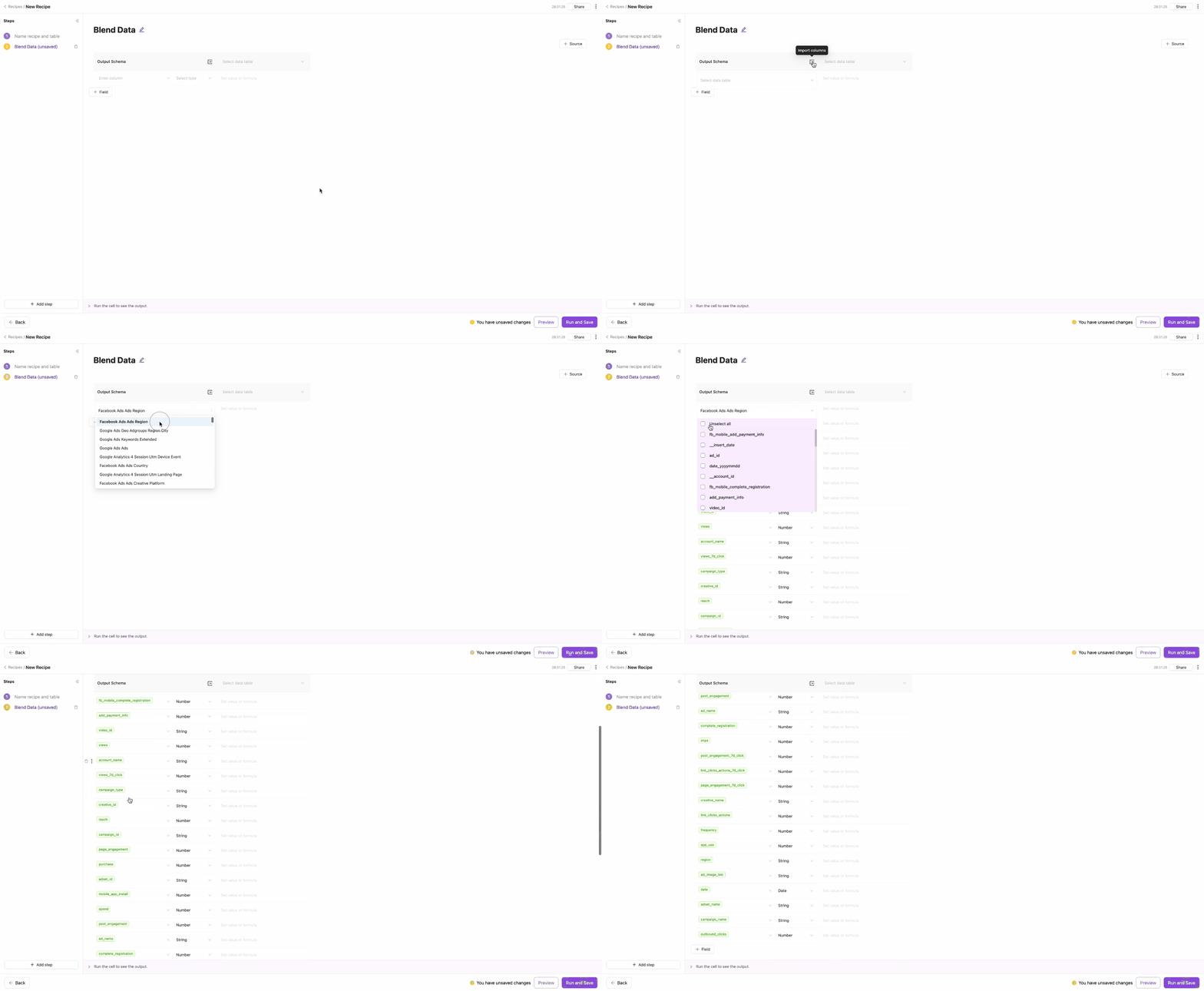
New Looker Dashboard
Introducing our Looker Dashboard built on rules loaded in GBQ. This powerful governance dashboard allows you to build and deploy your rules as seamlessly as you do with transformations, enhancing your data governance capabilities.
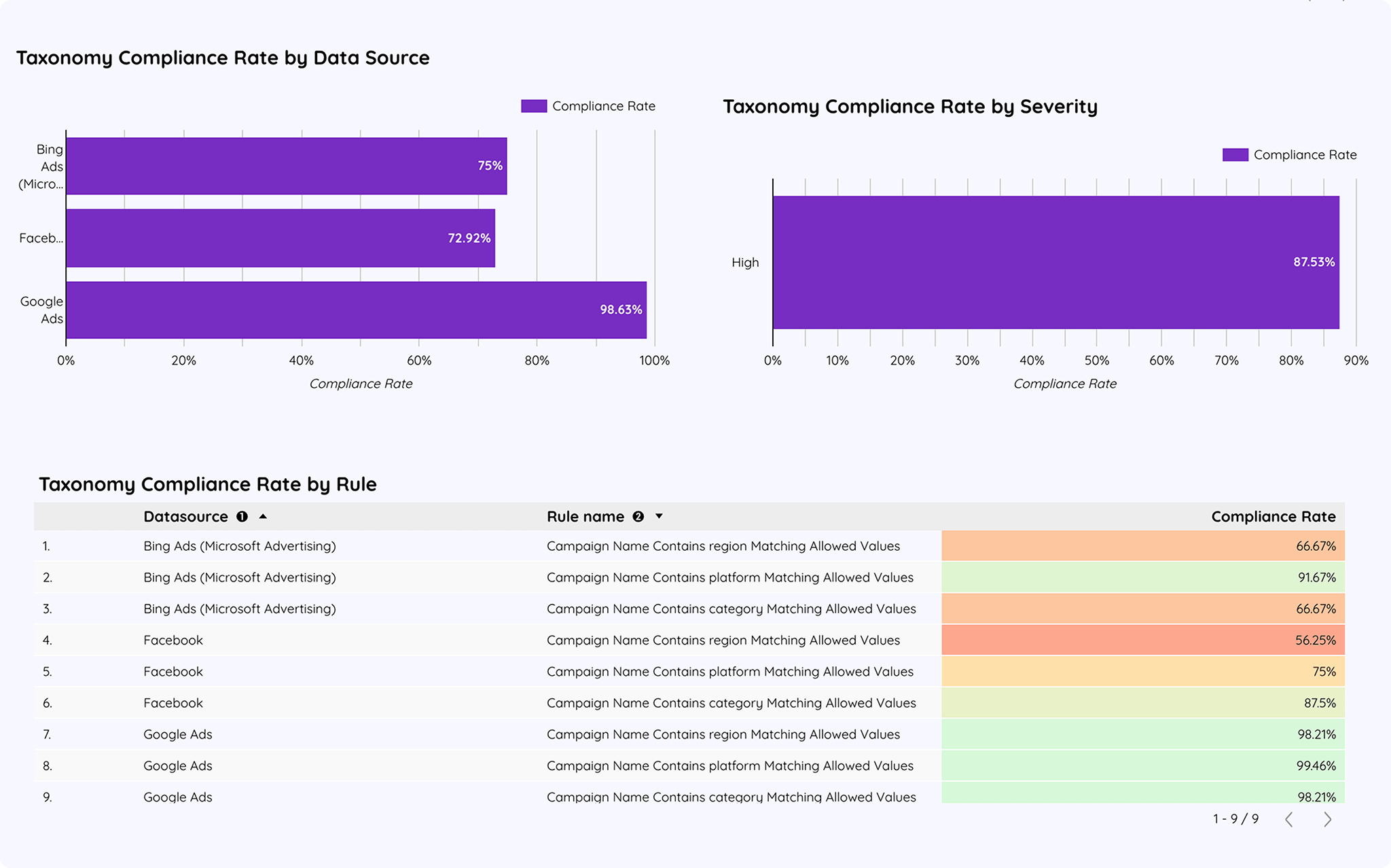
New Recipe Templates View
We’re thrilled to unveil our new Recipe Templates View, complete with a preview of your recipe dashboards. Plus, you can start fresh with a blank template, giving you the flexibility to build the perfect recipe from scratch.
.png)
Custom Lookback Window
The Custom option in the Lookback Window field enables users to specify their preferred lookback window, allowing for precise control over the desired date range. This option complements the preset choices of Live, Default, and Max, providing both flexibility and convenience.
This enhancement makes it easier to tailor lookback windows to specific needs while retaining the simplicity of preset scheduling options.
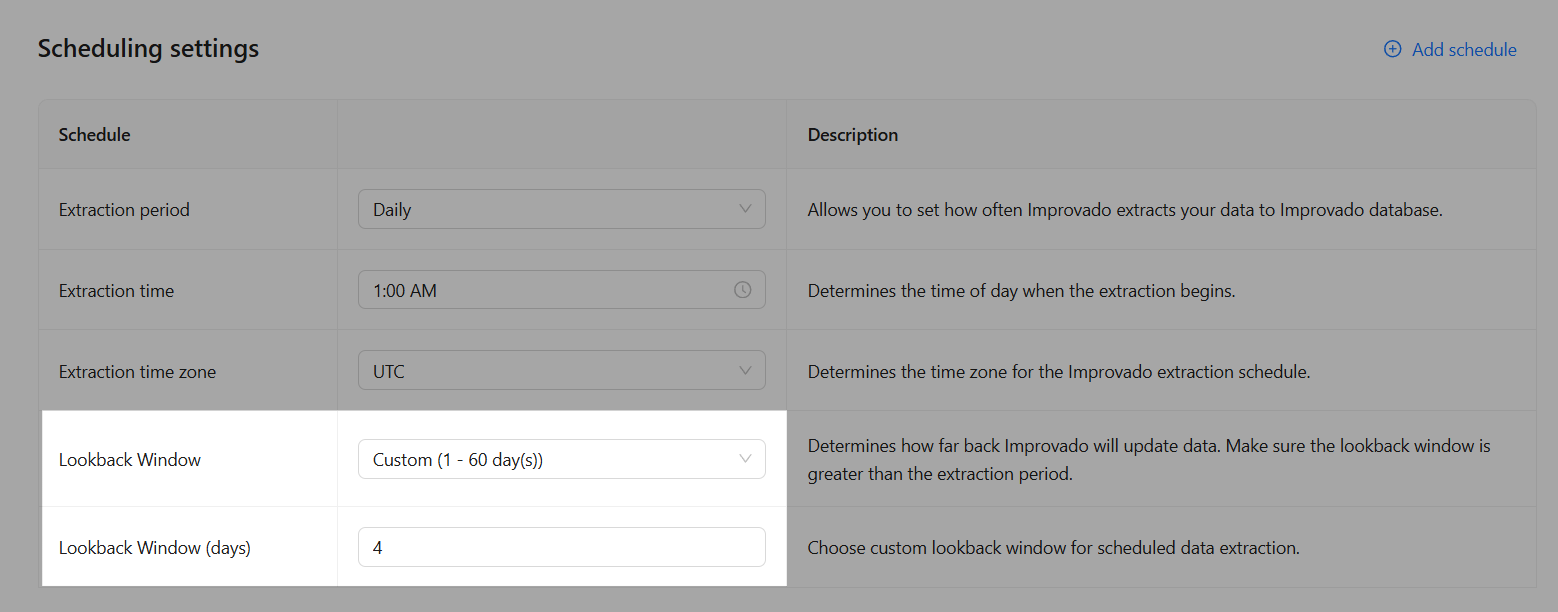
December 2024
New API integrations 🧩
We have added 2 new data sources with the following report types:
Shiphero
- Inventory Changes report type
- Products report type
- Warehouse Products report type
Dash Hudson
- TikTok Follower Demographics report type
- Instagram Follower Demographics report type
- Campaigns Entity report type
- Campaign Media Entity report type
API changes ⚙️
We have upgraded our LinkedIn API to 202411.
This change affects the following data sources:
- LinkedIn Ads
- LinkedIn Organic
For more information, see LinkedIn API documentation.
Klaviyo
We have upgraded our Klaviyo API to v2024-10-15.
For more information, see Klaviyo API documentation.
New Report Types 📊
Amazon Advertising DSP
- Ad Groups Entity report type
- Campaigns Entity report type
Apple App Store
- App Crashes report type
- App Sessions Detailed report type
- App Sessions Standard report type
Google Display & Video 360
- Line Item Assigned Targeting Options Entity report type
- Insertion Order Assigned Targeting Options Entity report type
Gorgias
- Ticket Custom Fields report type
Marketing Cloud Account Engagement (Pardot API)
- Custom Redirects Entity report type
SEMrush
- Domain Rank History FK Monthly report type
- Domain Ad Copies report type
Youtube Organic
- Shorts Entity report type
Conflicted Orders Rework
We’re excited to announce the rework of the Conflicted Orders resolution process, which is now live as part of the Extraction flow! This update simplifies and streamlines the experience, making it easier for you to handle conflicting extraction orders in a single action.
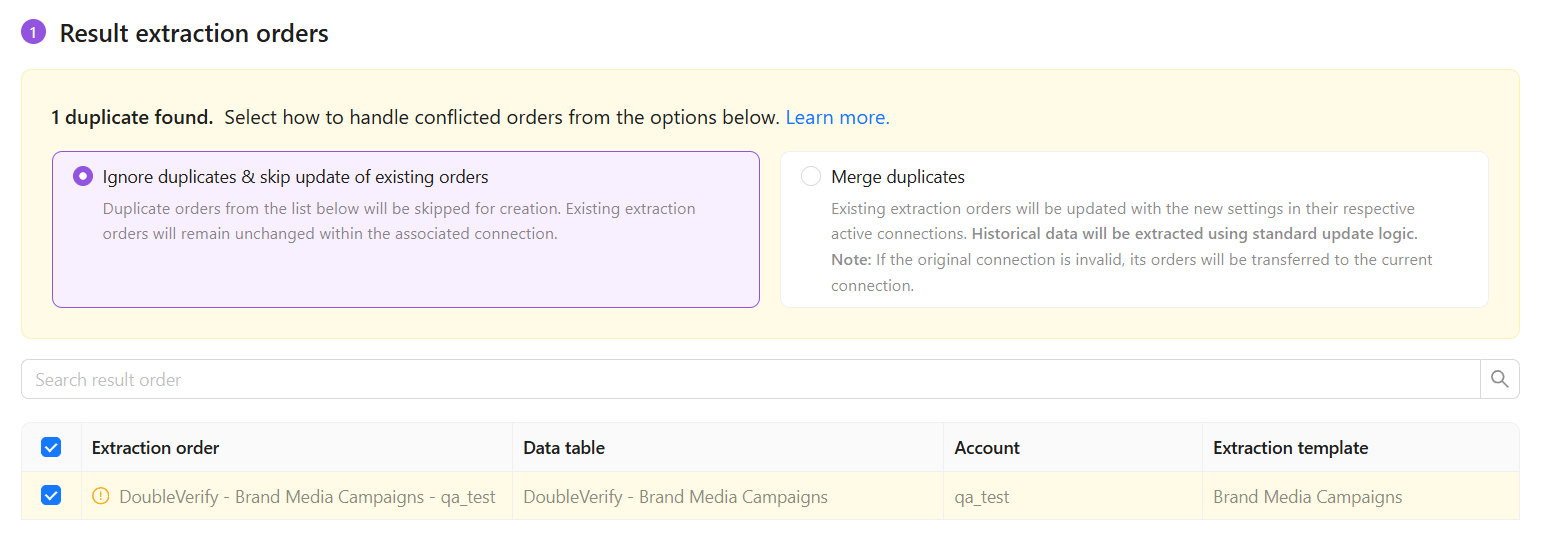
Introducing Custom Transformation! 🎉
We’re excited to announce the launch of Custom Transformation, a powerful new feature that gives you complete control over your data workflows.
With Custom Transformation, you can:
- Create workflows step-by-step with modular actions like Blend Data, Filter Data, and Join Data.
- Customize and refine transformations as needed.
- Build tailored solutions to meet your specific data needs.
This update simplifies complex data processes and empowers you to design workflows that are as unique as your goals. Start transforming your data today! 🚀
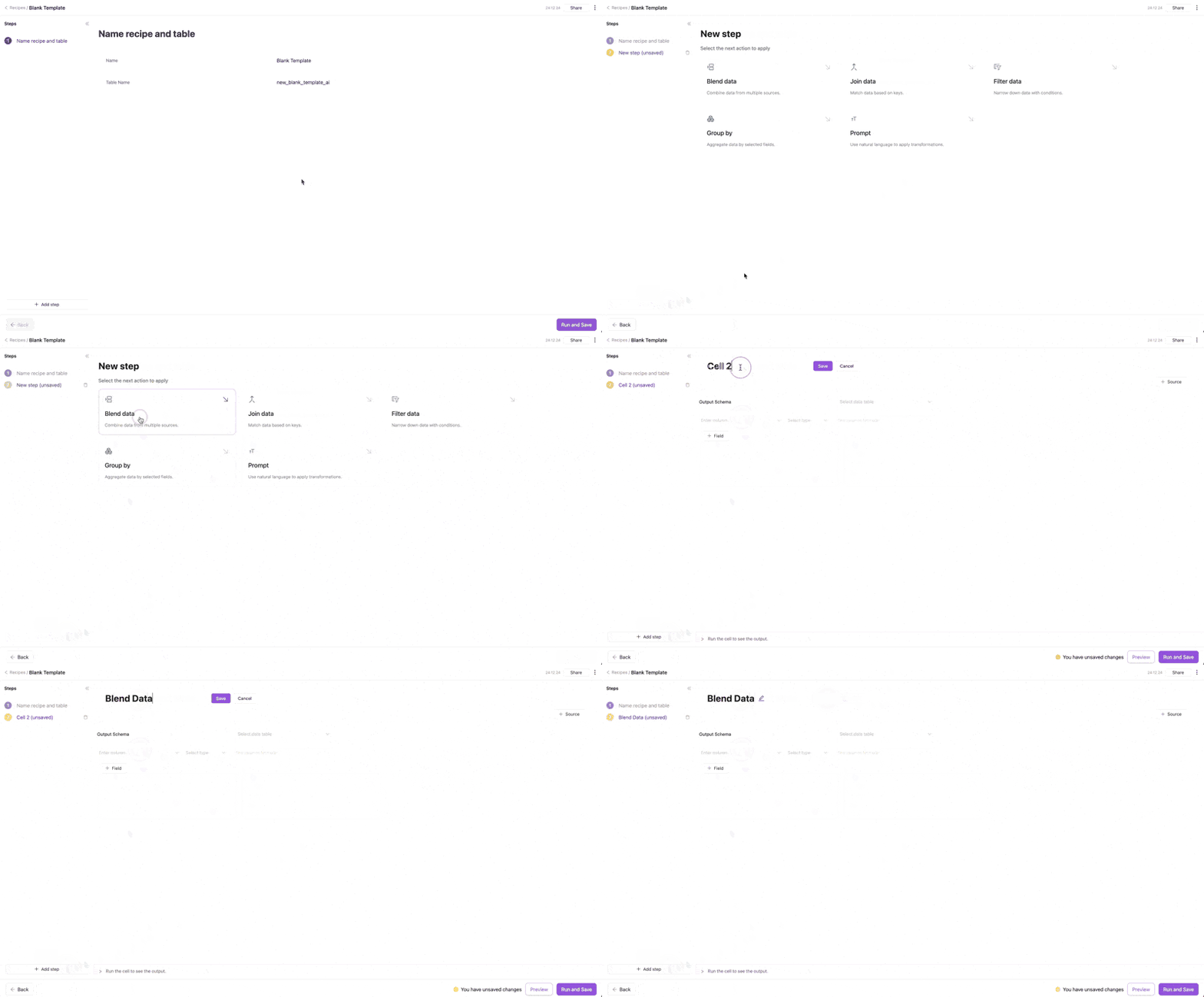
November 2024
New API integrations 🧩
We have added a new data source with the following report types:
Square
API changes ⚙️
Yext
We have upgraded our Yext API to v2.0 (20241031).
For more information, see Yext API documentation.
New Report Types 📊
Amazon Advertising
- Targeting Sponsored Products report type
- Targeting Sponsored Display report type
- Category Benchmark report type
Amazon Advertising DSP
- Assets Entity report type
- Ad Creatives Entity report type
Basis DSP (Centro DSP)
- Groups Entity report type
- Tactics Entity report type
Bing Ads (Microsoft Advertising)
- Keyword Performance Report report type
- Billing Documents Entity report type
- Campaigns Entity report type
Dash Hudson
- TikTok Follower Demographics report type
- Instagram Follower Demographics report type
Google Ads
- Campaign free-form report type
- Ad Group free-form report type
- Invoice Entity report type
- Billing Setup Entity report type
- Ad Group Ad report type
Outbrain
- Campaign Region report type
Semrush
- Subdomain Ranks Monthly report type
- Subfolder Ranks Monthly report type
- URL Ranks Monthly report type
Yext
- Healthcare Professionals Entity report type
- Locations Entity report type
- Entities report type
Yotpo
- Product Reviews Entity report type
Embedded Setup Guides on the Auth Page
We’ve made the authentication process smoother and more user-friendly! The auth page now features an integrated setup guide, providing step-by-step assistance without needing to open a separate tab. This update streamlines setup and ensures you have all the information you need, right when you need it.
.png)
Updated Data Source Tiles
We’re excited to unveil a refreshed design for data source tiles! Categories are now displayed as tags within each tile, making it easier to navigate and understand the available options. Explore the updated design on the Data Sources List page!
.png)
Self-Serve Data Transformation Updates
Transforming your data just got more straightforward and more efficient! We’ve added new operators to Self-Serve Data Transformation to help you organize, filter, and merge your data with ease:
- Blend Data: Unify your data from multiple sources into a single, cohesive dataset
- Filter Data: Use versatile filters to narrow down datasets and transformation outputs.
- Group Data: Aggregate and organize data to enable structured management of large datasets.
- ⭐Join Data: Seamlessly merge datasets within your workflows for enhanced integration and flexibility.
These enhancements empower you to transform data effortlessly. Watch the video below to learn more!
Data Preview
We’re excited to announce the release of Data Preview as part of our Data Explorer! This new feature gives you more control and insights into your extracted data.
Key Highlights:
- Preview Before Loading: View table data before sending it to its final destination, giving you more confidence in your data quality.
- Unified with Transformation Wizard: This integration provides a seamless experience in inspecting and transforming data.
- Grouping and Filtering: Easily organize data by specific criteria to better analyze and manage your datasets.
- Discrepancy Research: Use Data Preview to investigate any potential inconsistencies within your data.
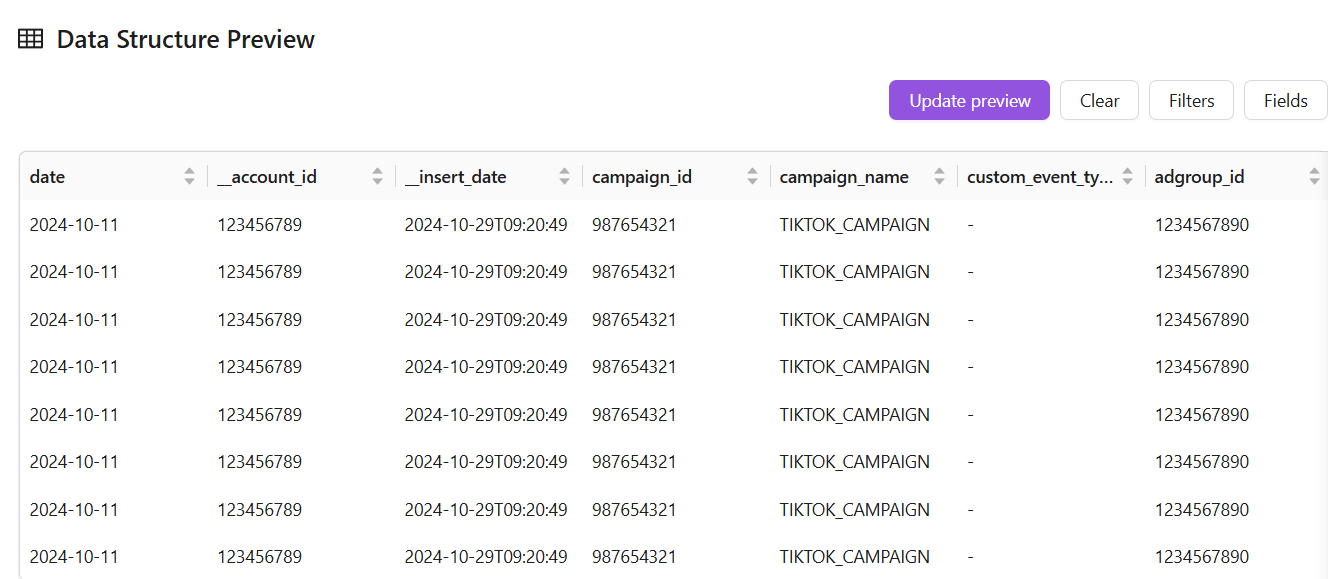
October 2024
New API integrations 🧩
We have added 2 new data sources with the following report types:
Gorgias
- Tickets report type
- Customers report type
- Integrations report type
- Surveys report type
- Ticket Messages report type
- Users report type
- Voice Calls report type
Sam's Club
- Page Types report type
- Video Campaigns report type
- Video Keywords report type
- Ad Group Media Entity report type
- Ad Items Entity report type
- Campaigns Entity report type
- Keywords Entity report type
- Negative Keywords Entity report type
- Placements Entity report type
- SBA Profiles Entity report type
- Suggested Keywords Entity report type
- Platforms report type
- Categories report type
- Ad Items report type
- Ad Groups report type
- Media Entity report type
- Ad Groups Entity report type
- Placements report type
- Keywords report type
- Brands report type
API changes ⚙️
Google Ad Manager
We have upgraded our Google Ad Manager API to v202408.
This change affects the following data sources:
- Google Ad Manager
- Google Ad Manager (by Advertiser)
For more information, see Google Ad Manager API documentation.
New Report Types 📊
The following report types are available starting this month:
Adjust API
- Network By Campaign report type
- Creative Network Hour report type
Amazon Advertising
- Targeting Sponsored Brands report type
Amazon Advertising DSP
- Advertisers Entity report type
Facebook Ads
- Ads By Audience Segments report type
Illumin
- Revenue free-form report type
LinkedIn Organic
- Video Daily report type
Hubspot
- Emails Entity report type
- Communications Entity report type
- Notes Entity report type
- Tasks Entity report type
Oracle NetSuite
- Transaction Lines Entity report type
- Transaction Accounting Lines Entity report type
- Accounts Entity report type
- Departments Entity report type
- Entities Entity report type
- Transactions Entity report type
- Transaction Lines Entity report type
- Classifications Entity report type
- Counterparty Entity report type
Check Improvado Data Dictionary to see detailed information about these and other report types and their metrics.
Dashboards within Data Transformation
Each of the new templates also supports the visualization.
Now you can turn the visualization by clicking a single button.
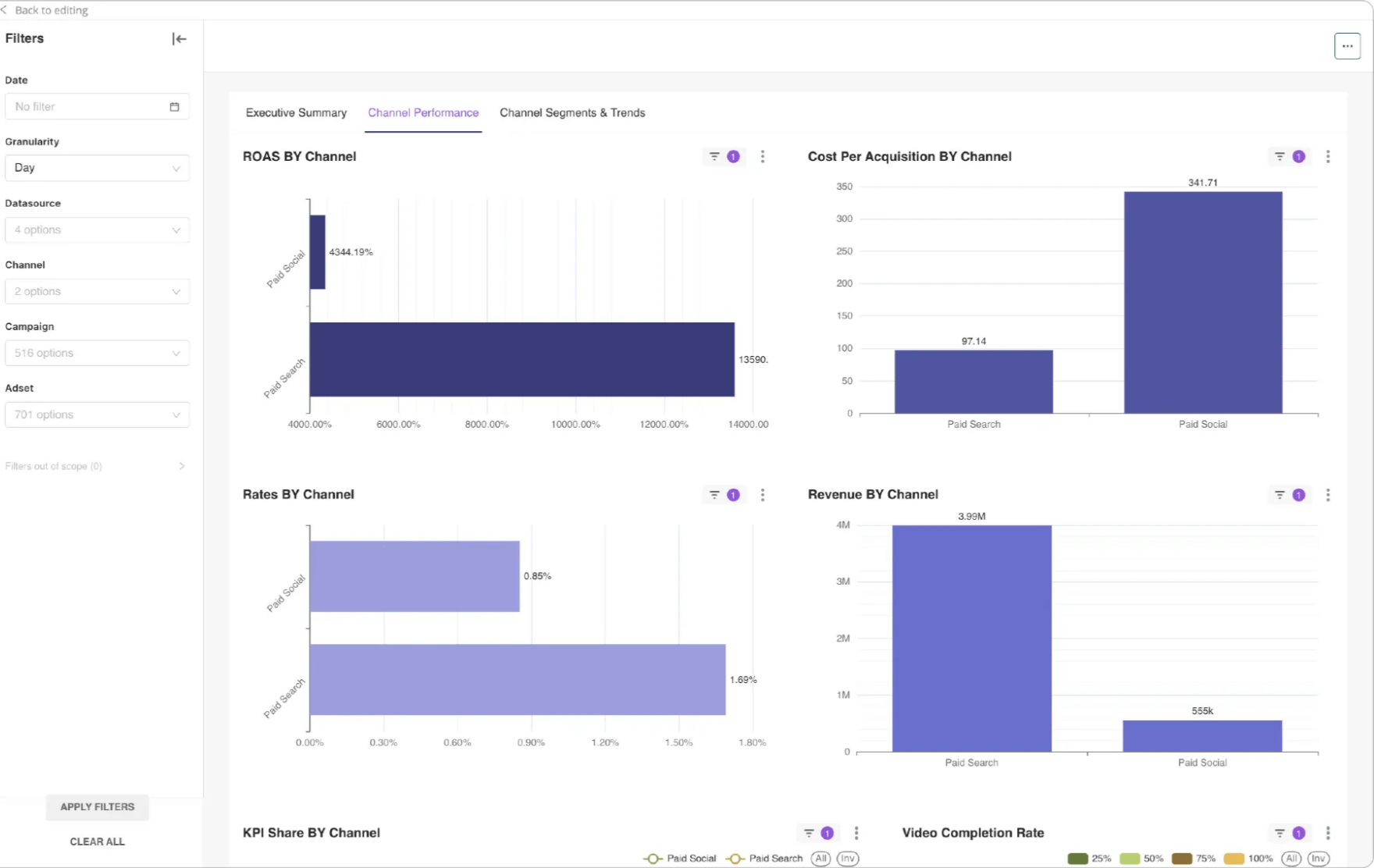
Meta Loader Improvements
Meta Loader indexes data for AI functionality.
We made big improvements toward the speed:
- New tables created by Wizard will appear in other Wizards immediately.
- New uploaded tables will be indexed in 5-10 min.
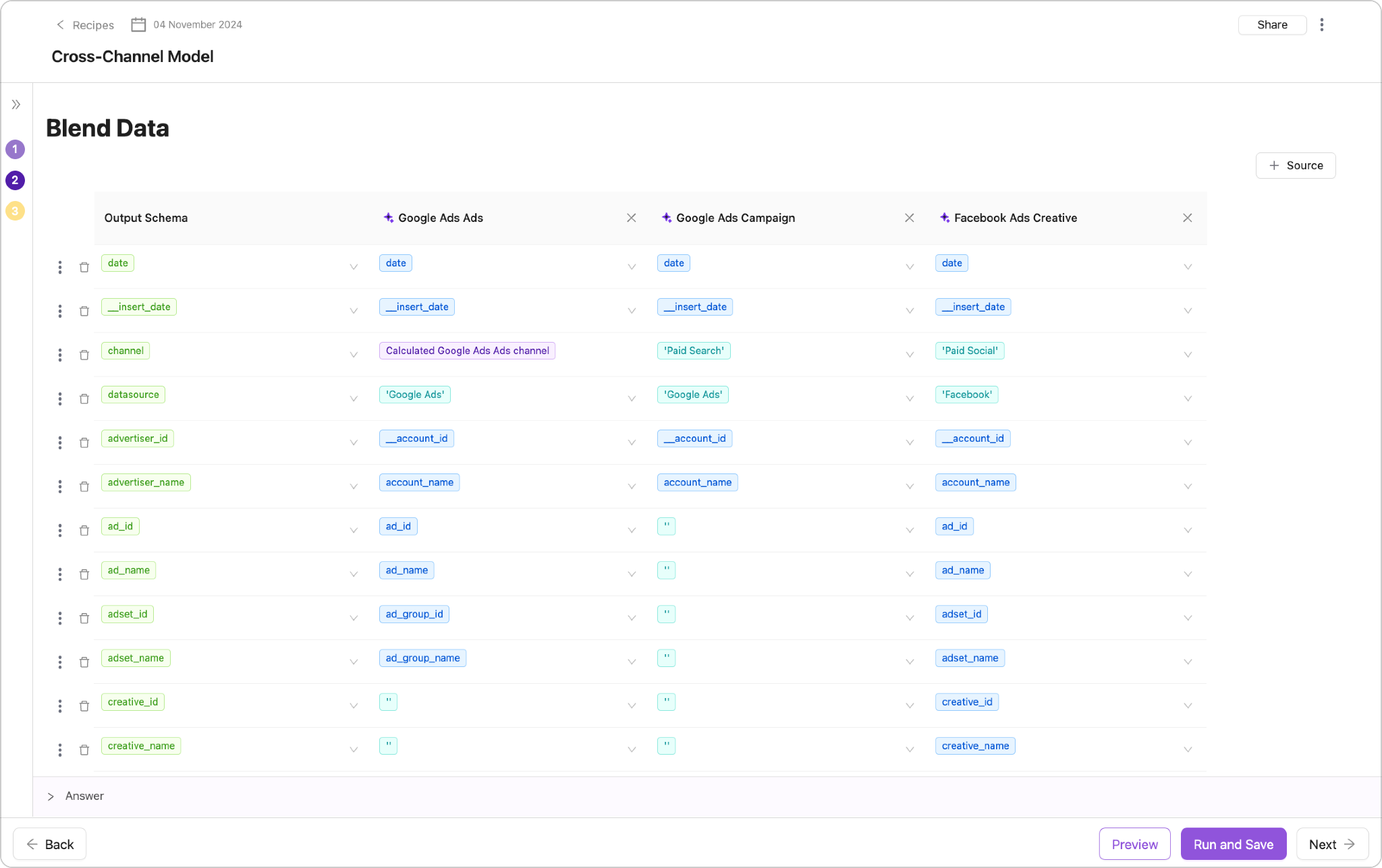
New Administrative Settings Panel! 🎉🎉
We’ve revamped the settings experience to make it easier than ever to manage your account and team.
Simply click the ⚙️ gear icon to open the new side panel, where you’ll find:
MANAGE Section🛠️
- Members: Access the lists of users separated by workspaces - ex. Your Team page (previously in the main menu)
PROFILE Section 👤
- Notifications: Quickly navigate to the Notification Center
- Settings: Update and view your Account Settings
We hope this streamlined side panel makes interactions with our user interface smoother and more intuitive!
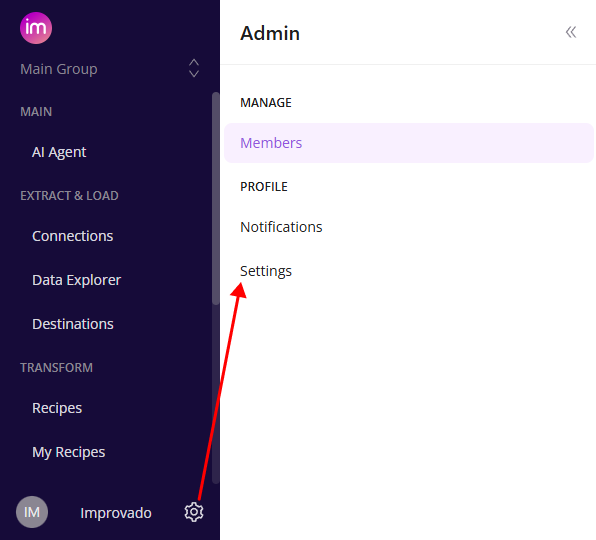
Automatic Load in Destination Setup
- Eliminates the need to setup data loading after extraction
- Significantly minimizes the time required to set up data flows
- Improves the overall user experience
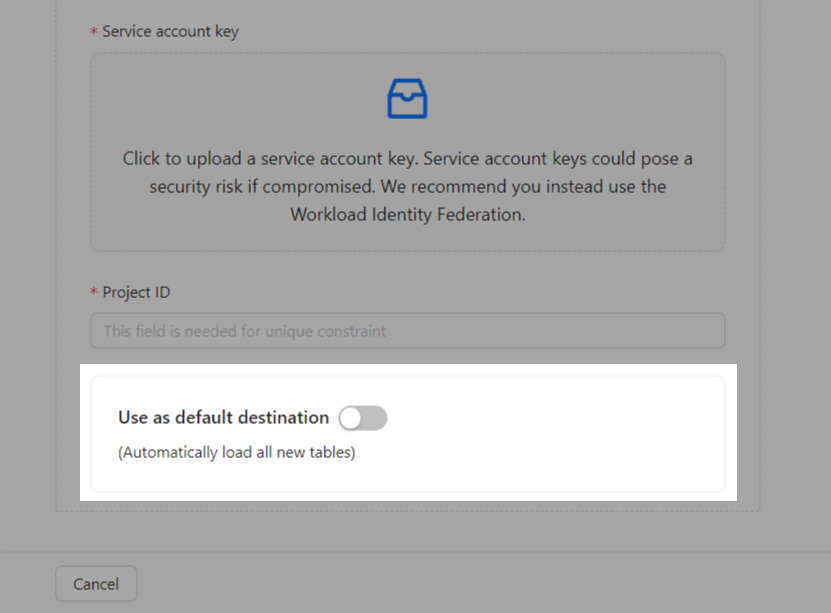
September 2024
New API integrations 🧩
We have added 6 new data sources with the following report types:
Yotpo
- Products Entity report type
- Products report type
- Reviews Metadata Entity report type
- Reviews Entity report type
VTiger
- Email Campaigns report type
- Leads report type
- Quotes report type
Birdeye
- GMB Keywords report type
- GMB Customer Actions Map report type
- Businesses Entity report type
- Google View Search Map report type
Apple App Store
- App Store Installations and Deletions Standard report type
- App Store Purchases Detailed report type
- App Store Purchases Standard report type
- App Store Pre-Orders Standard report type
- App Store Discovery and Engagement Standard report type
- App Store Discovery and Engagement Detailed report type
- App Store Downloads Standard report type
- App Store Pre-Orders Detailed report type
- App Store Installations and Deletions Detailed report type
- App Store Downloads Detailed report type
Nextdoor Ads
- Ad Groups Entity report type
- Reports report type
- Campaigns Entity report type
- Ads Entity report type
WhatConverts
- Leads report type
API changes ⚙️
Google Display & Video 360
We have upgraded our Google Display & Video 360 API to v3. For more information, see Google Display & Video 360 API documentation.
New Report Types 📊
The following report types are available starting this month:
ActiveCampaigns
- Contact Tags report type
- Contact Lists report type
- Contact Goals report type
- Goals report type
Amazon Advertising
- Search Term Sponsored Brands report type
- Search Term Sponsored Products report type
Amazon Advertising DSP
- Invoice Details report type
DoubleVerify
- Standard free-form report type
Facebook Ads
- Business Invoices Entity report type
Google Ads
- Shopping Performance View report type
- User List Entity report type
Google Display & Video 360
- Advertisers Entity report type
Hubspot
- Properties Entity report type
- Property Options Entity report type
Instagram Organic
- Reached Audience Cities report type
- Reached Audience Genders report type
- Reached Audience Countries report type
- Reached Audience Ages report type
Taboola
- Campaigns Entity report type
- DMA Campaigns report type
- Regions report type
Zendesk
- Ticket Fields Entity report type
Check Improvado Data Dictionary to see detailed information about these and other report types and their metrics.
Advanced Data Preview in Wizard Data Transformation
Data Preview allows you to hide or show columns, group data based on selected dimensions and metrics, and apply filters to explore your data in convenient way.
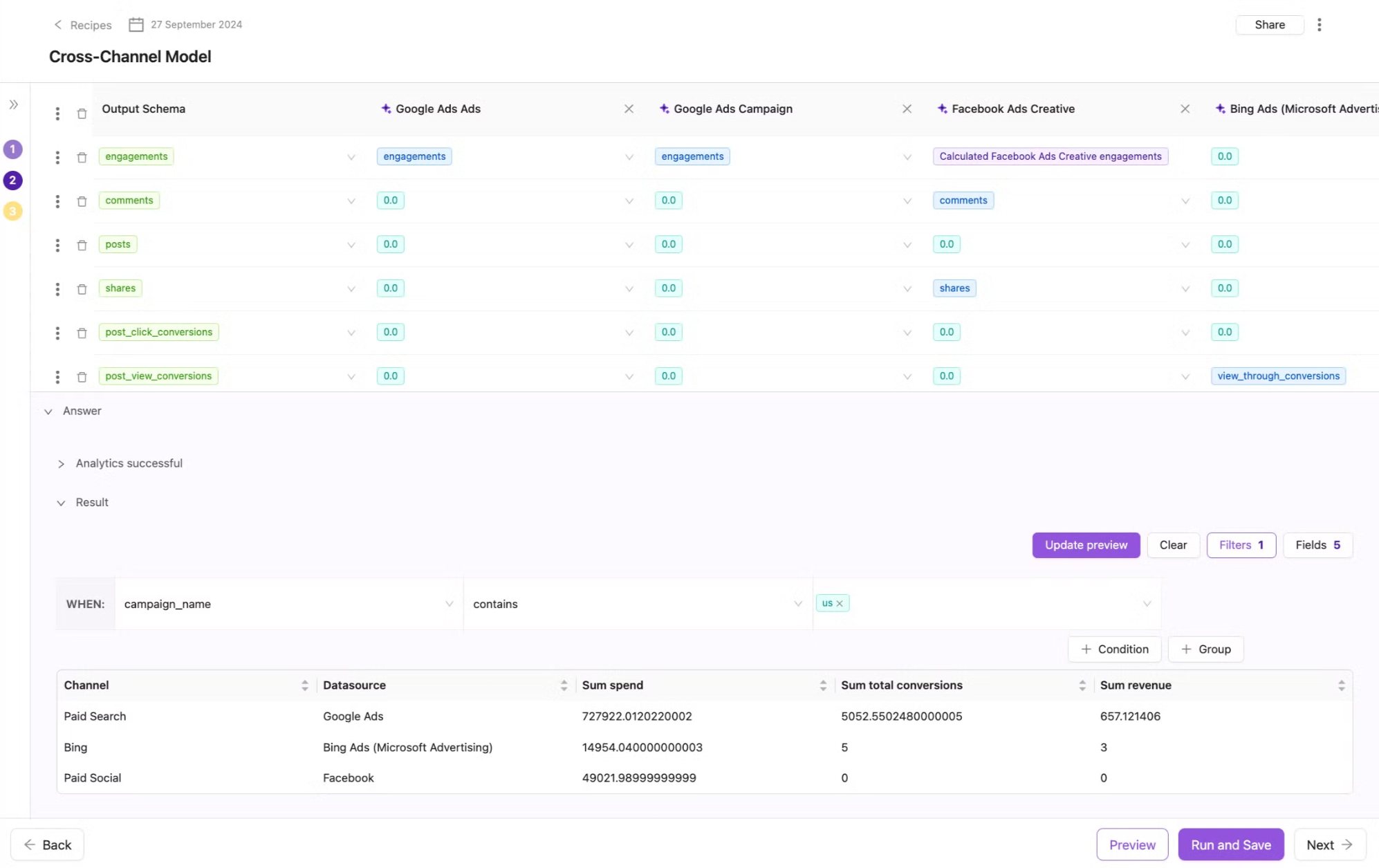
New categories in the Rule Library
Google Ads Audit
- These rules allow you to understand the health of your data across UTM, naming convention and marketing campaigns themself. It shows how your data is ready to be transformed.
.png)
Data Integrity
- These rules allow you to set up alerts on any potential problems with extract, load, connections.
.png)
New Flat Data Ingestions
🔥 We are thrilled to announce a new Flat Data integration - Amazon Athena!
✅ Key Features:
- Import Amazon Athena tables directly via Improvado UI
- Configure Extraction scheduling, Table meta, Skip rule, etc. for your extraction
Additionally, we’d like to highlight two other existing Flat Data sources that provide seamless integration:
- AWS S3: Securly upload your files for data extraction into an Improvado-managed AWS S3 instance.
- SFTP: Import your files directly to Improvado-managed SFTP
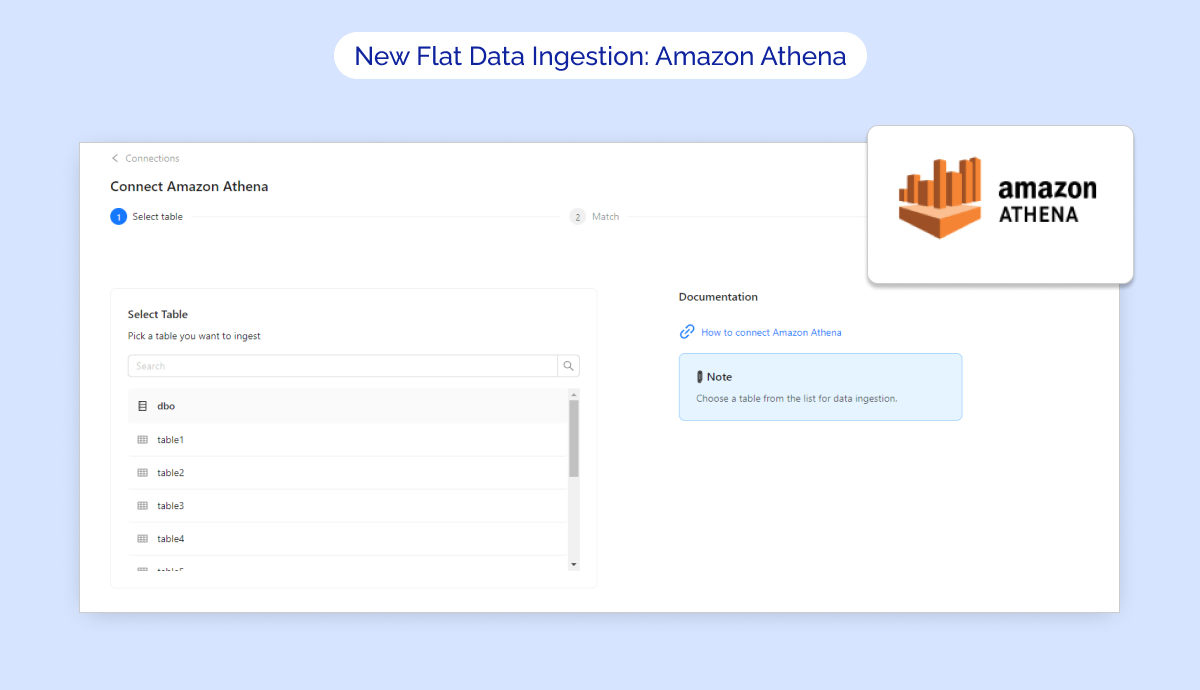
Updated Recipe Templates Tab
We have updated the recipe templates tab, making it even easier to create new recipes using our new self-serve data transformation flow.
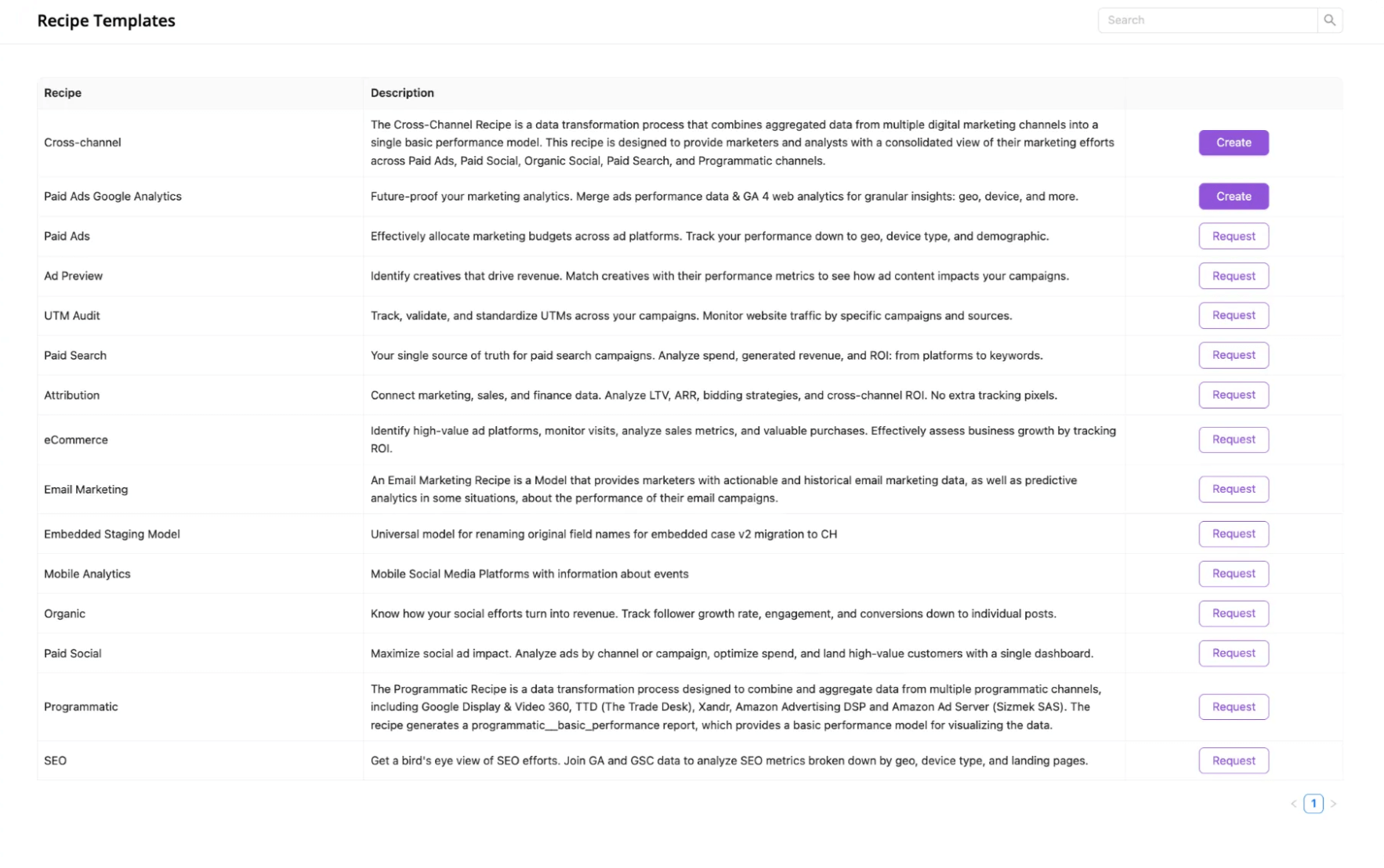
Bulk Actions for Extraction orders
Now you can apply Pause/Unpause, Run actions to any selected orders on the current page. Before, only Transfer & Edit were available for bulk selection.
Also, Run (prev. Run Extraction) now supports multiple orders!
Currently, available only for Extraction orders on Connection Details pages & Data table pages.
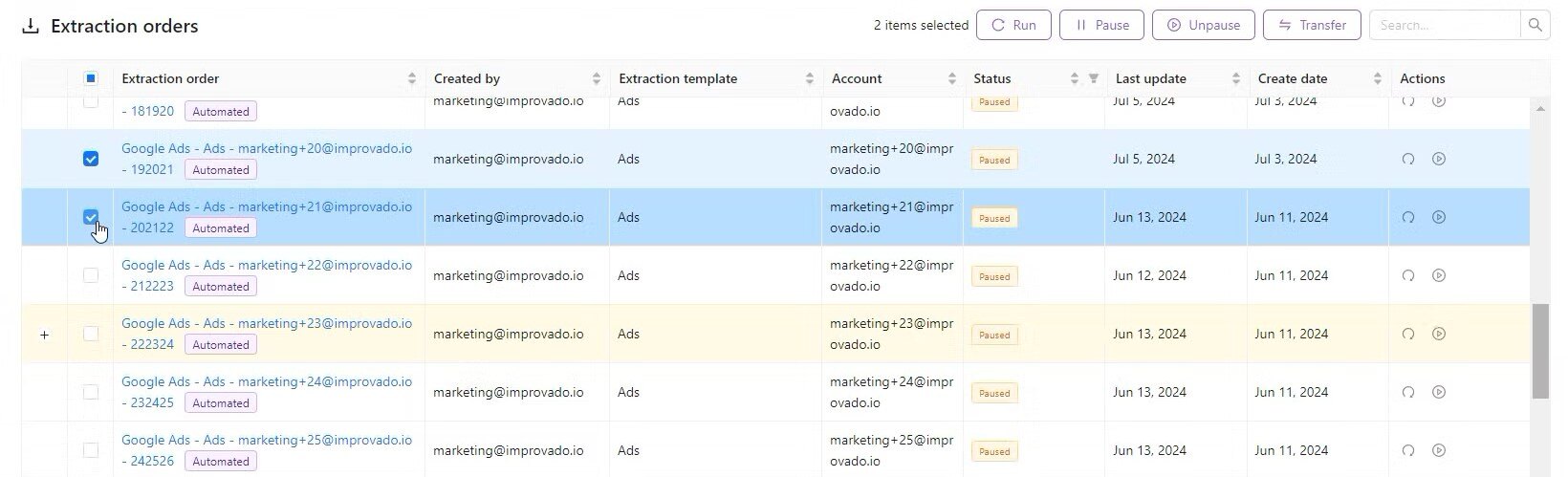
Updated Notebook Sharing Functionality
The sharing feature provides a flexible way to control access to your notebooks, allowing both global and individual user permissions.
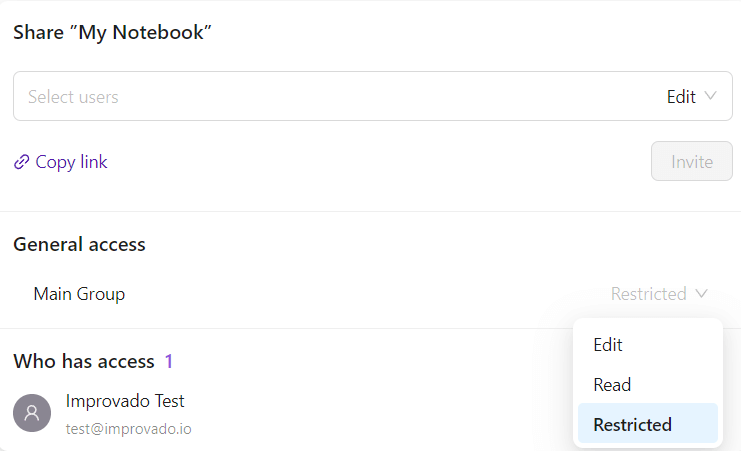
New User Roles
We're excited to introduce new user roles, allowing you to assign and manage access within your team based on specific job responsibilities. This update ensures tailored permissions, providing the right level of access while maintaining data security and operational control.
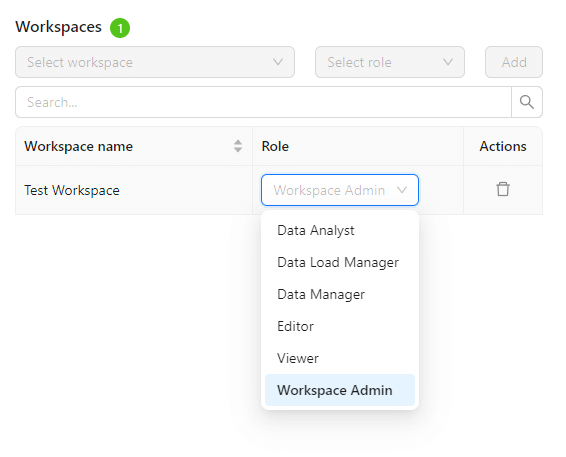
Data source labels
We’re introducing Data source labels to help you quickly identify new, deprecated, or soon-to-be-sunset data sources. These labels can be found on the Data Sources page and Connection Details pages, as well as on our Integrations website page.

August 2024
New API integrations 🧩
We have added one new data source with the following report type:
Samsung DSP
- Trader Delivery All report type
API changes ⚙️
Apple Search Ads
We have upgraded our Apple Search Ads API to v5. For more information, see Apple Search Ads API documentation.
We have upgraded our Facebook API to v19. For more information, see Facebook API documentation.
This change affects the following data sources:
- Facebook Ads
- Facebook Pages
- Instagram Hashtag
- Instagram Organic
- Instagram Webhooks
Amazon Ad Server
Please note that Amazon Ad Server will be sunset in Q4 2024. For more information, see the Amazon Ads API documentation.
On October 1, 2024, the ability to create new campaigns, placements, and tag managers will be disabled.
New Report Types 📊
The following report types are available starting this month:
Amazon Advertising
- Bounce Rate Store Insights report type
- Dwell Time Store Insights report type
- Invoice Details report type
- Keywords Sponsored Display report type
- Orders Store Insights report type
- Sales Store Insights report type
- Store Quality Insights report type
- Stores Entity report type
- Units Store Insights report type
- Views Store Insights report type
- Visits Store Insights report type
Mountain
- First Touch report type
Hubspot
- Owners Entity report type
The Trade Desk API
- Campaign Frequency Configs Entity report type
- Ad Group Frequency Configs Entity report type
SEMrush
- Projects Entity report type
- Organic Visibility By Campaign report type
- Campaigns Entity report type
Skai API (Kenshoo V3 API)
- Campaign By Device report type
Check Improvado Data Dictionary to see detailed information about these and other report types and their metrics.
Azure Data Lake is available for data load!
We are thrilled to announce a new destination - Azure Data Lake!
.png)
Introducing our updated User Interface 🎉
- The Data Sources menu item was removed. Data Sources page is now available via the Make a new connection button on the Connections page.
- Log out button was moved to the Account Settings page.
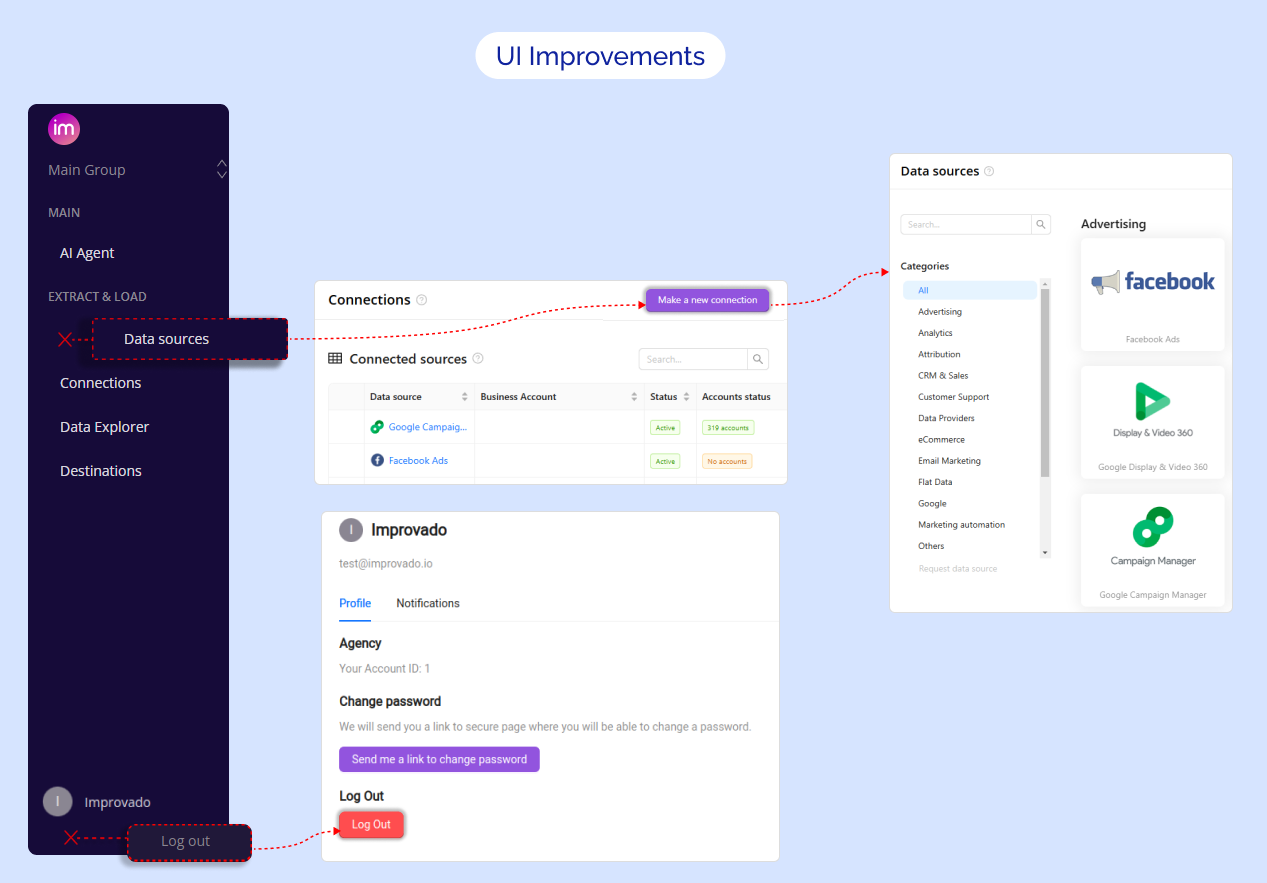
Expanded alerting frequency for compliance violations
This parameter specifies how often a rule will be executed to check for any violations that trigger notifications.
We expanded number of options to monthly and quarterly timelines.
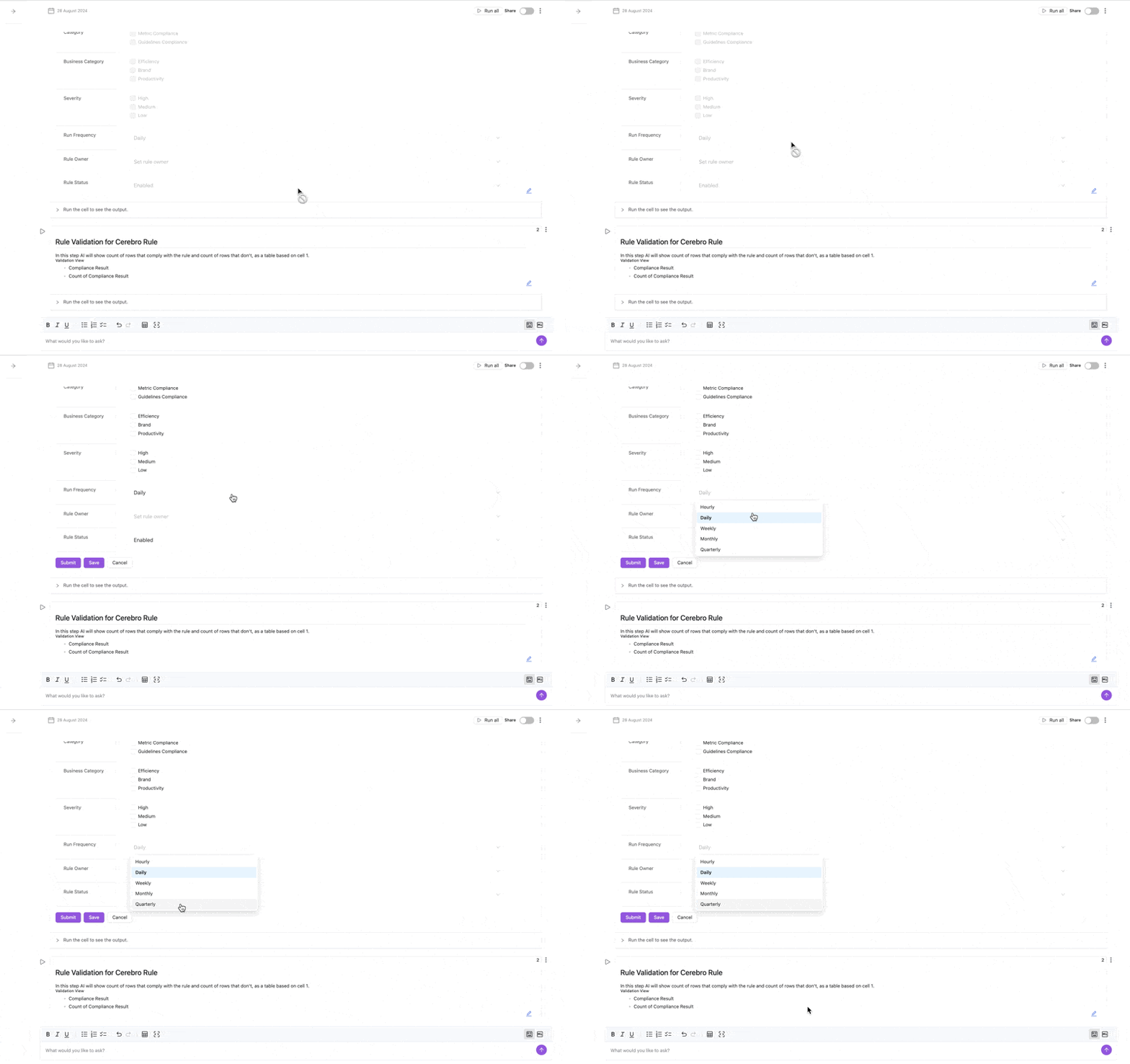
Self-serve Data Transformation
Explore how you can simplify data modeling with an intuitive, step-by-step flow that enhances self-service, streamlines recipe management, and automates model updates.
✅ Key Features:
- Blend data across multiple data sources
- Apply custom formulas on any dimension
- Filter data
Every step is powered by AI, enabling a seamless user experience.
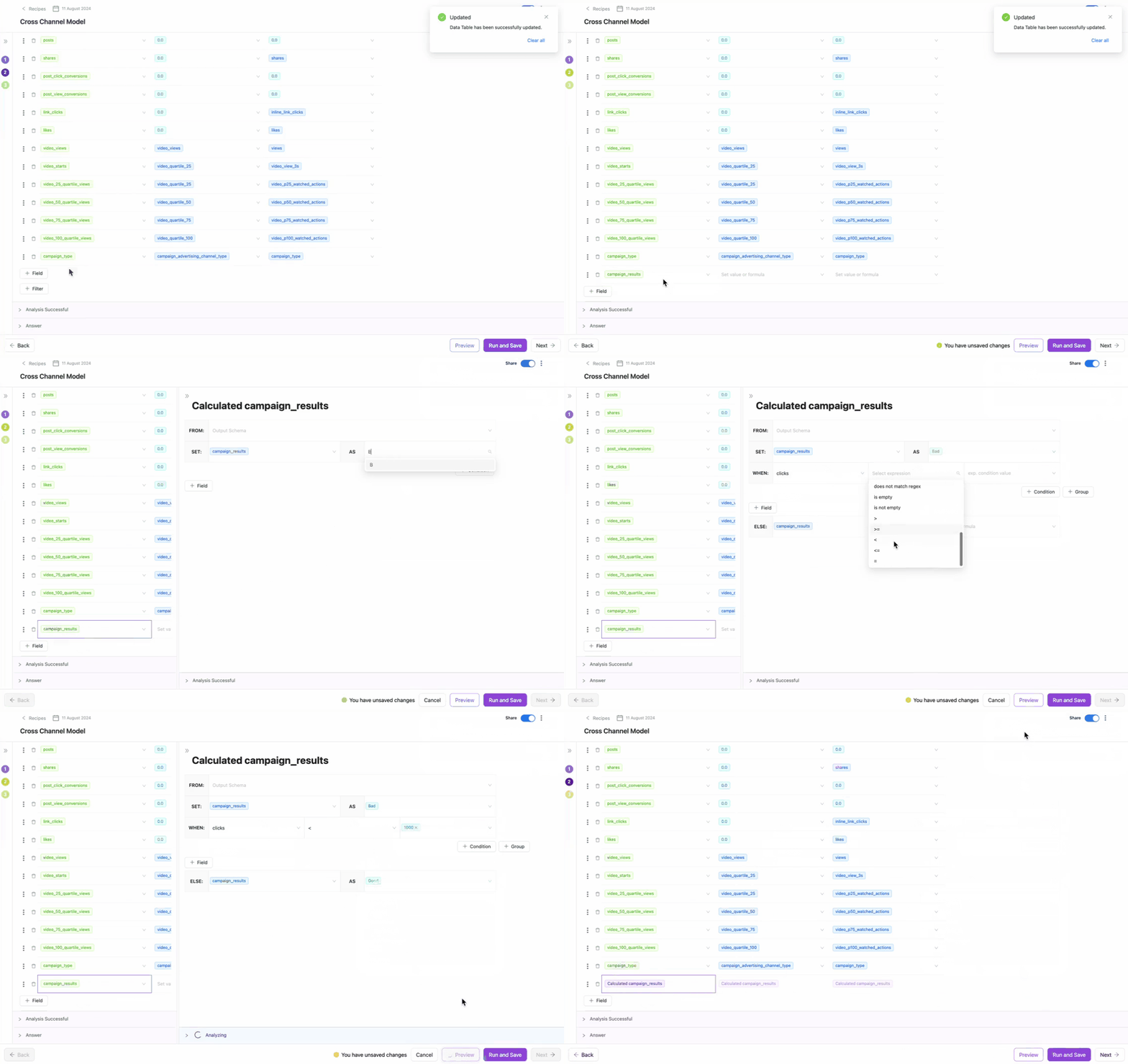
July 2024
New API integrations 🧩
We have added 2 new data sources with the following report types:
MikMak
- Pages report type
- Purchase Intent Clicks by Sources report type
- Purchase Intent Clicks by Stores & Products report type
- Purchase Intent Clicks by Stores (Offline) report type
- Retailers report type
- Sales by Sources report type
- Sales Coverage report type
- Sales Summary report type
- Sales Detail report type
- Purchase Intent Clicks by Retailers & Products report type
- Commerce Types report type
- Attributable Online Sales Estimation report type
- Audience Performance report type
- Products report type
- Purchase Intent Clicks by Commerce Experience report type
- Countries report type
- Commerce Experiences report type
IAS
- YouTube Brand Safety report type
- Geo Compliance report type
- Collision report type
- Brand Suitability report type
- Teams Entity report type
- Performance report type
- Domain Mismatch report type
API changes ⚙️
IQM
We have upgraded our IQM API to v3.
For more information, see IQM API documentation.
New Report Types 📊
The following report types are available starting this month:
Google Ads
- Campaign Country Conversion report type
Klaviyo
- Flow Series report type
Appsflyer SKADNetwork
- Aggregated Postback report type
Youtube Organic
- Audience Retention Ad Indisplay Monthly report type
- Audience Retention Ad Instream Monthly report type
- Audience Retention Organic Monthly report type
Hubspot
- Lists Entity report type
- Meetings Entity report type
- Calls Entity report type
- Membership Entity report type
Pinterest Ads
- Ad Groups Entity report type
TikTok Ads
- Ad Group report type
Snapchat Ads
- Ad Squads report type
The Trade Desk API
- Bid List Details Entity report type
- Partners Entity report type
- Campaigns Entity report type
- Ad Groups Entity report type
- Partner Bid Lists Entity report type
- Advertiser Bid Lists Entity report type
- Campaign Bid Lists Entity report type
- Ad Groups Bid Lists Entity report type
Google Ads
- Label Entity report type
Check Improvado Data Dictionary to see detailed information about these and other report types and their metrics.
June 2024
New API integrations 🧩
We have added 1 new data source with the following report types:
Walmart Connect
- Search Video Campaigns report type
- Search Page Types report type
- Search Attributed Purchases report type
- Display Bids report type
- Display Tactics report type
- Search Keywords report type
- Search Category report type
- Display Campaigns Entity report type
- Search Ad Groups Entity report type
- Search SBA Profiles Entity report type
- Search Keywords Entity report type
- Search Ad Items Entity report type
- Search Suggested Keywords Entity report type
- Search Campaigns Entity report type
- Search Ad Items report type
- Search Brands report type
- Search Ad Groups report type
- Search Video Keywords report type
- Display Line Items Entity report type
- Search Placements report type
- Display Campaigns report type
- Display Line Items report type
- Search Platforms report type
New Report Types 📊
The following report types are available starting this month:
Adobe Workfront
- Tasks Entity report type
Roundel
- Campaign Total Level report type
- Item Sales report type
Check Improvado Data Dictionary to see detailed information about these and other report types and their metrics.
May 2024
New API integrations 🧩
We have added 4 new data sources with the following report types:
Branch Custom Export
- Eo Topics report type
- SKAdNetworks Topics report type
Innovid
- Viewability report report type
- Delivery report report type
CreativeX
- Posts report type
Captiv8
- Campaigns entity report type
- Reports entity report type
- Reports data report type
API changes ⚙️
Google Ads
We have upgraded our Google Ads API to v16. For more information, see Google Ads API documentation.
Google Ad Manager
We have upgraded our Google Ad Manager API to v202402. For more information, see Google Ad Manager API documentation.
We have upgraded our LinkedIn API to v202404. For more information, see LinkedIn API documentation.
Criteo
We have upgraded our Criteo API to v2024-01. For more information, see Criteo API documentation.
Check Improvado Data Dictionary to see detailed information about these and other report types and their metrics.
AI Agent updates
Creating and updating cells using AI
This feature empowers you to effortlessly build and refine your data models, ensuring that the AI works precisely according to your specifications. Whether you need to adjust naming conventions, handle paid search data, or manage cross-channel data, our AI Agent simplifies the process.
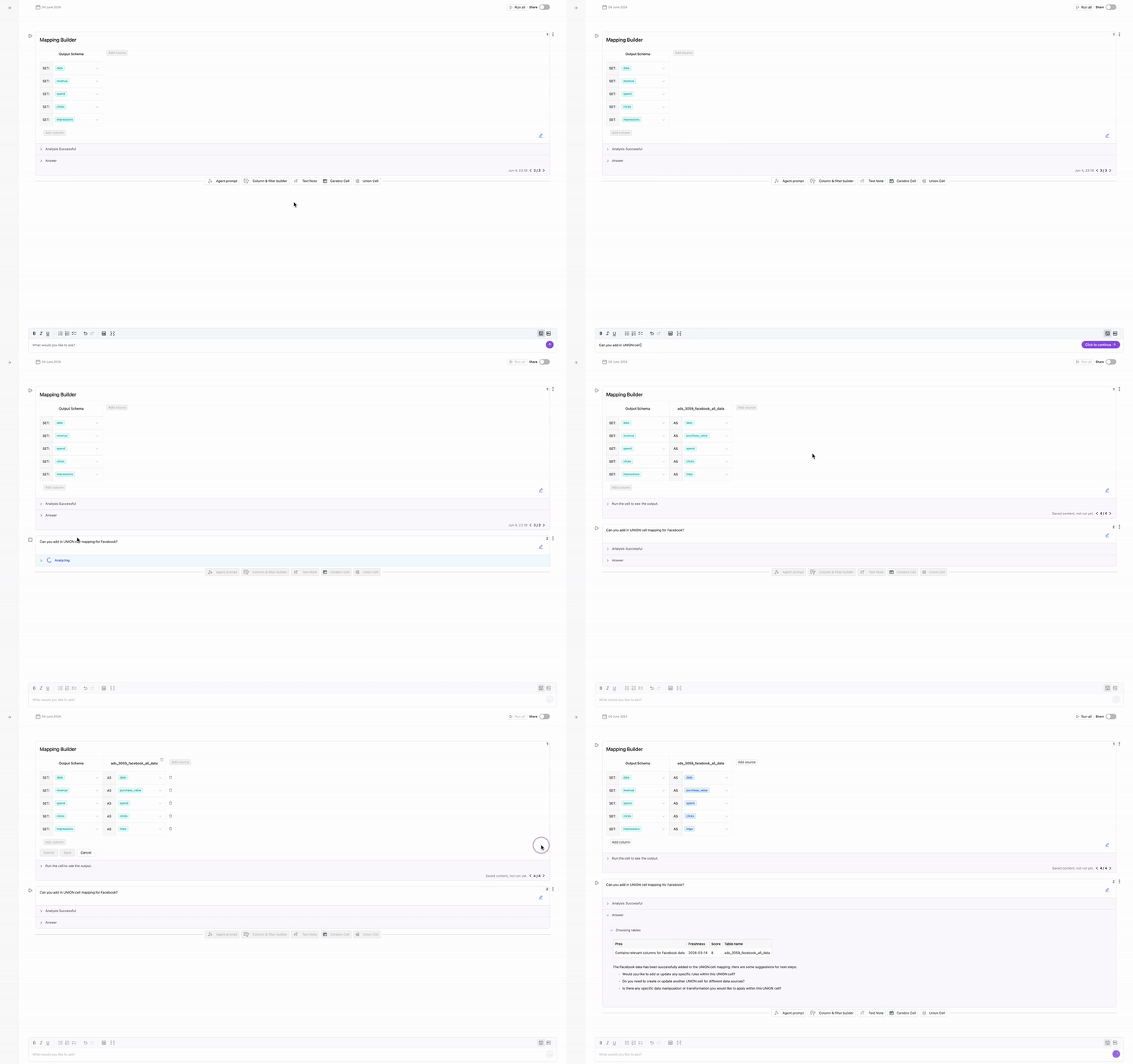
AI Notebook Scheduling
We are excited to introduce AI Notebook Scheduling, a powerful new feature designed to automate recurring tasks like data analysis, model training, and report generation.With AI Notebook Scheduling, you can automate the execution of your AI notebooks according to a predefined schedule. Configure your notebooks to run automatically at specific times or at regular intervals, saving you time and reducing the need for manual intervention.
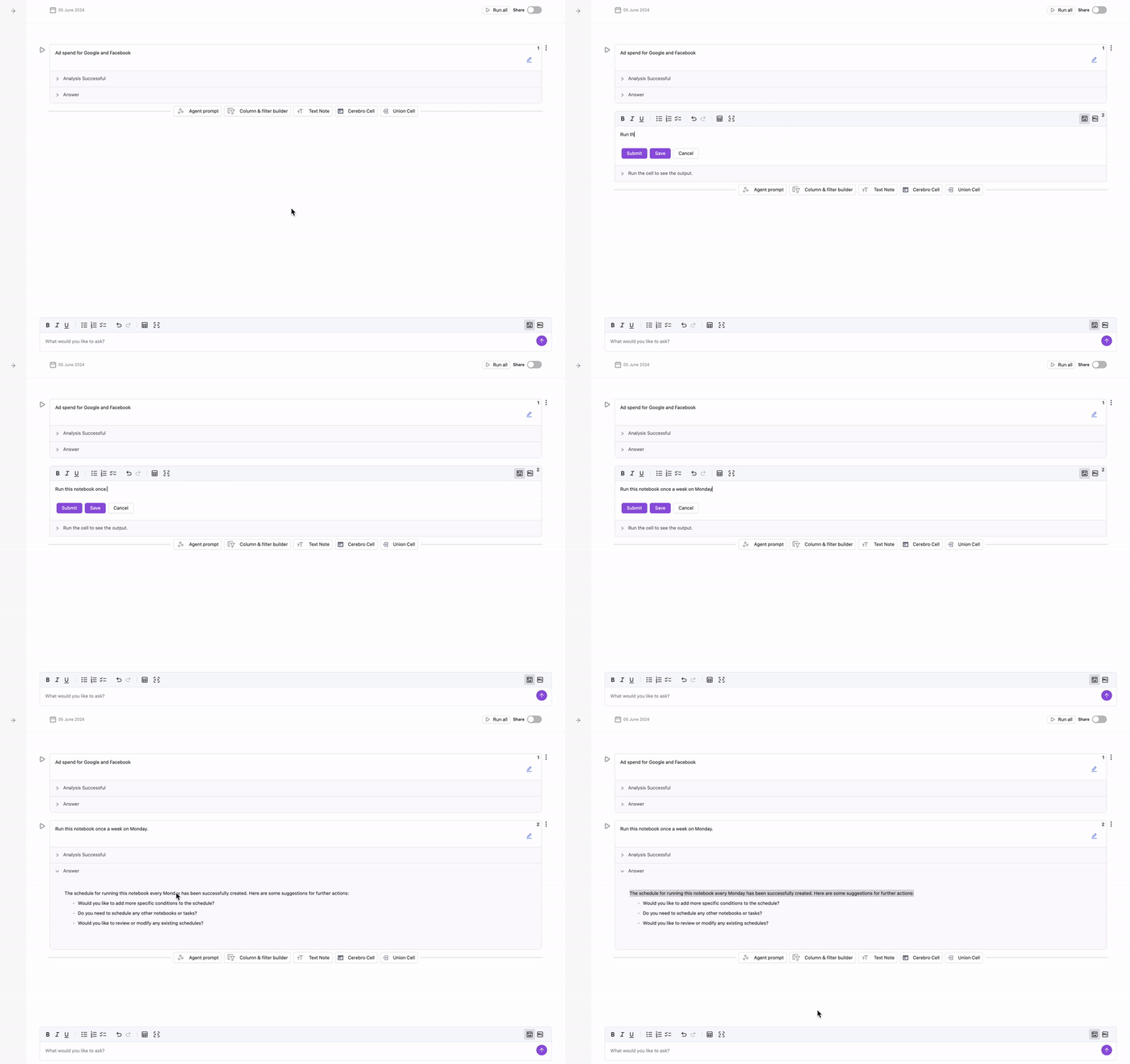
AI MCDM Recipes
The Mapping feature allows you to create fully customized mappings across different data sources using a simple, no-code interface. This feature not only simplifies the integration process but also enables you to manipulate data by adding calculated fields, applying filters, and using mathematical operations and conditional logic to transform raw data into insightful metrics.
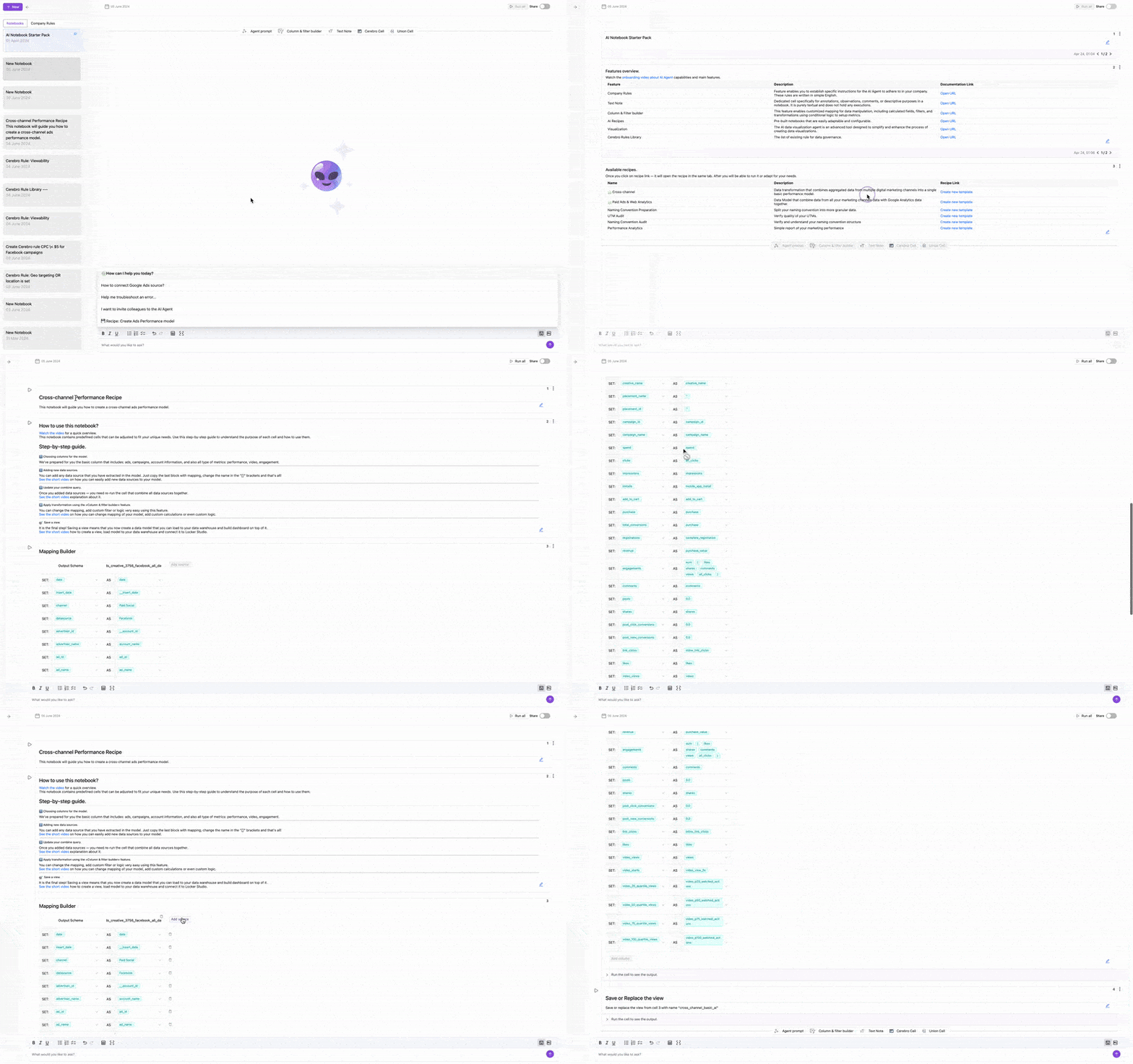
Marketing Data Governance updates
Data Governance Dashboard
This tool provides comprehensive sections and charts to help you understand your compliance metrics and performance. With this feature, you can analyze critical data and use these insights to enhance your campaigns effectively.
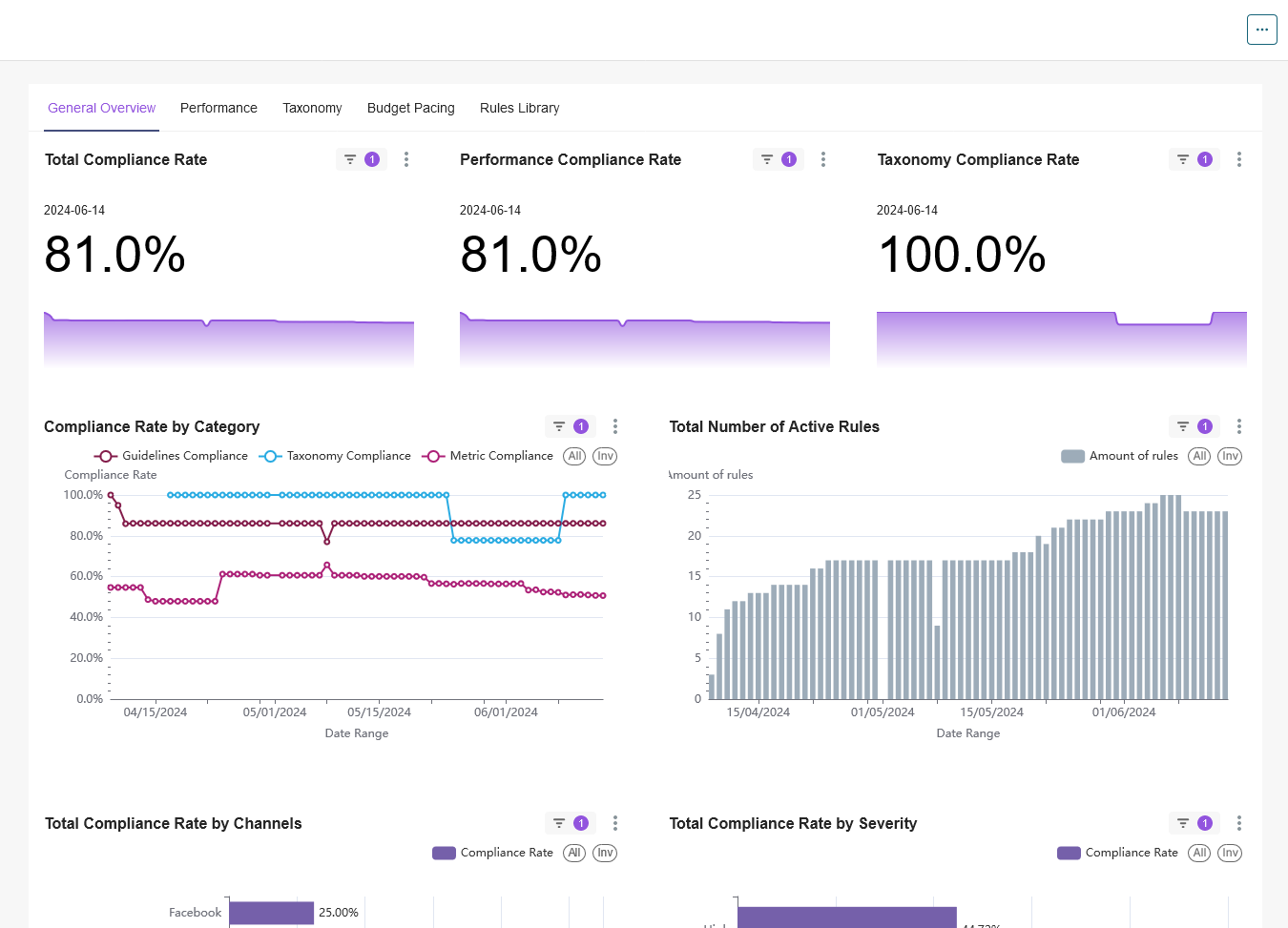
Rules Library
The Rules Library is a collection of pre-built rules that we have created within Improvado. It contains rules from various categories and directions, making it easier than ever to implement complex logic and data transformations. You can select a rule from the library and simply adapt it to your needs, streamlining your workflow and saving valuable time.
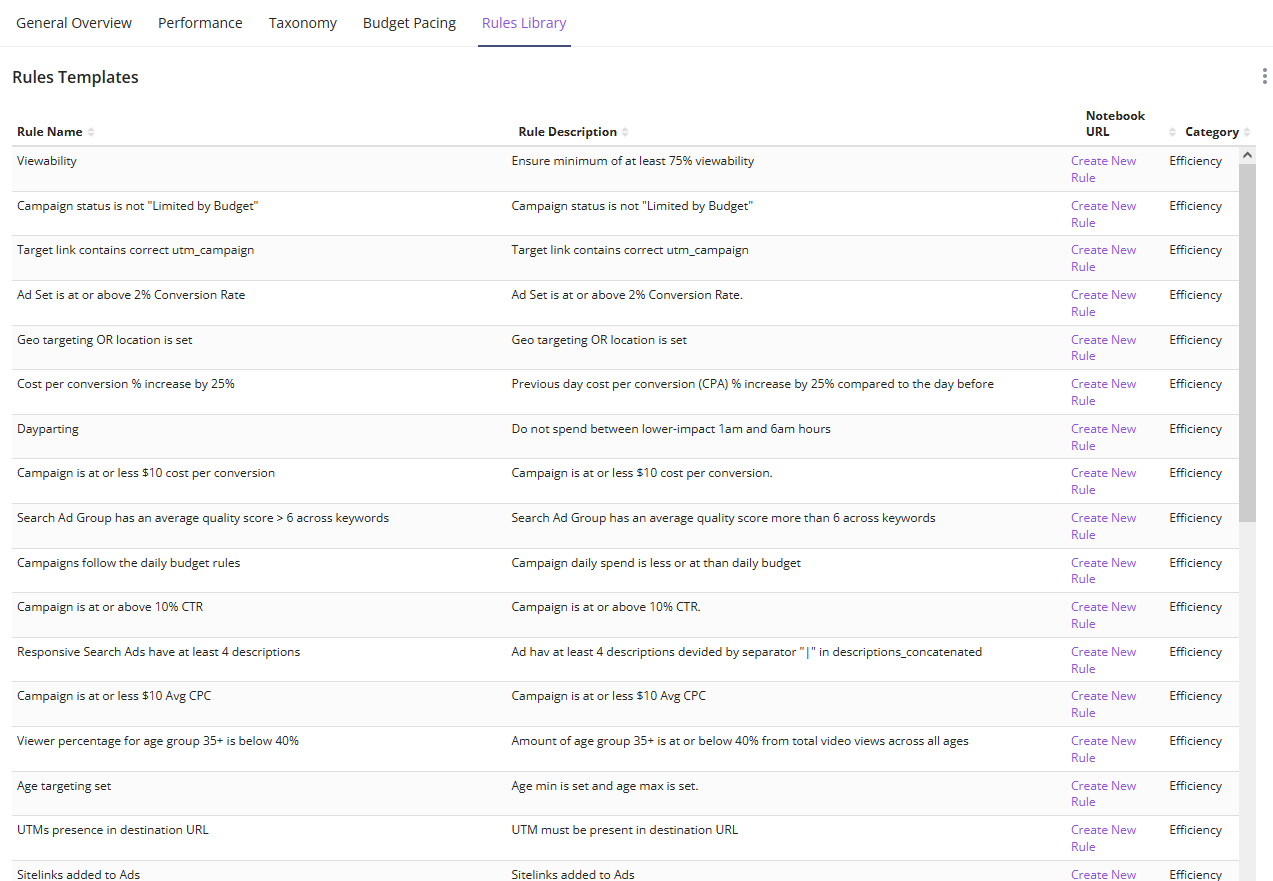
Introducing our updated Data Extraction flow🎉
We're thrilled to announce the rollout of a new Save as a template feature, which brings significant enhancements and expansions to the Data Extraction flow.
✅ To streamline workflow and enhance your experience, we have provided you with the ability to create and update custom extraction templates directly within the extraction flow.
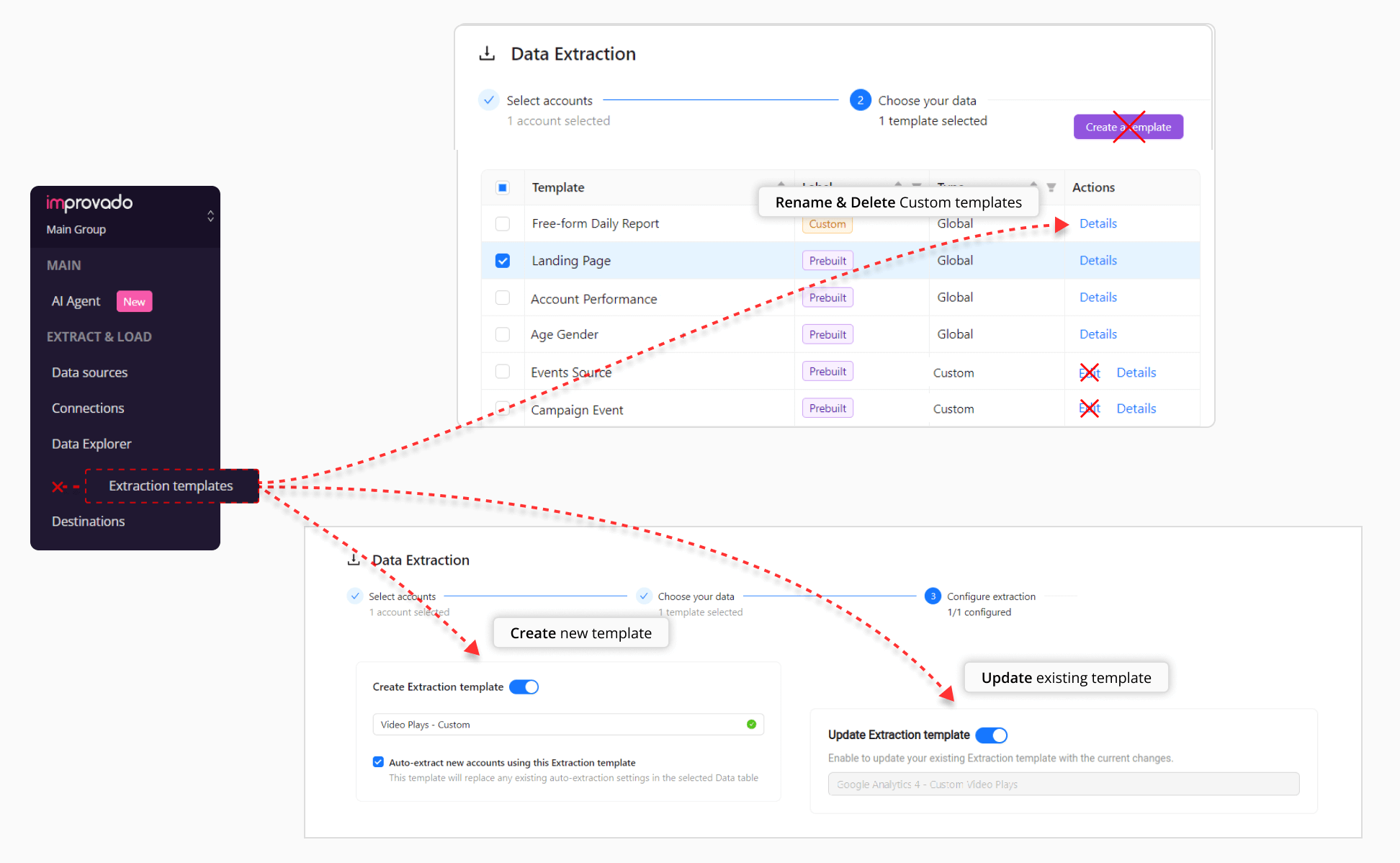
April 2024
New API integrations 🧩
We have added 4 new data sources with the following report types:
Adelphic DSP
- Conversion report type
- Performance report type
- Universal Pixel Entity report type
- ROAS report type
Roundel
- Vendors entity report type
- Campaign Day Level report type
- Brands entity report type
- Campaigns entity report type
RTB House
- Advertisers entity report type
- Clients entity report type
- Offer categories entity report type
- Offers entity report type
- Campaigns entity report type
- Rtb creatives entity report type
- Conversions report type
- Billing report type
Qualtrics
- Distributions entity report type
- SMS distributions entity report type
API changes ⚙️
LinkedIn Ads
We have upgraded our LinkedIn Ads API to v202305.
For more information, see LinkedIn Ads API documentation.
New Report Types 📊
The following report types are available starting this month:
Amazon Vendor Central
- Inventory Monthly report type
- Inventory Weekly report type
Shopify
- Shipping Lines report type
- Orders GraphQL report type
Hubspot
- Accounts Entity report type
- Form Submissions report type
Marketo
- Leads Entity report type
Basis Platform API
- Conversions report type
Check Improvado Data Dictionary to see detailed information about these and other report types and their metrics.
Run All in AI Agent
This feature automates the execution of all cells within a notebook with a single click, streamlining workflows by eliminating the need for manual sequential runs. Simply click the Run All button to execute all cells from top to bottom, enhancing efficiency in data analysis processes.
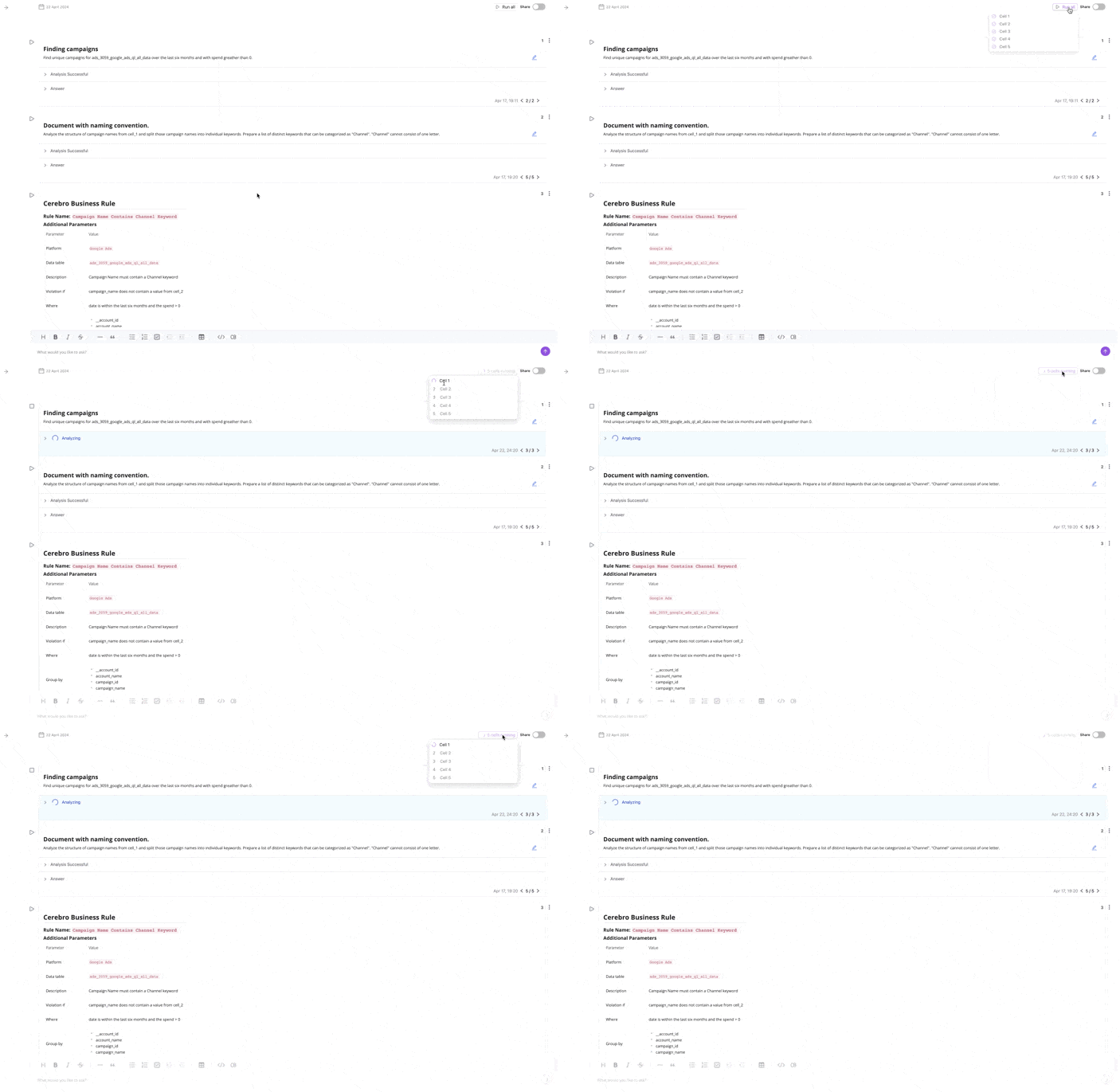
March 2024
New API integrations 🧩
We have added 1 new data source with the following report types:
Instacart
- Display Keywords report type
- Video Products report type
- Video Campaigns report type
- Video Adgroups report type
- Display Products report type
- Display Adgroups report type
- Display Campaigns report type
- Sponsored Campaigns report type
- Video Keywords report type
- Sponsored Products report type
- Sponsored Keywords report type
- Sponsored Adgroups report type
Check Improvado Data Dictionary to see detailed information about these and other report types and their metrics.
API changes ⚙️
Shopify
We have upgraded our Shopify API to v2024-01.
For more information, see Shopify API documentation.
New Report Types 📊
The following report types are available starting this month:
Amazon Seller Central
- Catalog Items by ASIN Entity report type
AppsFlyer
- Cohorts free-form report type
Pinterest Ads
- Analytics report type
Facebook Pages
- Videos By Region report type
Criteo
TikTok Ads
- Campaign Custom Events report type
AI Agent Huge Updates: AI Notebook Starter Pack, AI Recipes, Column & filter builder, and more!🎉
We are delighted to announce that we've significantly upgraded our AI Agent! Here are some major updates to highlight:
AI Notebook Starter Pack
In the notebook history, you have one pinned notebook, inside it you can find a lot of very useful information: documentation, videos with use cases, and all available recipes. This is the entry point to start using our AI Agent to solve any marketing and analytical problems.
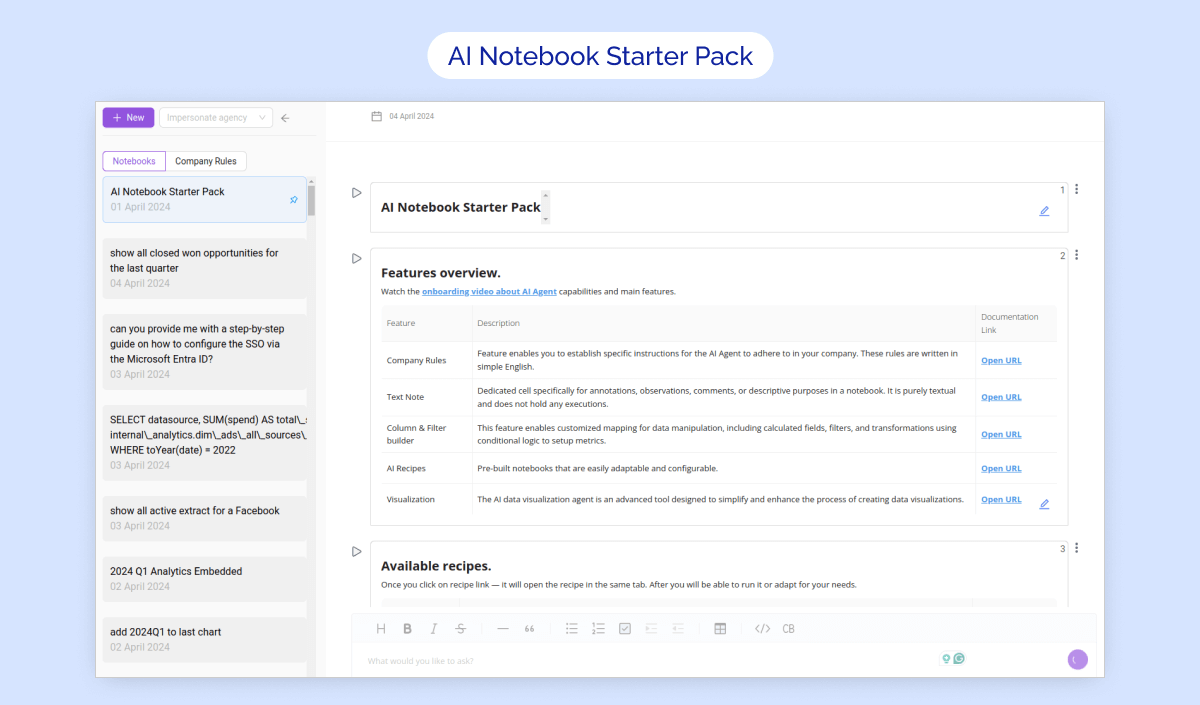
AI Recipes
We have released the ability to use pre-built recipes for a large number of cases: naming convention handling, paid search, cross-channel, and much more. That is, you create a recipe from a template and then simply adapt it to your needs.
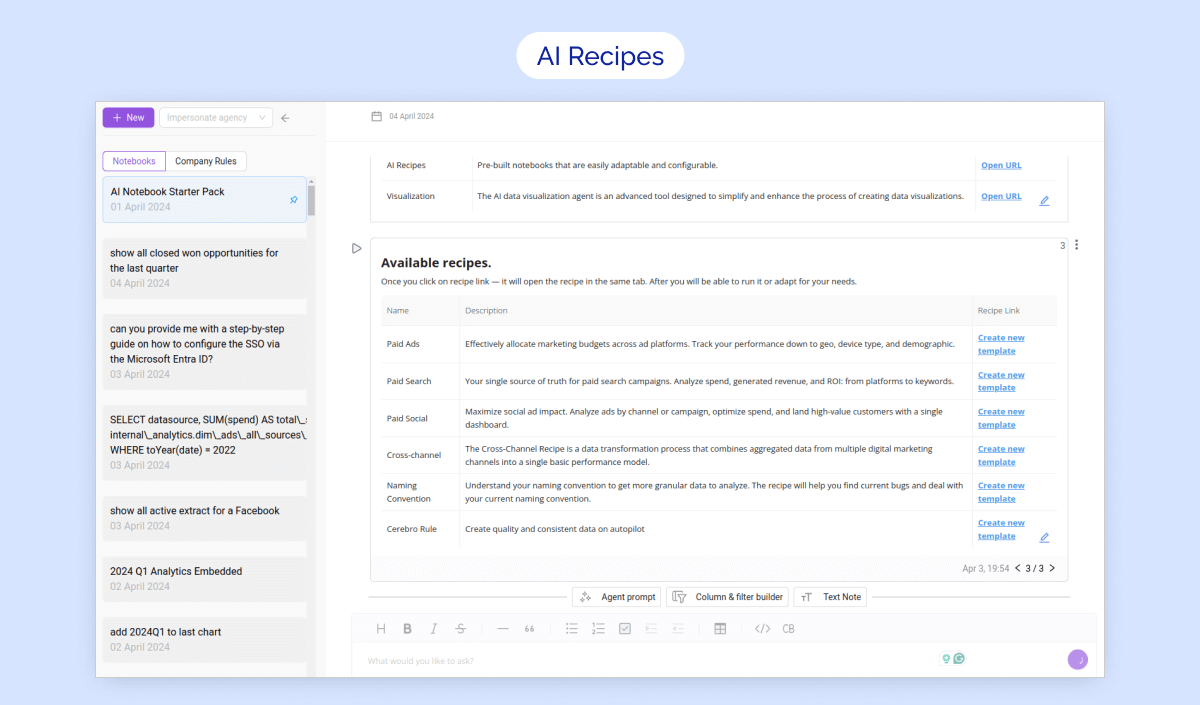
Column & filter builder
This feature allows you to create a fully customized mapping, allowing to manipulate data by adding calculated fields and applying filters. This manipulation includes mathematical operations and conditional logic to transform raw data into insightful metrics.
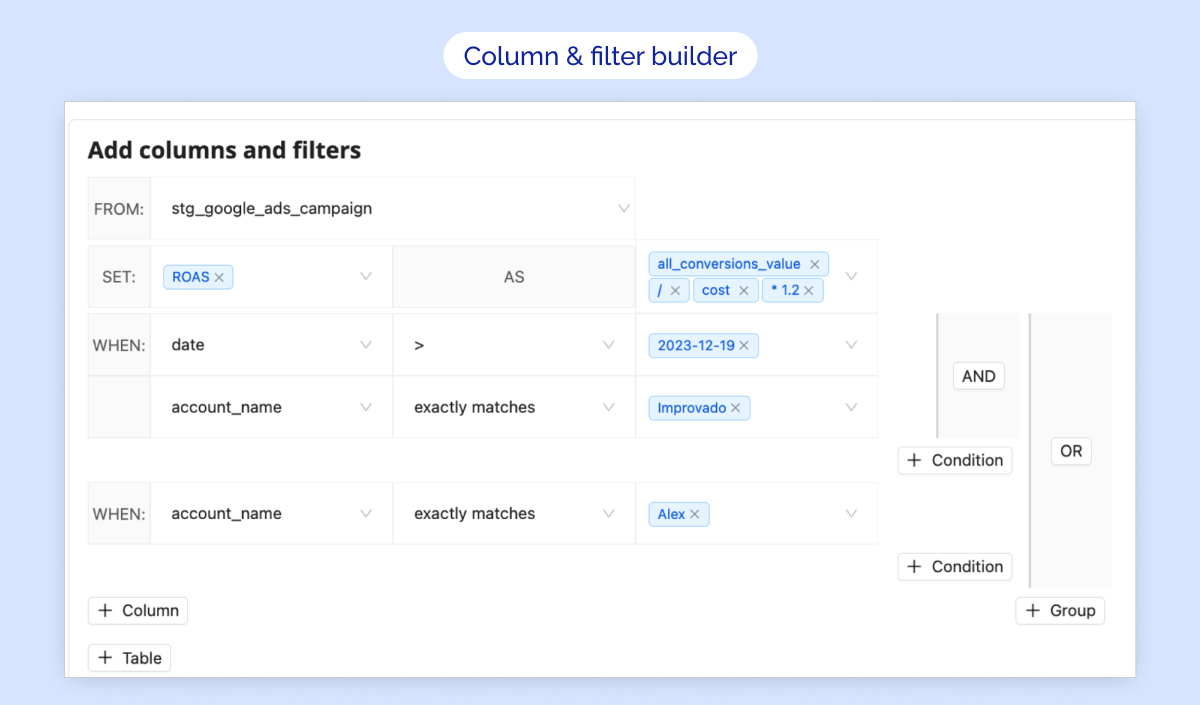
February 2024
New API integrations 🧩
We have added 4 new data sources with the following report types:
Google Search Ads 360 (Beta)
- Campaign Entity report type
- Campaign Criterion Entity report type
- Ad Group Criterion Entity report type
- Ad Group report type
- Age Range View report type
- Gender View report type
- Keyword View report type
- Campaign report type
- Location View report type
- Ad Group Ad Entity report type
- Bidding Strategy Entity report type
- Customer Entity report type
- Geo Target Constant Entity report type
- Ad Group Ad report type
- Ad Group Entity report type
- User List Entity report type
- Campaign Budget Entity report type
Sprout Social:
- Profiles Entity report type
- Profile Analytics report type
- Post Analytics report type
- Users Entity report type
- Tags Entity report type
- Groups Entity report type
Tune Network API
- Conversions report type
Applovin
- Advertiser Analytics report type
Check Improvado Data Dictionary to see detailed information about these and other report types and their metrics.
New Report Types 📊
The following report types are available starting this month:
Google Display & Video 360
- Standard report type
- Adgroups Metro (DMA) report type
Piwik PRO
- Free-form Daily Report report type
Oracle NetSuite
- Customers Entity report type
Salesforce Marketing Cloud
- Journey History report type
LinkedIn Ads
- Analytics by Groups Monthly report type
Moloco Cloud
- Cohort Summary report type
Azure SQL & MySQL are available for data extraction
We are thrilled to announce two new Flat Data integrations - Azure SQL & MySQL!
✅ Key Features:
- Import Azure SQL & MySQL tables directly via Improvado UI
- Configure Extraction scheduling, Table meta, Skip rule, etc. for your extraction
- A new Data source category was added: SQL
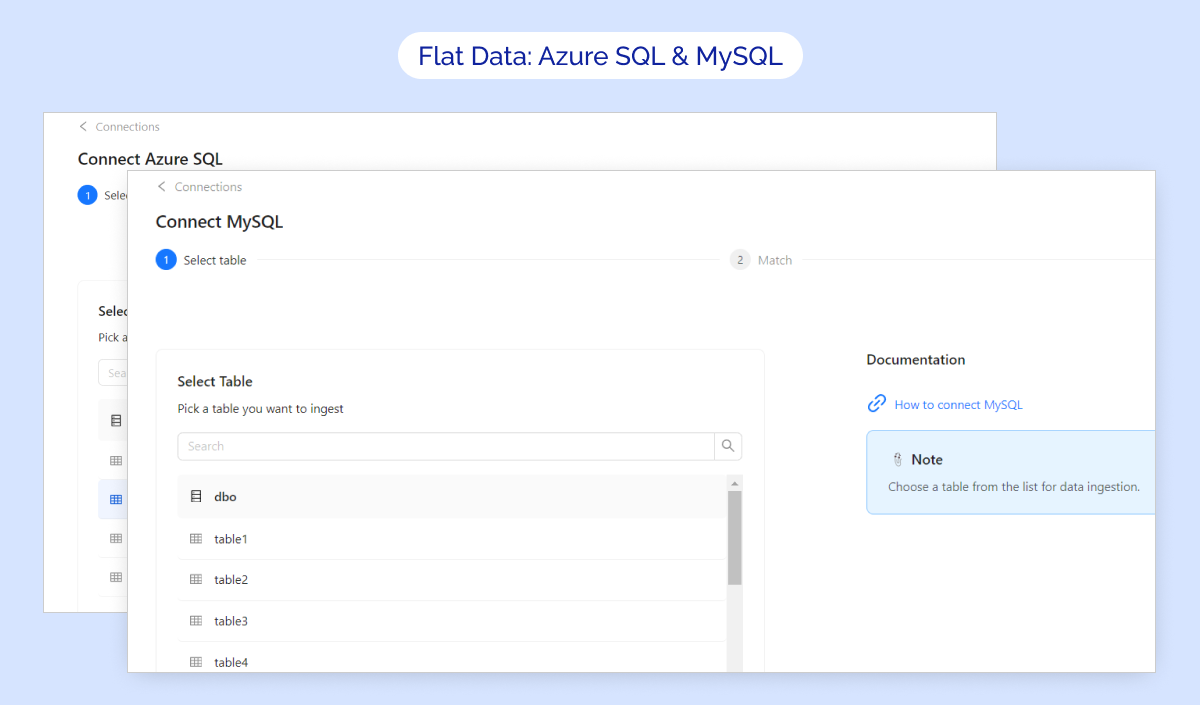
Usage Stats ✨
We are thrilled to announce enhancements to our dashboard that provides an in-depth analysis of your data usage📊
What has been changed?
📌 Naming: Usage Dashboard to Usage Stats.
📌 Improved Visualization: Clearer and more interactive graphs to track data usage over time.
📌 Enhanced Data Breakdown: More detailed comparisons of data usage across different periods and categories.
📌 User Experience: A more intuitive layout.
📌Filtering Functionality: Lots of filtering options were added.
%252520(1).png)
January 2024
New API integrations 🧩
We have added 2 new data sources with the following report types:
Harvest:
- Project Budget Entity report type
- Time Teams report type
- Projects Entity report type
- Time Projects report type
- Time Clients report type
- Time Entries Entity report type
- Time Tasks report type
Liftoff:
- Creatives Entity report type
- Campaigns Entity report type
- Apps Entity report type
- Events Entity report type
- Performance report type
Check Improvado Data Dictionary to see detailed information about these and other report types and their metrics.
API changes ⚙️
We have upgraded our Facebook API to v18.
This change affects the following data sources:
- Facebook Pages
- Instagram Stories and Mentions
- Instagram Organic
- Instagram Hashtag
For more information, see Facebook API documentation.
New Report Types 📊
The following report types are available starting this month:
Pinterest Ads
- Ads entity report type
Oracle NetSuite
- Opportunities Entity report type
Facebook Ads
- Accounts Entity report type
Piwik PRO
- Goal Conversions report type
December 2023
API changes ⚙️
Klaviyo
We have upgraded our Klaviyo API to v2023-12-15.
For more information, see Klaviyo API documentation.
New Report Types 📊
The following report types are available starting this month:
Google Campaign Manager (by Advertiser)
- Campaign Roadblock Flights Entity report type
- Roadblocks Entity report type
Apple Search Ads
- Adsets Keywords by Hours report type
Xandr
- Engagement Metrics Network report type
Brandwatch
- Mentions report type
Facebook Pages
- Page Ratings report type
Piwik PRO
- Campaign City Device report type
Google Display & Video 360
- Entity Creatives report type
The new version of the Extraction flow
The reworked Extraction flow allows you to use custom dimensions and metrics in your Data Extraction configuration.
Key features:
- 🧩 Custom Configuration with API Configurator: Available for any Data source with Free-Form (Wide) Report types (currently GA4 only)
- 🔁 Data Table improvements: You can create multiple Data Tables with the same granularity level for Custom Configurations
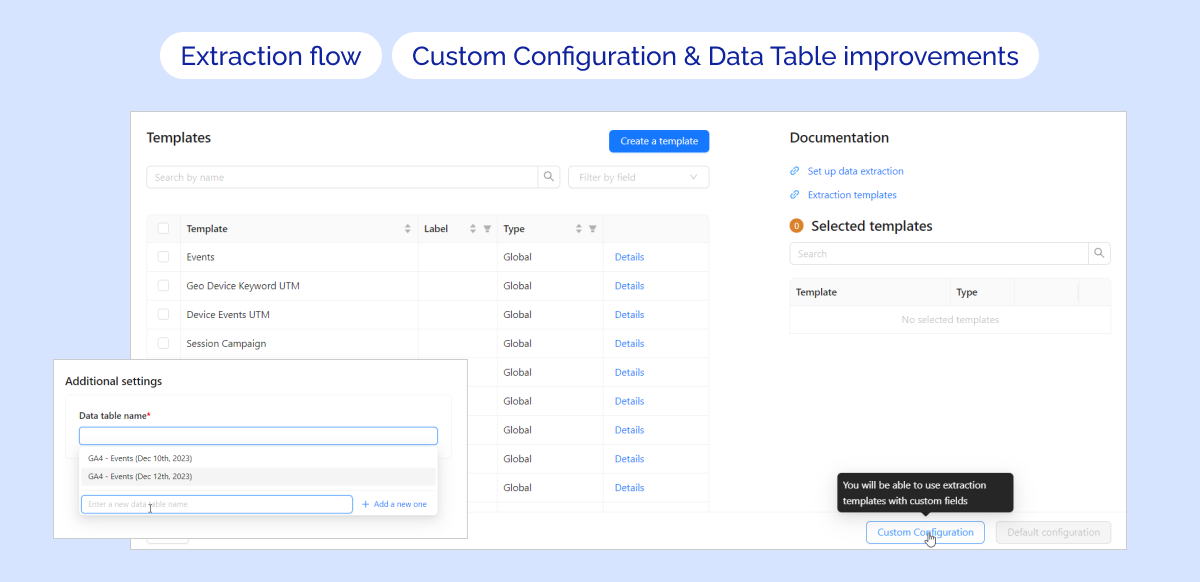
Updated Skip rule & date column
🚀 We are glad to announce enhancements to the Flat Data configuration flow: updated skip rule & date column
📌 Skip rule: Now you can add one custom rule! (can be combined with Skip empty rule)
📌 Date column: A wide range of date formats was added for more flexibility
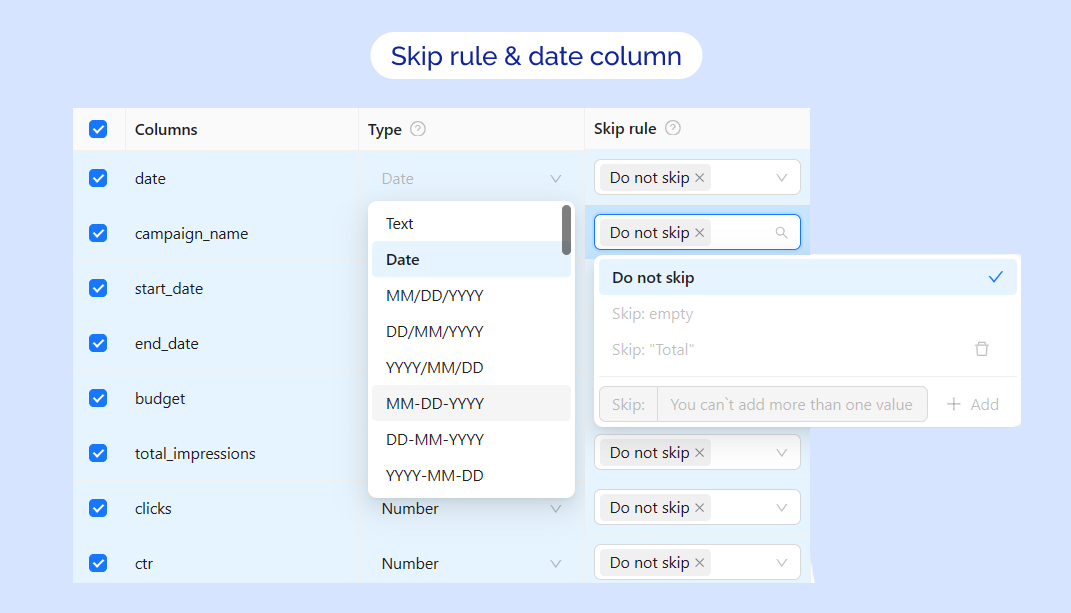
Hourly schedule
🎉 Exciting Update for Data Extraction Scheduling - 🎉 Hourly Schedules! 🎉
📌 Now you can select extraction periods based on hours 🕐 (every 4, 6, 8, or 12 hours)
Note: Hourly schedule is available by request only. Please contact your Customer Success Manager for more details.
.png)
New Your Team page and Advanced User Management for Workspaces!
We are thrilled to unveil the complete redesign of Your Team page with the new Members table, which combines Employees and Invited users and even provides tools for Advanced User Management!
📌 Key Features:
- New Your Team page 🔥
- Filter users by roles & workspaces
- Advanced User Management 🔥
- New User Invitation flow - now you can invite users to multiple workspaces simultaneously from Your Team page
- Assign an Owner role to a user
- Remove users from a workspace
- Edit workspace details 🔥
- Redesigned Welcome Form for the new member 🔥
✨ It's available to all users, even if the workspaces feature is not yet enabled for your Improvado instance!
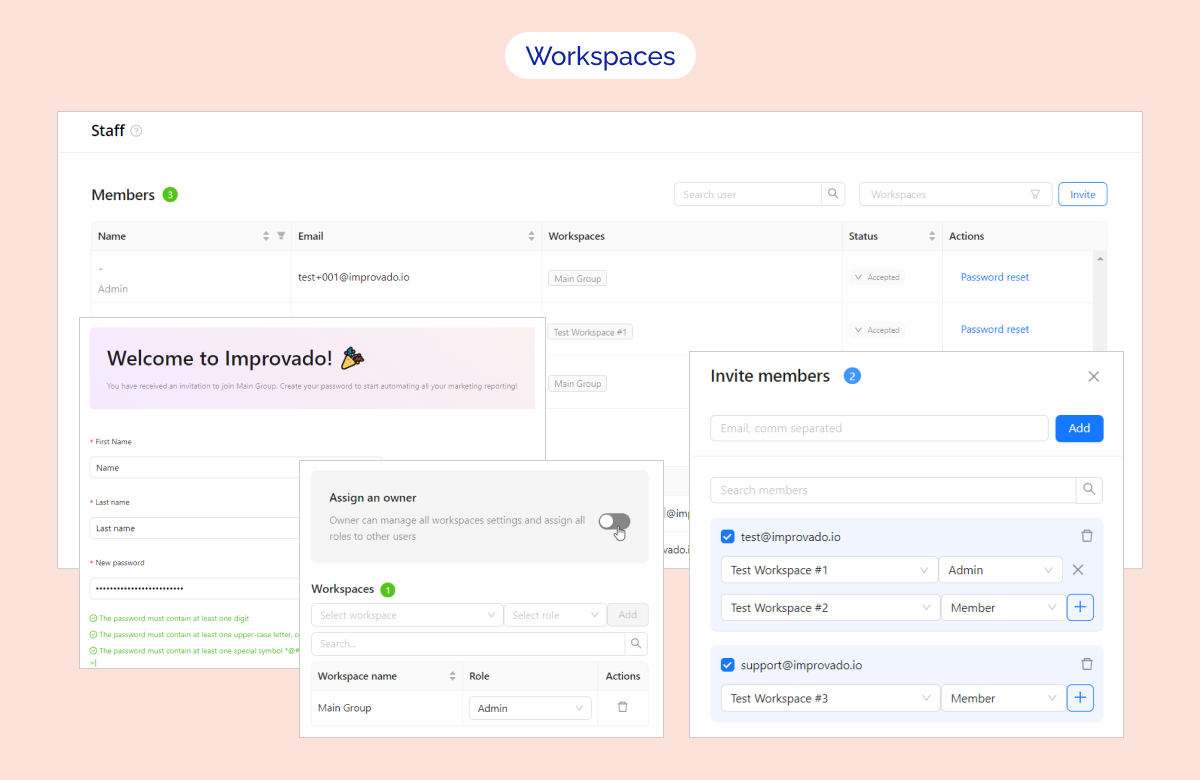
November 2023
New API integrations 🧩
We have added 2 new data sources with the following report types:
VideoAmigo:
- NCS Comparisons Weekly report type
- Share of Voice Monthly report type
- Share of Voice Weekly report type
- NCS Comparisons Monthly report type
- Channels Entity report type
- Brand Categories Entity report type
- Uploads report type
- Countries Entity report type
- Competitive Sets Entity report type
ON24
- Event Registrants Entity report type
- Events Entity report type
- Event Attendees Entity report type
- Presenters Entity report type
- Event Attendee Sessions Entity report type
Check Improvado Data Dictionary to see detailed information about these and other report types and their metrics.
API changes ⚙️
Criteo
We have upgraded our CriteoAPI to v2023-10.
For more information, see Criteo API documentation
Pinterest API
We have upgraded our PinterestAPI to v5.
For more information, see Pinterest API documentation.
Spotify Ads
We have upgraded our Spotify Ads API to v2. You can see the API changes in the Spotify Ads API release notes.
Ads report type was replaced with a new set of separate reports including entity and performance for each level of granularity accordingly.
Entity reports:
- Campaigns Entity (campaigns_entity)
- Adsets Entity (adsets_entity)
- Ads Entity (ads_entity)
Aggregated reports:
- Aggregated Campaigns (aggregated_campaigns)
- Aggregated Adsets (aggregated_adsets)
- Aggregated Ads (aggregated_ads)
New Report Types 📊
The following report types are available starting this month:
Skai API (Kenshoo V3 API)
- Keywords by device report type
Piwik PRO
- Entries pages report type
- Exits pages report type
Switch Connection for Extraction Orders ✨
🎉 Now you can Transfer Extraction orders from one Connection to another within one workspace!
- Select the extraction orders to transfer ☑️
- Choose the connection with a suitable account inside ↩️
- Launch the transfer 🚀
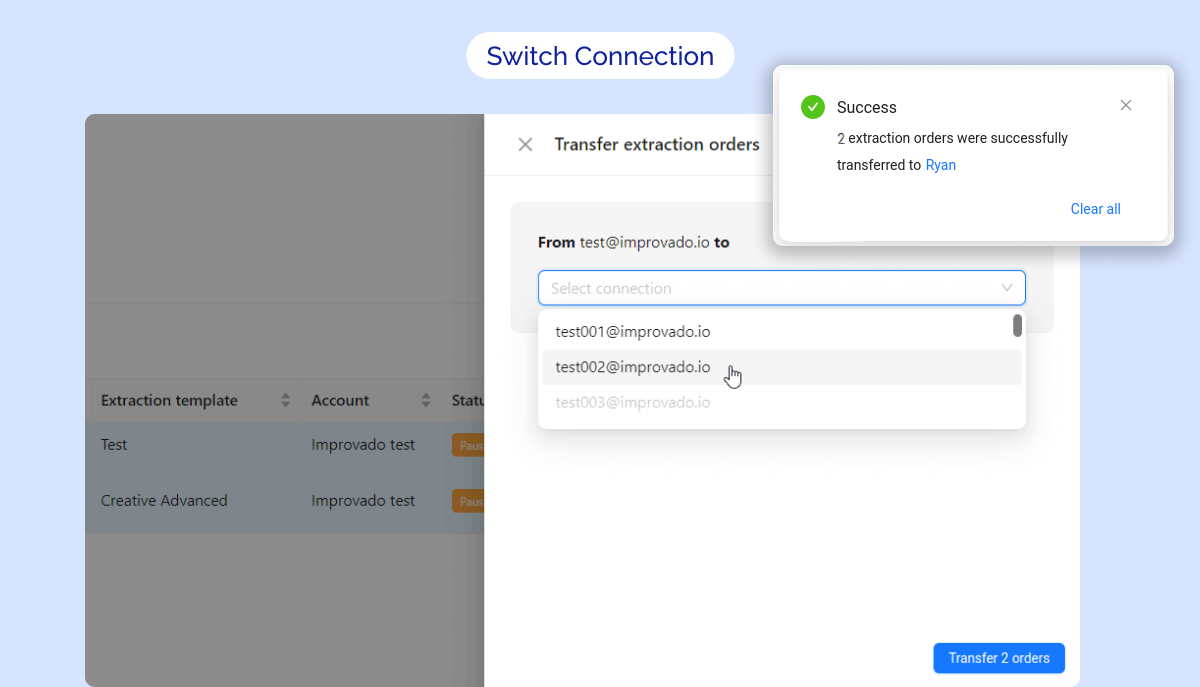
MCDM Updates⚡
New Recipe is available on the platform - Programmatic. It's visualized as a separate tab on the Marketing Dashboard.
A bunch of the Recipes were implemented as the AI Transform document and can be used as templates!
We already have the following reports developed based on the AI Transform:
- Paid Search (Basic Performance)
- Paid Social (Basic & Geo Performance)
- Cross Channel (Basic Performance)
October 2023
AI Assistant New Features ✨
- We have moved to a new powerful model that has shown a two-fold increase in the speed of operation.
- Released the Company Rules feature, where companies can describe their unique rules, definitions, designations, and the AI Assistant will execute them. You can learn more in the article.
Launched a new Interpret Results feature
This feature allows for the analysis of SQL execution results and gaining insights from the data.

Updated the TableChooser
Now, when selecting tables, all necessary meta-information is available: table descriptions, date of last update, table name, and its designation.

Run Extraction & Run Load buttons
🎉 Now you can start Extraction and Load Orderswith the selected date range!
🎯 The new Run Extraction and Run Load buttons are available in:
- Extraction/Load Orders list in Data Table
- Extraction/Load Order Details page

MCDM Updates
- You can now customize mapping separately for each workspace using the new workspace_id column in the custom mapping spreadsheet. Learn more in the Build Transformation documentation.
New API integrations 🧩
We have added 5 new data sources with the following report types:
Adobe Workfront
- Entity Owners report type
- Entity Users report type
- Entity Projects report type
TikTok Organic
- Videos Lifetime Incremental report type
- Profiles Lifetime Incremental report type
- Profiles report type
Sistrix
- Project Visibility Weekly report type
- Keywords Domain SEO Last Week report type
- Project Ranking Last Week report type
ProxyClick
- Users report type
- Visits report type
- Entity Visitors report type
DoubleVerify
- Brand Media Campaigns report type
Check Improvado Data Dictionary to see detailed information about these and other report types and their metrics.
API changes ⚙️
Criteo
We have upgraded our Criteo API to v2023-07.
For more information, see Criteo API documentation.
New Report Types 📊
The following report types are available starting this month:
Google Ads
- Video Ads Device Conversions report type
AppsFlyer
- Geo Daily report type
Amazon Advertising DSP
- Technology report type
Google Universal Analytics
- UTM Transaction Performance report type
StackAdapt
- Conversion Tracker report type
Google Campaign Manager (by Advertiser)
Import your Flat Data via User Interface
It significantly simplifies and speeds up file import to Improvado since now it's a self-serve flow!
You can check out the interactive demo we created specifically for this feature.
✅ MVP Key Features:
- Import CSV/TSV files directly via Improvado UI
- Configure settings (table name, skip rule, etc.)
- Upload additional files with the same structure to one Data Table
Also, we've added a new Data Source Category: Flat Data (Google Sheets & File Import).
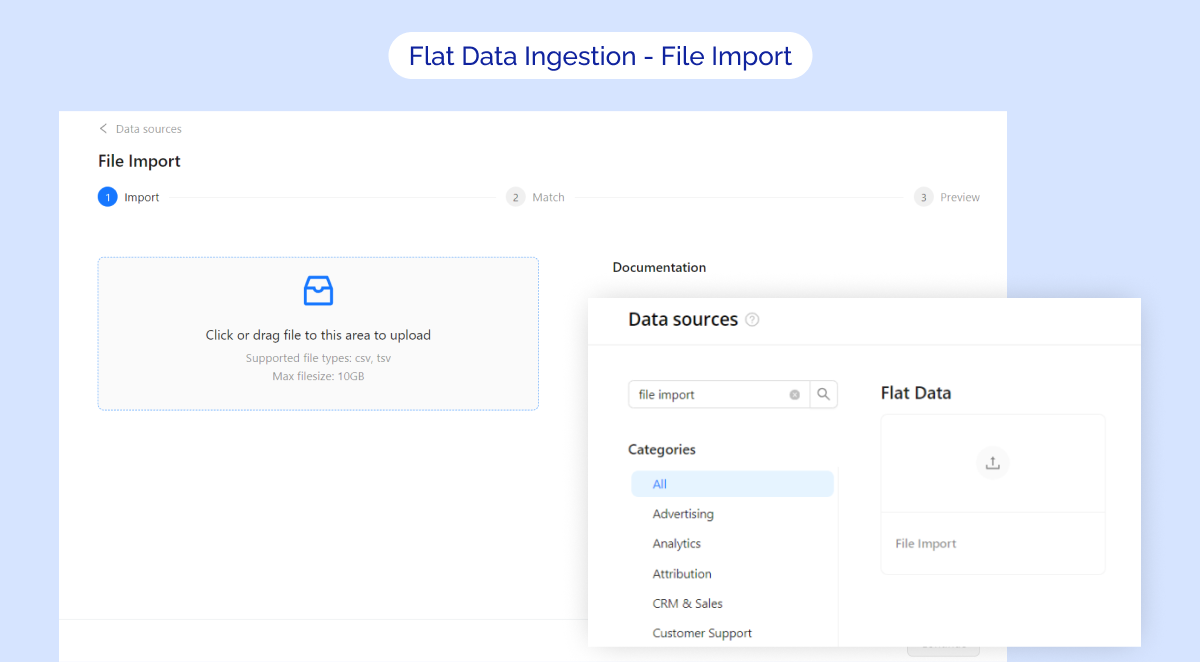
September 2023
The new Accounts tab is now live on the Connection Details page 🎉
With this new tab, managing your accounts has never been easier!
To ensure the the accounts list synchronization, we've also included a handy Sync accounts button. Just give it a click and let the magic happen! 🔁
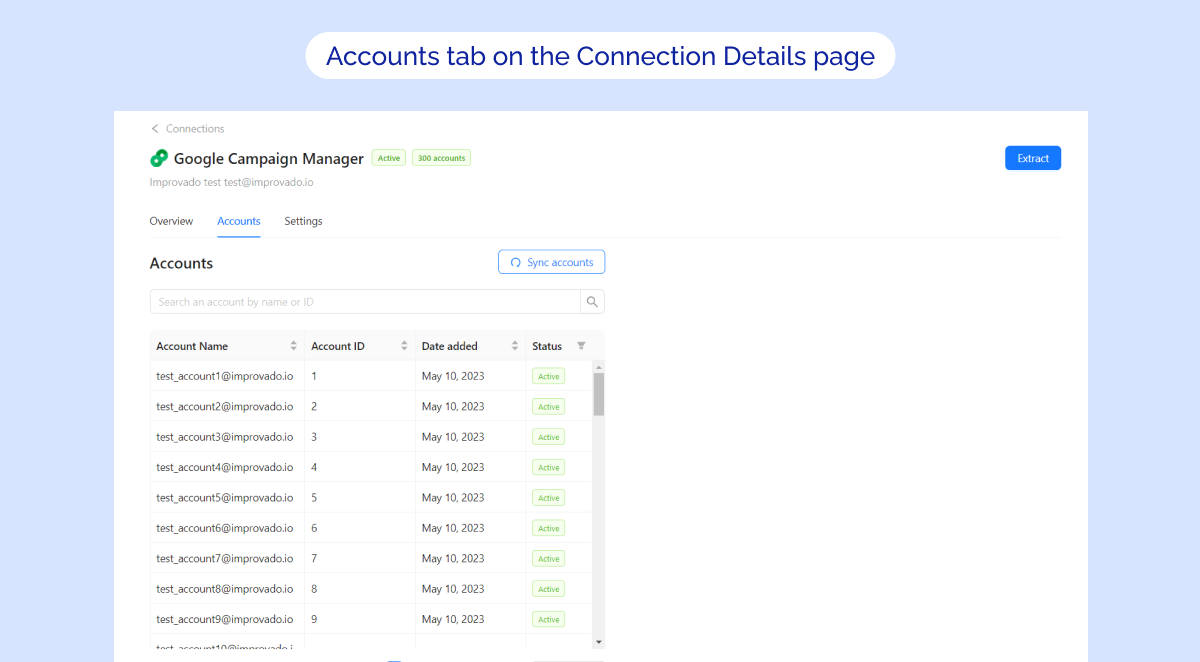
MCDM Errors in Notification Center 🔔
We're excited to announce a new enhancement to the Improvado Notification Center!
You can now effortlessly set up your subscription to monitor MCDM Recipe issues. ⚙️
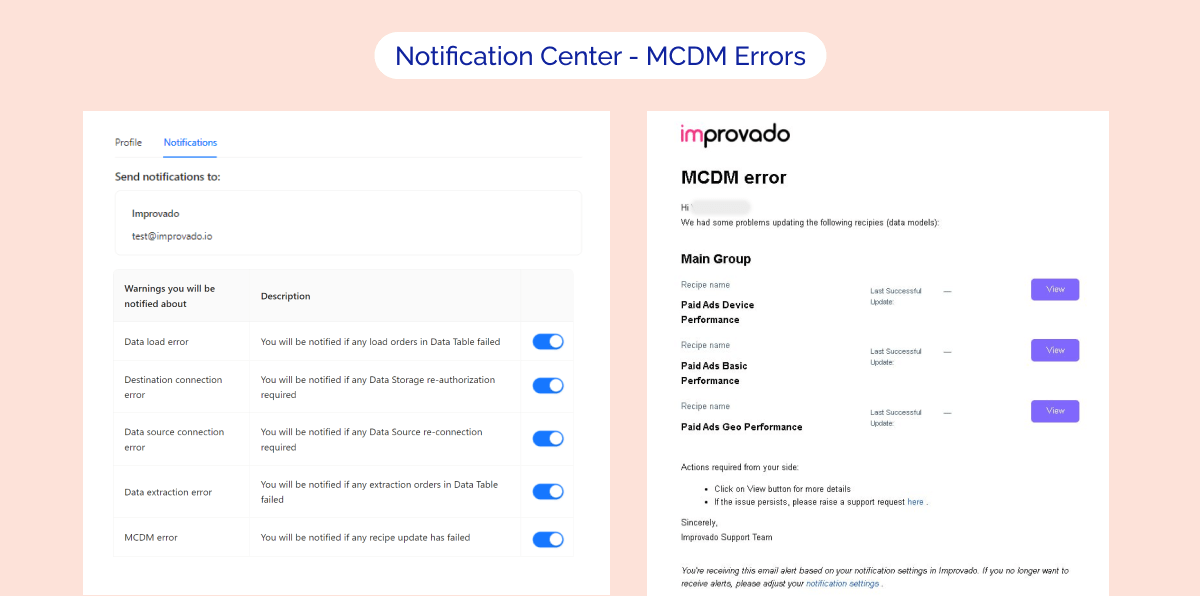
Extraction template filter - New look & feel 🎨
We're given a refreshed makeover to the Extraction template filter! Now, searching and filtering metrics and dimensions have become even easier and more intuitive than before.
The revamped Extraction template filter can be found on the 2nd step of the Extraction flow.
.png)
Email Marketing Recipe is now available 📧
The Email Marketing Recipe provides you with actionable and historical email marketing data, as well as predictive analytics in some situations, about the performance of your email campaigns allowing a lot of actionable directions, such as A/B testing, in order to drive engagement, and ultimately revenue.
The marketing value and goal of this Recipe is to help you understand, optimize, and improve your email marketing campaigns.
MCDM updates ⚡
- eCommerce Recipe has been rolled out as a part of the Marketing Dashboard
- Cross-Channel Recipe has been rolled out as a part of the Marketing Dashboard
- Google Spreadsheet Data source is now supported in MCDM
- Email Marketing Recipe is rolled out and available
- UX updates: now you can download MCDM Data Dictionary as CSV for any Recipe
Attribution updates 📊
- Released Attribution Dashboard 2.0. This template can be applied to any customer case
- Completely moving to Attribution core v2:
- Decreased onboarding time by 2 weeks
- Simplified datasource mapping
- Simplified adding custom business metrics
- Implemented internal data QA. Now we do internal data checking for consistency and duplicates
New API integration 🧩
We have added a new data source with the following report types:
Invoca Network
- Transactions report type
Emarsys
- Segment Contacts Count Lifetime Incremental report type
- Email Launch Summary report type
Check Improvado Data Dictionary to see detailed information about these and other report types and their metrics.
API changes ⚙️
Google Display & Video 360
We have upgraded our Google Display & Video 360 API to v2.
For more information, see Google Display & Video 360 API documentation.
New Report Types 📊
The following report types are available starting this month:
Snapchat Organic
- Revenue By Editions report type
Google Universal Analytics
- GA Geo Sessions report type
Google Display & Video 360
- Youtube Ad Video Id report type
Pinterest Ads
- Campaign Entity report type
August 2023
Streamline data management with Workspaces 🔥
Workspace is a special environment that is isolated from other such environments and all entities within this environment are available only to a specific group of users.
Key Features:
- Creation of workspaces via UI
- Separation of the main entities of Improvado (connections, extracts, data, loads)
- Separate user access to main entities of Improvado
- Basic user management via Workspace (adding users to workspaces)
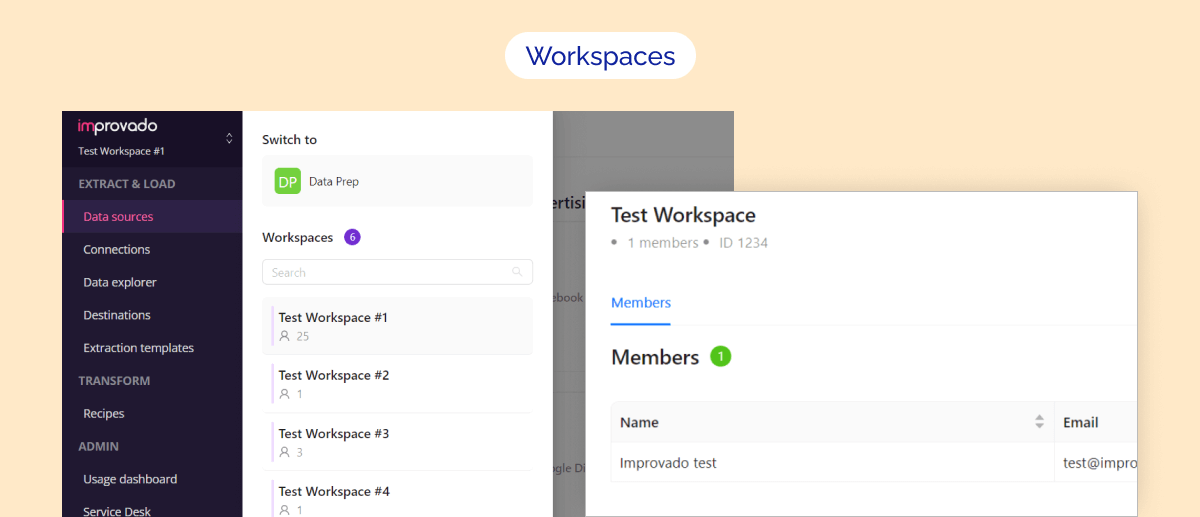
Extract data from Google Sheets via User Interface 🔥
Before it was a custom option, but now we are adding it to our Data Extraction User Interface as a fully self-serve flow, significantly simplifying and speeding up the import of data to Improvado via Google Sheets.
Key Features:
- Connect an account with Google Sheets.
- Import data from your spreadsheet using the URL (select a tab and columns).
- Configure extraction settings (table name, scheduling, etc.).
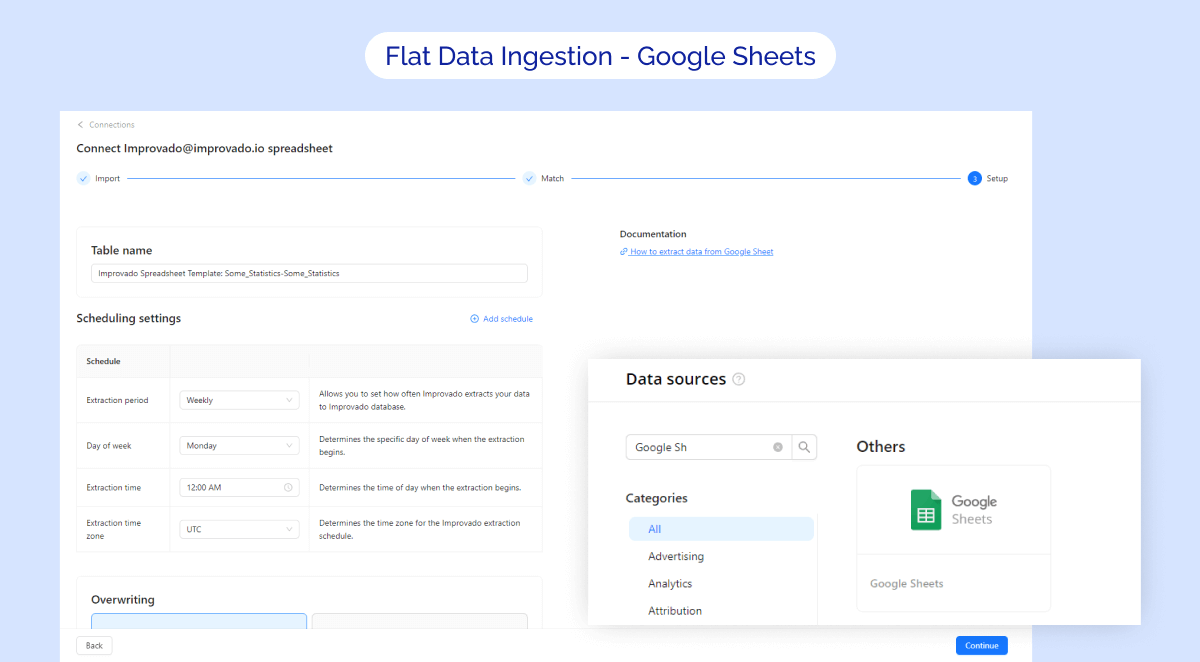
Ad Preview is now available as a Recipe 🎉
The Ad Preview Recipe empowers your analytics on the paid advertising campaigns by introducing the ad creative previews provided as separate reports for every ads data source you have connected if they support creative previews extraction.
Key features:
- Enable Ad Preview self-serve instead of only by request
- All Report types available for Ad Preview are displayed on the UI via Recipe Observability.
- Understand what is happening at the specific time with your Ad Preview
- All media is stored in Improvado’s AWS S3 so you shouldn't worry about the storage and the expiration of your images.
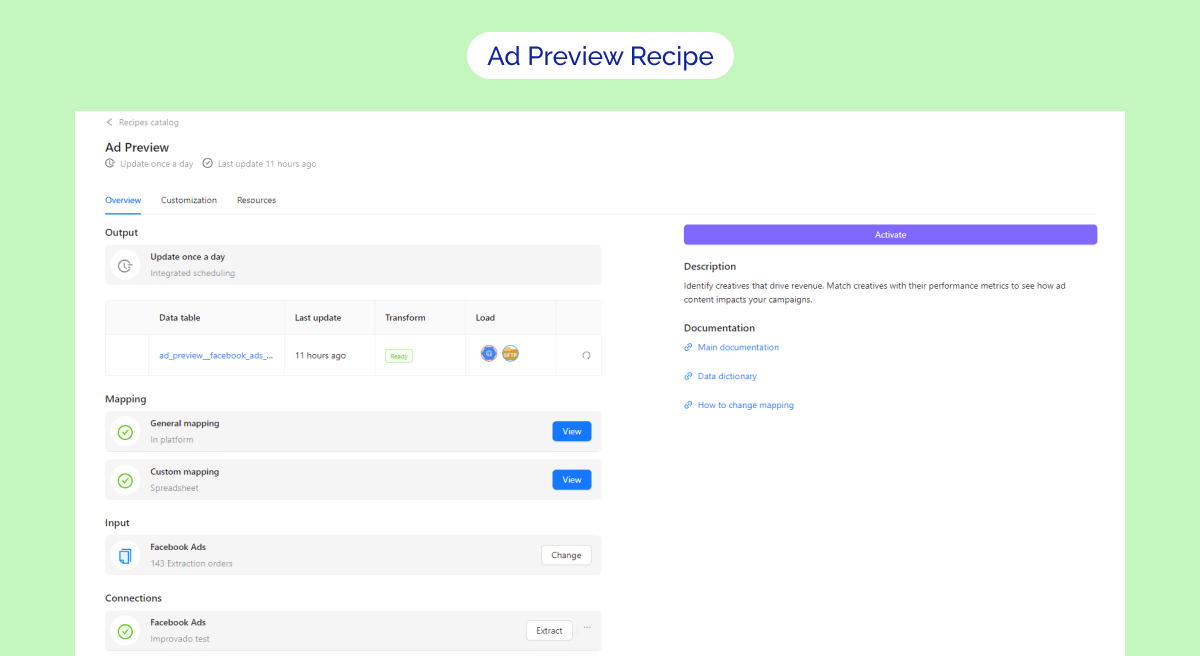
Mobile Analytics Recipe is available 📱
The Mobile Analytics Recipe is a powerful solution that combines data from marketing data sources (such as Branch, Kochava, Adjust API, AppsFlyer, and others) to create a comprehensive view of mobile marketing performance.
MCDM updates ⚡
- Improved the eCommerce Recipe so now it results in a single report instead of three separate ones.
Attribution updates 📊
- Completely switched to the Attribution core v2
- Added support of new Ads Data source - Terminus
- Completely finished case attribution based on Zoho CRM + GA4 data
- Fixed some bugs and hardcode in the core logic
New API integrations 🧩
We have added a new data source with the following report types:
Google Ad Manager (by Advertiser)
- Creatives report type
- Geo Lineitems City report type
Check Improvado Data Dictionary to see detailed information about these and other report types and their metrics.
API changes ⚙️
Facebook API
We have upgraded our Facebook API to v16.This change affects the following data sources:
- Facebook Pages
- Instagram Stories and Mentions
- Instagram Organic
- Instagram Hashtag
For more information, see Facebook API documentation.
Google Ad Manager
We have upgraded our Google Ad Manager API to v202305.
For more information, see Google Ad Manager API documentation.
New Report Types 📊
The following report types are available starting this month:
Google Campaign Manager (by Profile)
- Creative Placement Roadblock Site report type
- Activity Placement Roadblock Site report type
Facebook Pages
- Post Comments Lifetime report type
SlickJump
- Campaign Stat report type
July 2023
Stay up to date on your Improvado Data Pipeline 🔔
Set up the subscription via Improvado Notification Center to monitor your connected data sources, destinations, extraction, and load orders! You can also redirect our notifications to your Slack channel.
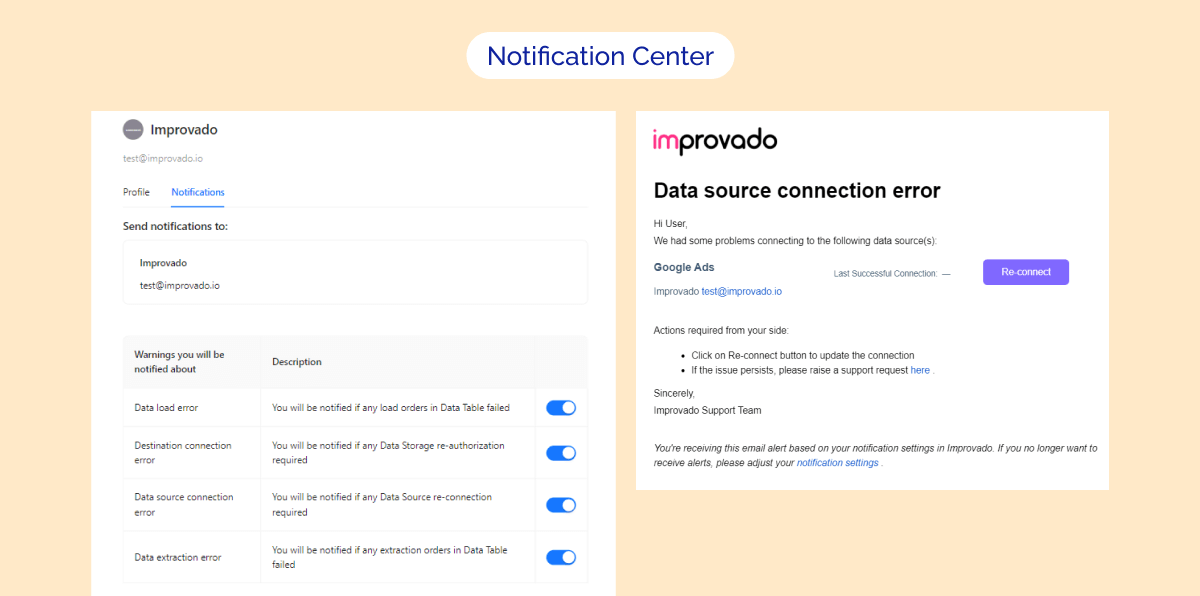
MCDM User Interface improvements 🚀
Get more insight into your data with the new Recipe Observability 🔥
4 building blocks to get your transformed data:
- Connections. Connect your third-party platform accounts to Improvado. If you don't see the one you need among them, just request it!
- Input. Set up data extraction. Your extraction orders grouped by data source are an input for the Recipe.
- Mapping. Customize the mapping. if you find it difficult, you can always ask for help via our Service Desk.
- Output. Push your transformed data to the destination to visualize it on the dashboard.
.png "MCDM Recipe Observability page for a UTM Audit recipe")
New API integrations 🧩
We have added 6 new data sources with the following report types:
Northbeam
- Ads Platform report type
- Ads Platform Media Buyer report type
YouGov
- Analyses By Region report type
LightspeedVT
- Training Info report type
- Location Signins report type
Spotify Ads
- Ads report type
Byyd
- Campaigns report type
Piwik PRO
- Campaign Page City Device report type
- Campaign Page City Device Goal report type
Check Improvado Data Dictionary to see detailed information about these and other report types and their metrics.
API changes ⚙️
Google Ads
We have upgraded our Google Ads API to v14.
For more information, see Google Ads API documentation.
Shopify
We have upgraded our Shopify API to v2023-04.
For more information, see Shopify API documentation.
New Report Types 📊
The following report types are available starting this month:
Slickjump
- Campaign Stat report type
June 2023
New way to extract your data from GA4 ⭐
Google Analytics 4 API configurator allows you to create custom extraction templates with flexible dimension settings.
There is no binding to the data structure specified in Improvado. Any set of compatible dimensions and metrics allowed in the GA4 API is available for extraction.
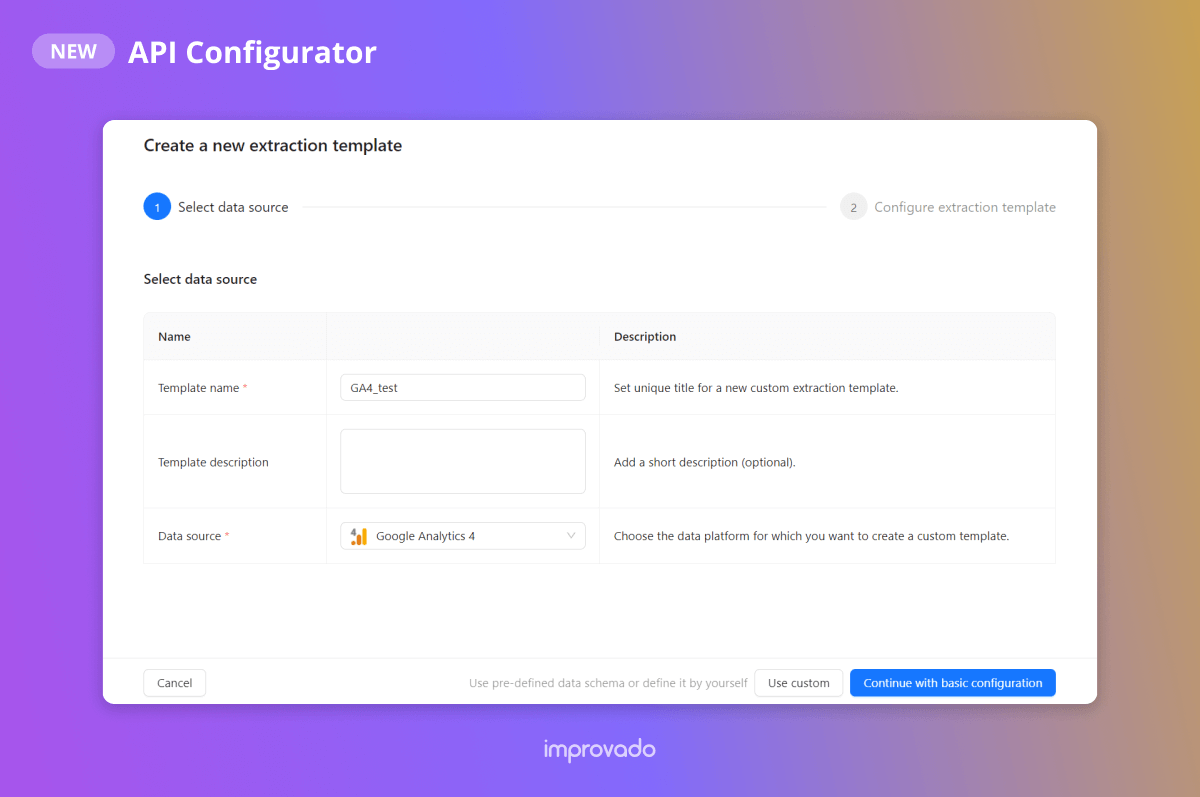
Marketing Dashboard 2.0 is available! 📊
We’ve also created two new Recipes specifically for this dashboard, and now, Marketing Dashboard consists of four Recipes:
- Paid Social (New) / Documentation
- SEO (New) / Documentation
- Paid Search / Documentation
- Organic Social / Documentation
Contact your Customer Success Manager for more details.
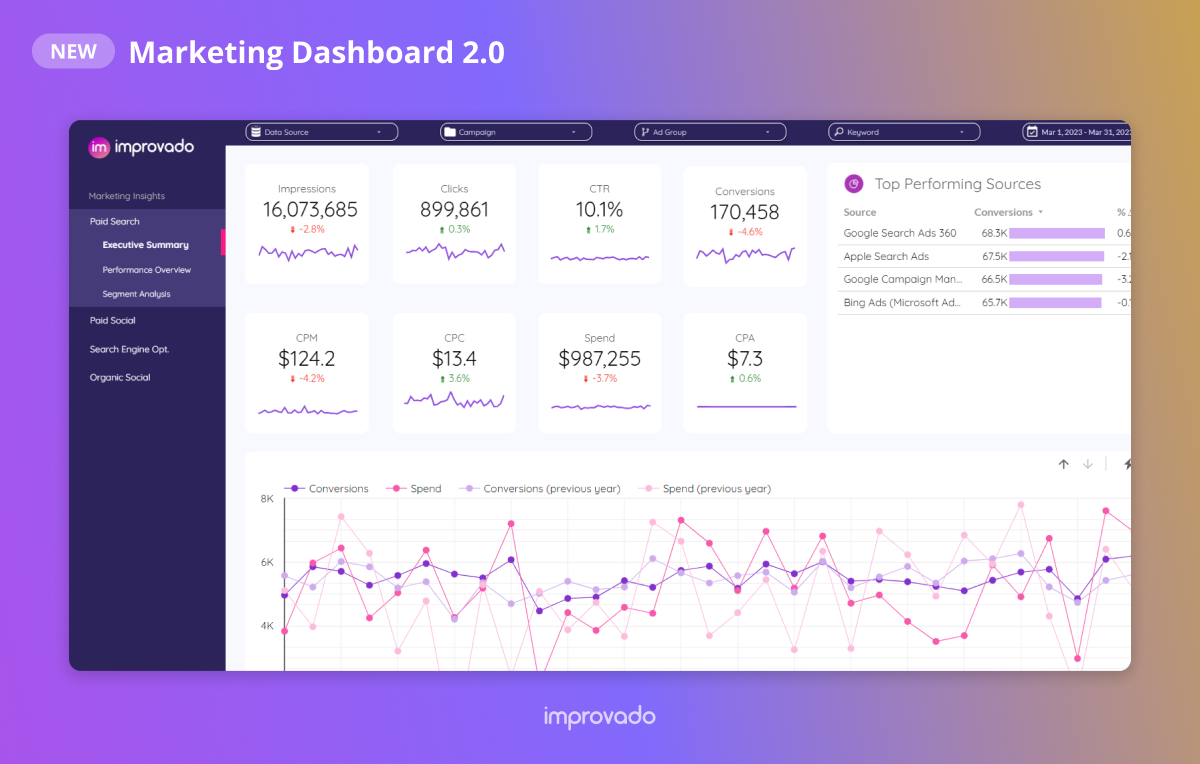
MCDM updates ⚡
- Mapping for StackAdapt and Reddit was extended
- Model and mapping for Organic Recipe were adjusted
Attribution updates ✨
- Hubspot meetings were added to Improvado Attribution
New API integrations 🧩
We have added a new data source with the following report types:
AppTweak
- Store Performance Google Play report type
- App Store Performance by Acquisition Channel report type
Check Improvado Data Dictionary to see detailed information about these and other report types and their metrics.
API changes ⚙️
Pinterest Ads & Pinterest Organic
We have upgraded our Pinterest API to v5.
For more information, see Pinterest Ads API documentation.
Google Ad Manager
We have upgraded our Google Ad Manager API to v202302.
For more information, see Google Ad Manager API documentation.
Apple Search Ads
We have upgraded our Apple Search Ads API to v4.8.
For more information, see Apple Search Ads API documentation.
Klaviyo
We have upgraded our Klaviyo API to v2023-02-22.
For more information, see Klaviyo API documentation.
New Report Types 📊
The following report types are available starting this month:
Bing Ads (Microsoft Advertising)
- Ads Entity report type
Google Analytics 4
- Ecommerce With Transaction ID report type
Google Campaign Manager (by Advertiser)
- Ads Roadblock Geo report type
- Ads Roadblock Activity Geo report type
Mountain
- DMA report type
May 2023
Marketing Attribution Product Launch 🚀
See the true value of every marketing touchpoint. Connect all dots between marketing, sales, and finance data to calculate LTV, forecast ARR, optimize bidding strategies, and precisely measure the ROI of your campaigns.
We also developed new dashboards for B2C and B2B. Contact your Customer Success Manager for more details.
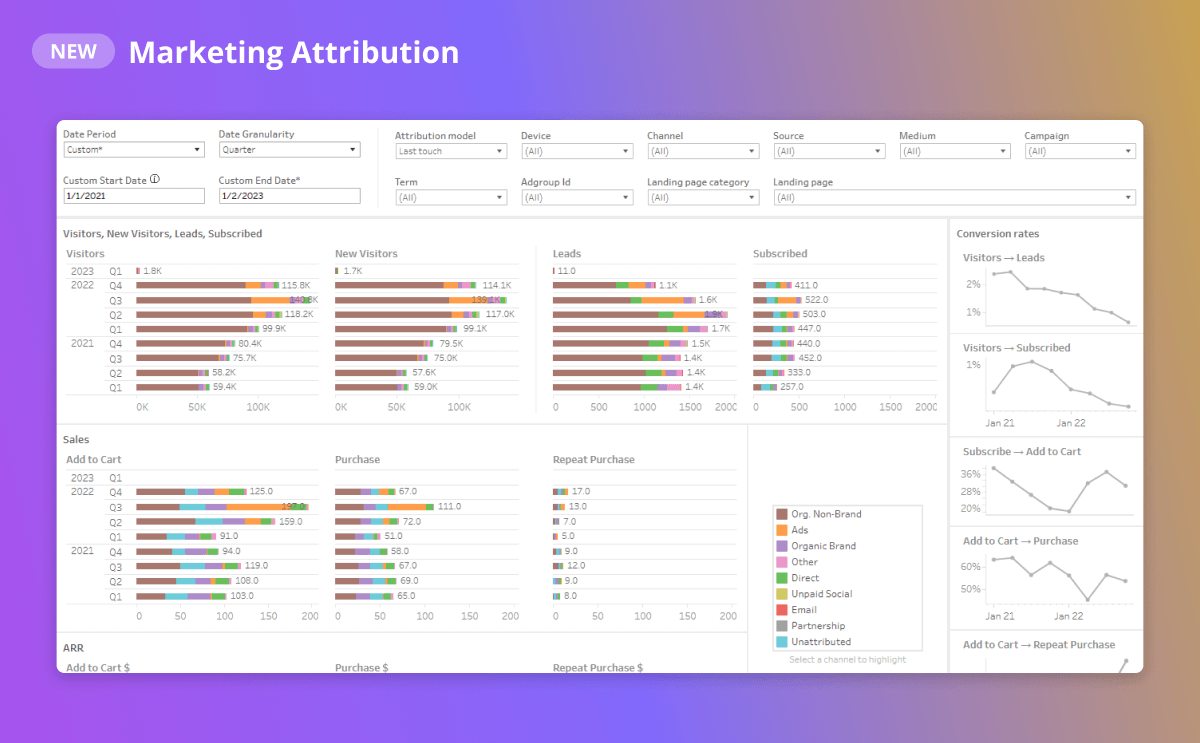
MCDM User Interface improvements 🎉
Production dashboards for your Recipes 📊
We’ve added Production Dashboards for MCDM Recipes. You can find Production Dashboards on Overview and Resources tabs of a Recipe.
If you want to have a link to your dashboard in UI - please contact your Customer Success Manager.
Data Extraction updates 🎉
Google Analytics 4 Migration Kit ⏩
We’ve created Migration Kit to easily combine your old UA and new GA4 data.
After the sunset of Google Universal Analytics, you can continue to use existing reports from UA with new data from GA4.
Our Google Analytics 4 Migration Kit allows you to:
- Save time and eliminate the need to perform your own mapping from UA to GA4.
- Ensure continuity by using existing reports from UA with new data from GA4
- Mitigate downstream changes and continue to use existing dashboards with UA tables.
- Preserve historical data by using account naming from both GA4 and UA, within the same table.
Make sure to contact your Customer Success Manager for more details.
MCDM updates ⚡
- Two new Data Sources were added to Paid Ads Recipe: Taboola and Mountain
API changes ⚙️
The Trade Desk API
We have upgraded our The Trade Desk API to v3 (April 7, 2023).
For more information, see The Trade Desk API documentation.
LinkedIn Ads
We have upgraded our LinkedIn Ads API to v202304.
For more information, see LinkedIn Ads API documentation.
New Report Types 📊
The following report types are available starting this month:
Google Search Ads 360
- Campaign Engine Device report type
Google Campaign Manager (by Advertisers)
- Ads Roadblock Activity report type
Google Ads
- Ad Group Phone Calls report type
Google Ad Manager
- Geo Lineitems City report type
April 2023
Data Loading improvements 🎉
Google Big Query managed by Improvado
.png)
GBQ managed by Improvado is a feature that speeds up the creation process of GBQ instances and makes it much easier.
Data Visualization improvements 🎉
The new Clickhouse JDBC connector for Tableau
The new Clickhouse JDBC connector for Tableau greatly simplifies the process of connecting the Tableau platform to Improvado.
MCDM improvements ⚡
The new version of MCDM User Interface
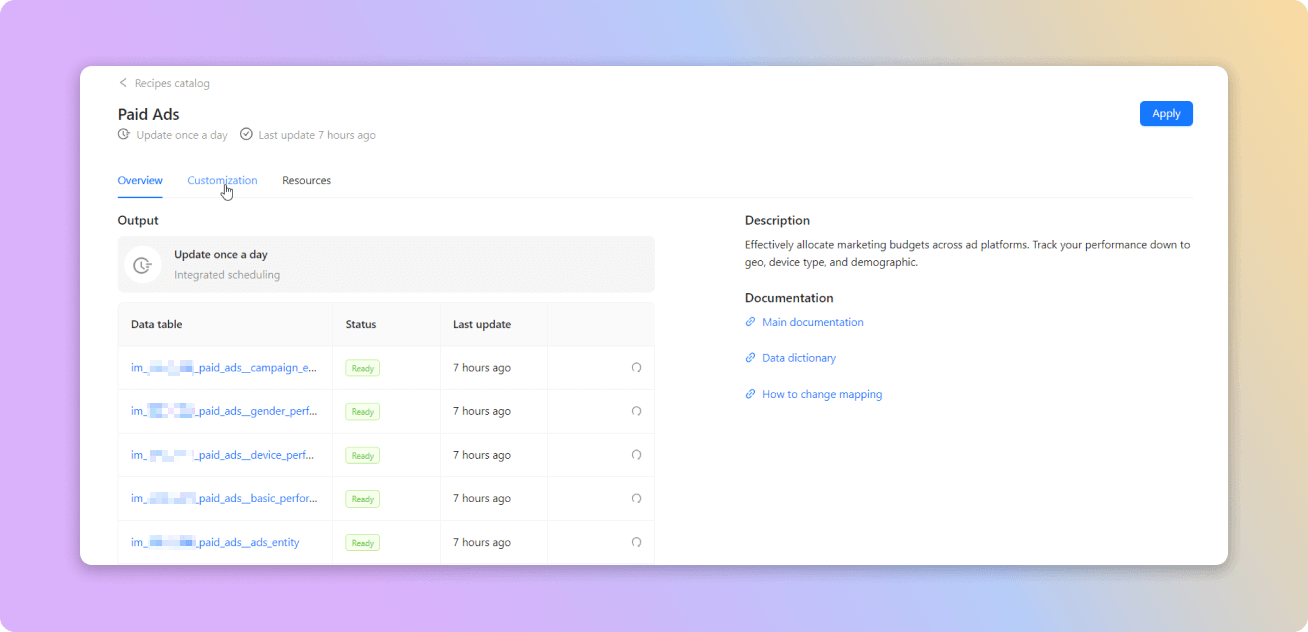
The new version of MCDM UI has improved UI & UX and provides the following features:
- The new entity - Resources.
Each Recipe can have multiple Resources such as Demo Dashboards and Data Dictionary - Output data tables for the successfully built Recipe
- BI Demo Dashboards
- The Recipe's update schedule is now displayed in the UI
- Updated documentation links in the UI
Mapping updates
- You will get your data faster thanks to incremental load for all recipes.
It significantly improves data load speed and reduces the workload on our infrastructure - New TikTok mapping was added in Paid Ads Age & Paid Ads Gender performance reports
- Simplified the process of adding new fields and changing report types in MCDM mapping
Normalization updates
- Optimized determination of the age groups in MCDM Age Normalization.
Now the groups that were marked not identified will be presented as separate age groups
API changes ⚙️
Google Ads
We have upgraded our Google AdsAPI to v13.
For more information, see Google Ads API documentation.
New Report Types 📊
The following report types are available starting this month:
Marketo
- Segments report type
- Segmentations report type
- Leads by Program ID report type
- Companies report type
Everflow Affiliate API
- Conversions report type
Google Analytics 4
- Device UTM report type
Amazon Seller Central
- Repeat Purchase Month report type
Salesforce
- Campaign report type
Criteo Retail Media
- Line Item Products report type
Google Campaign Manager (by Advertiser)
- Ads Roadblock report type
MNTN
- Creatives report type
March 2023
MCDM improvements 🎉
New version of the Marketing Common Data Model User Interface
Now you can manage the recipes available for you (e.g., apply changes in custom mapping) and check the status of your models, look through the list of other recipes and, request them in one click!
See the available recipe templates →
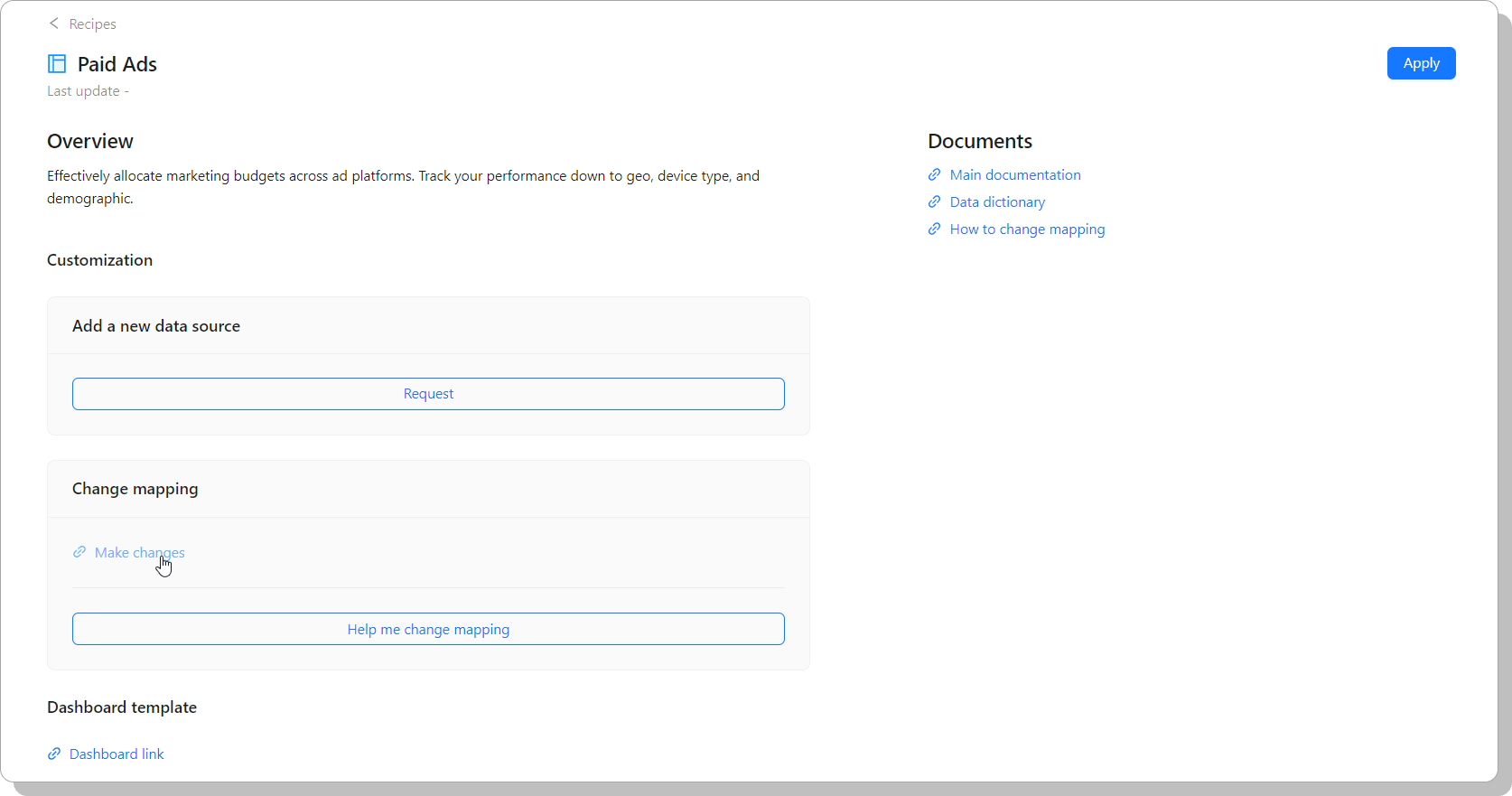
New Paid Ads Google Analytics Recipe
The Paid Ads Google Analytics Recipe provides analytics on marketing channel performance with granularity on web analytics metrics such as users, sessions, events, purchase, and revenue.
Read the Paid Ads and Google Analytics recipe guide →
New eCommerce Recipe
The eCommerce Recipe allows you to join data with the eCommerce data In particular, the following sources are available:
- Shopify (joined by UTMs)
- Amazon Advertising
- Amazon Selling Central
- Amazon Vendor Central
Read the eCommerce recipe guide →
Data Loading improvements 🎉
Workload Identity Federation authentication
We’ve implemented Workload Identity Federation authentication type for Google Big Query and Google Cloud Storage. This approach eliminates the maintenance and security burden associated with service account keys.
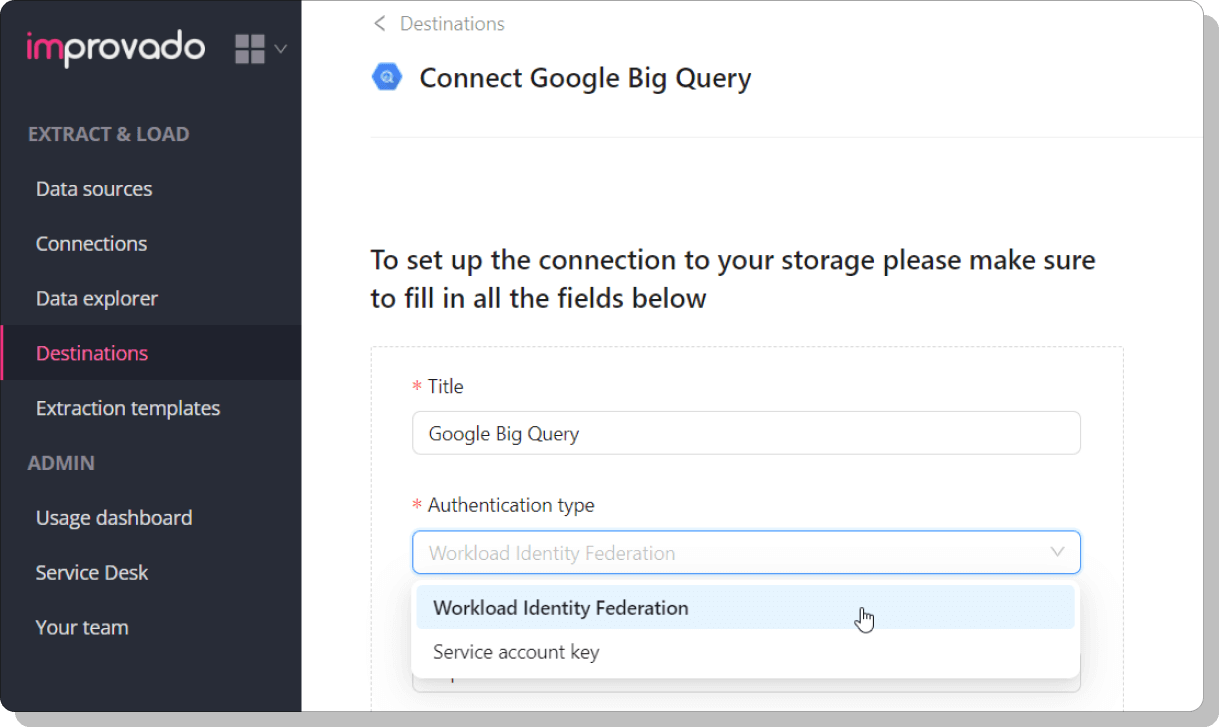
Service Desk improvements 🎉
Feedback or suggestion request type
The new Feedback or suggestion request type is now available via Improvado Service Desk.
Read how to submit feedback →
New API integrations 🧩
We have added three new data sources with the following report type:
Rokt
- Campaigns report type
Salsify
- Products report type
iSpot
- Publisher Lift report type
- Conversion Types report type
- Publisher Campaign Creative report type
Check Improvado Data Dictionary to see detailed information about these and other report types and their metrics.
API changes ⚙️
LinkedIn Ads
We have upgraded our LinkedIn Ads API to v202302.
For more information, see LinkedIn Ads API documentation.
TikTok Ads
We have upgraded our TikTok Ads API to v1.3.
For more information, see TikTok Ads API documentation.
Amazon Advertising
We have upgraded our Amazon Advertising API to v3.
For more information, see Amazon Advertising API documentation.
New Report Types 📊
The following report types are available starting this month:
Dotdigital
- Campaign Opens report type
Youtube Organic
- Audience Retention report type
Marketing Cloud Account Engagement (Pardot API)
- Form Entity report type
Amazon Attribution
Amazon Vendor Central
Mixpanel
- Events report type
- Revenue By Store report type
February 2023
Single Sign-On (SSO) - Azure & Okta 🎉
We’ve added an option to log in to Improvado via your Azure/Okta account!
Check out guides for setting up SSO or contact your Customer Success Manager for more details.
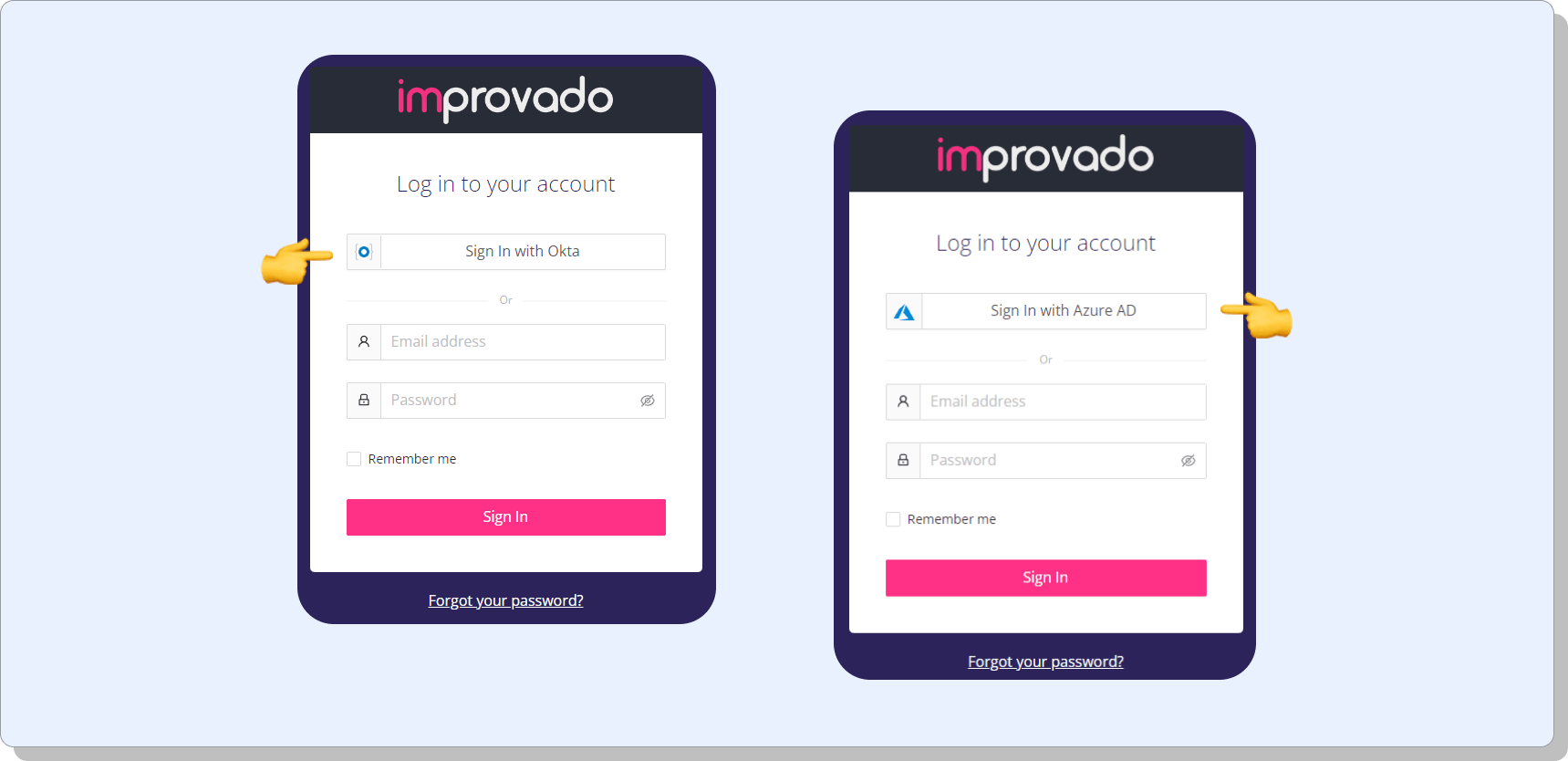
New API integrations 🧩
We have added four new data source with the following report types:
MNTN
- Campaign Group report type
Sharepoint
- Platform Budgets report type
- QGP Code Library report type
IQM
- Campaigns by Counties and Zip Codes report type
Tubular Labs
- Video Trends Summary report type
Check Improvado Data Dictionary to see detailed information about these and other report types and their metrics.
API changes ⚙️
AppsFlyer
We have upgraded our AppsFlyer API to v2.
For more information, see AppsFlyer API documentation.
Google My Business
We have upgraded our Google My Business API to v1.
For more information, see Google My Business API documentation.
The Trade Desk API
We have upgraded our The Trade Desk API to v3 (October 28, 2022).
For more information, see The Trade Desk API documentation.
We have upgraded our TwitterAPI to v12.
For more information, see Twitter API documentation.
New Report Types 📊
The following report types are available starting this month:
Marketing Cloud Account Engagement (Pardot API)
- Email List Statistics report type
Google Analytics 4
- Age Gender report type
January 2023
Data Extraction improvements 🎉
Extraction Template filter by properties/dimensions
Now you can filter global/custom extraction templates by properties/dimensions without leaving the data extraction flow!
Read how to choose extraction templates →
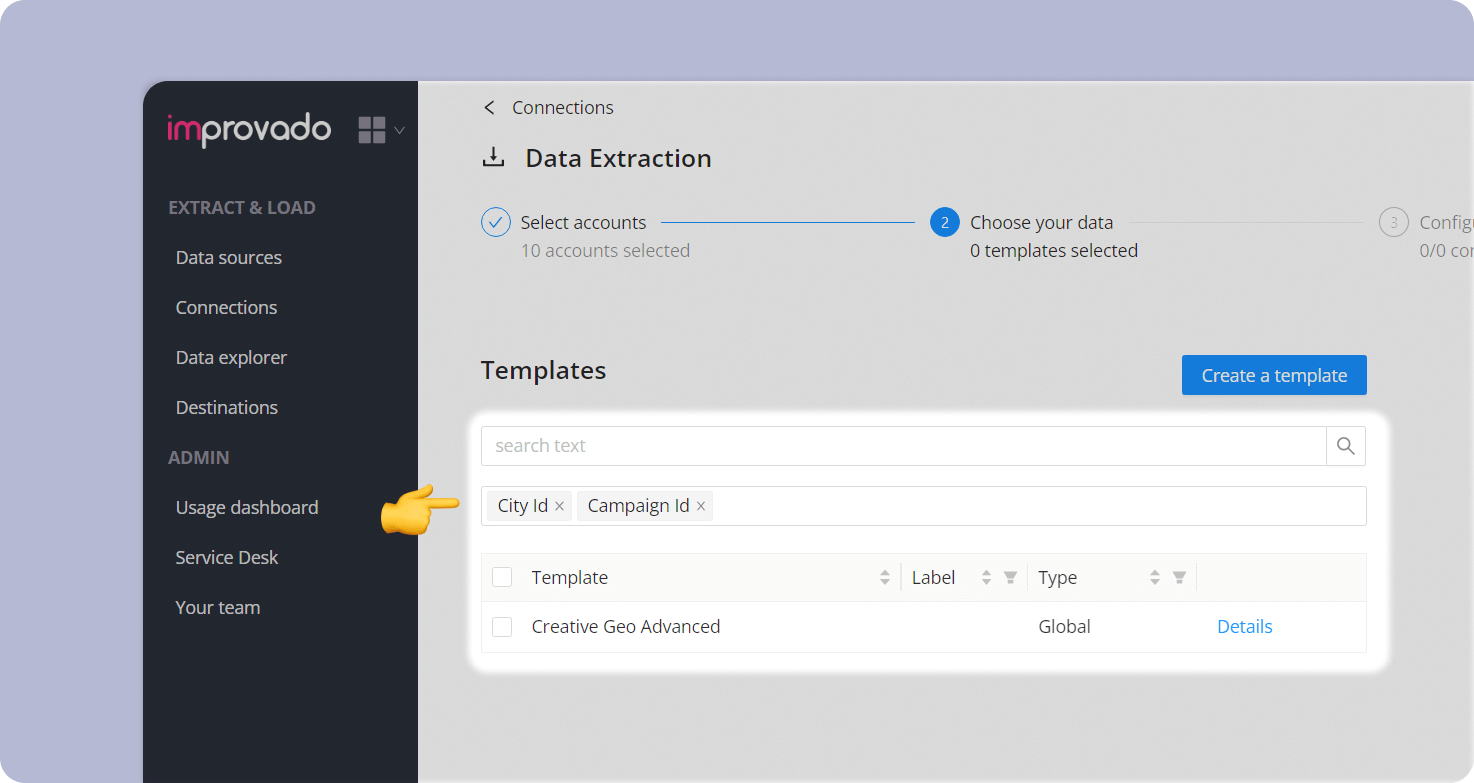
New API integrations 🧩
We have added a new data source with the following report type:
Remerge
- Ads report type
Sticky.io
- Active Campaigns report type
- Orders by created date report type
- Orders by modified date report type
Check Improvado Data Dictionary to see detailed information about these and other report types and their metrics.
API changes ⚙️
Facebook API
We have upgraded our Facebook API to v15.
This change affects the following data sources:
- Facebook Pages
- Instagram Stories and Mentions
- Instagram Organic
- Instagram Hashtag
For more information, see Facebook API documentation.
New Report Types 📊
The following report types are available starting this month:
Hubspot
- Companies report type
Google Analytics 4
- Session Campaign Adgroup report type
Xandr
- Advertiser Analytics report type
December 2022
New API integration
We have added a new data source with the following report type:
illumin
- Journey Creative City Device report type
Check Improvado Data Dictionary to see detailed information about these and other report types and their metrics.
API change
Google Ad Manager
We have upgraded our Google Ad Manager API to v202211.
For more information, see Google Ad Manager API documentation.
New Report Types
The following report types are available starting this month:
Google Ads
- Landing Page Conversion Action report type
Google Analytics
- eCommerce Brand report type
Apple Search
- Entity Creatives report type
- Ads report type
November 2022
New API integrations
We have added two new data sources with the following report types:
Meltwater
- Analytics Summary Weekly report type
- Top Shared Weekly report type
- Top Keyphrases report type
- Top Entities Weekly report type
Data AI. Intelligence
- App History report type
- App Usage History report type
- App Details report type
- Countries report type
Check Improvado Data Dictionary to see detailed information about these and other report types and their metrics.
API changes
We have upgraded our Twitter API from v10 to v11.
For more information, see Twitter API documentation.
Apple Search
We have upgraded our Apple Search API to v4.6.1.
For more information, see Apple Search API documentation.
Google Display&Video 360
We have upgraded our Google Display&Video 360 API from v1.1 to v2.
For more information, see Google Display&Video 360 API documentation.
LinkedIn Ads
We have upgraded our LinkedIn Ads API from v202208 to v202211.
For more information, see LinkedIn Ads API documentation.
New Report Types
The following report types are available starting this month:
Google Universal Analytics
- Page Geo Source Campaign report type
- UTM Events report type
Hubspot
- Deals report type
- Associations report type
Google Ads
- Click Tracking Template report type
- Conversion Tracking Template report type
Adjust API
- SKAD Network Conversions report type
Salesforce Marketing Cloud
- Custom PrincipalDElog report type
Google My Business
- Location Attributes report type
October 2022
New API integrations
We have added four new data sources with the following report types:
Dot Digital
- Campaign Clicks report type
- Campaign Summary report type
Tableau
- Users report type
Everflow Affiliate API
- Offers by source report type
NetBase
- Topics report type
- Topic Statistics report type
Check Improvado Data Dictionary to see detailed information about these and other report types and their metrics.
API changes
Shopify
We have upgraded our Shopify API from v2022-07 to v2022-10.
For more information, see Shopify API documentation.
LinkedIn Ads
We have upgraded our LinkedIn Ads API from v202207 to v202208.
For more information, see LinkedIn Ads API documentation.
New Report Types
The following report types are available starting this month:
Google Ads
- Landing Page report type
- Landing Page Conversion Category report type
- Campaign Shopping Brand report type
Outbrain
- Campaign by Section report type
Apple Search
- Adsets Country or Region report type
- Adsets Keywords Geo report type
The Trade Desk Api
- Inventory Performance Custom report type
Marketo
- Tags report type
- Program Costs report type
- Program Tags report type
Google Analytics 4
- Session Campaign report type
- Campaign Event report type
You can find detailed information about these and other report types and their metrics in the Data Dictionary.
September 2022
New API integrations
We have added four new data sources with the following report types:
SlickJump
- Campaigns report type
Voluum
- Conversions report type
Adthena
- Keywords Frequency Avgposition report type
- Keywords Clicks Competitors report type
STAT Search Analytics
- Keywords Rank report type
New Report Types
The following report types are available starting this month:
Google Analytics 4 (Analytics Data API)
- Session Manual Term report type
- Session Manual Term Transaction ID report type
- Session Source Campaign report type
- Events Source report type
Marketo
- Leads (last day) report type
Google Universal Analytics
- Adwords Source Medium report type
- Page Geo Campaign report type
Adjust API
- Сreative Сustom Events Country report type
Outreach
- Templates report type
- Accounts report type
Klaviyo
- Unique Metrics by Campaign Month report type
- Unique Metrics by Flow Month report type
- Campaign Stats report type
You can find detailed information about these and other report types and their corresponding metrics in the Data Dictionary.
August 2022
New API integrations
We have added two new data sources with the following report types:
Amazon Selling Partner
- Orders Status by Creation Date report type
- Orders by Creation Date report type
ShareASale
- Transaction Detail report type
API changes
Yahoo Gemini
We have upgraded our Yahoo Gemini API to v3.
For more information, see Yahoo Gemini API documentation.
Shopify
We have upgraded our Shopify API to v2022-07.
For more information, see Shopify API documentation.
Google Ads
We have upgraded our Google Ads API to v11.0.
For more information, see Google Ads API documentation.
Google Campaign Manager
We have upgraded our Google Campaign Manager API to v4.0.
For more information, see Google Campaign Manager API documentation.
New Report Types
The following report types are available starting this month:
Google Universal Analytics
- Ad Group Geo Performance with Goals report type
TV Squared
- Spots report type
TikTok Ads
- Ads DMA report type
Google Search Ads 360
- Ads Dimensions report type
Impact Radius
- Adv Action Listing Pm Only report type
Marketo
- Program Members report type
You can find detailed information about these and other report types and their corresponding metrics in the Data Dictionary.
July 2022
New API integrations
We have added a new data source:
Mercado Libre
- Campaigns report type
New Report Types
The following report types are available starting this month:
Pinterest Ads
- Promoted Pins report type
Yandex Direct
- Entity Campaign report type
You can find detailed information about these and other report types and their corresponding metrics in the Data Dictionary.
June 2022
New API integrations
We have added two new data sources with the following report types:
Brandwatch
- Top Authors report type
- Twitter Insights report type
- Total Mentions report type
- Topics report type
Pardot API
- Visitor Activity report type
- Prospects report type
- Prospect Accounts report type
- Opportunity report type
- Campaign report type
API changes
Criteo
We have upgraded our Criteo API from v2022.01 to v2022.04.
For more information, see Criteo API documentation.
Amazon MWS API
All new API functionality is built in SP-API, with updates to Amazon MWS only to support business-critical changes. Now many report types are not available.
So, we recommend you connect the new Amazon Selling Partner for Sellers data source instead of Amazon MWS.
New Report Types
The following report types are available starting this month:
Marketo
- Program Members report type
Basis Platform API
- Conversion Entity report type
AppsFlyer
- Daily Partners Report (User Acquisition) report type
- Daily Partners Report (Retargeting) report type
Bing
- Campaign Goal report type
Outreach
- Sequences report type
- Tasks report type
- Users report type
- Ads Creative Platform Position report type
Google Ads
- Geo Adgroups State City report type
You can find detailed information about these and other report types and their corresponding metrics in the Data Dictionary.
May 2022
New API integrations
This month we have added some new providers for you:
Convertr
- Lead Data report type
- Leads report type
Outreach
- Prospects report type
- Sequences report type
- Tasks report type
- Users report type
Zemanta
- Campaign Performance report type
New Report Types
Google Ads
- Ads Keywords Conversions report type
- Geo Campaign Conversions report type
- Conversions report type
Yext
- Reviews Entities (last day) report type
TikTok Ads
- Account Monthly report type
Google Analytics
- GA Sessions ISO Weekly report type
- Ads Creative Platform Position report type
Google Analytics 4 (Analytics Data API)
- Geo Device Keyword UTM report type
- Device Events UTM report type
Yahoo DSP
- Exchange Deal DMAs report type
You can find detailed information about these and other report types and their corresponding metrics in the Data Dictionary.
April 2022
New API integrations
This month we have added a new Freshdesk data source with the following report type:
- Contacts
API changes
Google Ads API
We have upgraded our Google Ads API from version v9 to v10.
For more information, see Google Ads API documentation.
New Report Types
The following four report types are available starting this month:
Sizmek SAS
- Search Conversions report type
- We've added a new dimension: Search Campaign Type
Salesforce Market Cloud
- Custom Acct Send Summary (last day) report type
Pinterest Ads
- Campaigns report type
Marketo
- Activity types (last day) report type
- Programs (last day) report type
March 2022
New API integrations
This month we have added a new provider:
Capterra
- Clicks (daily) report type
New Report Types
Sizmek SAS
- Campaign Lifetime Unique report type
Kenshoo
- Social Details report type
Google Ads Beta API
- Custom Audiences report type
Google Search Ads 360
- Geo report type
- Geo Activity report type
- Adgroups Device report type
AdFox
- Banner Events report type
- Banner Reach report type
API changes
Criteo API
We have upgraded our Criteo API from version v2021.07 to v2022.01.
For more information, see Criteo API documentation.
Yahoo Gemini API
We have upgraded our Yahoo Gemini API from version v2 to v3.
For more information, see Yahoo Gemini API documentation.
Facebook API
We have upgraded our Facebook API from version v.12.0 to v.13.0.
For more information, see Facebook API documentation.
February 2022
New API integrations
This month we have added some new providers for you:
CDS Bridge Lite API
- Registrants by date report type
Adjust API
- Creative Geo report type
New Report Types
AdFox
- Banner Performance report type
Amazon MWS
- Mbop Recommended Products report type
Stripe
- Sales Orders report type
- Transactions report type
Snapchat
- Ads Position report type
- Entity Campaigns report type
Klaviyo
- Campaigns report type
Yahoo DSP
- Entity Creatives report type
- Creative Site report type
Google Campaign Manager (by Advertisers)
- Floodlight Impressions report type
January 2022
New API integrations
This month we have added some new providers for you:
Criteo Retail Media
- Campaign Activity report type
- Activity By SKU report type
Yahoo DSP
- Creative Device report type
Adobe Analytics Data Feed
- All Fields report type
- All Fields No LookUp report type
You can find detailed information about these and other report types and their corresponding metrics in the Data Dictionary.
API changes
We have upgraded our Facebook connector from version v11 to v12 of the Facebook API.
For more information, see Facebook API documentation.
Google Ads Beta API
We have upgraded our Google Ads Beta API from version v8 to v9.
For more information, see Google Ads API documentation.
Appsflyer SKADnetwork
We have upgraded our Appsflyer SKADnetwork connector from version v1 to v2 of API.
For more information, see Appsflyer SKADnetwork API documentation.
December 2021
New API integrations
This month we have added some new providers for you:
Rakuten Advertising (available only on request)
- Affiliate Order Detail report type
Contact your Customer Success Manager for more info.
InfoPlus
- Inventory Detail report type
- Lifetime Insights report type
- Daily Insights report type
API changes
Criteo
We have upgraded our Criteo connector from version v2021.04 to v2021.07 of the Criteo API.
For more information, see Criteo API documentation.
DCM, DCM by Advertiser and DCM by Profile
We have upgraded our DCM connectors from version v3.4 to v3.5.
For more information, see Campaign Manager 360 API documentation.
New Report Types
Google Campaign Manager (by Advertiser)
- Placements Roadblock report type
You can find detailed information about these and other report types and their corresponding metrics in the Data Dictionary.
November 2021
New API integration
We have added a new provider:
Zignal Labs
- Key metrics report type
- Newsroom Stories report type
API changes
Google My Business
We have upgraded our Google My Business API to v4.9.
For more information, see Google My Business API documentation.
Pinterest Organic
We have expanded the functionality of generating accounts and now we create not only the main account, but also shared accounts.
Facebook's default attribution window has been changed to 7-day click or 1-day view for the campaigns created after September 23, 2021.
For more information, see Attribution Setting documentation.
New Report Types
These new report types are available for you from this month:
Google Analytics
- User Gender report type
- Ecommerce Campaign Cust Dim2 report type
Shopify
- Gift Cards report type
- Product Variants report type
Google Ads
- Googleclick Ads report type
- Conversions report type
DCM by Advertiser
- Ads Placement Sites Geo report type
- Cross Device report type
You can find detailed information about these and other report types and their corresponding metrics in the Data Dictionary.
October 2021
New API integration
We have added new providers:
Appsflyer SKADnetwork
- Ads Target report type
Google Analytics 4 (Analytics Data API)
- Events report type
New Report Types
These new report types are available for you from this month:
OZON
- Entity Campaign report type
Yandex Direct
- Кeywords report type
Google Ads
- Campaign Lifetime Reach report type
You can find detailed information about these and other report types and their corresponding metrics in the Data Dictionary.
September 2021
New API integrations
We have added two new providers:
Campaign Monitor
- Email Opens report type
- Email Clicks report type
- Campaign Summary report type
Buzzoola
- Creatives report type
You can find detailed information about these and other report types and their corresponding metrics in the Data Dictionary.
API changes
VK Ads and VK Groups
We have upgraded our VK Ads and VK Groups connectors from version 5.71 to v5.131 of the VK API.
For more information, see VK API documentation.
Google Ads Beta API
We have upgraded our Google Ads Beta API from version v6 to v8.
For more information, see Google Ads API documentation.
We have upgraded our Twitter provider connectors from version v8 to v9 of the Twitter Ads API.
This affected the Promoted Tweets With Cards and Promoted Tweets Country Metro report types:
- Card Type metric has become deprecated.
For more information, see Twitter Ads API documentation.
Snapchat Ads
In the Ads By Hour report type the following metrics have become deprecated:
- Attachment Frequency
- Attachment Uniques
- Frequency
- Uniques
Google Ads and YouTube
Due to the deprecation of Automatic Placements Performance Report in the AdWords API we have changed two report types:
Google Ads
- Adsets Placements report type
YouTube
- Placements report type
To continue accessing these reports, we have migrated to Google Ads API and created the following report types:
Google Ads Beta API
- Managed Placement report type
- Group Placement report type
Learn more about the changes in the Google Ads Developer Blog.
Amazon Advertising
We have changed the logic of creating Account Name and display the new one for the Seller profiles.
New Report Types
The following new report types are available from this month:
StackAdapt
- Ads Buyer Account report type
Taboola
- Creative report type
TikTok Ads
- Ads Age Gender report type
For more information, see Data Dictionary.
August 2021
API changes
Google Ad Manager
We have upgraded our Google Ad Manager provider from version v202008 to v202105 of the Google Ad Manager API.
For more information, see Google Ad Manager API documentation.
July 2021
New API integrations
This time our team added a new TikTok Ads data source with 5 report types:
- Ads
- Ad Entity
- Adgroup Entity
- Ads Geo
- Campaign Entity
You can find detailed information about these and other report types and their corresponding metrics in the Data Dictionary.
June 2021
New API integrations
During the past month we have added 10 new connectors:
Unbounce
- Pages Lifetime report type
Rambler Leto
- Flights report type
Advantage
- Media Orders report type
Spotify Organic
- User Info report type
Deputy
- Timesheet report type
- Roster report type
RealEstate
- Project Listing Performance report type
- Project Page Performance report type
- Ads report type
Hybrid.ai
- Campaign report type
Domain
- Projects Enquiries report type
- Project Listings report type
LiveIntent
- Age Gender Device report type
- Placement report type
- Campaign report type
- Creative report type
You can find detailed information about these and other report types and their corresponding metrics in the Data Dictionary.
May 2021
New API integrations
New month, new integrations!
Today we have a new Placed provider with 2 report types:
- Campaign
- Campaign Total
You can find detailed information about these and other report types and their corresponding metrics in the Data Dictionary.
API changes
Criteo
Since May 24th, 2021 Criteo deprecated the previously functional MAPI service, which may cause inconsistencies in the Criteo data extraction process. Learn more in the Improvado documentation.
April 2021
New API integrations
This time we want to tell you about DialogTech API integration.
For it we can provide the following report types:
- Phone Labels
- Call detail
Use Improvado Data Dictionary to find detailed information about these and other report types and their corresponding metrics.
API changes
Since April 27th the Facebook's default attribution window has been changed to 7-day click.
Learn more in Facebook updated the attribution window settings.
February 2021
New API integrations
Hi! Five new integrations on board:
Google Ads Beta API
- Ads Assets Device report type
- Geo Adgroups report type
Sizmek SAS
- Geo report type
- Ads report type
- Campaigns report type
- Hourly report type
- Ad Placement Sites report type
- Frequency Weekly report type
- Ad Conversions report type
- Device Monthly report type
RedTrack
- Conversion Info report type
Performance Marketing Lab
- Campaign report type
Zendesk
- Ticket Metrics report type
- Ticket Metric Events report type
- Entity Tickets report type
- Entity Users report type
You can find detailed information about these and other report types and their corresponding metrics in the Data Dictionary.
No updates match the selected filters.