

January 2025
New API integrations 🧩
We have added 2 new data sources with the following report types:
Singular
- Cohort Metrics Entity report type
- Conversion Metrics Entity report type
- Custom Dimensions Entity report type
Amazon Marketing Cloud
- Workflow Report with Date Selection report type
- Workflows Entity report type
API changes ⚙️
We have upgraded our Facebook API to v21. For more information, see Facebook API documentation.
This change affects the following data sources:
- Facebook Ads
- Facebook Pages
- Instagram Hashtag
- Instagram Organic
- Instagram Webhooks
Google Ads
We have upgraded our Google Ads API to v18.
For more information, see Google Ads API documentation.
New Report Types 📊
The following report types are available starting this month:
Amazon Advertising DSP
- Targets Entity report type
Bing Ads (Microsoft Advertising)
- Audience Performance Report report type
Facebook Ads
- Conversions report type
Facebook Pages
- Stories Entity report type
Google Ads
- Customer Manager Link Entity report type
- Web Page View report type
Harvest
- Users Entity report type
Linkedin Ads
- Ad Video Preview report type
- Videos Entity report type
- Ad Image Preview report type
- Images Entity report type
- Posts Entity report type
- Campaigns Entity report type
- Creatives Entity report type
ShipHero
- Shipments report type
- Allocation Line Items report type
- Order Line Items report type
- Orders report type
Custom Wizard Transformation
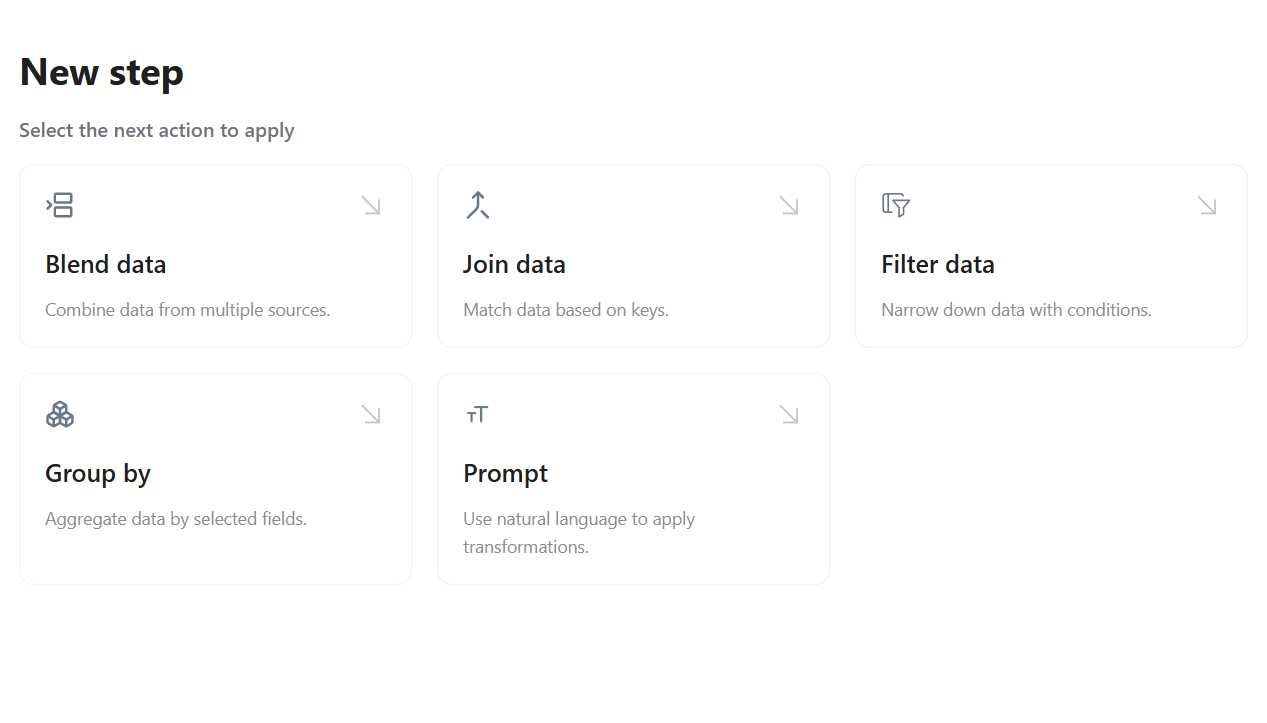
We're excited to introduce the new Custom Wizard feature, empowering you to build custom transformations by assembling modular workflow steps tailored precisely to your needs. With complete control at your fingertips, you can easily create a blank template, add and manage a variety of steps—like blending, filtering, joining, and grouping data—and adjust each step on the fly. Elevate your data transformation process with a tool designed to make your data actionable and analysis-ready.
Shareable Dashboards
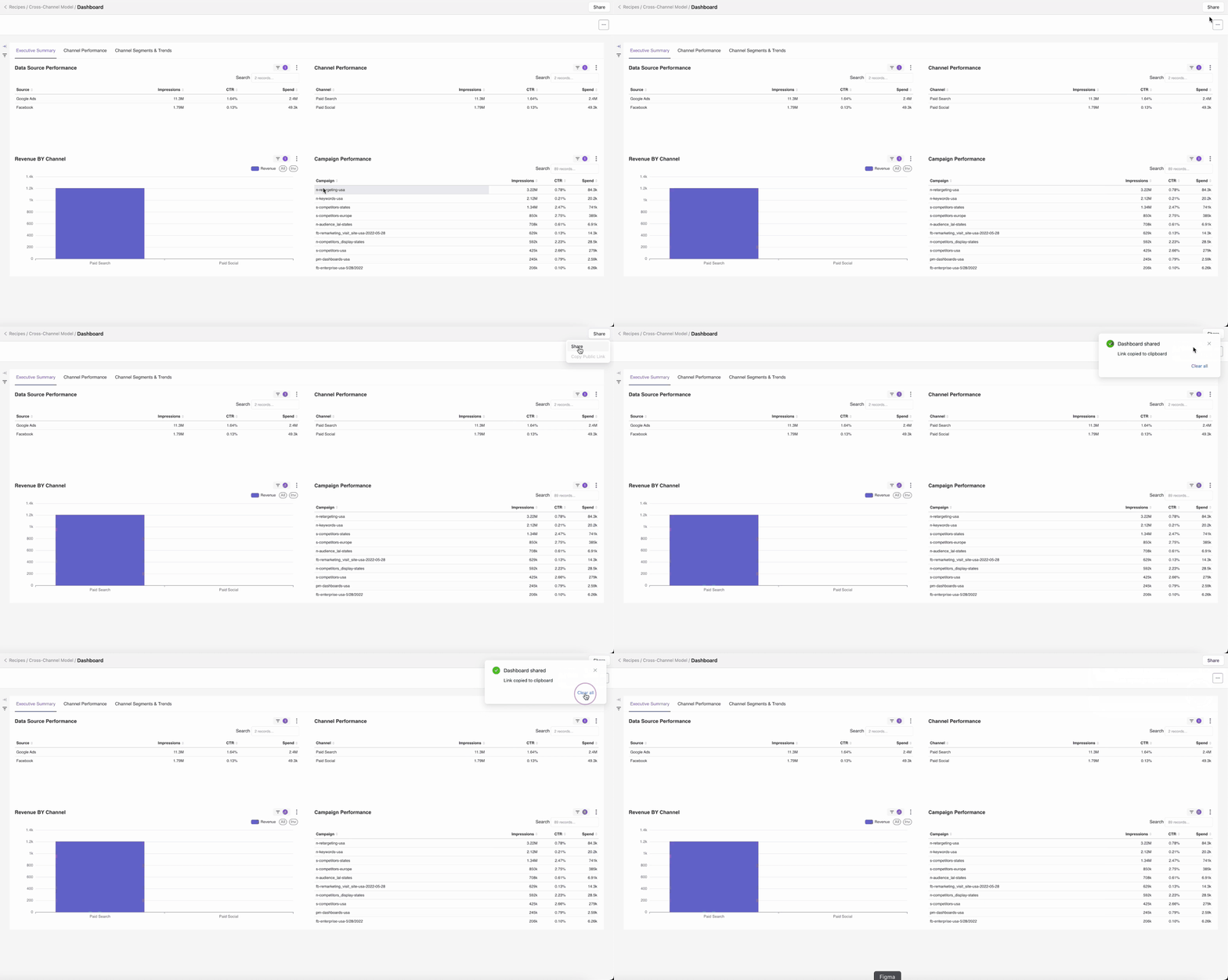
We’re excited to introduce Shareable Dashboards, making it simple to collaborate with external stakeholders. With just a click on the Share button in the top-right corner of your dashboard, you can generate a public link that lets anyone view your dashboard.
Import Columns to Blend Data
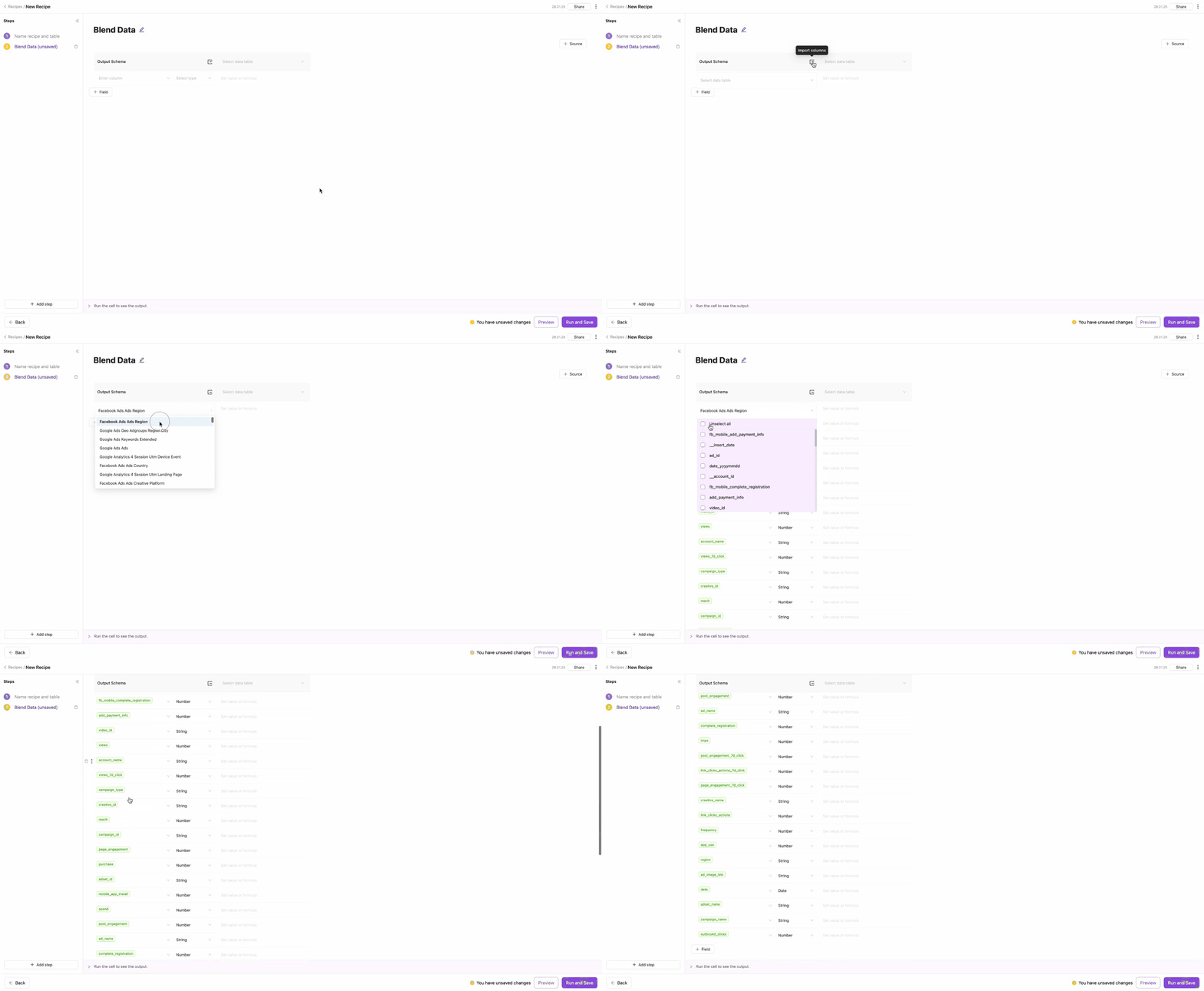
We’re pleased to unveil the Import Columns to Blend Data feature, designed to streamline your workflow. This enhancement allows you to quickly bulk import columns from previous steps or existing tables, making data integration smoother than ever.
New Looker Dashboard
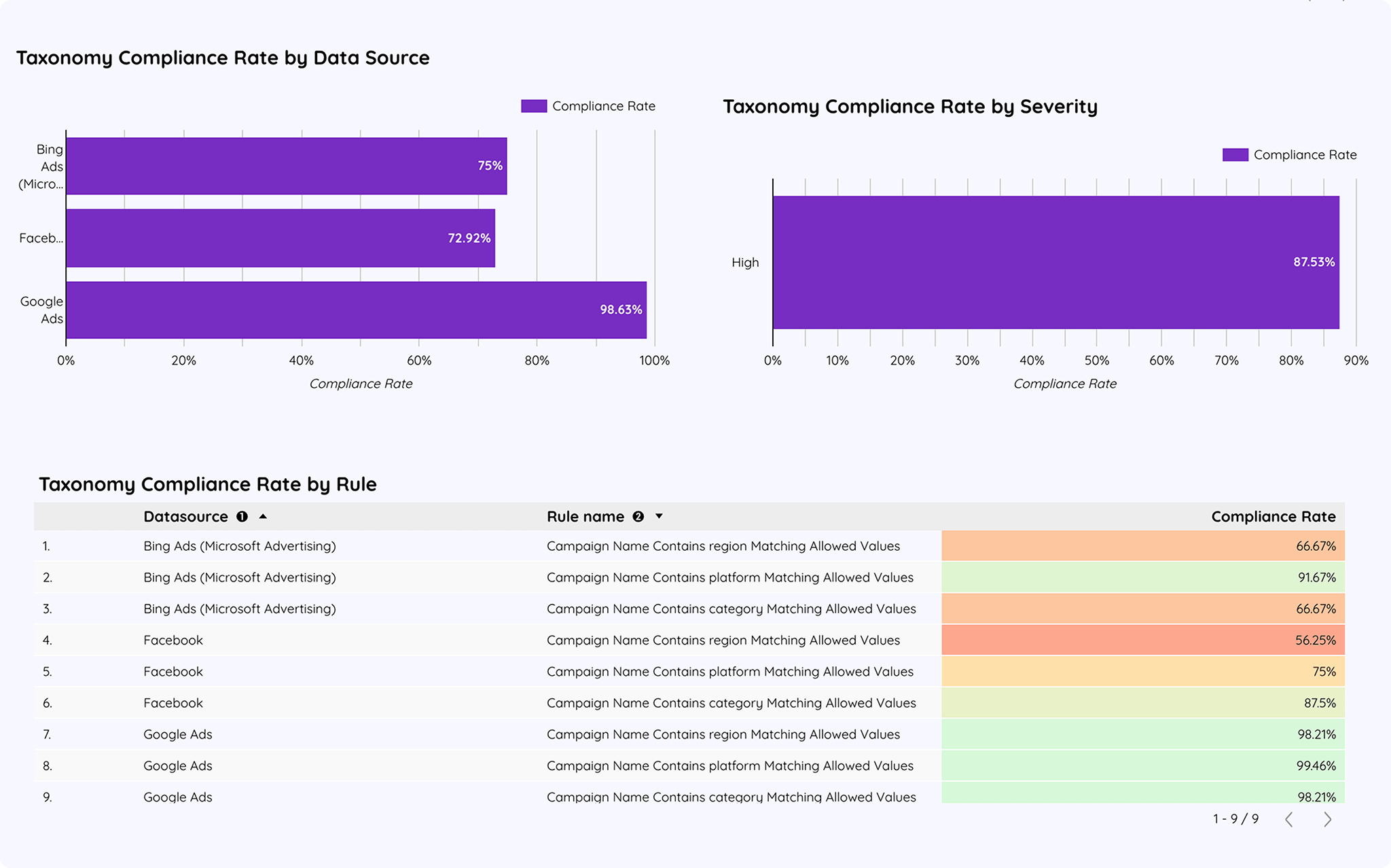
Introducing our Looker Dashboard built on rules loaded in GBQ. This powerful governance dashboard allows you to build and deploy your rules as seamlessly as you do with transformations, enhancing your data governance capabilities.
New Recipe Templates View
We’re thrilled to unveil our new Recipe Templates View, complete with a preview of your recipe dashboards. Plus, you can start fresh with a blank template, giving you the flexibility to build the perfect recipe from scratch.
.png)
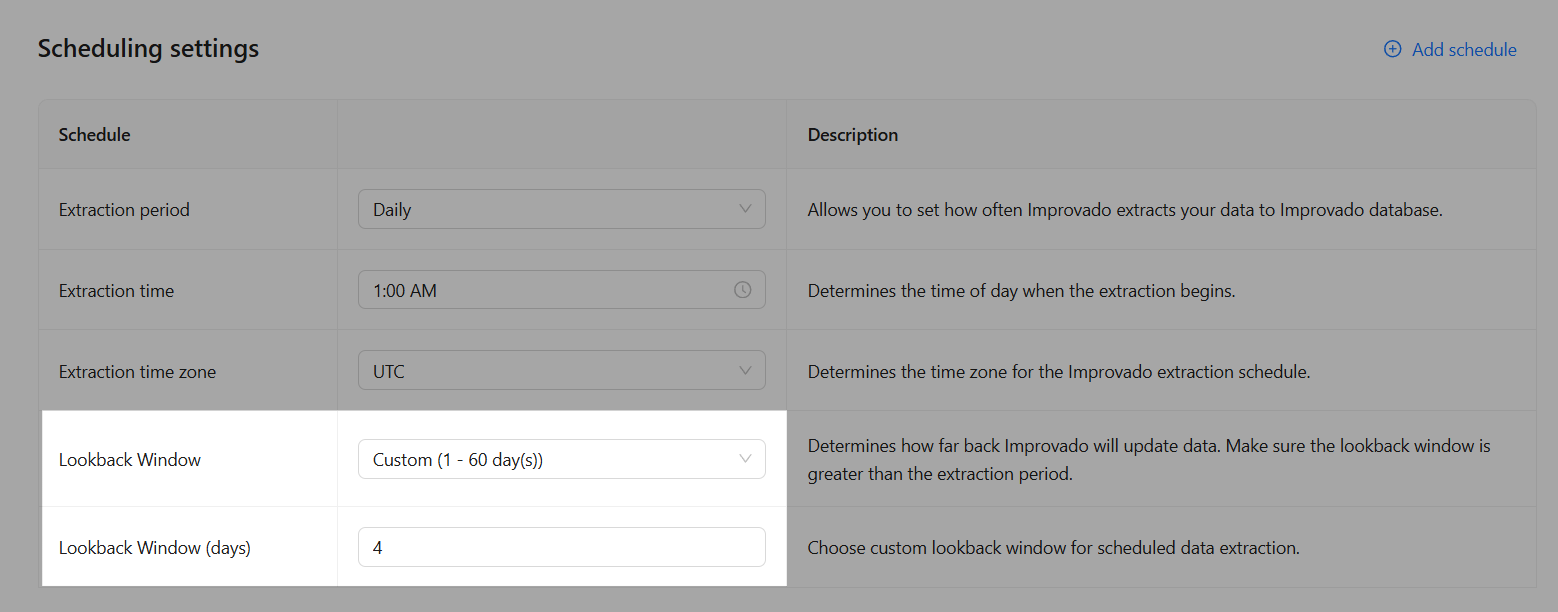
Custom Lookback Window
The Custom option in the Lookback Window field enables users to specify their preferred lookback window, allowing for precise control over the desired date range. This option complements the preset choices of Live, Default, and Max, providing both flexibility and convenience.
This enhancement makes it easier to tailor lookback windows to specific needs while retaining the simplicity of preset scheduling options.
Was this page helpful?
Thanks for the feedback!
Questions? The Improvado team is always happy to help. Send us an email, contact your Customer Success Manager, or raise a request in the Improvado Service Desk.