

April 2025
New API integrations 🧩
We have added 6 new data sources with the following report types:
Impact Partner
- Reports report type
- Reports Entity report type
Allure TestOps
- Launches report type
- Test Cases report type
- Test Cases History report type
Reddit Social
- Subreddit Post Comments report type
- Subreddit Posts report type
Matomo
- General report type
SOCi
- Projects Entity report type
- Reviews Entity report type
Facebook Business
- Owned Instagram Accounts report type
- Business Invoices report type
- Business Partner report type
- Owned Pages report type
- Business Users report type
API changes ⚙️
Spotify Ads
We have upgraded our Spotify Ads API to v3.
For more information, see Spotify Ads API documentation.
Moloco Cloud
We have upgraded our Moloco Cloud API to v1.8.
For more information, see Moloco Cloud API release notes.
Criteo Retail Media
We have upgraded our Criteo Retail Media API to v2025-01.
For more information, see Criteo Retail Media API documentation.
New Report Types 📊
The following report types are available starting this month:
Google Ads
- Asset Groups free-form report type
- Geographic View free-form report type
- Ad Group Asset report type
- Assets Entity report type
- Local Services Lead Entity report type
LinkedIn Organic
- Events Entity report type
LinkedIn Ads
- Ad Analytics report type
- Lead Form Responses Entity report type
Tableau
- View Data report type
- Views Entity report type
Youtube
- Content Owner Shorts Ad Revenue Monthly report type
- Content Owner Shorts Country Ad Revenue Monthly report type
- Content Owner Shorts Red Revenue Video report type
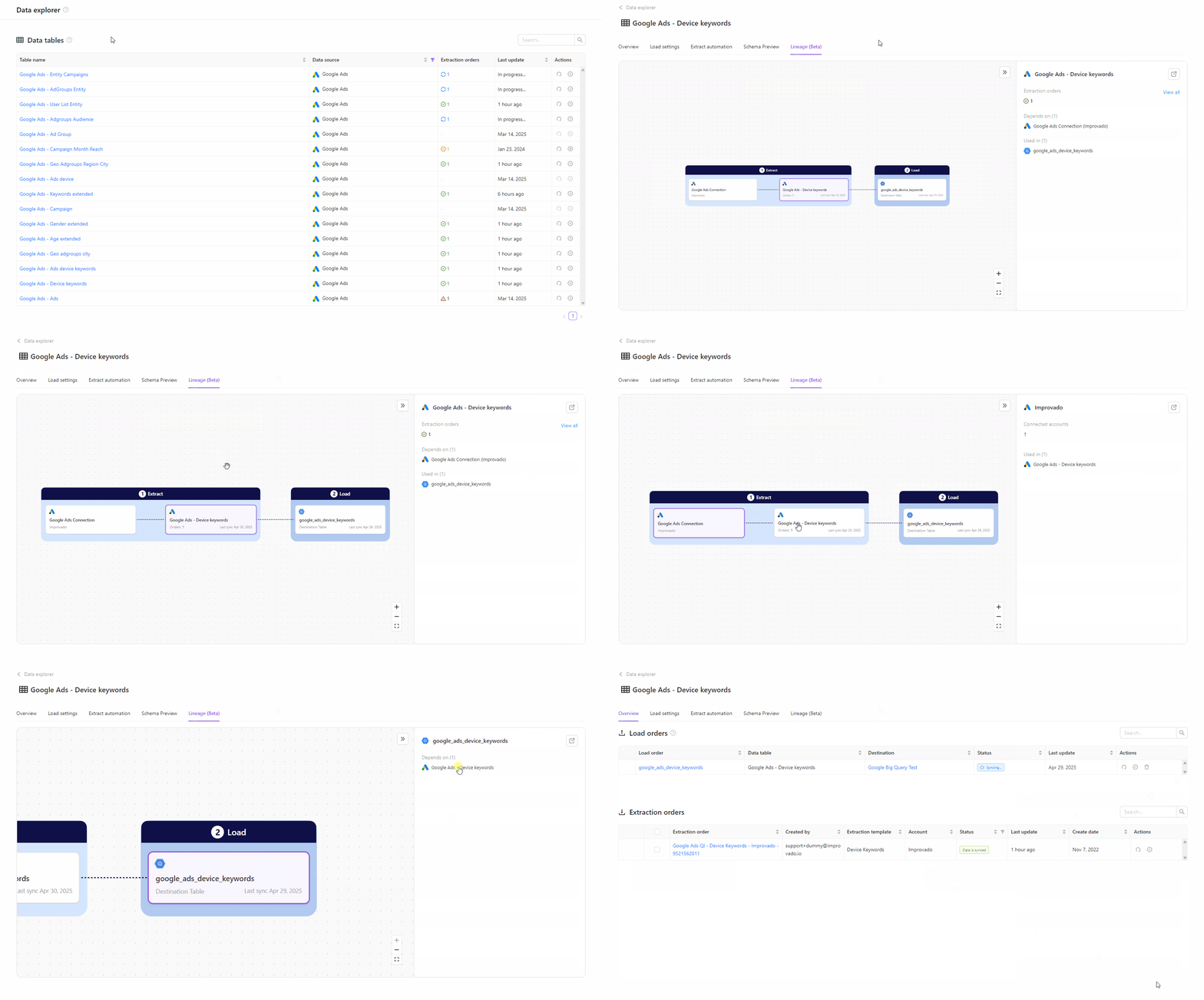
Lineage UI for Extract & Load is now available in Beta!
We are pleased to announce the launch of Lineage UI, a powerful new feature designed to enhance visibility into your data ecosystem within the Improvado platform. This tool provides a clear, interactive visualization of data relationships, dependencies, and workflows, empowering teams to track their data flows.
Key features:
- 🚀Can help to track data flow across transformations and tables, giving you deeper insights into your pipeline.
- ✅ Trace data issues back to their source by visualizing transformation history and dependencies.
Note: At launch, Lineage UI will include Extract and Load tables only, with AI Recipes tables support coming soon.
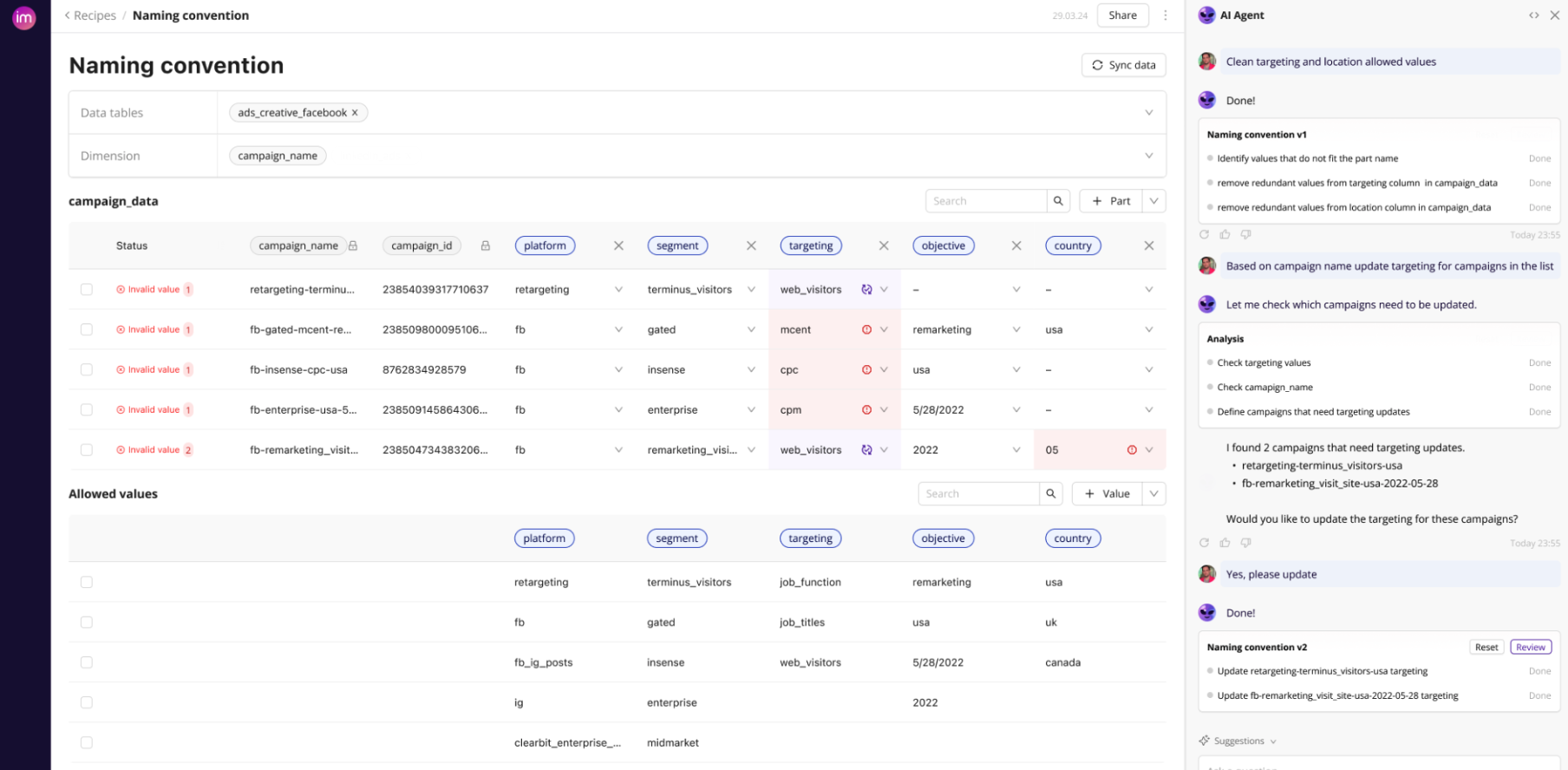
Naming convention in Marketing Data Governance
Introducing our new Marketing Data Governance solution—streamline your naming conventions, enhance data clarity, and build trust in your analytics. Simplifying data management starts here.
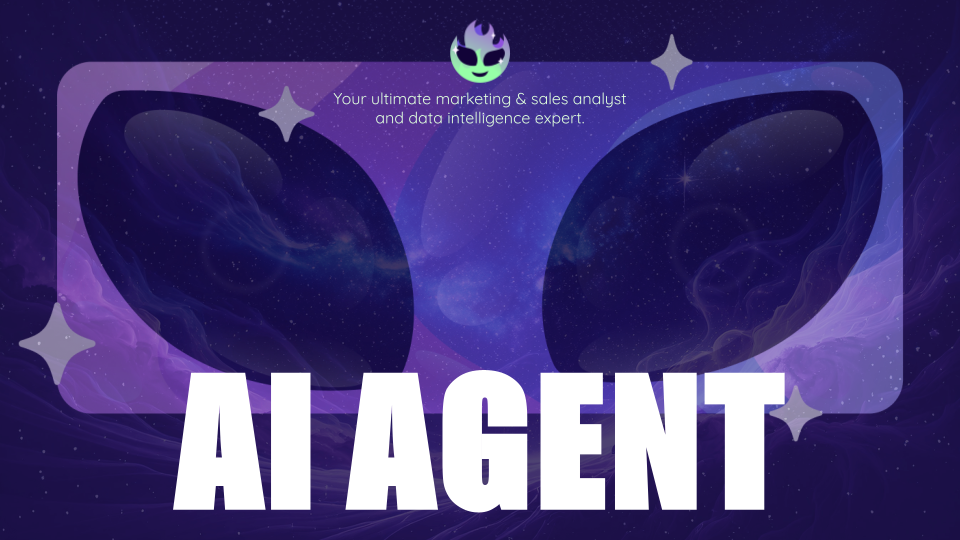
New AI Agent (Beta)
Level up with our next-generation AI Agent — faster, smarter, and packed with new tools. Sign up for early access and give us your feedback!
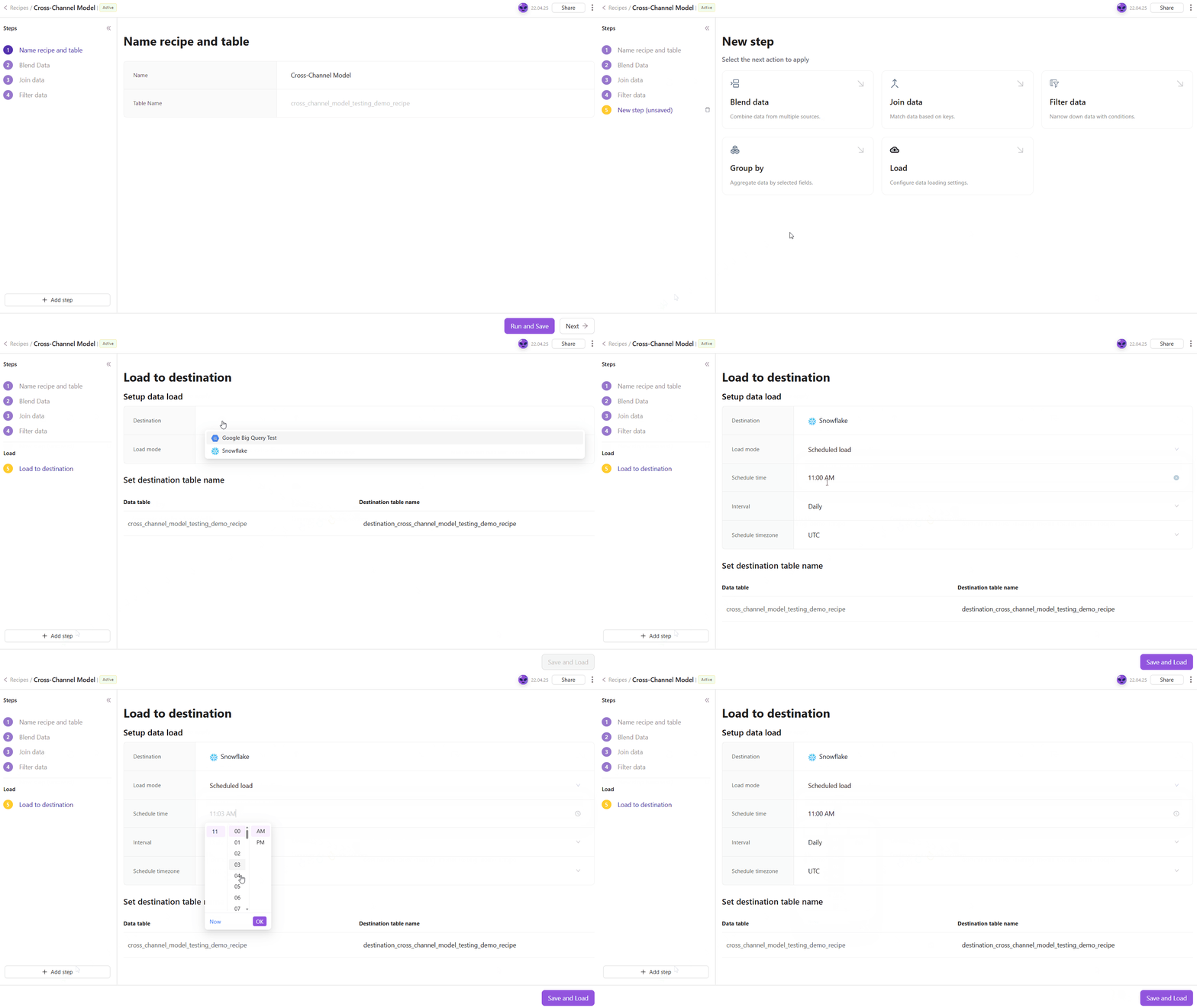
Load step in Transformation Wizard
Configure data loading directly within the transformation wizard. No more switching contexts — choose the destinations, schedule and load data in one place.
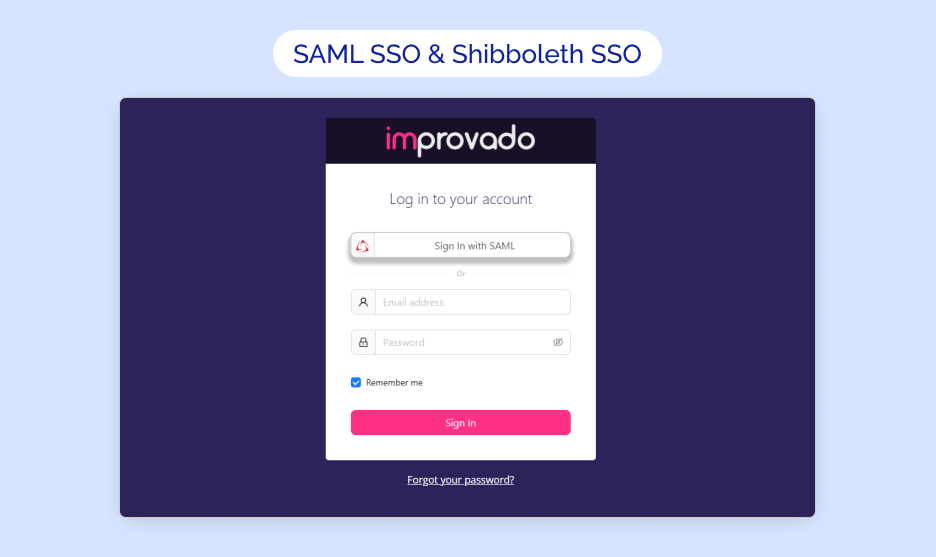
SAML SSO & Shibboleth SSO support now available on Improvado!
🔐 We’re thrilled to introduce SAML SSO and Shibboleth SSO support, empowering organizations to streamline secure access to Improvado while maintaining rigorous authentication standards.
- SAML SSO: Supports SAML 2.0 for password-free authentication, integrating seamlessly with your Identity Provider (IdP).
- Shibboleth SSO: Dedicated compatibility with Shibboleth’s SAML-based identity solutions, including attribute release policies.
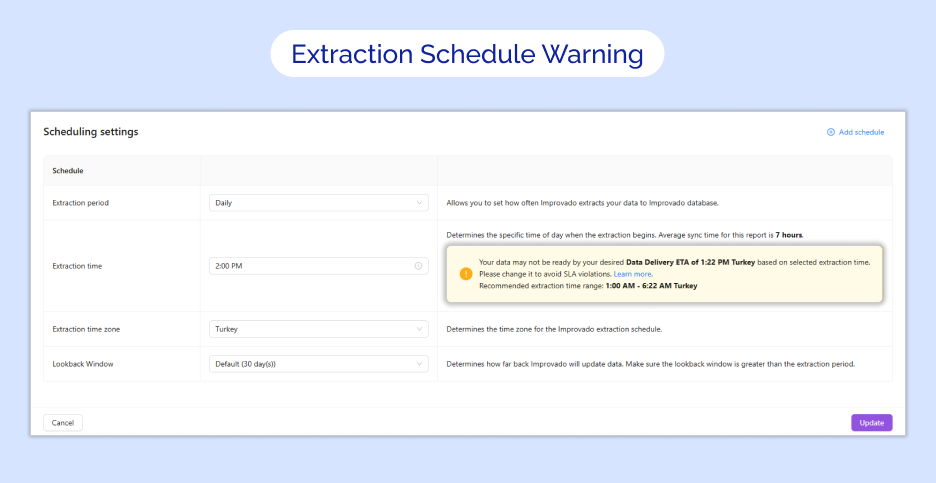
SLA violation warning in Extraction schedule
✔️ Scheduled extractions now display a warning message when the extraction time exceeds the sum of the Data Delivery ETA and the average sync time (calculated from the report’s median dataflow duration over the past 60 days). This alert provides a recommended extraction time range to help avoid delays and maintain SLA compliance. Adjust your schedule directly from the warning to optimize data delivery.
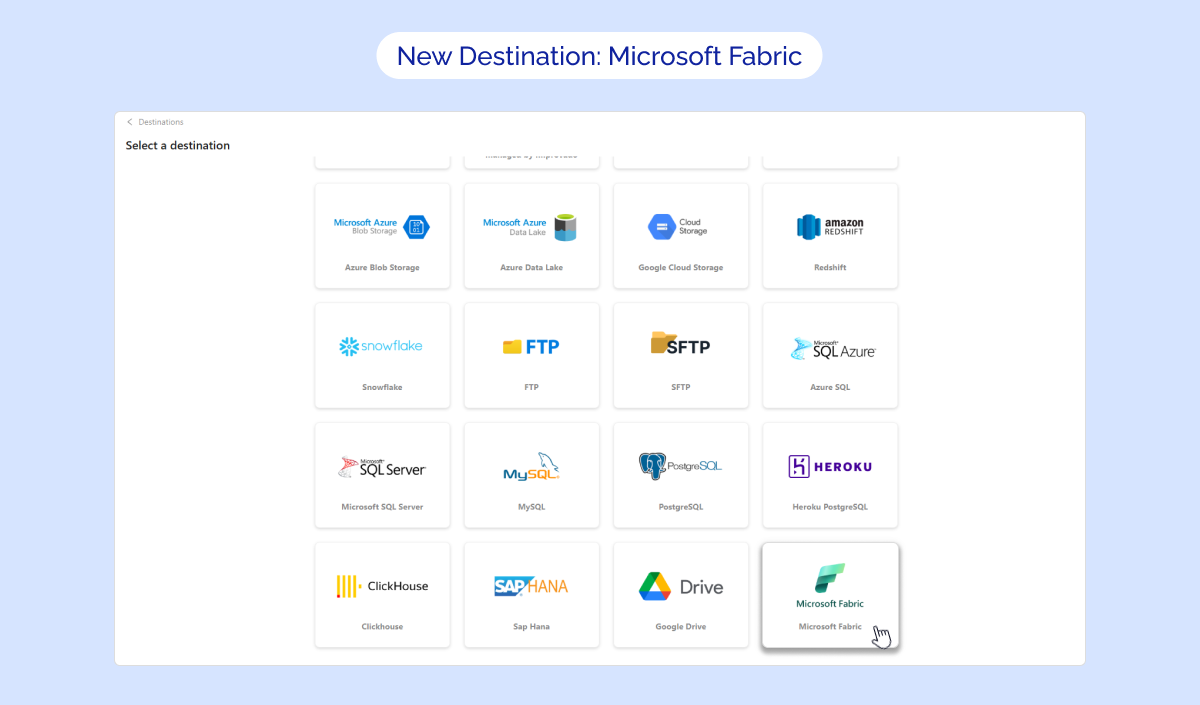
New destination: Microsoft Fabric
🚀 We’re thrilled to share that Microsoft Fabric is now available as a destination!
Now you can load data directly into Microsoft Fabric with automated pipelines, eliminating the need for manual exports.
Was this page helpful?
Thanks for the feedback!
Questions? The Improvado team is always happy to help. Send us an email, contact your Customer Success Manager, or raise a request in the Improvado Service Desk.