

Export Dashboards as Branded PDF Reports
You can now export any dashboard as a polished, branded PDF report — ready to share with clients and stakeholders, no screenshots required.
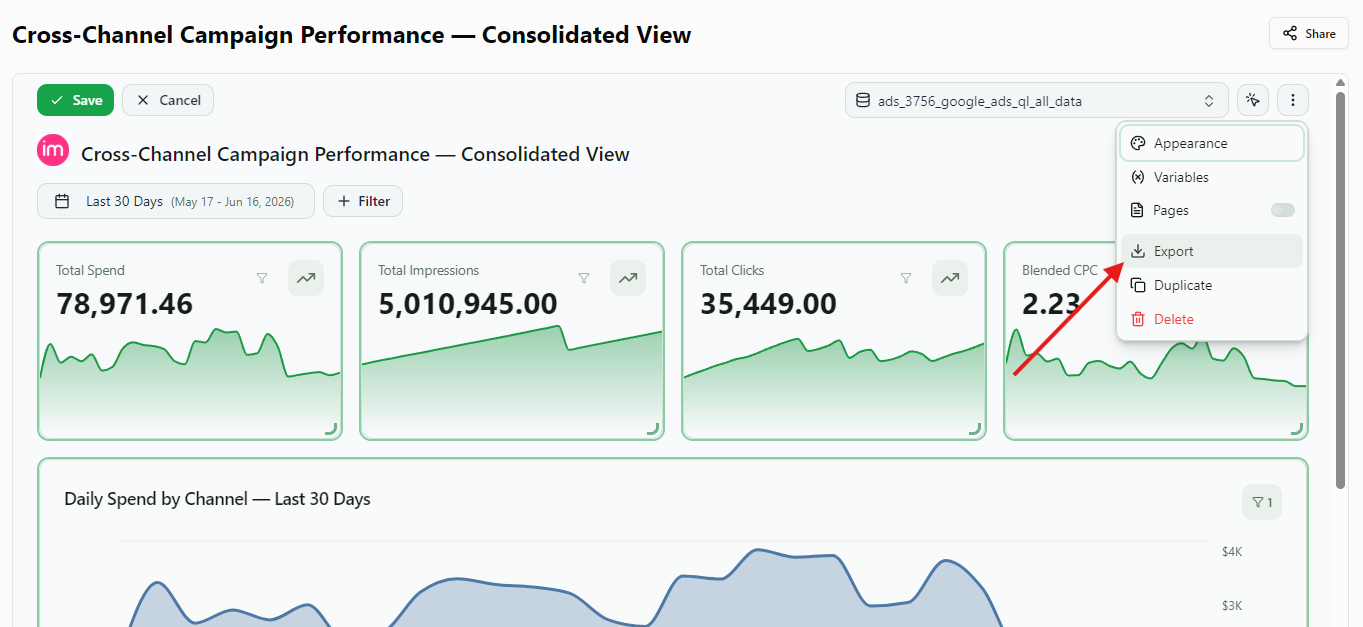
Open a dashboard, click Export in the header, and keep File Format: PDF Document. Improvado renders the page you are on server-side into a clean, multi-page document — turn on Include all tabs to add every tab of a multi-page dashboard. KPI cards, charts, and tables are laid out to fit the page, your workspace branding and white-label theme are preserved, and the dashboard's filters and date range are applied exactly as you see them on screen. Pick Portrait or Landscape and A4 or Letter.
Great for recurring client reports, QBRs, and leave-behinds — your live dashboard, captured pixel-perfect.
Was this page helpful?
Thanks for the feedback!
Questions? The Improvado team is always happy to help. Send us an email, contact your Customer Success Manager, or raise a request in the Improvado Service Desk.