
Data Preview Feature
Description
Preview a sample of your data directly in the extraction setup — before committing to a full sync. See exactly which fields and values will be extracted, catch configuration issues early, and set up extractions with confidence.
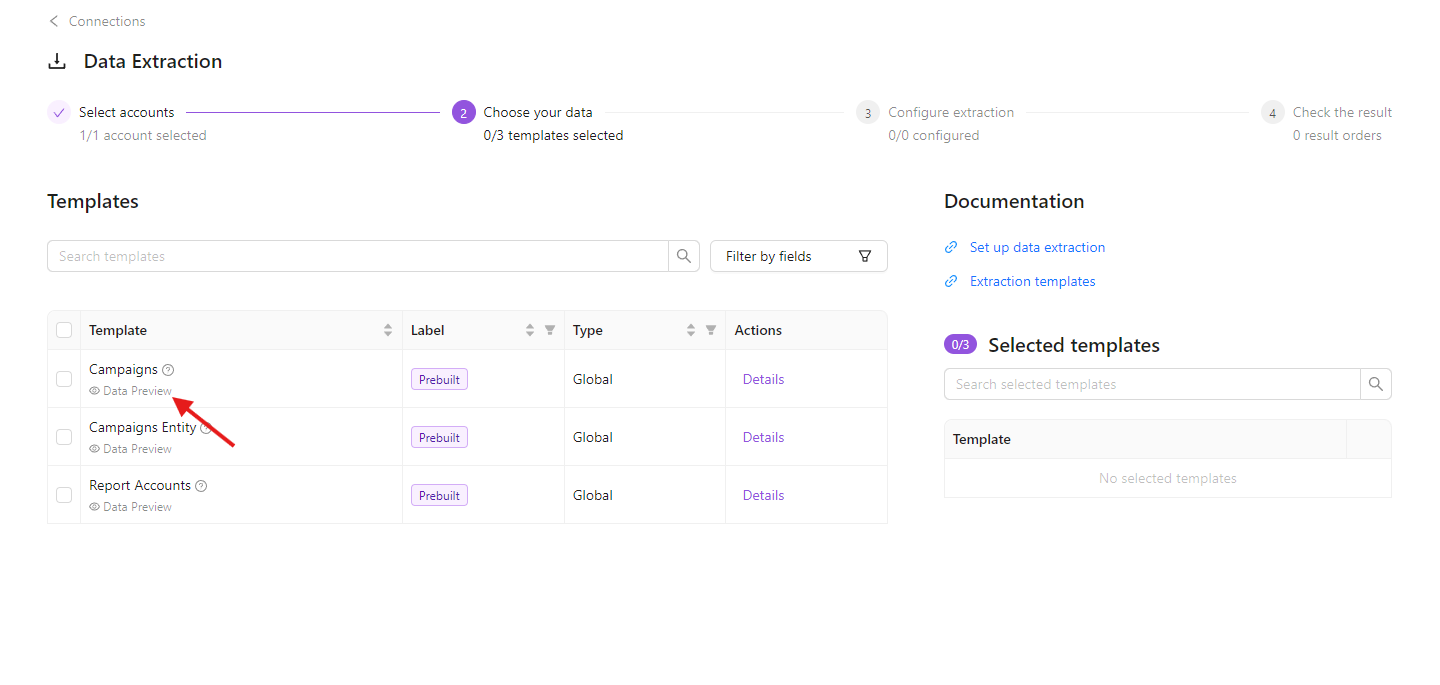
Data Preview is currently available only for some report types. Some reports - including those that run asynchronously on the source side, or those still running on Improvado's legacy extraction system - don't support preview. To understand whether a report supports Data Preview feature - you can check if it has the Data Preview feature label in the template list:
See Limitations below for more info.
How to Use
Connect your data by selecting the accounts you'd like to sync.
Choose the extraction templates you'd like to use.
Select the dimensions, properties, and metrics you need from the available lists.
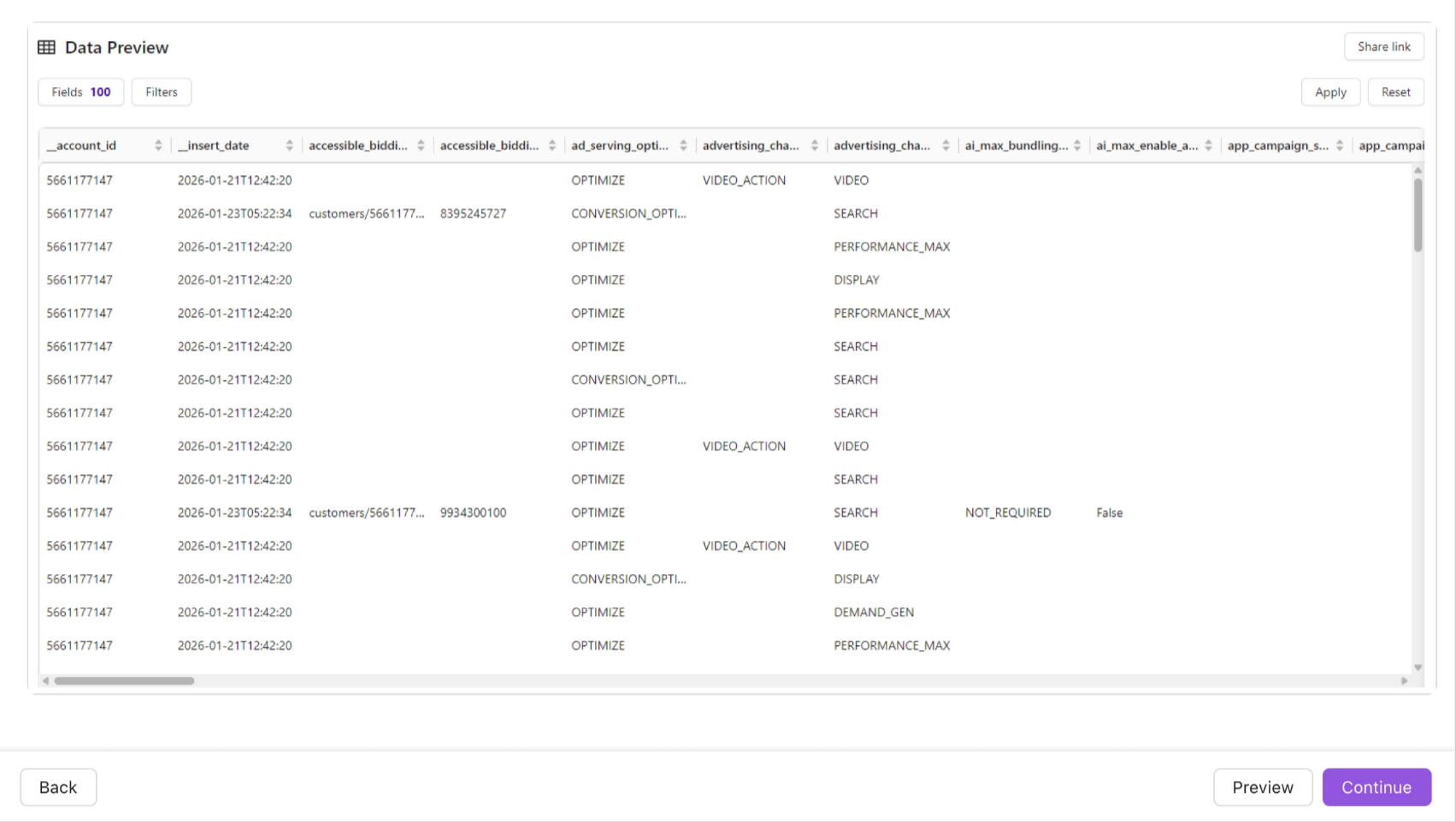
Click the Preview button. Improvado runs a lightweight extraction against your connected account and returns up to 100 rows of today's data. The preview checks up to 5 accounts and returns the first non-empty result. If Preview isn't available for the selected report type, the button will be disabled — proceed to Finalize and validate fields after the first full extraction.
The preview table shows all selected fields — including dynamic and custom CRM fields (Salesforce, Dynamics 365, and others) — so you know exactly what you'll get.
Explore individual metrics in the preview and sort the data as needed. Validate that your field mappings and custom settings look correct.
Once everything looks right, click Finalize to complete your setup.
Limits
- Preview is supported only for a subset of report types. It's not available for reports that run asynchronously on the source side (job-submission + polling), reports still running on Improvado's legacy extraction engine, and certain other report types where a lightweight extraction isn't feasible. Check if report has the Data Preview feature label in the template list to understand whether a report supports Data Preview feature.
- Preview checks up to 5 accounts and returns the first non-empty result.
- Preview returns up to 100 rows of today's data.
- Custom and dynamic CRM fields are supported (Salesforce, Dynamics 365, and others).
Was this article helpful?
Thanks for the feedback!
Questions? The Improvado team is always happy to help. Send us an email, contact your Customer Success Manager, or raise a request in the Improvado Service Desk.