

Profile Settings
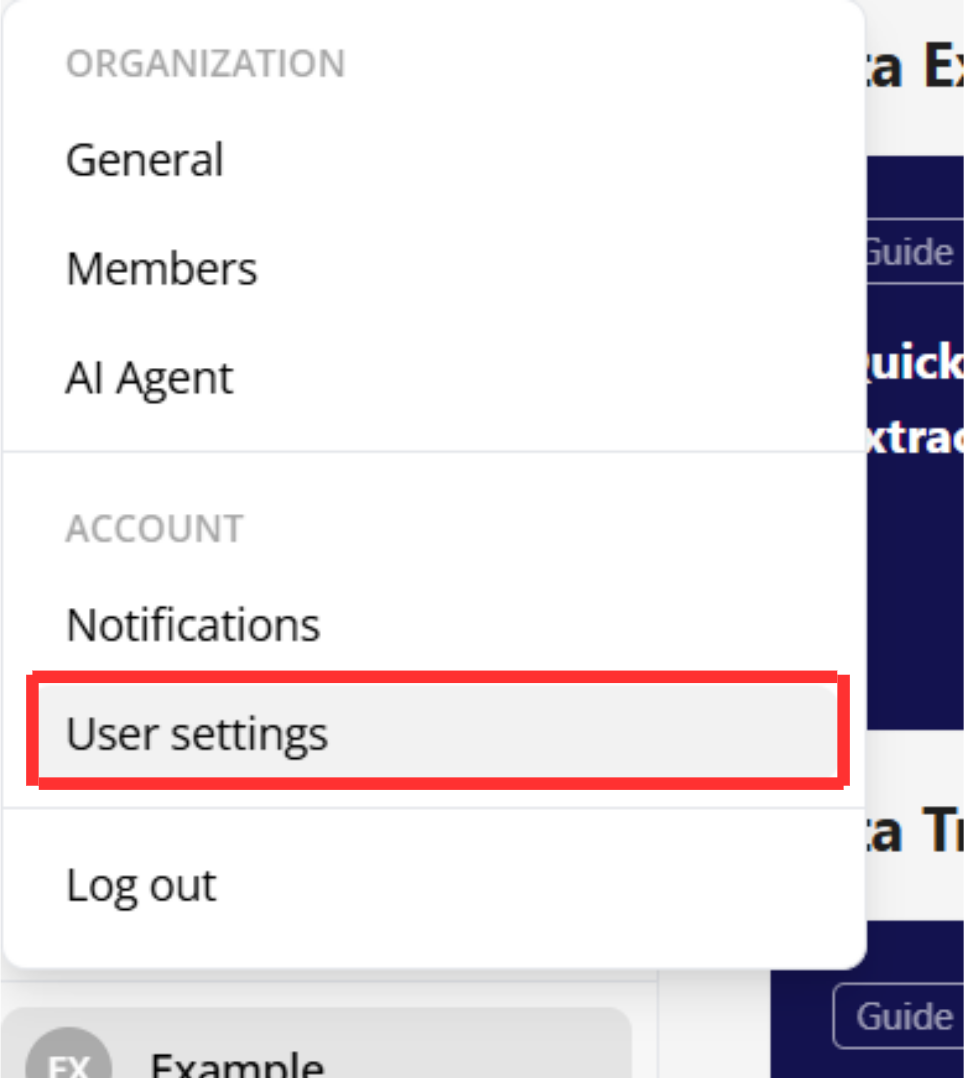
To access your profile settings:
- Click the username tile.
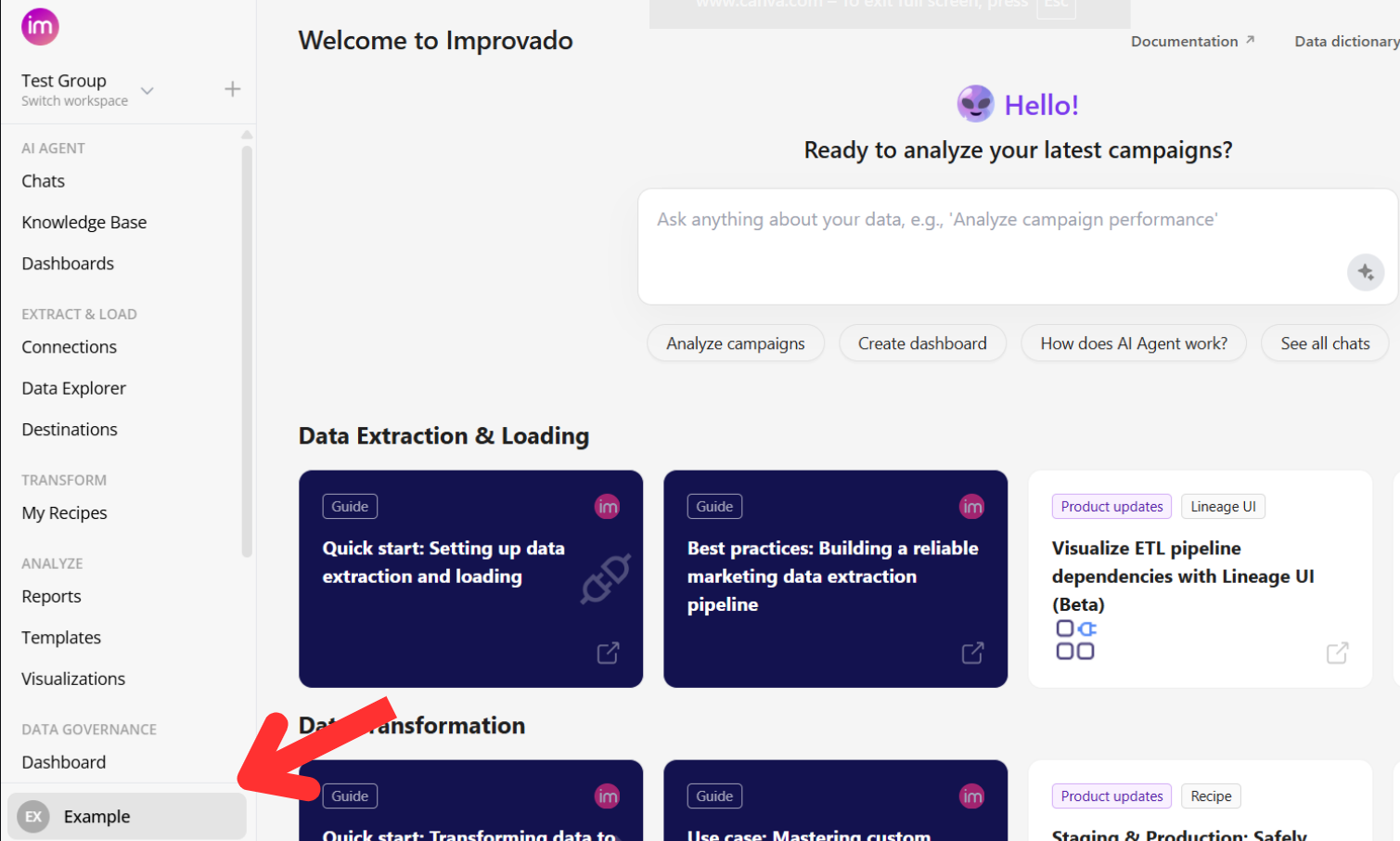
- Select the Settings under the Profile section.
Related articles
-
How to Change Your Password
Learn how you can change your password in five easy steps
-
Improvado Notifications
Learn how to setup and manage notifications
-
Login Throttling
Learn about login throttling scheme
-
Webhooks
Set up webhook endpoints to receive automated notifications about events in your Improvado workspace.
Was this page helpful?
Thanks for the feedback!
Questions? The Improvado team is always happy to help. Send us an email, contact your Customer Success Manager, or raise a request in the Improvado Service Desk.