

Custom Tags Management
💡 Why use this tab: during a creative audit, after a product launch, or whenever your creative strategy goes beyond what the AI taxonomy captures — campaign theme, product line, persona, funnel stage, seasonality. The AI taxonomy covers the universal attributes; Custom Tags is where you add your brand-specific ones.
The tab at a glance
The strip at the top sums up your custom tags: how many tags are defined, how many creatives are in view, the share of creatives tagged on a tag, and how many edits are waiting to be saved. Below it are Tag Definitions (your vocabulary) and the Assign tags grid (the values on each creative).
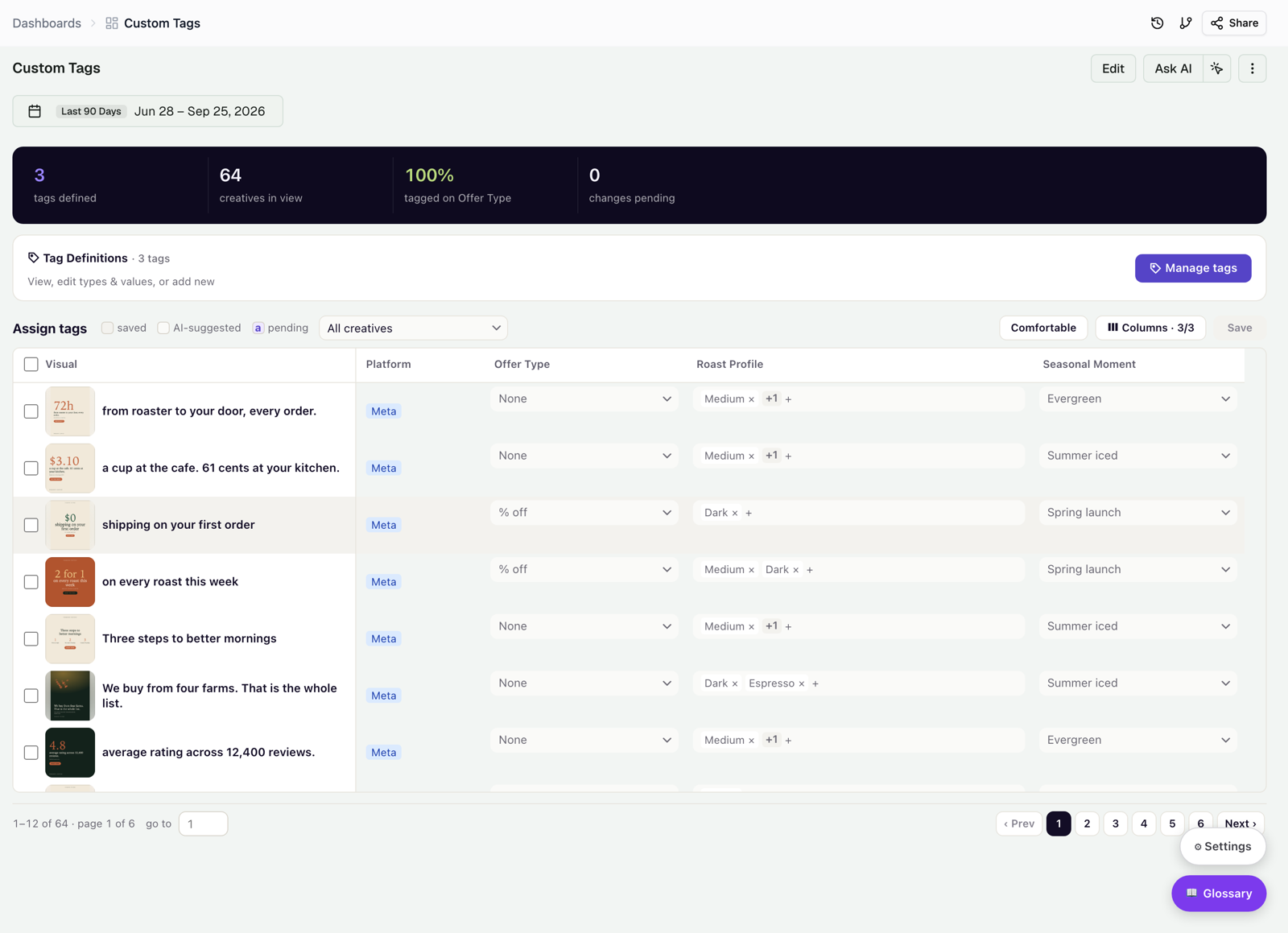
Tag Definitions — the vocabulary
Click Manage tags to open the definitions panel. It lists every tag with its type and coverage, and lets you add, edit, or remove tags.
- Click + Add Tag and name the tag, for example Persona, Funnel Stage, or Campaign Theme.
- Choose Single-select (one value per creative) or Multi-select (several values).
- Add the allowed values, for example Awareness, Consideration, Conversion, and Retention for Funnel Stage.
Each value shows how many creatives carry it, and each tag shows its coverage: the share of creatives that have a value for it.
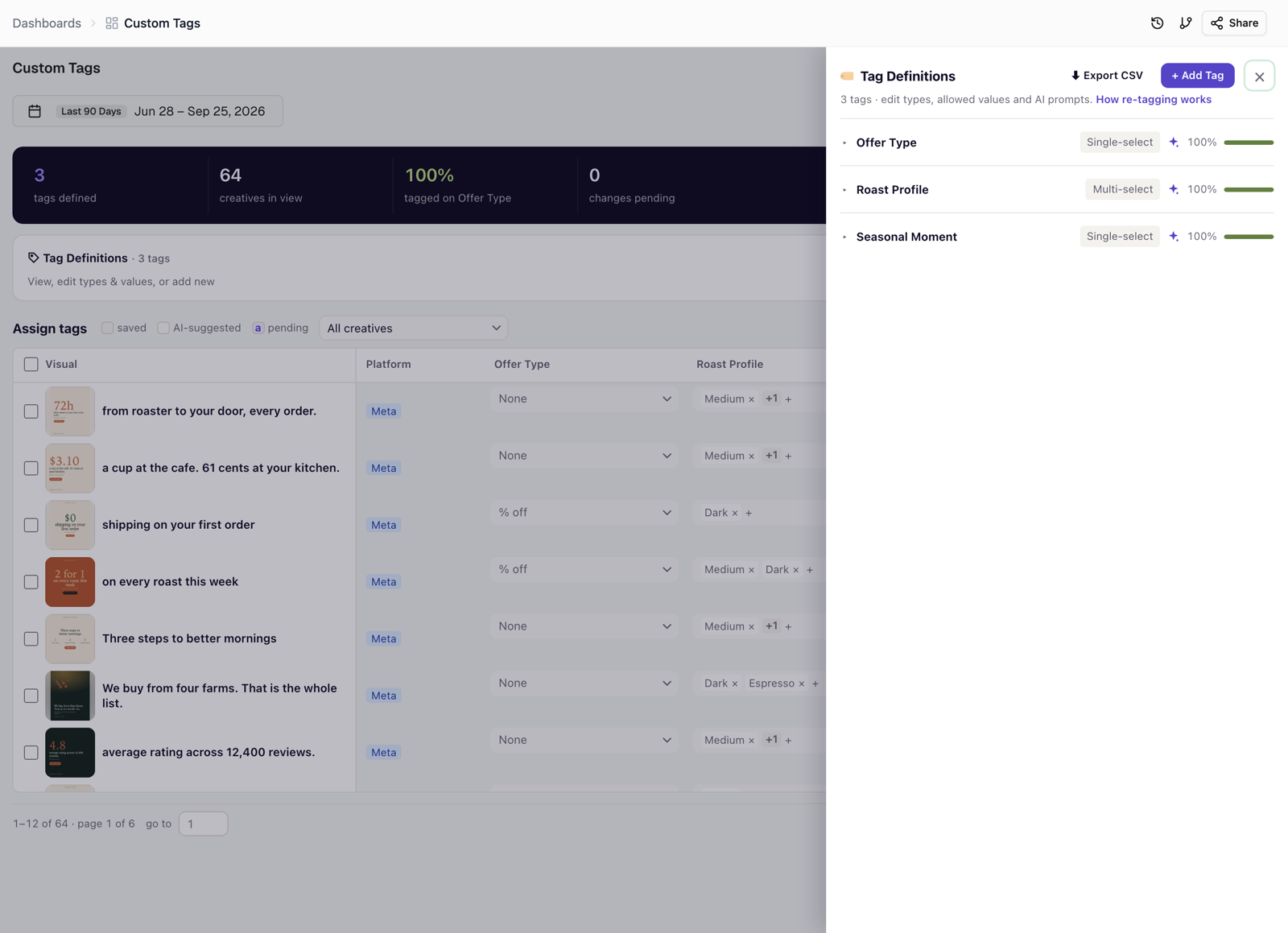
AI-assisted tags
Expand any tag to give it an AI prompt — a plain-language question that tells the classifier how to fill the tag, for example "What offer, if any, is shown in the creative?" On the next pipeline run, the AI reads each creative and assigns one of the tag's allowed values.
Because the AI proposes values, the assignment grid shows three states you can filter by:
- saved — the value is saved to the workspace.
- AI-suggested — the classifier proposed a value; review and accept it.
- pending — you made an edit that isn't saved yet.
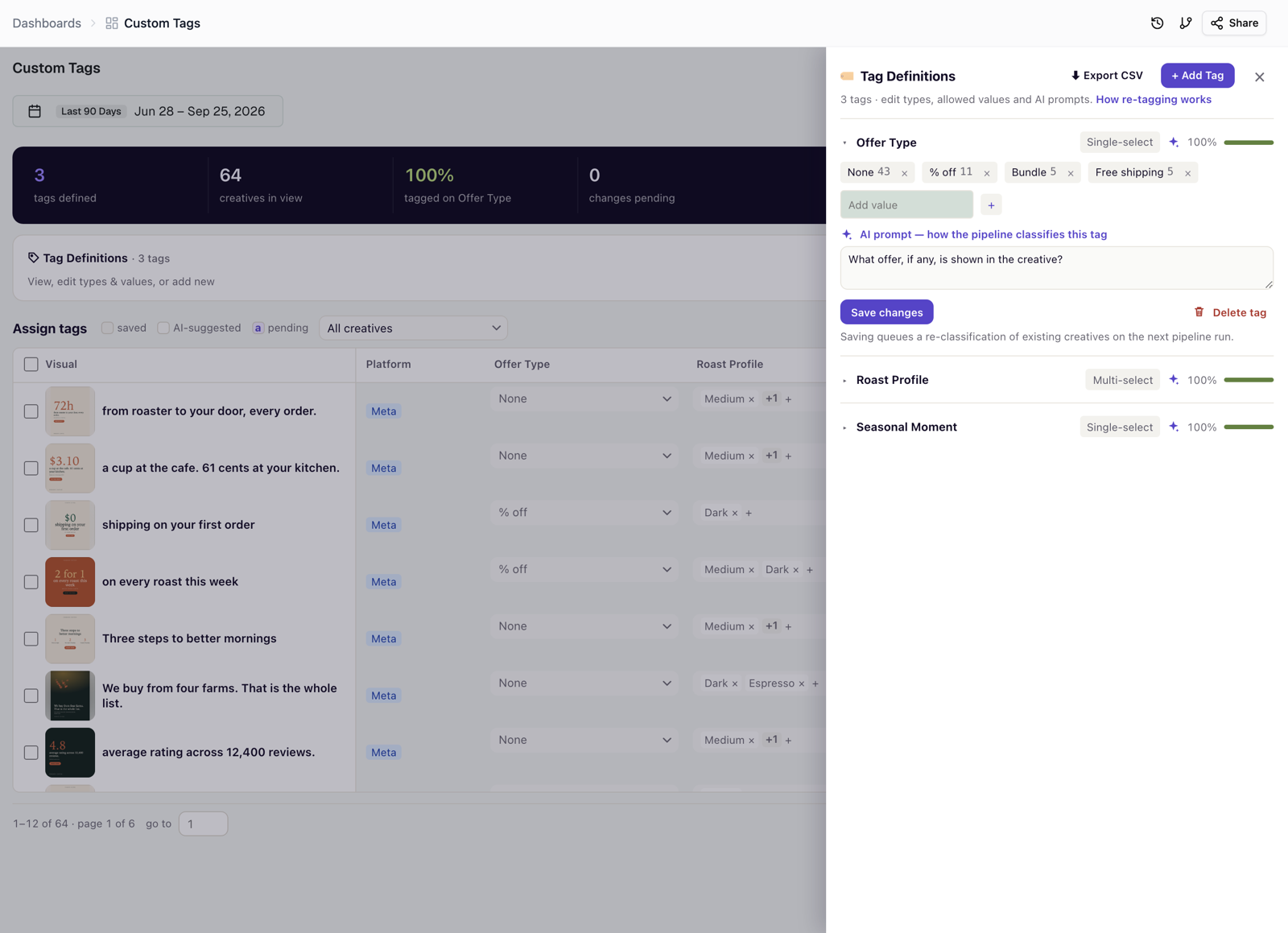
Assign tags to creatives
The grid has one row per creative, with a dropdown for each tag and a column control, so you can focus on the tags you're editing. Edits add up as pending changes (see the counter in the top strip); click Save to commit them.
Saved tags become filters everywhere: in the Creative Library, the Overview breakdowns, the Attribute Explorer, and the AI analysis. For AI-assisted tags, saving a prompt or a value change also queues re-classification, so existing creatives are updated on the next run. See How your creatives get tagged.
Was this page helpful?
Thanks for the feedback!
Questions? The Improvado team is always happy to help. Send us an email, contact your Customer Success Manager, or raise a request in the Improvado Service Desk.