

Pipelines
Pipelines let teams turn repeatable marketing operations into AI-built, production-ready workflows. Instead of manually running one-off scripts, stitching tools together, or asking engineering to build every custom automation, users can describe the workflow to Improvado Agent and get a reusable pipeline that can be run on demand or scheduled.
At a business level, this is useful when a process is too specific for a standard product feature, but too recurring or valuable to keep doing manually. Examples include cross-platform audience syncs, recurring data quality checks, campaign launch validations, reverse ETL into CRM or ad platforms, long-running backfills, budget pacing checks, and custom reporting jobs.
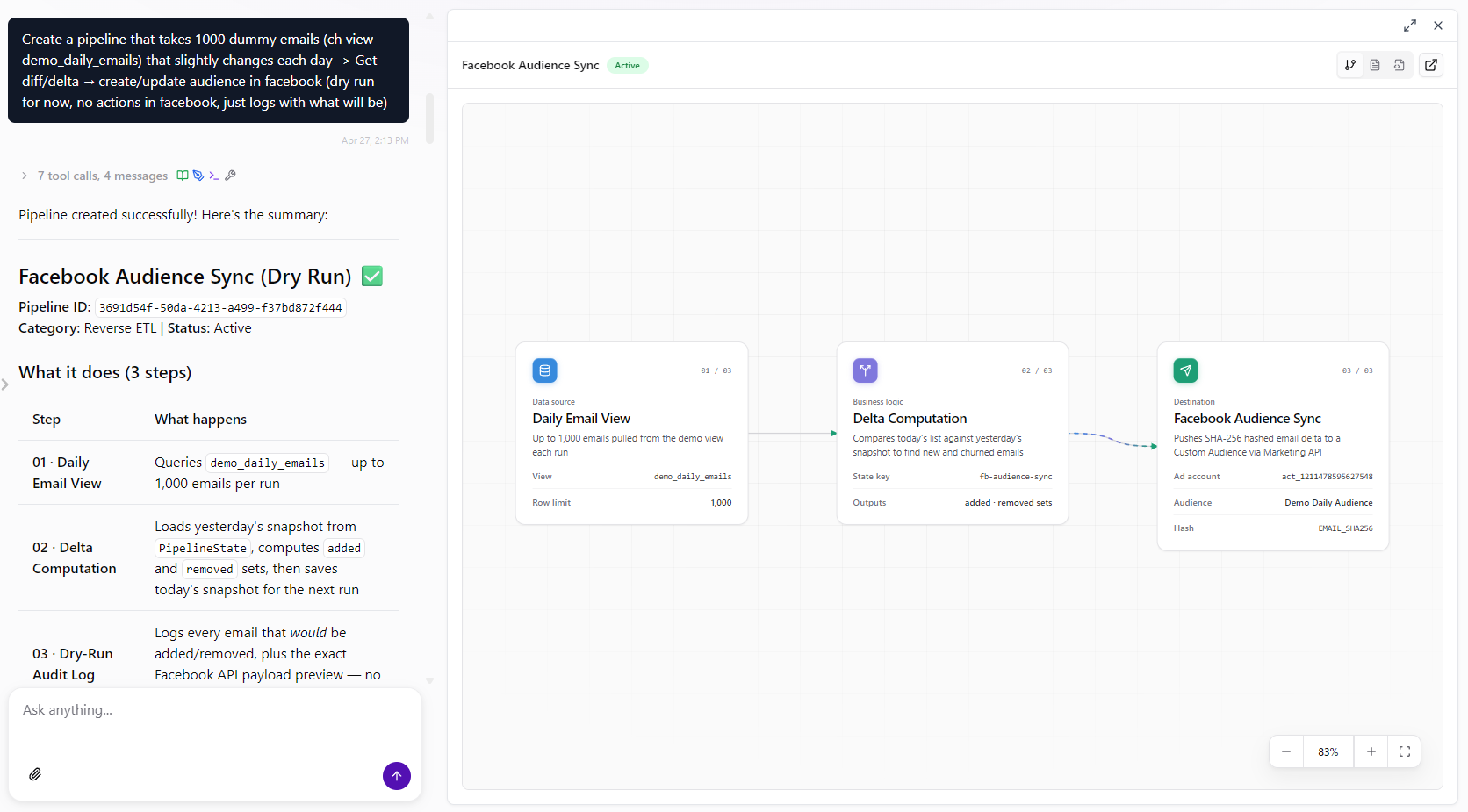
What you can do
- Describe a workflow in plain language and have the AI Agent build it.
- Run pipelines manually when you need an immediate result.
- Schedule recurring runs with cron-based automation.
- Connect pipelines to Improvado data sources and destinations using saved workspace connections.
- Store API keys for services without an Improvado connection as secrets — for one pipeline or for the whole workspace.
- Use durable state for cursors, bookmarks, and incremental processing.
- Track every run with status, timing, output, errors, and activity timeline.
- Publish artifacts such as reports, extracts, or debug files for later download.
- See how the latest run went on the pipeline diagram, step by step.
- Pause, resume, edit, or delete pipelines from Automations, where they are listed together with your AI Agent automations.
When to use it
Use Pipelines for workflows that combine data movement, transformation, validation, and external actions. A good fit is any process where the team can clearly describe the inputs, business rules, and expected output, but the workflow is too custom for a fixed UI wizard.
Typical use cases:
- Backfill 12 months of spend or conversion data with resumable daily batches.
- Sync audiences from a warehouse or CDP into Meta Ads, Google Ads, TikTok, or LinkedIn.
- Check marketing tables for freshness, missing data, or broken naming rules on a schedule.
- Push attribution or lifecycle metrics back into HubSpot, Salesforce, or other business tools.
- Validate campaign briefs, UTMs, landing pages, and tracking before launch.
- Generate recurring reports or files and publish them as pipeline artifacts.
Each of these is written up with its concrete flow, the parameters that matter, and the gotchas, in Pipeline use cases.
Where it fits
Pipelines sit alongside two neighbouring capabilities, and the fastest way to build one is to use them in order:
| You want to… | Use |
|---|---|
| See or change something in a platform right now, once | Discovery API in chat |
| Load a large dataset on a schedule for reporting | Extract & Load |
| Repeat a multi-step process — read, decide, act, report — on a schedule | Pipelines |
| Get alerted when a metric in a connected source drifts | Discovery API governance rules |
Prototype in chat first. Ask the Agent to pull or change what you need through the Discovery API, confirm the result is exactly right, then ask it to turn that into a pipeline. The pipeline reuses the same connections and the same request shape, so a request that worked in chat works on a schedule.
How it works
A pipeline is created through Improvado Agent. The Agent writes the workflow, configures the required connections, and saves the pipeline in the workspace.
Pipelines run on Improvado's durable workflow runtime, which is what makes them safe to schedule: each step is isolated and retried independently, long runs survive infrastructure restarts, and every execution keeps a full activity timeline. Pipelines created before this runtime shipped continue to run as they are and can be maintained in place.
Credentials are not hardcoded in pipeline code. Connections are declared at the pipeline level and resolved securely at runtime. The workflow receives tenant-scoped access to the selected data sources, destinations, Improvado storage, and temporary file or artifact storage. For a service with no Improvado connection, the pipeline reads an API key you store as a secret.
How to use
- Open Automations in the left menu, under AI Agent.
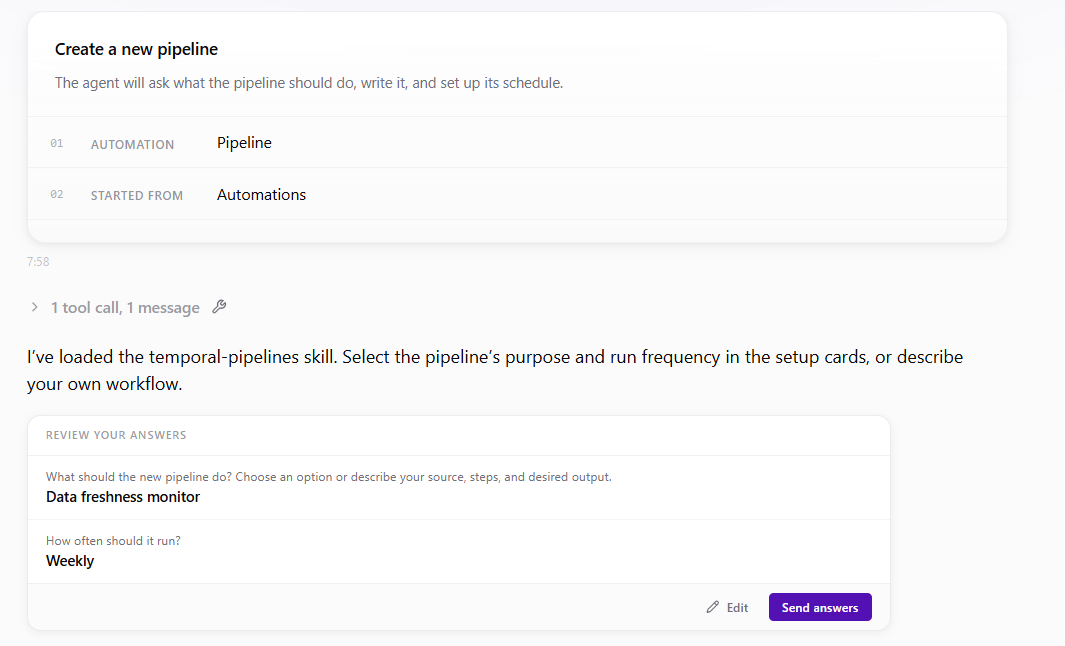
- Click New automation and choose Pipeline. A chat with Improvado Agent opens.
- Describe the workflow to Improvado Agent: what data to use, what should happen, how often it should run, and what output you expect.
- Review the generated pipeline: the Overview diagram, schedule, and connections.
- If the pipeline needs an API key, add it on the Secrets tab — the Agent never asks you to paste it into chat.
- Run the pipeline manually for the first test — on a small slice of data.
- Check Run History for status, timeline, output, errors, and generated artifacts.
- Use Chat to adjust logic, parameters, schedule, or connections.
- Turn the schedule on once a manual run has produced output you are happy with.
What users see
Pipelines are listed in Automations, together with AI Agent automations. Open the Pipelines tab to see only pipelines: every pipeline in the workspace, with its category, schedule, latest run, Created by, Last edited by, and last update. Search by name and filter by status. Workspace secrets opens the secrets shared by all pipelines of the workspace.
Each pipeline has a detail page. The header carries the Version history icon, Chat, and the play-shaped Run button. Pause / Resume and Delete are in the ⋯ menu; pipelines built on the previous runtime are marked Legacy. Below it are three tabs:
- Overview: a summary row (last run, success rate, average duration, activity), the pipeline diagram colored by the latest run, the step details, and an About panel with the description, category, schedule, timeout, connections, secrets, and who created and last changed the pipeline.
- Run History: recent executions, live status, duration, timeline, output, logs, metrics, errors, and artifacts.
- Secrets: the API keys this pipeline reads, and any it needs that have no value yet.
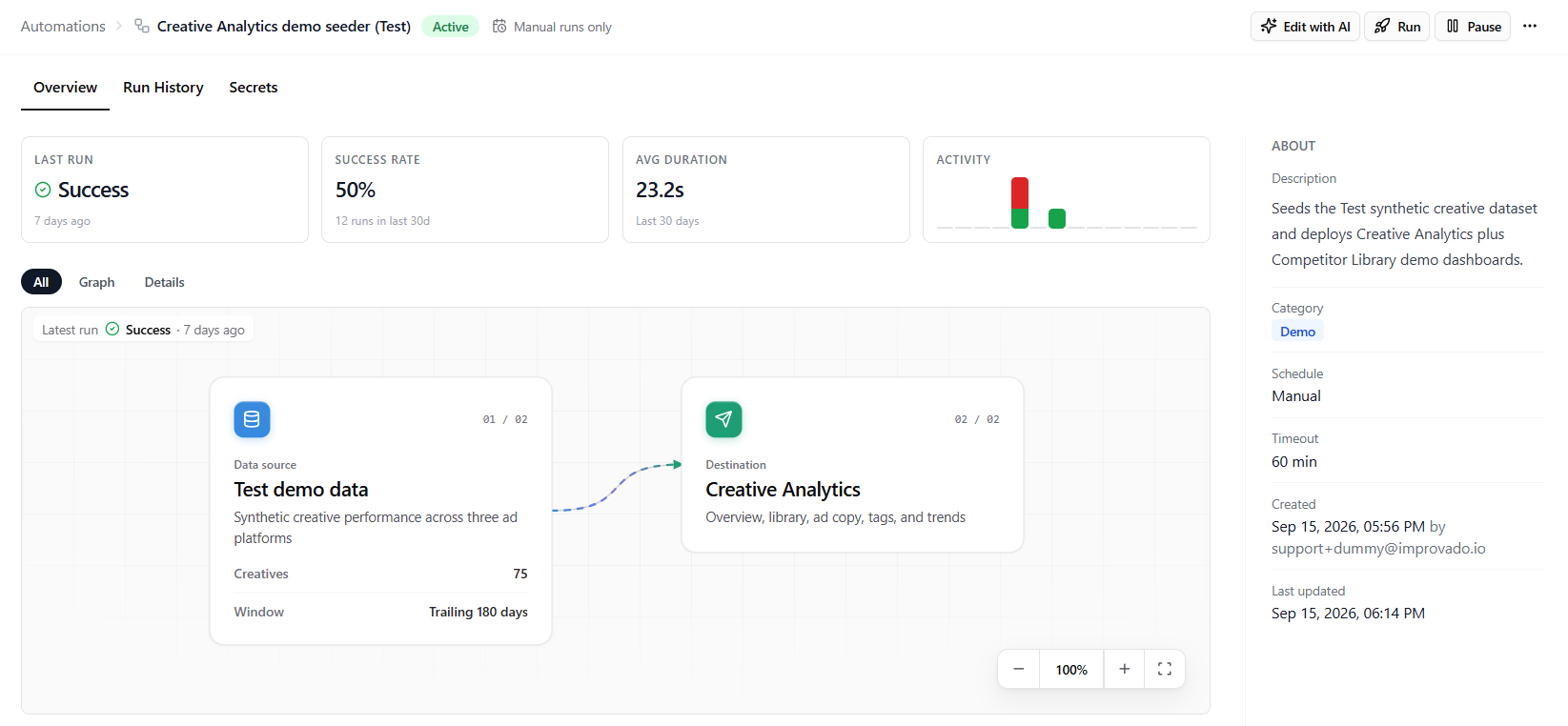
When Improvado's team builds or changes a pipeline for you, the About panel shows it as Improvado Support.
Open Version history to see who changed the pipeline and where the change came from, preview earlier code and settings, or restore a saved definition. Restoring preserves current state, schedule settings and privacy. See Version history for the steps and compatibility checks.
Schedules, run history, artifacts, editing and pausing are covered in Pipeline runs, schedules & artifacts; API keys in Pipeline secrets.
Good prompt examples
“Create a daily data quality pipeline that checks yesterday’s Meta Ads and Google Ads spend tables for missing rows, stale data, and zero-spend anomalies. Send a summary artifact with the failed checks.”
“Build a weekly reverse ETL pipeline that reads high-LTV customers from Improvado Storage and pushes audience updates to Meta Ads and Google Ads.”
“Create a campaign launch validation pipeline that reads a Google Sheet with campaign briefs, checks naming conventions and landing page tracking, then returns a report with pass/fail results.”
Availability
Pipelines are enabled per workspace. If Automations has no Pipelines tab and New automation offers no Pipeline option, contact your Improvado representative. Resource limits, the credential model, and how pipeline runs relate to AI Agent credits are covered in Limits & availability.
Related articles
-
Pipeline Runs, Schedules & Artifacts
Running a pipeline, scheduling it, reading run history, and downloading what a run produced, plus previewing and restoring earlier versions
-
Pipeline Secrets
API keys and passwords for services without an Improvado connection — per pipeline or for the whole workspace
-
Pipeline Use Cases
Concrete custom workflows teams automate with Pipelines, and how to describe each one to the AI Agent
-
Pipelines — Limits & Availability
What a pipeline can access, what scale it handles, and how it is enabled for your workspace
Was this page helpful?
Thanks for the feedback!
Questions? The Improvado team is always happy to help. Send us an email, contact your Customer Success Manager, or raise a request in the Improvado Service Desk.