

Exporting Data from Creative Analytics Intelligence
Creative Analytics Intelligence has two built-in exports: a PDF creative catalog from the Creative Library, and a CSV of your custom tags from the Custom Tags tab. For other tools, you can set up a sync to BI tools and data destinations on request.
Export the Creative Library as a PDF
The Creative Library can be exported as a formatted PDF catalog. The export reflects the current view: all active filters (date range, platform, media type, archetype, account, and custom tags) apply, and the PDF header lists those filters and the number of creatives included.
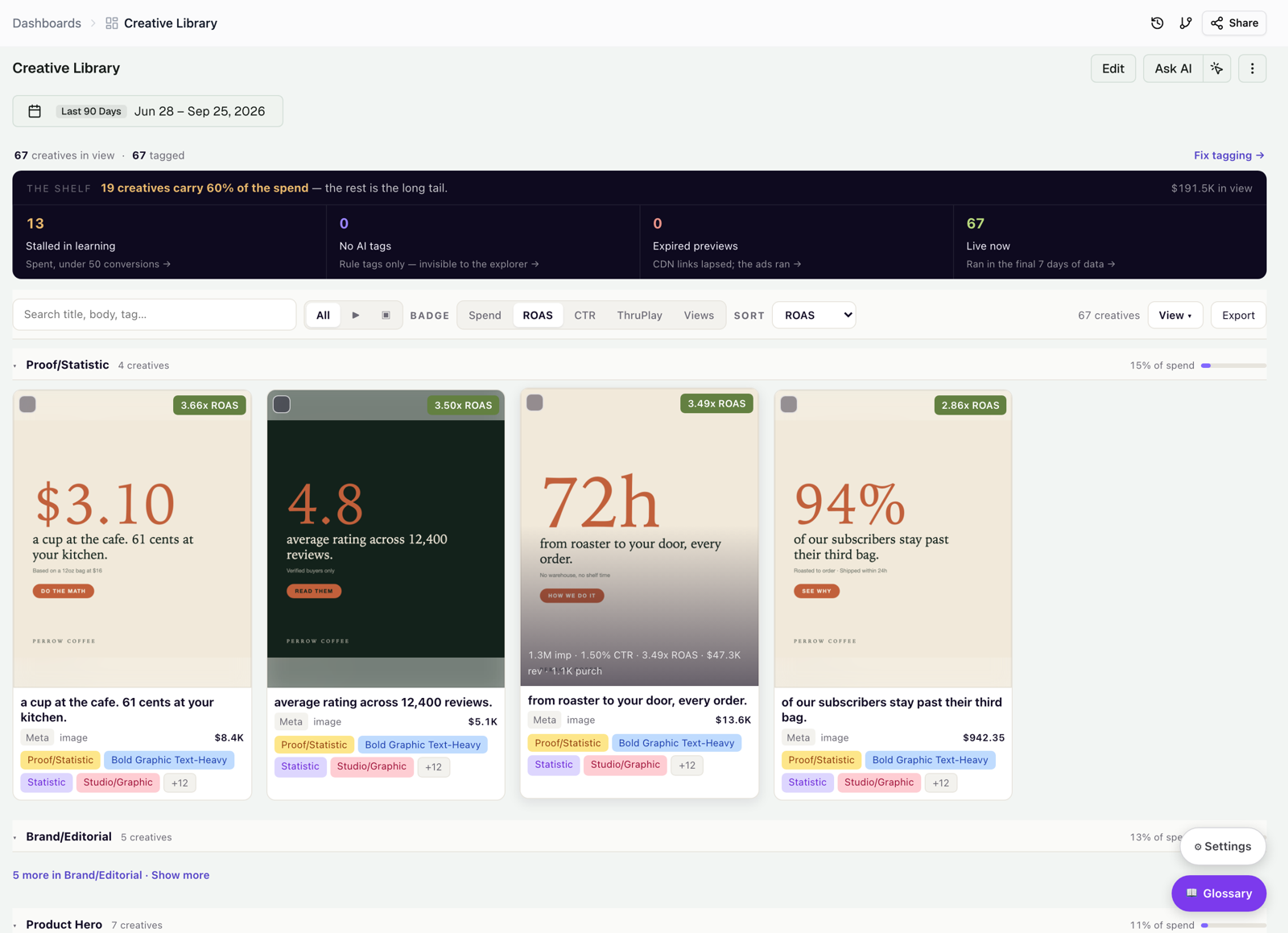
To export:
- Open the Creative Library tab.
- Apply filters to scope the export: date range, platform, archetype, custom tags, or media type (All, Videos, Images).
- Click Export in the top-right corner of the toolbar.
- In the browser print dialog, choose Save as PDF.
Export custom tags as CSV
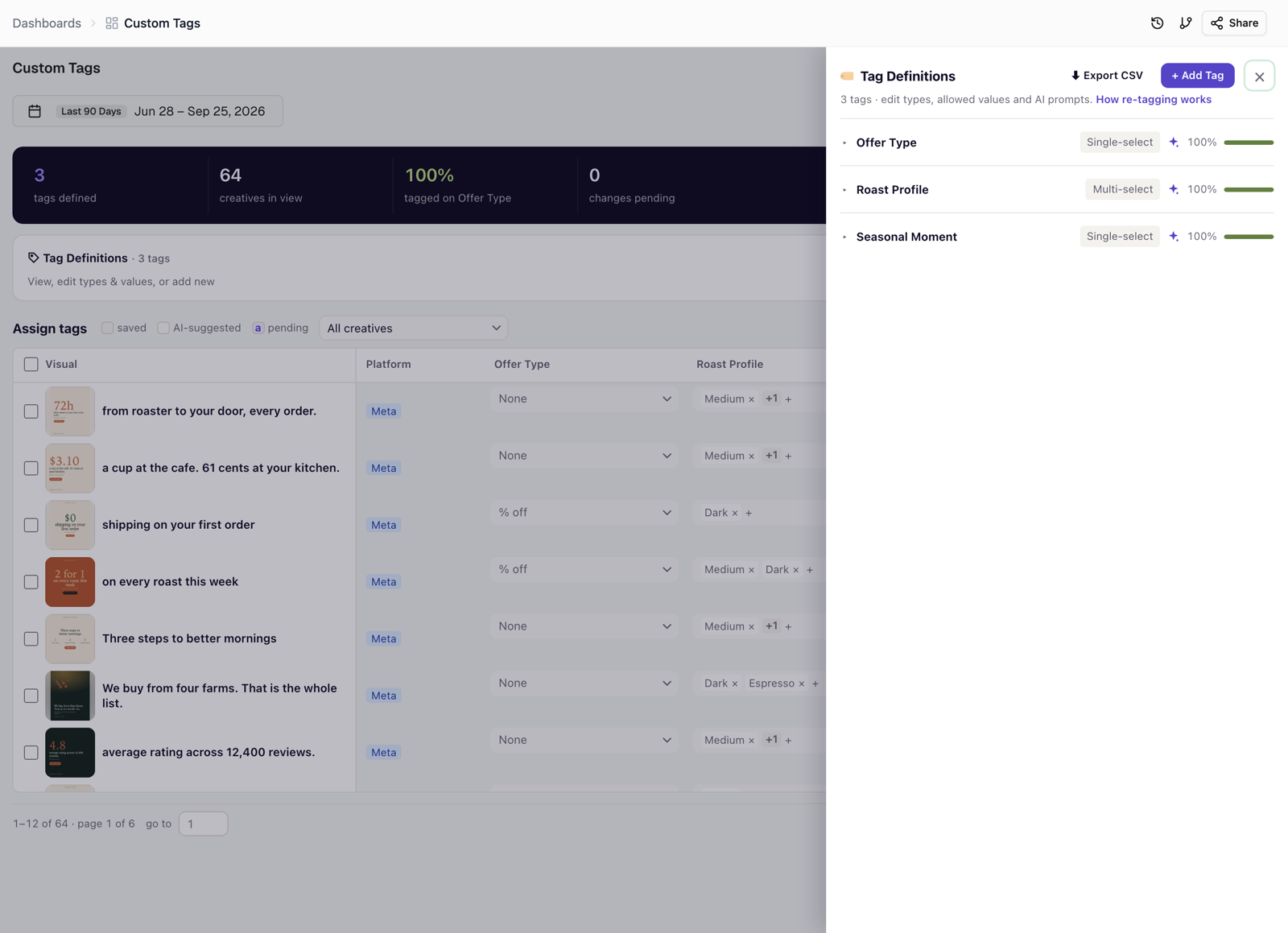
You can download all tag definitions and the values assigned to each creative from the Manage tags panel.
- Open the Custom Tags tab.
- Click Manage tags.
- Click Export CSV in the panel header, next to + Add Tag.
The file includes every tag defined in your workspace and the values assigned to each creative.
Connect to BI tools and data destinations
Creative data from your Improvado workspace can be sent to Google Sheets, Looker, Tableau, or any other destination your pipeline supports. To set up a scheduled sync, contact your Customer Success Manager.
Was this page helpful?
Thanks for the feedback!
Questions? The Improvado team is always happy to help. Send us an email, contact your Customer Success Manager, or raise a request in the Improvado Service Desk.