

Clearer Flat Data Suggestion Cards
Data Extraction Flat Data Ingestion
October 8, 2026 Flat Data suggestions now give you more context before you choose how to load a file.
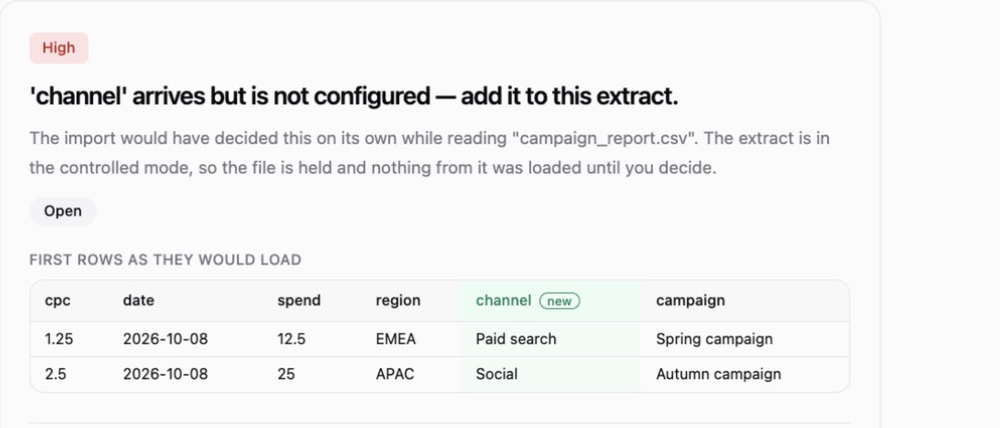
- Preview the data — see the first rows as they would load, with new columns highlighted.
- Understand each choice — hover over a button to see its effect on settings, data and the next file.
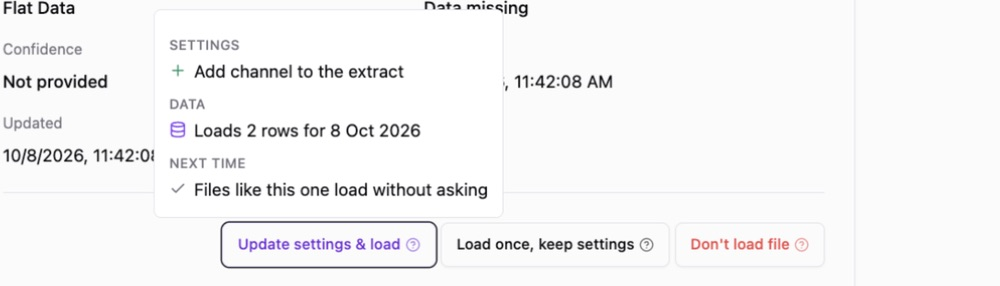
The buttons are now Update settings & load, Load once, keep settings and Don't load file. Each opens a chat with the AI Agent to carry out your choice.
Was this page helpful?
Thanks for the feedback!
Questions? The Improvado team is always happy to help. Send us an email, contact your Customer Success Manager, or raise a request in the Improvado Service Desk.