

Embed Public Dashboards on Your Website
Embed a public Improvado dashboard on your website or client portal without rebuilding the charts. The Share panel now includes Copy embed code: ready-to-paste iframe code for a public dashboard.
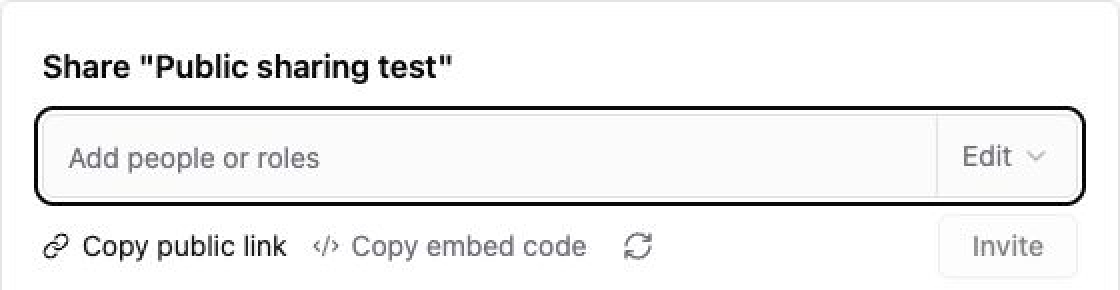
Copy, paste, and explore
- Open an AI Dashboard and select Share.
- Generate a public link if the dashboard does not already have one, then select Copy embed code.
- Paste the code into an HTML or embed block on your HTTPS website.
The dashboard stays interactive: viewers can change the date range and explore its tables and charts without leaving your page. The copied iframe fills the available width and starts at 600 pixels high; adjust its dimensions to fit your layout.
Your public link still controls access
An embed uses the dashboard's existing public link. Anyone who has that link can view the dashboard without an Improvado account. Putting it on a private page does not make the underlying link private. Disabling the public link stops access through the embed; regenerating the link invalidates previously copied code, so copy and replace the code on your website.
Embedding currently supports AI Dashboards with ordinary public links. Links restricted to approved email domains require email-code verification and are not yet supported in embedded views. Standalone HTML reports are not supported.
Was this page helpful?
Thanks for the feedback!
Questions? The Improvado team is always happy to help. Send us an email, contact your Customer Success Manager, or raise a request in the Improvado Service Desk.