

September 2024
New API integrations 🧩
We have added 6 new data sources with the following report types:
Yotpo
- Products Entity report type
- Products report type
- Reviews Metadata Entity report type
- Reviews Entity report type
VTiger
- Email Campaigns report type
- Leads report type
- Quotes report type
Birdeye
- GMB Keywords report type
- GMB Customer Actions Map report type
- Businesses Entity report type
- Google View Search Map report type
Apple App Store
- App Store Installations and Deletions Standard report type
- App Store Purchases Detailed report type
- App Store Purchases Standard report type
- App Store Pre-Orders Standard report type
- App Store Discovery and Engagement Standard report type
- App Store Discovery and Engagement Detailed report type
- App Store Downloads Standard report type
- App Store Pre-Orders Detailed report type
- App Store Installations and Deletions Detailed report type
- App Store Downloads Detailed report type
Nextdoor Ads
- Ad Groups Entity report type
- Reports report type
- Campaigns Entity report type
- Ads Entity report type
WhatConverts
- Leads report type
API changes ⚙️
Google Display & Video 360
We have upgraded our Google Display & Video 360 API to v3. For more information, see Google Display & Video 360 API documentation.
New Report Types 📊
The following report types are available starting this month:
ActiveCampaigns
- Contact Tags report type
- Contact Lists report type
- Contact Goals report type
- Goals report type
Amazon Advertising
- Search Term Sponsored Brands report type
- Search Term Sponsored Products report type
Amazon Advertising DSP
- Invoice Details report type
DoubleVerify
- Standard free-form report type
Facebook Ads
- Business Invoices Entity report type
Google Ads
- Shopping Performance View report type
- User List Entity report type
Google Display & Video 360
- Advertisers Entity report type
Hubspot
- Properties Entity report type
- Property Options Entity report type
Instagram Organic
- Reached Audience Cities report type
- Reached Audience Genders report type
- Reached Audience Countries report type
- Reached Audience Ages report type
Taboola
- Campaigns Entity report type
- DMA Campaigns report type
- Regions report type
Zendesk
- Ticket Fields Entity report type
Check Improvado Data Dictionary to see detailed information about these and other report types and their metrics.
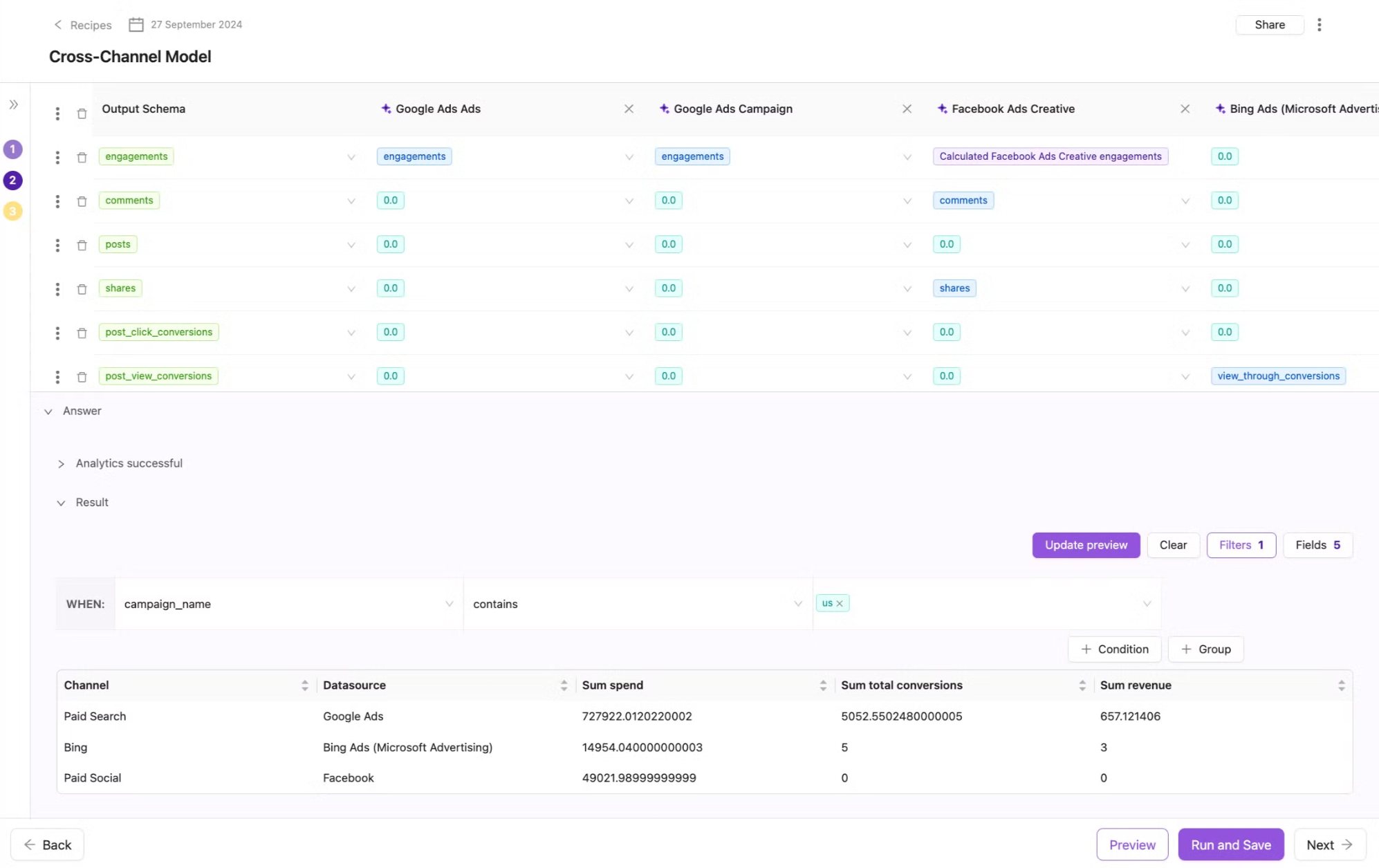
Advanced Data Preview in Wizard Data Transformation
Data Preview allows you to hide or show columns, group data based on selected dimensions and metrics, and apply filters to explore your data in convenient way.
New categories in the Rule Library
Google Ads Audit
- These rules allow you to understand the health of your data across UTM, naming convention and marketing campaigns themself. It shows how your data is ready to be transformed.
.png)
Data Integrity
- These rules allow you to set up alerts on any potential problems with extract, load, connections.
.png)
New Flat Data Ingestions
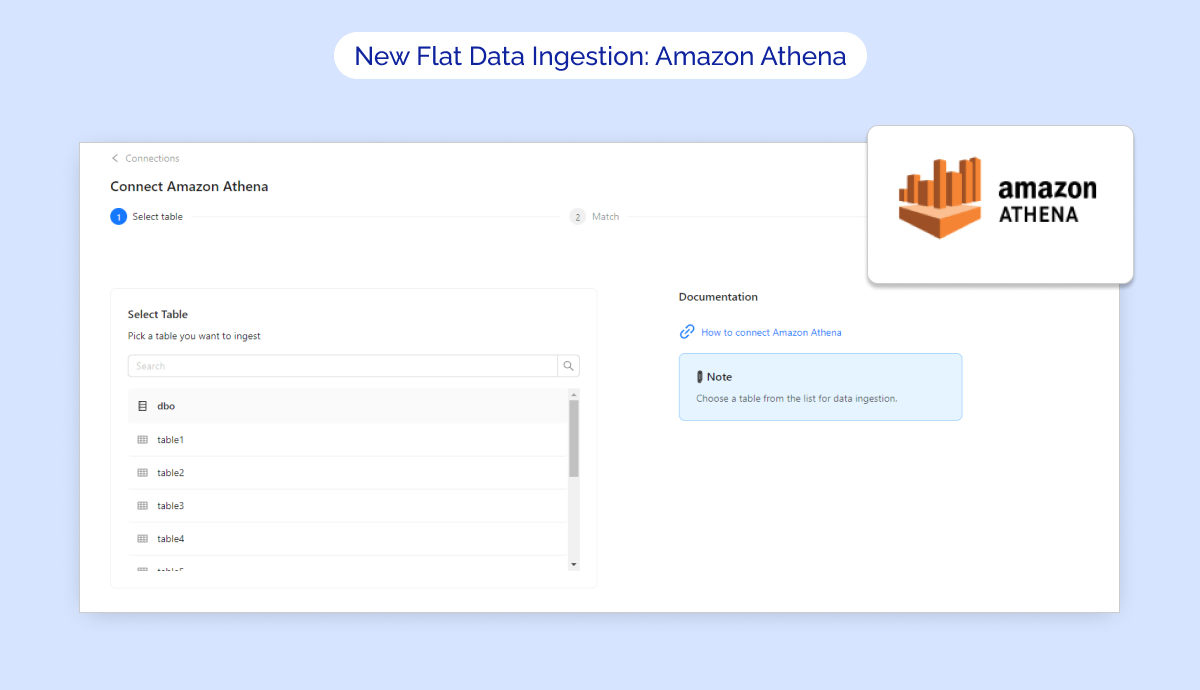
🔥 We are thrilled to announce a new Flat Data integration - Amazon Athena!
✅ Key Features:
- Import Amazon Athena tables directly via Improvado UI
- Configure Extraction scheduling, Table meta, Skip rule, etc. for your extraction
Additionally, we’d like to highlight two other existing Flat Data sources that provide seamless integration:
- AWS S3: Securly upload your files for data extraction into an Improvado-managed AWS S3 instance.
- SFTP: Import your files directly to Improvado-managed SFTP
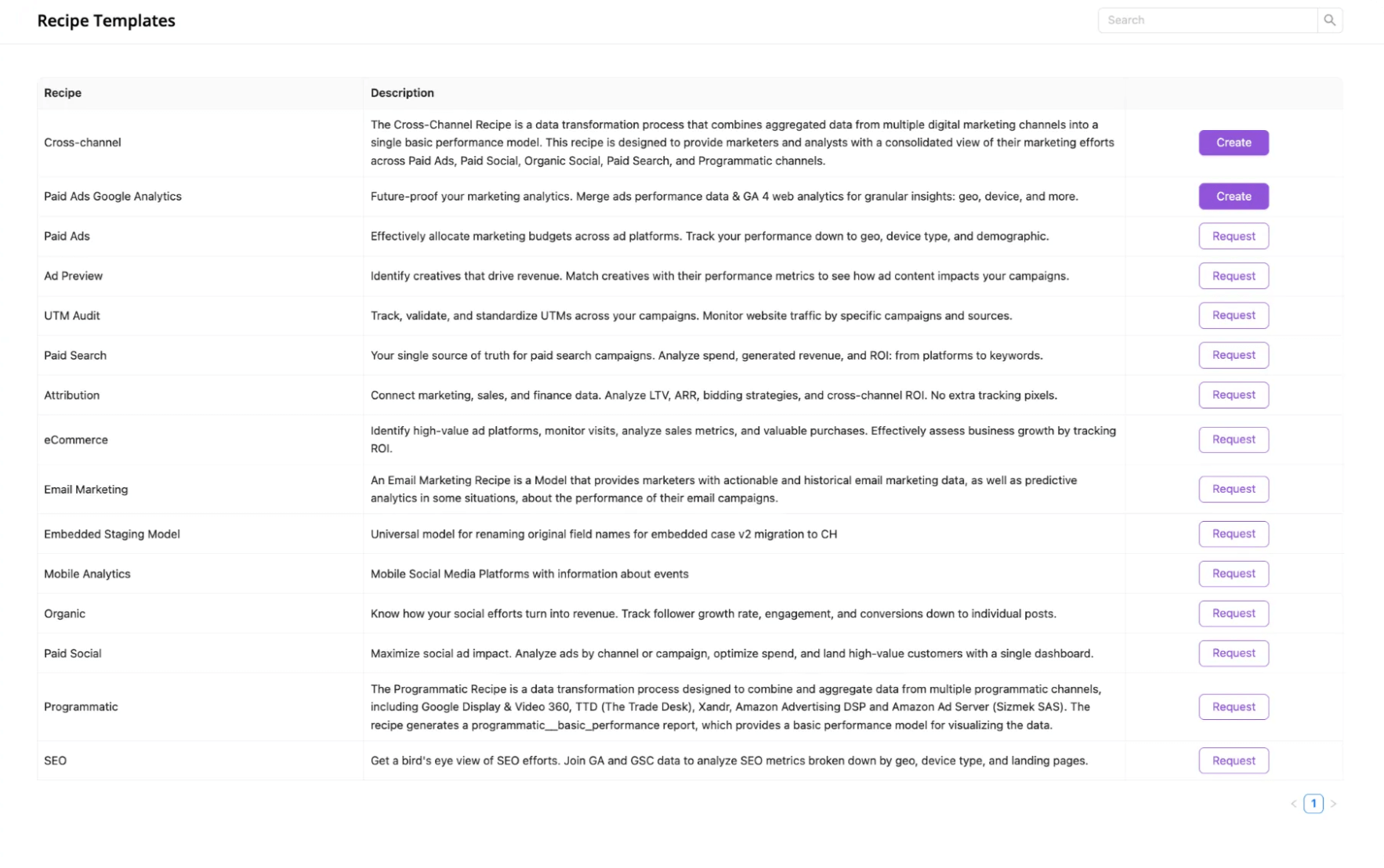
Updated Recipe Templates Tab
We have updated the recipe templates tab, making it even easier to create new recipes using our new self-serve data transformation flow.
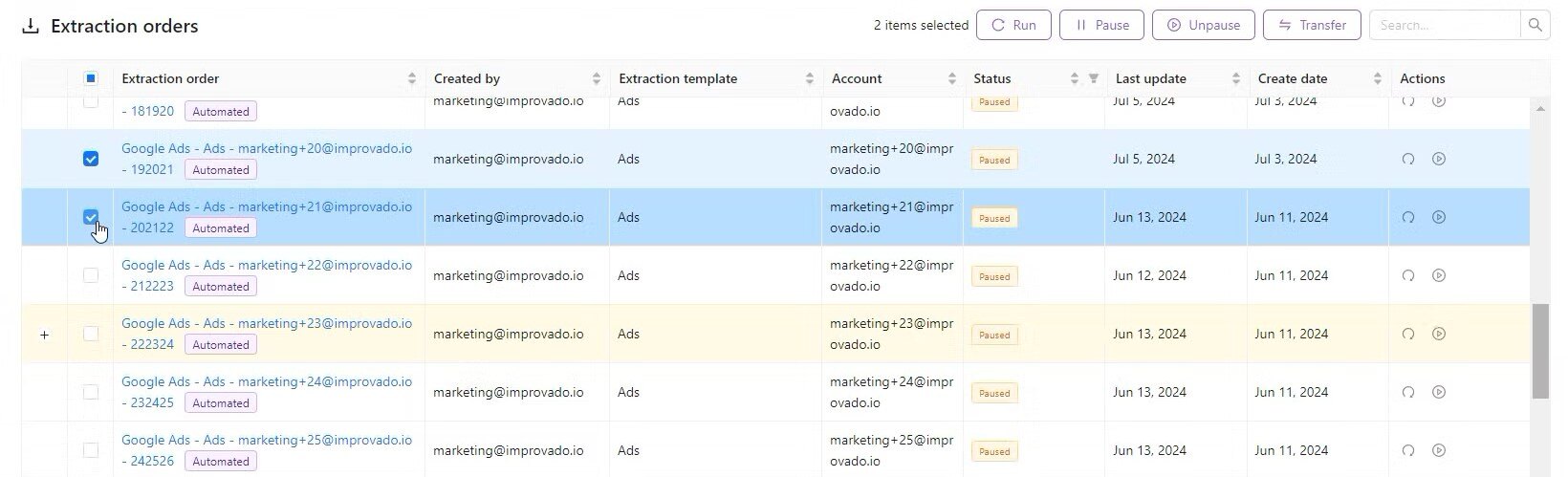
Bulk Actions for Extraction orders
Now you can apply Pause/Unpause, Run actions to any selected orders on the current page. Before, only Transfer & Edit were available for bulk selection.
Also, Run (prev. Run Extraction) now supports multiple orders!
Currently, available only for Extraction orders on Connection Details pages & Data table pages.
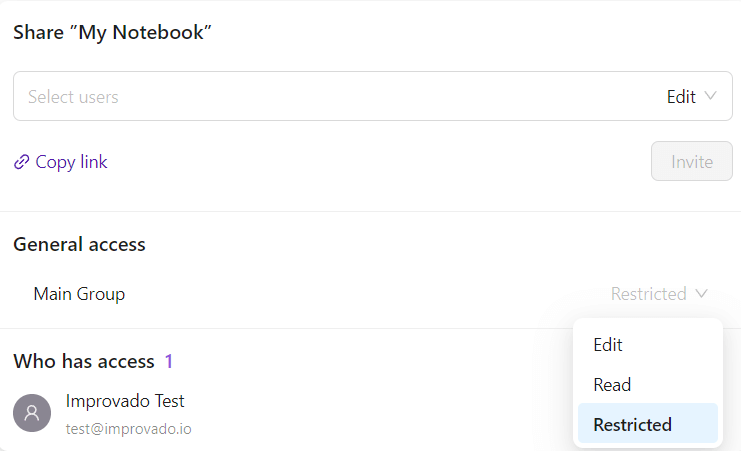
Updated Notebook Sharing Functionality
The sharing feature provides a flexible way to control access to your notebooks, allowing both global and individual user permissions.
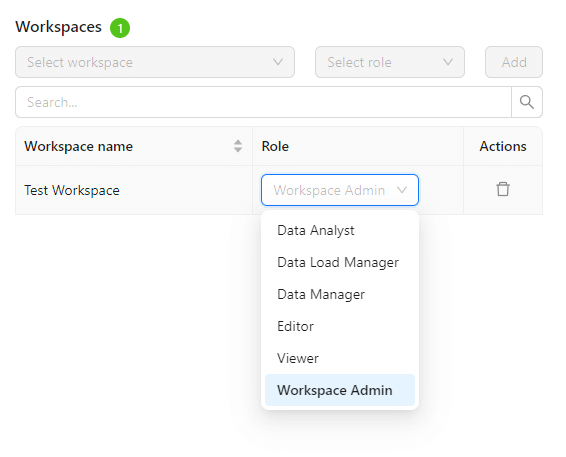
New User Roles
We're excited to introduce new user roles, allowing you to assign and manage access within your team based on specific job responsibilities. This update ensures tailored permissions, providing the right level of access while maintaining data security and operational control.
Data source labels
We’re introducing Data source labels to help you quickly identify new, deprecated, or soon-to-be-sunset data sources. These labels can be found on the Data Sources page and Connection Details pages, as well as on our Integrations website page.

Was this page helpful?
Thanks for the feedback!
Questions? The Improvado team is always happy to help. Send us an email, contact your Customer Success Manager, or raise a request in the Improvado Service Desk.