

October 2024
New API integrations 🧩
We have added 2 new data sources with the following report types:
Gorgias
- Tickets report type
- Customers report type
- Integrations report type
- Surveys report type
- Ticket Messages report type
- Users report type
- Voice Calls report type
Sam's Club
- Page Types report type
- Video Campaigns report type
- Video Keywords report type
- Ad Group Media Entity report type
- Ad Items Entity report type
- Campaigns Entity report type
- Keywords Entity report type
- Negative Keywords Entity report type
- Placements Entity report type
- SBA Profiles Entity report type
- Suggested Keywords Entity report type
- Platforms report type
- Categories report type
- Ad Items report type
- Ad Groups report type
- Media Entity report type
- Ad Groups Entity report type
- Placements report type
- Keywords report type
- Brands report type
API changes ⚙️
Google Ad Manager
We have upgraded our Google Ad Manager API to v202408.
This change affects the following data sources:
- Google Ad Manager
- Google Ad Manager (by Advertiser)
For more information, see Google Ad Manager API documentation.
New Report Types 📊
The following report types are available starting this month:
Adjust API
- Network By Campaign report type
- Creative Network Hour report type
Amazon Advertising
- Targeting Sponsored Brands report type
Amazon Advertising DSP
- Advertisers Entity report type
Facebook Ads
- Ads By Audience Segments report type
Illumin
- Revenue free-form report type
LinkedIn Organic
- Video Daily report type
Hubspot
- Emails Entity report type
- Communications Entity report type
- Notes Entity report type
- Tasks Entity report type
Oracle NetSuite
- Transaction Lines Entity report type
- Transaction Accounting Lines Entity report type
- Accounts Entity report type
- Departments Entity report type
- Entities Entity report type
- Transactions Entity report type
- Transaction Lines Entity report type
- Classifications Entity report type
- Counterparty Entity report type
Check Improvado Data Dictionary to see detailed information about these and other report types and their metrics.
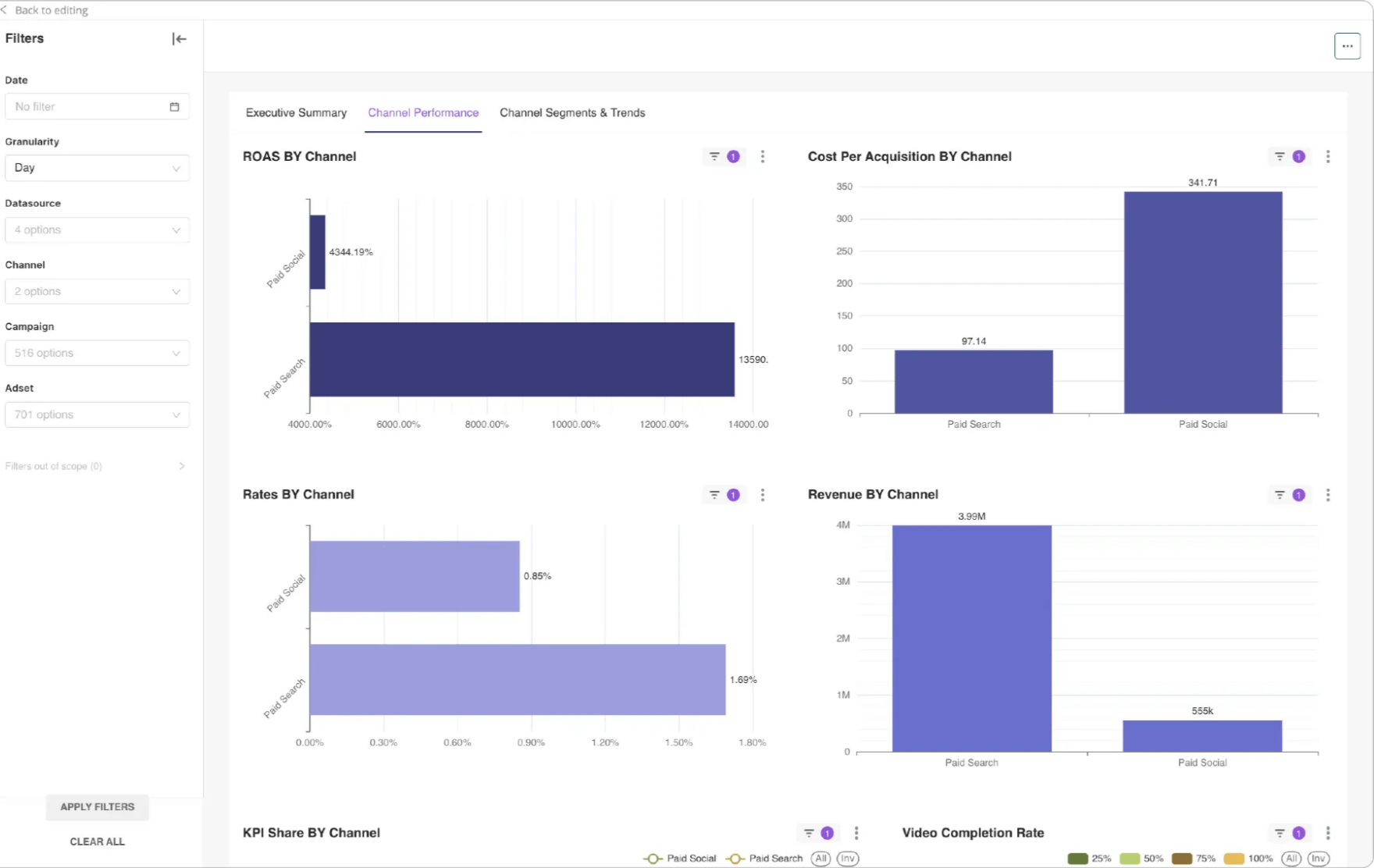
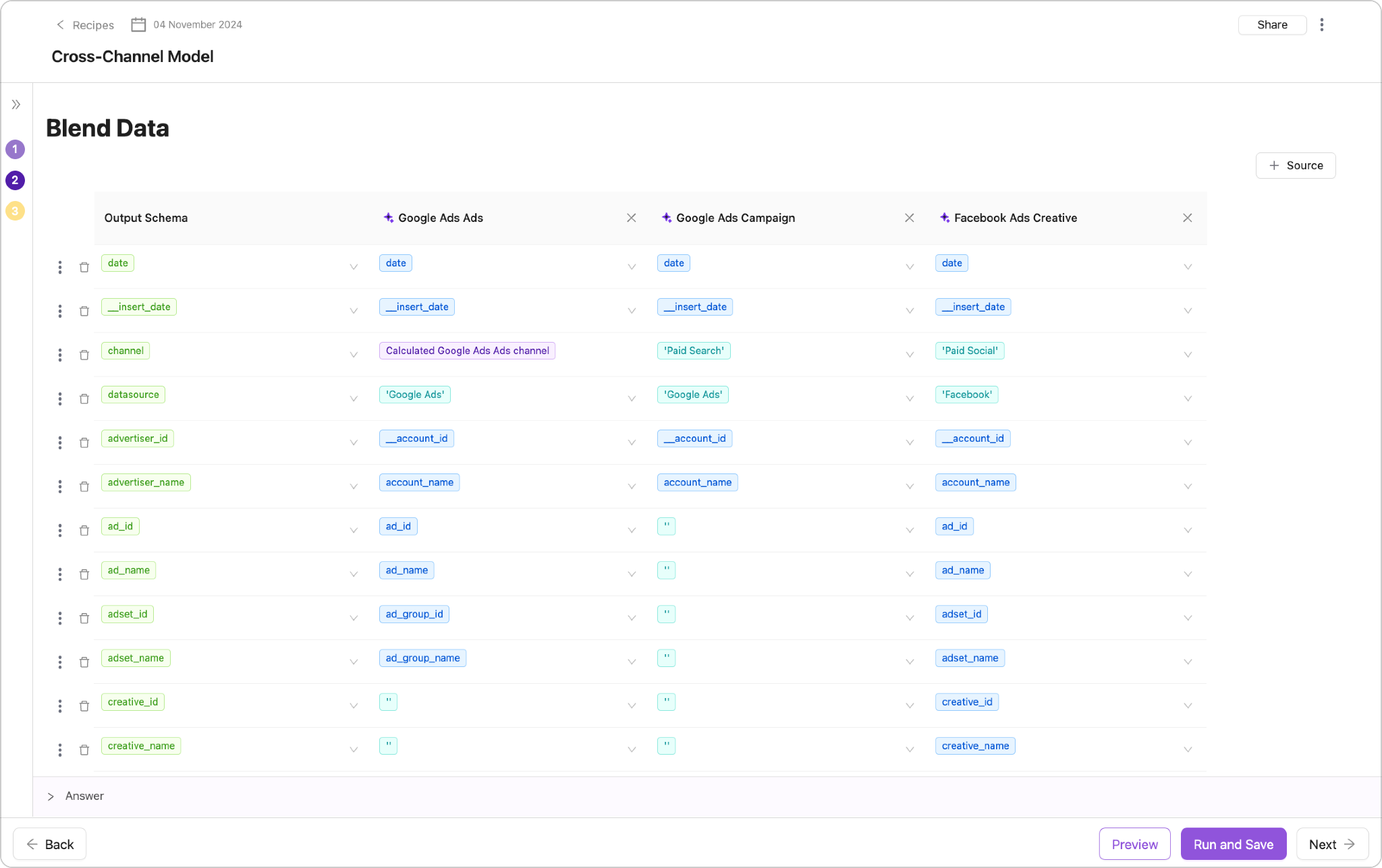
Dashboards within Data Transformation
Each of the new templates also supports the visualization.
Now you can turn the visualization by clicking a single button.
Meta Loader Improvements
Meta Loader indexes data for AI functionality.
We made big improvements toward the speed:
- New tables created by Wizard will appear in other Wizards immediately.
- New uploaded tables will be indexed in 5-10 min.
New Administrative Settings Panel! 🎉🎉
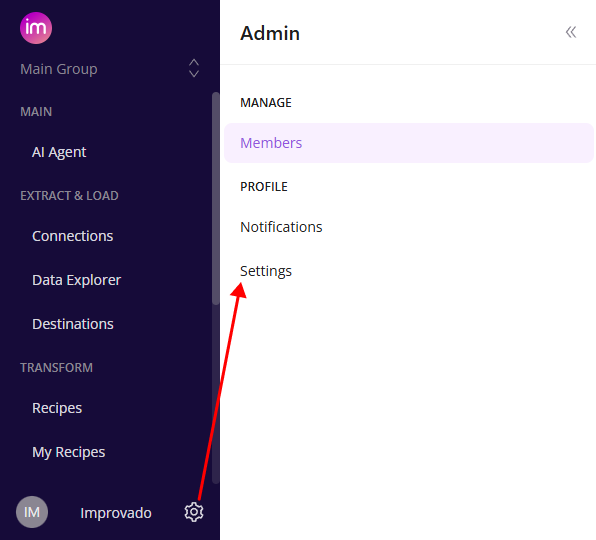
We’ve revamped the settings experience to make it easier than ever to manage your account and team.
Simply click the ⚙️ gear icon to open the new side panel, where you’ll find:
MANAGE Section🛠️
- Members: Access the lists of users separated by workspaces - ex. Your Team page (previously in the main menu)
PROFILE Section 👤
- Notifications: Quickly navigate to the Notification Center
- Settings: Update and view your Account Settings
We hope this streamlined side panel makes interactions with our user interface smoother and more intuitive!
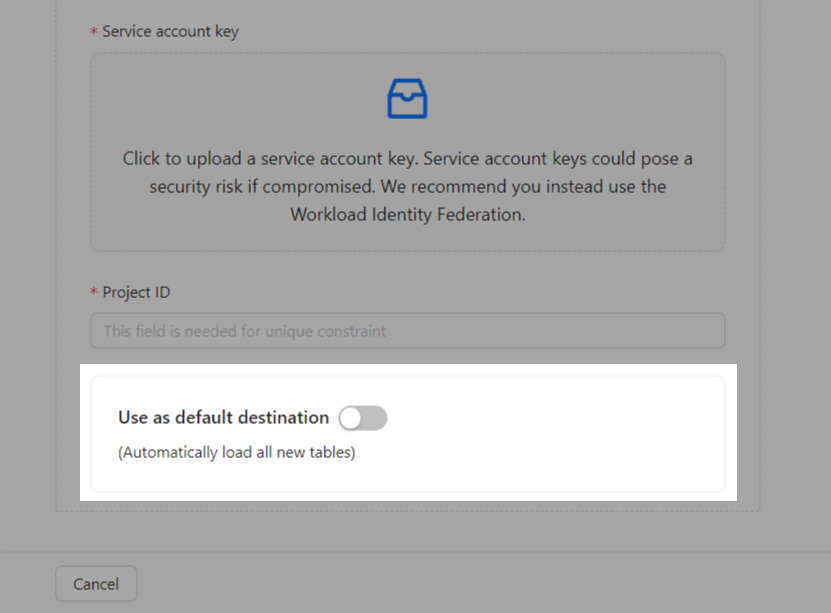
Automatic Load in Destination Setup
- Eliminates the need to setup data loading after extraction
- Significantly minimizes the time required to set up data flows
- Improves the overall user experience
Was this page helpful?
Thanks for the feedback!
Questions? The Improvado team is always happy to help. Send us an email, contact your Customer Success Manager, or raise a request in the Improvado Service Desk.