

Custom Connector Builder
AI Agent Data Extraction
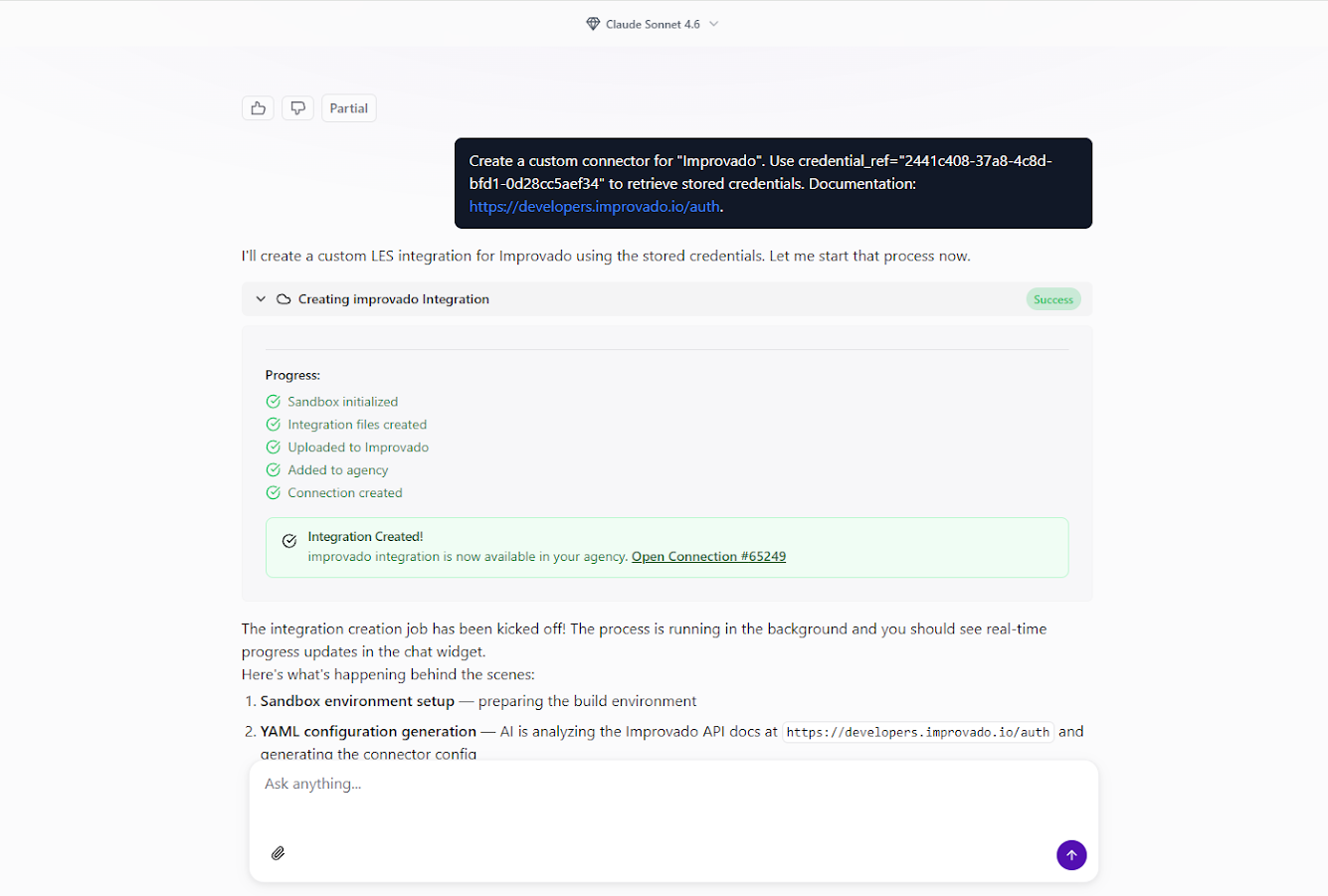
March 11, 2026 You can now create custom API connectors for any data source directly from the AI Agent chat interface. No separate forms, no coding — just describe what you need, and the AI Agent handles the rest.
How it works
- Ask the AI Agent — open the AI Agent chat and say something like "Create a custom connector for [platform name]."
- Fill in the details — provide the data source name, authentication credentials, and optionally a link to the vendor's API documentation and any specific requirements.
- Let the AI build it — the Agent sets up an isolated sandbox, reads the API docs, generates the integration, tests it, and deploys it to your workspace. You'll see real-time progress in the chat.
Explore your data with Discovery API
Once the connector is live, you can explore available endpoints and run test queries right from the chat:
- "Show available data for my [platform] connection via Discovery API"
- "What endpoints are available in my custom integration?"
- "Run a test query to get data from [specific endpoint]"
The AI Agent automatically generates documentation for all discovered API endpoints.
Key benefits
- Chat-first experience — everything happens inside the AI Agent, no context switching.
- No technical requirements — create integrations without coding knowledge or API expertise.
- Rapid implementation — connect to new data sources in minutes, not days.
- Secure sandbox — all implementation runs in isolated environments with credential protection.
Was this page helpful?
Thanks for the feedback!
Questions? The Improvado team is always happy to help. Send us an email, contact your Customer Success Manager, or raise a request in the Improvado Service Desk.