

Brand Presets for Dashboards
Business Intelligence
August 10, 2026 Putting a client's branding on a dashboard used to be per-dashboard work: set the logo, pick the colours, then do it again on the next one. When the client refreshed their palette, someone had to walk every dashboard and redo it.
Brand presets replace that. Save the logo and colour scheme once, apply it wherever you need it, and change it in one place when the branding changes — every dashboard following the preset picks it up.
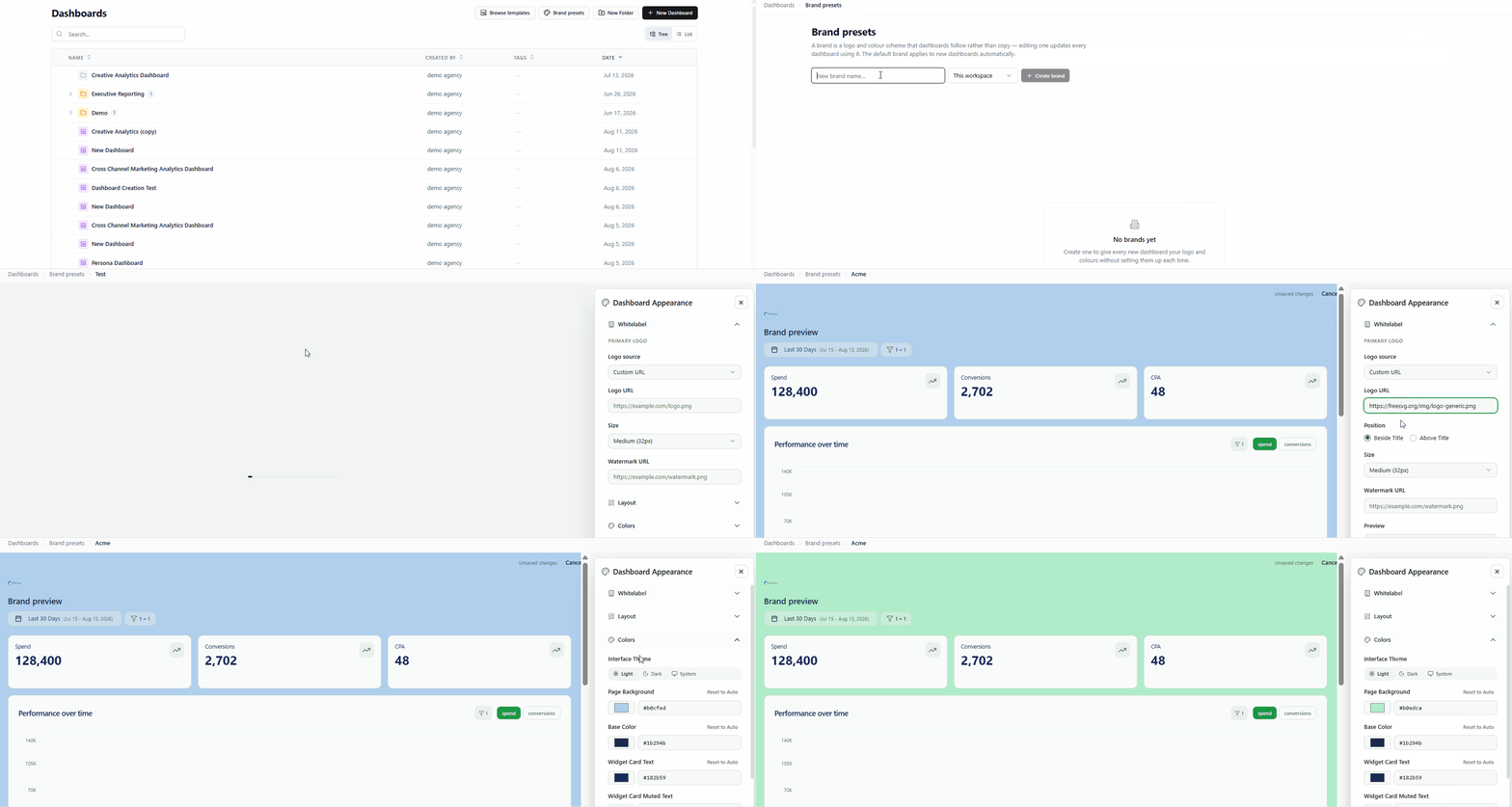
What you can do
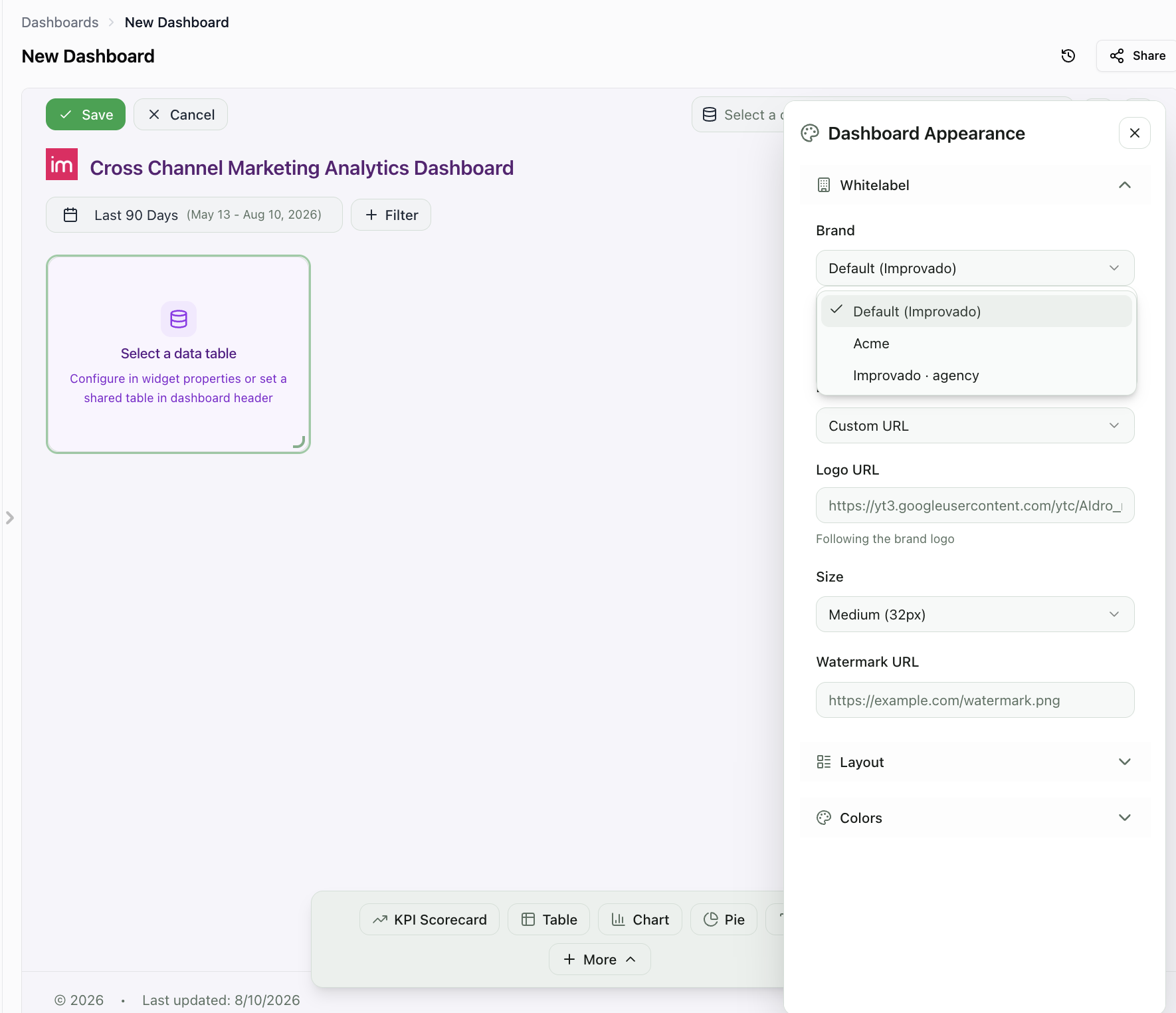
- Brand a dashboard in one click — pick a preset from the Brand dropdown in the Appearance panel.
- Re-brand everything at once — edit the preset, and every dashboard following it follows the change.
- Start on-brand — mark one preset as default and every new dashboard gets it automatically.
- Share across workspaces — keep a preset to one workspace, or make it available to the whole agency.
- Still override anything — change a colour on one dashboard without leaving the brand; Reset to brand hands the field back.
Find them under Dashboards → Brand presets.
Was this page helpful?
Thanks for the feedback!
Questions? The Improvado team is always happy to help. Send us an email, contact your Customer Success Manager, or raise a request in the Improvado Service Desk.