

Notification Center: Send Pipeline Alerts to Microsoft Teams
Receive Notification Center alerts in the Microsoft Teams channels your team already uses. Choose a connection, select a team and channel, test delivery and save the alerts that matter to that channel.
What's new
- Teams channel delivery. Select an existing Teams connection with permission to send channel messages, or authorize a new one directly from Notification Center.
- Alerts tailored to each channel. Choose extraction errors, load errors, connection problems, credential expiry, account changes or unavailable fields. Each Teams channel has its own settings, separate from email and Slack.
- Cards with clear next steps. See available error details and status information, with separate buttons to open the affected object, reconnect a source or Fix with AI Agent where enabled.
- Control delivery. Add multiple channels, pause or resume a subscription, edit settings or remove a destination from the channel list.
Choose the sender deliberately: messages are posted as the Microsoft 365 account that authorized the connection. We recommend a dedicated Teams account for notifications, with Teams enabled and access to the target team and channel. Use Read & Write when authorizing; Read Only cannot send alerts.
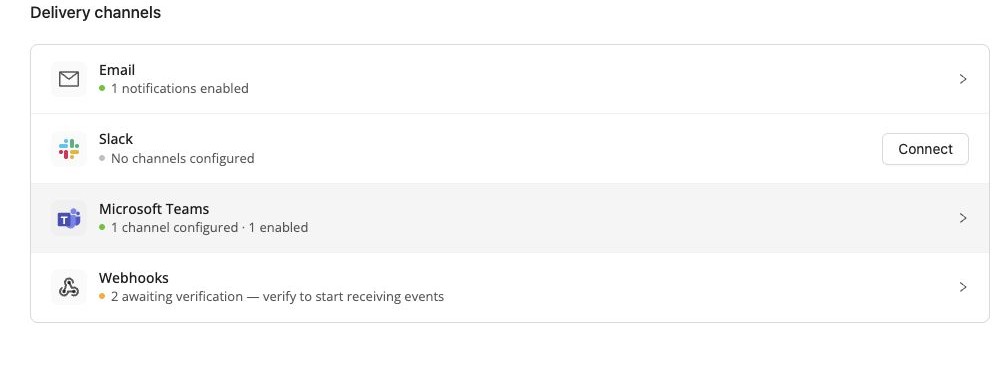
To get started, open your profile menu, select Notifications and expand Microsoft Teams under Delivery channels. Click Connect or Add Teams channel. Notifications are processed in batches, so delivery is not instant.
Was this page helpful?
Thanks for the feedback!
Questions? The Improvado team is always happy to help. Send us an email, contact your Customer Success Manager, or raise a request in the Improvado Service Desk.