

Select Specific Accounts During Authorization
Data Extraction
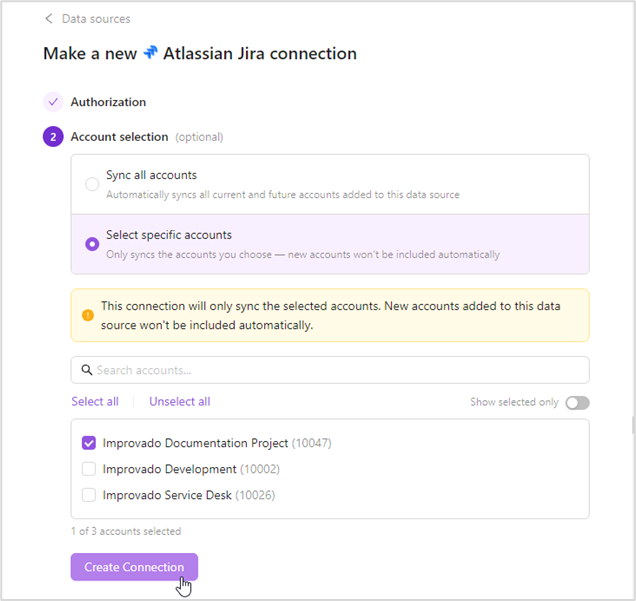
March 2, 2026 Take full control over which accounts get synced when connecting credentials. Previously, authorizing a connection automatically pulled in every account, including ones you didn't need, leading to cluttered workspaces, unwanted data, and potential privacy concerns. That's now a thing of the past.
Choose the sync mode that works for you:
- Sync all accounts — all current and future accounts are synced automatically
- Select specific accounts — only your chosen accounts are synced; new accounts added later are excluded by default
Was this page helpful?
Thanks for the feedback!
Questions? The Improvado team is always happy to help. Send us an email, contact your Customer Success Manager, or raise a request in the Improvado Service Desk.