

Bring Your Own Provider Key
Agent work can now run on your own provider key. Add an Anthropic or OpenAI key under Settings → Provider Key and the AI Agent uses it for its model calls, billed by your provider rather than drawn from Improvado credits.
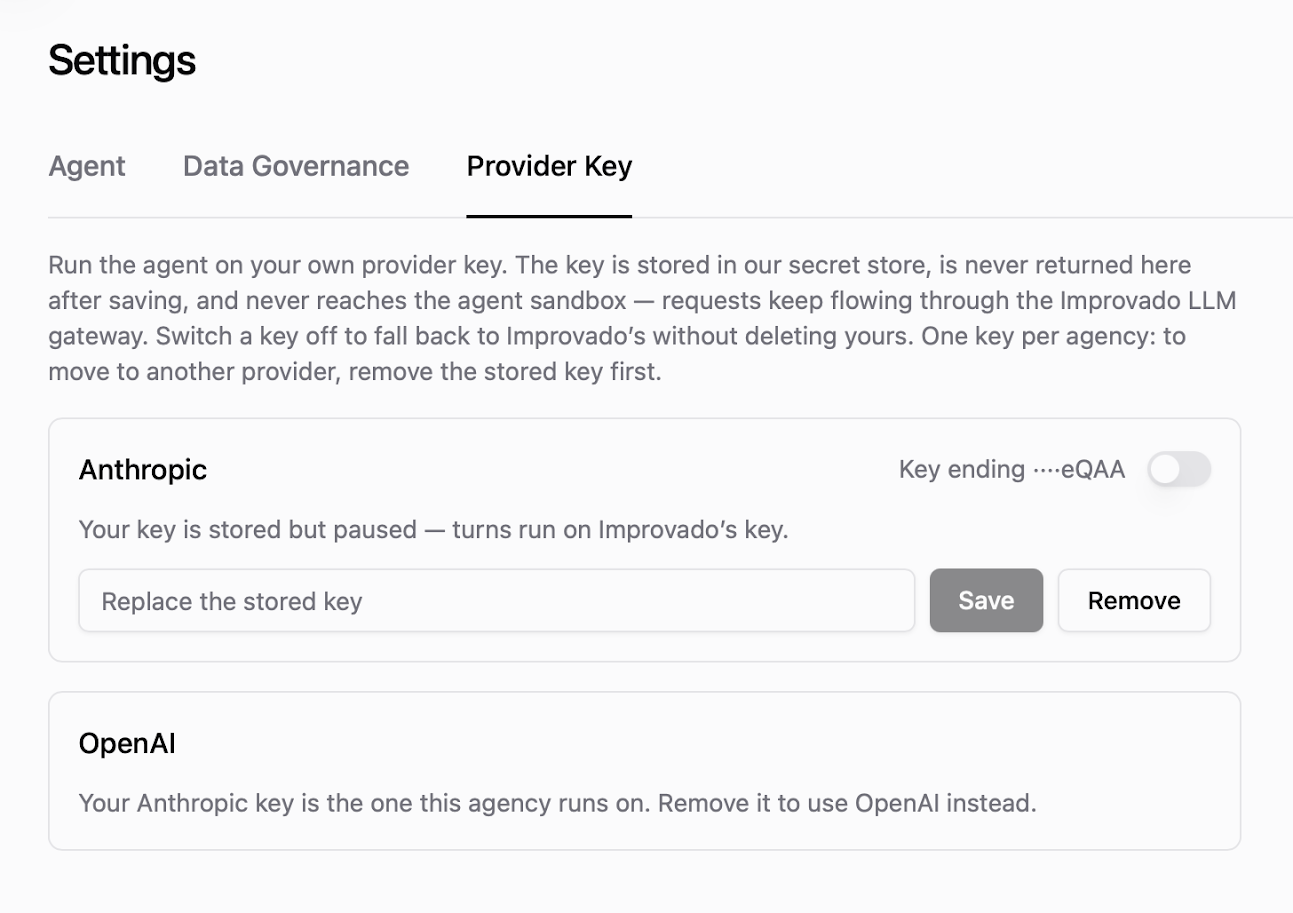
The key goes into a secret store: it is never shown again after saving and never reaches the agent sandbox, with requests continuing through the Improvado LLM gateway as before. A switch on the stored key hands the agent back to Improvado's key at any time, without deleting yours - useful while you sort out quota or billing on your own account.
One key per agency, so moving between providers means removing the stored key first. This suits teams that already hold a provider contract - a negotiated rate, a committed spend, or a procurement requirement that model calls sit on the company's own account. Available per agency on request: speak to your Customer Success Manager to have it enabled.
Was this page helpful?
Thanks for the feedback!
Questions? The Improvado team is always happy to help. Send us an email, contact your Customer Success Manager, or raise a request in the Improvado Service Desk.