
Request Credentials from External Users
For non-Improvado users: Learn how to control this feature from your side with our comprehensive guide. Click here to get started.
Improvado’s Request Credentials feature allows you to request an external users credentials to create a new connection directly in Improvado. Clients can authenticate their accounts without sharing sensitive login details manually, reducing back-and-forth communication and accelerating the authorization process.
How to Use It?
Links expire after 14 days or immediately after first use (whichever comes first). If a link expires, regenerate and resend it.
- Click the Make a new Connection on the Connections page.
- Navigate to the data source you need.
- Click the Generate link button.
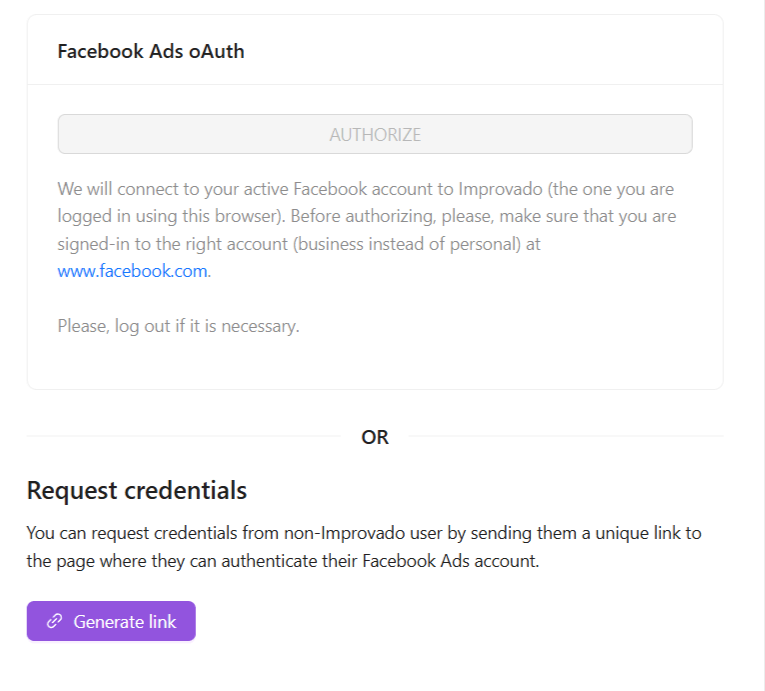
- Enter the email addresses to which you want to send the credentials request link. Note that you can enter multiple addresses.
- Click the button to send the email to all the listed recipients.
To authorize their credentials external user should complete the flow from this guide.
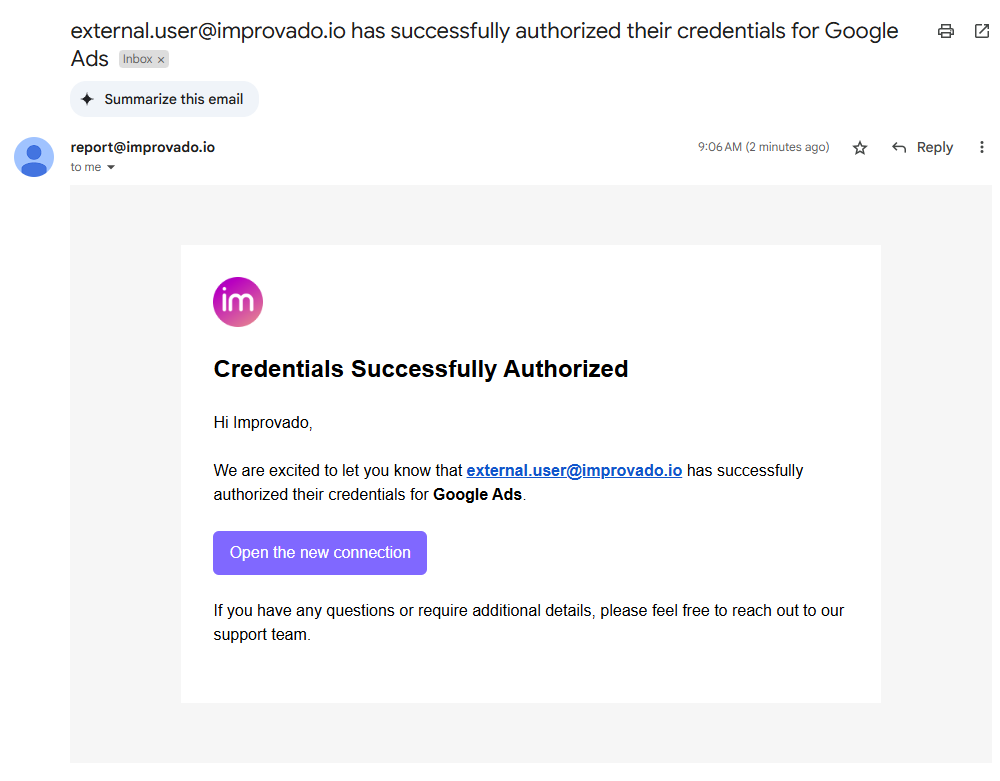
- Once the recipient authorizes credentials, you will receive a notification email.
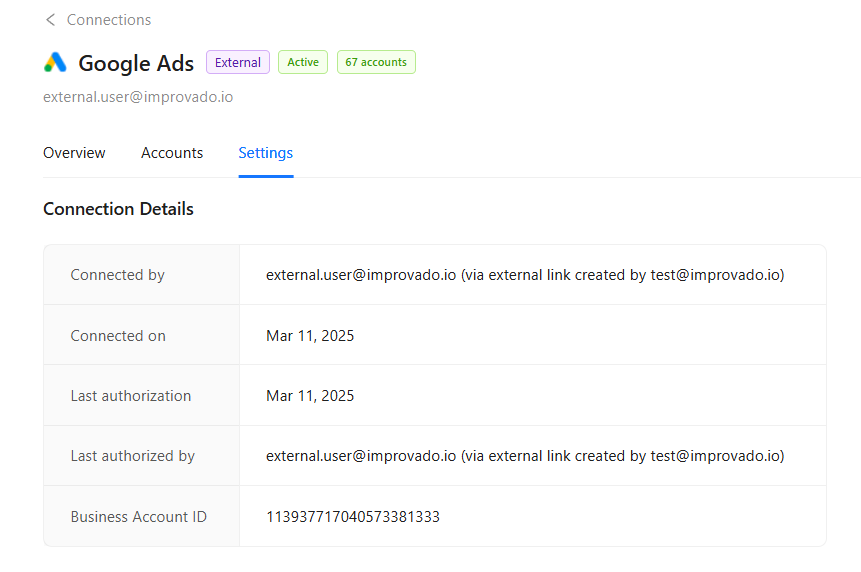
- The connection will appear in the list of connected sources with the External label.
Information about who created the connection and the external link will be reflected in the connection details.
Tracking Sent Requests
All credential request links you have sent across data sources are listed in one place at Connections → Credential requests. Open it directly via the URL or use the Credential requests button on the Connections page header.
- The page opens to Active (still pending) requests. Switch to All to also see Used, Expired, and Revoked.
- Search by data source, recipient email, or sender.
- Use Revoke on a pending row to invalidate the link before it is used.
Completed and expired requests are removed automatically about two weeks after their last activity, so the list stays focused on what is still actionable.
You can also use the request credentials feature to re-connect existing connections. Learn more here.
Was this article helpful?
Thanks for the feedback!
Questions? The Improvado team is always happy to help. Send us an email, contact your Customer Success Manager, or raise a request in the Improvado Service Desk.