

March 2026
New API integrations 🧩
We have added several new data sources with the following report types:
Wistia
- Events
- Media Stats
- Media Stats Lifetime
Grafana OnCall
- Teams
- Alert Groups
- Integrations
- Users
- Resolution Notes
Nexxen
- Reports
Later Influence
- Network Performance
- Post Performance
- Instance Performance
- Influencer Performance
- Campaign Performance
- Network Return on Investment
- Instance Performance Over Time
- Instance Details
Light Trail
- Insights
- Retention
Rakuten Advertising
- Affiliate Order Detail
- Individual Item Report
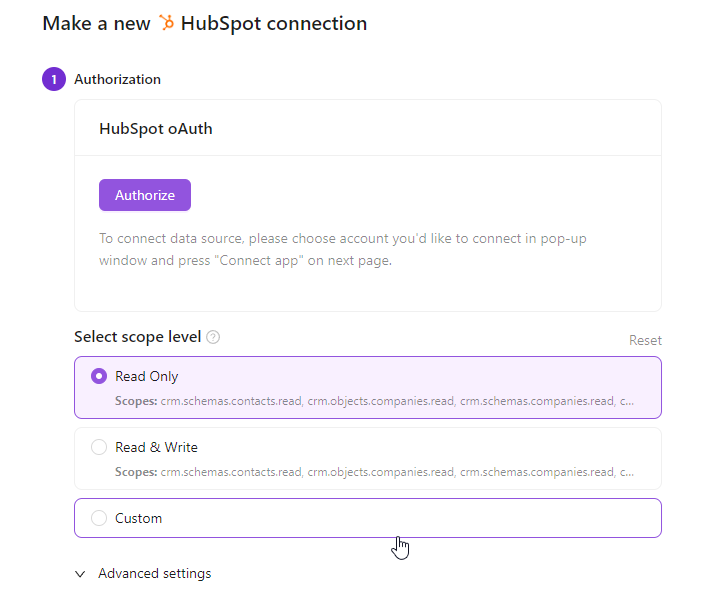
Scope Level Selection
You can now choose the exact permission level when authorizing credentials — no more granting full read/write access when read-only is all you need. This gives enterprise teams greater control over data security and helps meet compliance requirements with ease.
- A default scope level can be configured and applied automatically to all new connections
- Per-connection scope can still be adjusted individually during setup
- Rolling out gradually, starting with the most requested connectors
Field Hashing for PII Protection
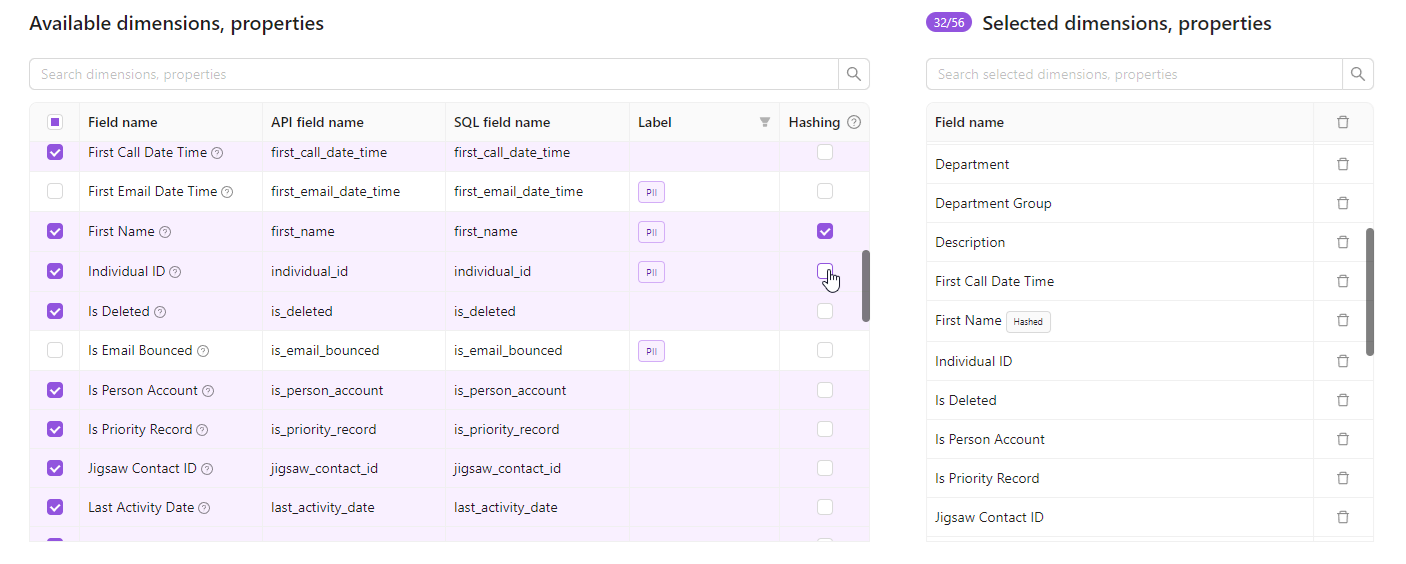
Protect sensitive data without losing analytical value. Field hashing lets you apply irreversible SHA-256 encryption to string property fields directly within your extraction order — before data ever reaches your warehouse.
Key Benefits
- Privacy by default — PII fields like emails and user IDs can be hashed before storage, reducing exposure risk
- Join-friendly — identical inputs always produce the same hash, so hashed fields still work as join keys across datasets
- Zero code required — enable hashing with a checkbox in your extraction order settings
Notes:
- Available for string property fields only (not metrics or dimensions).
- Not yet available for all report types — if you don't see the Hashing column, contact your CSM
Custom Connector Builder
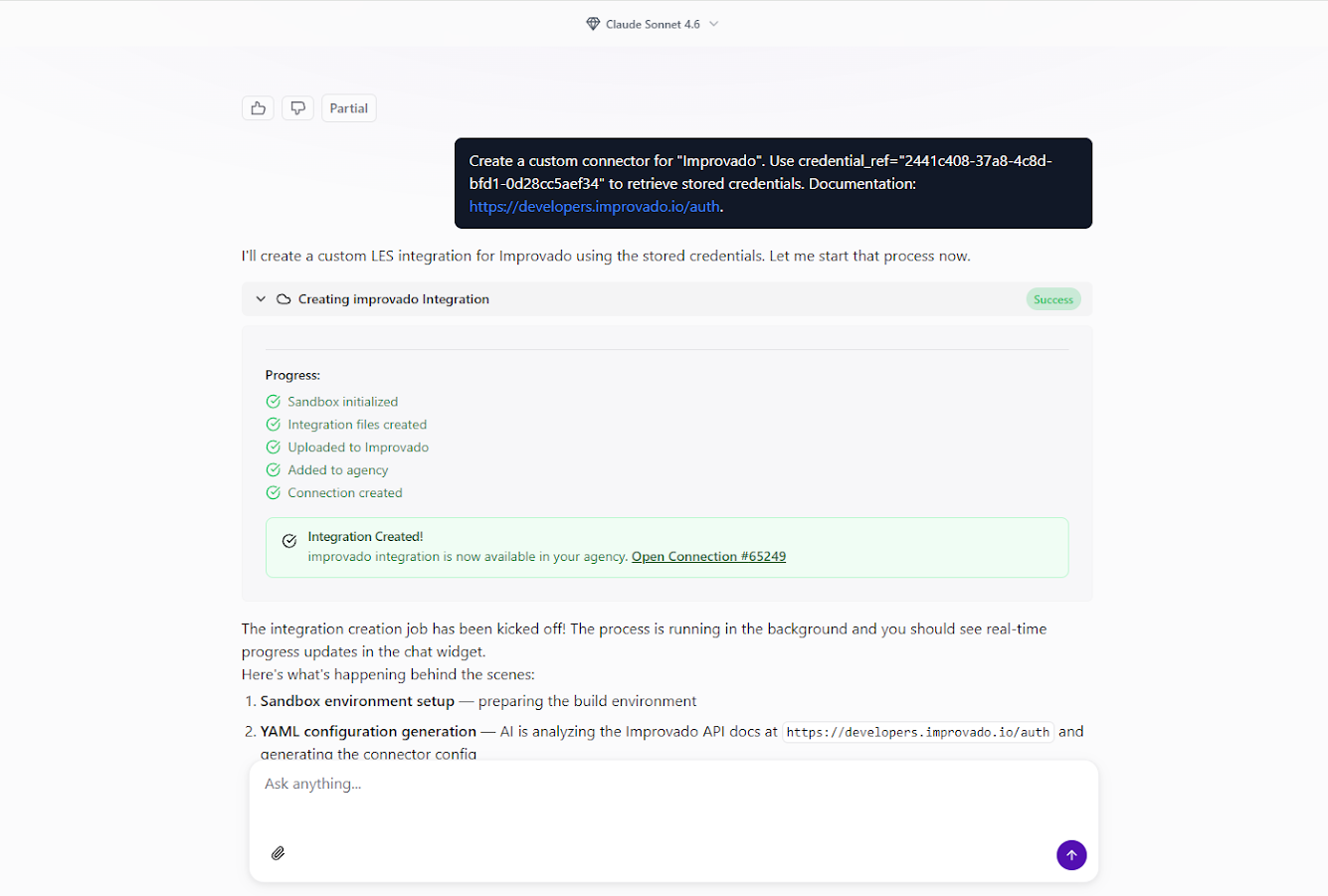
You can now create custom API connectors for any data source directly from the AI Agent chat interface. No separate forms, no coding — just describe what you need, and the AI Agent handles the rest.
How it works
- Ask the AI Agent — open the AI Agent chat and say something like "Create a custom connector for [platform name]."
- Fill in the details — provide the data source name, authentication credentials, and optionally a link to the vendor's API documentation and any specific requirements.
- Let the AI build it — the Agent sets up an isolated sandbox, reads the API docs, generates the integration, tests it, and deploys it to your workspace. You'll see real-time progress in the chat.
Explore your data with Discovery API
Once the connector is live, you can explore available endpoints and run test queries right from the chat:
- "Show available data for my [platform] connection via Discovery API"
- "What endpoints are available in my custom integration?"
- "Run a test query to get data from [specific endpoint]"
The AI Agent automatically generates documentation for all discovered API endpoints.
Key benefits
- Chat-first experience — everything happens inside the AI Agent, no context switching.
- No technical requirements — create integrations without coding knowledge or API expertise.
- Rapid implementation — connect to new data sources in minutes, not days.
- Secure sandbox — all implementation runs in isolated environments with credential protection.
Recipe Creation via AI Agent
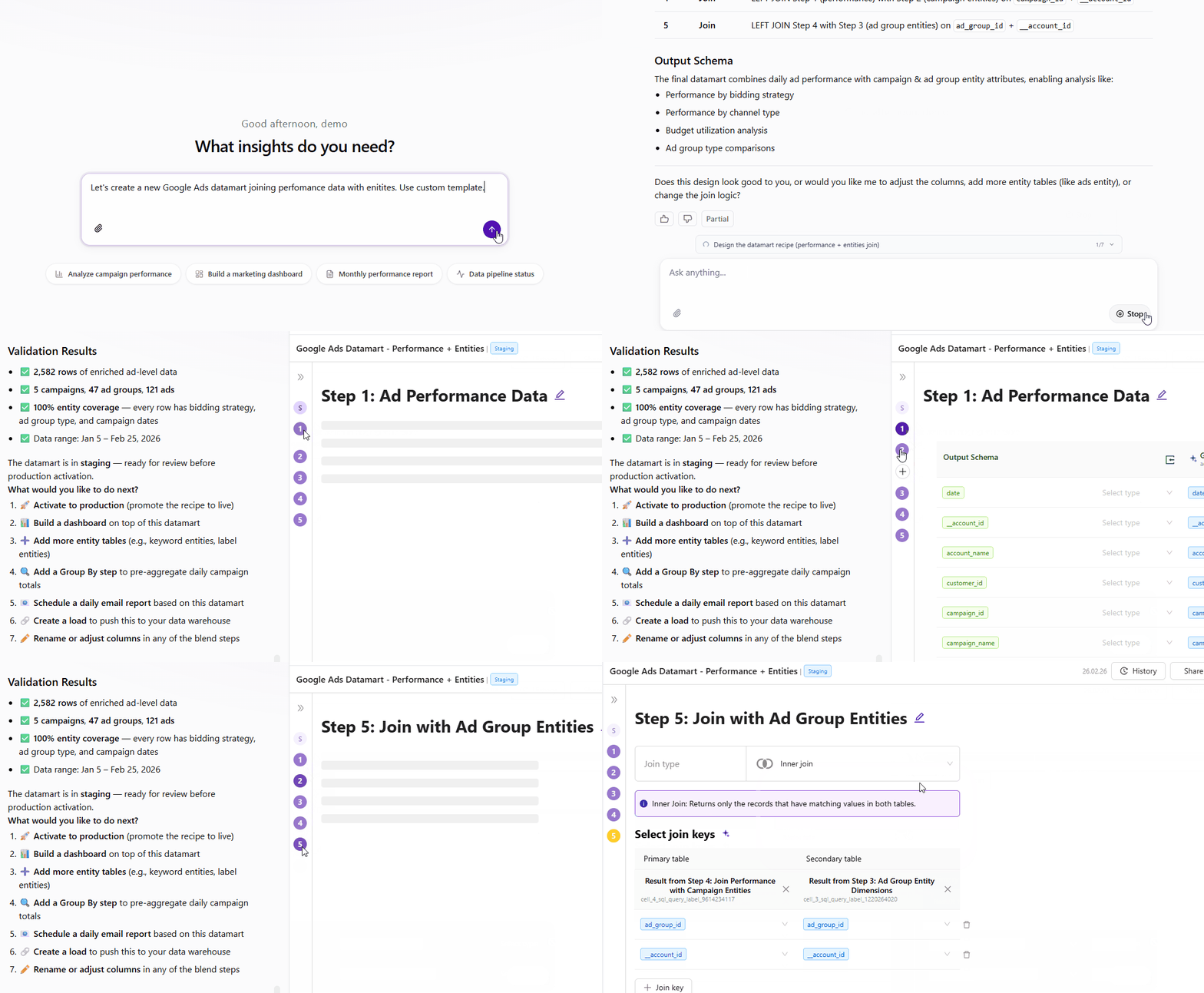
Build complex data models through conversation. Describe what you need in natural language, and the AI Agent handles exploration, schema design, joins, and validation automatically.
- Explore available tables and schemas
- Design and configure transformations
- Build and validate recipes end-to-end
- Get recommended next steps
Full control throughout—adjust via chat or edit in recipe configuration.
Also New
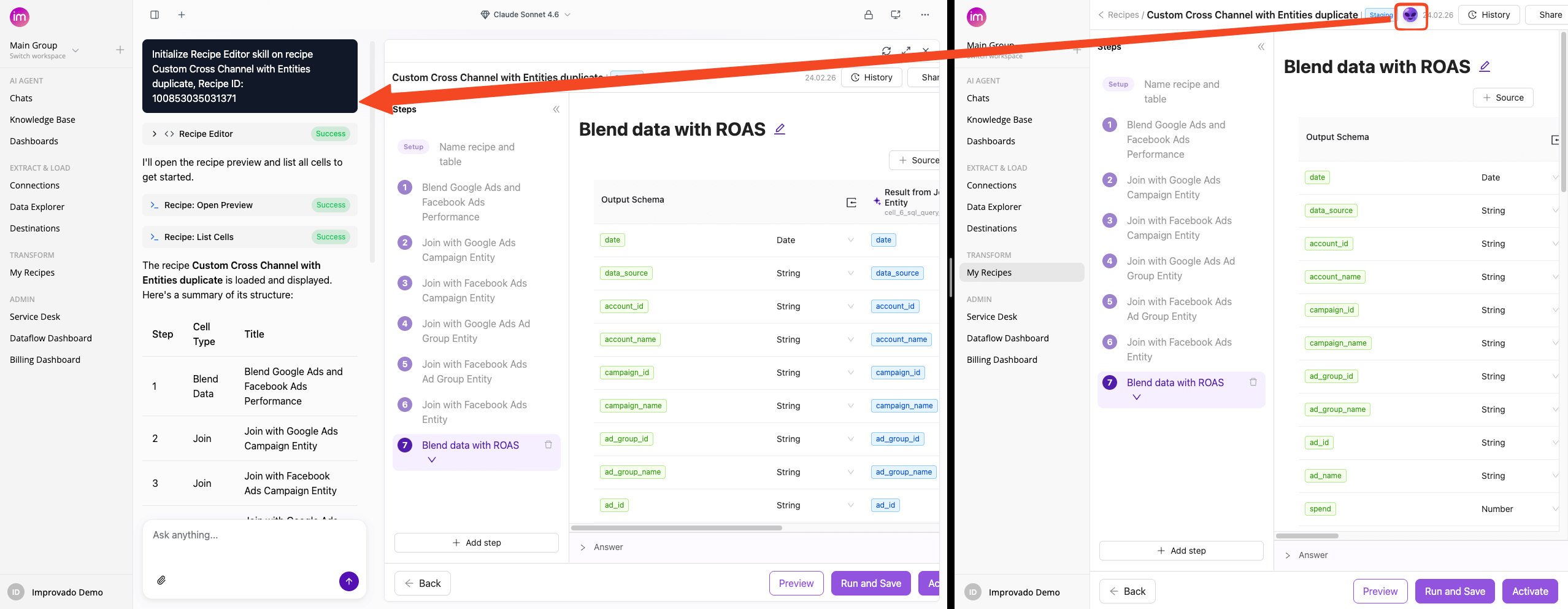
The AI Agent button in Transform Wizard now opens directly in Improvado Agent with the Recipe Skill initialized.
Dashboards Update: Create custom widgets, Add multiple pages and more!
Improvado dashboards are evolving into a full business intelligence platform — with developer-grade flexibility, deeper data control, and a faster, more intuitive experience for every user.
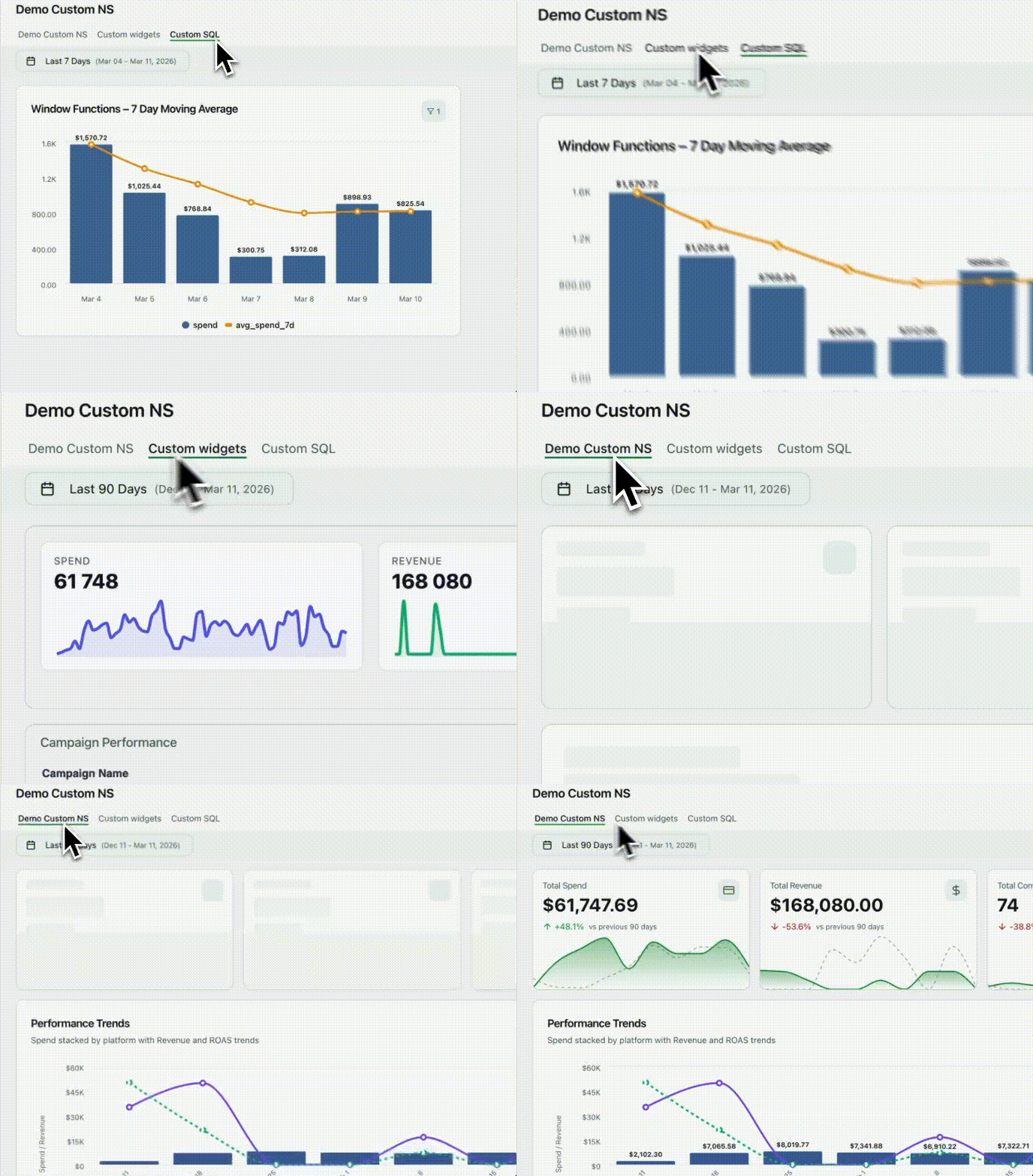
Custom Widgets
Embed any custom HTML visualization — built with D3, Chart.js, or any other library — wired directly to your connected data sources and dashboard filters. Full flexibility, zero compromise.
Custom SQL
Every widget can now run custom ClickHouse SQL with dynamic placeholders. The built-in Query Viewer lets you inspect the exact query being executed — full transparency into what's powering your data.
Pages
Dashboards are now full multi-page applications. Organize content across pages with List or Tabbed navigation. Pages load independently, keeping performance fast even as your dashboards grow in complexity.
Other updates:
- Shared filters now apply across all widgets simultaneously
- Auto-complete speeds up navigation for filters and custom metrics
- Metric aliases let you display data in your team's own terminology
- Table widgets now support CSV and text export
- Aggregation methods in Table widgets are fully configurable
- Date range picker refreshed with more presets and a cleaner UX
- Faster data fetching speeds up load times across all dashboards
Select Specific Accounts During Authorization
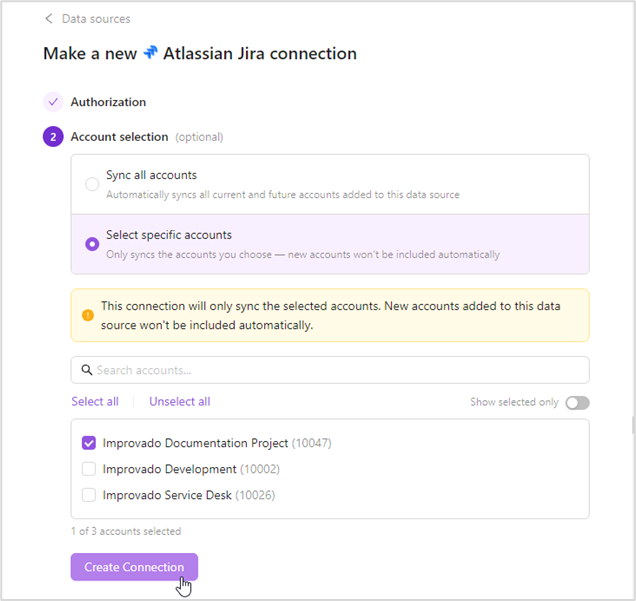
Take full control over which accounts get synced when connecting credentials. Previously, authorizing a connection automatically pulled in every account, including ones you didn't need, leading to cluttered workspaces, unwanted data, and potential privacy concerns. That's now a thing of the past.
Choose the sync mode that works for you:
- Sync all accounts — all current and future accounts are synced automatically
- Select specific accounts — only your chosen accounts are synced; new accounts added later are excluded by default
Was this page helpful?
Thanks for the feedback!
Questions? The Improvado team is always happy to help. Send us an email, contact your Customer Success Manager, or raise a request in the Improvado Service Desk.