
Recipe Creation via AI Agent
AI-Powered Recipe Creation lets you build complex data models simply through a conversational interface powered by an AI agent — no manual configuration required.
Instead of defining every transformation step yourself, you explain the desired outcome in natural language. The AI agent handles data exploration, schema design, join configuration, and validation automatically.
This helps you move faster from idea to insight. You spend less time configuring data pipelines and more time using trusted, production-ready data to make informed business decisions.
How AI-powered Recipe Creation Works
The AI agent acts as your intelligent data engineering assistant directly inside the platform.
You interact with it through a conversational chat interface. Tell it what you want to build, and it will:
- Discover and analyze available data sources
- Propose a complete data model design
- Build the recipe step by step
- Validate the final output
At every stage, you can review, refine, or adjust the work — either by continuing the conversation or by editing the recipe manually.
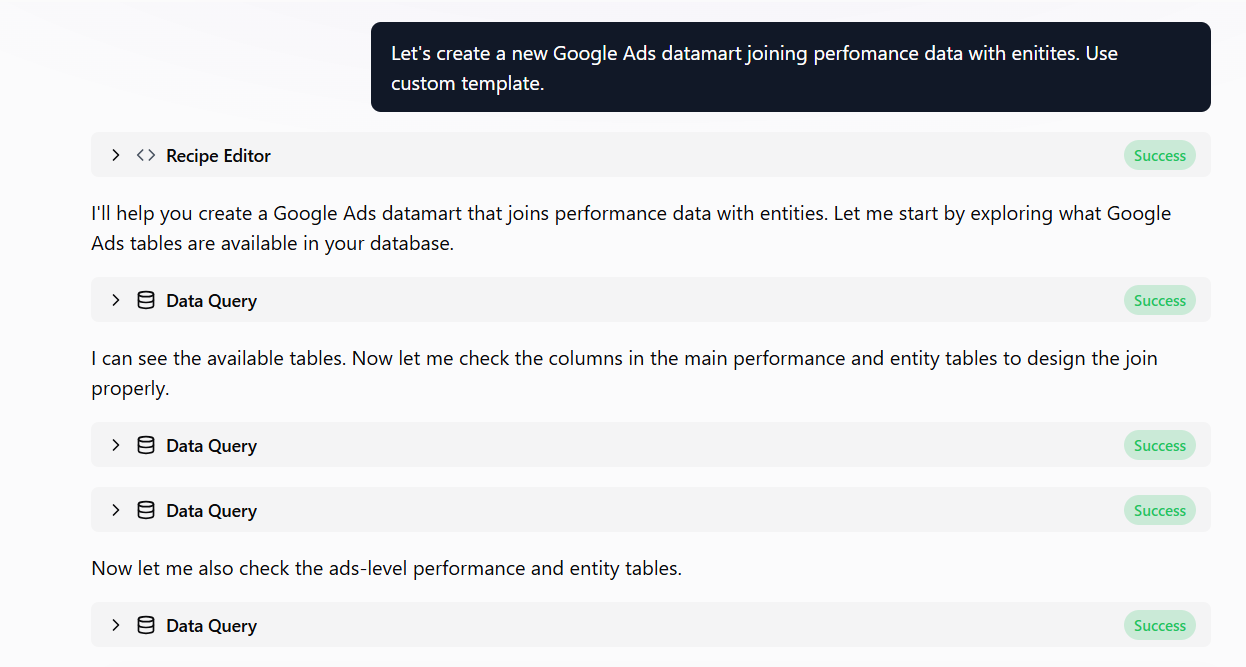
Step 1. Define the Objective
Start by opening the AI Agent and describing the data model you want to create.
You can be as high-level or as detailed as you like — for example:
- “Create a customer sales performance model”
- “Build a monthly revenue table by region and product”
If anything is unclear, the agent will ask follow-up questions to make sure it understands your goals before moving forward.
Step 2. Review the Proposed Design
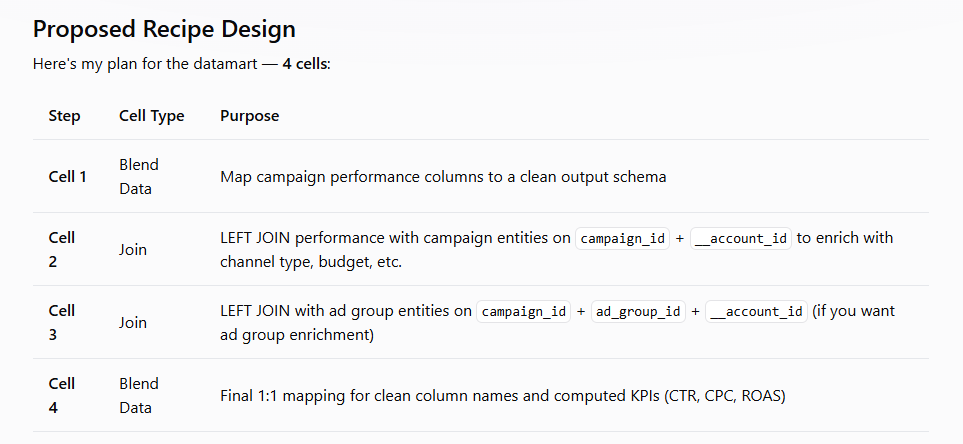
Based on your input, the agent performs an automated exploration of available data sources, inspects table schemas, and generates a proposed recipe design.
Before anything is built, you’ll see a complete proposed recipe design. At this point, you can:
- Approve the design and move ahead
- Request changes to structure, logic, or scope
- Ask questions to better understand how the model works
Nothing is applied until you’re comfortable with the plan.
Step 3. Automated Build and Validation
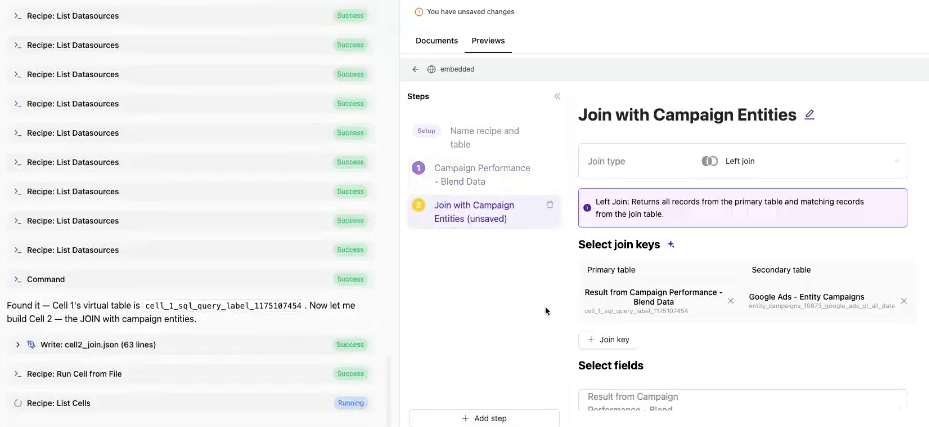
Once you approve the design, the agent builds the recipe for you.
It creates all required steps — configuring mappings, executing transformations, and resolving dependencies — while showing progress and status updates in real time within the chat.
After the build completes, the agent runs validation checks and delivers a clear summary, so you know the model is accurate, consistent, and ready for use.
Step 4: Post-Build Recommendations
When your recipe is complete, the agent suggests next steps tailored to your model, such as:
- Enhancing or extending the data model
- Adding new dimensions or metrics
- Scheduling refreshes or publishing outputs
You can trigger these actions immediately from the chat or return to them later — whenever it fits your workflow.
Was this article helpful?
Thanks for the feedback!
Questions? The Improvado team is always happy to help. Send us an email, contact your Customer Success Manager, or raise a request in the Improvado Service Desk.