

Organize dashboards with folders
Business Intelligence
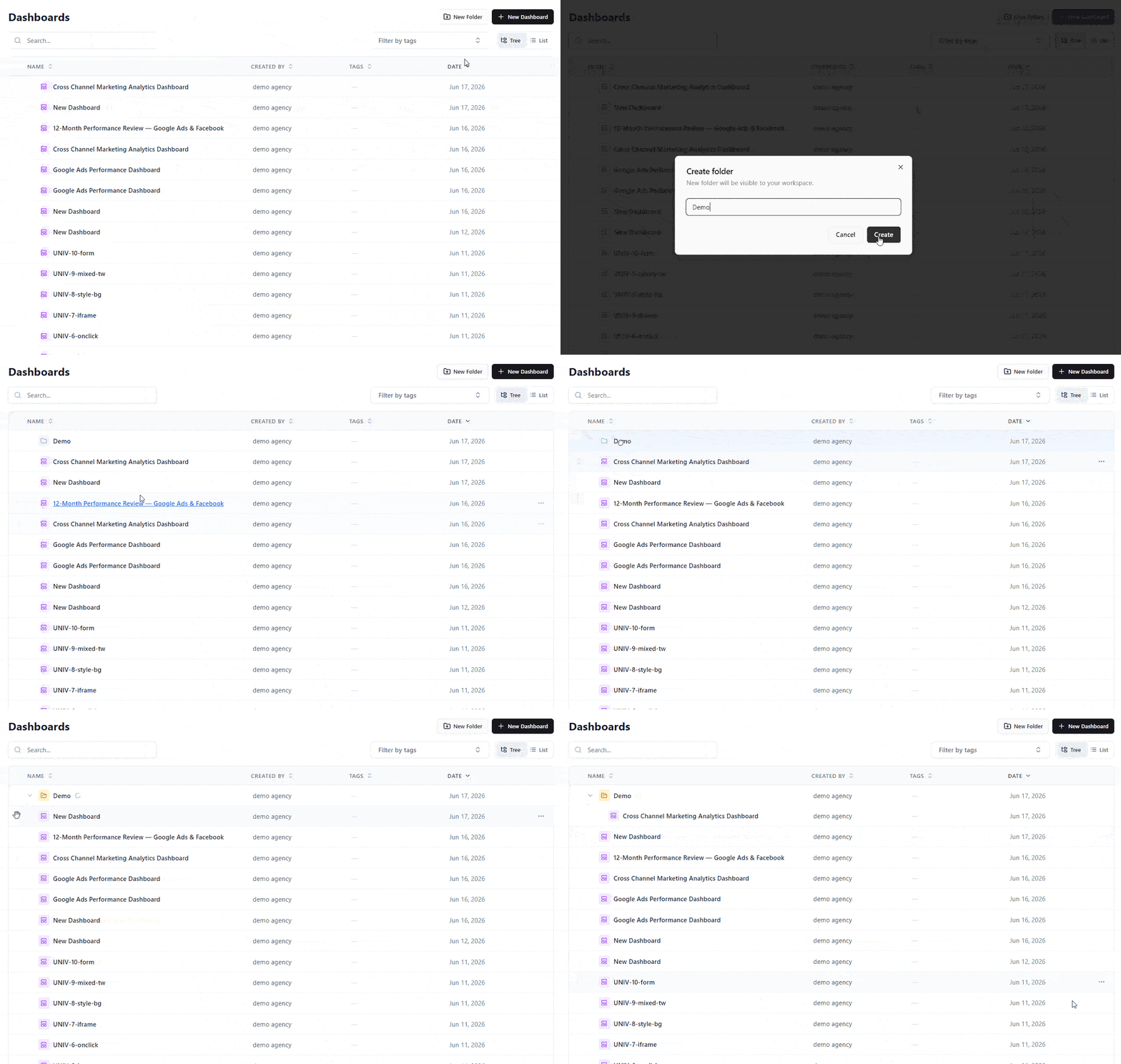
June 17, 2026 Dashboards now live in folders, so a growing workspace stays organized and easy to navigate.
- Tree & List views — browse dashboards as a nested folder tree or a flat, sortable list. Your view is remembered.
- Create & nest folders — group dashboards by team, client, or campaign.
- Drag-and-drop or Move to folder — file dashboards from anywhere, including search results.
- Safe delete — deleting a folder moves its contents up to the parent instead of removing them.
You can also ask the AI Agent to create folders and move dashboards for you.
Learn more in Organizing Dashboards with Folders.
Was this page helpful?
Thanks for the feedback!
Questions? The Improvado team is always happy to help. Send us an email, contact your Customer Success Manager, or raise a request in the Improvado Service Desk.