

Publish Your Own Dashboard Templates
The dashboard template catalog used to be ours alone. Now it is yours too: build a dashboard once and publish it as a template the rest of your team starts from, listed right beside the ones Improvado ships.
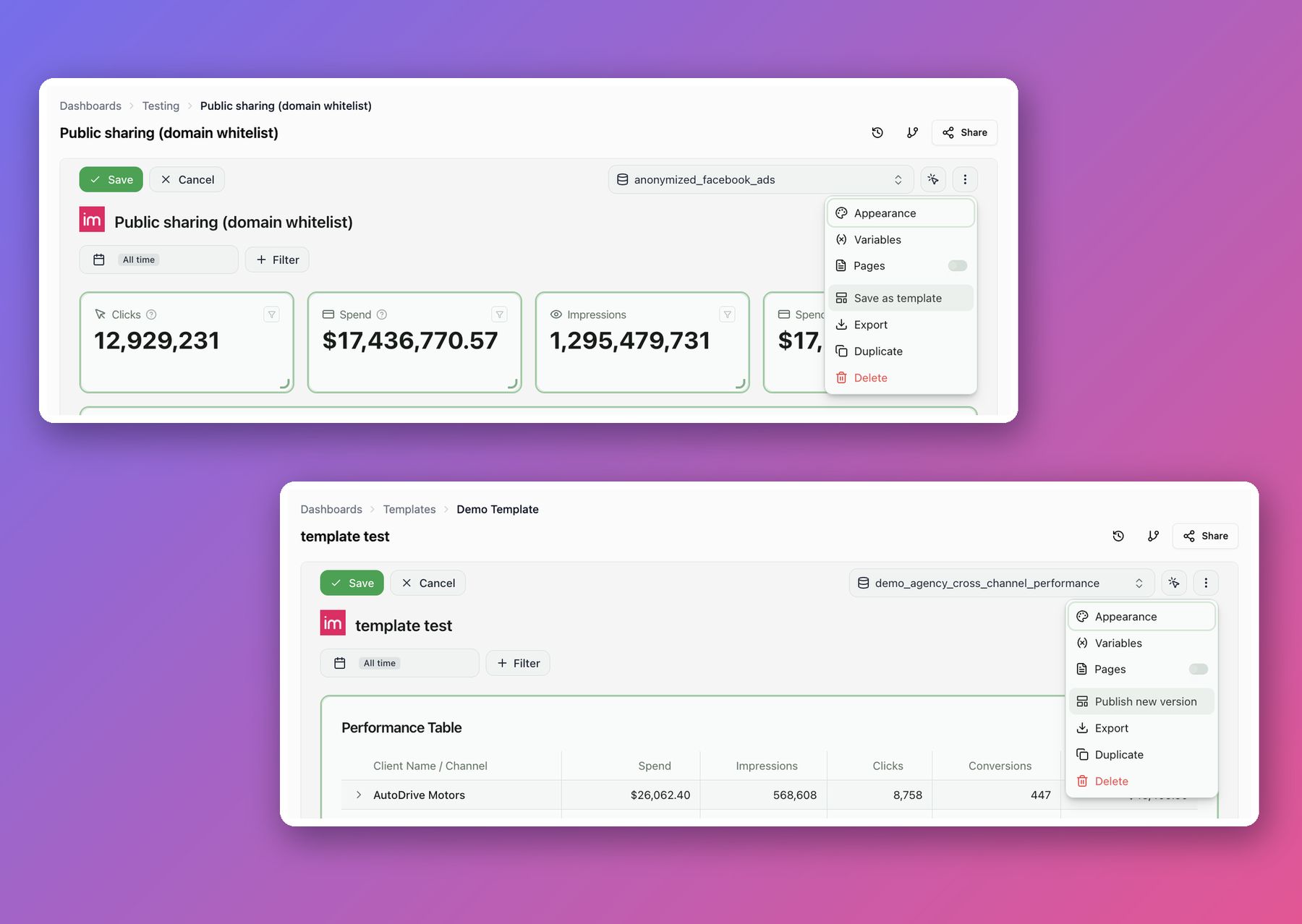
Open a dashboard's ⋯ menu, choose Save as template, name it, and pick who it is for — this workspace, or your whole organization.
- Offered where dashboards are made. Your templates appear in the dropdown next to Create on the Dashboards page, not only in the catalog.
- Copies stay linked. Publish a new version of a template and everyone who built from it can pull the change in with Sync with template — keeping their own edits.
- Edited like any dashboard. A template opens in the ordinary editor. Your work stays private until you publish a version.
- Filter by what actually works here. The catalog flags templates whose underlying data your workspace does not have yet.
- Change the audience anytime. Switch a template between one workspace and the whole organization from the catalog list.
Note that publishing turns the dashboard into the template — it leaves your dashboards list and becomes the template's editing surface. The dialog spells out what that costs, including how many people lose access, before you confirm.
Was this page helpful?
Thanks for the feedback!
Questions? The Improvado team is always happy to help. Send us an email, contact your Customer Success Manager, or raise a request in the Improvado Service Desk.