
Data Governance Email Alerts
Improvado's Data Governance Email Alerts keep rule owners informed about the health of their data automatically, on a schedule they define. Instead of manually checking the Data Governance Dashboard, rule owners receive a digest email summarizing how all their rules are performing.
How It Works
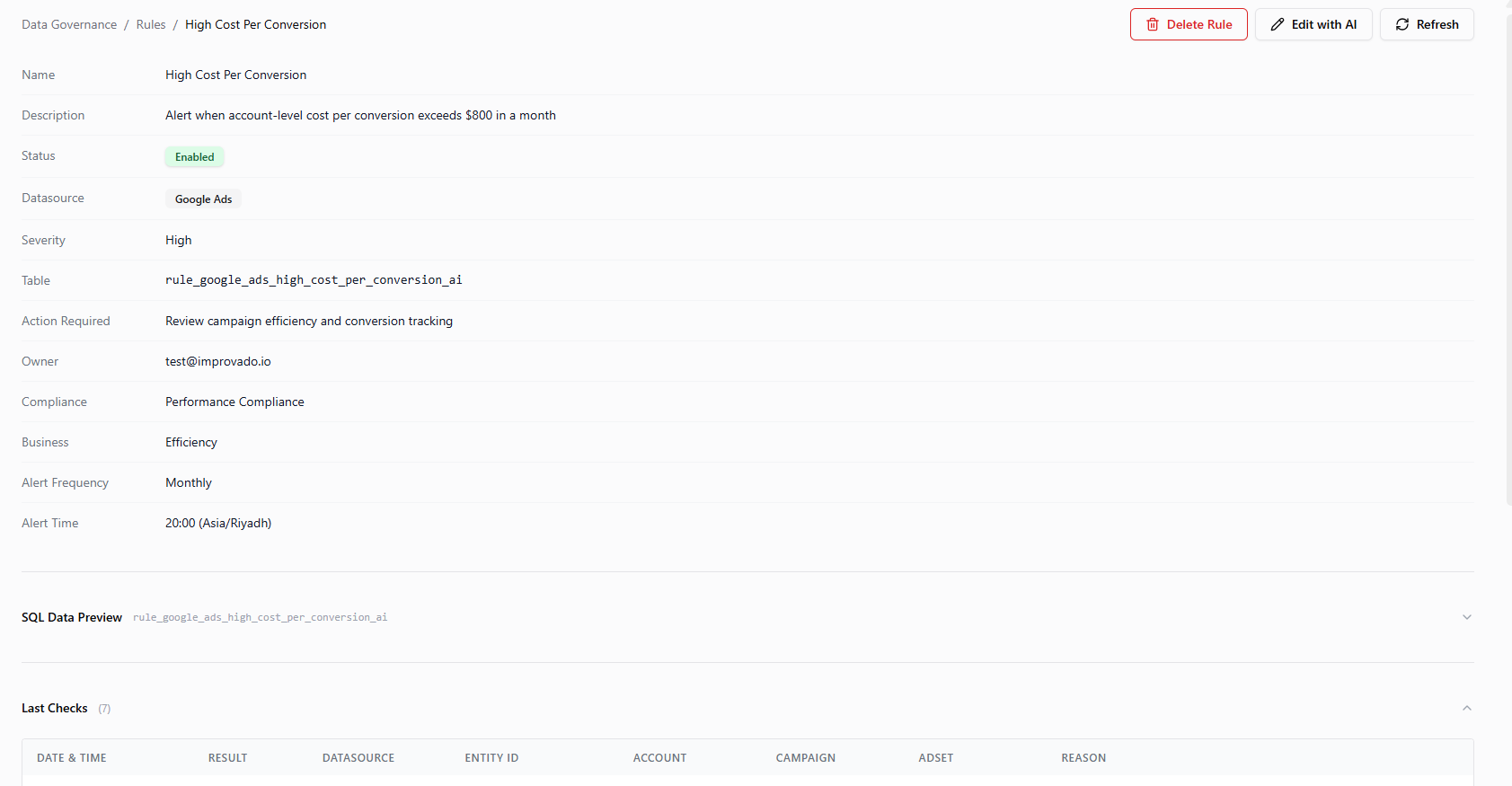
Each Data Governance rule has an owner and a notification schedule. When the schedule fires, every rule owner receives a single digest email covering all the rules where they are listed as owner - whether those rules are passing or failing.
This means:
- If you own 10 rules, you get one email summarizing all 10.
- If multiple people own the same rule, each of them receives the digest independently.
- Emails are sent on every scheduled run, not only when issues are detected.
Setting Up Alerts
Alert delivery is configured per rule. Rules can be created and edited using plain language via the AI agent, or directly on the rule's page -see the rule creation guide for details.
| Setting | Where to Configure | Description |
|---|---|---|
| Rule Owner | Rule creation / edit | The email address(es) that receive alerts for this rule. Multiple owners are supported. |
| Frequency | Rule creation / edit | How often the rule runs and alerts are sent - hourly, daily, or other intervals. |
| Alert Time | Rules page | For hourly rules: the minute of the hour (in 5-minute increments). For all other frequencies: the hour and minute the alert is sent (in 5-minute increments). |
What the Email Contains
Every digest email includes:
Subject Line
The subject reflects the overall status at a glance:
⚠️ Daily MDG Digest: 3/12 Rules with Issues✅ Daily MDG Digest: All 12 Rules Passing❌ Daily MDG Digest: 2/12 Rules Failed to ExecuteSummary
A top-level overview of the run, as six cards:
- Rules Executed — how many of your rules ran
- Rules with Violations and Rules Passing
- Violations — entities that broke a rule, across all your rules
- New Violations — violations that were not in the previous digest. Highlighted when there are any.
- Critical Violations — violations of critical-severity rules. Highlighted when there are any.
Rules Overview Table
A table listing every rule you own, with columns for:
| Column | Description |
|---|---|
| Rule Name | Opens the Data Governance Dashboard filtered to this rule’s violations, or the rule’s page when it has none |
| Datasource | The data source the rule applies to |
| Broken | Number of entities that violated the rule |
| Followed | Number of entities that complied |
| Checks | Total entities checked |
| Status | ✅ Pass, ⚠️ Violations, ❌ Error, 🕒 Stale data, or ➖ No data. Violations show how many are new and in progress, for example ⚠️ Violations (3 new, 1 in progress) |
Violations by Rule
For any rule with violations, the email includes a breakdown of the specific entities that failed - up to 10 examples per rule, with a note if there are more. This lets you identify problem records without opening the dashboard.
- A blue NEW badge marks every violation the previous digest for this rule did not list. New violations are listed first, and rules with new violations come first within their severity.
- When someone has marked a violation as Working on it, a Working On It column shows who picked it up and when.
Badges start with the second digest of a rule: the first one has nothing to compare against, so it marks nothing as new.
Notification Channels
Currently, alerts are delivered by email only. Additional notification channels may be available in the future.
For a visual overview of rule performance across your workspace, see the Data Governance Dashboard documentation.
Was this article helpful?
Thanks for the feedback!
Questions? The Improvado team is always happy to help. Send us an email, contact your Customer Success Manager, or raise a request in the Improvado Service Desk.