

Creative Analytics: AI-Assisted Custom Tags
Business Intelligence
October 2, 2026 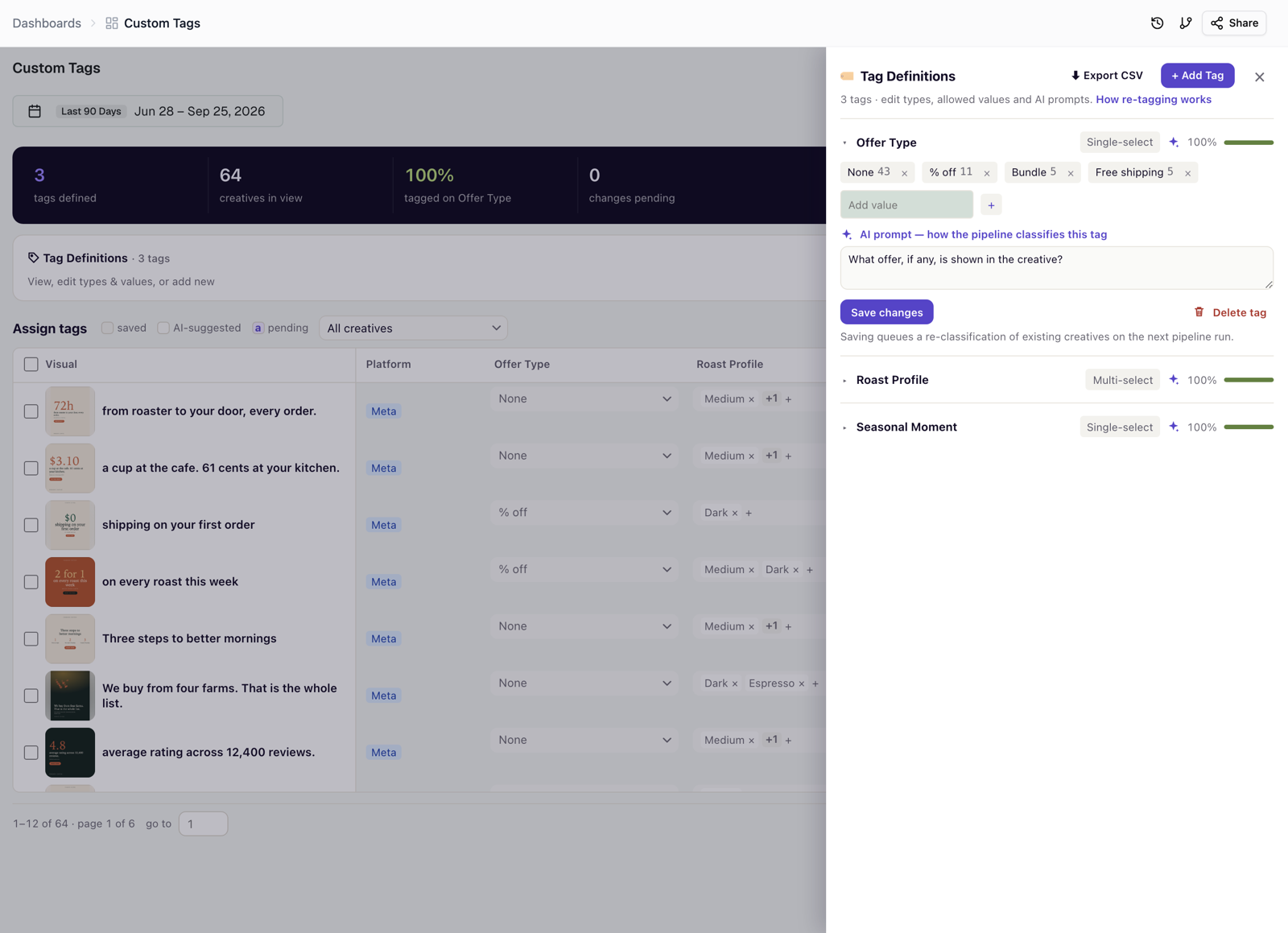
Custom tags in Creative Analytics Intelligence can now be filled in by AI, so you keep the vocabulary and the classifier does the volume.
- Manage tags. One panel for every tag, with single-select and multi-select types, coverage for each tag, and CSV export.
- AI prompt. Give a tag a plain-language question, for example "What offer, if any, is shown in the creative?", and the next pipeline run assigns a value to every creative.
- Review before saving. Values are marked saved, AI-suggested, or pending, so you can check AI suggestions before they are committed.
- Re-tag now. Start re-tagging immediately instead of waiting for the next run, and see its status. Re-tagging controls are rolling out, starting with new customers.
Learn more in Custom tags management and How your creatives get tagged.
Was this page helpful?
Thanks for the feedback!
Questions? The Improvado team is always happy to help. Send us an email, contact your Customer Success Manager, or raise a request in the Improvado Service Desk.