
AI Dashboards — Pin to Ask AI, Granular Widget Tools, and Polish
AI Dashboards just got a faster path between your data and the AI Agent — plus a wave of polish across editing and sharing.
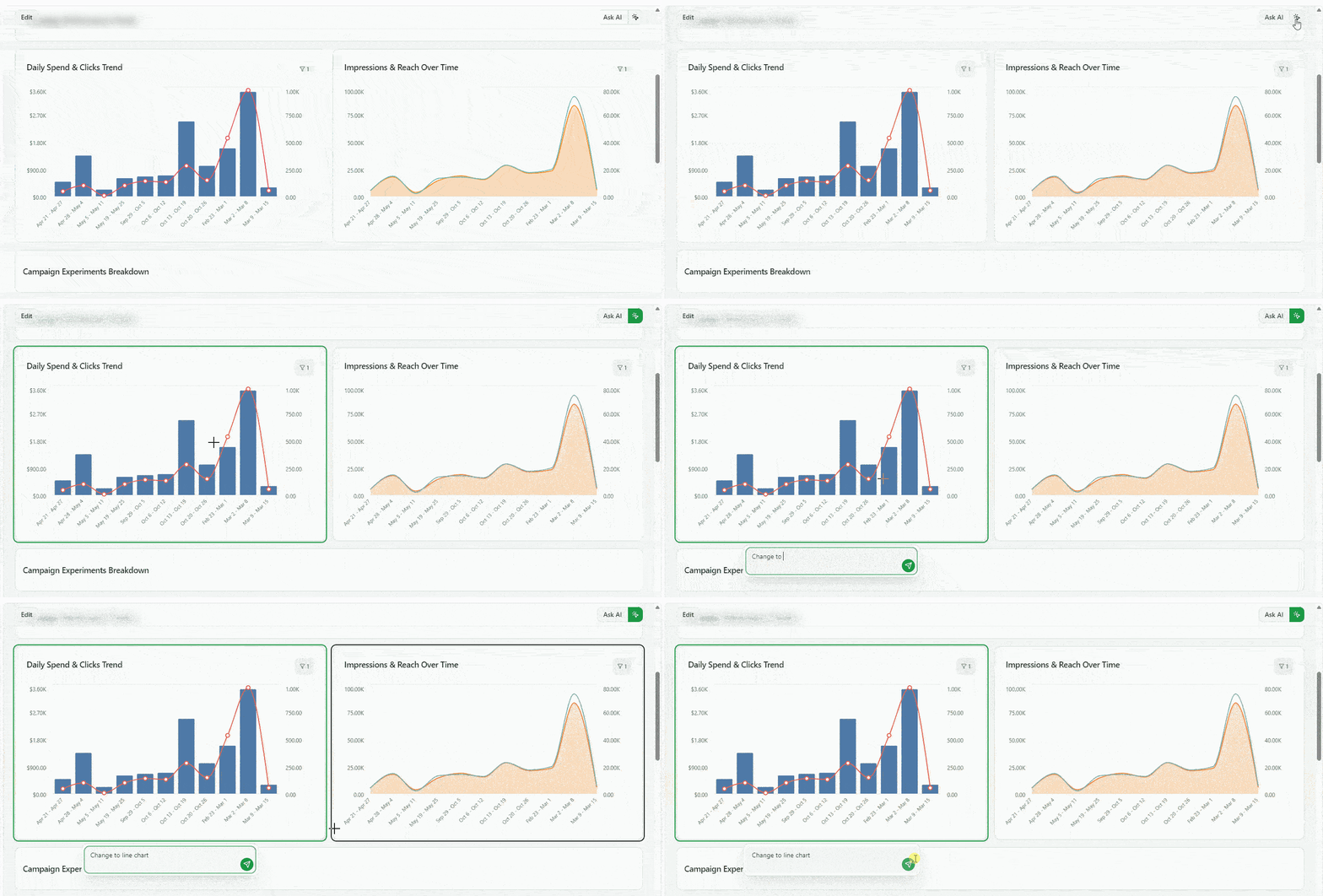
Pin a widget, ask the agent
Click the new Pin icon in the dashboard header, select any widget, type a prompt — the AI Agent picks it up with the widget's full context (id, type, config, dashboard title) and either appends it to your current chat or opens a new one if you're outside the agent. Works on every widget type, including custom components.
Surgical widget edits via the AI Agent
The AI Agent can now edit individual widgets without rewriting the whole dashboard config. New skill commands to get, patch, add and validate widgets, as well as copy dashboard — give the agent atomic, idempotent operations. The result: faster iterations, smaller diffs, and far fewer surprises when the agent tweaks a single chart or KPI.
Polish across the editor and sharing
- View-only filter hide — mark filters as hide for view-only so shared-link viewers see a cleaner header
- Unified chart legend & colors — single-metric and multi-metric charts now share consistent legend defaults
- Numerous bug fixes — view-only filter logic, widget-level filter priority, stable schema validation across snake_case responses, and improved Public Link / Restricted access flows.
Was this page helpful?
Thanks for the feedback!
Questions? The Improvado team is always happy to help. Send us an email, contact your Customer Success Manager, or raise a request in the Improvado Service Desk.