

Easier Dashboard Editing
Business Intelligence
October 16, 2026 Building and updating dashboards now takes fewer clicks.
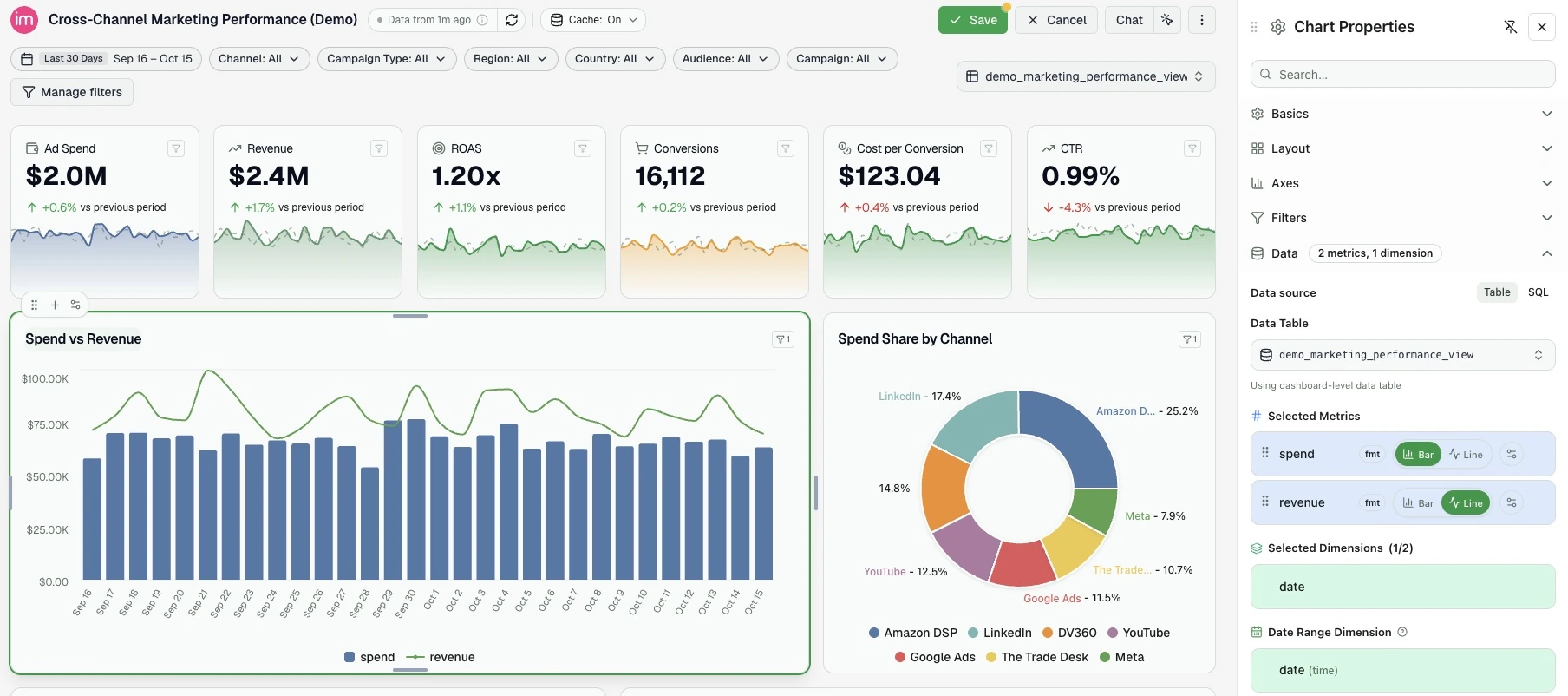
- Edit in place. Change widget titles and Markdown text directly on the page.
- Add and arrange blocks. Use + to insert a widget where you need it, drag one from the widget library, or move a block with its dedicated handle.
- Adjust your workspace. Resize widgets from their edges and pin a resizable settings panel beside the dashboard.
With edit access, hover over a widget in View mode to get started. Your action opens Edit mode, where you can save or cancel changes.
Was this page helpful?
Thanks for the feedback!
Questions? The Improvado team is always happy to help. Send us an email, contact your Customer Success Manager, or raise a request in the Improvado Service Desk.