

January 2026
New API integrations 🧩
We have added several new data sources with the following report types:
Writesonic
- Performance Summary
- Websites Entity
- Topics Entity
- Performance Answers
- Content Citations
- Content Keywords
- Prompts Entity
- Performance Prompts
- Models Entity
HypeAuditor
- Snapchat
- Tiktok
- Twitch
- Youtube
Peec AI
- Prompts Entity
- Brands
- Brands Entity
- URLs
- Domains
API changes ⚙️
Criteo Retail Media
We have upgraded our Criteo Retail Media API to v2025-10.
For more information, see Criteo Retail Media API documentation.
Criteo
We have upgraded our Criteo API to v2025-10.
For more information, see Criteo API changelog.
Dashboards Update
Customization with AI Agent
Customize dashboard appearance with whitelabeling, logos, color palettes, and light/dark mode—available in the editor or via AI Agent.
Generate full dashboards or make targeted changes using simple prompts—add branding, create visualizations, adjust formatting. Supports time-series trends, comparisons, and widgets like charts, tables, KPI scorecards, and funnels.
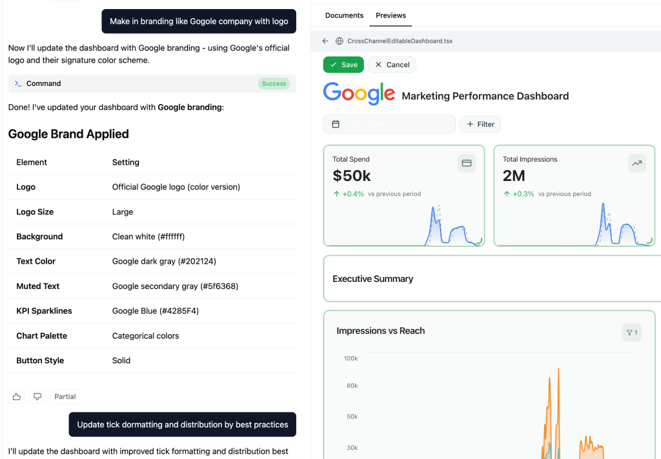
The AI Agent can also update formatting across multiple widgets at once and create reusable custom views:
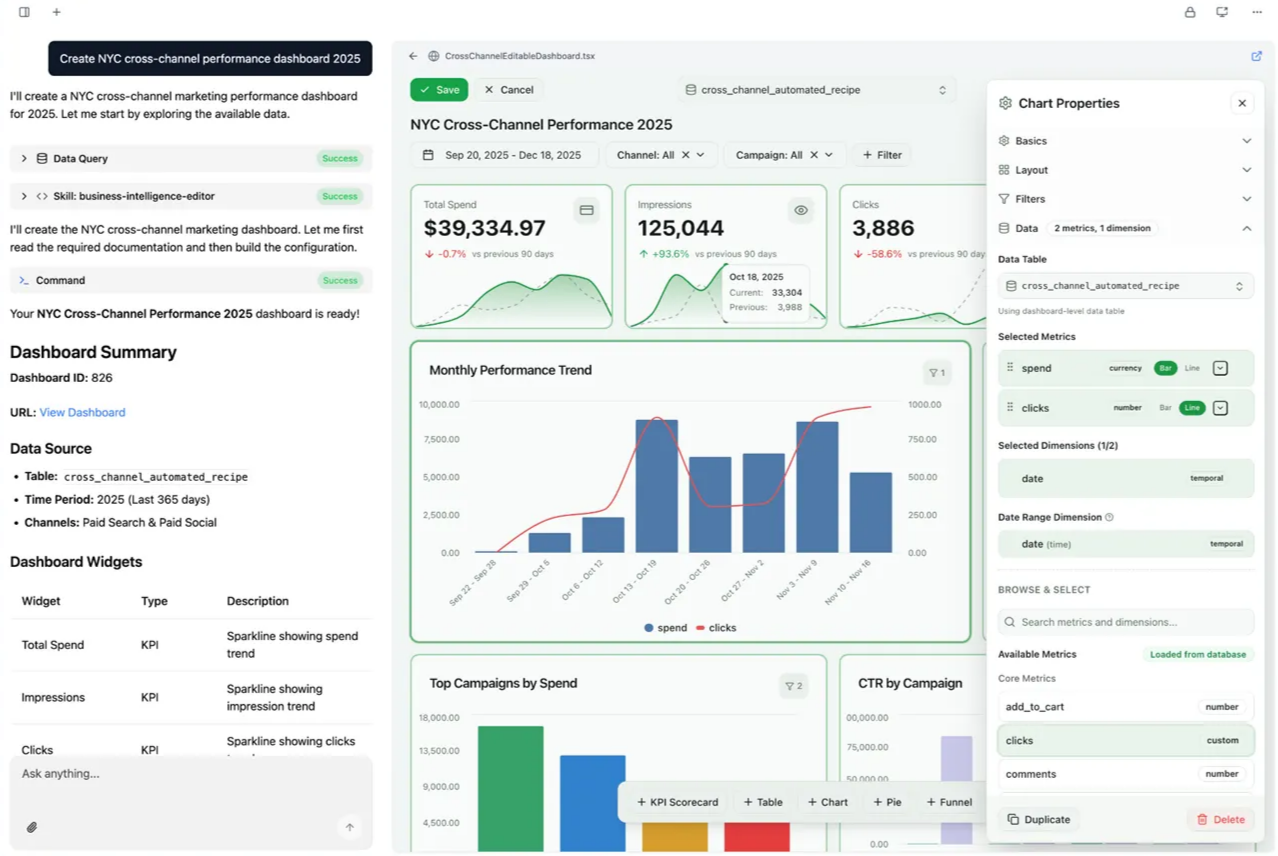
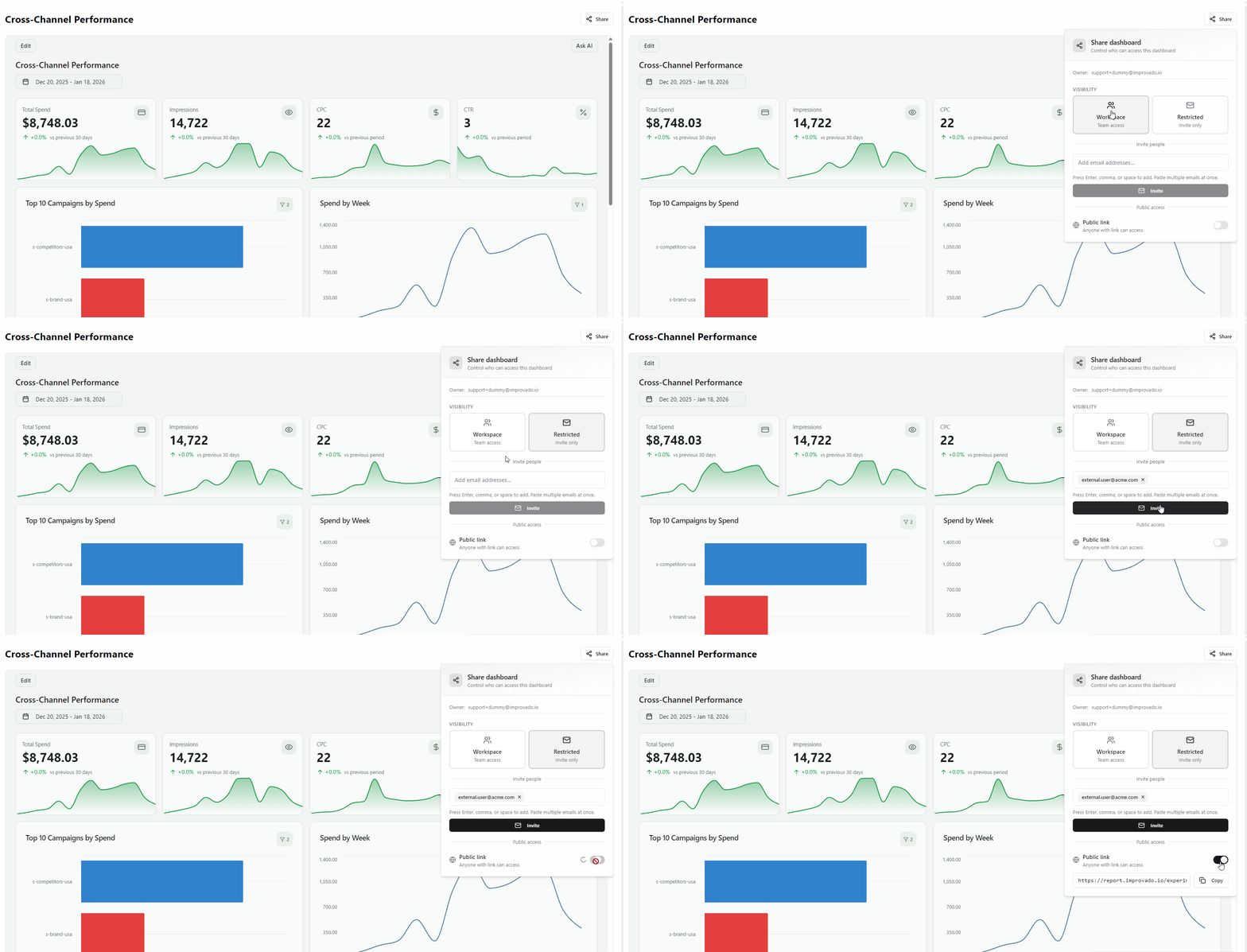
Sharing
Flexible visibility controls: workspace-wide access, invite-only, or public links for external stakeholders.
Other Improvements
Now you can apply reusable custom metrics and fine-tune per-metric formatting (axis labels, tick marks, display settings).
Data Deletion for Data Tables
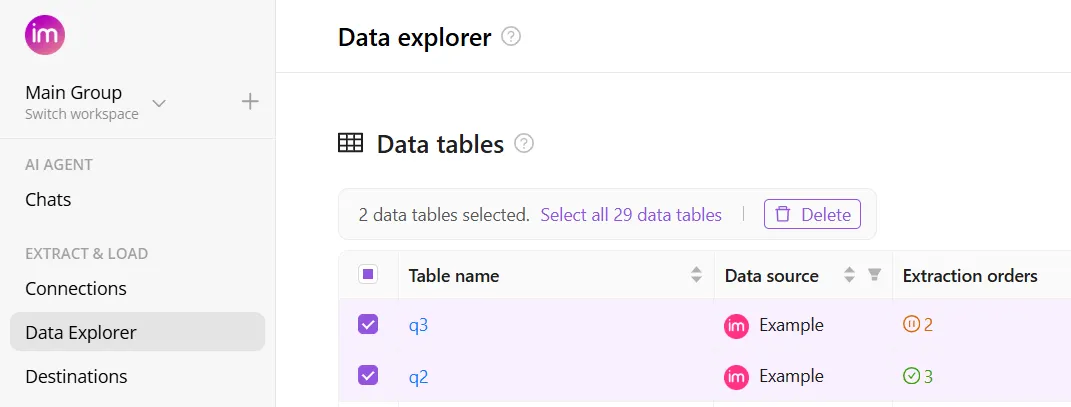
Take control of your workspace with the new Data Deletion feature. You can now delete data tables directly from the UI, making it easier than ever to clean up irrelevant objects and keep your environment organized.
When you delete a data table, all associated extract orders, load orders, and saved data are automatically deleted, where manual cleanup is not required.
Query Destination Tool
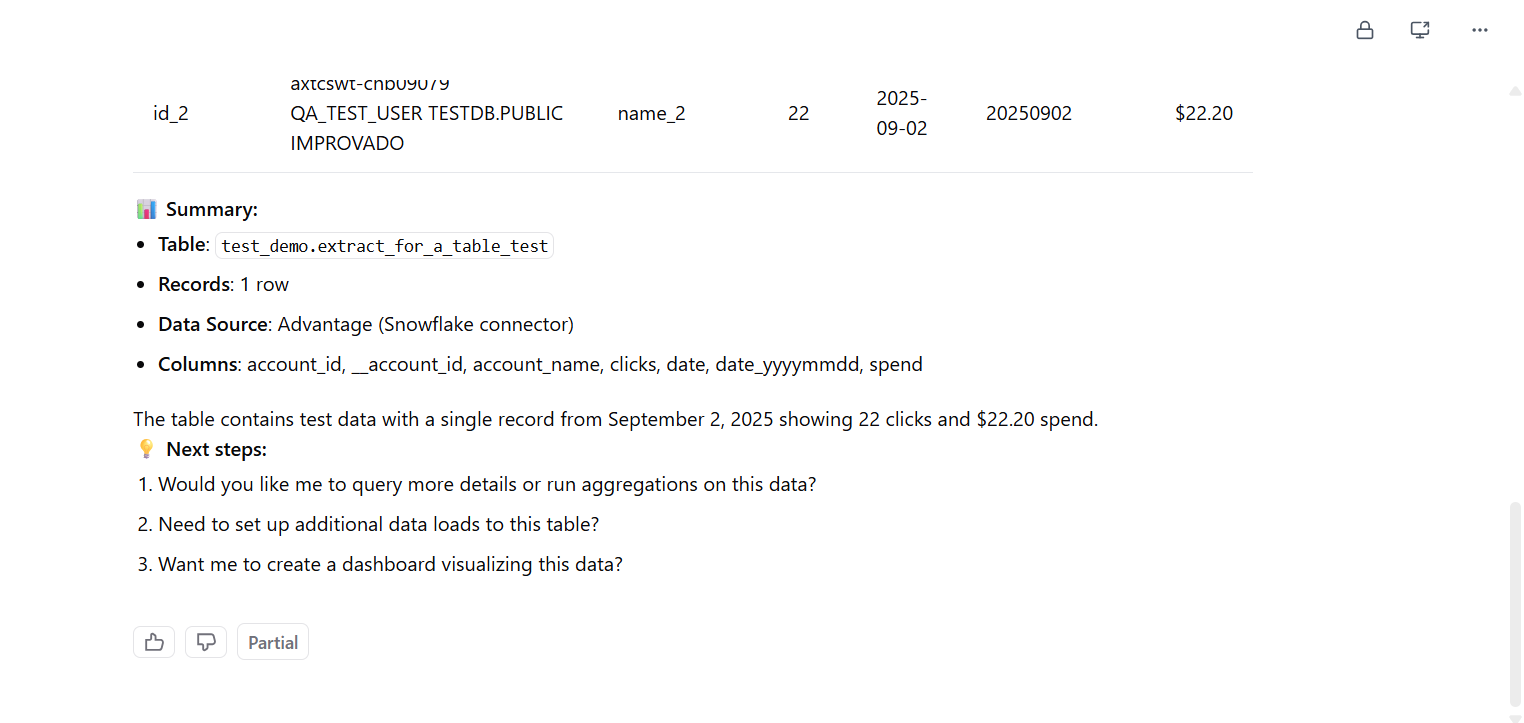
AI Agent can now query data directly from your connected destinations—not just the Improvado ClickHouse database. This update includes:
- Write destination querying: AI Agent can access data in Google BigQuery, Snowflake, and MySQL.
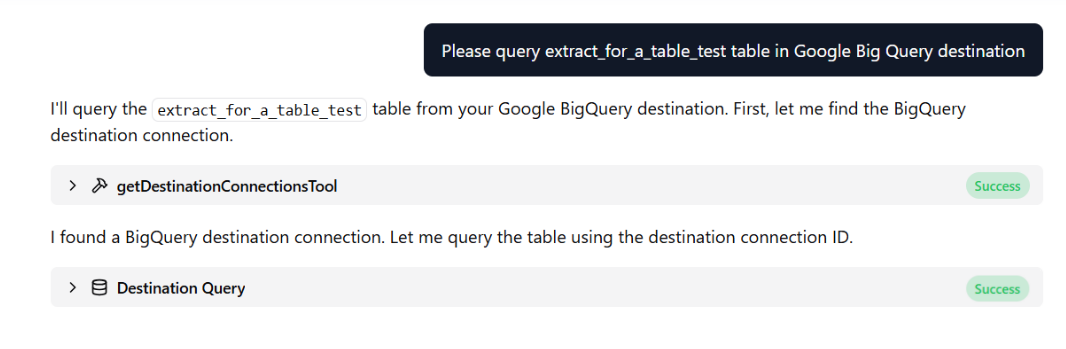
- Broader data coverage: Ask questions and get answers based on data wherever it lives.
Simplified Naming Convention Flow
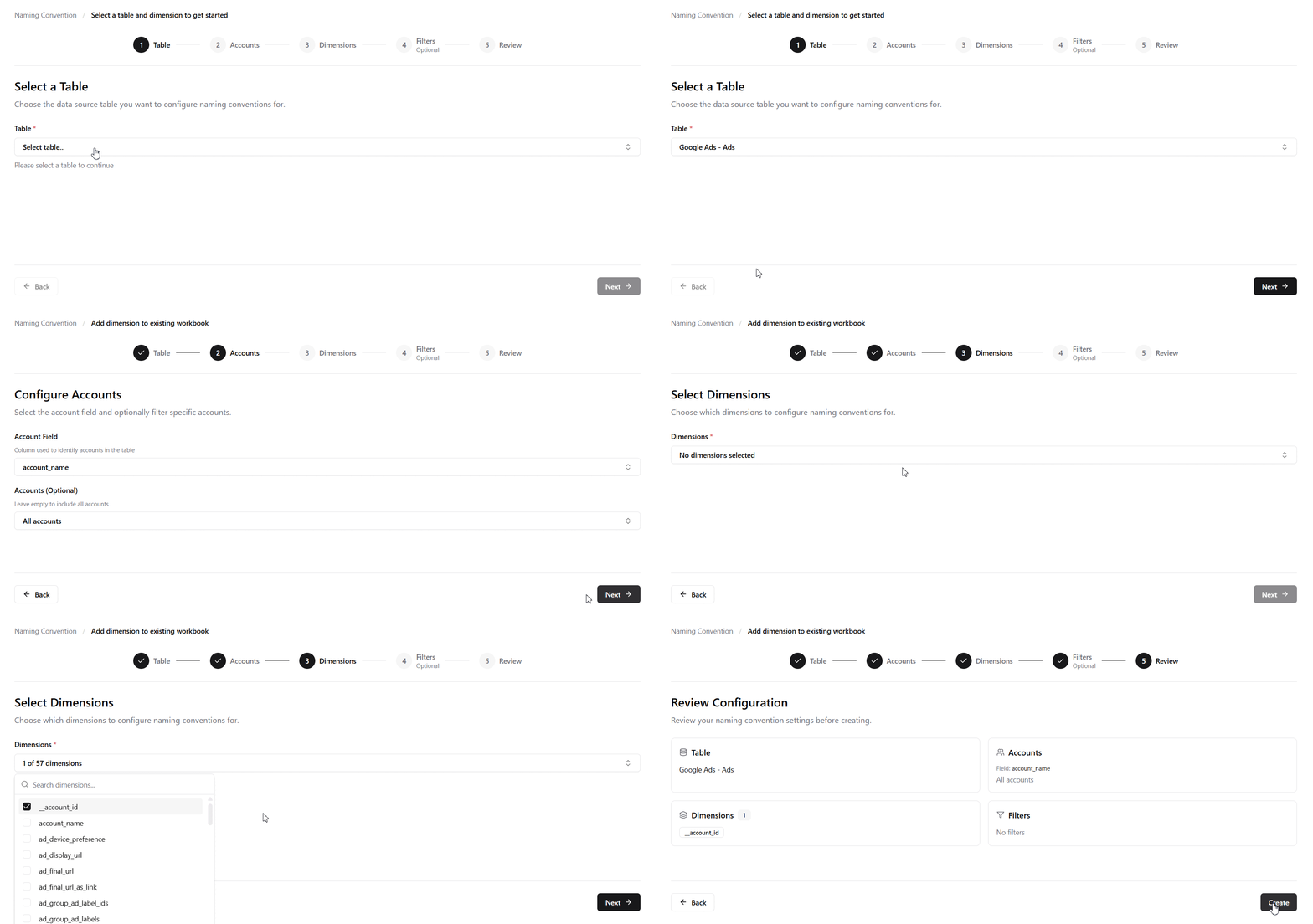
The naming convention setup has been redesigned as a streamlined wizard. Instead of navigating a complex interface, you can now create naming conventions quickly by following the guided steps from start to finish.
Assign Owner to Account
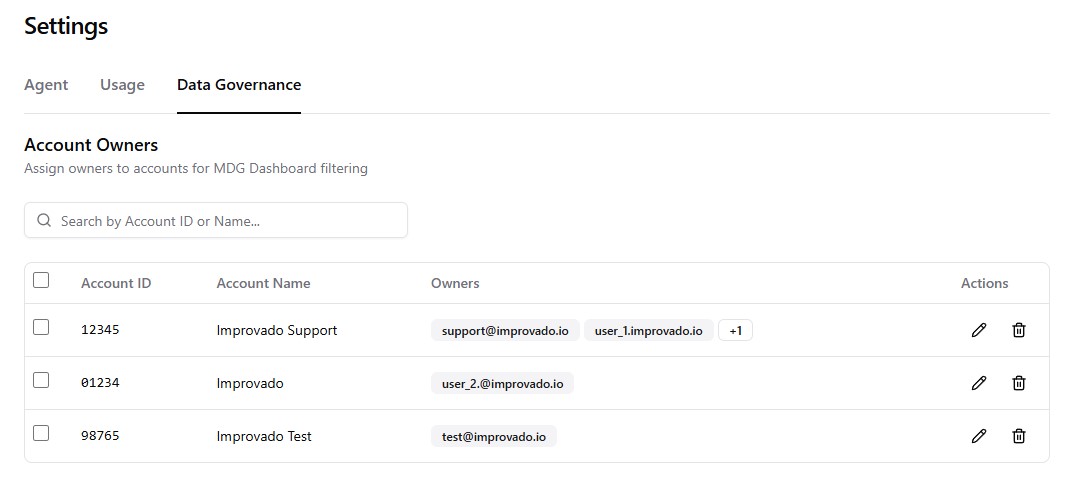
You can now assign account owners from Settings to enable MDG Dashboard filtering. Once assigned, account managers can filter the dashboard to view only their accounts and associated rules, making it easier to focus on relevant violations and compliance metrics.
Flat Data UI Updates
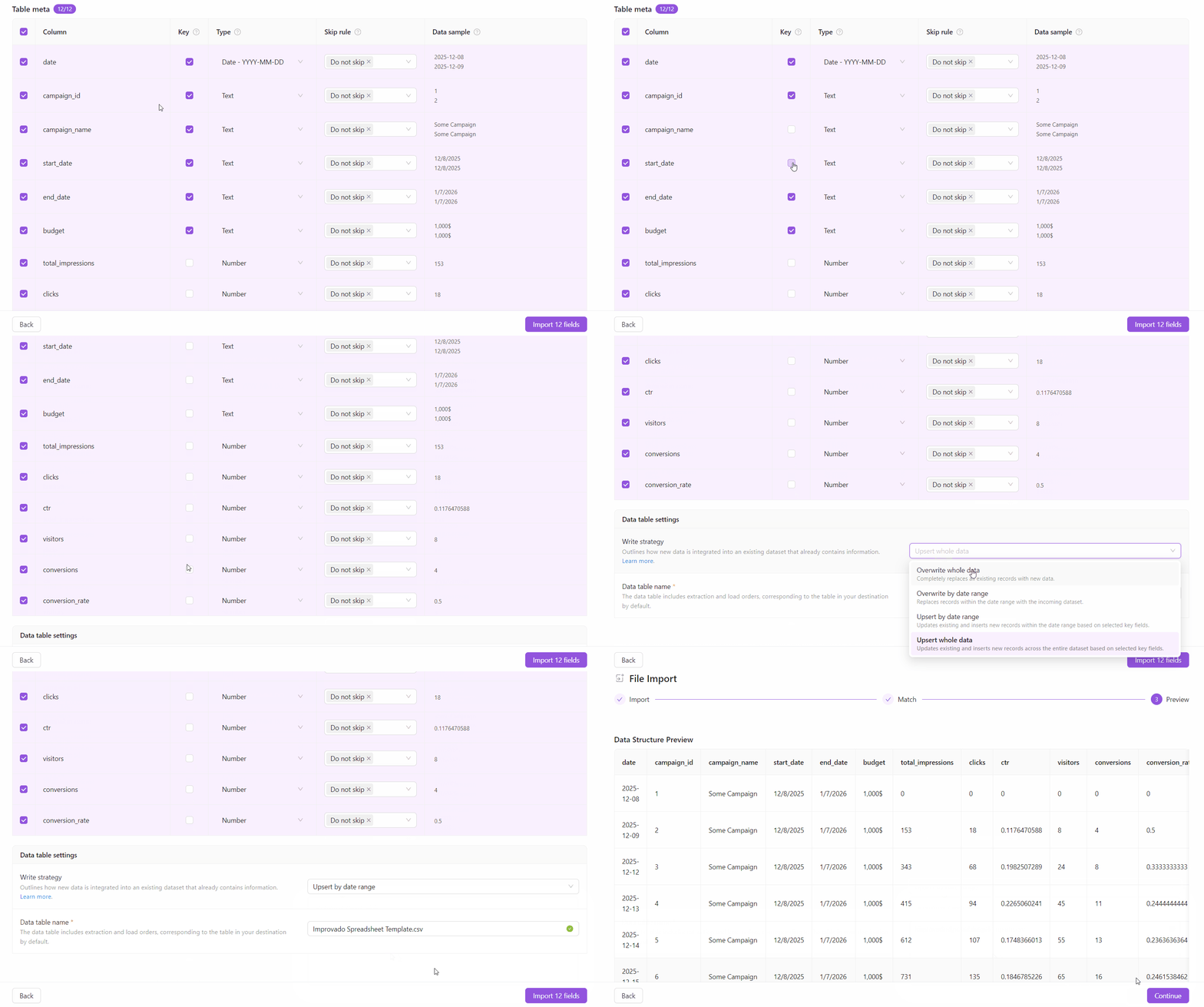
We’ve improved the Flat Data experience to give you more control over how data is written and to make the setup flow clearer and more consistent across all Flat Data integrations. This update includes:
- Write strategy: You can now define how new data is added for any Flat Data extracts using the new Write strategy setting - including overwrite and upsert-based options.
- Configurable key fields for Upsert strategies: When using Upsert, you can explicitly select which fields act as keys. These fields define record uniqueness and control whether rows are inserted or updated.
- Streamlined Flat Data UI: The setup flow has been simplified and unified across all Flat Data integrations.
Was this page helpful?
Thanks for the feedback!
Questions? The Improvado team is always happy to help. Send us an email, contact your Customer Success Manager, or raise a request in the Improvado Service Desk.