

May 2026
New API integrations 🧩
We have added several new data sources with the following report types:
- Campaigns Entity
- Reports
- Call Recordings
- Files
- List Entries
- Lists
- Meetings
- Notes
- Record Entries
- Records
- Records History
- Tasks
- Threads
- Workspace Members
- Ad Groups Entity
- Ads Entity
- Campaigns Entity
- Insights
- Questions
- Responses
- Surveys
- Attachments
- Out of Office Entries
- Project Memberships
- Projects
- Sections
- Stories
- Team Memberships
- Members
- Users
- Subtasks
- Tags
- Tasks
- Workspace Memberships
- Recordings
- Transcripts
- Manufacturing Customer Feedback
- Manufacturing Forecasting
- Manufacturing Inventory
- Manufacturing Sales
- Manufacturing Sales by Geography
- Manufacturing Traffic
- Companies
- Contacts
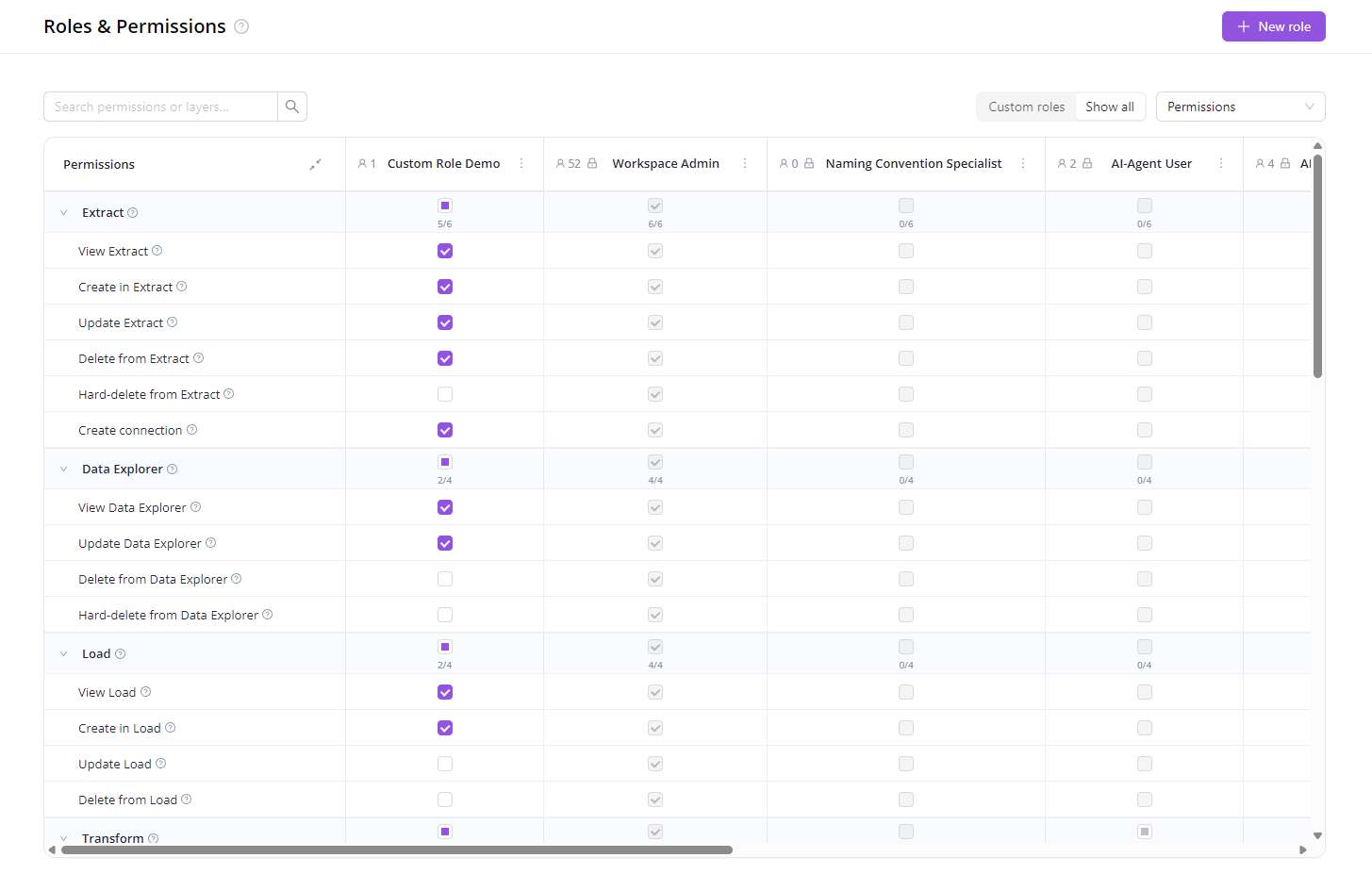
Custom Roles & Permissions
The predefined roles (Viewer, Editor, Workspace Admin…) cover most teams out of the box. When they don't, you can now build your own.
Pick exactly which areas of the product a role can see and what it can do there — and assign it to anyone in your workspace.
A few patterns this unlocks:
- Client access to dashboards only — brand stakeholders see their Dashboards and AI Agent, nothing about the pipelines behind them.
- Contractors and specialists — give a temp user one slice (e.g. only Naming Convention rules) and revoke when they're done.
- Separation of duties — keep analysts out of destinations, finance out of pipelines, marketing out of data loads.
- Tiered teams — Junior, Senior, and Lead with progressively more access.
- Read-only auditor — share view-everything / edit-nothing access, revoke when done.
Get started: open Organization → Roles, click New role, and pick the permissions you want.
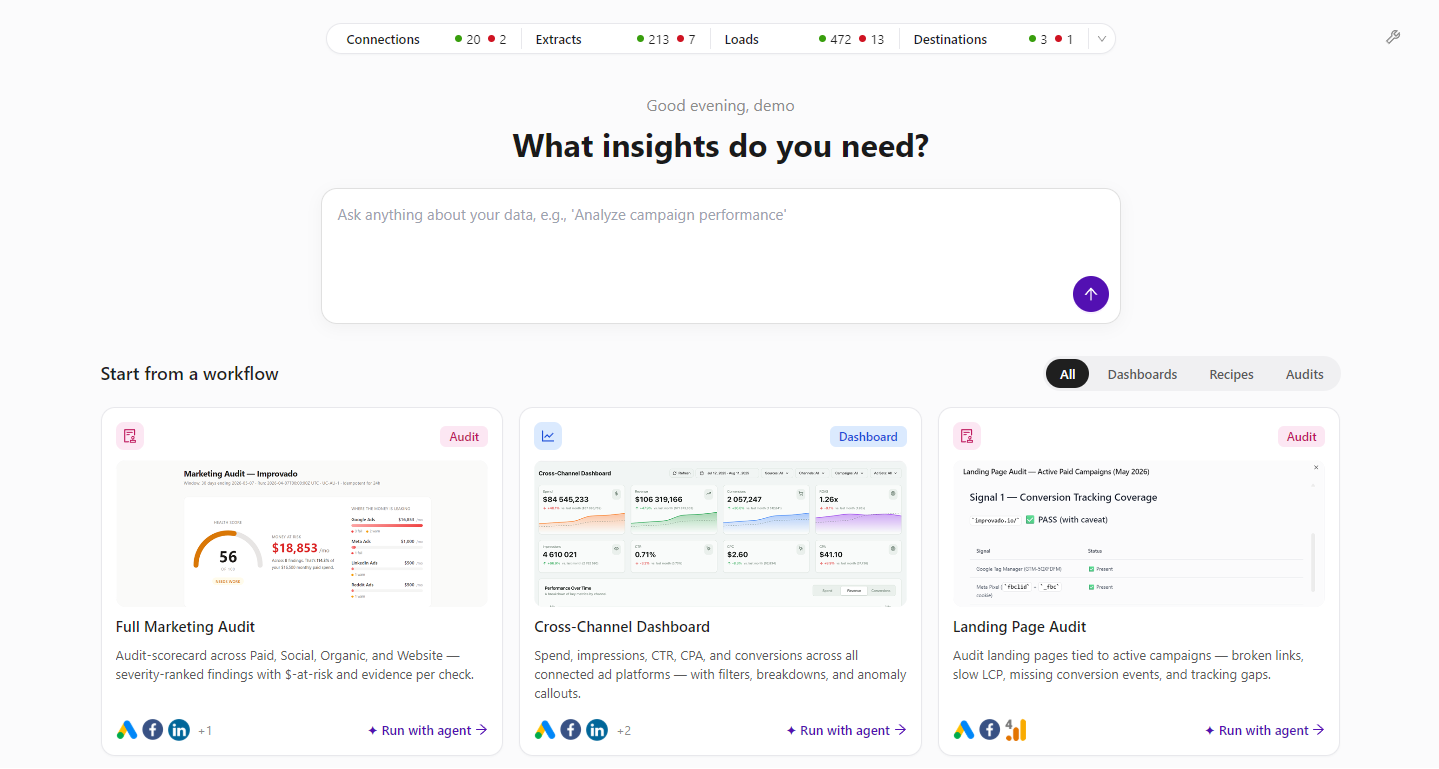
Updated Welcome Page
We’ve refreshed the welcome page to make it easier to monitor workspace health and start analysis faster. Users can now see a customizable stats overview for Connections, Extracts, Loads, and Destinations, then jump directly into workflow presets like marketing audits, cross-channel dashboards, and landing page checks.
This update gives every team a clearer starting point: review what needs attention, ask a data question, or launch an Agent-powered workflow in just a few clicks.
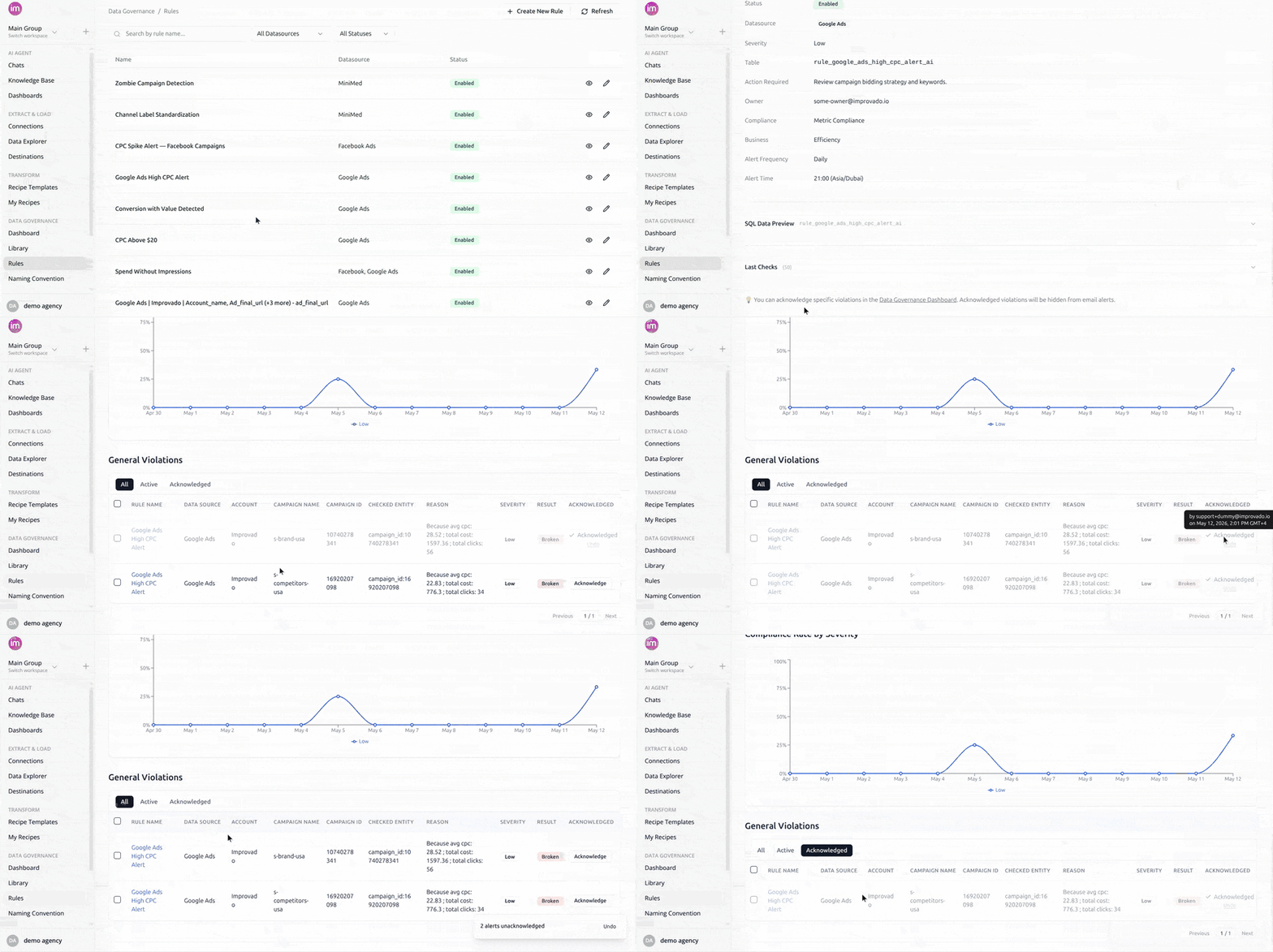
Acknowledge Violations in Data Governance
Mark reviewed violations as accepted so they stop appearing in your MDG email digests. Acknowledged violations stay visible on the dashboard but are filtered out of all future emails. Bulk-acknowledge, unacknowledge anytime, and see who acknowledged and when.
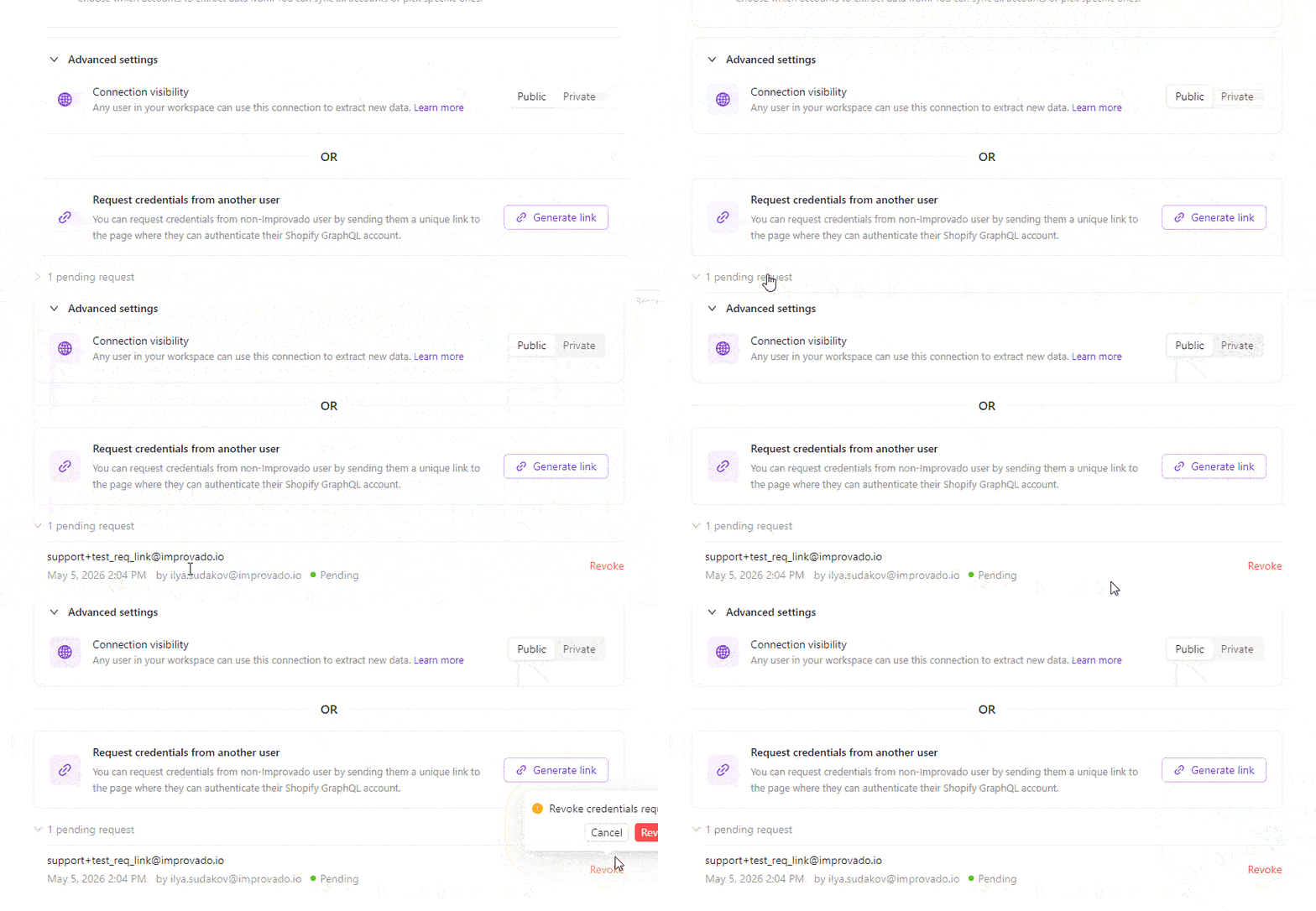
Credential Requests - Status Tracking & Revoke
The Request credentials flow lets you send a unique auth link to someone outside Improvado so they can connect a data source on your behalf. We've added what was missing once you hit Send:
- Full history of every link you've sent - recipient, sender, timestamp, and status (Pending / Used / Expired / Revoked).
- One-click revoke for any pending link.
Was this page helpful?
Thanks for the feedback!
Questions? The Improvado team is always happy to help. Send us an email, contact your Customer Success Manager, or raise a request in the Improvado Service Desk.