
Custom Roles & Permissions
What it is
Improvado ships with a set of predefined roles — Viewer, Editor, Workspace Admin, and a few others. They cover most teams out of the box. See the full list in Available user roles.
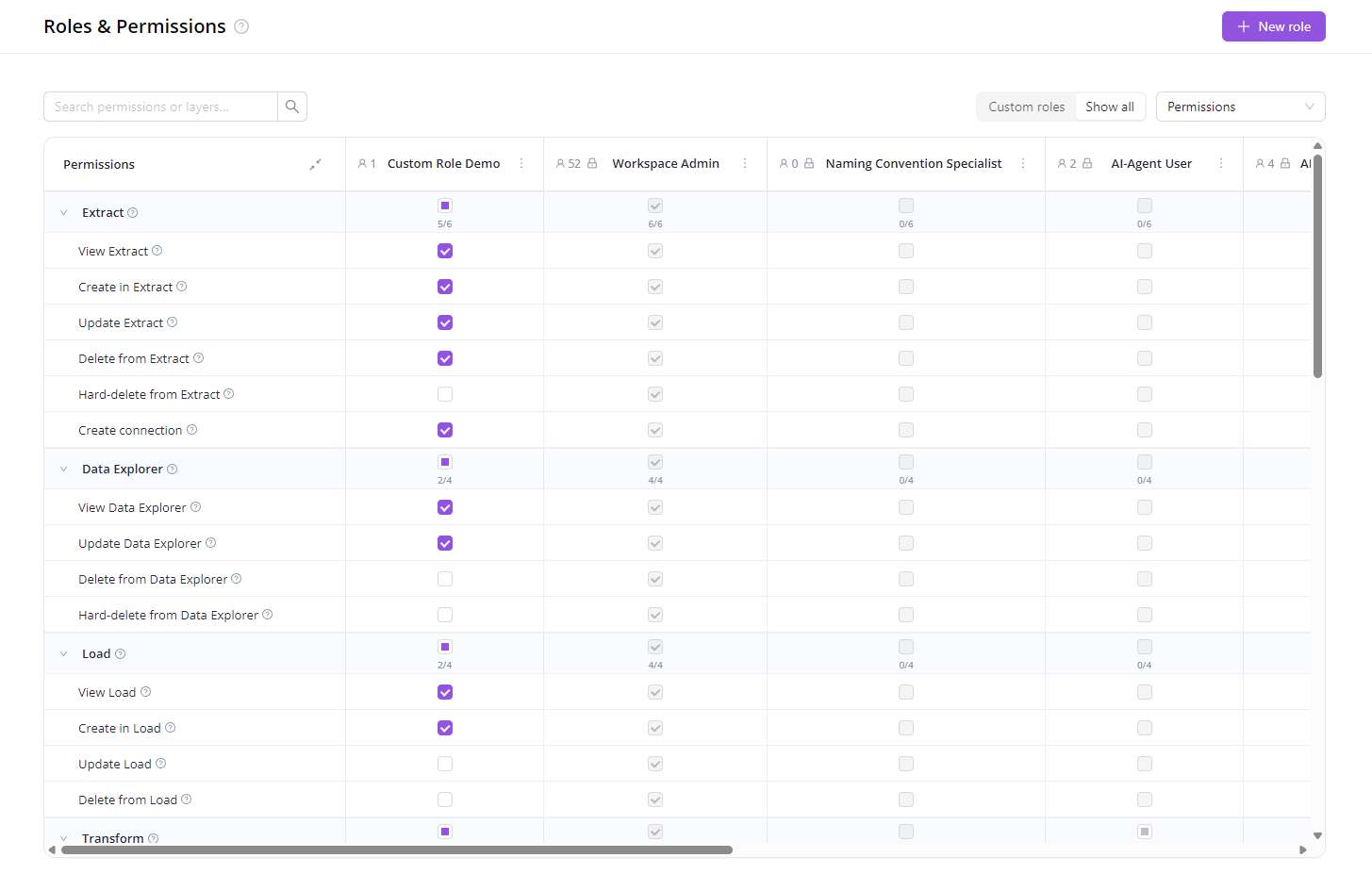
When they don’t fit, you can build your own. A custom role is a permission set you define yourself: pick exactly which product areas a user can view, edit, or run — and assign that role to anyone in your workspace.
When to use custom roles
A few common patterns:
- Giving clients access to their dashboards only. Brand stakeholders see their Dashboards and AI Agent — and nothing about the pipelines behind them. No risk of stumbling into another client’s data.
- Bringing on a contractor or consultant. Give a temporary specialist exactly one slice — for example, only the Naming Convention rules — and revoke it the day they’re done.
- Separating duties on a bigger team. Keep analysts out of destinations, marketing out of data loads, finance out of pipelines. Cuts the blast radius of an accidental click.
- Tiering a team. Junior analysts can view and create extracts; seniors can also edit and run loads; team leads can manage roles themselves.
- Read-only audit access. Give an auditor view-everything / edit-nothing, share the access, revoke when done.
How it works
- Go to Organization → Roles.
- Click New role, name it (e.g. Client – Acme, Naming Convention Specialist), and tick the permissions you want.
- Save. The new role appears in the Members tab — assign it to anyone in your workspace.
- Need to adjust later? Edit, duplicate, or delete the role at any time. If you delete a role that’s already assigned to people, those users are automatically moved to Viewer, so nobody’s left without access by accident.
You’ll see a quick preview before saving: “Heads up — updating will affect 4 members across 2 roles.” No surprises.
A few things to know
- Only agency admins can manage roles. Predefined roles are read-only — duplicate one if you want to use it as a starting point.
- Permission changes take effect on each user’s next page load.
Was this article helpful?
Thanks for the feedback!
Questions? The Improvado team is always happy to help. Send us an email, contact your Customer Success Manager, or raise a request in the Improvado Service Desk.