

Dashboard Version History & One-Click Restore
Dashboards built and edited with the AI agent now keep a full version history. Every save — whether it came from you in the editor or from the AI agent — is automatically captured as a restore point, so you can always go back to a working state.
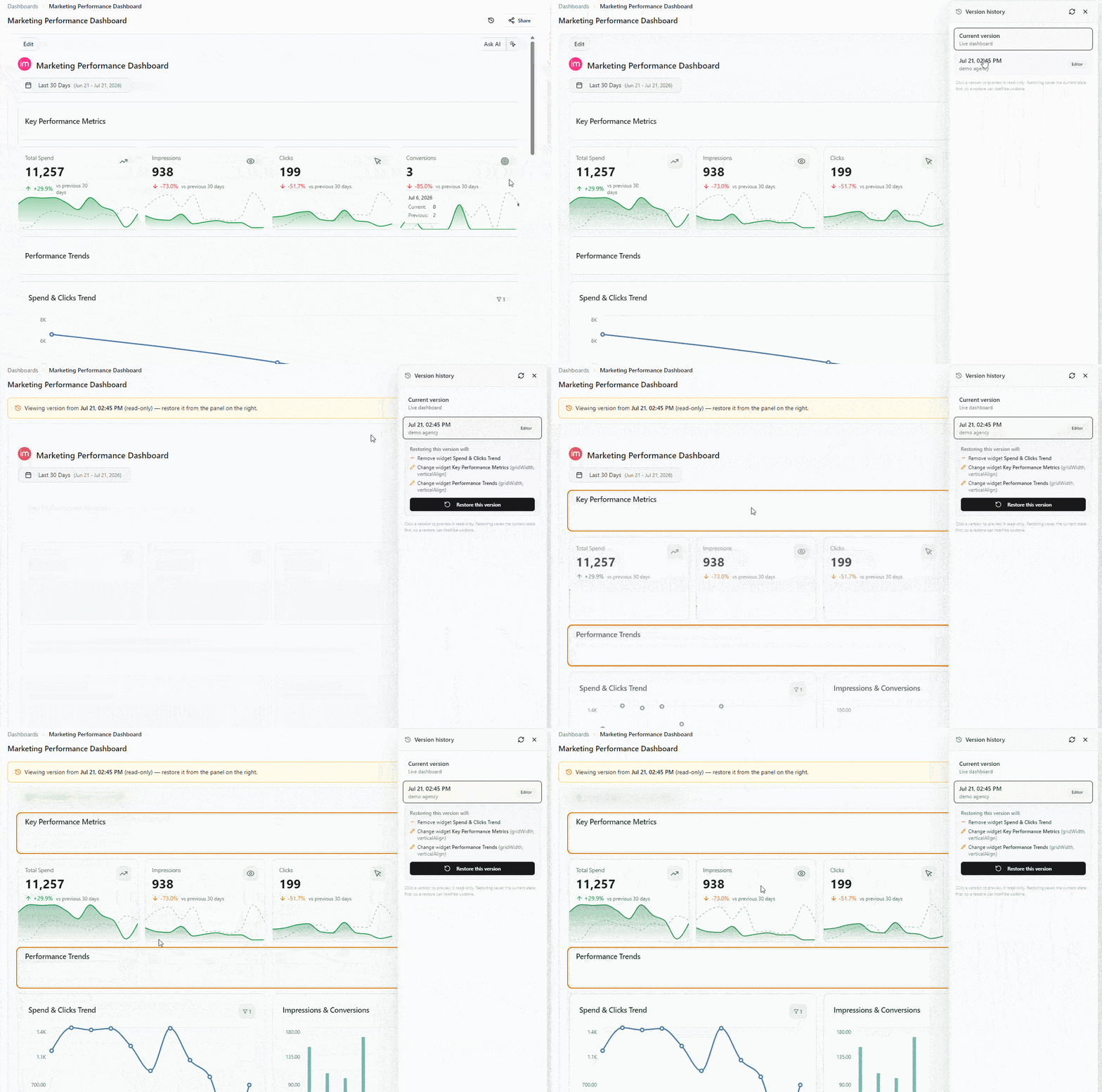
Open Version history from the dashboard header (next to Share) to see every change over time: when it happened, who made it, and whether it came from the editor or the AI agent. Select any entry to preview that version live and read-only, review exactly what a restore would change, and roll back with a single click.
What's new
- Automatic restore points. Every dashboard save is snapshotted — no manual "save a copy" step.
- Live read-only preview. Click a past version to see the dashboard exactly as it looked then, without touching the current one.
- See what changes before you restore. Each version shows which widgets and settings a rollback would add, remove, or change.
- One-click restore — itself undoable. Restoring saves your current state first, so you can always undo a restore too.
- Clear attribution. Each version is labeled by author and source (Editor / AI Agent), and agent changes link back to the chat that made them.
- Ask the agent to do it. You don't have to open the panel — just ask the AI agent to list past versions, preview one, or restore it. The same version-history actions are exposed as MCP tools, so they also work from any client connected to Improvado's MCP server.
Why it matters
AI makes editing dashboards fast — and version history makes it safe. If a change doesn't look right, you no longer need support to recover the previous state: browse the history, preview, and restore it yourself in seconds.
Version history is available on editable dashboards in the AI agent. No setup required — it's on by default. Read the dashboard version history guide.
Was this page helpful?
Thanks for the feedback!
Questions? The Improvado team is always happy to help. Send us an email, contact your Customer Success Manager, or raise a request in the Improvado Service Desk.