

July 2025
New API integrations 🧩
We have added 3 new data sources with the following report types:
Nightwatch
Yahoo Japan
- Search Campaigns Entity report type
- Keywords report type
- Search Ads report type
- Search Ad Groups report type
- Search Keywords report type
- Search Account report type
- Search Campaigns report type
CreatorIQ
- Campaign Publishers Entity report type
- Campaign Activity report type
- Daily Campaign Posts report type
- Campaigns Entity report type
New Report Types 📊
The following report types are available starting this month:
Adform
- Stats free-form report type
Bing Ads (Microsoft Advertising)
- Geographic Performance Report free-form report type
Criteo
- Ads Entity report type
- Creatives Entity report type
Facebook Threads
- Follower Demographics report type
Google Ads
- Combined Audience Entity report type
- Ad Group Audience View free-form report type
LinkedIn Ads
- Video Analytics report type
- Video Analytics Lifetime report type
Salesforce
- Salesforce Objects Entity report type
Shopify GraphQL
- Inventory Quantities report type
- Inventory Levels report type
TikTok Ads
- Audiences Entity report type
- Reservation Basic Ads free-form report type
- Reservation Basic Ad Groups free-form report type
- Reservation Basic Advertisers free-form report type
- Reservation Basic Campaigns free-form report type
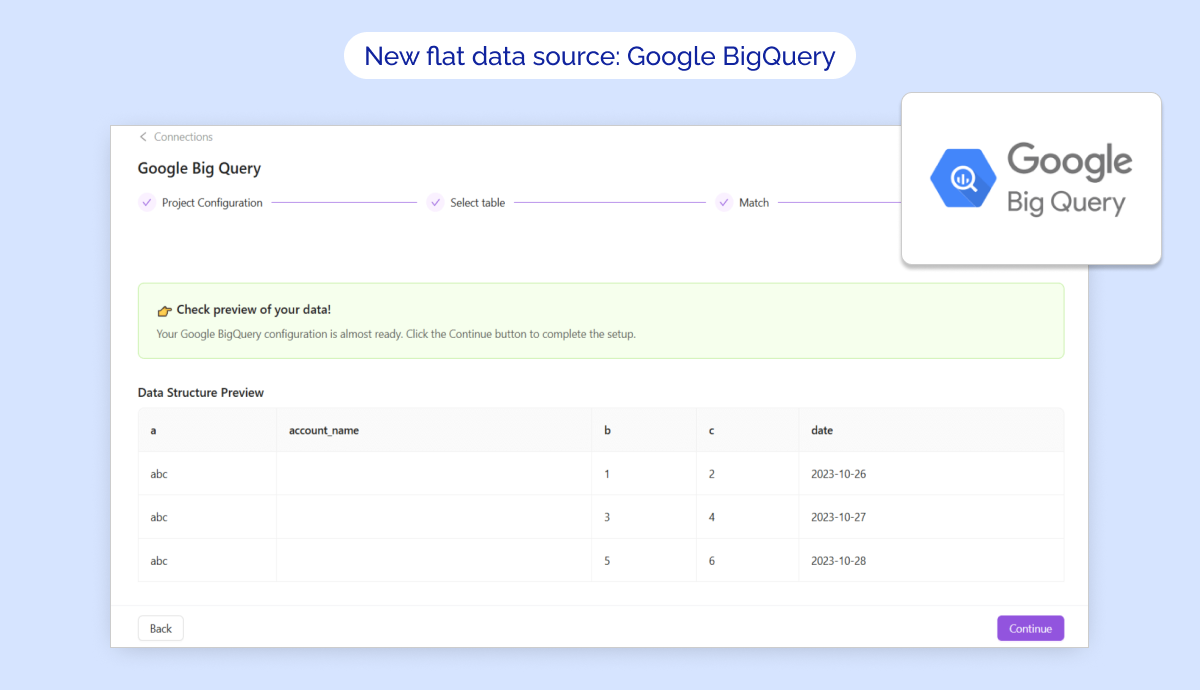
New flat data source: Google BigQuery
🚀 Google BigQuery is now available in Improvado as a flat data source!
✅ Key Features:
- Direct connection to your Google BigQuery project with seamless OAuth authorization.
- Import tables effortlessly into Improvado Storage with full control over field selection, data types, and scheduling.
- Flexible configuration for historical syncs, date formats, and skip rules to refine your data extraction.
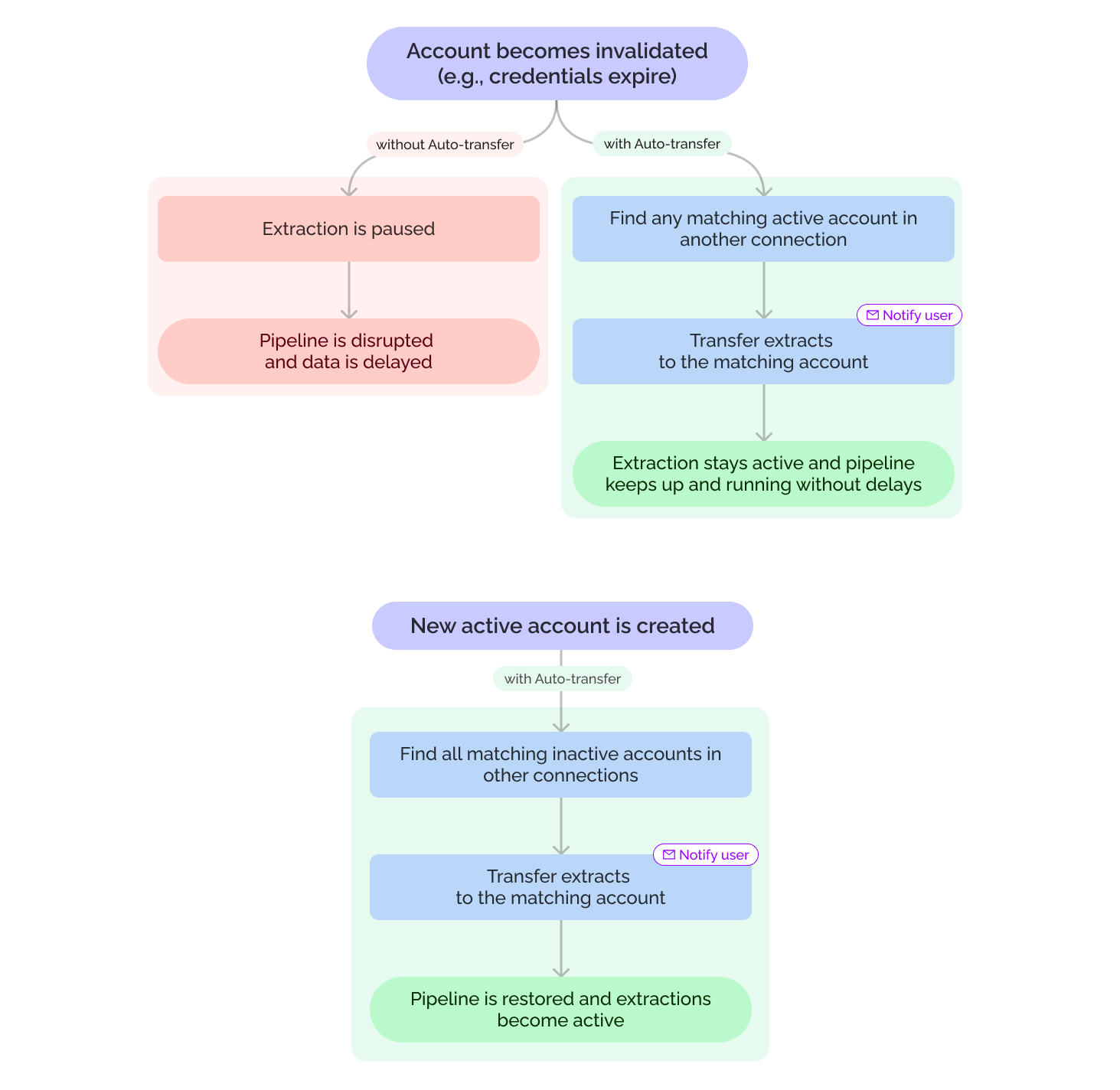
Auto-transfer for invalid connections
Extraction orders from invalid connections will now automatically transfer to matching active accounts—keeping your data flowing without manual fixes. You can enable or disable this feature in your Organization Settings.
Smoother workflows, less hassle. 🚀
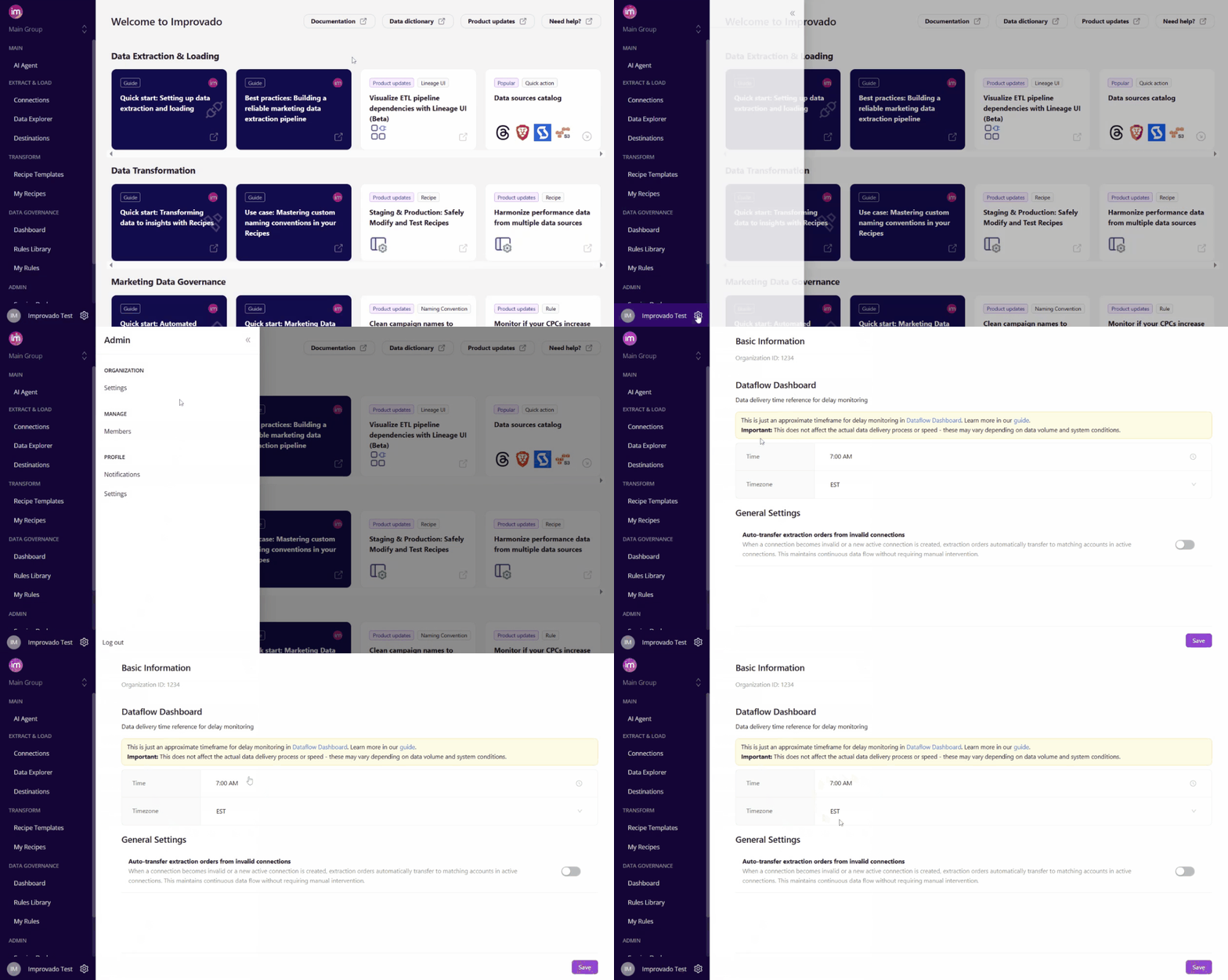
Settings tab updates
We’ve made two improvements in Settings tab to streamline your experience:
1️⃣ Settings tab split
The Settings tab is now divided into Organization Settings (for workspace-wide configurations) and Profile Settings (for personal preferences). Clearer navigation, fewer clicks!
2️⃣ Data Delivery ETA in UI
Customers can now set their Data Delivery Time & Timezone directly in Organization Settings — no CSM ticket required!
Note: Only owners can edit, others can view only. This helps power accurate delay monitoring in the Dataflow Dashboard.
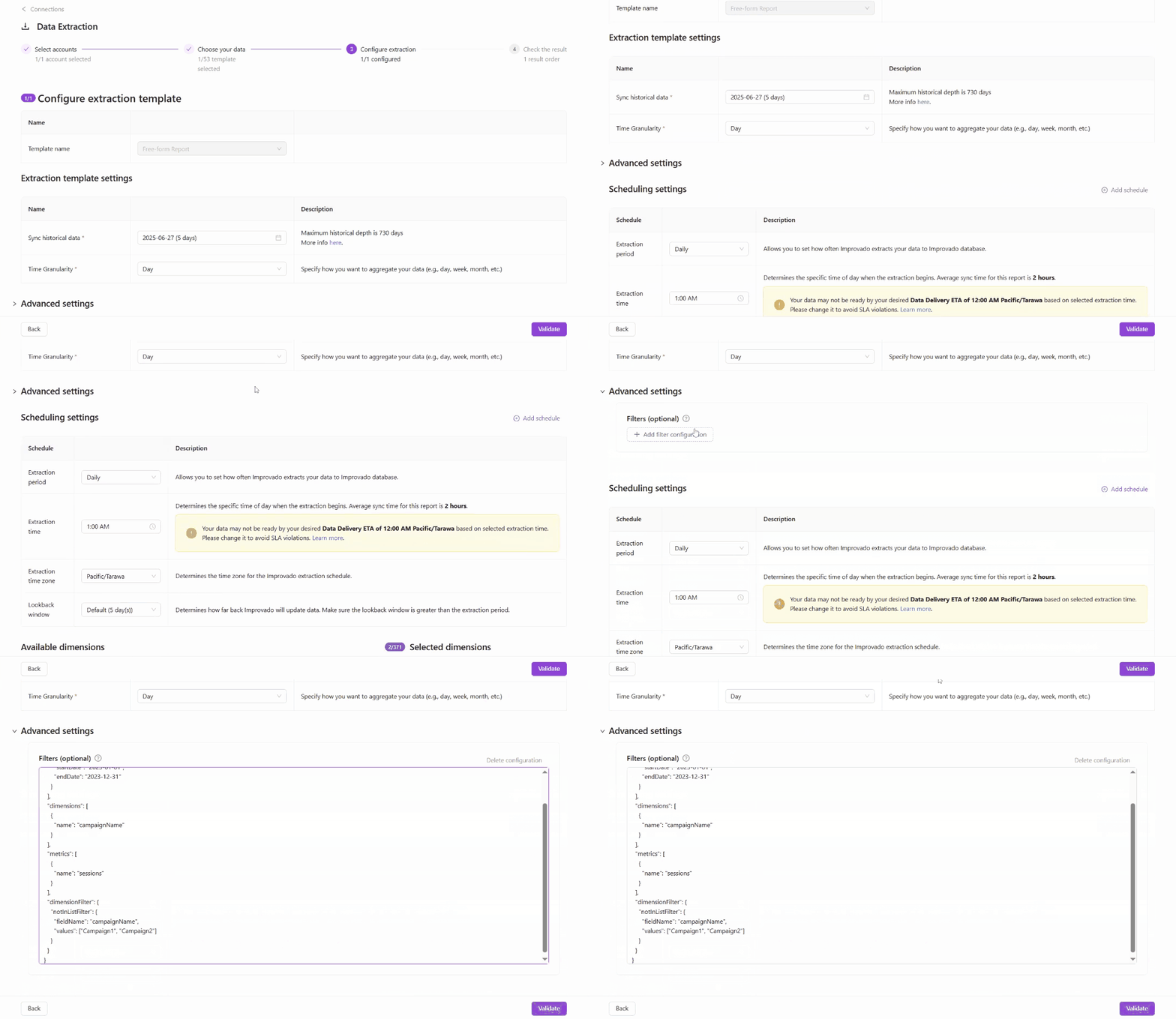
Pre-filter Extraction
We’re introducing Pre-filter Extraction, a new option designed for advanced users who want more control over their data extraction. This feature allows you to apply filters before extraction begins, helping you limit the data pulled to only what’s necessary. It’s particularly helpful for data sources with strict limits.
Availability:
- Pre-filters are available only for Custom (wide) configurations.
- Currently available for GA4, CM360 (by Advertiser) (with more data sources to come!).
🛠️ This is an early version, available as an optional setting for advanced users. We're planning to add AI Agent support in the future, so you won’t need to write filters manually.
Was this page helpful?
Thanks for the feedback!
Questions? The Improvado team is always happy to help. Send us an email, contact your Customer Success Manager, or raise a request in the Improvado Service Desk.