

AI-Proposed Remediation Actions
Marketing Data Governance
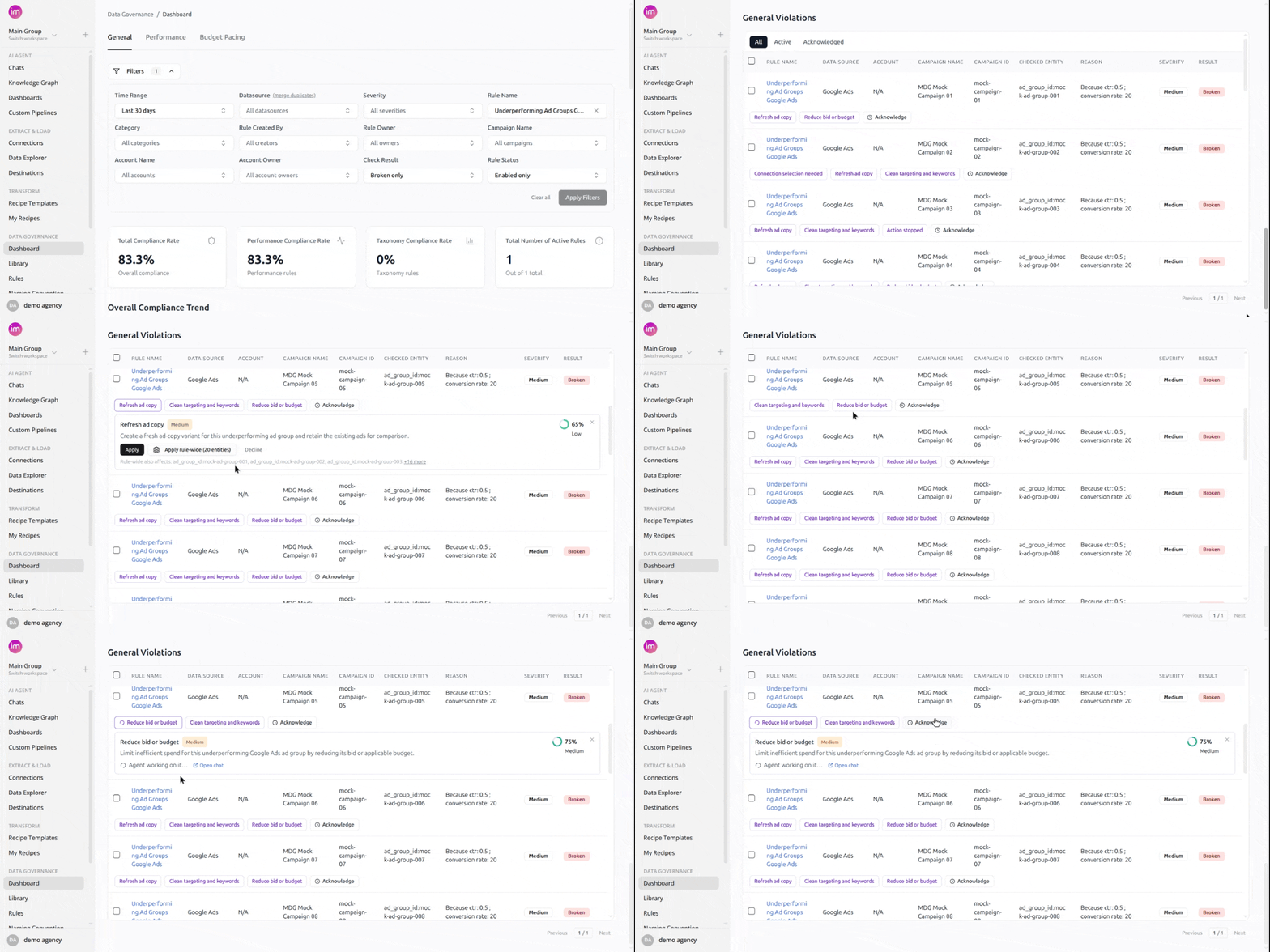
September 8, 2026 Finding a violation was never the slow part - acting on it was. Now each violating entity carries an action button that launches an AI agent, applies the fix, re-checks the rule, and reports the outcome back onto the same card.
What you can do
- See it before it runs - description, confidence, and priority on the card.
- Fix one entity or the whole rule - Apply rule-wide shows the exact scope first.
- Watch the agent work - every fix runs in its own chat, linked from the card.
- Decide what gets offered - a rule's Action Required field drives the fixes.
- Decline what you don't want - for that entity and no other.
Entities under one rule can get different fixes, up to five per rule, and a daily refresh picks up new violations. Fix actions and acknowledgements stay separate: acknowledging hides an alert, a fix action corrects the data.
Find them in the violations table under Data Governance.
Was this page helpful?
Thanks for the feedback!
Questions? The Improvado team is always happy to help. Send us an email, contact your Customer Success Manager, or raise a request in the Improvado Service Desk.