

New Data Governance Dashboard
Marketing Data Governance
November 5, 2026 The Data Governance dashboard is now the one place to manage your rules and their violations.
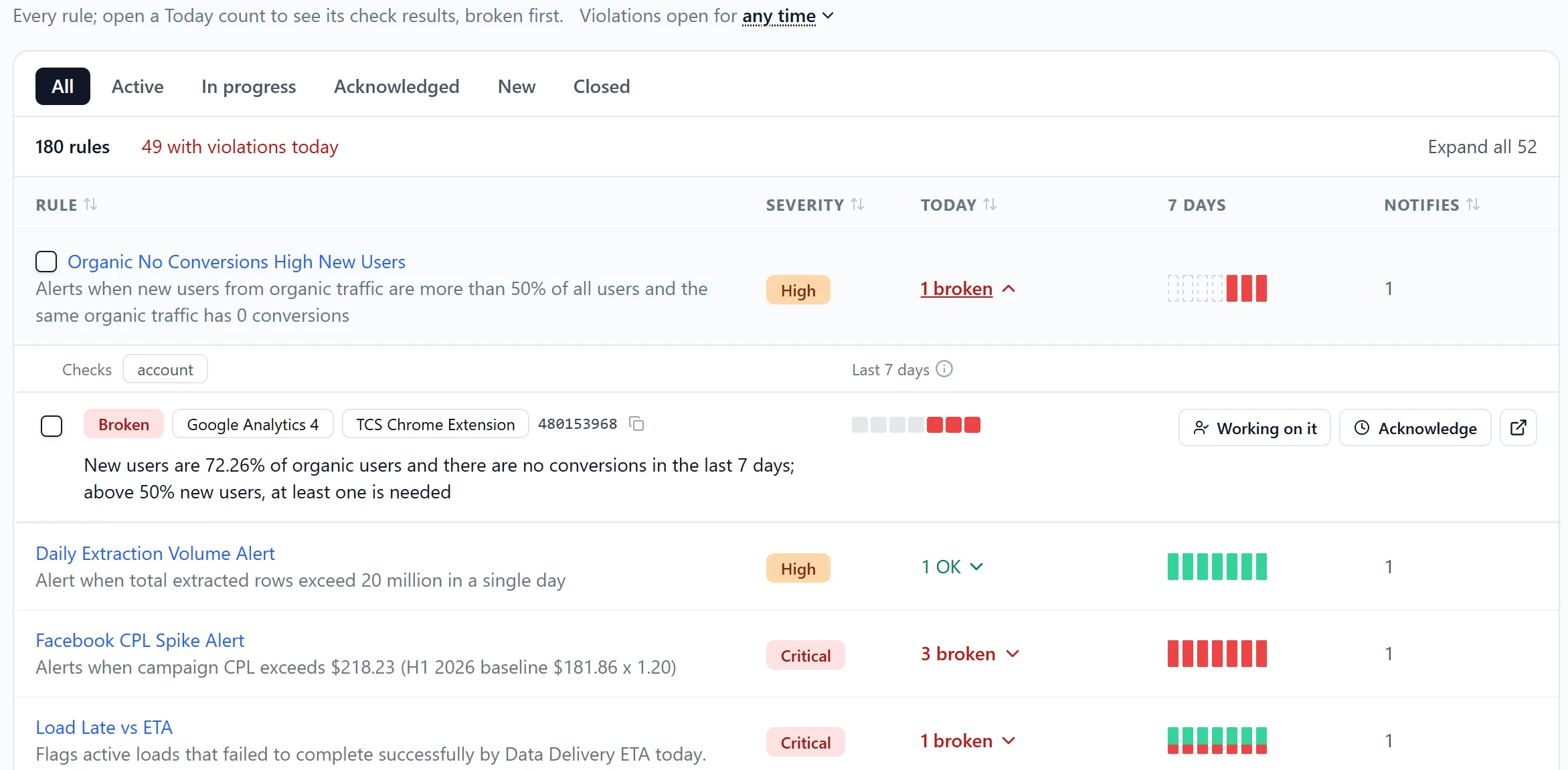
- Rules tab. Every rule in one list. Expand a rule to see its violations as cards, then acknowledge them or mark them as Working on it.
- Resolution on the General tab. See which violations opened today, which closed, how long open ones have waited and who owns them.
- Edit rules in place. Click a rule name to open a drawer where you edit fields, use Edit with AI or delete the rule.
- Settings moved to the dashboard. Open Alerts from the header, budgets from the Budget Pacing tab and account owners from the Account Owner filter.
The Rules tab replaces the Violations tab and the separate Rules page. Old links, digest emails and Slack messages open the new Rules tab.
Was this page helpful?
Thanks for the feedback!
Questions? The Improvado team is always happy to help. Send us an email, contact your Customer Success Manager, or raise a request in the Improvado Service Desk.