

AI Dashboards Open in Seconds — Cached Widget Results with One-Click Refresh (Beta)
Dashboards built with the AI agent now open in seconds, even when their widgets run heavy queries. The first time a slow widget query runs, its result is saved; the next time anyone opens that dashboard, the widget is drawn from the saved result right away and quietly refreshed in the background. A dashboard that used to take close to a minute to fill in now shows every widget in about a second.
This caches query results, not your data. Your data is still pulled from the platforms on its usual schedule — the cache only skips re-running the same heavy query over data that is already in Improvado. Every dashboard shows how fresh its numbers are, and reloading them on demand is one click.
What's new
- Instant reopen. Widget queries that take more than a few seconds are saved after they run and served from that copy on the next open — by you or by anyone else who can view the dashboard.
- Always refreshing. Saved results are refreshed in the background as they age, so a dashboard you keep coming back to stays current without waiting.
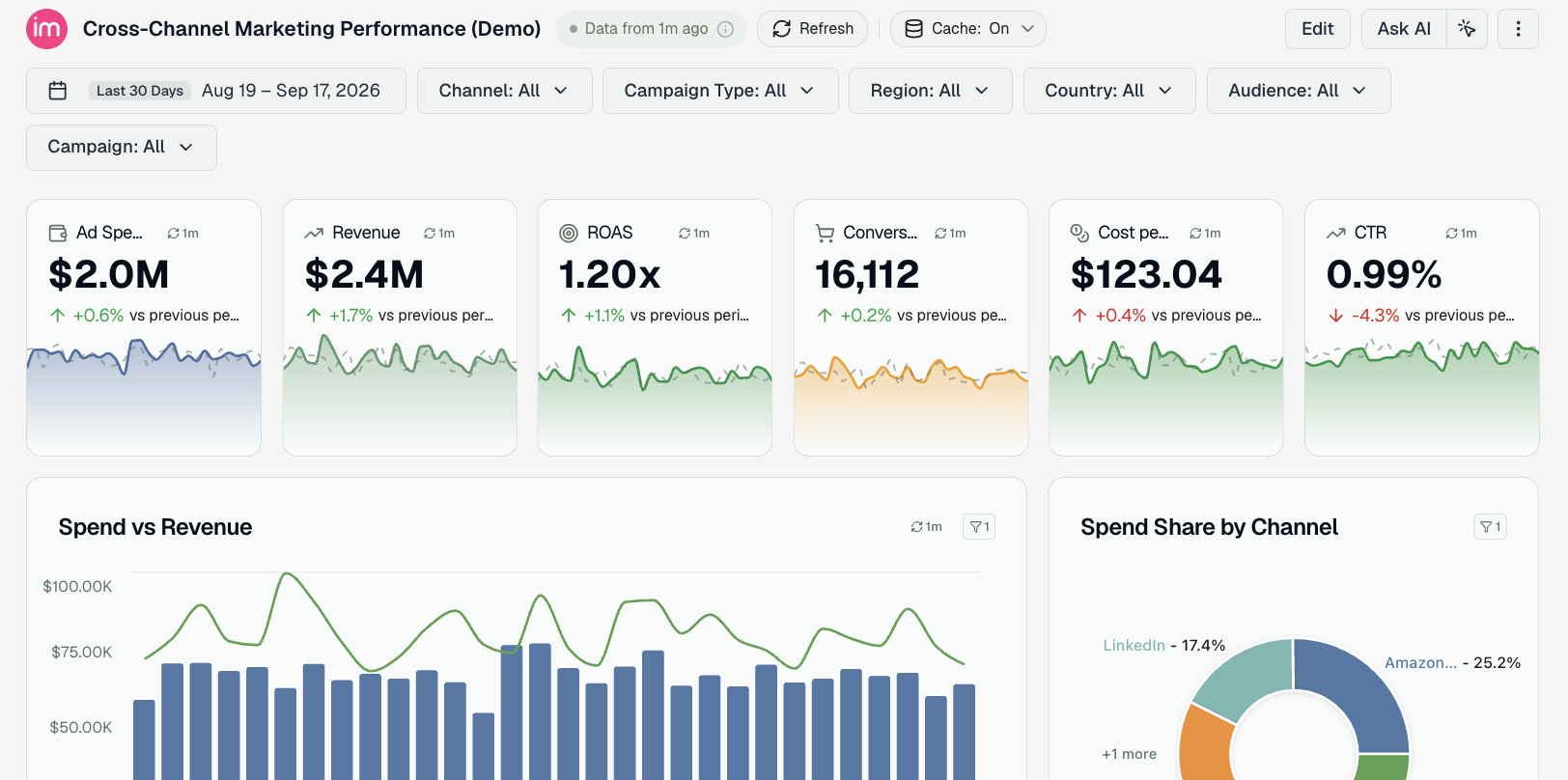
- Freshness at a glance. Next to the dashboard title you'll see Data from 20 min ago; each widget carries a small chip with its own age. Hover either one to see exactly when the numbers were last computed and how long the underlying query takes without the cache.
- Refresh on demand. The Refresh button next to the title re-runs every widget query from scratch; the chip on a single widget reloads just that widget; the ↻ inside any filter's dropdown reloads that filter's list of values.
- Turn it off per dashboard. If a dashboard must recompute on every open, use Disable cache next to the title or the switch under Appearance → Data. The dashboard then behaves exactly as before.
Why it matters
Heavy queries are what make a rich dashboard slow, and most opens ask the same questions as the last one. Reusing those answers takes the wait out of opening a dashboard for the tenth time in a day — while the freshness label, Refresh, and the per-dashboard switch keep you in control of when the numbers are recomputed.
Cached widget results are in beta. Available on all AI-built dashboards. No setup required — it's on by default. Check the documentation →.
Was this page helpful?
Thanks for the feedback!
Questions? The Improvado team is always happy to help. Send us an email, contact your Customer Success Manager, or raise a request in the Improvado Service Desk.