

Data Preview for Extractions
Data Extraction
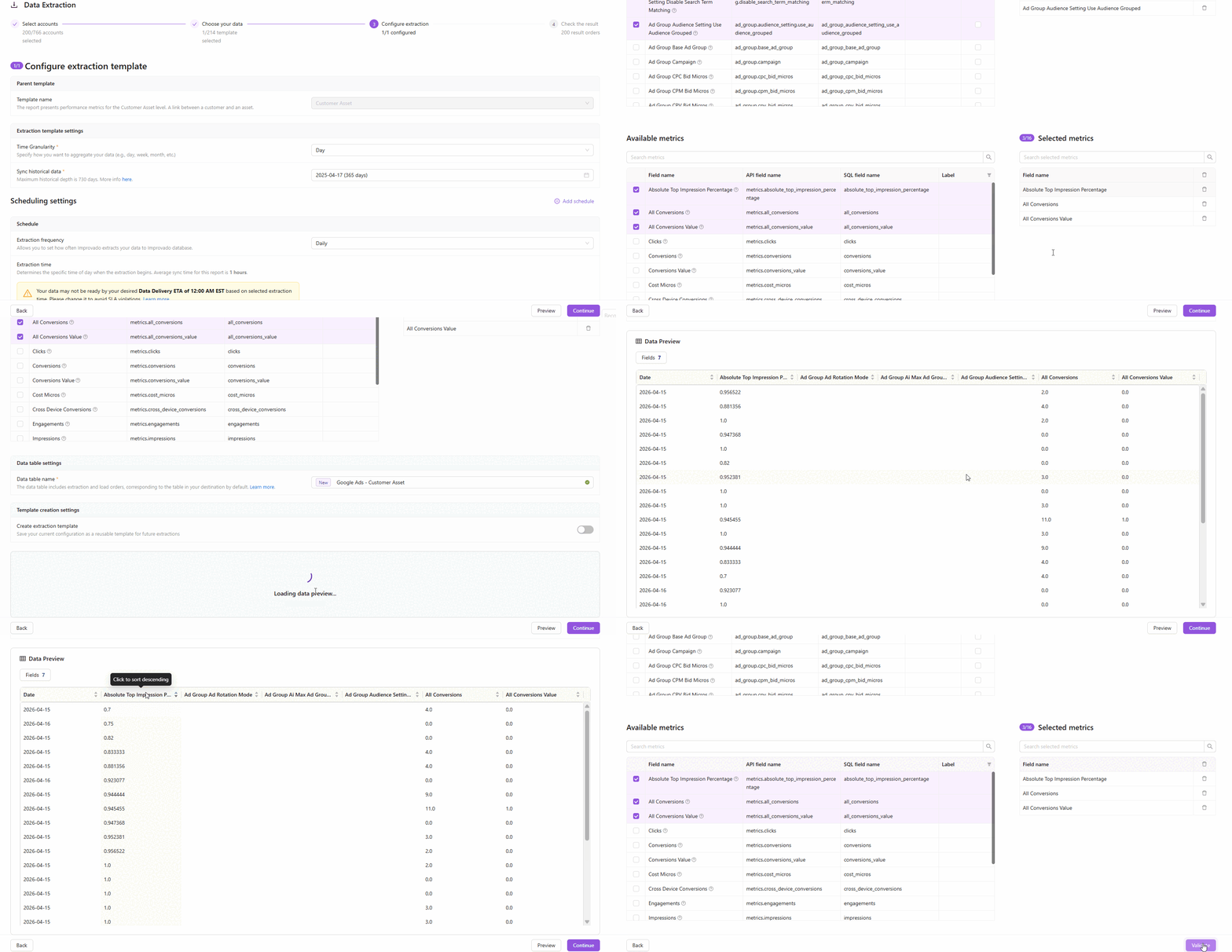
April 6, 2026 You can now preview a sample of your data directly in the extraction setup — before committing to a full sync. See exactly which fields and values will be extracted, catch configuration issues early, and set up extractions with confidence.
How it works
- On Step 3 of the extraction flow, click the Preview button to fetch a live data sample
- Improvado runs a lightweight extraction against your connected account and returns up to 100 rows of today's data
- The preview table shows all selected fields — including dynamic and custom CRM fields — so you know exactly what you'll get
Key highlights
- Available for most report types — covers the majority of connectors with synchronous API-based reports
- Dynamic CRM fields supported — custom Salesforce, Dynamics 365, and other CRM fields appear automatically in the preview
- Fast and safe — preview runs with a 2-minute timeout and doesn't affect your production extractions
- Smart account sampling — Improvado checks up to 5 accounts and returns the first non-empty result
Why it matters
No more blind extractions. Validate field mappings, check data availability, and verify custom settings — all before a single row hits your destination.
Was this page helpful?
Thanks for the feedback!
Questions? The Improvado team is always happy to help. Send us an email, contact your Customer Success Manager, or raise a request in the Improvado Service Desk.