

April 2026
New API integrations 🧩
We have added several new data sources with the following report types:
- Direct Campaigns
- Preferred Campaigns
- Marketplace Campaigns
- Campaigns Entity
- Ads Entity
- Advertisers Entity
- Inventory
- Demand
- Auction
- Tasks
- Workflows
- Folders
- Contacts
- Comments
- Timelogs
- Spaces
- Custom Fields
- Customer Journey Attribution Data
- Summary Page Data
- Report Definitions Entity
- Report Execution
- Ad Types Report
- Ads Report
- Campaigns Entity
- Campaigns Report
- Media Properties Report
- Sites Report

AI Dashboards — Pin to Ask AI, Granular Widget Tools, and Polish
AI Dashboards just got a faster path between your data and the AI Agent — plus a wave of polish across editing and sharing.
Pin a widget, ask the agent
Click the new Pin icon in the dashboard header, select any widget, type a prompt — the AI Agent picks it up with the widget's full context (id, type, config, dashboard title) and either appends it to your current chat or opens a new one if you're outside the agent. Works on every widget type, including custom components.
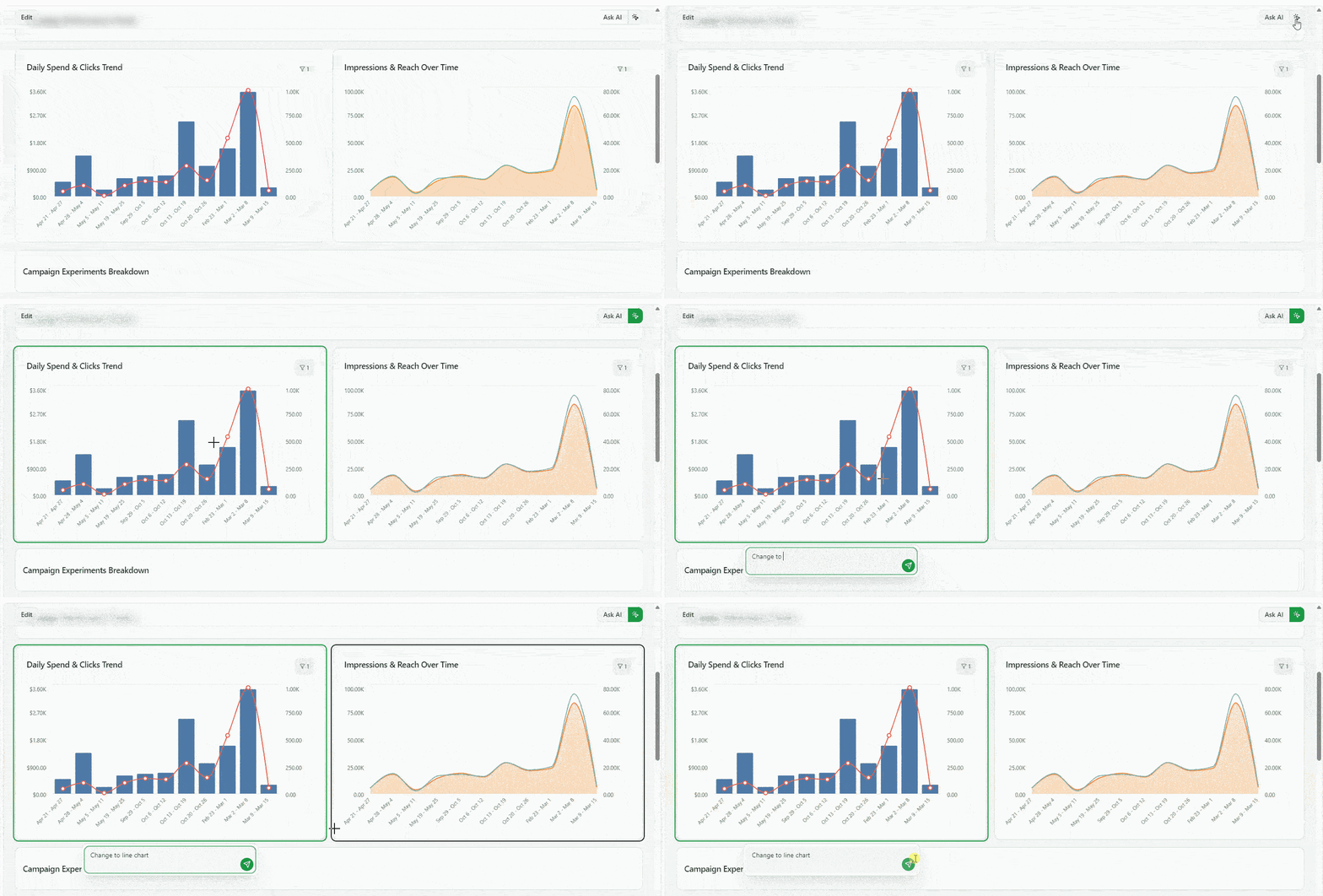
Surgical widget edits via the AI Agent
The AI Agent can now edit individual widgets without rewriting the whole dashboard config. New skill commands to get, patch, add and validate widgets, as well as copy dashboard — give the agent atomic, idempotent operations. The result: faster iterations, smaller diffs, and far fewer surprises when the agent tweaks a single chart or KPI.
Polish across the editor and sharing
- View-only filter hide — mark filters as hide for view-only so shared-link viewers see a cleaner header
- Unified chart legend & colors — single-metric and multi-metric charts now share consistent legend defaults
- Numerous bug fixes — view-only filter logic, widget-level filter priority, stable schema validation across snake_case responses, and improved Public Link / Restricted access flows.
Improvado MCP — Connect Your AI Agent to Your Marketing Data
Connect any MCP-compatible AI agent (Claude, Cursor, Windsurf) to your Improvado platform through one secure connection. Access 1,400+ connectors, 46,000+ unified metrics, and 84 tools — ask questions in plain language and get real-time results. Uses OAuth with your existing Improvado credentials, no separate API keys needed. Setup takes under five minutes.
Data Preview for Extractions
You can now preview a sample of your data directly in the extraction setup — before committing to a full sync. See exactly which fields and values will be extracted, catch configuration issues early, and set up extractions with confidence.
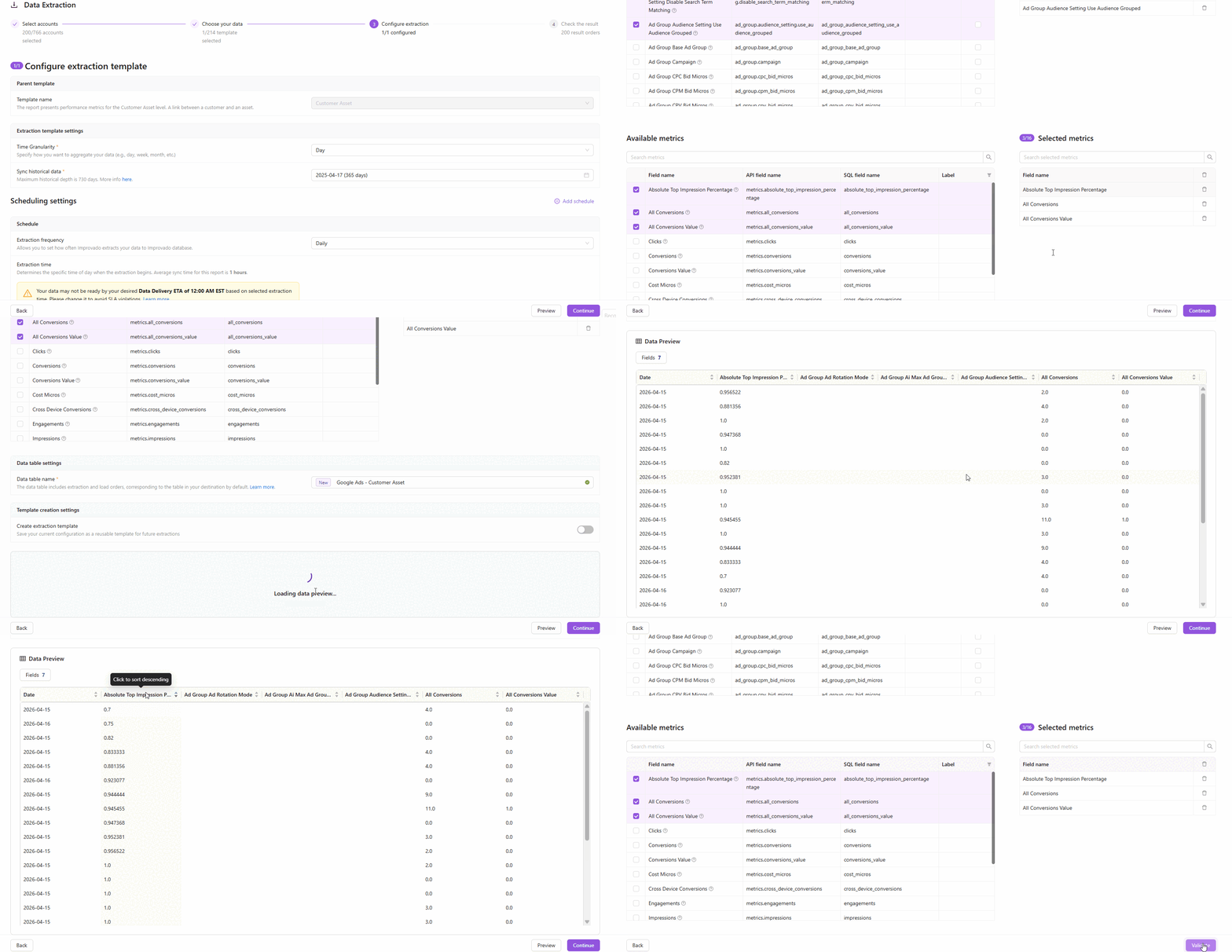
How it works
- On Step 3 of the extraction flow, click the Preview button to fetch a live data sample
- Improvado runs a lightweight extraction against your connected account and returns up to 100 rows of today's data
- The preview table shows all selected fields — including dynamic and custom CRM fields — so you know exactly what you'll get
Key highlights
- Available for most report types — covers the majority of connectors with synchronous API-based reports
- Dynamic CRM fields supported — custom Salesforce, Dynamics 365, and other CRM fields appear automatically in the preview
- Fast and safe — preview runs with a 2-minute timeout and doesn't affect your production extractions
- Smart account sampling — Improvado checks up to 5 accounts and returns the first non-empty result
Why it matters
No more blind extractions. Validate field mappings, check data availability, and verify custom settings — all before a single row hits your destination.
Webhooks: Automated Event Notifications
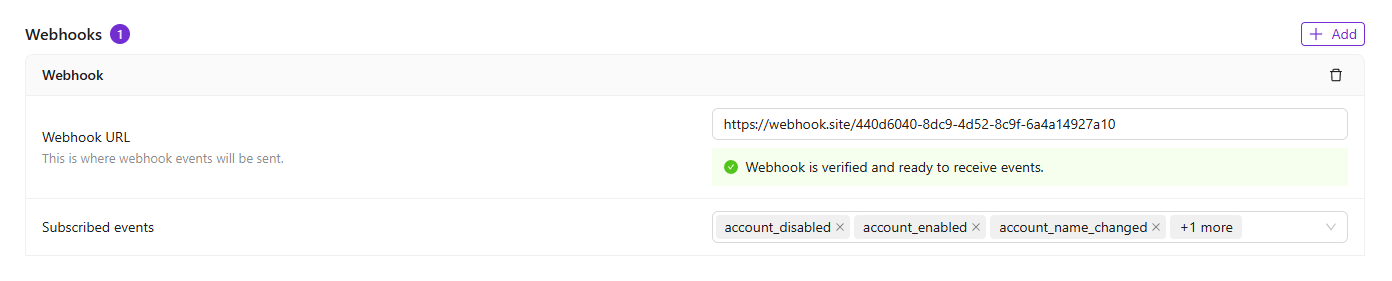
You can now register webhook endpoints to receive automated HTTP notifications whenever events occur in your Improvado workspace — no more polling the API to check for updates.
How it works
- Navigate to Settings → Notification Center → Webhooks and add your server URL
- Choose which events to subscribe to — from connection changes and extraction updates to load completions and user actions
- Verify your endpoint using a simple challenge-response handshake, and start receiving events automatically
Key highlights
- 80+ event types across accounts, connections, extractions, loads, transformations, data tables, users, and recipes
- Secure verification — Improvado validates endpoint ownership via a challenge-response mechanism before delivering any events
- Signing secret — each webhook includes a unique secret so your server can authenticate that requests are genuinely from Improvado
- Flexible subscriptions — add or remove event types at any time without re-creating the webhook
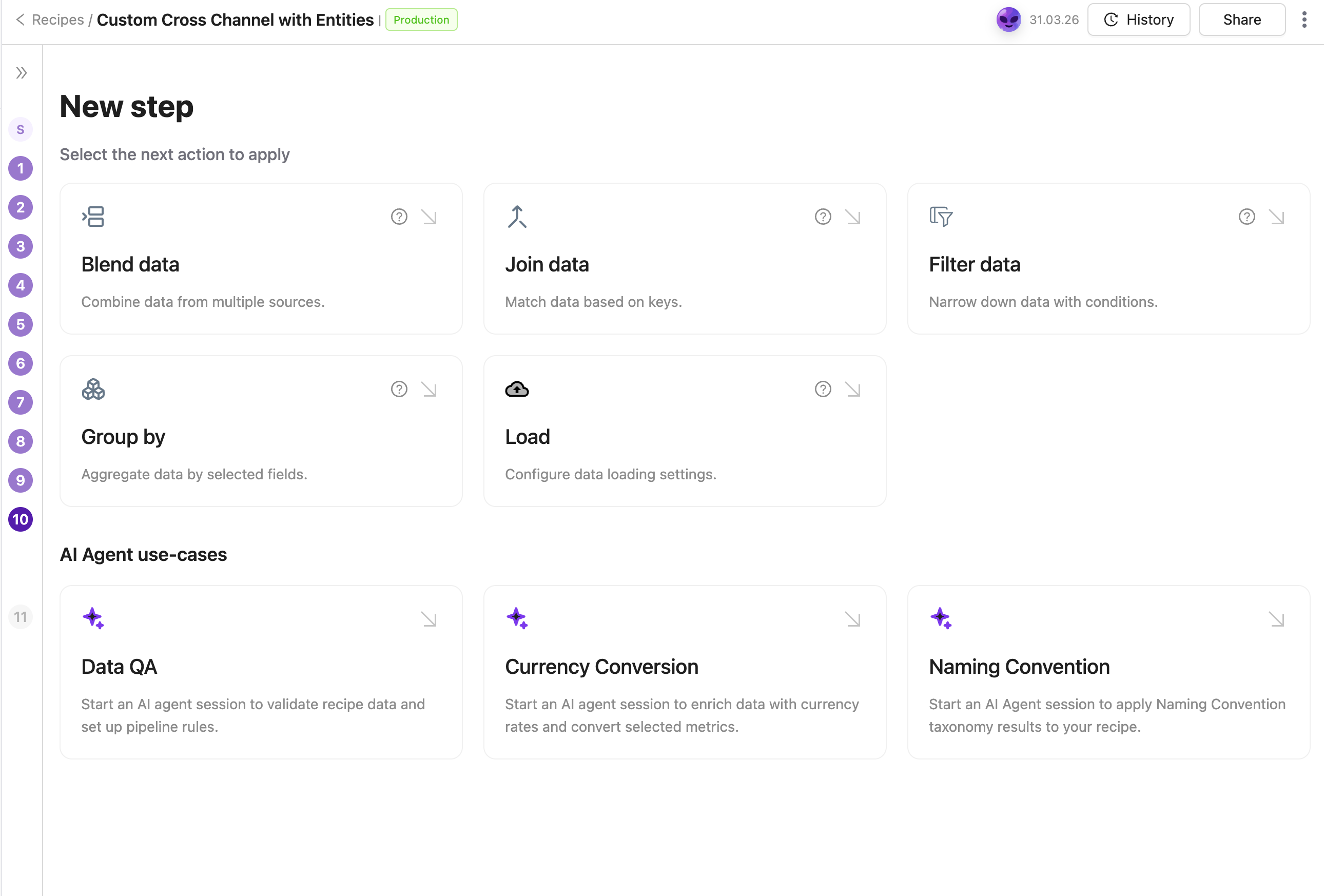
Apply Naming Convention via AI Agent
Apply your Naming Convention to any transformation recipe through a guided AI Agent flow. The Agent identifies the right taxonomy table, recommends dimensions to standardize, and configures the join automatically — no manual setup required.
Was this page helpful?
Thanks for the feedback!
Questions? The Improvado team is always happy to help. Send us an email, contact your Customer Success Manager, or raise a request in the Improvado Service Desk.