

October 2025
New API integrations 🧩
We have added 2 new data sources with the following report types:
Cvent
- Report Accounts report type
- Events report type
Unity Ads
- Acquisitions Report free-form report type
- Report Accounts report type
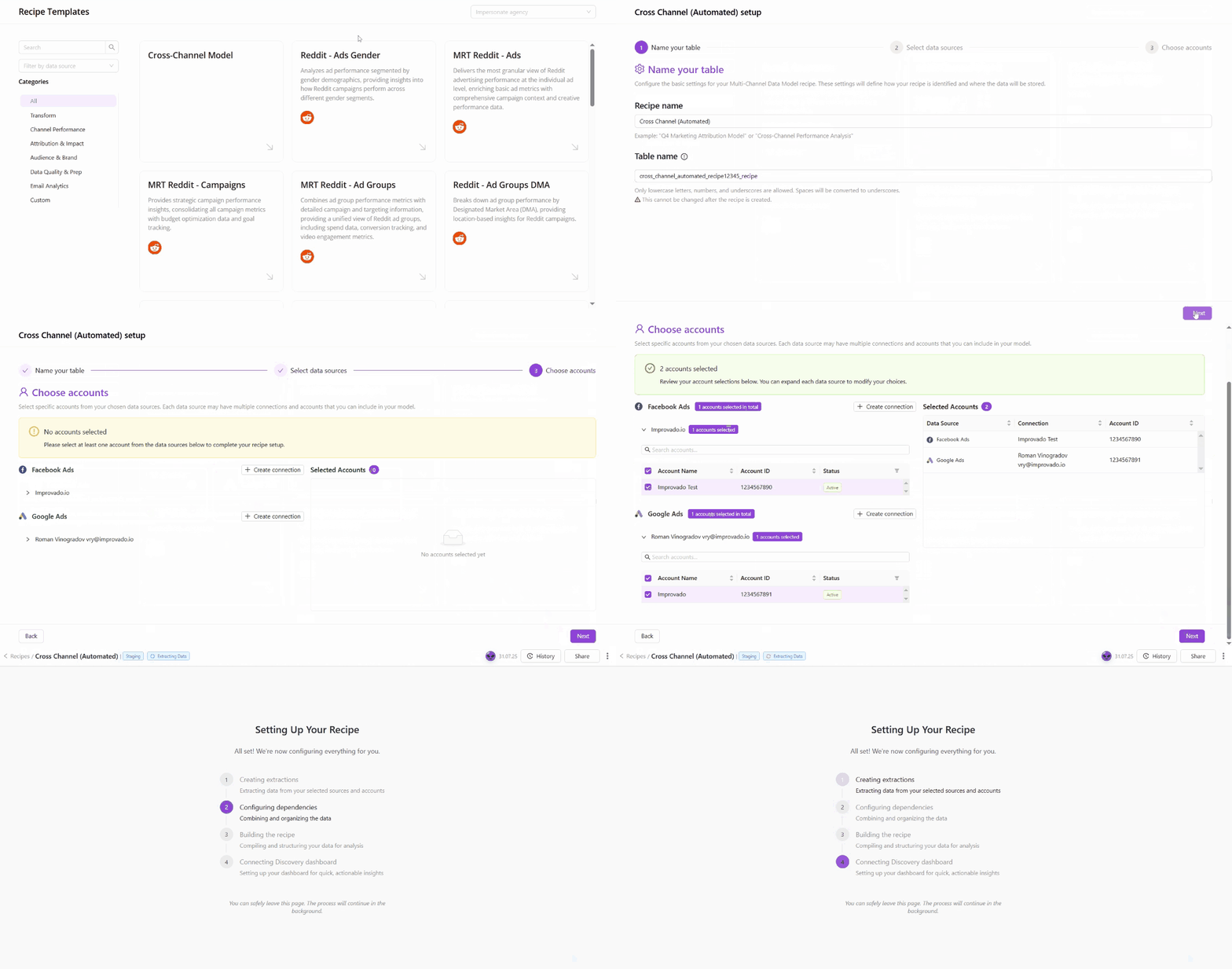
Automated Recipes
Automated Recipes introduce a new way to build and manage data workflows that configure themselves.
Unlike standard recipes, Automated Recipes automatically handle extract setup, data source connections, and dependencies - allowing you to create complete, production-ready workflows in just a few steps. Once created, your recipe automatically extracts and transforms data according to your configuration - keeping your workflows up-to-date without ongoing maintenance.
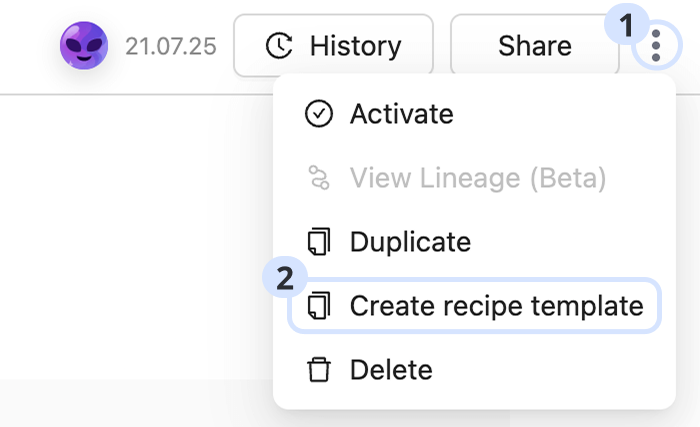
Custom Recipe Template
Custom Recipe Templates make it easy to turn any existing custom recipe into a reusable template. This allows teams to standardize workflows, maintain consistency, and deploy tested setups across multiple workspaces with a single click.
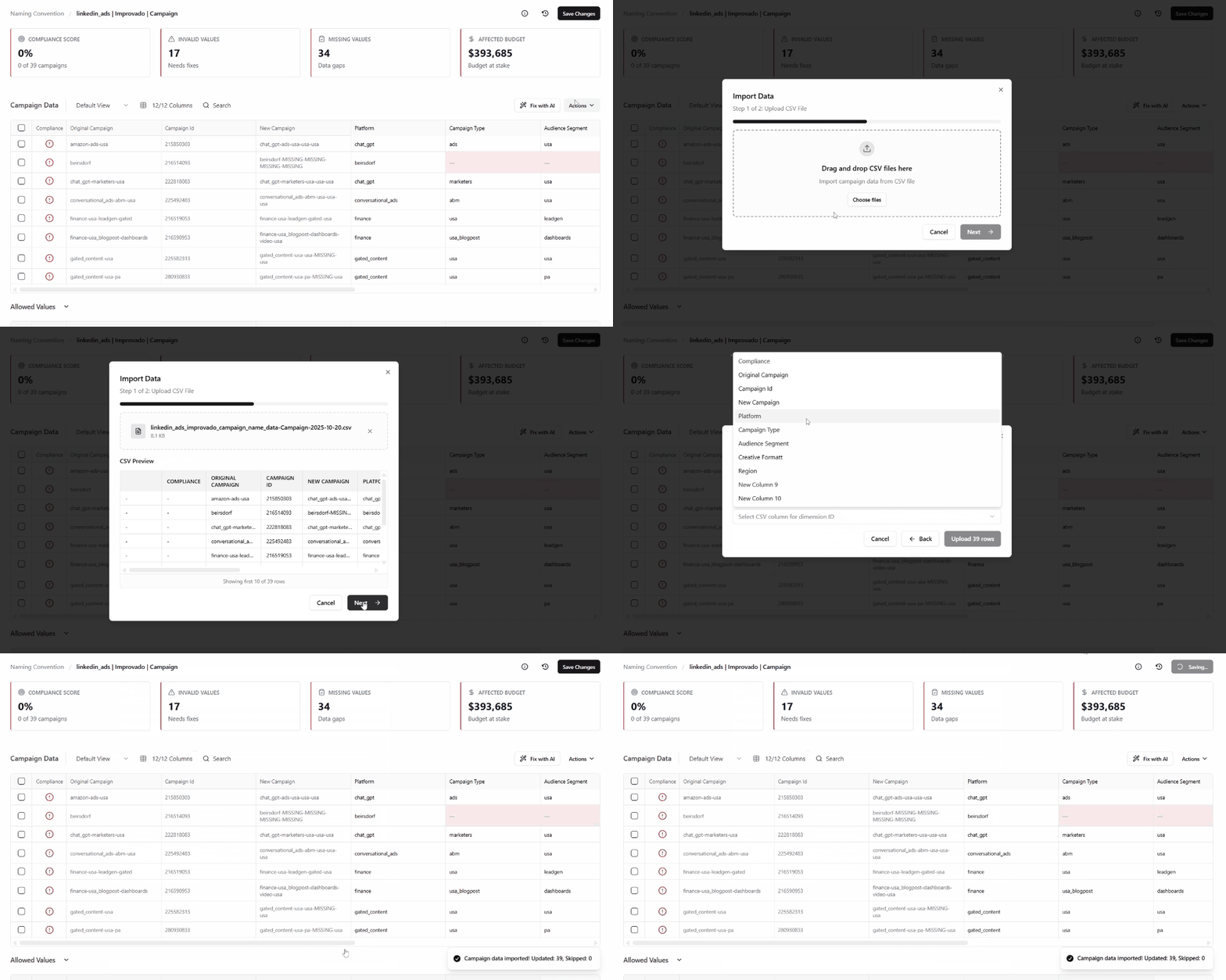
CSV Import for Naming Data
The new Import Data via CSV feature allows you to update large volumes of naming data — such as IDs, assets, creatives, or other taxonomy elements — in bulk, directly from a CSV file. This makes it easier to maintain and refresh existing taxonomy data without manual editing.
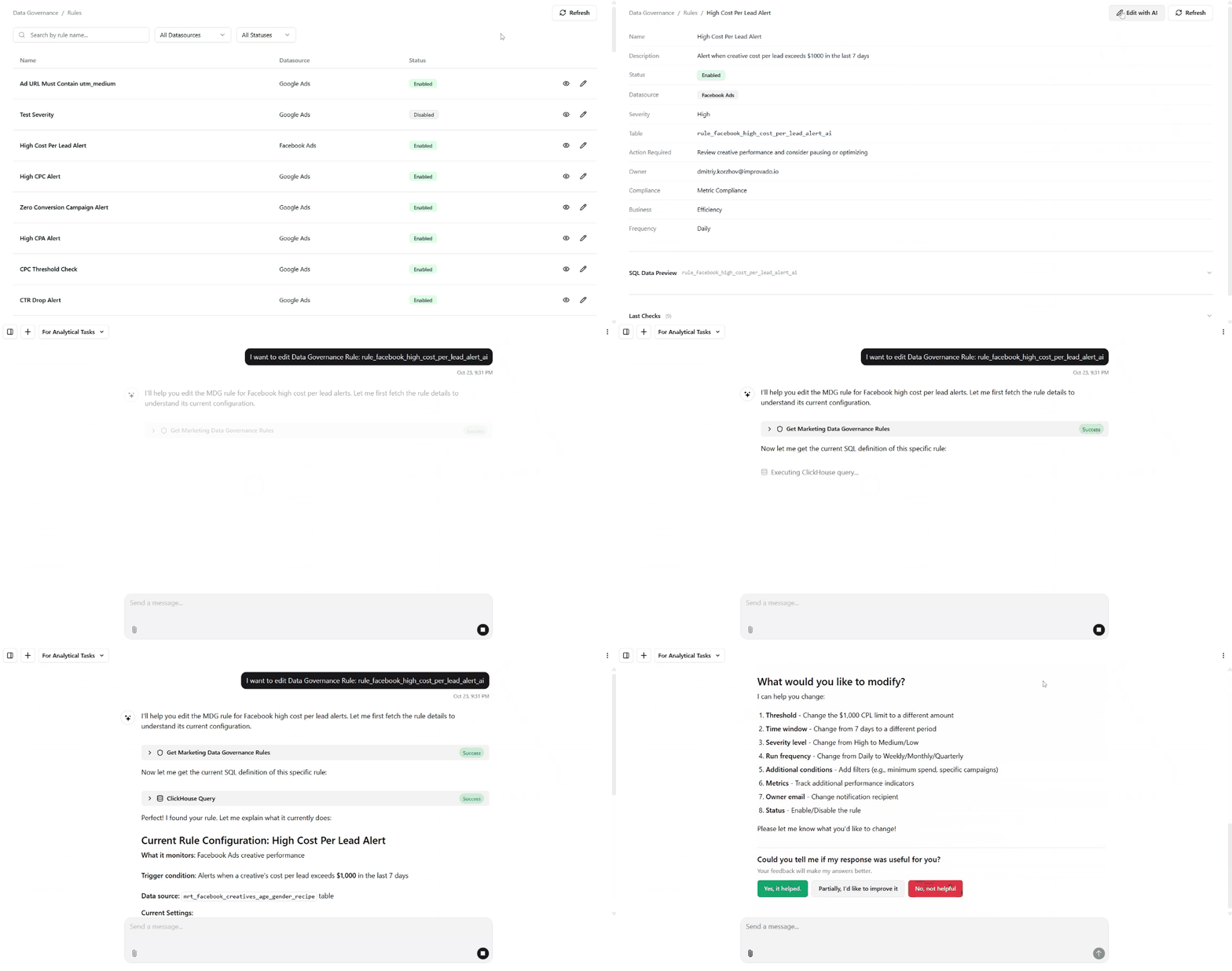
AI-Powered Rule Creation in Marketing Data Governance
This update entirely removes manual configuration, making rule creation faster and accessible to anyone who understands the business, not just analysts.
Major improvements include:
- Faster setup: Rule creation now takes seconds instead of several minutes of manual configuration.
- Higher-quality rules: AI automatically selects the correct tables and metrics, reducing human error and misconfigured logic.
- Real-time visibility: New rules appear on the Governance Dashboard within minutes, with live previews and up-to-date results.
Was this page helpful?
Thanks for the feedback!
Questions? The Improvado team is always happy to help. Send us an email, contact your Customer Success Manager, or raise a request in the Improvado Service Desk.