

Approve Flat Data Config Changes Before They Load
Data Extraction Flat Data Ingestion
September 25, 2026 By default, a Flat Data file that does not match its extraction is loaded right away, and the run records what it decided as closed cards you can read later. Now you can choose the other way: hold such a file and load nothing from it until someone approves the change.
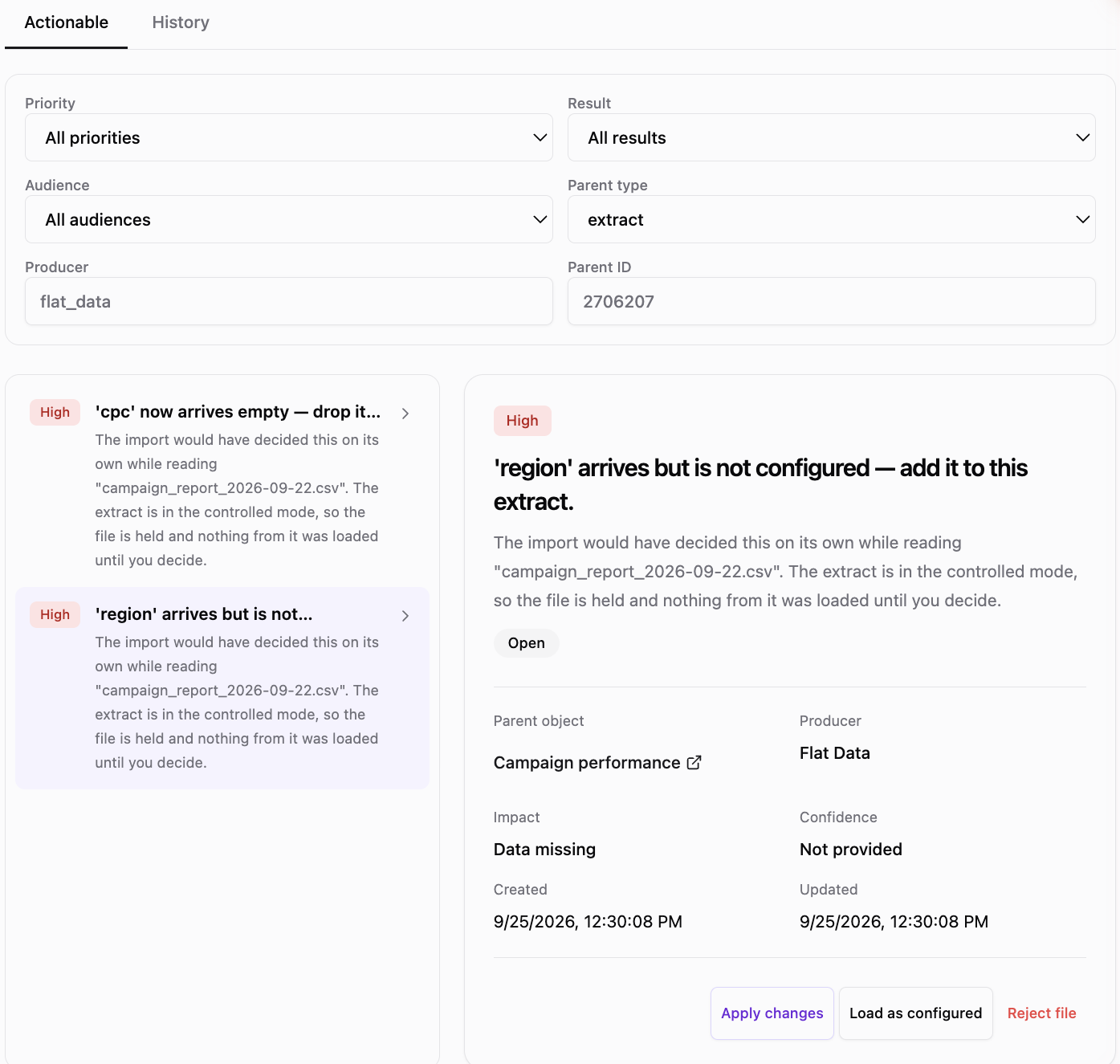
What you can do
- Turn it on for the organization - the Approve Flat Data config changes switch on the Organization page.
- Override it per extraction - On, Off or Organization default, which shows the current organization value.
- Decide in one click - Apply changes, Load as configured or Reject file, and the AI Agent carries it out.
- Decide once per file - one choice covers every difference in the file and every held file with the same difference.
Held files show Awaiting approval in the uploaded files list; files that match the extraction load as usual.
Was this page helpful?
Thanks for the feedback!
Questions? The Improvado team is always happy to help. Send us an email, contact your Customer Success Manager, or raise a request in the Improvado Service Desk.