

Salesforce Apex
Description
Salesforce Apex is a strongly typed, object-oriented programming language that allows developers to execute flow and transaction control statements on the Salesforce Platform server, in conjunction with calls to the API.
Setup guide
Follow our setup guide to connect SalesForce Apex to Improvado.
SalesForce Apex now connects through a connected app instead of a Salesforce username and password. If you connected SalesForce Apex before, create a new connection using the steps below — the Username and Password fields are no longer part of the form.
In Salesforce, prepare the connected app that Improvado will use. In the Lightning Experience, go to Setup>Platform Tools>Apps>App Manager and find your connected app.
Click the Actions button next to the app and click Edit. Under API (Enable OAuth Settings), select Enable Client Credentials Flow and save the app. It can take a few minutes for the change to take effect.
Click the Actions button again and click Manage, then click Edit Policies. Under Client Credentials Flow, set Run As to the Salesforce user the extraction should run as, and save.
Improvado extracts exactly the data this user can see. Make sure the Run As user has access to your Apex class and to the records you expect in your reports.
Click the Actions button and click View, then click Manage Consumer Details under API (Enable OAuth Settings). After going through the verification process, you will find your Consumer Key and Consumer Secret — these are the Client ID and Client Secret Improvado asks for.
Your Webservice endpoint should follow the template: https://{{instance}}.salesforce.com/services/apexrest/{{packageNamespace}}/{{Method}}/
Enter your Webservice endpoint, Client ID and Client Secret into the Improvado authorization form.
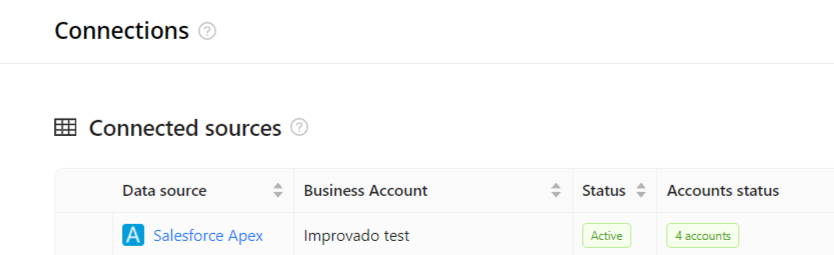
After completing the connection process, the SalesForce Apex connection will appear in your Connected sources list.
When the connection status is Active and the account status column shows a number of accounts, you can move on to data extraction.
To extract data from the connected sources, check the instruction on how to set up data extraction.
Schema information
The schema information shows all report types you can use to extract data from SalesForce Apex.
Release notes
You can find information about the latest API changes in the official Release notes.
Was this article helpful?
Thanks for the feedback!
Questions? The Improvado team is always happy to help. Send us an email, contact your Customer Success Manager, or raise a request in the Improvado Service Desk.