
Mercado Libre
Description
Mercado Libre operates online marketplaces dedicated to e-commerce and online auctions.
Setup guide
Follow our setup guide to connect Mercado Libre to Improvado.
Step 1. Click the Connections in the left navigation bar.
Categories on the Data sources page group all available platforms. Use a search to find the required one.
Step 2. Click on the Mercado Libre tile.
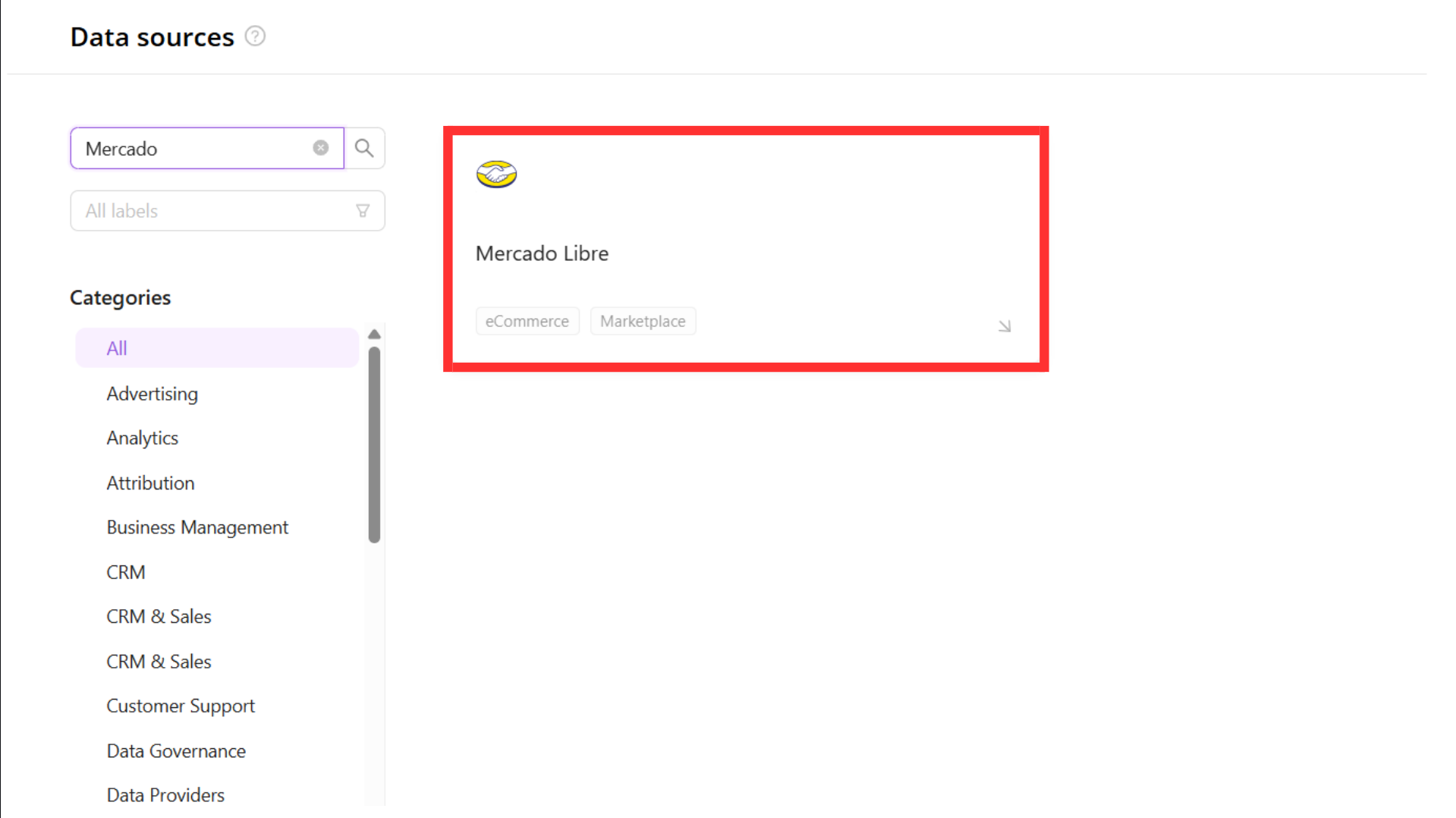
To authorize your account, you need to fill in the required fields below, following steps 3.1 - 3.8:
- Country
- Client ID
- Client Secret
Create an application on Mercado Libre by following the official guide.
Important: Make sure to grant the following permissions:
- read (to read data)
- offline_access (to receive a refresh token and keep access without re-login)
Important: When creating the application, you must set the Redirect URI to the Improvado callback URL. Use the URL that matches your Improvado account region, and add all three if Mercado Libre lets you register more than one. Enter each value exactly, including https:// and the trailing slash:
- Default:
https://connections.improvado.io/stat_provider_client/oauth_redirect/mercadolibre/ - EU:
https://connections.eu.improvado.io/stat_provider_client/oauth_redirect/mercadolibre/ - US:
https://connections.us.improvado.io/stat_provider_client/oauth_redirect/mercadolibre/
Mercado Libre rejects the authorization if the Redirect URI does not match exactly. If you are unsure which region applies to your account, contact Improvado support.
Note: Improvado uses PKCE (Proof Key for Code Exchange) with the S256 method for the Mercado Libre OAuth flow. This is handled automatically by Improvado, so you do not need to configure anything for PKCE when creating your application.
Copy Client ID and Client Secret values from the Application settings page.
Enter the copied values into the Improvado authorization form.
Select the country where you registered your application.
Click Authorize button
Authorize Mercado Libre account via OAuth.
In the final step of the OAuth process, copy the Code and paste it into the corresponding field in the Improvado authorization form.
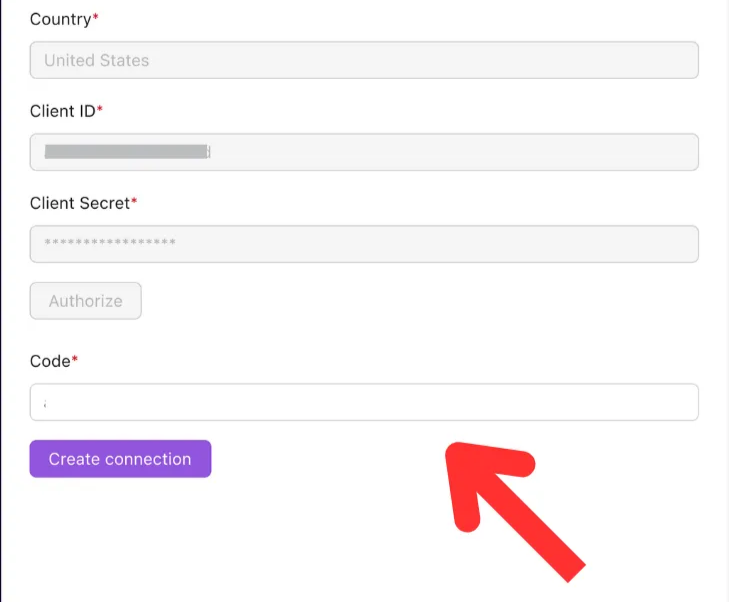
Click Create connection button
After completing the connection process, the Mercado Libre connection will appear in your Connected sources list.
Step 5. When the connection status is Active, and the account status column shows a number of accounts, you can move on to data extraction.
To extract data from the connected sources, check the instructions on how to set up data extraction.
Schema information
The schema information shows all report types you can use to extract data from Mercado Libre.
Release notes
You can find information about the latest API changes in the official Release notes.
Was this article helpful?
Thanks for the feedback!
Questions? The Improvado team is always happy to help. Send us an email, contact your Customer Success Manager, or raise a request in the Improvado Service Desk.