
We have added several new data sources with the following report types:
You can now add tags to any dashboard directly from the dashboards list — in both List and Tree views. Open a dashboard's ⋯ menu → Edit tags to apply an existing tag or create a new one on the fly, then use the tag filter to find the right dashboard in seconds.
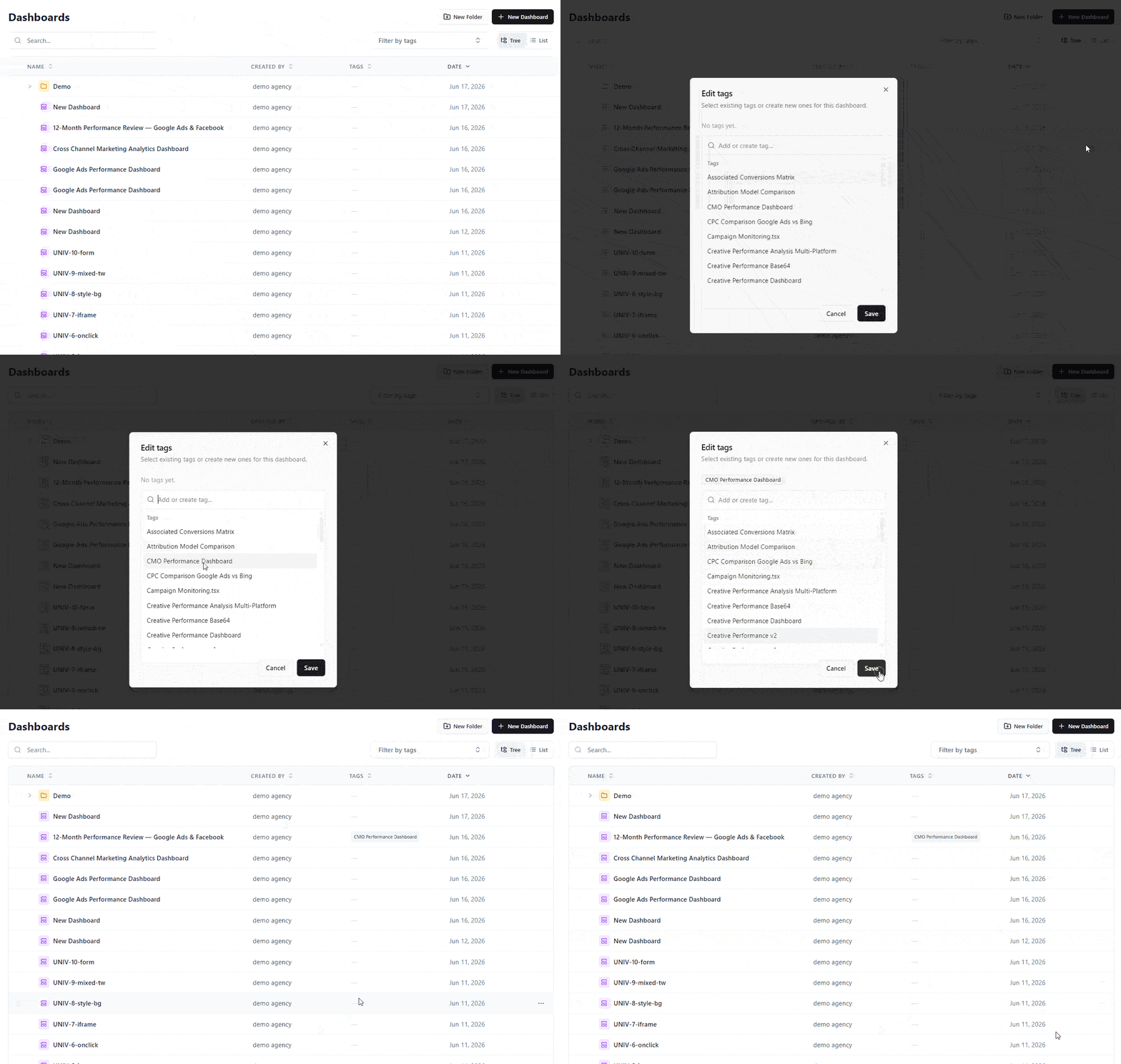
Learn more in Organizing Dashboards with Folders & Tags.
Dashboards now live in folders, so a growing workspace stays organized and easy to navigate.
You can also ask the AI Agent to create folders and move dashboards for you.
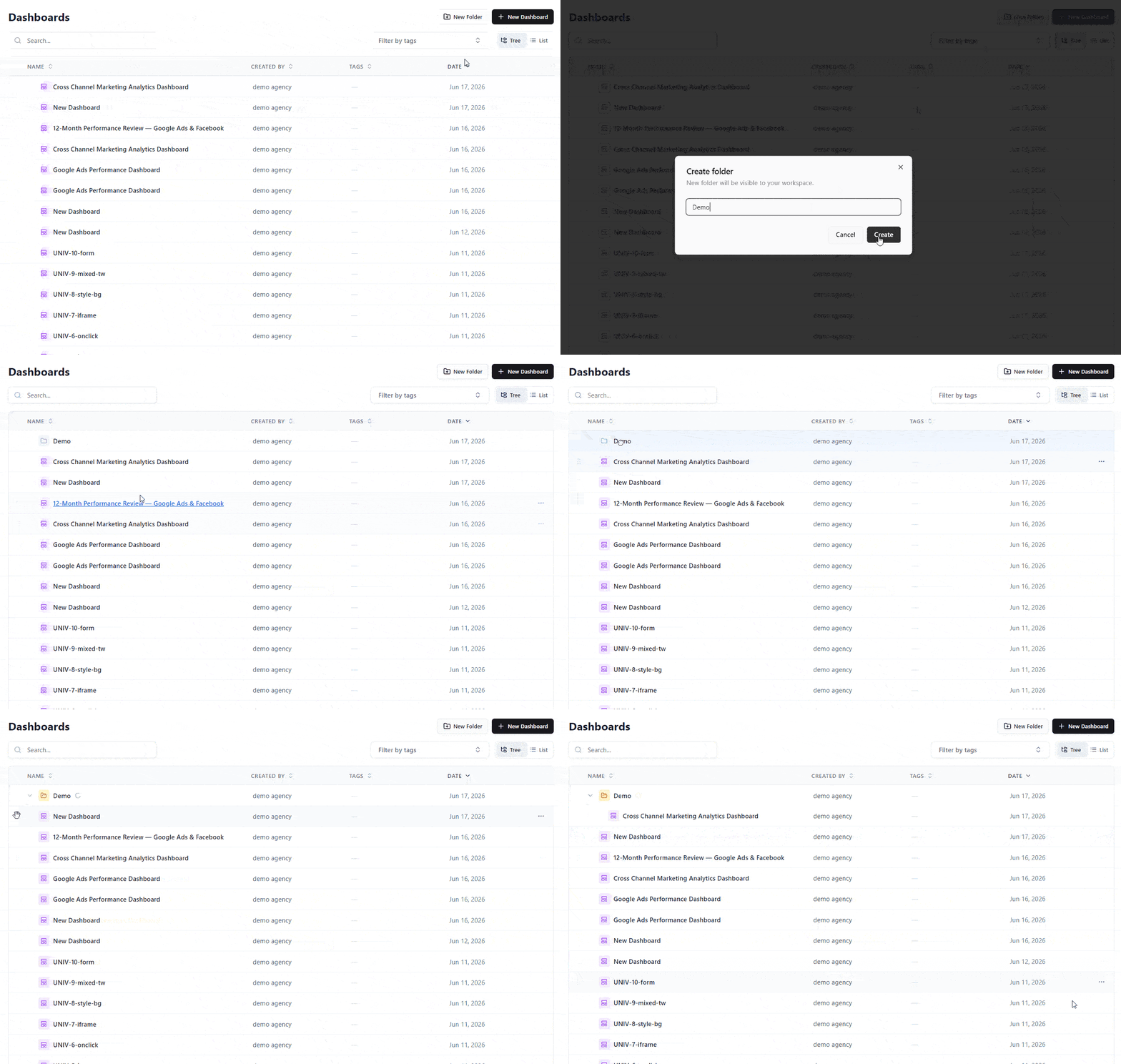
Learn more in Organizing Dashboards with Folders.
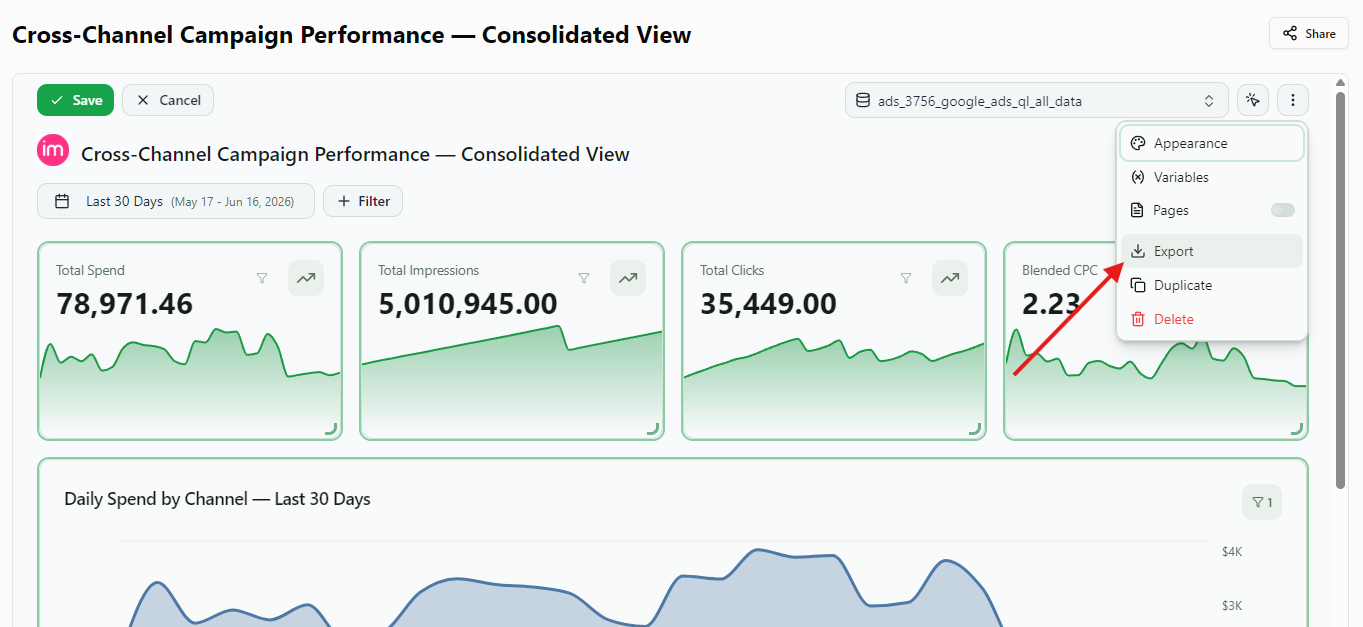
You can now export any dashboard as a polished, branded PDF report — ready to share with clients and stakeholders, no screenshots required.
Open a dashboard, click Export in the header, and choose PDF. Improvado renders the full dashboard server-side into a clean, multi-page document. KPI cards, charts, and tables are laid out to fit the page, your workspace branding and white-label theme are preserved, and the dashboard's filters and date range are applied exactly as you see them on screen. Pick Portrait or Landscape and A4 or Letter.
Great for recurring client reports, QBRs, and leave-behinds — your live dashboard, captured pixel-perfect.
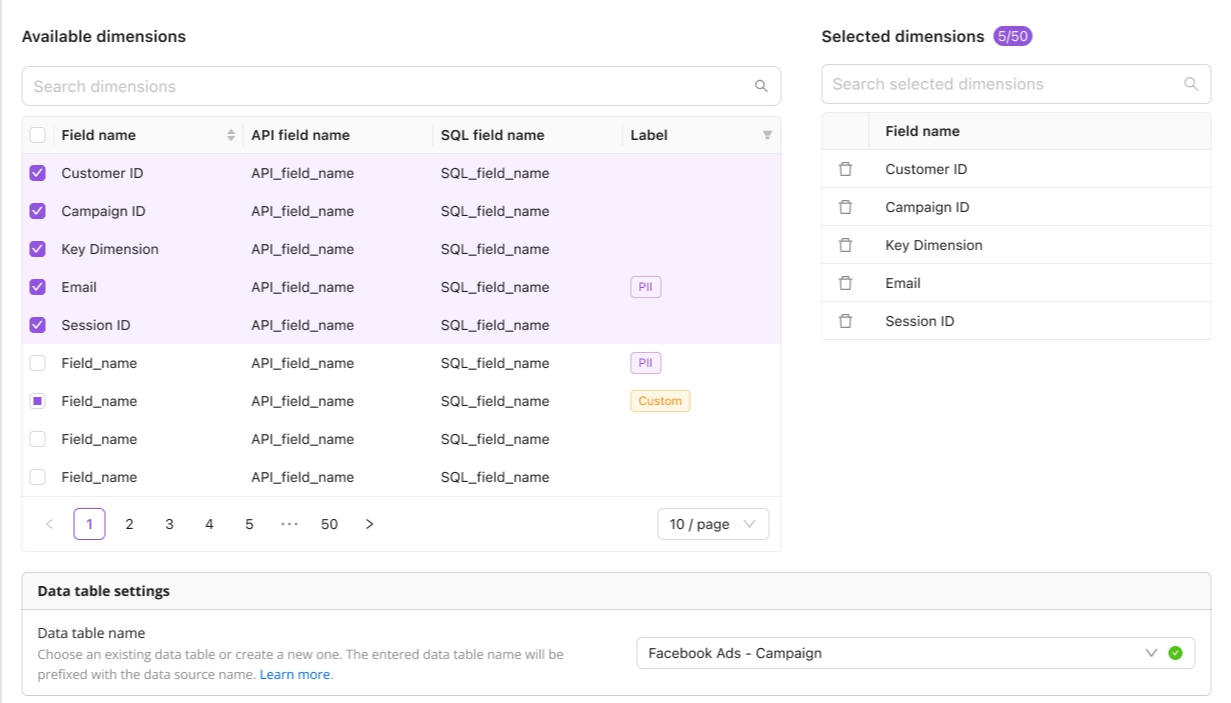
You can now add or remove dimensions on an existing Wide Report extraction without recreating it from scratch. Improvado spins up a new versioned extraction order with the updated schema and routes it to a new data table, while your original order is paused and your historical data stays fully intact. Available across the platform UI, the AI Agent, and the API.
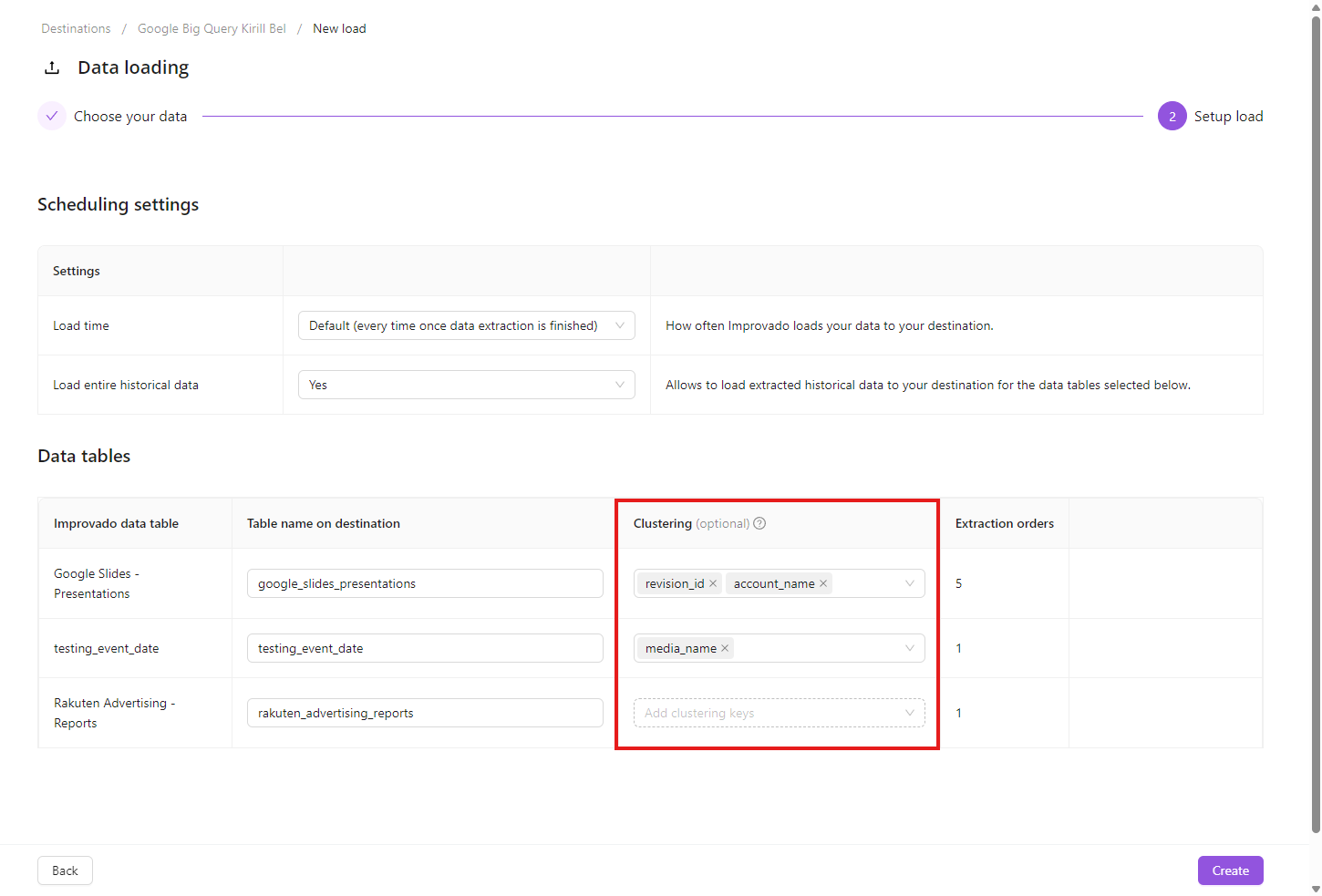
You can now set BigQuery clustering keys when creating a new load order to a Google BigQuery destination.
On step 2 of the New load flow, each data table gets a Clustering column — pick up to 4 fields, in the order BigQuery should filter by. Clicking the cell fetches the available fields from the source table on demand; metrics are filtered out automatically.
We have added several new data sources with the following report types:
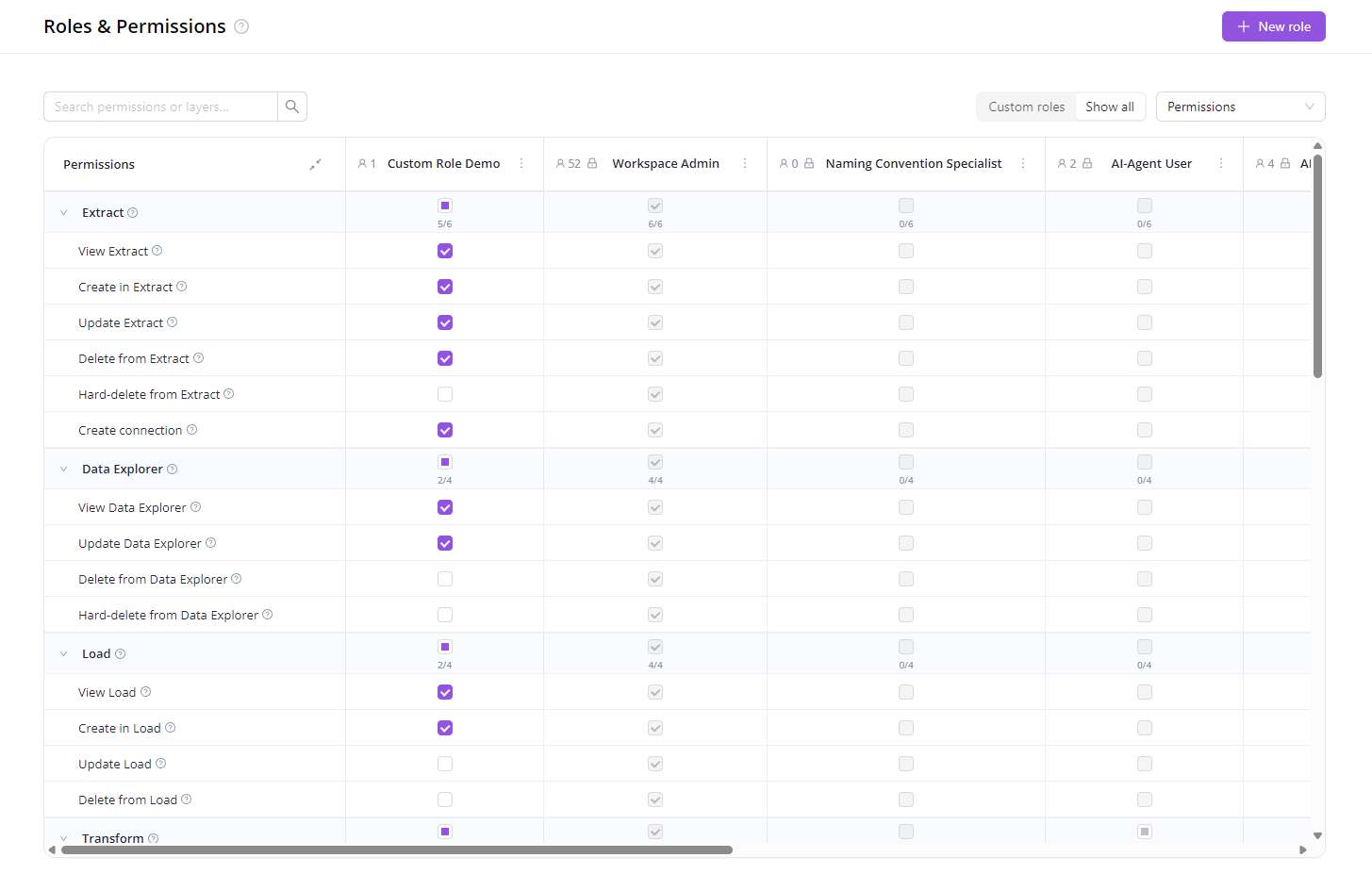
The predefined roles (Viewer, Editor, Workspace Admin…) cover most teams out of the box. When they don't, you can now build your own.
Pick exactly which areas of the product a role can see and what it can do there — and assign it to anyone in your workspace.
A few patterns this unlocks:
Get started: open Organization → Roles, click New role, and pick the permissions you want.
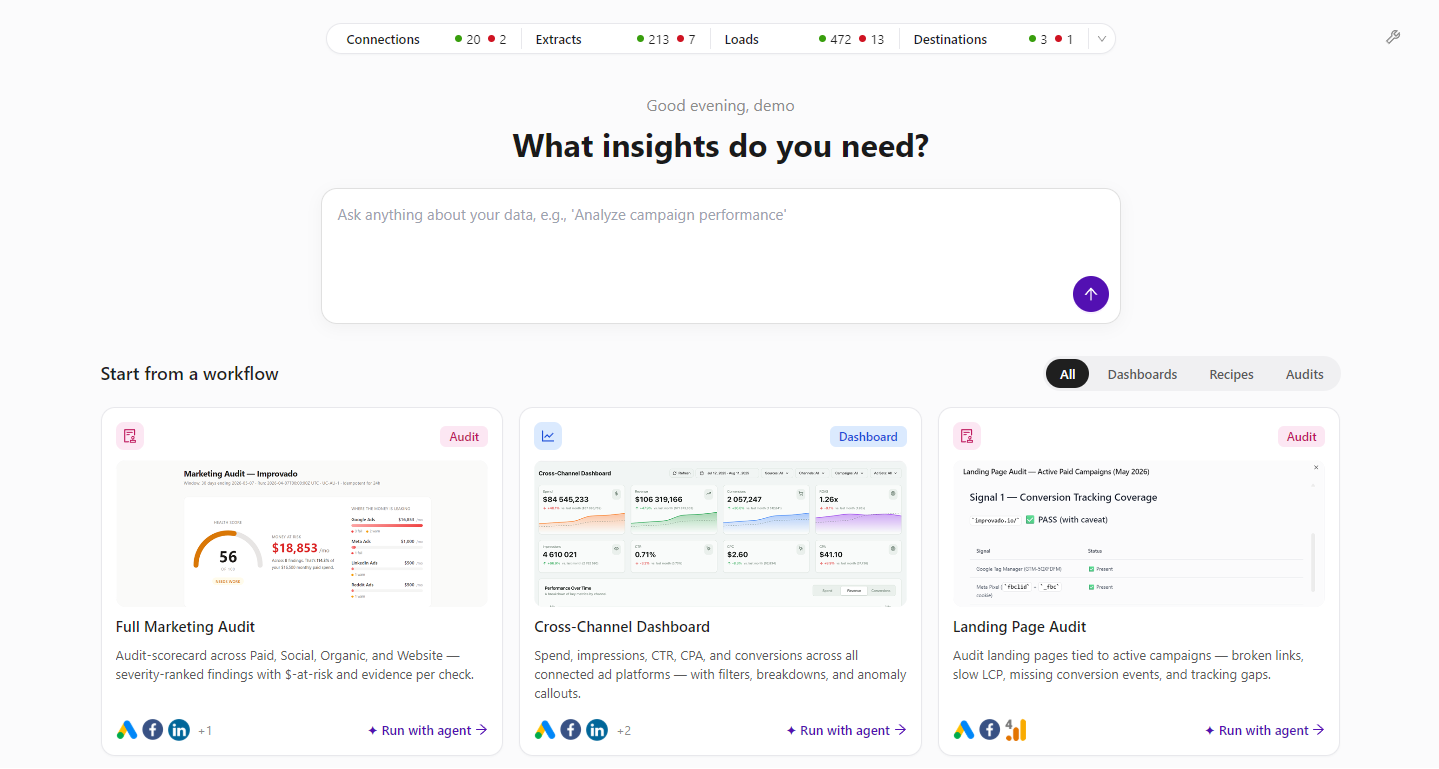
We’ve refreshed the welcome page to make it easier to monitor workspace health and start analysis faster. Users can now see a customizable stats overview for Connections, Extracts, Loads, and Destinations, then jump directly into workflow presets like marketing audits, cross-channel dashboards, and landing page checks.
This update gives every team a clearer starting point: review what needs attention, ask a data question, or launch an Agent-powered workflow in just a few clicks.
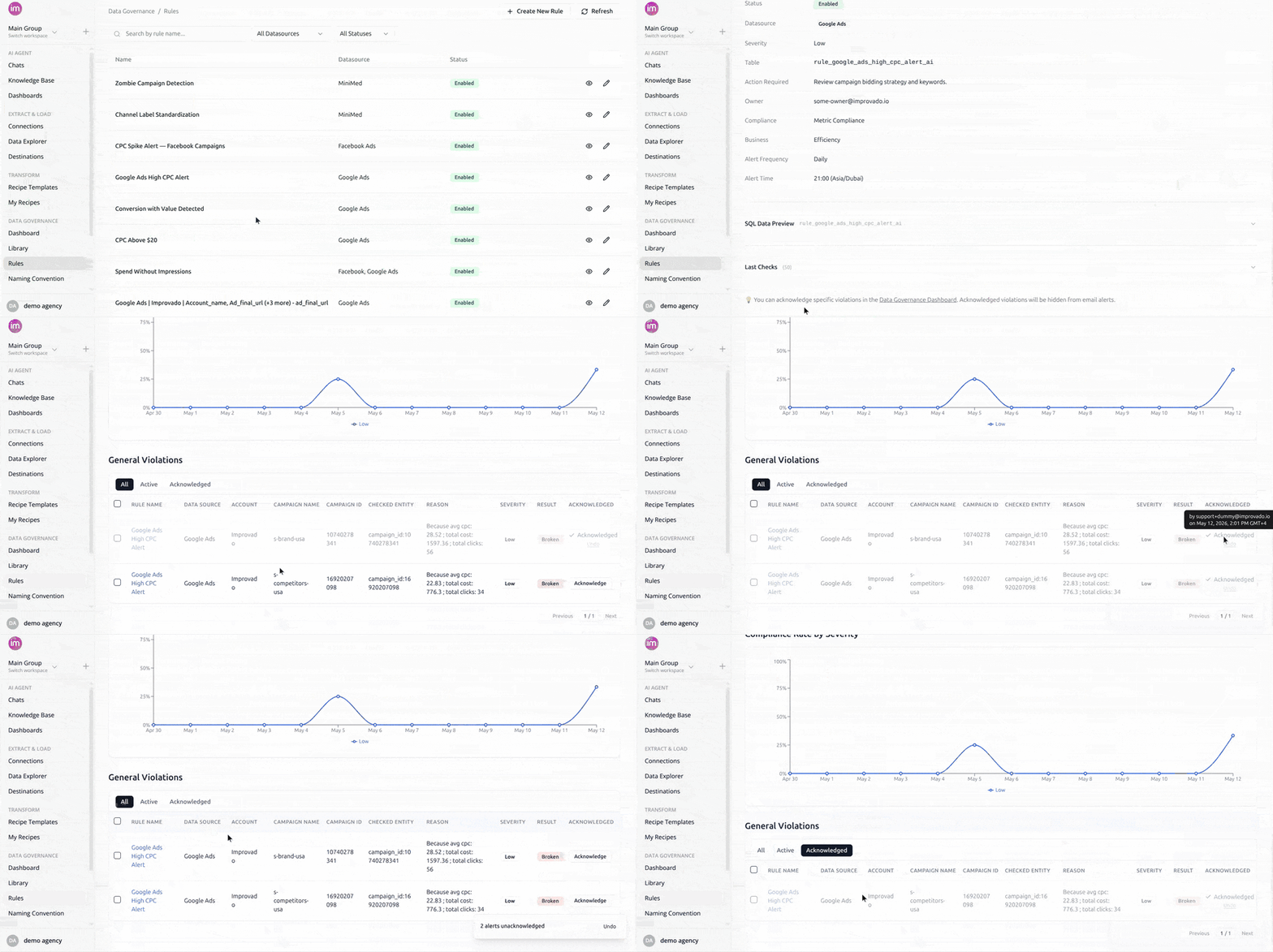
Mark reviewed violations as accepted so they stop appearing in your MDG email digests. Acknowledged violations stay visible on the dashboard but are filtered out of all future emails. Bulk-acknowledge, unacknowledge anytime, and see who acknowledged and when.
The Request credentials flow lets you send a unique auth link to someone outside Improvado so they can connect a data source on your behalf. We've added what was missing once you hit Send:
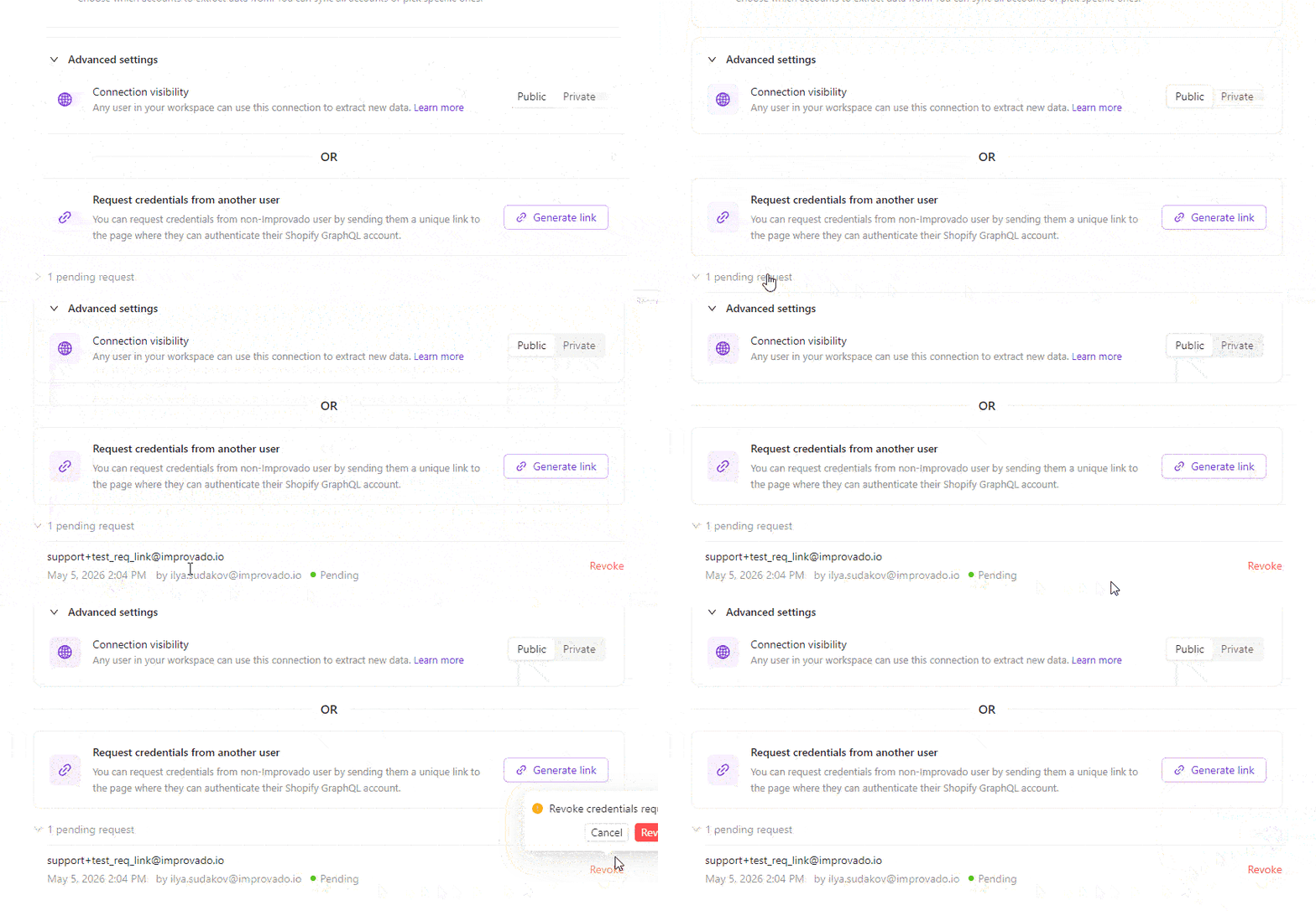
We have added several new data sources with the following report types:

AI Dashboards just got a faster path between your data and the AI Agent — plus a wave of polish across editing and sharing.
Click the new Pin icon in the dashboard header, select any widget, type a prompt — the AI Agent picks it up with the widget's full context (id, type, config, dashboard title) and either appends it to your current chat or opens a new one if you're outside the agent. Works on every widget type, including custom components.
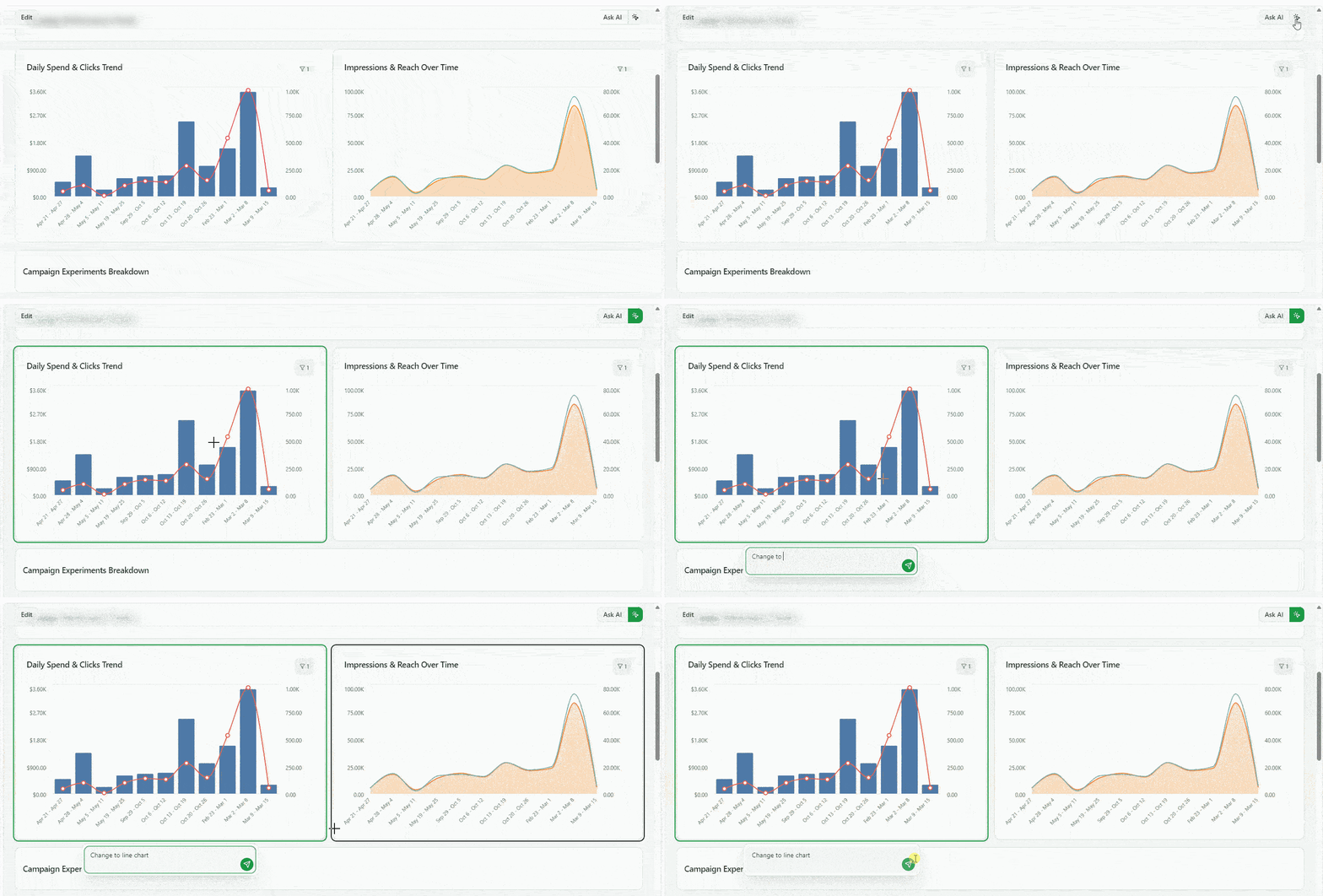
The AI Agent can now edit individual widgets without rewriting the whole dashboard config. New skill commands to get, patch, add and validate widgets, as well as copy dashboard — give the agent atomic, idempotent operations. The result: faster iterations, smaller diffs, and far fewer surprises when the agent tweaks a single chart or KPI.
Connect any MCP-compatible AI agent (Claude, Cursor, Windsurf) to your Improvado platform through one secure connection. Access 500+ connectors, 46,000+ unified metrics, and 84 tools — ask questions in plain language and get real-time results. Uses OAuth with your existing Improvado credentials, no separate API keys needed. Setup takes under five minutes.
You can now preview a sample of your data directly in the extraction setup — before committing to a full sync. See exactly which fields and values will be extracted, catch configuration issues early, and set up extractions with confidence.
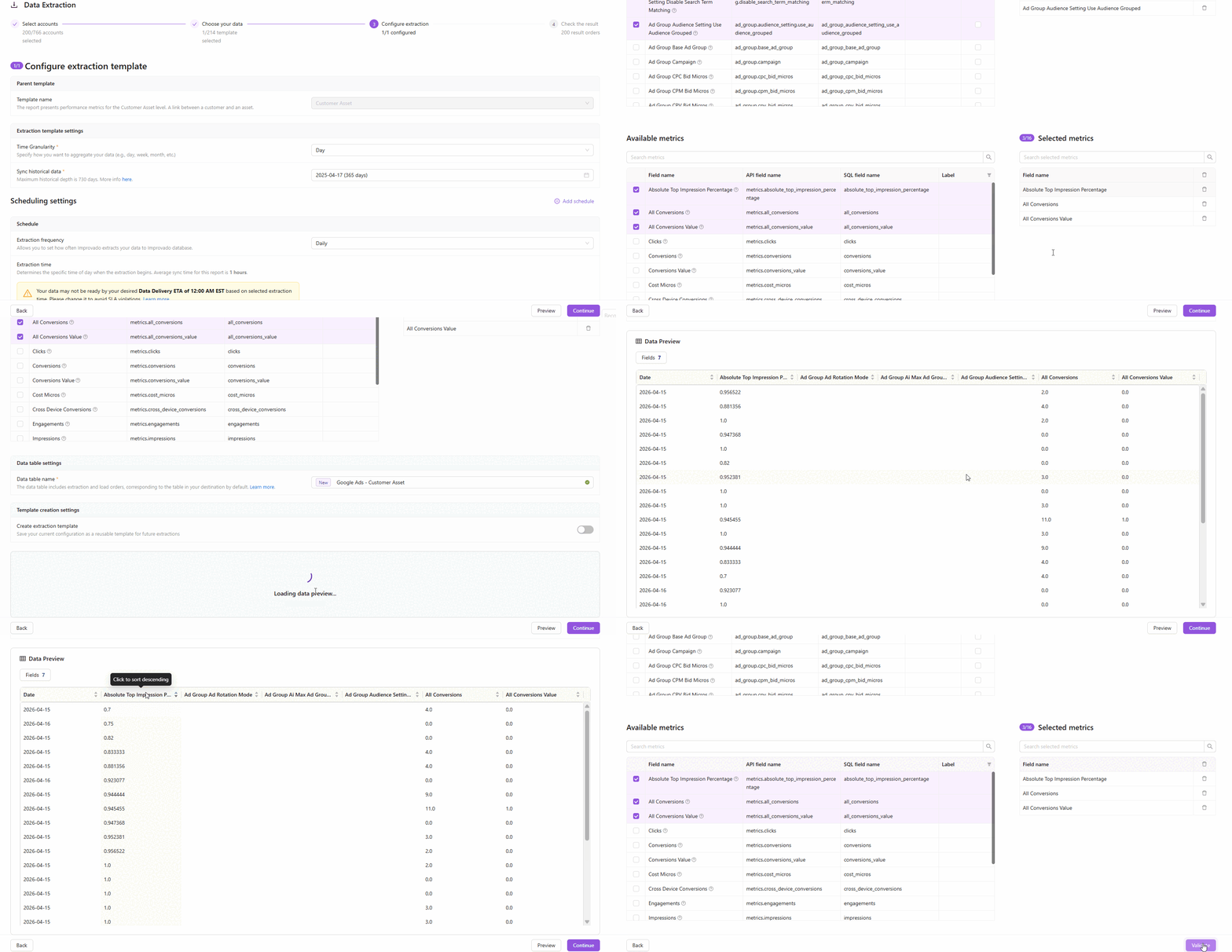
How it works
Key highlights
Why it matters
No more blind extractions. Validate field mappings, check data availability, and verify custom settings — all before a single row hits your destination.
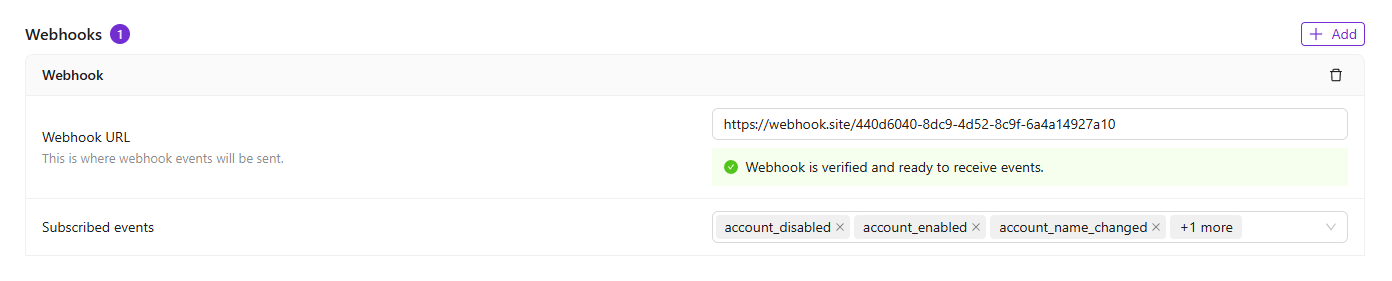
You can now register webhook endpoints to receive automated HTTP notifications whenever events occur in your Improvado workspace — no more polling the API to check for updates.
How it works
Key highlights
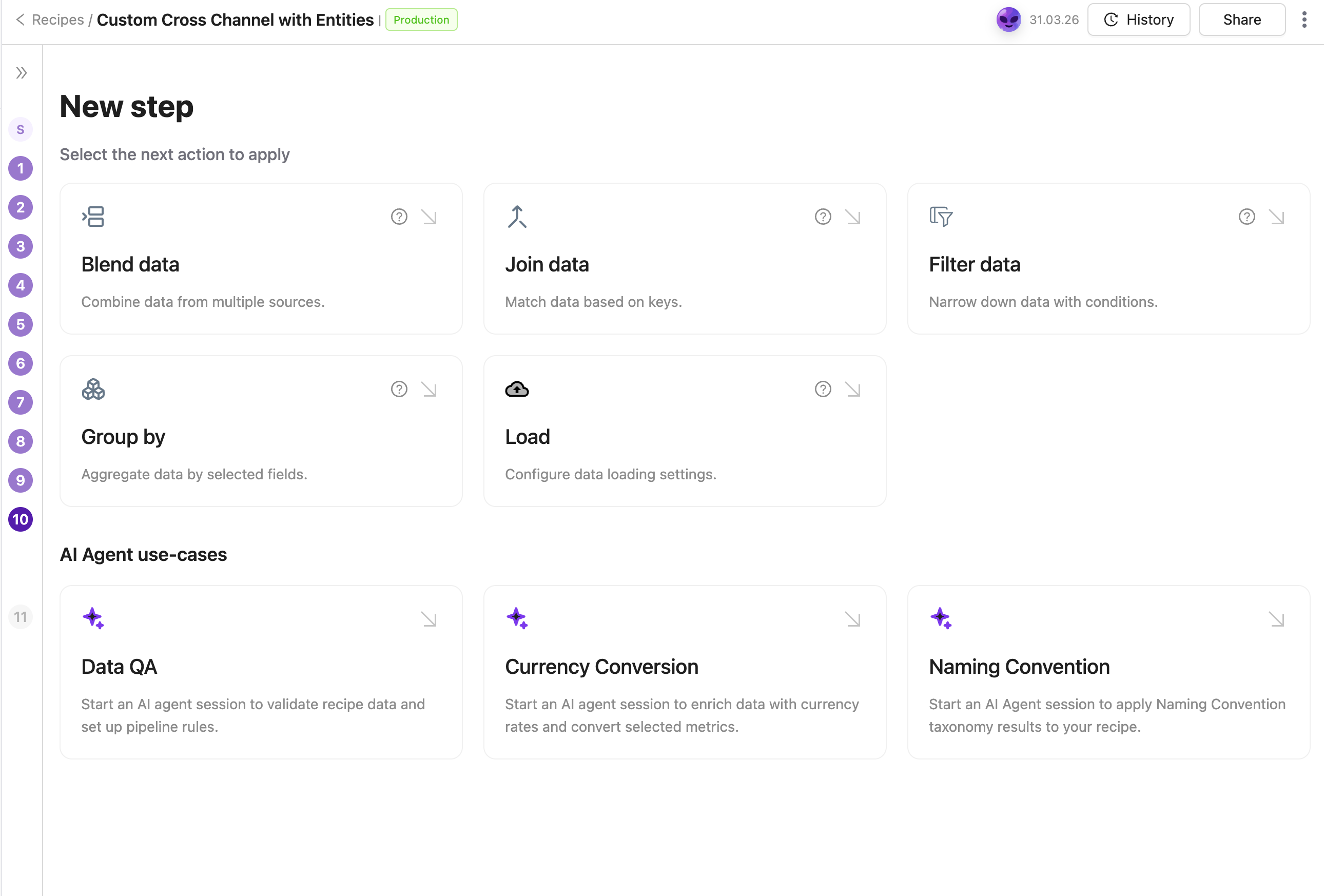
Apply your Naming Convention to any transformation recipe through a guided AI Agent flow. The Agent identifies the right taxonomy table, recommends dimensions to standardize, and configures the join automatically — no manual setup required.
We have added several new data sources with the following report types:
Wistia
Grafana OnCall
Nexxen
Later Influence
Light Trail
Rakuten Advertising
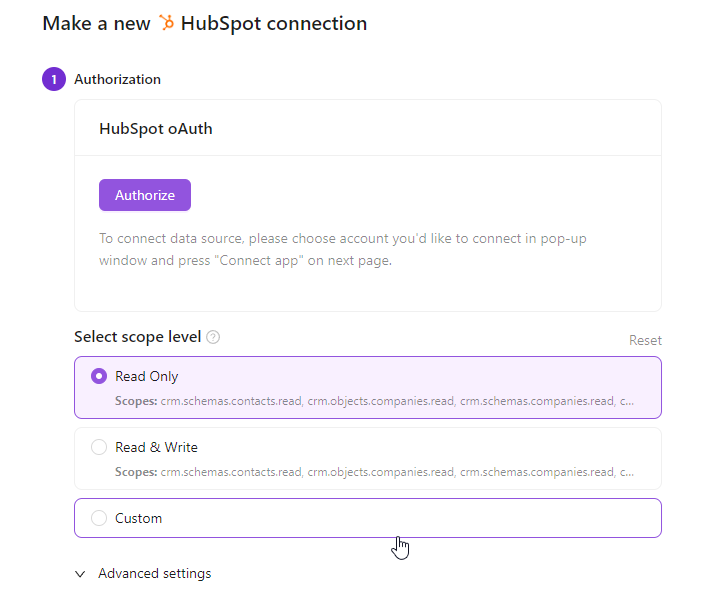
You can now choose the exact permission level when authorizing credentials — no more granting full read/write access when read-only is all you need. This gives enterprise teams greater control over data security and helps meet compliance requirements with ease.
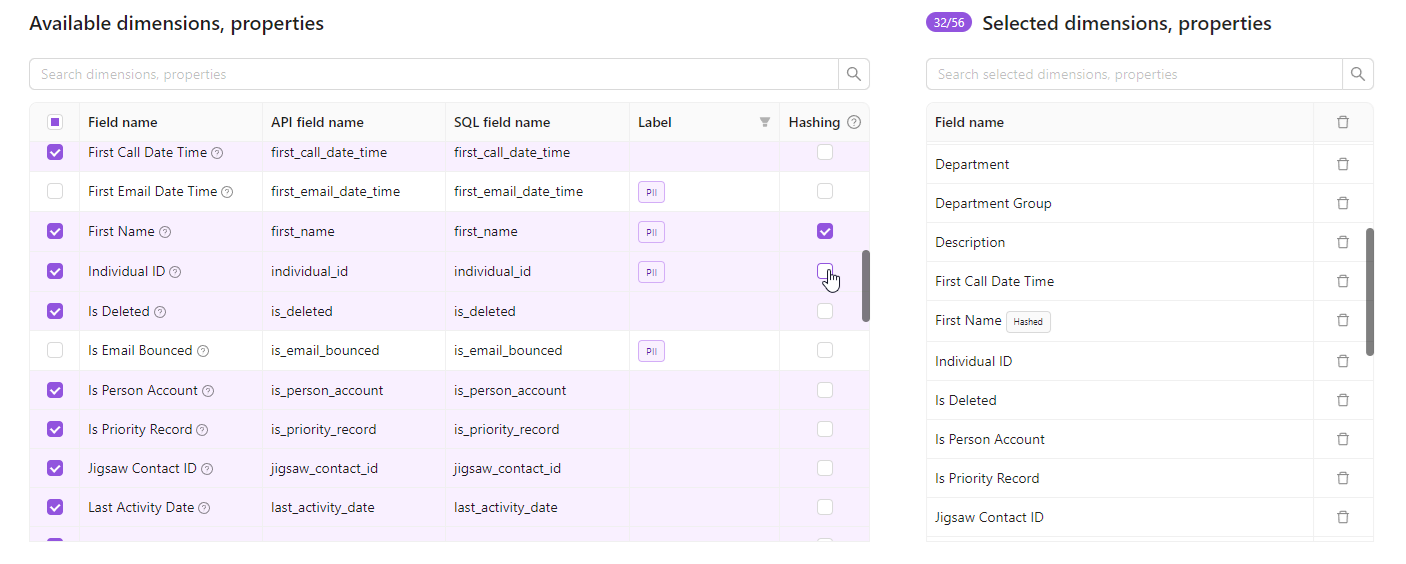
Protect sensitive data without losing analytical value. Field hashing lets you apply irreversible SHA-256 encryption to string property fields directly within your extraction order — before data ever reaches your warehouse.
Notes:
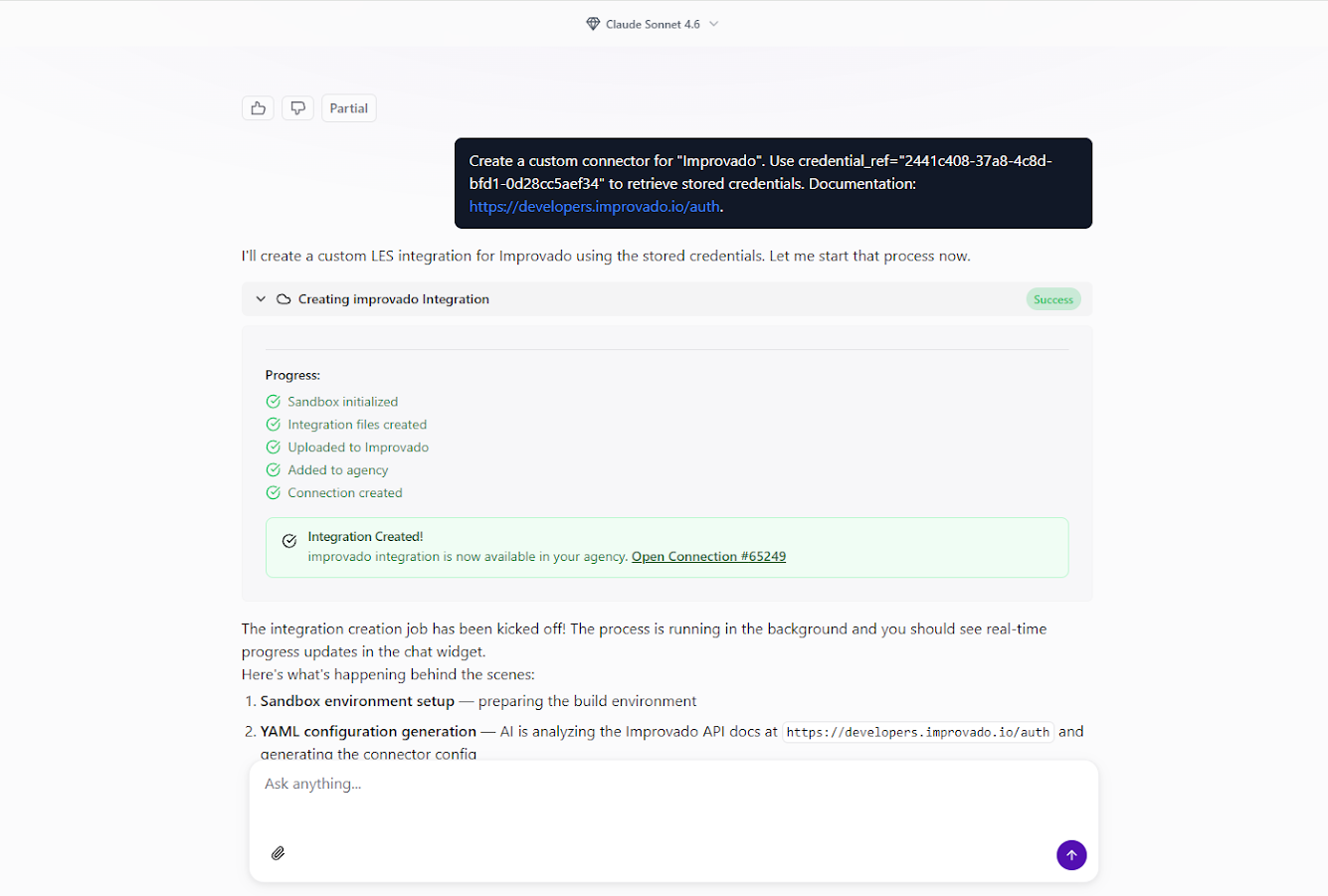
You can now create custom API connectors for any data source directly from the AI Agent chat interface. No separate forms, no coding — just describe what you need, and the AI Agent handles the rest.
Once the connector is live, you can explore available endpoints and run test queries right from the chat:
The AI Agent automatically generates documentation for all discovered API endpoints.
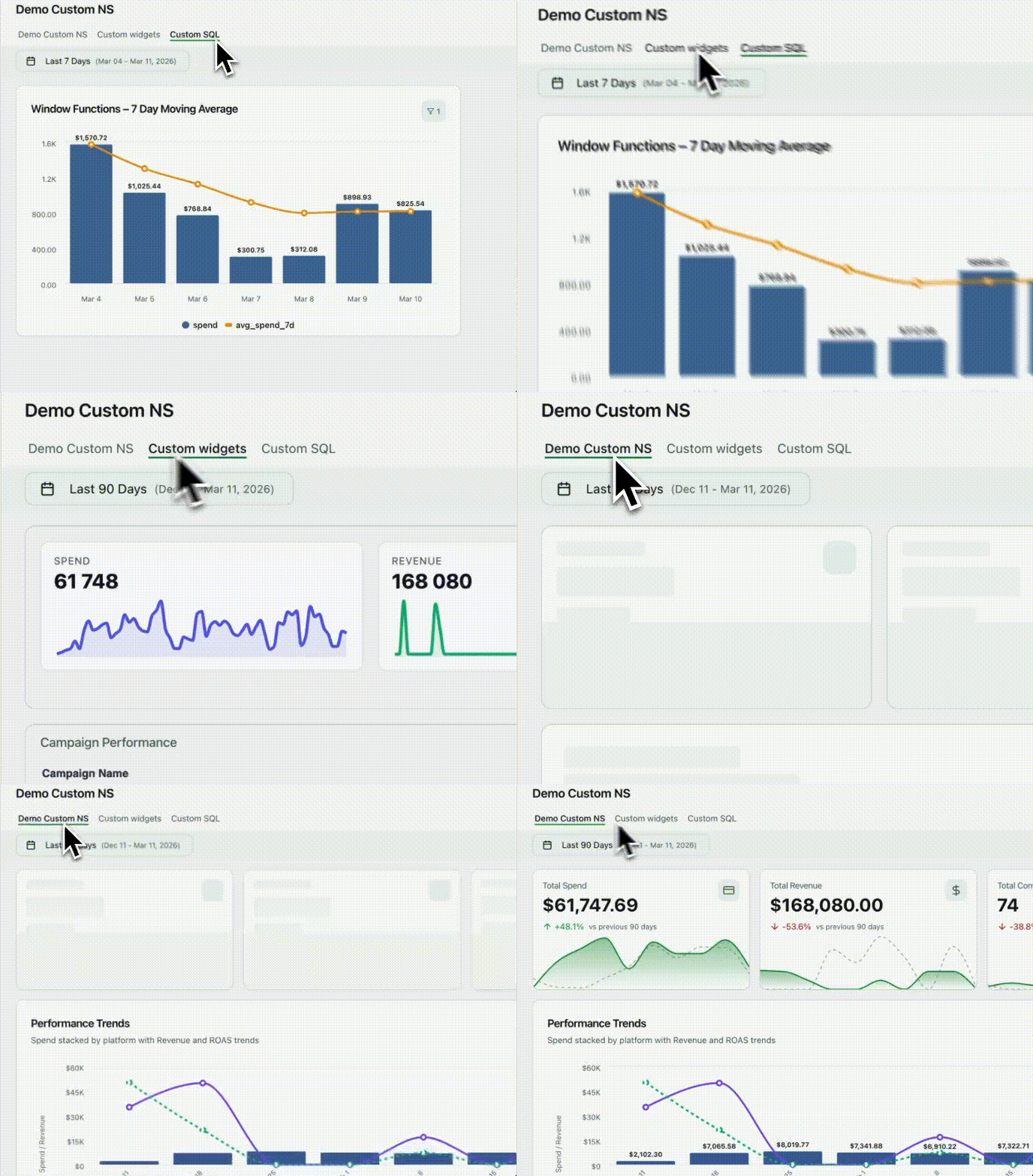
Improvado dashboards are evolving into a full business intelligence platform — with developer-grade flexibility, deeper data control, and a faster, more intuitive experience for every user.
Custom Widgets
Embed any custom HTML visualization — built with D3, Chart.js, or any other library — wired directly to your connected data sources and dashboard filters. Full flexibility, zero compromise.
Custom SQL
Every widget can now run custom ClickHouse SQL with dynamic placeholders. The built-in Query Viewer lets you inspect the exact query being executed — full transparency into what's powering your data.
Pages
Dashboards are now full multi-page applications. Organize content across pages with List or Tabbed navigation. Pages load independently, keeping performance fast even as your dashboards grow in complexity.
Other updates:
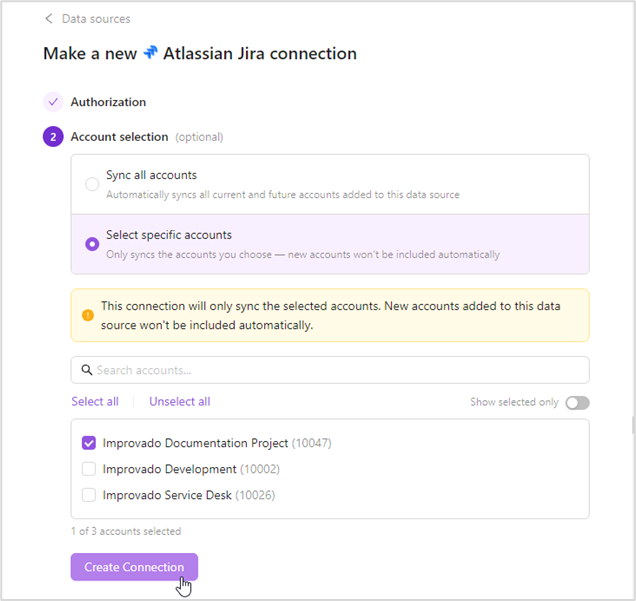
Take full control over which accounts get synced when connecting credentials. Previously, authorizing a connection automatically pulled in every account, including ones you didn't need, leading to cluttered workspaces, unwanted data, and potential privacy concerns. That's now a thing of the past.
Choose the sync mode that works for you:
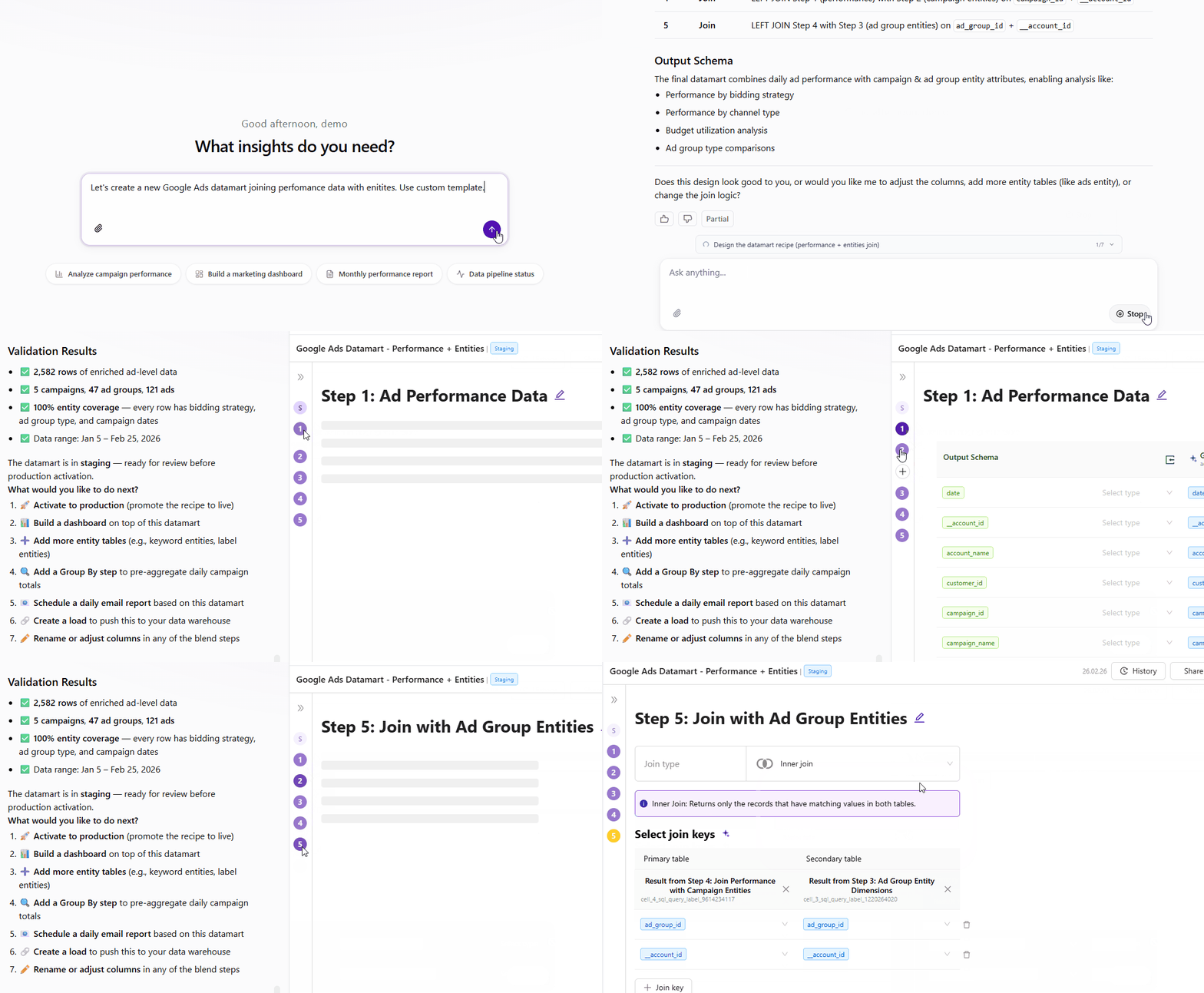
Build complex data models through conversation. Describe what you need in natural language, and the AI Agent handles exploration, schema design, joins, and validation automatically.
Full control throughout—adjust via chat or edit in recipe configuration.
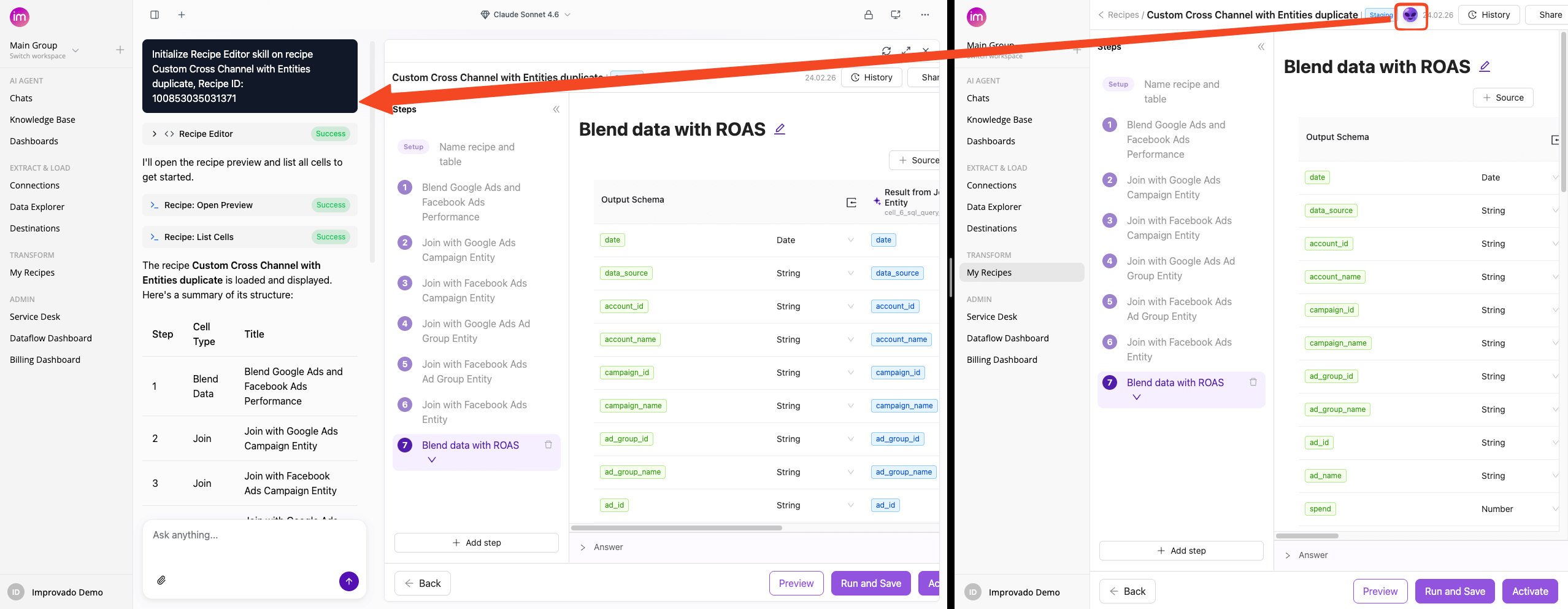
The AI Agent button in Transform Wizard now opens directly in Improvado Agent with the Recipe Skill initialized.
We have added several new data sources with the following report types:
BeMob
Universal Ads
Google Ad Manager
We have upgraded our Google Ad Manager API to v202511.
Google Ad Manager (by Advertiser)
We have upgraded our Google Ad Manager (by Advertiser) API to v202511.







.png)
.png)
.png)



.png)

%20(1).png)