Examples show how a format is used. Performance research is attributed to its source; the fictional samples make no customer or conversion claims.
Choose the format around the buyer’s question. Then measure whether it helps people reach a qualified conversation, a purchase or another useful next step.
Choose by the question the buyer still needs answered. Use a product demo to show a workflow, an explainer to clarify an unfamiliar idea, a video sales letter (VSL) to present an offer, or a customer story to provide relevant proof. Keep the offer and next action readable without watching.
Should this page use video?
A landing-page video helps a visitor understand an offer and decide what to do next. Add one when showing a task, explaining an idea or hearing relevant customer proof answers a question the page has left open.
Write that question before writing the script. For software, it might be “How does a booking reach the calendar?” For a service, it might be “What happens during the first visit?” If the buyer is ready to compare terms or book, make those details easy to scan and the action easy to find.
Four video formats and when to use them
| Buyer needs to… | Format to consider | Check before investing |
|---|---|---|
| See a product workflow | Product demo | Does it show the actual task and result? |
| Understand an unfamiliar concept | Explainer | Is the explanation clearer than the text alternative? |
| Evaluate a specific offer | VSL | Are proof, terms and direct action available without watching? |
| Assess delivery credibility | Customer evidence or testimonial | Does the example match the buyer’s question and have substantiated claims? |
These are four video formats grouped by their main job for the buyer. The examples illustrate their use, not a measured ranking of conversion performance.
Public examples and worked samples
The scheduling demo is a fictional worked sample. The public pages show how other companies use the formats. Choose the main job for your video; placement, length, interactivity and gating are separate decisions.
01 / Product walkthrough · Fictional scheduling app
Product demos: show one task from start to finish
A product demo should make a task visible. This reconstructed interface follows a time slot through booking details, review and confirmation. In your own demo, use approved captures of the actual product and preserve the same details across the sequence.
- Placement and action
- Put the player beside the feature or task it explains. Keep the trial, purchase or demo action visible beside or below it.
- Length
- Follow one task from its starting state to a visible result. The worked scheduling clip runs about 22 seconds. A broader walkthrough may need chapters rather than a faster voice-over.
- Thumbnail and captions
- Use a recognizable product state, then caption the narration. Keep the same input details across the sequence so the result is easy to follow.
01 / Product demo · Linear
A public example: Linear’s feature clips
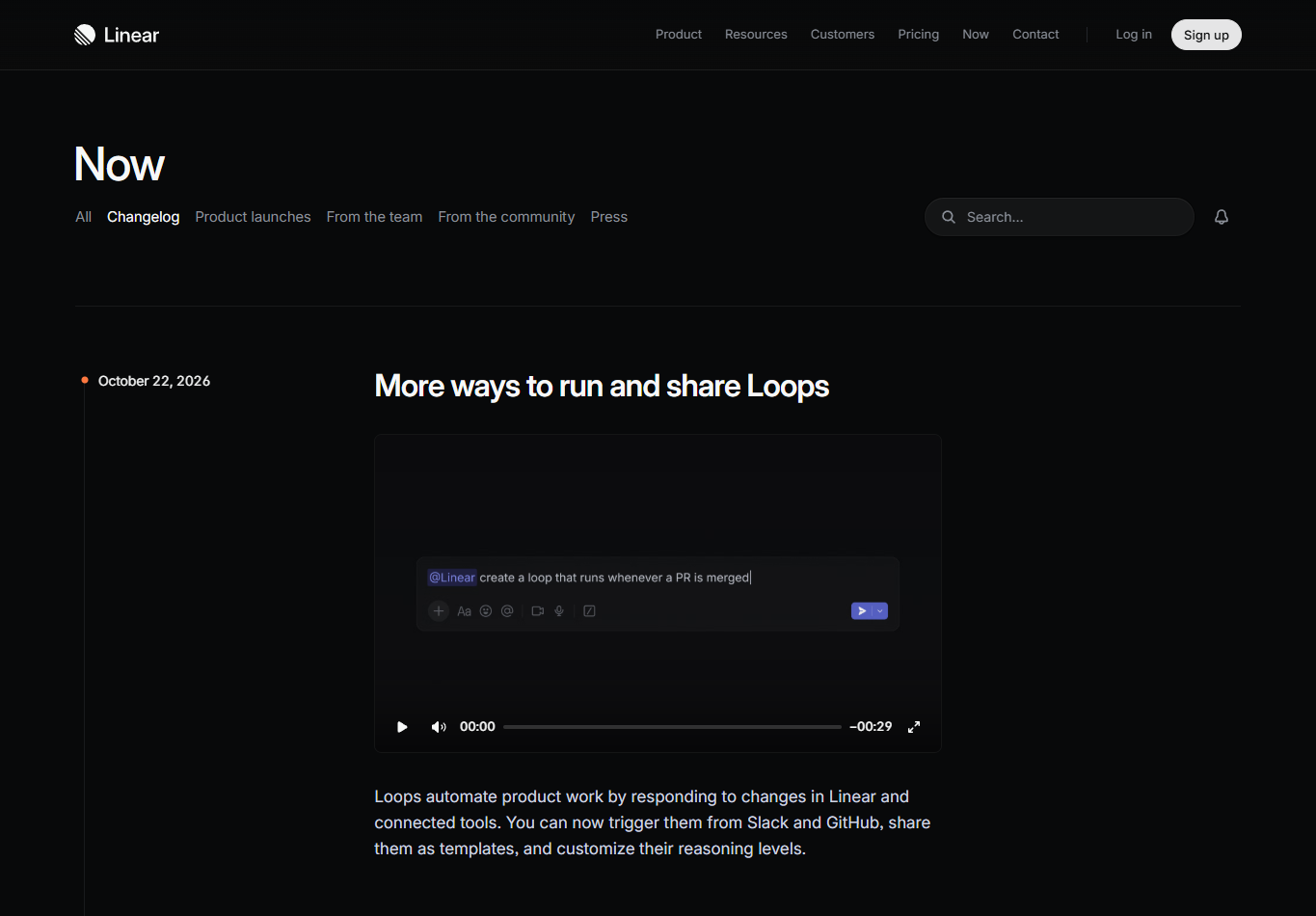
The changelog pairs short product clips with written release notes. This clip shows one workflow, from a typed request to the result, while the text carries the details a buyer can scan.
What to take from it: Keep demo clips short and about one task. Place them beside the text that explains the same change, so visitors can watch or read.
A changelog serves existing users and evaluators rather than a single conversion goal. It illustrates clip placement, not measured performance.
02 / Explainer · Dropbox
Explainers: make an unfamiliar idea clear
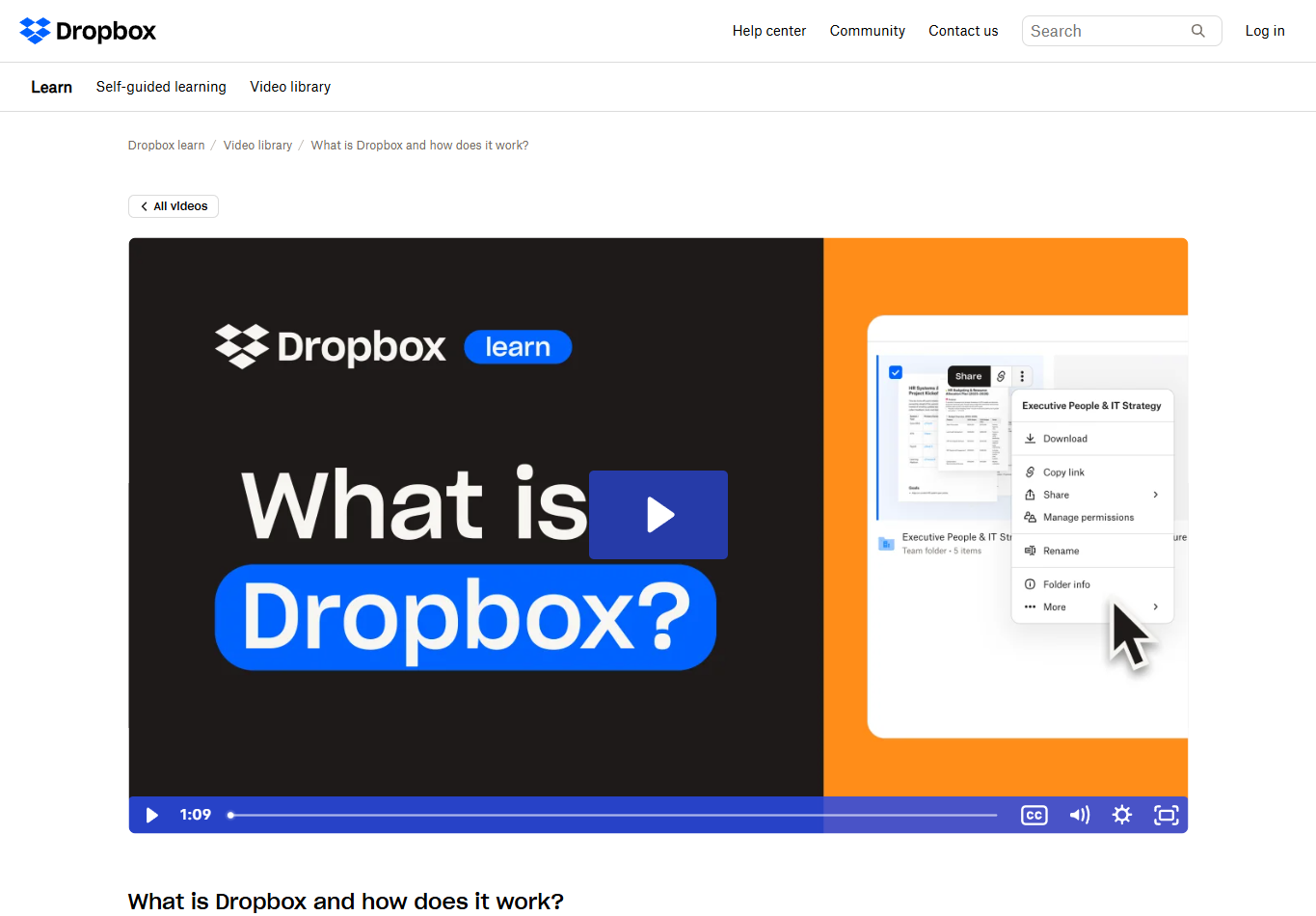
This video introduces cloud storage, file access and sharing in accessible terms. Its main job is to explain what the service does, rather than present a specific purchase offer.
What to take from it: Use an explainer when unfamiliar concepts prevent the buyer from understanding the offer. Preserve the key explanation in text.
This is a learning-library page, not a conversion landing page. It illustrates the format, not placement or measured conversion performance.
- Placement and action
- Place the explanation beside the idea that needs it. Follow it with the next useful step, such as viewing a product workflow or reviewing the offer.
- Length
- Time a read of the script. Keep the mechanism, a concrete example and the next step; cut any scene that repeats the explanation.
- Thumbnail and captions
- Show the process or subject in the thumbnail. Caption the narration and keep the core explanation available in text.
03 / Video sales letter · Scaling With Systems
Video sales letters: make the case for one offer
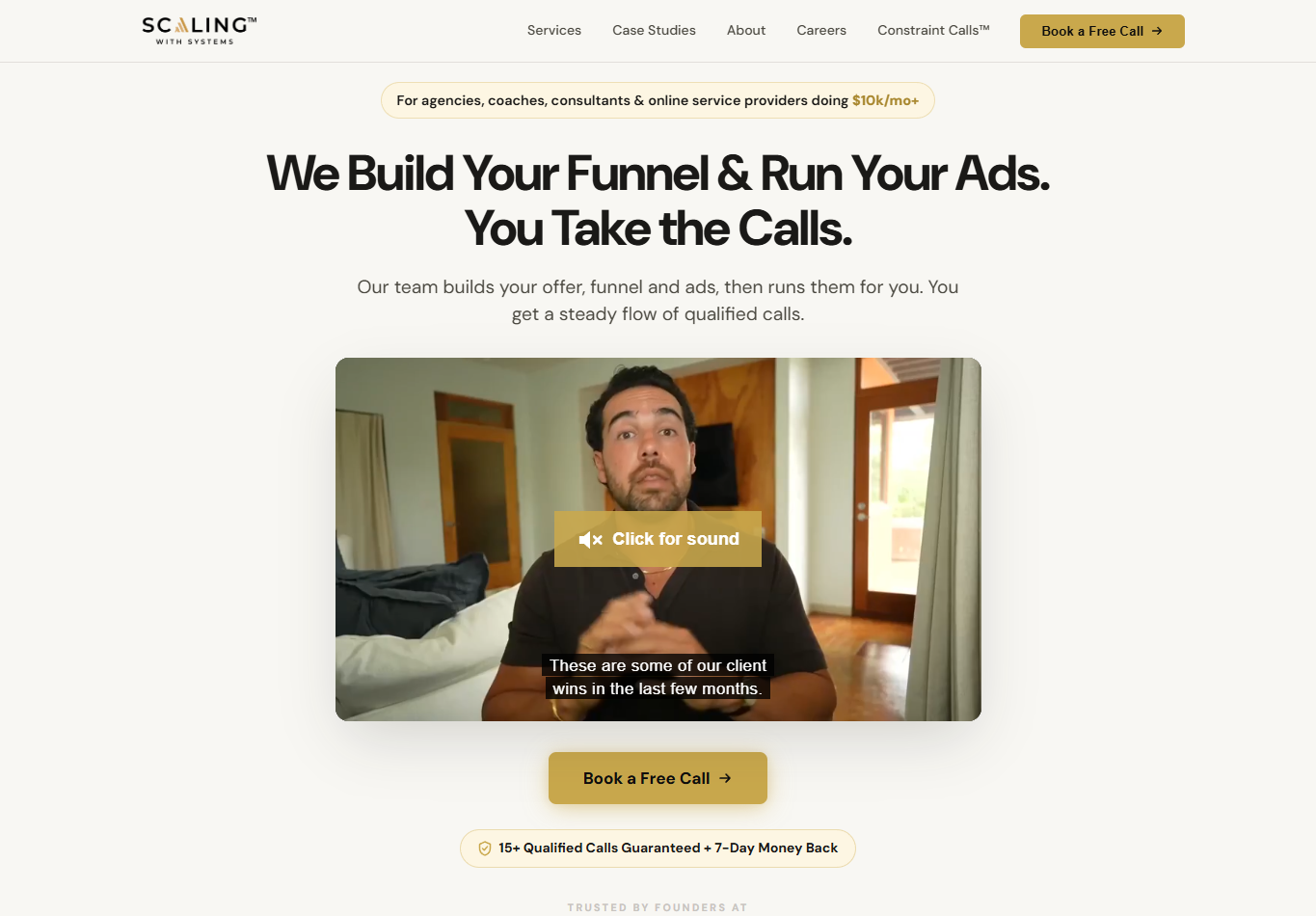
The page brings the service proposition, presenter and booking action together. The company also explicitly describes a video-sales-letter, application and booked-call journey in its sales job posting.
What to take from it: Consider this approach when the offer needs a structured explanation before a conversation. Keep proof, terms and booking accessible without finishing the video.
The claims visible in the screenshot belong to the company. They are not independently verified results or a benchmark for Improvado’s audience.
- Placement and action
- Keep the offer, terms, proof and next action beside or directly below the pitch. State whether the button starts an application, purchase or booking.
- Length
- Use enough time to explain the offer and answer material objections. For a longer pitch, add chapters and leave a direct action available to buyers who are ready.
- Thumbnail and captions
- Identify the offer or presenter in the thumbnail. Caption the pitch and preserve important terms in text.
Watch the pitch on the source page. A suitable standalone public embed was not available for this example.
04 / Customer story · Wistia × The Marketing Meetup
Customer stories: show relevant customer proof
Watch the customer story and read the written case on Wistia ↗
The Marketing Meetup’s founder describes the team’s webinar workflow and its use of Wistia. The written case supplies context about hosting and repurposing content. This lets a buyer compare an operating situation with their own.
What to take from it: Choose a customer whose task resembles the buyer’s. Keep the starting situation, the change and its conditions in the story. Attribute results to the source and retain supporting context in writing.
- Placement and action
- Put the customer story beside the claim it supports. Offer the next step after the relevant proof, with a link to the written case.
- Length
- Keep the starting situation, what changed and the conditions that matter. Cut generic praise before cutting the details a buyer needs to judge relevance.
- Thumbnail and captions
- Use an approved customer frame and identity. Caption the account, including names and specific terms, and retain its written context.
When the page may not need video
If the buyer needs to compare specifications or act immediately, a scannable table and direct action may serve that task. Check whether video would answer a remaining question or add a detour.
Alternative / Text-first page · Dropbox
Let a ready buyer compare and act
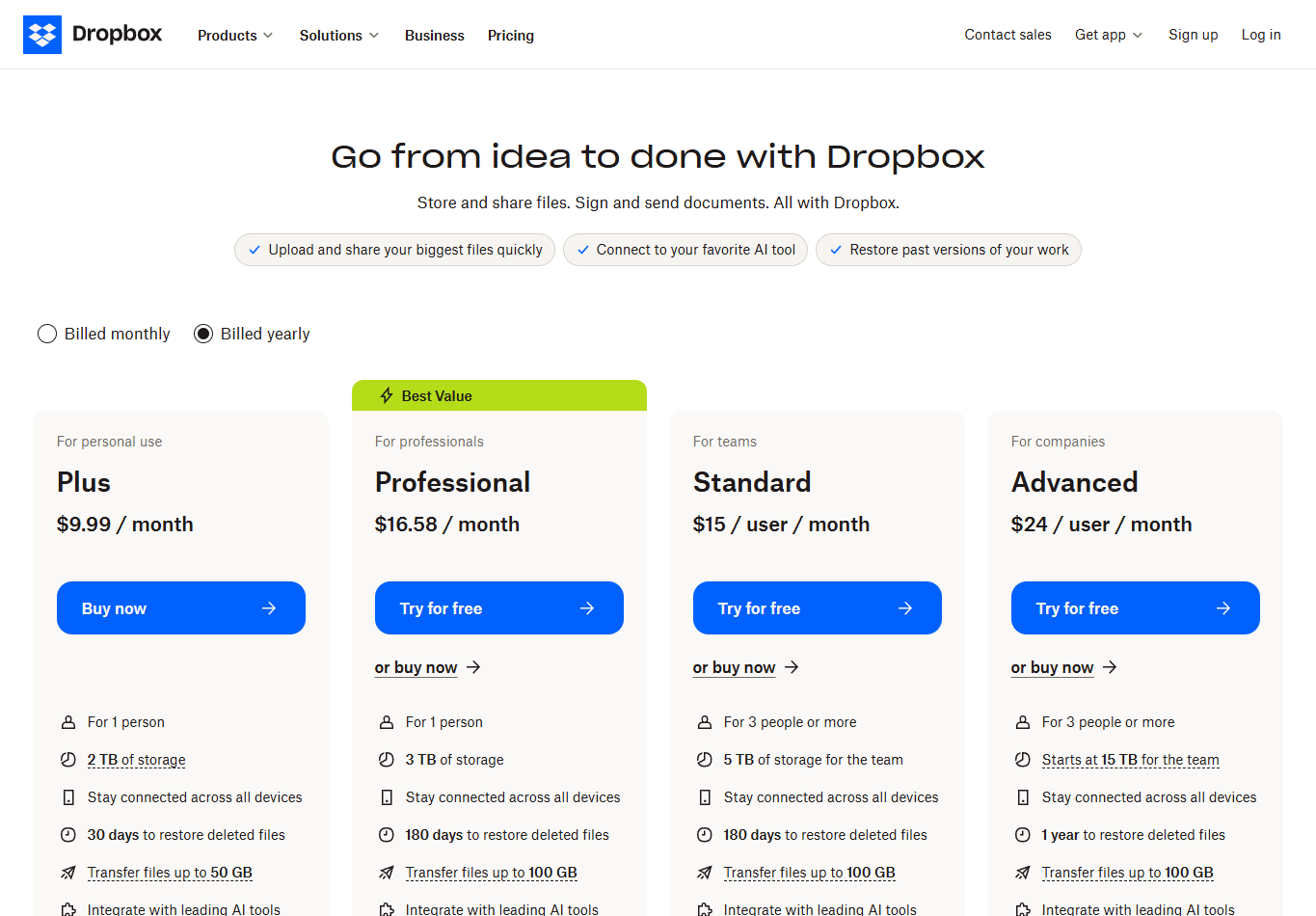
Dropbox presents plan options, features and direct actions in a scannable layout. A buyer can compare the relevant terms without first watching an explanation.
What to take from it: When the remaining task is comparison or purchase, make those details easy to inspect. Add video only if it resolves a question the table cannot.
This is the text-first alternative in the decision table, not another video format. Prices and plan availability vary; check the live page for current terms.
Screenshots captured November 2, 2026. Click any screenshot to enlarge it. Public examples are separate from evidence of conversion performance.
Worked examples
Three examples from different industries
The same production workflow can explain a software task, a physical product or a service. These fictional teaching samples use different visual approaches: an interface sequence, an illustrated mechanism and a service process.
Original illustrations and a reconstructed interface, with narration and captions. These are not live product footage, customer evidence or conversion results.
Explore the scene images and example asset library →
From a brief to three visible states
For the fictional scheduling example, the brief is one task: show how an available appointment becomes a confirmed booking. The asset list keeps the selected time and contact details consistent through the scene changes.
| Scene | Asset to prepare | What the viewer should see |
|---|---|---|
| Choose a time | Available-slot state | The appointment options before the action. |
| Review the details | Selected slot and fictional contact details | The same time and contact details in the review state. |
| Confirm the booking | Confirmation state | The completed appointment and its time. |
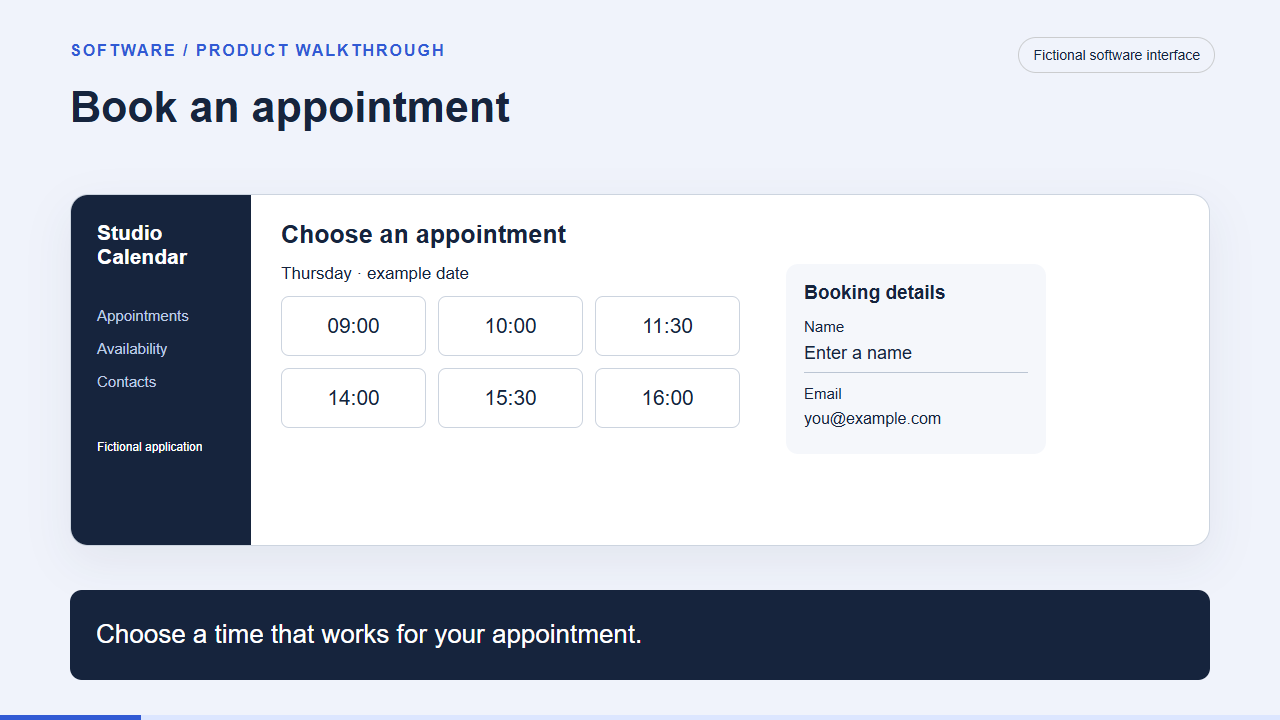
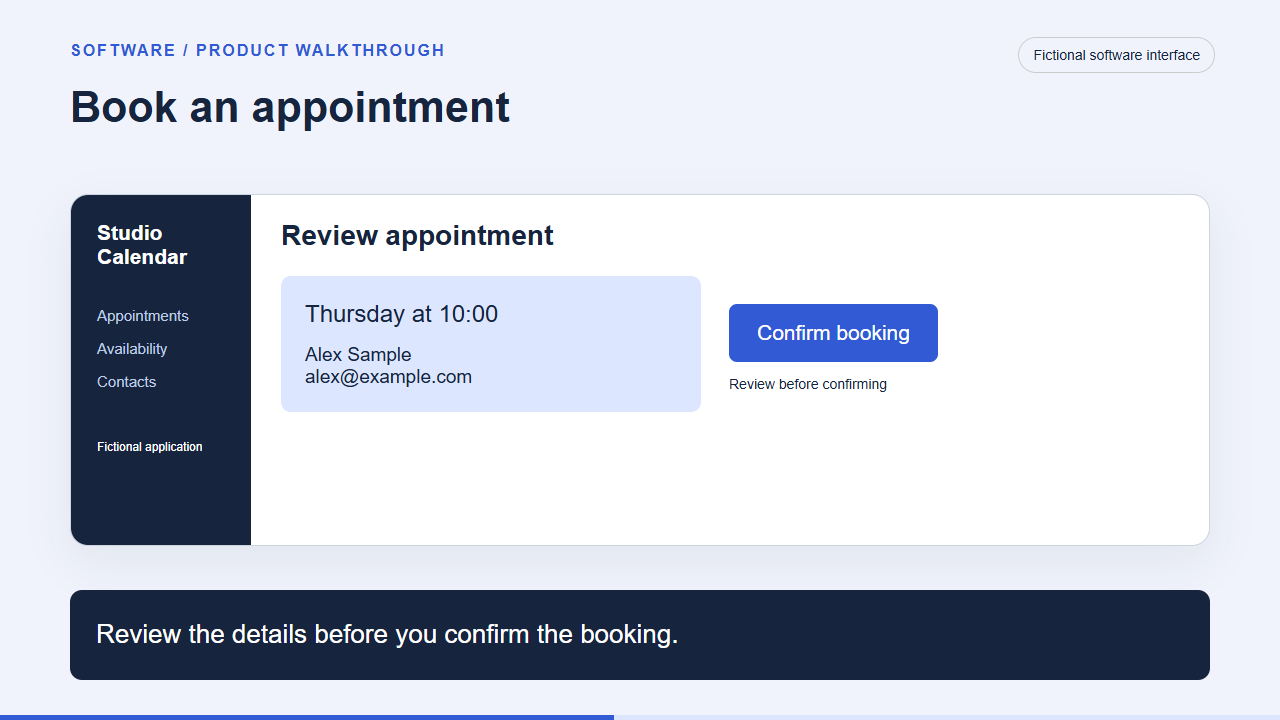
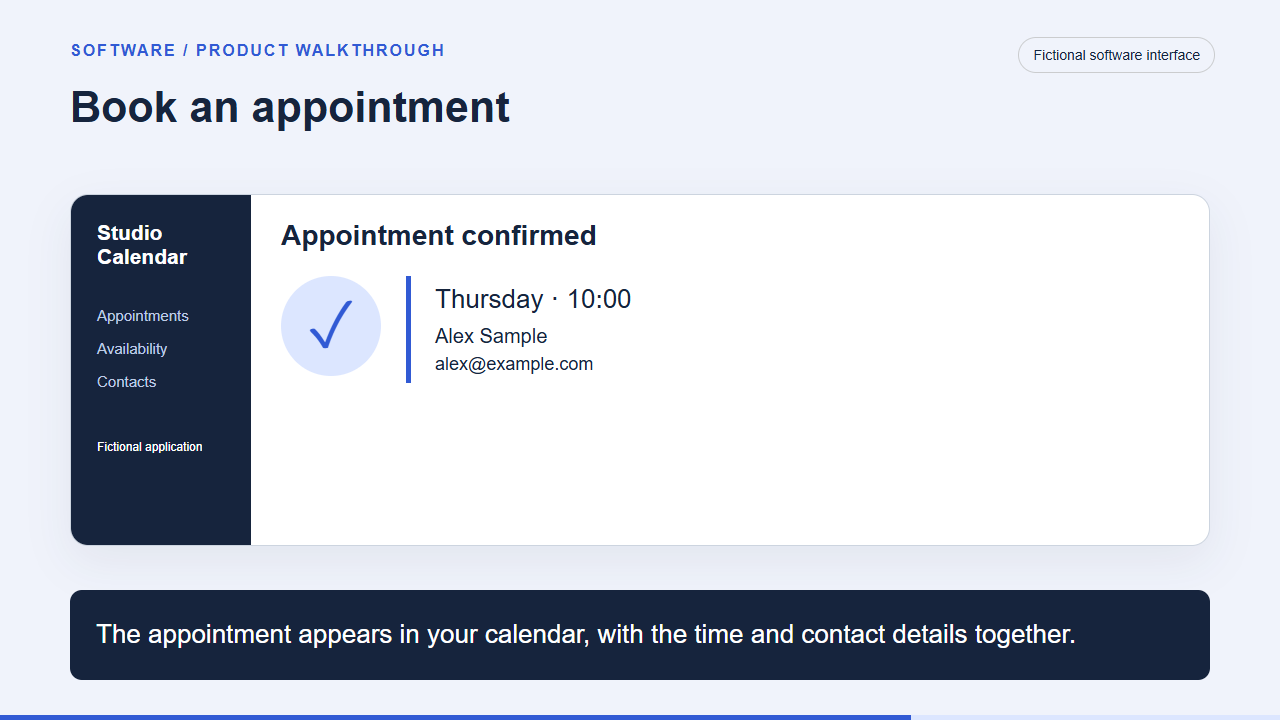
For your own project, record where each asset came from, whether you can use it and which scene needs it. Keep reference-only inspiration separate from approved production files.
Copy this prompt to plan your video
Review the plan against your actual product and evidence before producing the video. The full guide includes blank registers, filled examples and the production checklist.
Measure results beyond video views
Choose the page outcome first: a purchase, a qualified call or another action with business value. Then use player activity to understand the path to that outcome.
| Record | What to define |
|---|---|
| Player load | The player loaded. Check whether repeat loads and multiple embeds create extra records. |
| Start | Playback began. Separate manual starts, autoplay and repeat plays where the source allows it. |
| Viewing threshold | A stated point such as ten seconds or half watched, with a rule for counting repeat activity. |
| Qualified outcome | The agreed definition of a valid booking, qualified attended call or accepted opportunity. |
Each week, count visitors, submissions, qualified calls and opportunities. Include people who skip the video or book directly. Show how many records you could link and give each group the same time to reach the outcome.
How to test whether video changes the result
For a conversion test, assign eligible visitors to the page versions before they choose whether to watch. Keep the offer, form and CTA consistent if the test is about the video. Before comparing results, check that both groups received similar traffic and that submissions reached the CRM.
Define the improvement worth acting on, the loss you would tolerate, how long results need to mature and when you will call the test inconclusive. A Bayesian analysis can express the uncertainty against those decisions. Comparing watchers with nonwatchers alone cannot show the effect of the video, because their initial interest can differ.
Connect video, campaign and CRM data
If video engagement, campaign costs and CRM outcomes sit in different reports, it is hard to see the whole path to a qualified call. Start by preserving the page, campaign and video version through submissions and bookings.
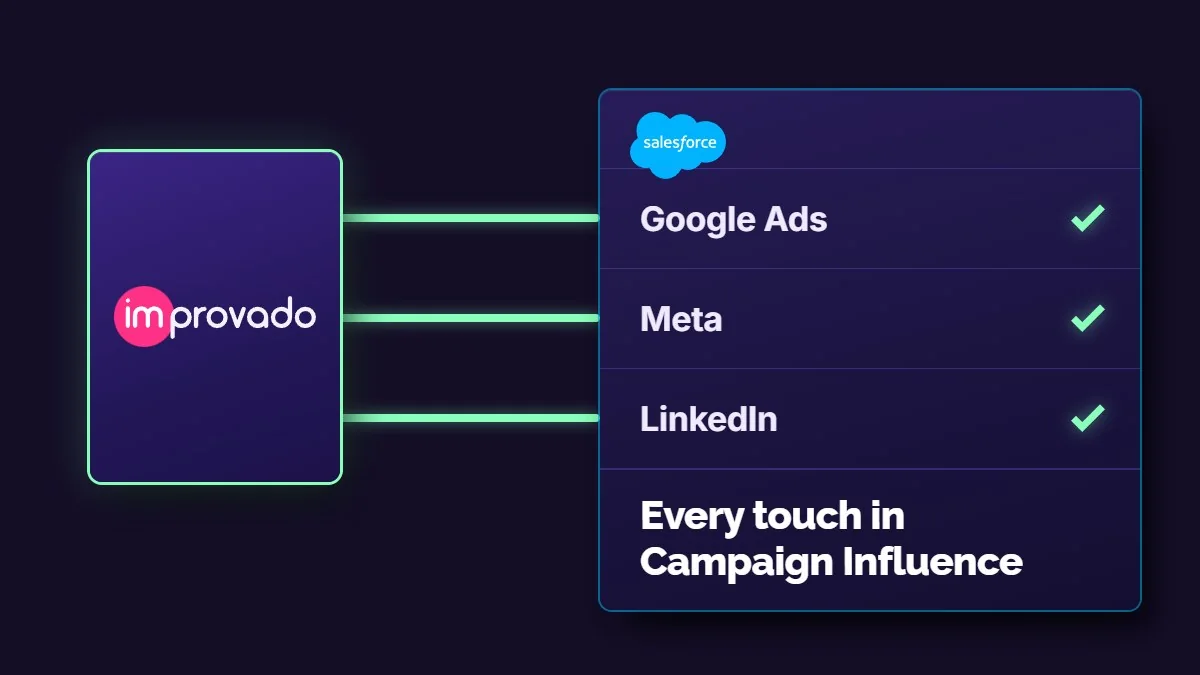
If you host your videos on Wistia, Improvado's Wistia integration brings video-performance data into your marketing reporting. Review plays, engagement and viewing time alongside campaign and CRM results to investigate where people watch, respond and progress. Connecting viewing activity to individual leads requires compatible identifiers and sufficiently detailed source data.
Listed on the Wistia integration page. Confirm the fields and report detail available for your account before designing the analysis.
The setup documentation explains how to connect Wistia using a read-only API token and configure extraction.
The attribution-ready data product prepares ad, web and CRM data and resolves identities where suitable identifiers exist. Together, these capabilities provide inputs for a video-to-pipeline model; they do not guarantee that an anonymous player event can be matched to a CRM contact.
| Record | Fields to preserve or verify |
|---|---|
| Exposure and assignment | Visitor/session key, page/variant, eligibility time, assigned experience |
| Video | Media ID, version, event key, event time, page identity where available |
| Action | Submission and booking IDs, A way to link records using identifiers you are permitted to process |
| Commercial outcome | Contact/account/opportunity keys, qualification definition, outcome time |
These are implementation requirements, not a promise that every data source supplies every field. Check how detailed the report is: daily totals cannot reconstruct individual journeys. Retain unmatched events and show linkage coverage alongside each cohort.
For B2B pages, compare qualified attended calls or accepted opportunities per assigned eligible visitor after the same follow-up period. Include visitors who skip the video or book directly. Attribution describes linked journeys; a valid experiment is needed to estimate incremental lift.
Discuss connecting your video, campaign and CRM data with Improvado →
What research tells us about video and conversions
There is no universal conversion lift to plan around. Unbounce’s 2021 analysis compared landing pages across three windows in late 2020 and early 2021. Video pages had similar or lower conversion distributions in the comparisons examined. The pages were not randomly assigned to include video, so the study does not tell you what adding video would do to your page.
Wistia’s platform research helps explain viewing and in-player actions. Use it to investigate attention and interaction. To decide whether a page change brings more qualified conversions, test that page and follow its business outcomes.
Read the evidence limits
Page comparisons, player engagement and visitor experiments answer different questions. Check the audience, period, outcome and how the groups were formed before carrying a result into your decision. The public pages and fictional samples here illustrate formats; they are not a measured ranking of conversion performance.
Make the article and videos easy to find
Keep the useful explanation in text, with descriptive headings, captions and links to the sources. The video can support the page even when it is not eligible for a separate video result.
- For video search: use stable media and thumbnail URLs, and make the player discoverable in the page. Google’s guidance distinguishes a dedicated watch page from an article with supporting videos.
- For AI search: provide a clear, sourced answer readers can use. Google’s AI-feature guidance uses the usual SEO foundations and does not require special AI markup.
- For page speed: compress media, reserve the player’s space and check the phone experience. Video delivery and third-party players can add loading costs.
Keep search measurement separate from conversion testing
Review weekly page and query trends, device and country mix, indexing and concurrent edits. Search Console includes traffic from Google’s AI features in the Web total; that total does not identify the AI-feature contribution separately.
For AI citations, repeat the same prompts with recorded engines and locales. Count citations, brand mentions, referral visits and qualified outcomes separately. A visitor A/B test on one URL answers the page-conversion question, not the organic-traffic or citation question.
A click-to-load player may help loading, but Google says not to rely on user actions to discover a video. Check that tradeoff if video-search eligibility matters.
Which video should you use?
| Use this format | When the buyer needs to… | Show first | Keep the next step visible |
|---|---|---|---|
| Product demo | Inspect how a task works | The task, input and product state | Try the product, inspect more detail or request a demo. |
| Explainer | Understand an unfamiliar idea | The problem and a concrete mechanism | See the relevant workflow or review the offer. |
| VSL | Evaluate a specific offer | Who it is for and why the problem matters | Read the terms, buy, apply or book without finishing the video. |
| Customer story | Judge whether you can deliver in a relevant situation | The customer’s starting point and context | Read the supporting case or discuss a comparable need. |
Use text when it serves the task better. A ready buyer may need a comparison table, price or direct booking option. That is an alternative to these four formats, not a fifth type of video.
Frequently asked questions
Does video always improve landing-page conversion?
No universal increase is established by the evidence reviewed. Evaluate the page experience with an appropriate counterfactual and a business outcome.
How is a VSL different from a product demo?
A VSL carries an offer’s sales argument. A product demo shows how the product works. A video can combine both roles, so classify its main job for the buyer.
Should a visitor have to finish the video before booking?
Keep an immediate route for people ready to act. Include direct bookers and video skippers when evaluating the assigned page experience.
Can Improvado measure video-generated pipeline?
Improvado can prepare supported video, acquisition and CRM inputs. A defensible pipeline analysis also needs suitable identifiers, appropriate source grain and explicit unmatched-record reporting. Causal lift requires a valid comparison beyond attribution.
Will adding video improve SEO or AI citations?
The reviewed evidence does not establish that outcome. Follow discoverability guidance and measure search visibility, citations, referrals and qualified outcomes separately.