Production guide / worked examples

One workflow. Three different subjects.

A software task, an illustrated product and a service process. These original fictional samples show how the guide adapts to different material.

Software / Product walkthrough

Book an appointment

How does a booking move from available times to the calendar?

Fictional software interface · 22 seconds · Narration and captions included. No real product or customer claims.

Scene images and source records
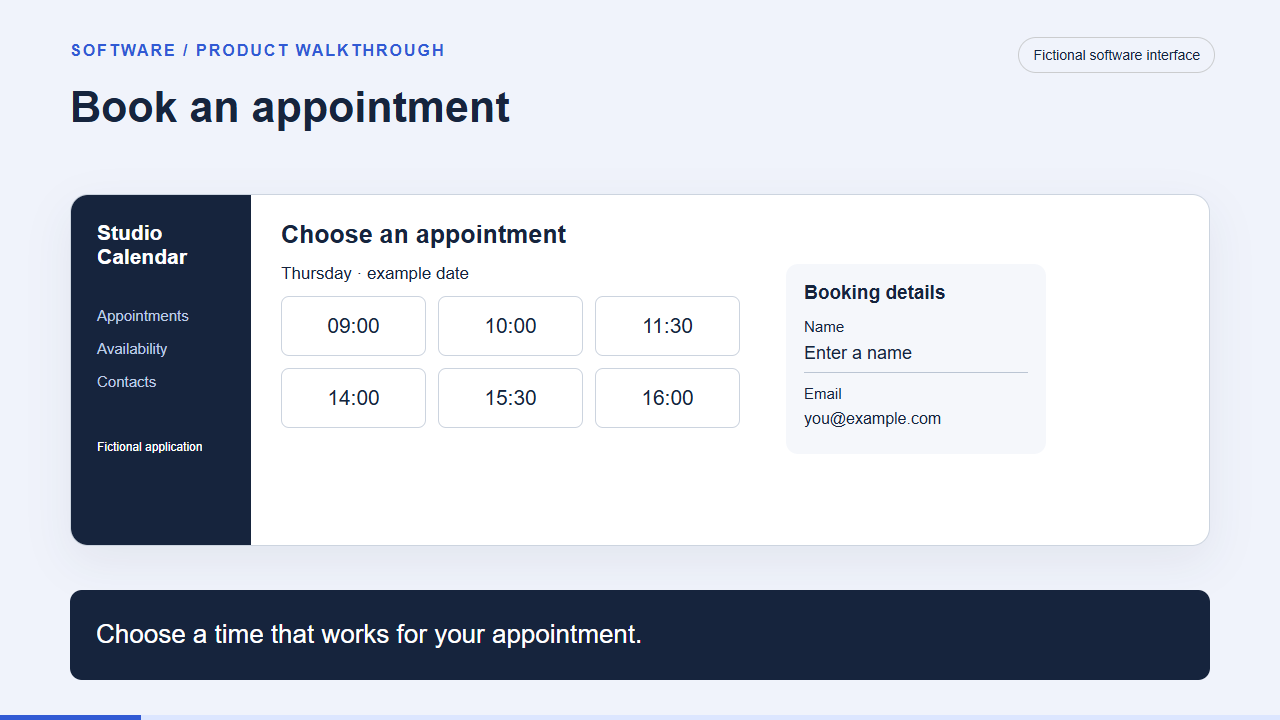
Choose a time that works for your appointment.
scheduling-demo-01
Choose a time that works for your appointment.

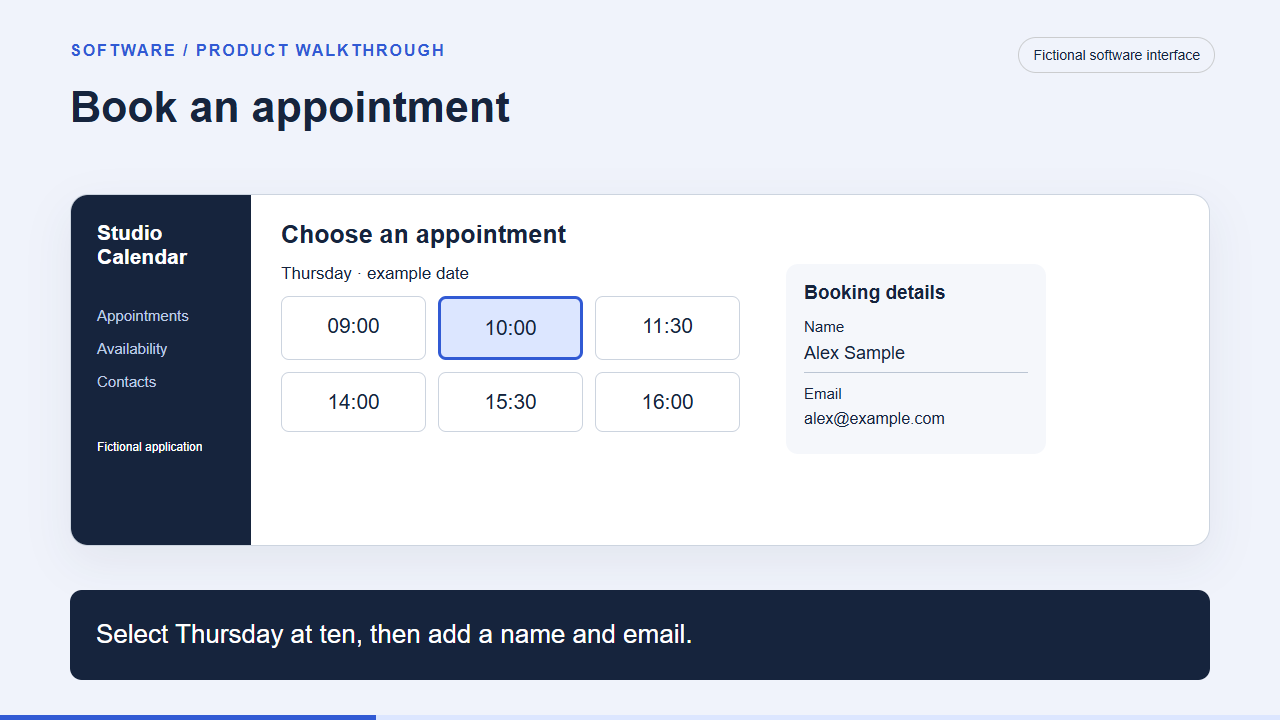
Select Thursday at ten, then add a name and email.
scheduling-demo-02
Select Thursday at ten, then add a name and email.

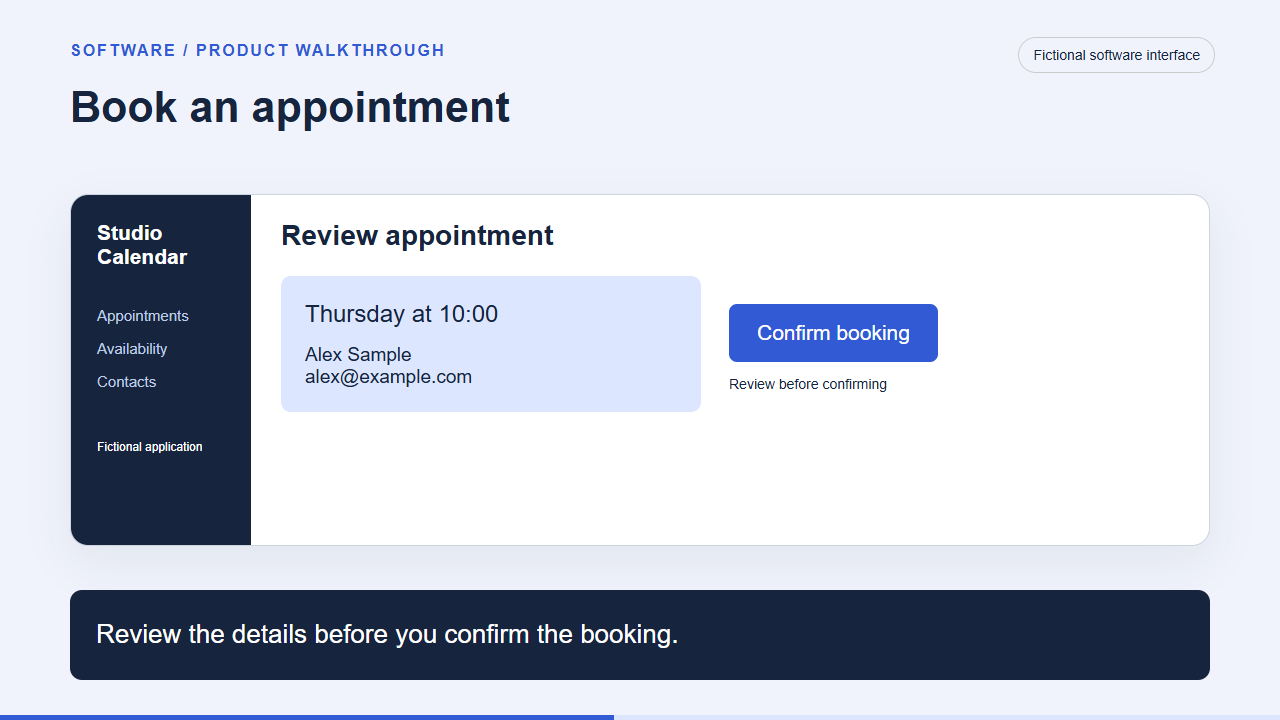
Review the details before you confirm the booking.
scheduling-demo-03
Review the details before you confirm the booking.

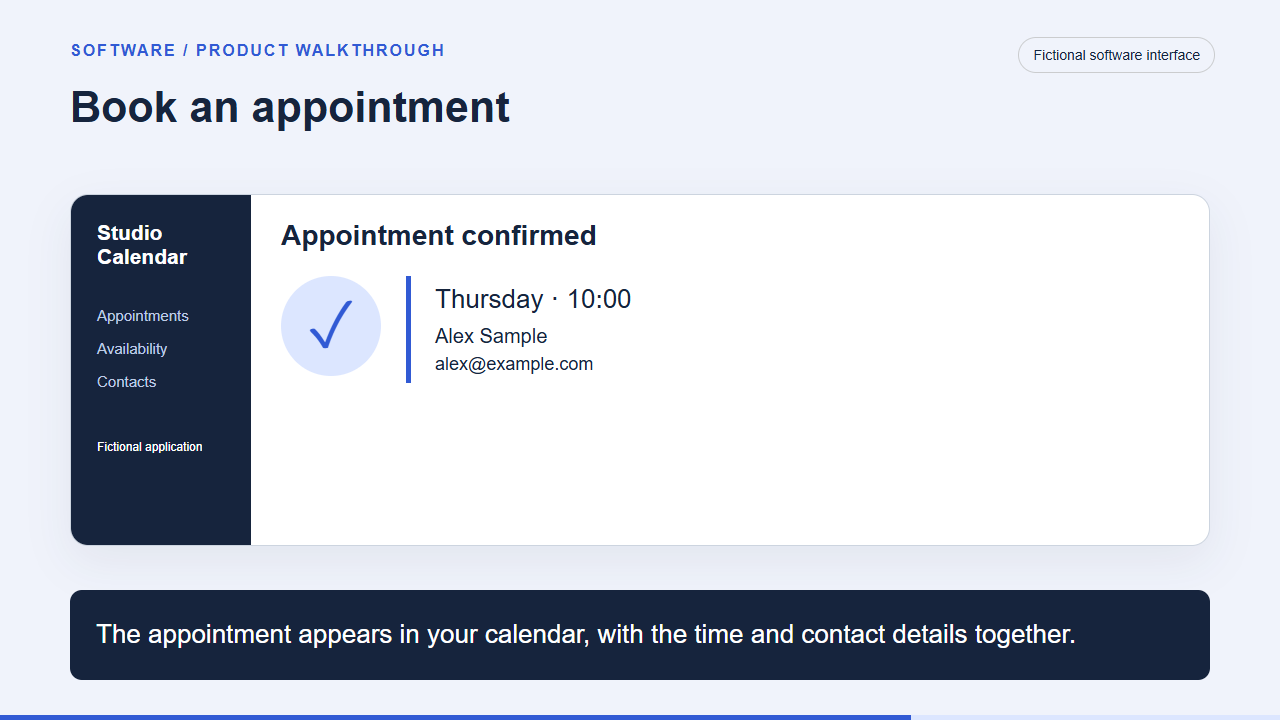
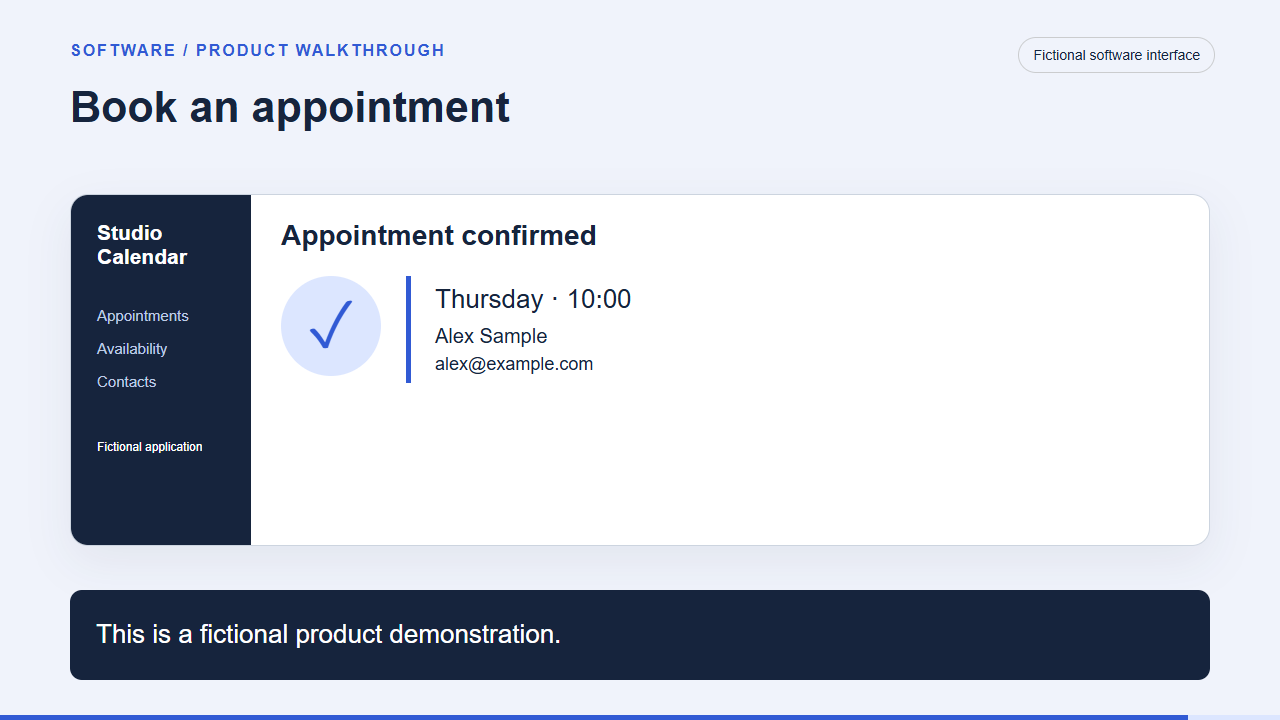
The appointment appears in your calendar, with the time and contact details together.

scheduling-demo-04
The appointment appears in your calendar, with the time and contact details together.
This is a fictional product demonstration.

scheduling-demo-05
This is a fictional product demonstration.

[
  {
    "asset_id": "scheduling-demo-01",
    "file_path": "assets/scheduling-demo-shot-01.png",
    "asset_type": "original fictional interface illustration",
    "source_or_owner": "Created for this guide; editable entry.jsx and scenarios.json",
    "created_on": "2026-11-04",
    "width": 1280,
    "height": 720,
    "permission_record": "Original teaching material created for this project. Check suitability and rights for your production.",
    "personal_or_customer_information": "Fictional content; software uses example.com",
    "review_status": "teaching example; replace and review for real production",
    "scene_line": "Choose a time that works for your appointment.",
    "sha256": "eb3414ce89d899eaba5b5ad4a15596cdf1bd51a3cade12b1835615bb06924589"
  },
  {
    "asset_id": "scheduling-demo-02",
    "file_path": "assets/scheduling-demo-shot-02.png",
    "asset_type": "original fictional interface illustration",
    "source_or_owner": "Created for this guide; editable entry.jsx and scenarios.json",
    "created_on": "2026-11-04",
    "width": 1280,
    "height": 720,
    "permission_record": "Original teaching material created for this project. Check suitability and rights for your production.",
    "personal_or_customer_information": "Fictional content; software uses example.com",
    "review_status": "teaching example; replace and review for real production",
    "scene_line": "Select Thursday at ten, then add a name and email.",
    "sha256": "0389c2a8eed748d445d51ddd3fbe8bf43257c31d1bef4dc5b97f19cc0321d44e"
  },
  {
    "asset_id": "scheduling-demo-03",
    "file_path": "assets/scheduling-demo-shot-03.png",
    "asset_type": "original fictional interface illustration",
    "source_or_owner": "Created for this guide; editable entry.jsx and scenarios.json",
    "created_on": "2026-11-04",
    "width": 1280,
    "height": 720,
    "permission_record": "Original teaching material created for this project. Check suitability and rights for your production.",
    "personal_or_customer_information": "Fictional content; software uses example.com",
    "review_status": "teaching example; replace and review for real production",
    "scene_line": "Review the details before you confirm the booking.",
    "sha256": "f006828f16185a7d8c9c5d8c2abc4e6bd5272e7bfb789099423df8a622542b29"
  },
  {
    "asset_id": "scheduling-demo-04",
    "file_path": "assets/scheduling-demo-shot-04.png",
    "asset_type": "original fictional interface illustration",
    "source_or_owner": "Created for this guide; editable entry.jsx and scenarios.json",
    "created_on": "2026-11-04",
    "width": 1280,
    "height": 720,
    "permission_record": "Original teaching material created for this project. Check suitability and rights for your production.",
    "personal_or_customer_information": "Fictional content; software uses example.com",
    "review_status": "teaching example; replace and review for real production",
    "scene_line": "The appointment appears in your calendar, with the time and contact details together.",
    "sha256": "20e33913a4a7e10f0ef12c9308f163681a1d92f0446eb9dd44cf0a4f2b1b2648"
  },
  {
    "asset_id": "scheduling-demo-05",
    "file_path": "assets/scheduling-demo-shot-05.png",
    "asset_type": "original fictional interface illustration",
    "source_or_owner": "Created for this guide; editable entry.jsx and scenarios.json",
    "created_on": "2026-11-04",
    "width": 1280,
    "height": 720,
    "permission_record": "Original teaching material created for this project. Check suitability and rights for your production.",
    "personal_or_customer_information": "Fictional content; software uses example.com",
    "review_status": "teaching example; replace and review for real production",
    "scene_line": "This is a fictional product demonstration.",
    "sha256": "3cd784ba1747d42e451ba73600bc4402bcd5d2e6e495832167d472dd2c07a6ca"
  }
]

Consumer product / Illustrated product explainer

Position a desk lamp

How do the arm, shade and light control work together?

Fictional product concept · 18 seconds · Narration and captions included. No real product or customer claims.

Scene images and source records
Set the base beside your workspace.

desk-lamp-explainer-01
Set the base beside your workspace.

Raise the arm and turn the shade toward the page.

desk-lamp-explainer-02
Raise the arm and turn the shade toward the page.

Use the control to choose a warm or cool setting.

desk-lamp-explainer-03
Use the control to choose a warm or cool setting.

Fold the arm down when you are finished. This is a product concept, shown with illustrations.

desk-lamp-explainer-04
Fold the arm down when you are finished. This is a product concept, shown with illustrations.

[
  {
    "asset_id": "desk-lamp-explainer-01",
    "file_path": "assets/desk-lamp-explainer-shot-01.png",
    "asset_type": "original fictional illustration",
    "source_or_owner": "Created for this guide; editable entry.jsx and scenarios.json",
    "created_on": "2026-11-04",
    "width": 1280,
    "height": 720,
    "permission_record": "Original teaching material created for this project. Check suitability and rights for your production.",
    "personal_or_customer_information": "Fictional content; software uses example.com",
    "review_status": "teaching example; replace and review for real production",
    "scene_line": "Set the base beside your workspace.",
    "sha256": "69a935892cdb0a335a046595862eecc3e30e8478b009d76f52fe84d3d318b80e"
  },
  {
    "asset_id": "desk-lamp-explainer-02",
    "file_path": "assets/desk-lamp-explainer-shot-02.png",
    "asset_type": "original fictional illustration",
    "source_or_owner": "Created for this guide; editable entry.jsx and scenarios.json",
    "created_on": "2026-11-04",
    "width": 1280,
    "height": 720,
    "permission_record": "Original teaching material created for this project. Check suitability and rights for your production.",
    "personal_or_customer_information": "Fictional content; software uses example.com",
    "review_status": "teaching example; replace and review for real production",
    "scene_line": "Raise the arm and turn the shade toward the page.",
    "sha256": "0c09e3443ac0cc41de88377ba662d69c4d7f23f31eca743f43d747cac48254a5"
  },
  {
    "asset_id": "desk-lamp-explainer-03",
    "file_path": "assets/desk-lamp-explainer-shot-03.png",
    "asset_type": "original fictional illustration",
    "source_or_owner": "Created for this guide; editable entry.jsx and scenarios.json",
    "created_on": "2026-11-04",
    "width": 1280,
    "height": 720,
    "permission_record": "Original teaching material created for this project. Check suitability and rights for your production.",
    "personal_or_customer_information": "Fictional content; software uses example.com",
    "review_status": "teaching example; replace and review for real production",
    "scene_line": "Use the control to choose a warm or cool setting.",
    "sha256": "202216605b750010e1be93dbff7efde615cea93dcd0b8e941263c168d03d8130"
  },
  {
    "asset_id": "desk-lamp-explainer-04",
    "file_path": "assets/desk-lamp-explainer-shot-04.png",
    "asset_type": "original fictional illustration",
    "source_or_owner": "Created for this guide; editable entry.jsx and scenarios.json",
    "created_on": "2026-11-04",
    "width": 1280,
    "height": 720,
    "permission_record": "Original teaching material created for this project. Check suitability and rights for your production.",
    "personal_or_customer_information": "Fictional content; software uses example.com",
    "review_status": "teaching example; replace and review for real production",
    "scene_line": "Fold the arm down when you are finished. This is a product concept, shown with illustrations.",
    "sha256": "b097c6fcc16b2e111859642becbbba3fd039cfa1a0dbd9eb34e1c62edc119ffd"
  }
]

Professional service / Service explainer

What happens during an energy visit?

What happens before, during and after the visit?

Fictional service example · 22 seconds · Narration and captions included. No real product or customer claims.

Scene images and source records
Not sure what a home energy visit includes?

energy-visit-explainer-01
Not sure what a home energy visit includes?

First, share the rooms or issues you want reviewed.

energy-visit-explainer-02
First, share the rooms or issues you want reviewed.

During the visit, the adviser records observations and discusses the questions you flagged.

energy-visit-explainer-03
During the visit, the adviser records observations and discusses the questions you flagged.

Afterward, you receive a written summary of the findings and suggested next steps. Review the scope before booking.

energy-visit-explainer-04
Afterward, you receive a written summary of the findings and suggested next steps. Review the scope before booking.

[
  {
    "asset_id": "energy-visit-explainer-01",
    "file_path": "assets/energy-visit-explainer-shot-01.png",
    "asset_type": "original fictional illustration",
    "source_or_owner": "Created for this guide; editable entry.jsx and scenarios.json",
    "created_on": "2026-11-04",
    "width": 1280,
    "height": 720,
    "permission_record": "Original teaching material created for this project. Check suitability and rights for your production.",
    "personal_or_customer_information": "Fictional content; software uses example.com",
    "review_status": "teaching example; replace and review for real production",
    "scene_line": "Not sure what a home energy visit includes?",
    "sha256": "7bdce9c5bdfa6f29e779c3ed5946238e19fc5667fb06fca5eafda2b00289d625"
  },
  {
    "asset_id": "energy-visit-explainer-02",
    "file_path": "assets/energy-visit-explainer-shot-02.png",
    "asset_type": "original fictional illustration",
    "source_or_owner": "Created for this guide; editable entry.jsx and scenarios.json",
    "created_on": "2026-11-04",
    "width": 1280,
    "height": 720,
    "permission_record": "Original teaching material created for this project. Check suitability and rights for your production.",
    "personal_or_customer_information": "Fictional content; software uses example.com",
    "review_status": "teaching example; replace and review for real production",
    "scene_line": "First, share the rooms or issues you want reviewed.",
    "sha256": "dc96ae9ac217846581eee4afd18bb5fdf799ea378c0741529cdef3a41408d4bf"
  },
  {
    "asset_id": "energy-visit-explainer-03",
    "file_path": "assets/energy-visit-explainer-shot-03.png",
    "asset_type": "original fictional illustration",
    "source_or_owner": "Created for this guide; editable entry.jsx and scenarios.json",
    "created_on": "2026-11-04",
    "width": 1280,
    "height": 720,
    "permission_record": "Original teaching material created for this project. Check suitability and rights for your production.",
    "personal_or_customer_information": "Fictional content; software uses example.com",
    "review_status": "teaching example; replace and review for real production",
    "scene_line": "During the visit, the adviser records observations and discusses the questions you flagged.",
    "sha256": "6114ce5b16424d73140c8db43342496a3b19aa6e406e4fa7902a37c65fe92aa7"
  },
  {
    "asset_id": "energy-visit-explainer-04",
    "file_path": "assets/energy-visit-explainer-shot-04.png",
    "asset_type": "original fictional illustration",
    "source_or_owner": "Created for this guide; editable entry.jsx and scenarios.json",
    "created_on": "2026-11-04",
    "width": 1280,
    "height": 720,
    "permission_record": "Original teaching material created for this project. Check suitability and rights for your production.",
    "personal_or_customer_information": "Fictional content; software uses example.com",
    "review_status": "teaching example; replace and review for real production",
    "scene_line": "Afterward, you receive a written summary of the findings and suggested next steps. Review the scope before booking.",
    "sha256": "e001e58d6f49888cd5fe4abef7051fb483237a64939646087e3e437a49c133d0"
  }
]

Build a library for your own project

Save references with a reason and a timecode. Keep them separate from assets approved for production. Register each usable file, preserve the original, and record permission and review status.

The starter kit includes blank registers, a filled example, a shot-list template, source briefs and these original scene images. Replace the fictional subject with your own evidence and assets before production.