

See where your fields are used with Data Dictionary
Data Extraction
November 26, 2026 Want to check whether a source offers a field or which Data Tables already use it? Open a data source and select Fields to see its Data Dictionary for your current workspace.
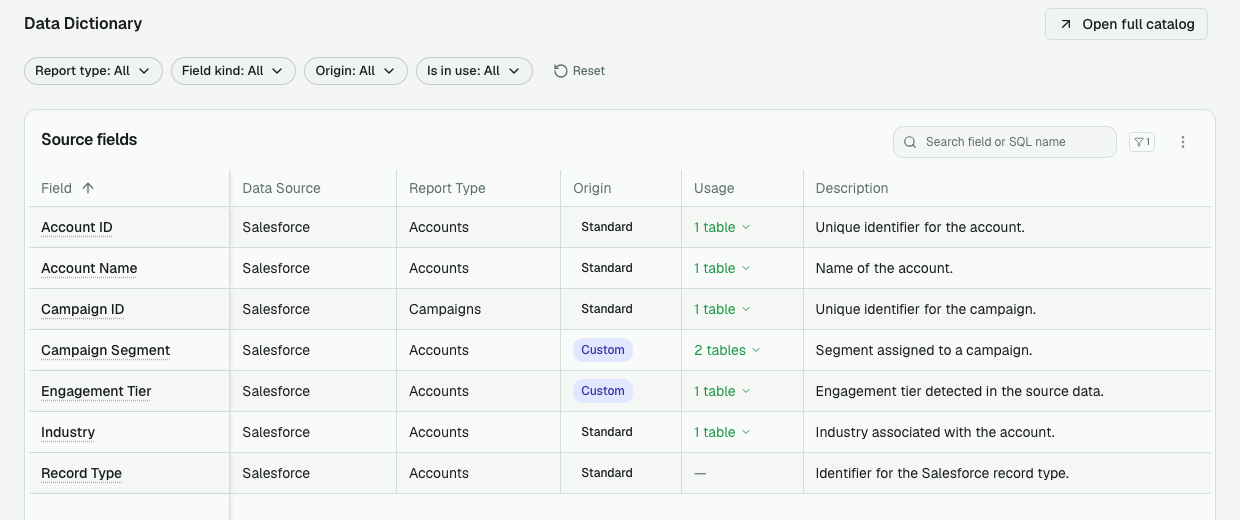
- Search standard and custom fields by display name or SQL name, or narrow the list by report type, field kind, origin, and extraction usage.
- Open Usage to follow links to Data Tables and inspect extract and account details where available.
- Select Open full catalog to browse across sources in the same workspace.
Was this page helpful?
Thanks for the feedback!
Questions? The Improvado team is always happy to help. Send us an email, contact your Customer Success Manager, or raise a request in the Improvado Service Desk.