

Create Integrity Rules from the Rules Library
Marketing Data Governance
November 19, 2026 You can now set up basic extraction monitoring in Data Governance in one step, without opening an AI chat for every rule.
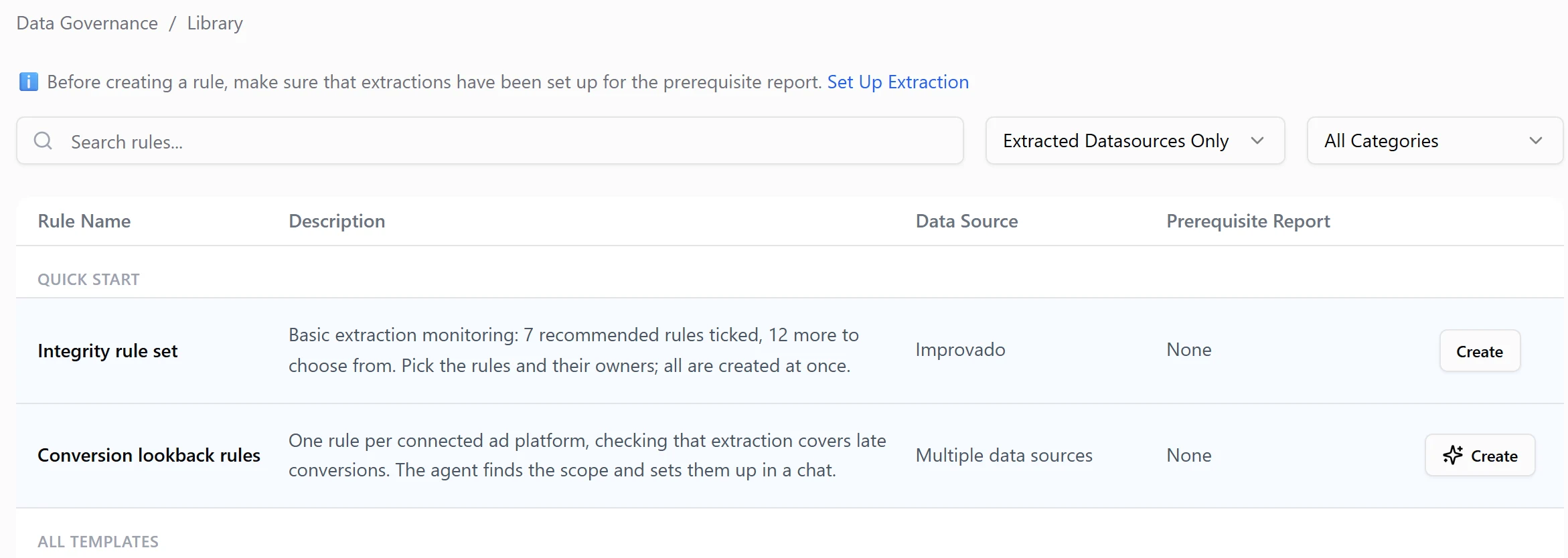
- The recommended set in one click. Integrity rule set comes with the recommended rules already selected. Pick the rules and their owners, and all of them are created at once, enabled and checked daily.
- Single rules without a chat. Every integrity template has its own Create button that creates the rule right away.
- Keep or overwrite existing rules. Rules that already exist in the workspace are marked, and you decide whether to keep them as they are or overwrite them with the template.
Open the Rules Library from Create New Rule → From template on the Data Governance dashboard.
Was this page helpful?
Thanks for the feedback!
Questions? The Improvado team is always happy to help. Send us an email, contact your Customer Success Manager, or raise a request in the Improvado Service Desk.