

Choose extraction reports for custom connectors
AI Agent Data Extraction
November 20, 2026 You can now choose which reports to build for extraction when you request a custom connector from Data Sources. Use the What data do you want to pull? section to tell Improvado what to extract, such as invoices, payments, or orders.
Choose or enter reports
- Open a source card marked Build with AI. If the form suggests reports, select from the list or click Add your own.
- For a blank form, click Build a connector with AI at the top of Data Sources, or Request a new connector if shown. If the form has no suggested reports, enter a report name directly and press Enter to add it.
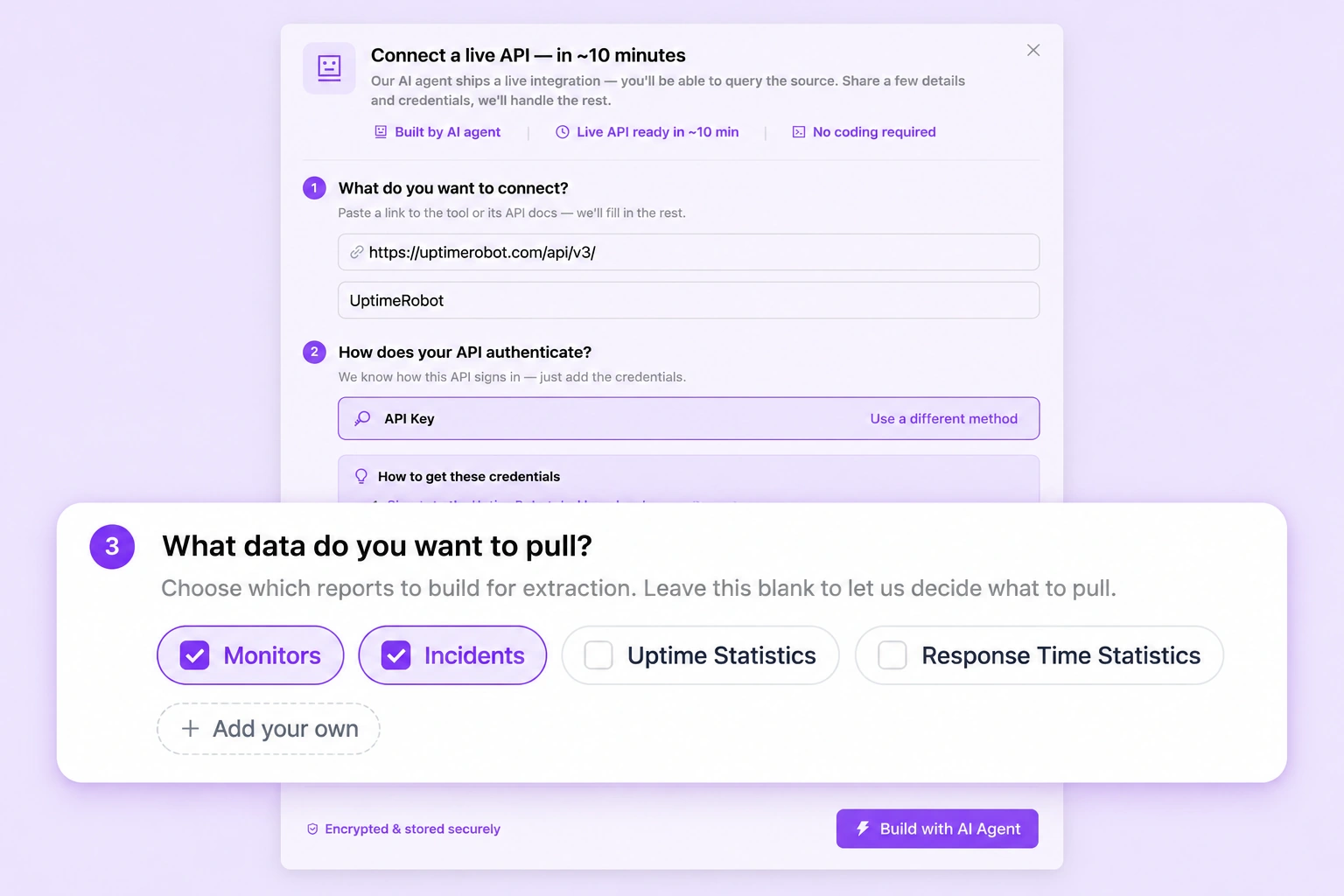
The reports you choose are included in the connector request. Leave the section blank if you want Improvado to determine what data to pull.
Was this page helpful?
Thanks for the feedback!
Questions? The Improvado team is always happy to help. Send us an email, contact your Customer Success Manager, or raise a request in the Improvado Service Desk.