![The Ultimate Guide to Web Analytics Integration [2026]](https://improvado.io/5a1eb87c9afe1000014a4c7d/6992da531602b7aad2d0c83e_web%20analy.jpg)
Your website generates a flood of valuable data every second. You know who visits, where they come from, and what they click. But this is only one piece of a much larger puzzle. Your most important data–about leads, sales, and customer lifetime value–lives somewhere else entirely. It's in your CRM, your ad platforms, and your payment systems.
Web analytics integration is the process of connecting these disparate data sources. It bridges the gap between online behavior and real-world business outcomes. By creating a single, unified view of the entire customer journey, you can finally answer your most critical marketing questions.
This guide provides a comprehensive roadmap for mastering integrated web analytics, from foundational concepts to advanced strategies.
Key Takeaways:
- Beyond Pageviews: Web analytics integration connects website data (like clicks and sessions) with business data (like revenue and leads) to measure true marketing ROI.
- One source of truth: The primary goal is to eliminate data silos. This creates a single, reliable source for all marketing performance analysis.
- Multiple methods exist: Integration can be achieved through native connectors, APIs, or advanced ETL platforms. The right choice depends on your scale and technical resources.
- ClientID is crucial: For deep CRM and Google Analytics integration, using the ClientID is far superior to relying on UTM parameters alone for accurate attribution.
- Strategic imperative: A successful integration strategy is a fundamental requirement for data-driven decision-making and a significant competitive advantage.
What Is Web Analytics Integration and Why is it Critical?
Web analytics integration is the process of connecting website behavior data with other business systems. This includes advertising platforms, CRM systems, ecommerce databases, product analytics tools, and data warehouses.
On its own, web analytics shows sessions, traffic sources, events, and conversions. It does not show full revenue impact, customer lifetime value, or downstream outcomes.
Without integration, teams operate in data silos. Marketing optimizes for clicks. Sales tracks pipeline. Finance measures revenue. These views remain disconnected. Integrated analytics creates a unified performance model.
Web analytics integration typically involves:
- Extracting event-level website data
- Standardizing tracking parameters and campaign taxonomy
- Aligning identifiers such as user IDs or email hashes
- Connecting behavior data to CRM and revenue records
- Loading structured datasets into a central warehouse
This enables consistent reporting across acquisition, conversion, and retention.
Integration is critical because decision quality depends on context. Website metrics without cost data distort ROI. Conversion data without attribution logic misallocates budget. Behavior data without customer history limits segmentation.
When web analytics is unified with broader datasets, performance measurement becomes reliable and actionable.
Key Benefits of a Unified Analytics Strategy
Embracing web analytics integration unlocks powerful advantages for your business. Here are some of the most significant benefits:
- Complete customer journey visibility: Understand every touchpoint a customer has with your brand, from initial awareness to long-term loyalty.
- Accurate marketing ROI and attribution: Move beyond last-click attribution. See how different channels work together to drive conversions and assign credit accurately.
- Enhanced personalization: Tailor your website content, offers, and messaging based on a user's known history and behavior stored in your CRM.
- Improved sales and marketing alignment: Both teams work from the same data. Marketing can deliver higher-quality leads, and sales has the context needed to close deals effectively.
- Increased operational efficiency: Automate reporting and analysis. Free up your team from manual data wrangling to focus on strategy and execution.
Levels of Web Analytics Integration: A Phased Approach
Integration is not an all-or-nothing process. It can be approached in stages, with each level providing increasing value and complexity.
Understanding these levels helps you build a realistic roadmap for your organization.
Level 1: Basic Connector Integration
This is the most common starting point. It involves using pre-built, native connectors between platforms, typically within the same ecosystem.
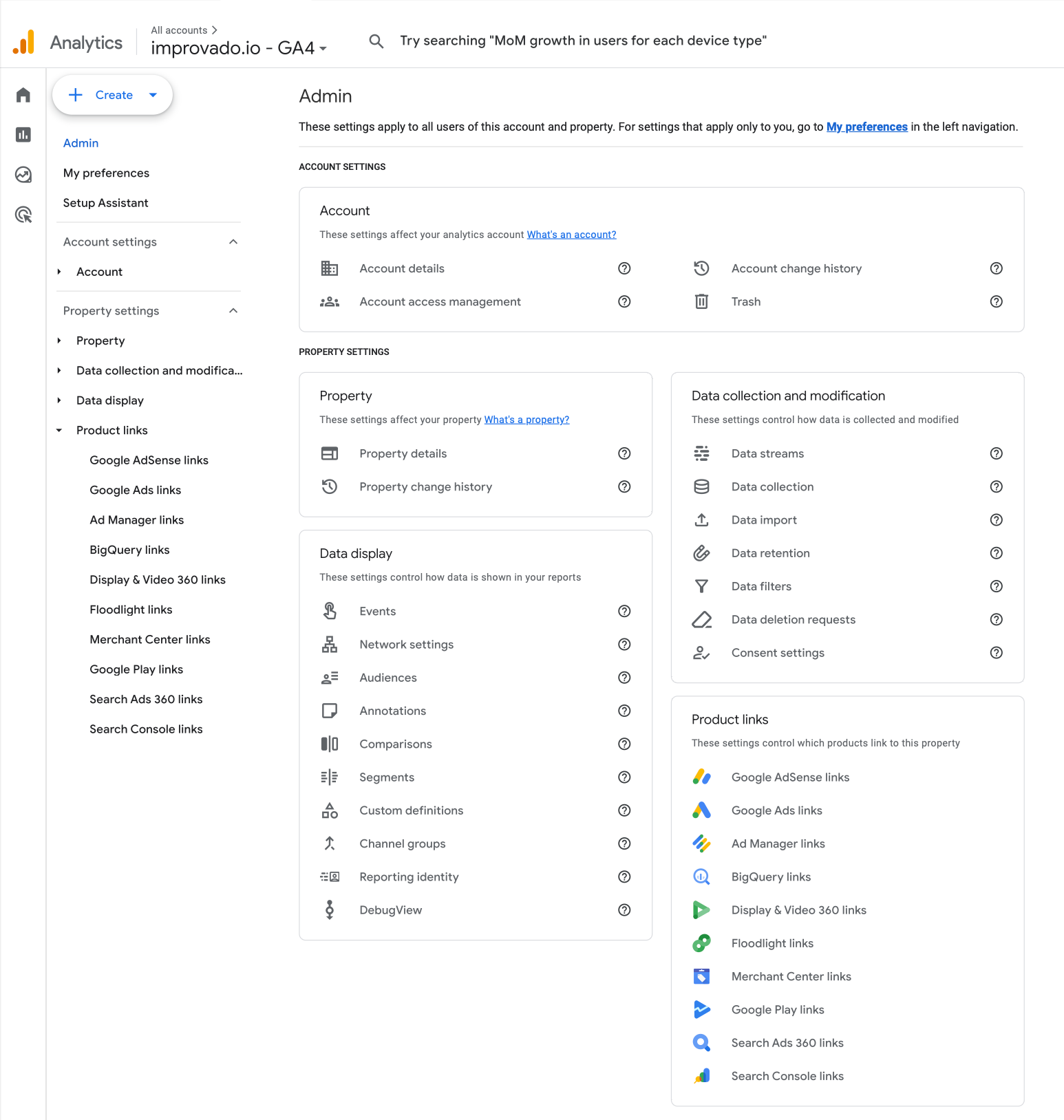
This integration is simple to set up and immediately enriches your web analytics data with advertising cost and SEO query information. While valuable, it often keeps the data within the analytics tool's interface and doesn't connect to deeper business metrics like revenue.
Level 2: Platform-to-Platform Integration
This level involves connecting two distinct major systems, such as your web analytics tool and your CRM.
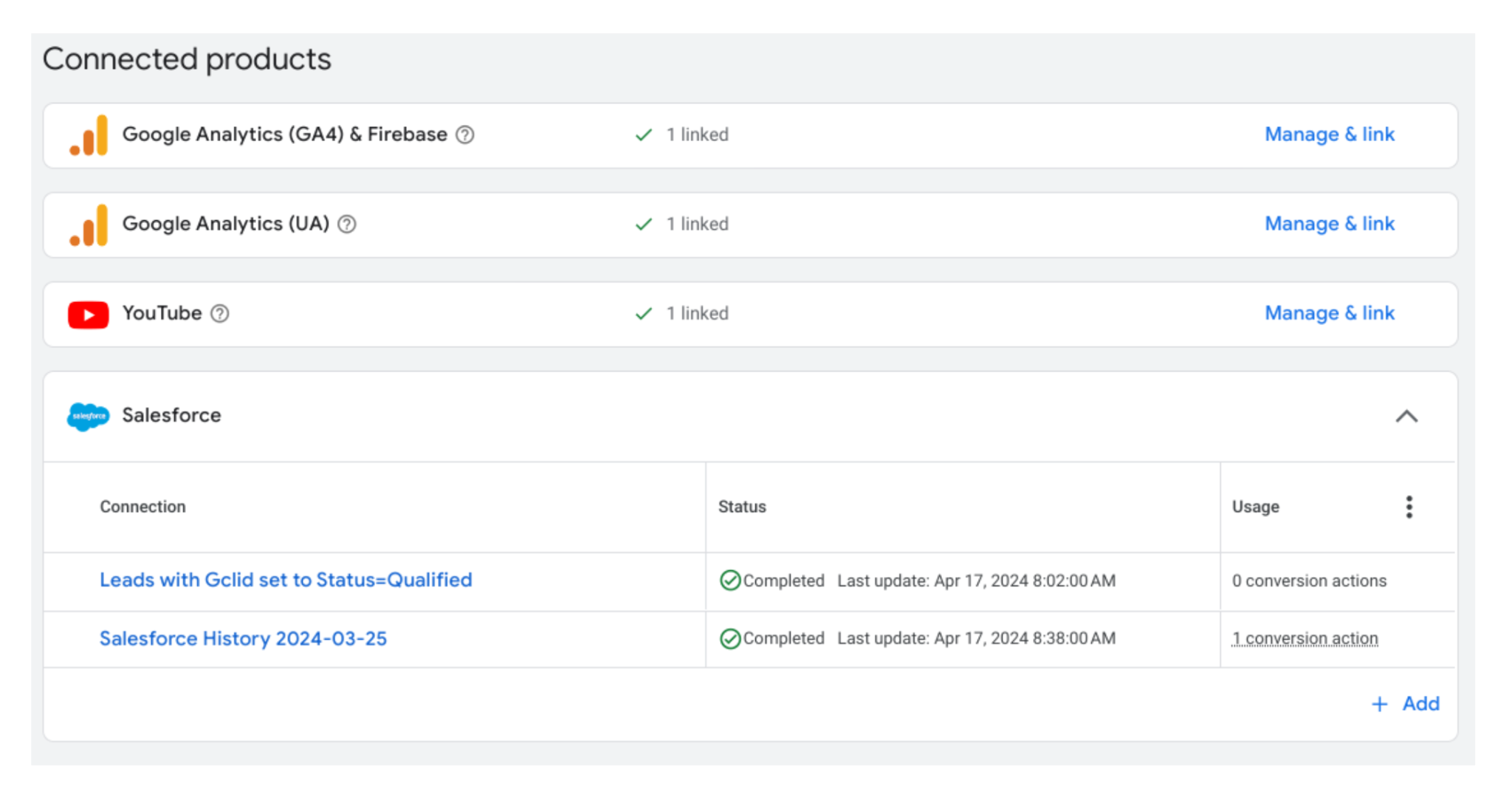
This allows you to see which campaigns led to qualified leads or closed deals directly within the GA interface. It's a significant step forward, but can still be limited by the specific data points each platform's API allows you to share.
Level 3: Data Warehouse Integration
This is the gold standard for integrated analytics. At this level, you extract raw, granular data from all your key systems, including web analytics, CRM, ad platforms, email tools, POS systems, and load it into a central data warehouse like BigQuery, Snowflake, or Redshift. This creates a single source of truth.
Here, you have complete control to join, model, and analyze the data in any way you see fit, building a truly custom view of your business performance. Setting up a robust marketing data pipeline is essential for this approach.
Level 4: Real-Time Activated Integration
The most advanced level uses the unified data from a warehouse to trigger actions in other systems in real-time.
For example, if a high-value customer from your CRM visits a specific pricing page, this event can trigger an automated, personalized email or push them into a targeted advertising audience.
This level moves beyond analysis and into automated, data-driven action, creating a highly responsive and personalized customer experience.
How to Integrate Web Analytics Tools: Methods & Technologies
There are several technical methods to achieve web analytics integration.
The right method depends on your team's technical expertise, budget, and the complexity of your data ecosystem. Each approach has its own set of advantages and challenges.
Native Connectors: The Simplest Starting Point
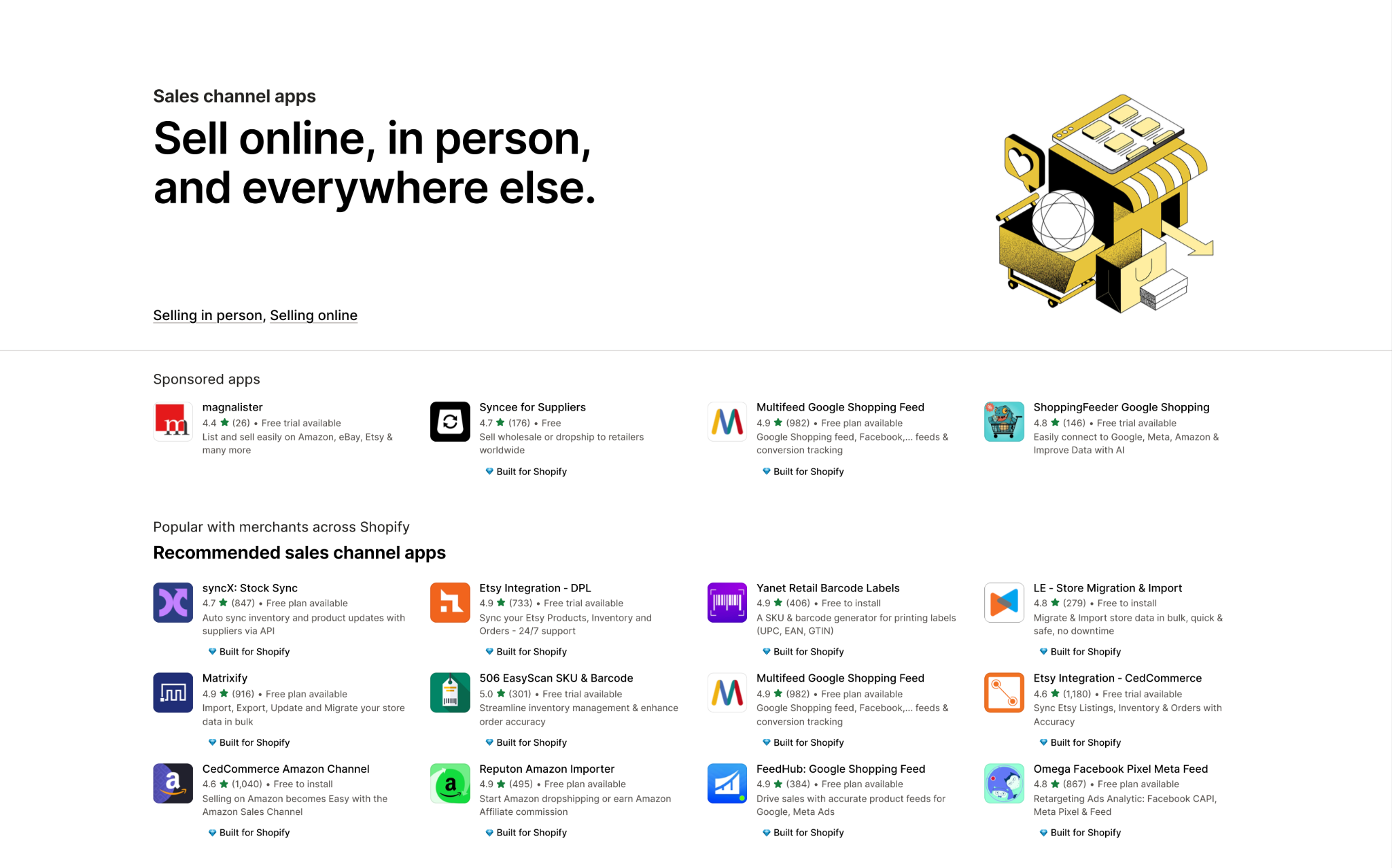
Most major SaaS platforms offer pre-built integrations with other popular tools.
APIs: Custom and Flexible Data Exchange
An Application Programming Interface (API) is a set of rules that allows different software applications to communicate with each other.
Using APIs, your developers can build custom integrations to pull specific data from one system and push it to another. This offers immense flexibility but requires significant technical resources to build and maintain.
For example, you could use the Google Analytics Data API to pull user behavior data and send it to your internal business intelligence system.
AdCellerant needed to expand its platform with more advertising integrations. However, in-house development on an API connector took over 6 months per integration and approximately $120,000 in costs.
Instead, AdCellerant chose Improvado, which offers 1,400+ pre-built integrations. Improvado’s embedded iframe provided a seamless white-labeled experience, allowing end-users to connect accounts directly through the AdCellerant web application.
"It's very expensive for us to spend engineering time on these integrations. It’s not just the cost of paying engineers, but also the opportunity cost. Every hour spent building connectors is an hour we don’t spend deepening our data analysis or working on truly meaningful things in the market."

Tag Management Systems (GTM, Tealium)
Tag Management Systems (TMS) like Google Tag Manager are powerful tools for managing tracking codes on your website. They can also be used for integration.
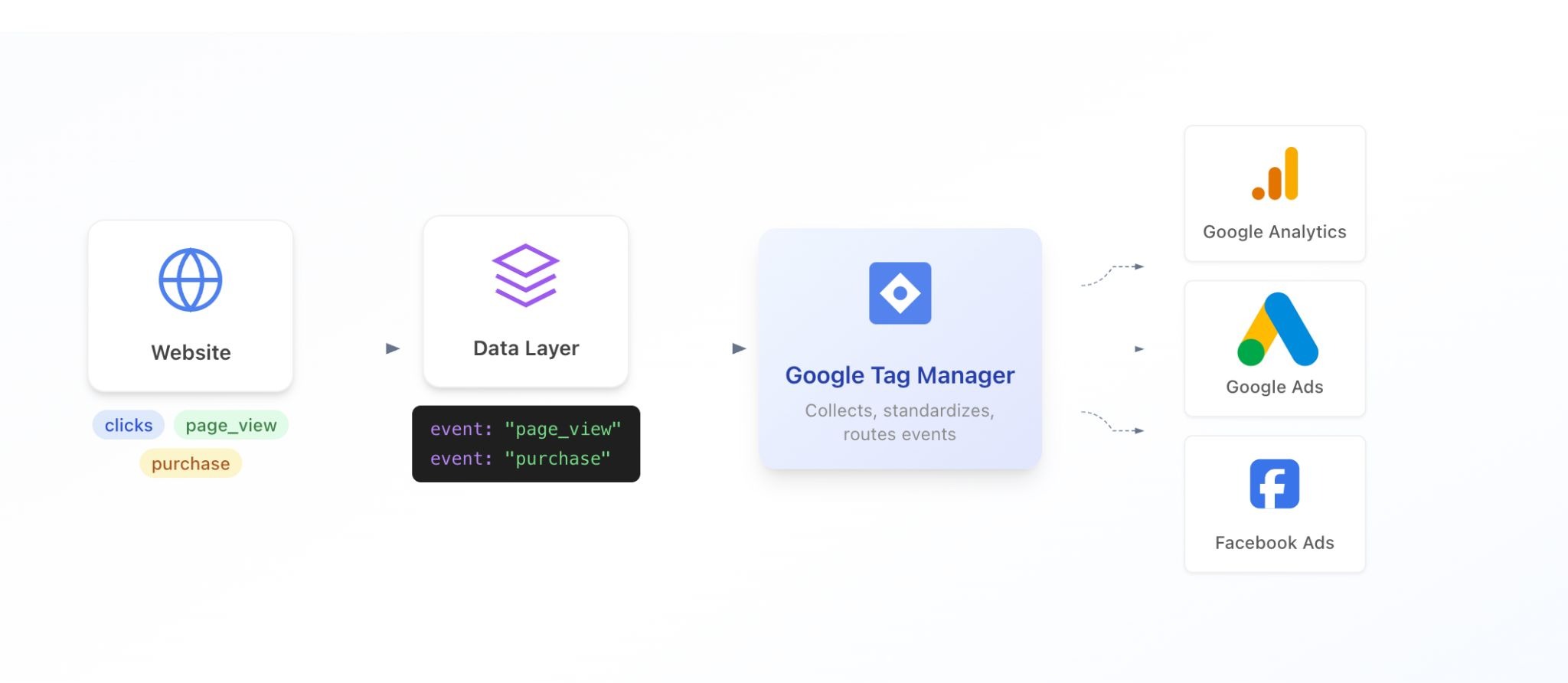
A TMS can capture data from the data layer on your website (like a User ID or transaction details) and send it not only to your web analytics tool but also to other endpoints like your CRM, ad platforms, or data warehouse.
This centralizes data collection at the point of user interaction.
ETL/ELT Platforms: The Scalable Solution for Marketers
ETL (Extract, Transform, Load) and ELT (Extract, Load, Transform) platforms are specialized solutions designed for data integration.
These platforms provide pre-built connectors to hundreds of marketing and sales tools. They handle the complex work of extracting data via APIs, cleaning and normalizing it into a consistent format, and loading it into a data warehouse.
Improvado operates as a marketing-focused ETL/ELT layer. It connects to 1,400+ platforms, automates refresh schedules, aligns metric definitions, enforces naming conventions, and resolves identifiers across systems. Transformations are executed inside your warehouse, preserving scalability and performance.
This approach enables warehouse-native analytics, making Level 3 integration accessible without a large data engineering team.
| Integration Method | Technical Skill | Scalability | Flexibility | Maintenance | Best For |
|---|---|---|---|---|---|
| Native Connectors | Low | Low | Low | Low | Simple, two-platform integrations (e.g., GA + Google Ads). |
| Custom API Work | High | High | High | High | Unique, specific data needs with available developer resources. |
| Tag Managers | Medium | Medium | Medium | Medium | Sending event-level data from your website to multiple systems. |
| ETL/ELT Platforms | Low | High | High | Low | Combining many data sources into a central warehouse for analysis. |
A Step-by-Step Guide to Integrating Google Analytics with Your CRM
One of the most valuable integrations is connecting your web analytics data with your Customer Relationship Management (CRM) system. This allows you to link pre-conversion behavior with post-conversion value, providing a full-funnel view of performance. Here's how to do it the right way.
The Challenge: Why UTMs Alone Are Not Enough
Many marketers rely solely on UTM parameters (utm_source, utm_medium, utm_campaign) captured in hidden form fields.
While better than nothing, this approach is deeply flawed. It only captures the last touchpoint before a form submission, completely ignoring the complex, multi-session customer journey that led to that conversion.
A user might discover your blog via organic search, visit again from a social media post, and finally convert through a branded paid search ad. A UTM-based model would incorrectly give 100% of the credit to paid search, ignoring the critical roles of SEO and social media.
The Solution: Using ClientID and UserID for Accurate Tracking
The key to a robust integration is a persistent, unique user identifier. Google Analytics provides two such identifiers:
- ClientID: An anonymous ID randomly generated by Google Analytics and stored in the user's browser cookie. It identifies a unique browser/device.
- UserID: An ID you assign to a known, signed-in user. This allows you to track the same individual across multiple devices (e.g., their laptop and phone).
By capturing one of these IDs and passing it into your CRM along with a lead, you create a reliable key to join your two datasets. You can then query the Google Analytics API for that specific ClientID to retrieve the user's entire session history.
Step 1: Capturing the ClientID on Your Website
First, you need to access the Google Analytics ClientID and make it available.
This typically involves a small piece of JavaScript that retrieves the ID from the _ga cookie. You can then store this value in the browser's local storage or push it to the data layer to be used by your Tag Management System.
Step 2: Passing the ClientID into Your CRM Forms
Next, you must modify the forms on your website. Add a new hidden field to every form (contact, demo request, newsletter signup).
Use JavaScript to populate this hidden field with the ClientID you captured in the previous step. When a user submits the form, the ClientID will be sent to your CRM along with their name, email, and other information, and stored in a custom field on the lead or contact record.
Step 3: Setting Up Your Data Pipeline to Join Datasets
With the ClientID in both Google Analytics and your CRM, you can now connect them. Using an ETL tool or a custom script, you will:
- Extract lead and opportunity data from your CRM, including the ClientID.
- Extract session-level data from the Google Analytics API, filtering for the ClientIDs present in your CRM data.
- Load both datasets into your data warehouse.
- Join the two tables using the ClientID as the common key.
Step 4: Visualizing the End-to-End Customer Journey
Once the data is joined in your warehouse, you can connect it to a business intelligence (BI) tool like Looker, Tableau, or Power BI. This is where the magic happens.
You can build reports and dashboards that show the full user journey for every closed deal. Visualize the sequence of channels, the number of sessions before conversion, and the specific content they engaged with.
These powerful visuals are often presented in detailed KPI dashboards that clearly demonstrate marketing's impact on revenue.
Integrating Other Key Platforms with Web Analytics
While CRM integration is foundational, connecting other marketing platforms unlocks even deeper insights.
A comprehensive strategy integrates data from all key channels to understand how they influence on-site behavior and contribute to business goals.
Google Search Console: Unifying SEO and On-Site Behavior
Google Search Console (GSC) provides invaluable data on how your site performs in organic search results, including impressions, clicks, and average ranking for specific keywords. By integrating GSC data with Google Analytics, you can analyze the on-site behavior of users who arrived from specific search queries.
This helps you understand user intent, identify high-performing content, and find opportunities to improve your landing page experience for crucial SEO keywords.
Social Media Platforms: Tracking Social-to-Website Funnels
Platforms like Facebook, LinkedIn, and Twitter drive significant traffic. By combining ad spend and engagement data with website session data, you can measure the true effectiveness of your social media efforts.
This requires a robust approach to social media analytics, linking ad impressions and clicks to on-site conversions and downstream revenue to calculate the actual ROI of your social campaigns.
Email Marketing Tools: Measuring Campaign Impact
Integrating your email marketing platform (Mailchimp, Marketo, and other platforms) is essential for understanding how email drives user engagement and sales. By passing subscriber IDs or using tagged links, you can connect specific email campaigns to website sessions, product views, and purchases.
This allows you to measure the effectiveness of different email strategies, segment your audience based on website behavior, and build automated nurture campaigns triggered by on-site actions.
Comparison of Web Analytics Integration Solutions
Choosing the right integration solution depends heavily on your company's scale, budget, and in-house technical capabilities. The market offers a range of options, from simple point-to-point connectors to sophisticated, enterprise-grade platforms.
Native Integrations (like HubSpot, Salesforce)
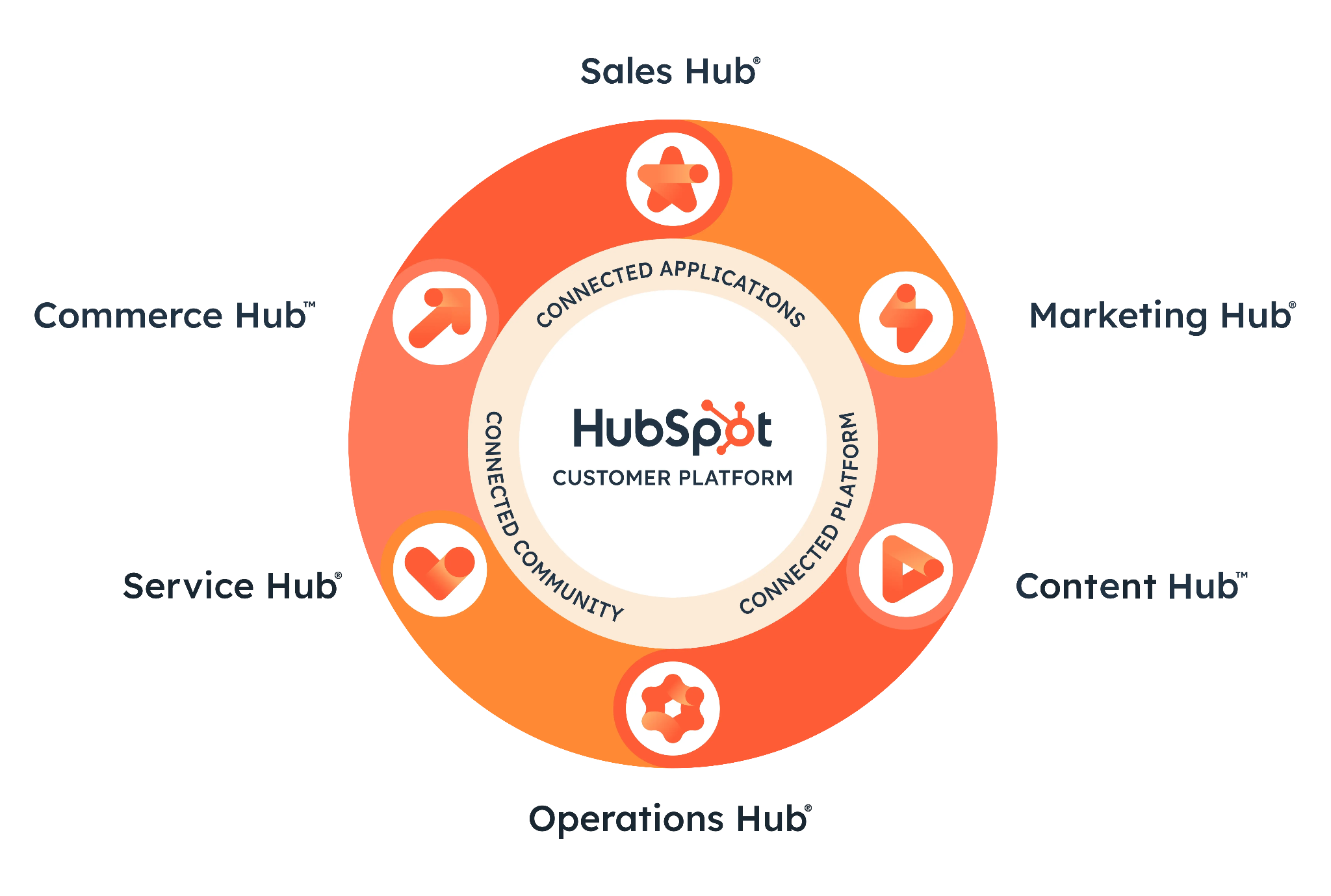
All-in-one platforms like HubSpot are built on the principle of integration. They offer a native CRM, email marketing, and web analytics capabilities in a single package. The primary benefit is seamless data flow between these components.
However, you are often locked into their ecosystem, and integrating with external, best-of-breed tools can be more challenging.
These platforms are excellent for small to medium-sized businesses looking for simplicity and a unified user interface.
iPaaS Solutions (like Zapier, Workato)
Integration Platform as a Service (iPaaS) tools like Zapier allow you to create automated "if-this-then-that" workflows between different applications.
They are great for simple, trigger-based integrations, such as creating a new CRM lead whenever a form is submitted.
While incredibly flexible for task automation, they are generally not designed for large-scale, historical data analysis required for comprehensive marketing analytics.
Marketing Data Platforms (like Improvado)
Marketing data platforms like Improvado are purpose-built to solve the marketing data integration problem at scale. They combine the ease of use of pre-built connectors with the power of a data warehouse approach.
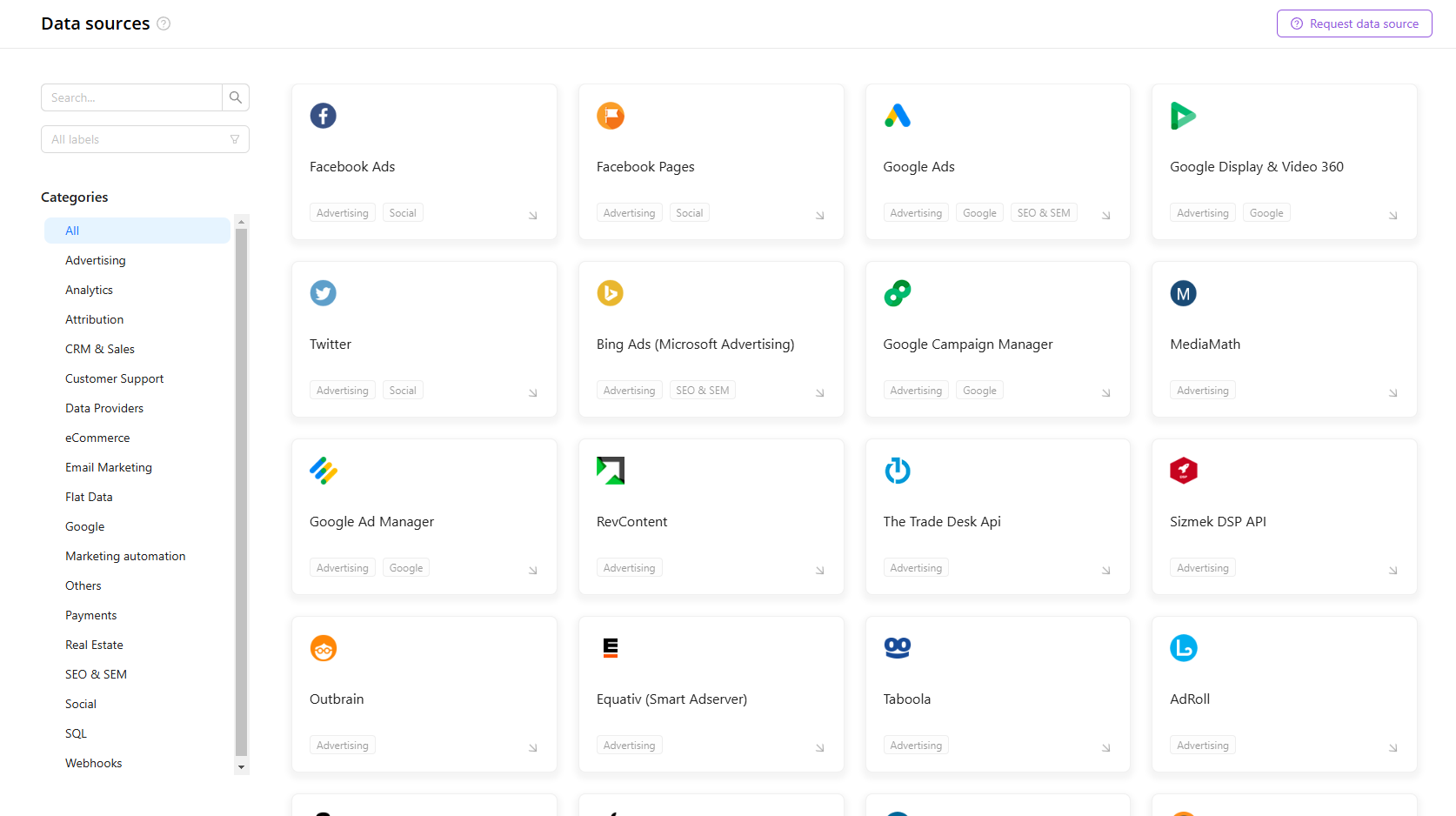
The platform handles:
- API schema changes and version updates
- Attribution window differences across channels
- Currency and timezone normalization
- Campaign naming standardization
- Metric alignment across platforms
- Identity and entity mapping
Data is extracted automatically and loaded into your warehouse environment such as Snowflake or BigQuery. Transformations are applied inside the warehouse using governed logic. This preserves performance and scalability while maintaining consistent definitions across dashboards.
Improvado does not only move data. It builds a structured marketing data foundation.
For organizations operating across multiple channels and regions, Improvado replaces manual exports, custom scripts, and fragmented reporting workflows with a governed, warehouse-native architecture. The result is a reliable single source of truth for marketing performance and attribution.
Best Practices for a Successful Integration Project
A web analytics integration project involves more than just technology. It requires careful planning, cross-functional collaboration, and a commitment to data quality. Following these best practices will significantly increase your chances of success.
Start with a Clear Measurement Plan and KPIs
Before you connect any systems, clearly define what you want to achieve. What business questions are you trying to answer?
What Key Performance Indicators (KPIs) will measure success?
Your measurement plan should outline the metrics that matter most, from top-of-funnel engagement to bottom-of-funnel revenue. This plan will guide your entire integration strategy.
Ensure Data Governance and Consistency
The success of your integration depends on the quality of your source data.
Establish and enforce strict data governance policies. The most critical area is often campaign tagging. Create a consistent UTM naming convention that everyone in the company follows.
This ensures that data from different campaigns and channels can be accurately aggregated and compared. Misaligned campaign names can completely derail your analysis.
Choose the Right Integration Method for Your Needs
As discussed earlier, there are multiple ways to integrate data. Don't default to the easiest or the most complex solution. Evaluate your needs honestly.
If you only need to connect Google Ads and Google Analytics, a native connector is perfect.
If you need to combine data from 20 different marketing platforms, investing in a dedicated ETL platform is the smarter long-term decision.
The right tool will save you time and prevent future headaches.
Test and Validate Your Data at Every Step
Never assume your integration is working correctly. Set up a rigorous testing and validation process.
After connecting two systems, compare the data in both sources to check for discrepancies. Do conversion counts match? Are revenue figures aligned?
Run small pilot projects to ensure the data flows as expected before rolling out the integration across the entire organization.
This proactive approach catches errors early before they corrupt your analysis.
Overcoming Common Web Analytics Integration Challenges
While the benefits are immense, the path to a fully integrated analytics stack is not without its obstacles. Being aware of these common challenges can help you plan for them and navigate them effectively.
Data Discrepancies and Mismatched Metrics
You will inevitably find that different platforms report the same metric with different numbers. For example, Facebook and Google Analytics will report different conversion counts for the same campaign due to different attribution models.
It's crucial to understand why these data discrepancies exist. Document the definition of each metric in each system and establish a single source of truth (usually your data warehouse) for reporting.
Before Booyah Advertising implemented Improvado, their analytics team struggled with fragmented data architecture and frequent accuracy issues. Entire days of data were missing, duplicates distorted performance metrics, and aggregation across over 100 clients required extensive manual reconciliation.
After the migration, Booyah realized 99.9% data accuracy and cut daily budget-pacing updates from hours to 10-30 minutes. Improvado’s unified pipelines, normalization logic, and real-time refresh capability gave the agency full visibility and control over multi-source data (15–20 feeds per client).
“We never have issues with data timing out or not populating in GBQ. We only go into the platform now to handle a backend refresh if naming conventions change or something. That's it. With Improvado, we now trust the data. If anything is wrong, it’s how someone on the team is viewing it, not the data itself. It’s 99.9% accurate.”

Handling Personally Identifiable Information (PII)
Privacy regulations like GDPR and CCPA impose strict rules on handling PII. It is against Google Analytics' terms of service to send PII (like email addresses) into the platform.
Your integration strategy must be designed with privacy in mind. This involves using non-PII identifiers like ClientID and ensuring that your data storage and processing are compliant with all relevant regulations.
Technical Resource Constraints
Building and maintaining custom API integrations requires specialized engineering skills. Many marketing teams do not have dedicated developer support, which can be a major bottleneck.
This is where using specialized data integration tools can provide a significant advantage. They abstract away the technical complexity, allowing marketing operations professionals to manage data pipelines without needing to write code.
Maintaining the Integration as Platforms Evolve
The digital marketing landscape is constantly changing. Platforms update their APIs, change metrics, and add new features. An integration that works perfectly today might break tomorrow. This requires ongoing maintenance and monitoring.
If you build a custom solution, you are responsible for keeping it up to date. If you use a managed platform, the vendor handles this maintenance for you, which is a major benefit.
The Future of Integrated Web Analytics
Web analytics is shifting from session-based reporting to identity-driven intelligence. The focus is no longer traffic volume. It is unified behavioral data tied to revenue, retention, and predictive modeling. Integration architecture will determine how fast organizations adapt.
Several structural trends are reshaping the landscape.
AI and Predictive Modeling on Unified Data
Once behavioral, CRM, and transaction data are unified, predictive analytics becomes practical. Models can evaluate patterns across sessions, campaigns, and customer history.
Use cases include:
- Conversion propensity scoring
- Lifetime value forecasting
- Churn prediction
- Budget reallocation based on marginal return
- Dynamic bidding adjustments
These models rely on structured, cross-channel datasets. Without integration, AI operates on incomplete signals.
The future is not just dashboards. It is automated recommendations driven by warehouse-level data.
First-Party Data and Cookieless Architecture
Third-party cookies are declining. Browser restrictions and privacy regulations limit external tracking.
This shifts the focus to first-party data:
- Authenticated user behavior
- CRM records
- Purchase history
- Email engagement
- On-site events
Web analytics integration must connect anonymous session data to consented identity data. This requires:
- Persistent identifiers
- Clean identity resolution
- CRM and warehouse integration
- Clear consent management
In a cookieless environment, first-party data quality becomes a competitive advantage.
Event-Based and Server-Side Tracking
Client-side tracking is becoming less reliable due to ad blockers and browser restrictions. Organizations are moving toward:
- Server-side tagging
- Event streaming pipelines
- Direct API ingestion
This improves data completeness and control. It also increases infrastructure complexity. Integrated web analytics must support streaming ingestion and structured transformation.
Composable CDP Architecture
The monolithic CDP model is losing traction. Many organizations are building composable architectures based on:
- Central data warehouse
- Identity resolution layer
- Data transformation pipeline
- Activation tools
This modular model provides flexibility and reduces vendor lock-in. It allows independent scaling of storage, compute, and activation.
A composable architecture requires strong integration logic. Data must move consistently between systems. Schemas must remain standardized. Governance must be enforced upstream.
Governance and Privacy by Design
As integration deepens, compliance risk increases. Future-ready web analytics frameworks embed:
- Role-based access controls
- Data masking and encryption
- Audit logs
- Consent-aware processing
Privacy is becoming part of architecture design, not a post-processing step.
The future of integrated web analytics is warehouse-centric, identity-driven, predictive, and governed. Organizations that invest in scalable ingestion, standardized data models, and AI-ready infrastructure will move faster than those relying on fragmented tracking systems.
Conclusion
Web analytics integration is the bridge between seeing what happens and understanding why it matters. It transforms your analytics from a rearview mirror into a GPS, providing clear guidance on how to grow your business.
By breaking down data silos and connecting online behavior to offline results, you gain an unparalleled understanding of your customer journey. This clarity allows you to optimize every aspect of your marketing, from ad spend and content strategy to user experience and customer retention.
The journey from fragmented data to a single source of truth requires a strategic approach, the right technology, and a commitment to data quality. Whether you start with simple native connectors or invest in a scalable marketing data platform, the goal is the same: to make faster, smarter decisions backed by comprehensive, trustworthy data.
Related reading: Chargebee Analytics Guide for Data Analysts (2026), ClickHouse Analytics: Complete Guide for Marketers 2026, Databricks Analytics Guide: How Marketing Teams Use It, Domo Analytics: Features, Use Cases & Alternatives (2026), Gong Analytics Guide 2026: Revenue Intelligence Explained, Greenhouse Analytics Guide: Reports & Data Integration, HubSpot Analytics Guide 2026: Setup, Reports & Limits, Klaviyo Analytics: 9 Best Practices for Data Analysts