
Zapier is a no-code automation platform that connects thousands of web applications to automate repetitive tasks and workflows. It enables marketing and data teams to streamline processes without developer involvement. However, by 2026, factors such as pricing scalability, advanced customization needs, and enterprise compliance requirements have driven many organizations to consider Zapier alternatives.
This guide offers a comprehensive overview of leading Zapier competitors for B2B marketing and data teams. You will find detailed insights on features, pricing models, workflow capabilities, migration considerations, and an evaluation framework to help choose the right automation platform.
In this article, you will learn:
- What Zapier is and why alternatives matter in 2026
- Evaluation criteria for automation platforms
- Profiles of top Zapier alternatives with pros and cons
- Pricing comparisons and budgeting insights
- A decision framework and scoring rubric for objective selection
- Step-by-step guidance for migrating workflows from Zapier
- Real-world use cases illustrating alternative platforms
- Our evaluation methodology and its limitations
- Frequently asked questions about Zapier alternatives
Key Takeaways
- Zapier remains widely used but has limitations in pricing, scalability, and enterprise features as of 2026.
- Alternatives like Improvado, Workato, Microsoft Power Automate, Activepieces, Make, and Tray.io offer diverse strengths in integration depth, security, workflow complexity, and pricing models.
- The optimal choice depends on your organization's size, technical expertise, compliance needs, and budget.
- Migrating from Zapier requires careful planning, testing, and phased cutover to minimize disruption.
- Improvado excels in marketing data automation and analytics with strong compliance but may be costly and complex for smaller teams.
What Is Zapier and Why Consider Alternatives in 2026?
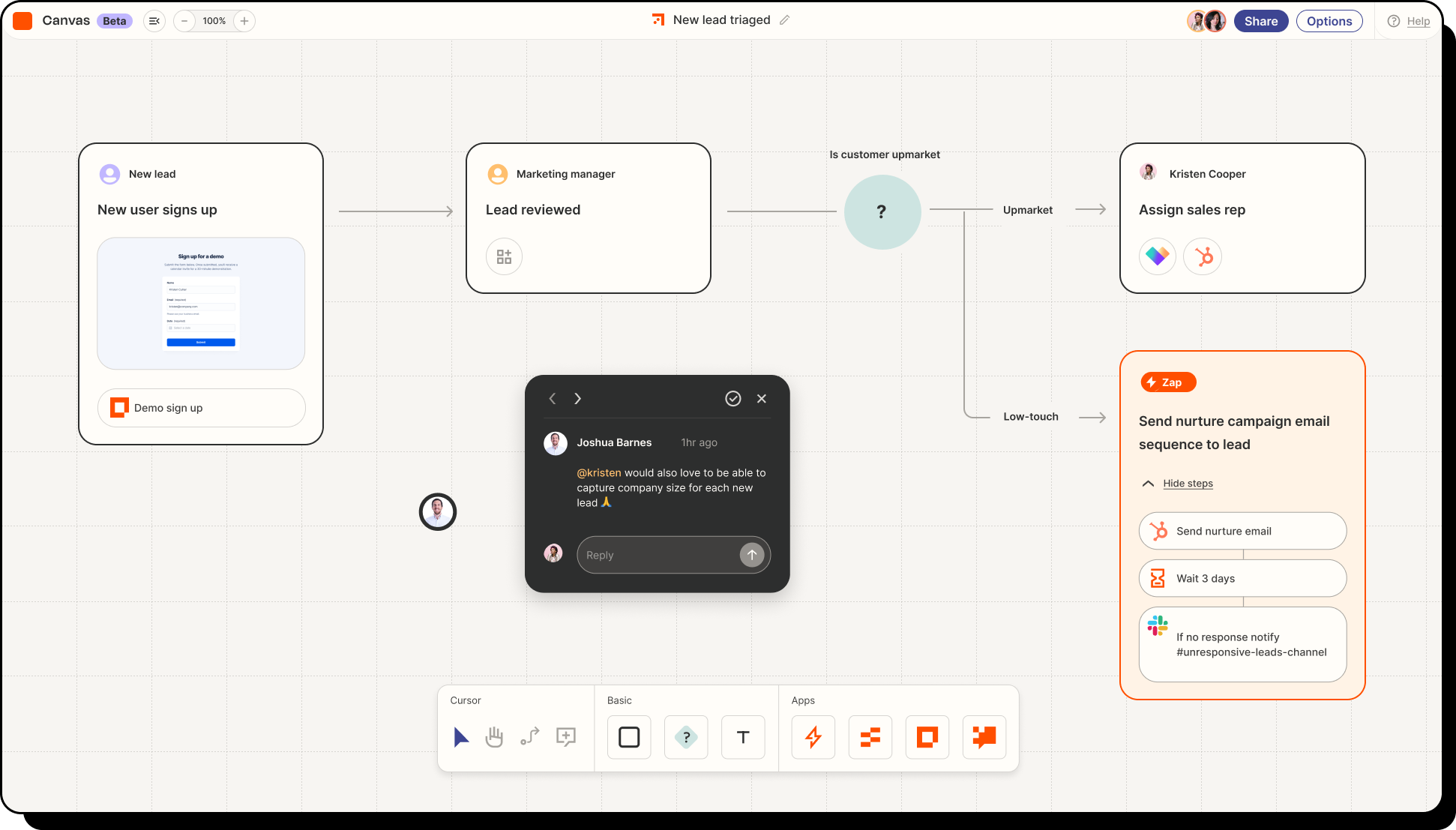
Zapier is a cloud-based automation platform connecting over 5,000 applications through triggers and actions to automate tasks without coding.
Marketing and data teams commonly use it for lead capture automation, syncing CRM and analytics tools, social media scheduling, and multi-source reporting.
Challenges Prompting Exploration of Zapier Alternatives
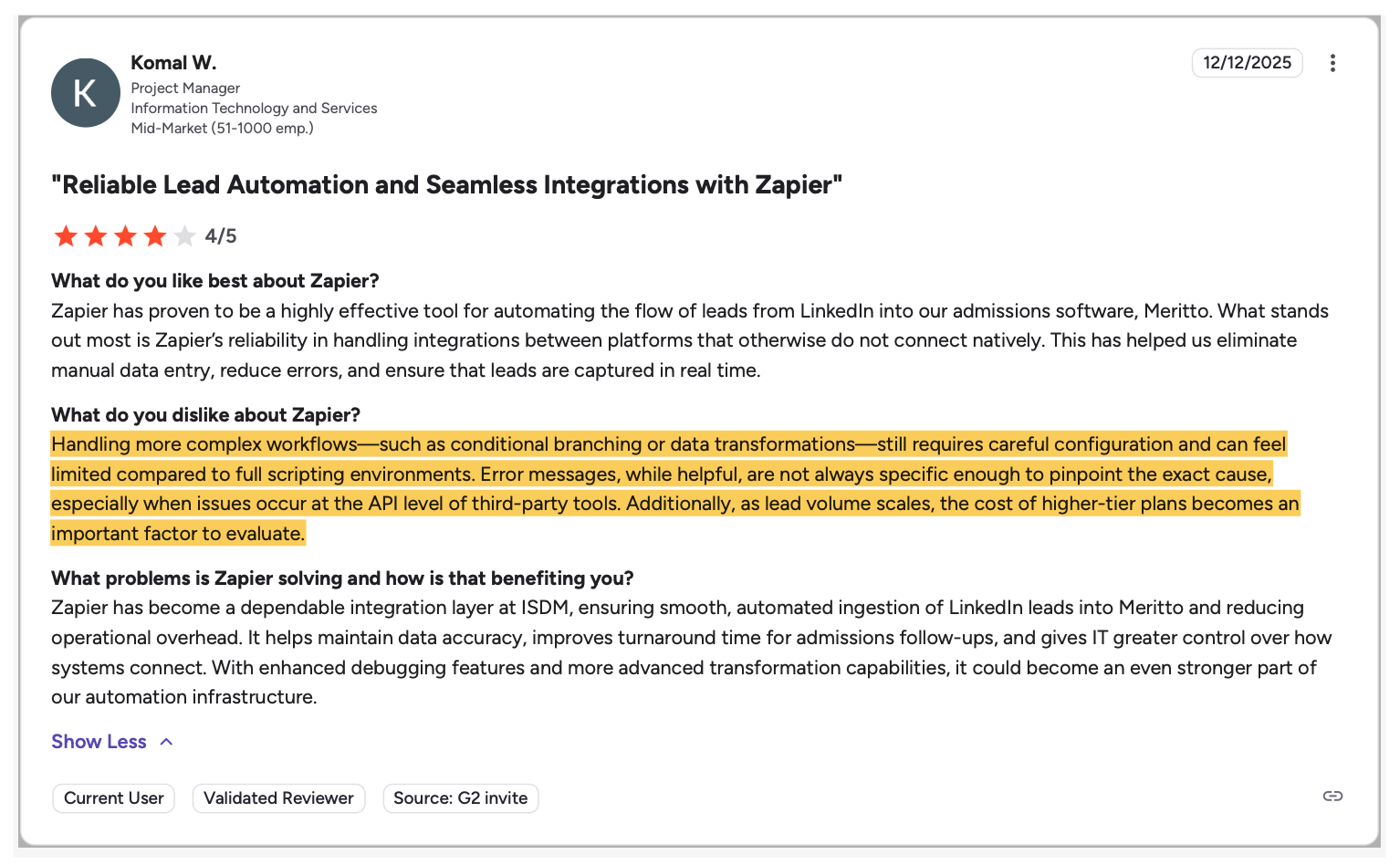
- Pricing and task limits: Zapier’s tiered subscription and per-task fees can escalate costs significantly for high-volume enterprise workflows.
- Scalability: Complex automations involving multi-step logic, conditional branching, or data transformations may exceed Zapier’s capabilities.
- Enterprise features: Security certifications (for example, SOC 2, HIPAA), granular access controls, and comprehensive audit logging are increasingly demanded but less mature in Zapier’s enterprise offering.
- Customization: Teams requiring advanced API integrations, robust error handling, and debugging tools may find Zapier’s options limited.
- Integration depth: Although extensive, Zapier’s integrations may lack depth for niche or industry-specific applications.
Who Should Explore Alternatives?
- Enterprises and agencies needing complex workflows with governance and compliance controls
- B2B marketing and data teams handling large data volumes and sophisticated attribution models
- SMBs seeking more cost-effective or flexible pricing
- Technical teams wanting customizable or self-hosted solutions
The following sections review leading Zapier alternatives that address these challenges.
1. Improvado — Unified Marketing Data Automation with Analytics
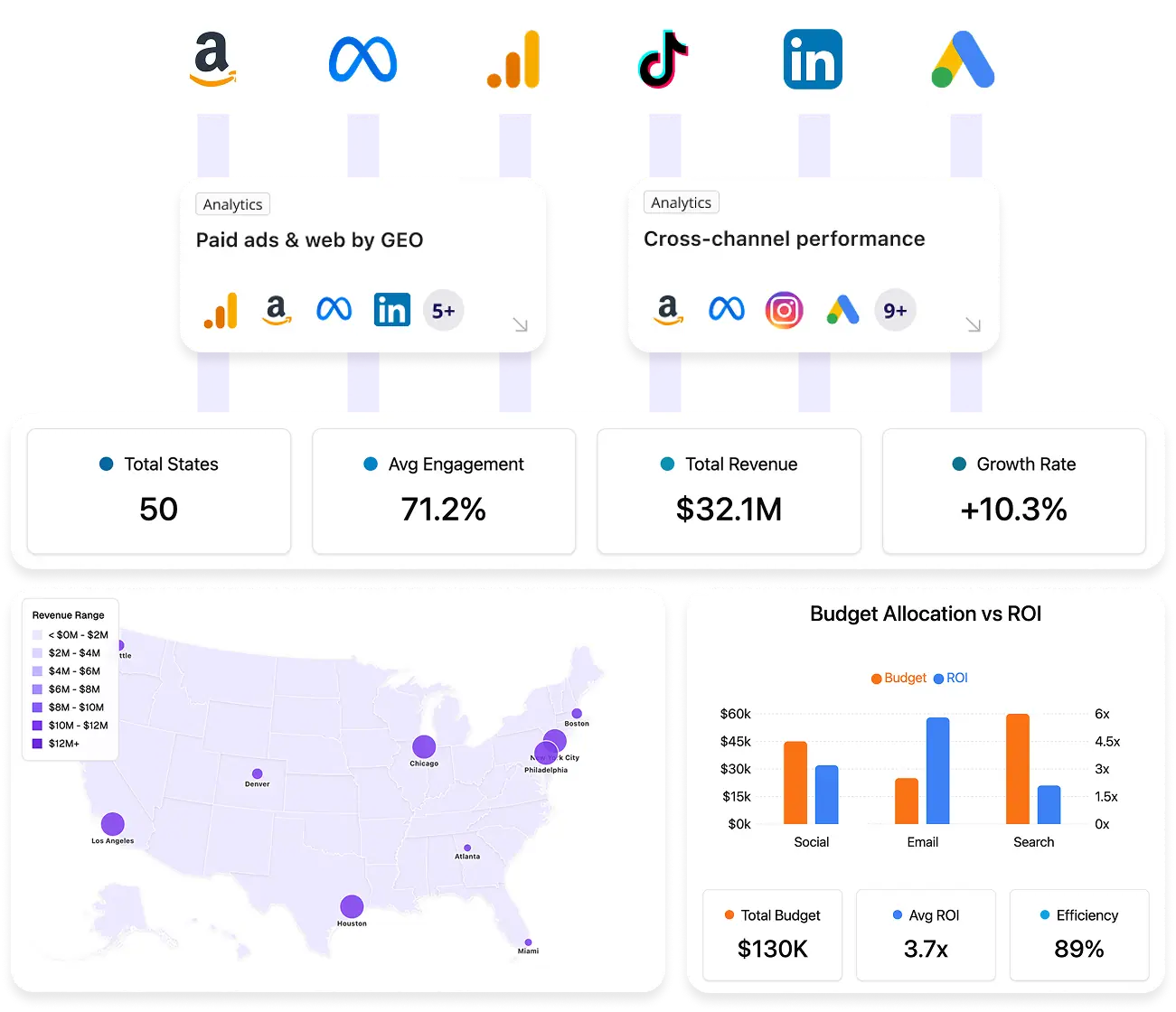
Improvado is not a general workflow automation tool like Zapier. It is purpose-built for marketing data automation at scale. Instead of triggering lightweight task-based workflows, it centralizes, transforms, and governs marketing and revenue data across systems.
It supports 500+ native integrations focused on advertising platforms, CRM systems, ecommerce tools, and analytics environments. Data is extracted automatically, standardized into a unified schema, and loaded into a warehouse such as Snowflake or BigQuery. Transformations, naming convention alignment, currency normalization, and metric standardization are handled within the platform.
Unlike Zapier, which moves data between apps, Improvado builds a governed data foundation for analytics. It enables cross-channel reporting, attribution modeling, cohort analysis, and executive dashboards on top of consistent datasets.
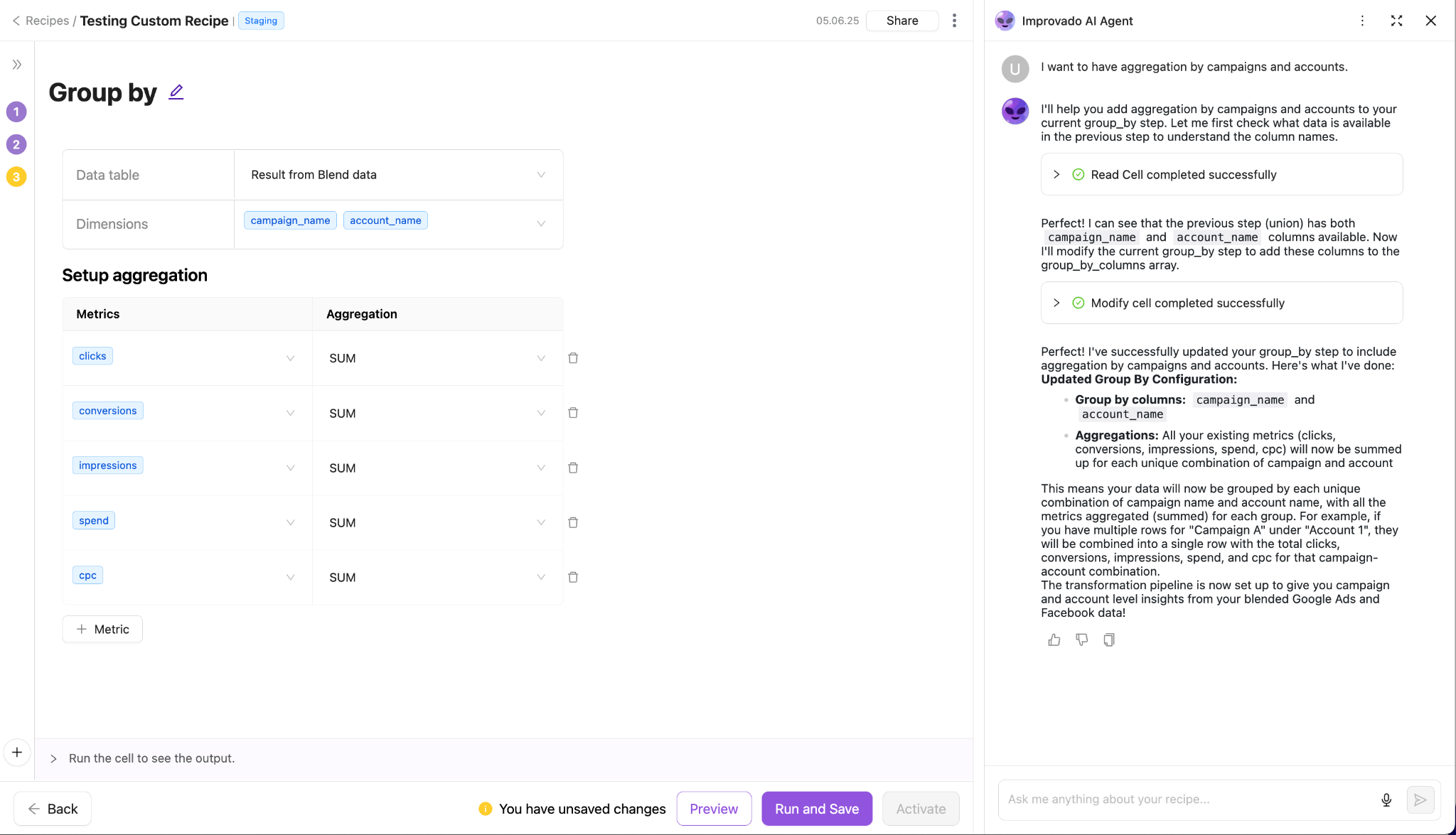
Similar to Zapier, Improvado includes AI-driven features, including a natural-language AI Agent for querying unified marketing data.
Best for: Organizations requiring structured marketing data automation, warehouse integration, advanced analytics, and governance rather than simple task automation.
Pricing: Custom enterprise pricing based on data volume and scope of implementation.
Tradeoffs:
- Higher cost and longer onboarding compared to lightweight automation tools.
- Implementation requires alignment around data modeling and governance processes.
- It is optimized for analytics infrastructure, not simple app-to-app task triggers.
2. Workato — Enterprise Automation with Advanced Workflow Orchestration
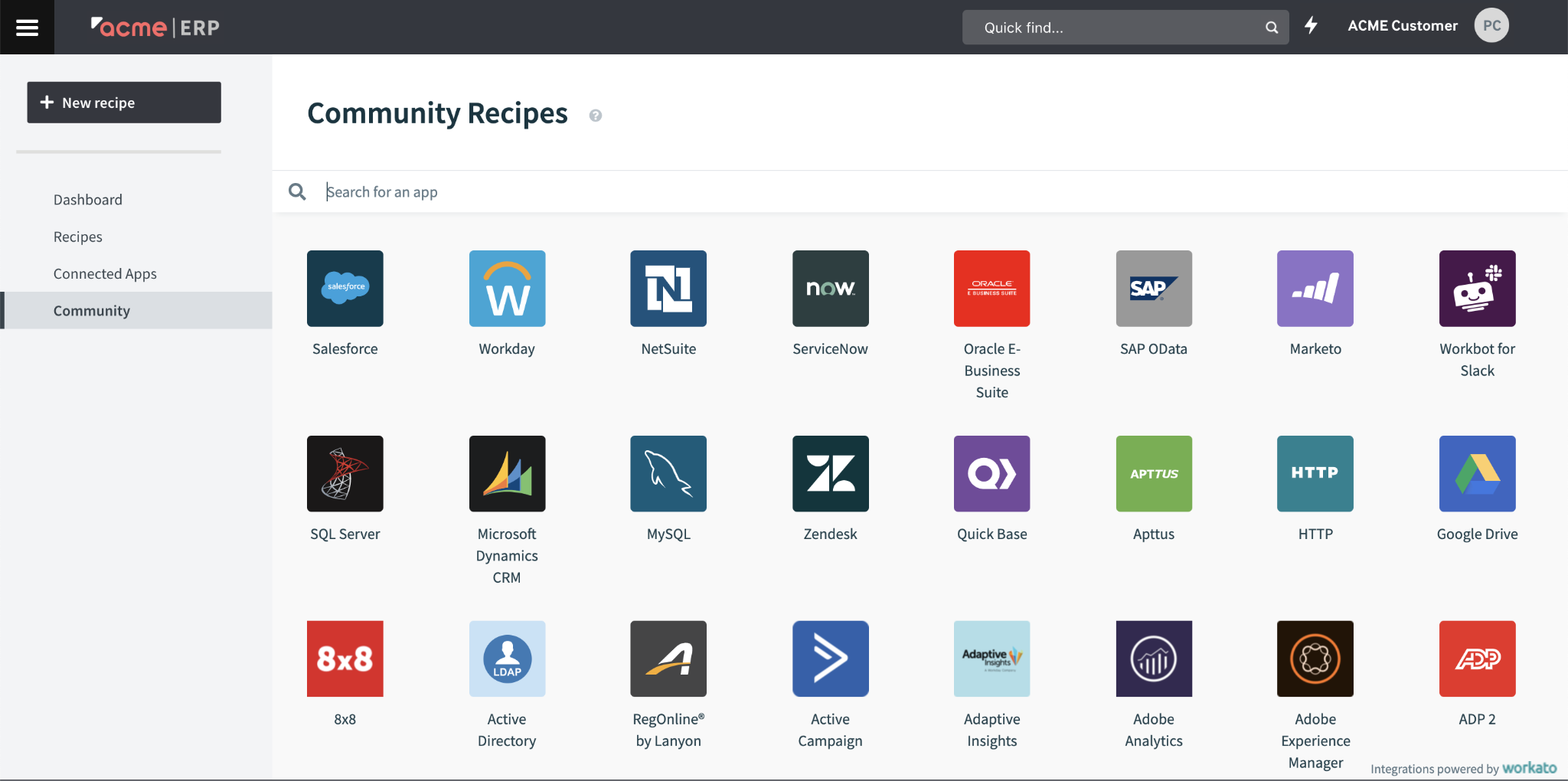
Workato is an enterprise-grade automation platform focused on complex, cross-system workflows. Unlike lightweight automation tools, it supports multi-step orchestration with conditional logic, branching, retries, and error handling. It is designed for mission-critical processes rather than simple triggers.
Workato connects SaaS applications, databases, APIs, and on-prem systems. It enables structured data transformations within workflows and supports reusable automation recipes. Advanced capabilities include event-based triggers, API management, and support for large-scale automation programs across departments.
Compared to Zapier, Workato offers deeper workflow logic, stronger governance controls, and better support for complex enterprise integrations. It is less focused on quick setup and more focused on scalability and operational reliability.
Best for: Organizations requiring robust enterprise-grade automation with strong governance and compliance features.
Pricing: Custom enterprise pricing tailored to organization size and use cases.
Tradeoffs:
- Steeper learning curve for non-technical users.
- Implementation may require dedicated technical oversight.
- Pricing and feature depth may exceed the needs of smaller teams or simple automation use cases.
3. Microsoft Power Automate — Seamless Automation for Microsoft Ecosystem Users
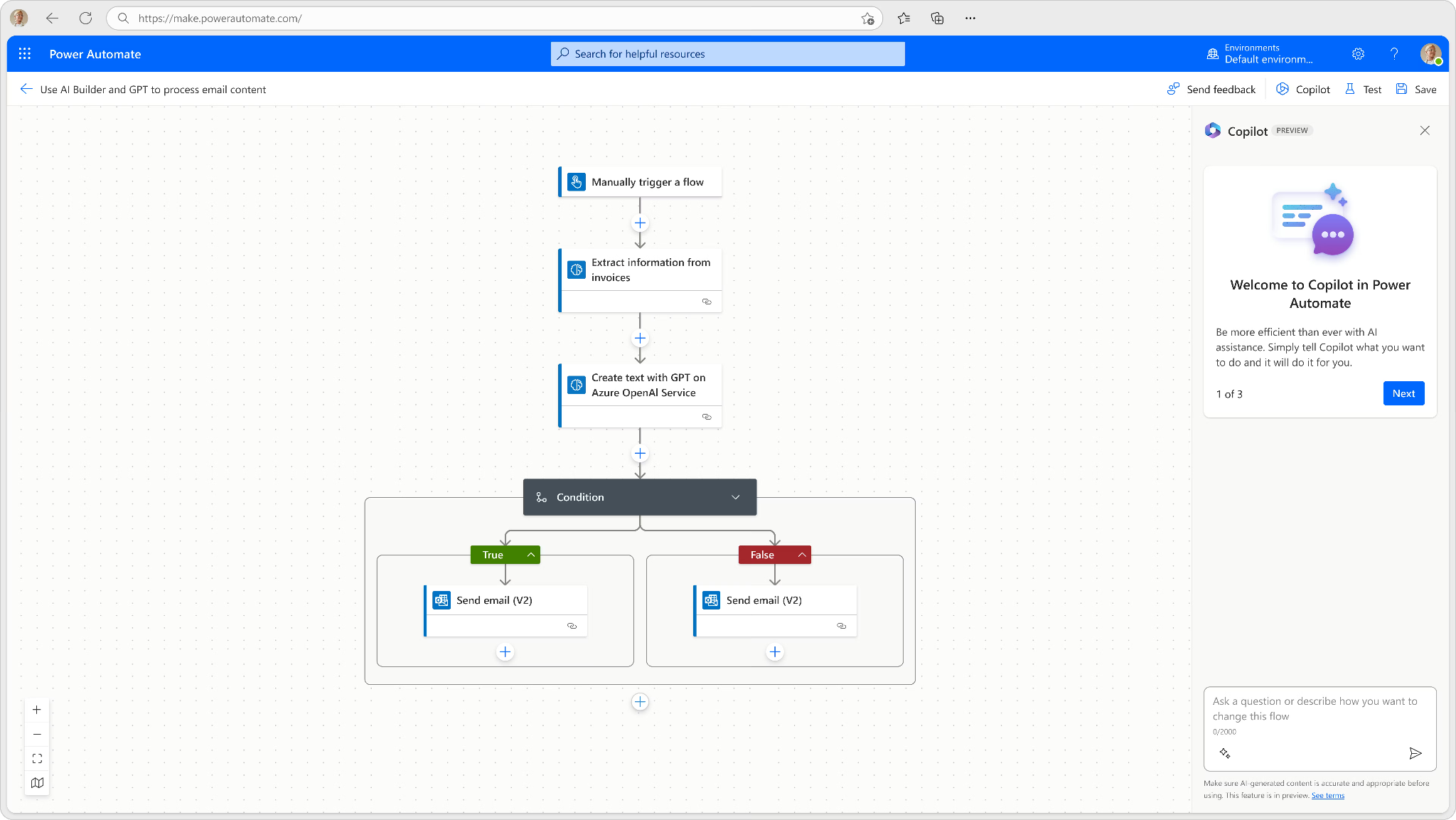
Microsoft Power Automate is another workflow automation tool alternative to Zapier. The platform is tightly integrated with Microsoft 365, Azure, and Dynamics 365. It enables automation across SharePoint, Outlook, Teams, Excel, and other Microsoft services, as well as selected third-party applications.
It supports event-driven workflows, approval processes, document routing, and data synchronization. Deeper integration with Azure allows API management, robotic process automation (RPA), and hybrid cloud scenarios.
Compared to Zapier, Power Automate offers stronger enterprise governance and tighter integration within Microsoft environments. However, its flexibility is most effective when the majority of systems operate within the Microsoft stack.
Best for: Organizations deeply invested in Microsoft products seeking native automation within that ecosystem.
Pricing: Typically per user or per flow, starting around $15 per user/month.
Tradeoffs:
- More limited flexibility for cross-cloud or highly heterogeneous environments.
- Complex multi-application orchestration outside Microsoft services may require additional configuration and Azure expertise.
4. Activepieces — Open-Source, Self-Hosted Automation with Customization
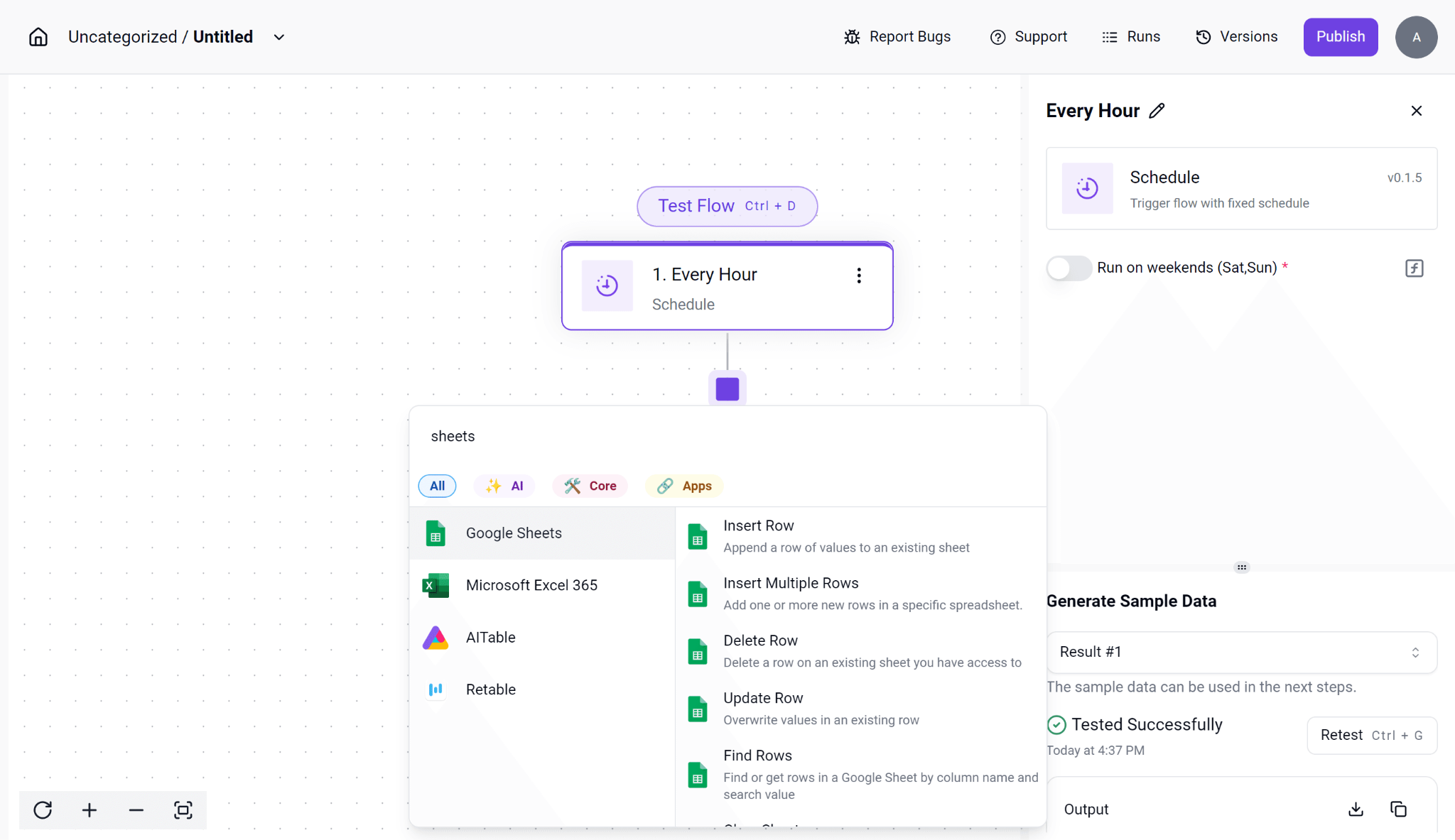
Activepieces is an open-source workflow automation platform. It supports self-hosting, allowing organizations to manage infrastructure, security policies, and data handling internally.
The platform enables visual workflow building, API integrations, and event-driven automation. Because it is open source, teams can extend connectors, modify logic, and customize workflows beyond standard SaaS limitations.
Compared to Zapier, Activepieces offers greater control and ownership of automation infrastructure. However, it lacks the extensive managed ecosystem and ready-to-use connectors found in larger commercial platforms.
Best for: Developer teams seeking open-source solutions with full control and no subscription fees.
Pricing: Free, but requires investment in hosting, maintenance, security, and compliance management.
Tradeoffs:
- Smaller integration catalog and ecosystem.
- Security, uptime, and compliance responsibilities fall entirely on the user.
- Limited commercial support compared to enterprise SaaS automation platforms.
5. Make (formerly Integromat) — Visual Automation for SMBs and Mid-Market
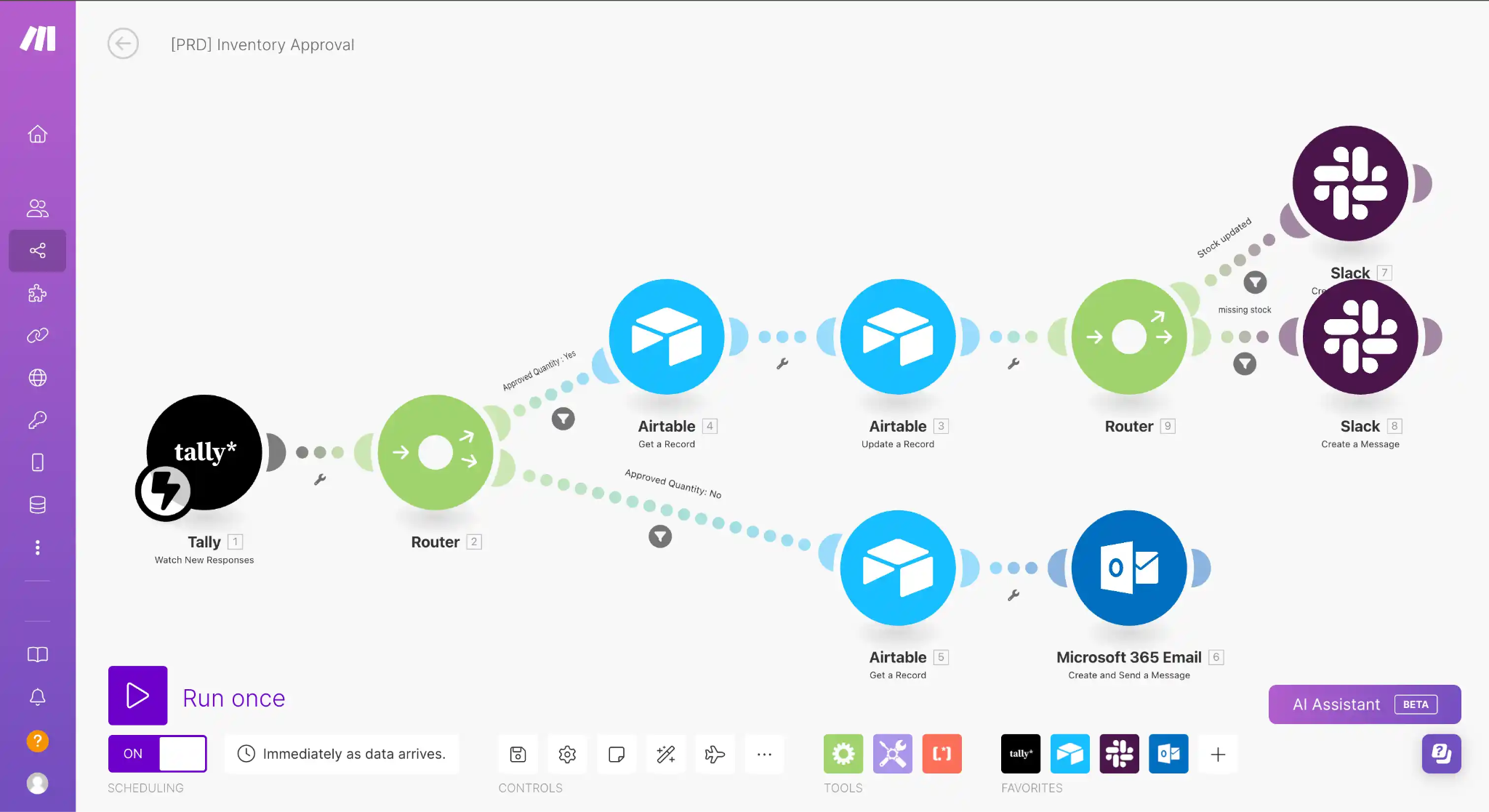
Make is a no-code automation platform built around a visual workflow builder. It allows users to create multi-step automations with branching logic, scheduling, data formatting, and basic error handling. Workflows are constructed through a graphical interface that shows each step and data path.
It supports hundreds of SaaS applications and provides more advanced data manipulation than simple trigger-based tools. Users can transform data fields, apply conditional logic, and chain multiple systems together in one workflow.
Compared to Zapier, Make often provides more granular control within workflows at a lower entry cost.
Best for: SMBs and mid-sized teams that need cost-effective, visual automation with moderate workflow complexity across common SaaS tools.
Pricing: Starts at approximately $9 per month with task-based limits. Higher tiers increase execution volume, data operations, and advanced features.
Tradeoffs:
- Limited enterprise-grade governance and compliance features.
- Integrations may lack depth for complex B2B marketing or large-scale data environments.
- High-volume workflows can become harder to manage at scale.
6. Tray.io — Low-Code Automation Platform for Technical Users
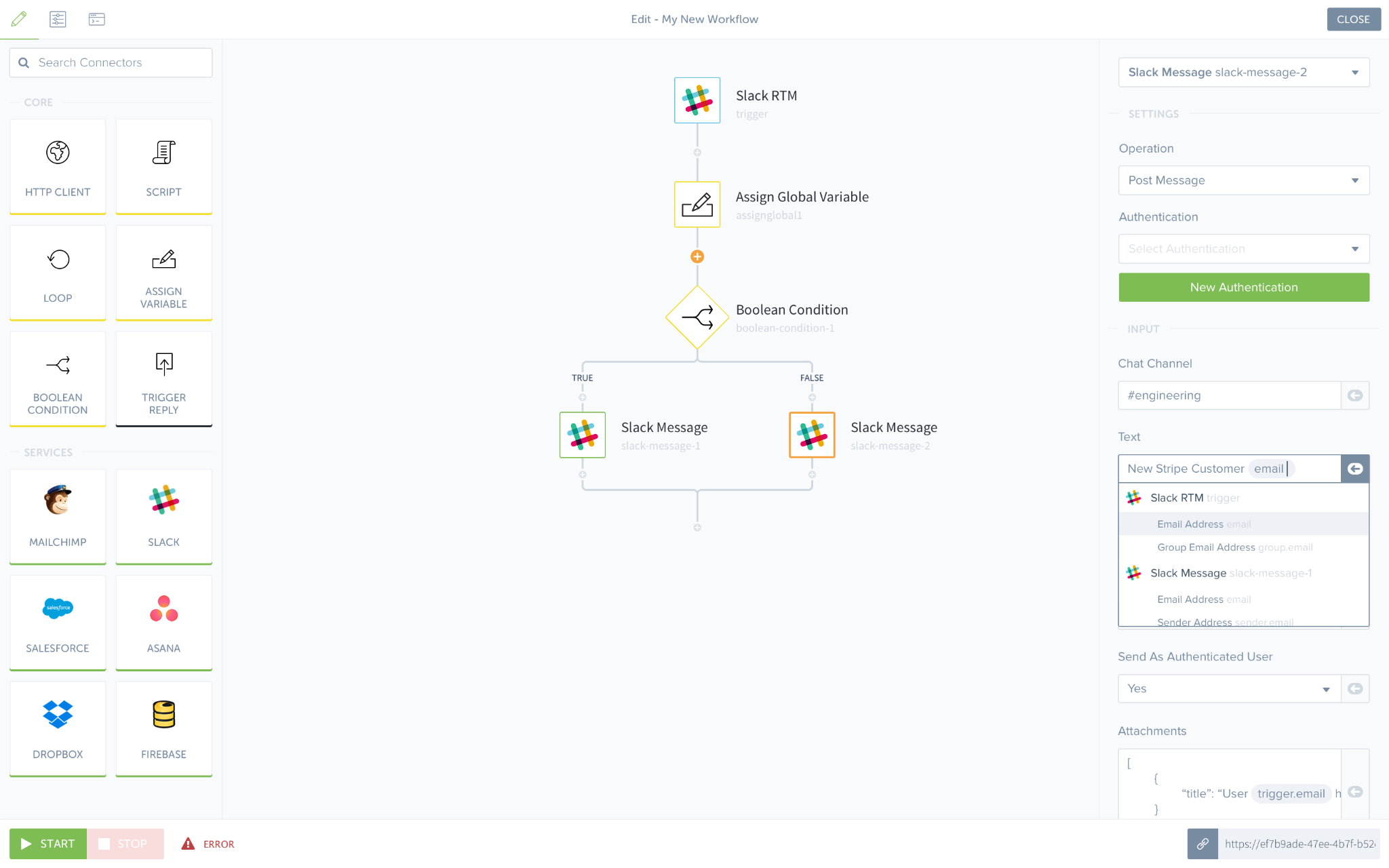
Tray.io is a low-code automation platform designed for teams that require deeper API-level control. It supports complex, multi-step workflows with advanced logic, branching, looping, and custom API calls. The platform exposes detailed connectors and allows direct interaction with REST APIs, making it suitable for highly customized integrations.
Compared to Zapier, Tray.io offers stronger API flexibility and supports more complex orchestration patterns. It is less focused on quick setup and more focused on developer-driven automation programs.
Best for: Organizations with internal developer resources that require custom API integrations, high-volume workflows, and enterprise-grade monitoring.
Pricing: Custom pricing based on usage and enterprise needs.
Tradeoffs:
- Higher implementation complexity.
- Less accessible for non-technical users.
- Pricing and feature depth may exceed the needs of simple, task-based automation use cases.
How to Choose the Best Zapier Alternative in 2026: A Decision Framework
Selecting the right automation platform depends on organizational size, technical skills, budget, and workflow complexity. Consider the following rules of thumb:
- For enterprise-grade security and compliance (SOC 2, HIPAA, GDPR), prioritize Improvado or Workato.
- If your team is Microsoft-centric, Power Automate offers seamless integration and governance.
- For teams needing open-source, self-hosted control, Activepieces suits those with technical resources.
- SMBs and mid-sized teams seeking affordable, visual automation should consider Make.
- For developer-focused, API-driven automation, Tray.io offers flexibility and robust monitoring.
- When unified marketing data automation combined with analytics and compliance is paramount, Improvado is a strong candidate, though cost and complexity may be limiting factors.
Additional factors to evaluate include:
- Integration coverage for critical applications
- Pricing model scalability and transparency
- Support for workflow complexity (conditional logic, data transformations)
- User experience preferences (no-code vs. low-code vs. developer tools)
- Vendor support, community resources, and documentation
Scoring Rubric for Evaluating Zapier Alternatives
| Criteria | Weight | Improvado | Workato | Power Automate | Activepieces | Make | Tray.io |
|---|---|---|---|---|---|---|---|
| Integration Breadth | 20% | 5 | 4 | 4 | 3 | 4 | 4 |
| Pricing Flexibility | 15% | 3 | 3 | 5 | 5 | 4 | 3 |
| Workflow Complexity | 20% | 5 | 5 | 3 | 3 | 4 | 5 |
| Security and Compliance | 20% | 5 | 5 | 5 | 2 | 3 | 4 |
| Performance and Scalability | 15% | 5 | 4 | 4 | 3 | 4 | 4 |
| User Experience and Support | 10% | 4 | 4 | 4 | 3 | 4 | 3 |
| Total Score | 100% | 4.6 | 4.3 | 4.2 | 3.2 | 3.8 | 3.8 |
Justifications:
- Improvado leads on integration breadth, security, and workflow complexity, reflecting its enterprise marketing focus. Pricing flexibility is limited due to custom enterprise pricing.
- Workato excels in workflow complexity and compliance but offers less pricing flexibility for smaller teams.
- Power Automate provides strong pricing flexibility and compliance but is best suited within Microsoft environments.
- Activepieces scores highly on pricing flexibility but lower on compliance and workflow complexity given its open-source model.
- Make balances ease of use, pricing, and integration but lacks some enterprise features.
- Tray.io offers advanced developer features and security but may be less accessible to non-technical users.
Pricing Comparison: Zapier vs. Top Alternatives (2026)
| Platform | Pricing Model | Entry Price (Monthly) | Tasks Included | Enterprise Pricing | Notes |
|---|---|---|---|---|---|
| Zapier | Tiered subscription | $29 | 7,500 tasks | Custom | Task-based fees can escalate costs at scale |
| Improvado | Custom/Enterprise | N/A | Unlimited | Yes | Enterprise focus; pricing varies by data volume |
| Workato | Custom/Enterprise | N/A | Unlimited | Yes | High-end automation with enterprise contracts |
| Power Automate | Per-user/per-flow | $15/user | Unlimited | Yes | Ideal for Microsoft-centric organizations |
| Activepieces | Free/Open-source | Free | Unlimited | N/A | Requires self-hosting and technical maintenance |
| Make | Tiered subscription | $9 | 1,000 tasks | Yes | Cost-effective for SMBs |
| Tray.io | Custom/Enterprise | N/A | Unlimited | Yes | Pricing based on usage and enterprise needs |
Prices are indicative entry points published by each vendor and change over time; confirm current tiers on the vendor's pricing page before budgeting.
AI-agent alternatives to Zapier: Gumloop and Lindy
Gumloop and Lindy are not task-automation tools in the Zapier sense: instead of a fixed trigger-then-action chain, you describe an outcome and the agent decides which steps to run, in what order, against live context. That makes them a fit for judgment-heavy work (triaging inbound leads, drafting personalized outreach, summarizing and routing support tickets) rather than deterministic data-movement jobs.
• Gumloop is a credit-based, no-code AI workflow builder. Its Free tier covers light testing (5,000 credits per month, one seat, one active trigger); Pro starts near $37 per month with a larger credit pool, unlimited seats, and team analytics; Enterprise adds RBAC, SCIM/SAML, audit logs, and VPC for governance-heavy teams. Actual monthly cost tracks what the agents and flows do, not a flat per-task count, so budgeting needs a credit estimate up front, not just a plan tier.
• Lindy is a no-code AI agent platform built around plain-English agent descriptions ("manage my inbox," "research leads and update the CRM") rather than a visual step canvas, with 3,000+ integrations, voice agents, and a computer-use mode that lets an agent operate a browser directly. Its published tiers step up by usage multiplier and inbox count rather than task volume: a Plus tier for standard usage, Pro for roughly 3x the usage and computer use, and Max for the highest usage ceiling, plus custom Enterprise.
Neither platform replaces a Zapier-style trigger-action tool for high-volume, deterministic data moves, and neither replaces a marketing data platform: they add a decision-making layer on top of whatever system already holds clean data. Confirm current credits, seats, and tier pricing on each vendor's own pricing page before budgeting, since AI-agent platforms revise usage meters more often than task-automation tools.
Migrating off Zapier without breaking live workflows
Migrating workflows from Zapier requires careful planning to avoid operational disruption.
Step 1: Audit Existing Workflows
- Inventory all active Zapier automations, documenting triggers, actions, and dependencies.
- Prioritize critical workflows for early migration.
Step 2: Map Equivalent Features
- Identify corresponding connectors and features in the new platform.
- Document any functional gaps or necessary workarounds, particularly for complex logic.
Step 3: Build and Test in Parallel
- Recreate workflows in the new platform while Zapier remains operational.
- Conduct thorough testing for triggers, data integrity, and error handling.
Step 4: Train Teams and Document
- Provide comprehensive training on new platform functionalities and workflows.
- Maintain detailed documentation for ongoing support and troubleshooting.
Step 5: Gradual Cutover and Monitoring
- Transition workflows incrementally, monitoring for performance issues and errors.
- Establish rollback plans to revert to Zapier if critical problems arise.
Risks and Considerations
- Potential for data duplication or loss during cutover.
- Learning curve as users adapt to new interfaces and logic.
- Differences in API limits, task definitions, and connector availability.
Typical migration timelines range from 4 to 8 weeks depending on workflow complexity and team size.
Real-World Examples & Workflows: How B2B Marketing Teams Use Zapier Alternatives
- Improvado automates extraction from 1,000+ marketing sources, consolidates transformations, and applies AI-assisted attribution, cutting reporting time for enterprise teams.
• Workato orchestrates multi-step lead-qualification workflows spanning CRM, marketing automation, and support systems.
• Teams that outgrow Zapier for data movement specifically (not general task automation) are usually solving the same problem covered in our comparison of data integration tools: dozens of brittle point-to-point zaps versus one governed pipeline layer.
• n8n lets technical teams self-host custom API connectors for niche marketing tools that lack commercial integrations.
• Power Automate handles approvals, file sync, and report generation inside Microsoft 365 environments.
• Make supports SMBs with social scheduling and email-campaign automation through visual workflows.
The pattern across all of them: the right choice follows the job. A marketing team drowning in manual reporting consolidates data pipelines with a data platform; a Microsoft shop standardizes on Power Automate; a developer team self-hosts n8n. There is no single best Zapier alternative, only the best one for your column of the decision.
Conclusion
Zapier remains a foundational automation tool, however, evolving requirements in 2026 have prompted many B2B marketing and data teams to consider alternatives. Whether prioritizing compliance, workflow sophistication, cost efficiency, or integration depth, platforms such as Improvado, Workato, Microsoft Power Automate, Activepieces, Make, and Tray.io offer varied capabilities.
Applying structured evaluation frameworks and scoring rubrics, combined with a careful migration plan, can guide selecting and transitioning to the automation platform best aligned with your organization's goals.
For tailored advice, consulting experts familiar with these platforms can support informed decision-making.