



Automation platforms have become essential tools for B2B marketing and data teams seeking to streamline workflows, integrate diverse applications, and minimize manual tasks.
IFTTT (If This Then That) is a popular platform known for simple, conditional automations called "Applets." While it remains effective for basic tasks, IFTTT’s capabilities often fall short for complex, enterprise-level marketing automation needs in 2026.
This has led many organizations to explore alternative platforms that offer richer customization, broader app ecosystems, AI-enhanced analytics, and robust governance tailored to business environments.
This guide provides an overview of leading IFTTT alternatives, outlines evaluation criteria, presents a decision framework and scoring rubric, and offers practical advice for migrating workflows.
Key Takeaways
- IFTTT is appropriate for simple, individual automations but lacks features vital to B2B marketing teams, such as multi-step workflows and enterprise security.
- Leading alternatives provide advanced workflow customization, extensive integrations, AI capabilities, and compliance with industry security standards.
- Selecting the right platform depends on factors like team size, workflow complexity, integration requirements, security needs, and budget.
- A structured decision framework and scoring rubric support objective platform evaluation aligned with organizational priorities.
- Migrating from IFTTT requires thorough planning, including workflow audits, testing, and user training to ensure continuity and reliability.
Understanding IFTTT and Its Role in B2B Marketing Automation in 2026
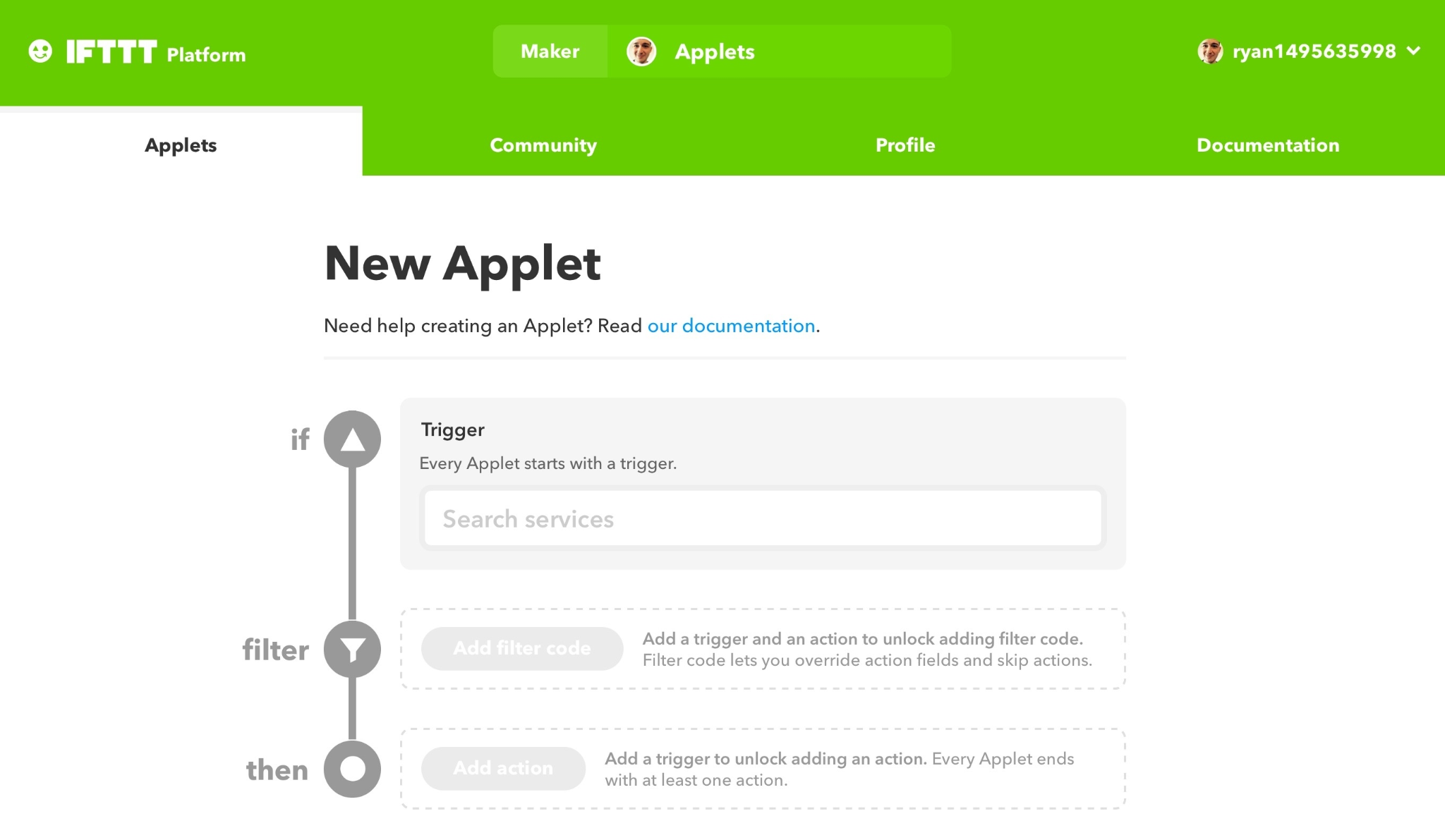
IFTTT is a cloud-based platform that enables users to create simple conditional workflows linking triggers and actions across applications. For example, a marketing team might automate social media posts when new content is published. As of 2026, IFTTT supports over 700 apps across consumer and some business categories.
Its key strengths lie in ease of use and broad app coverage, making it suitable for automating notifications, calendar syncing, or basic CRM updates.
However, for enterprise marketing and data teams, IFTTT has notable limitations:
- Workflow complexity: Supports only single-step applets without advanced features like loops, branching, or error handling.
- Integration depth: Many integrations offer limited data fields and customization, insufficient for complex data pipelines.
- Scalability: Designed primarily for individuals or small teams; lacks features for collaboration and high-volume automation.
- Security and compliance: Minimal enterprise governance, lacking role-based access control (RBAC), audit logs, or certifications such as SOC 2 and GDPR.
- Advanced analytics: Does not provide AI-powered insights or analytics to optimize workflows.
These constraints have prompted organizations to seek platforms better suited for complex, scalable marketing automation with enterprise-grade security and analytics.
Key Criteria for Evaluating IFTTT Alternatives in 2026
When considering alternatives to IFTTT, evaluate platforms based on these critical dimensions:
- Integration breadth and depth: Platforms with 1000+ native connectors, flexible API integration, and access to detailed data fields enable granular automation.
- Workflow complexity and customization: Support for multi-step workflows with conditional logic, loops, error handling, and branching is essential. Visual editors and scripting capabilities enhance usability.
- Scalability and performance: Platforms should handle high volumes of automation runs, support collaboration, and provide enterprise-grade uptime SLAs.
- Security, compliance, and governance: Look for SOC 2, HIPAA, GDPR compliance, RBAC, audit trails, encryption, and data residency options for regulated industries.
- AI and analytics features: AI-driven automation, predictive triggers, and analytics can improve efficiency and provide actionable marketing insights.
- Usability and onboarding: Balance powerful features with ease of use, including templates, documentation, onboarding support, and community resources.
- Pricing models and total cost of ownership: Understand pricing tiers, run limits, user licenses, and fees for premium connectors or features. Assess overall cost relative to expected usage.
Top IFTTT Alternatives in 2026: Features, Pros & Cons
Let’s look at the top 7 IFTTT alternatives, ranging from simple task automation to marketing-specific automation solutions.
1. Microsoft Power Automate
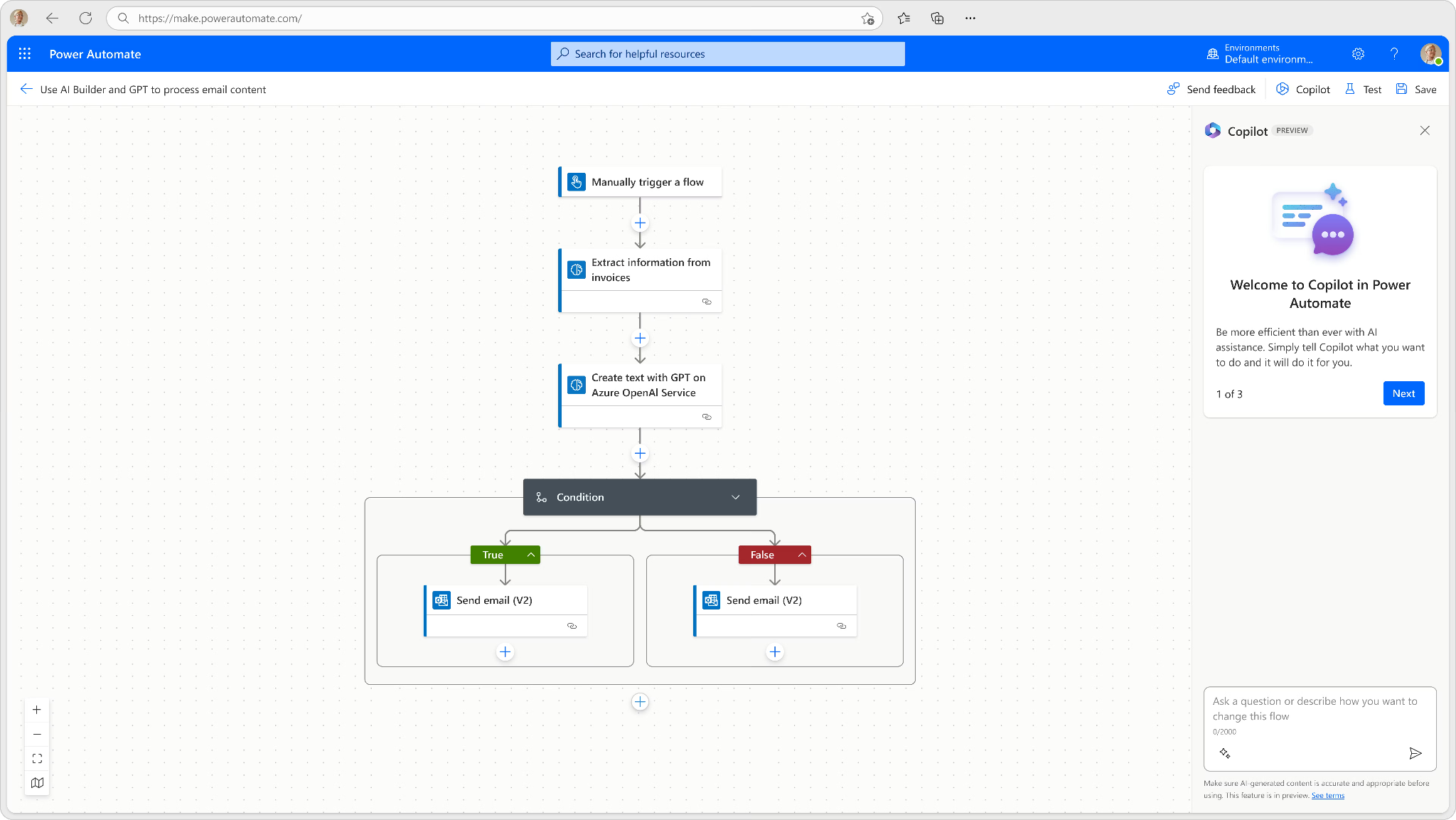
Microsoft Power Automate is a cloud automation platform designed for structured, multi-step workflows. Compared to IFTTT, which focuses on simple trigger-action automations, Power Automate supports branching logic, loops, conditional rules, and error handling. It is built for business process automation rather than lightweight personal workflows.
The platform integrates deeply with Microsoft 365, Dynamics 365, SharePoint, Teams, and Azure services. It also includes a large connector library covering CRM systems, marketing tools, and productivity apps. AI Builder enables capabilities such as document processing, form recognition, and predictive modeling within workflows.
Best for: Organizations standardized on Microsoft technologies that require advanced automation logic, governance, and integration across Microsoft services.
Pricing: Per-user or per-flow licensing. Per-user plans start from $15/month billed annually. Can scale efficiently for mid-size and large teams but may be less cost-effective for small teams with minimal automation needs.
Tradeoffs:
- Steeper learning curve compared to IFTTT’s simple interface. Integrations outside the Microsoft ecosystem may require additional configuration.
- More complex setup than lightweight automation tools designed for basic triggers.
2. Zapier
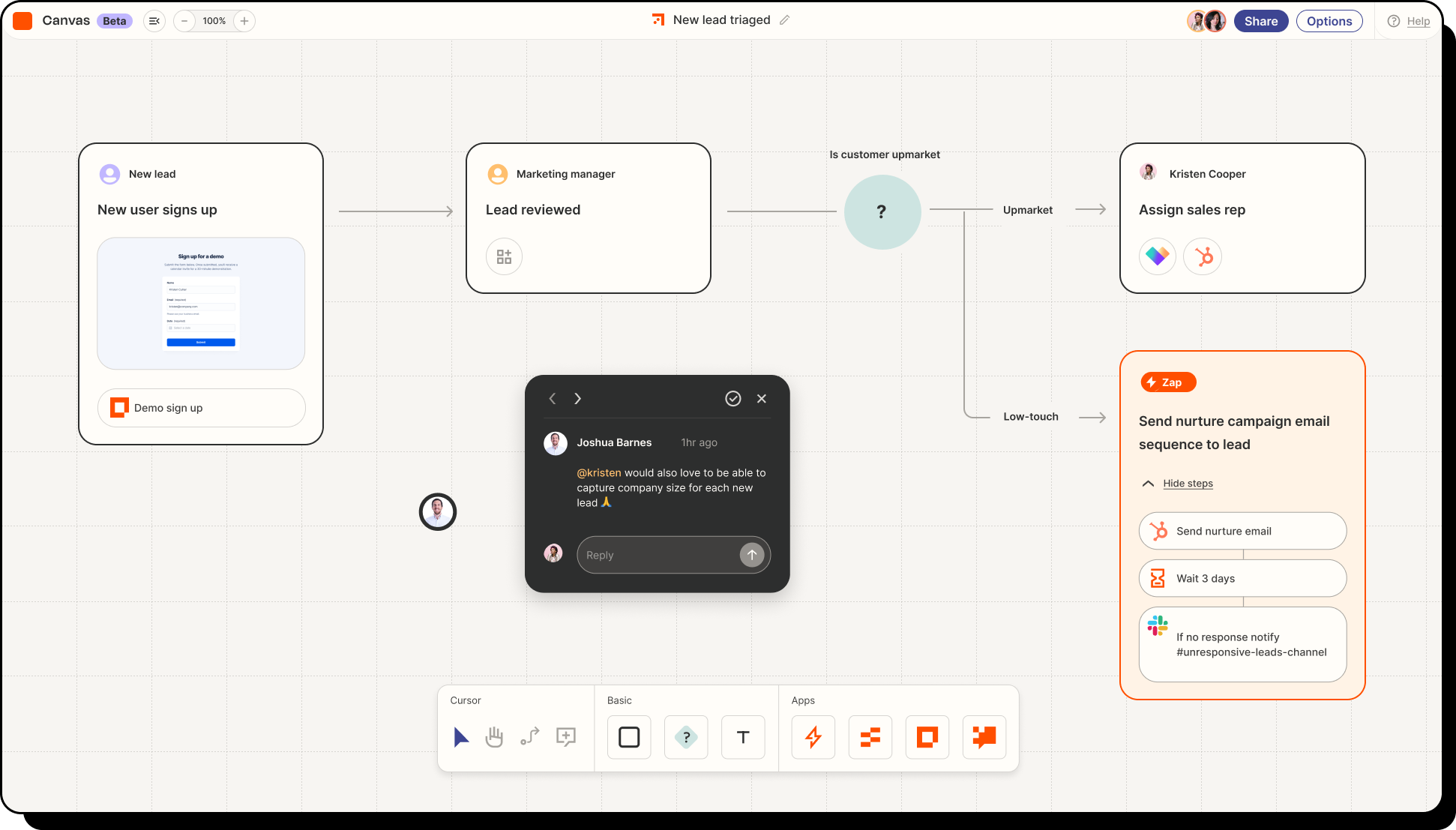
Zapier is one of the most widely used automation platforms, offering over 4,000 app integrations. It enables multi-step workflows with conditional logic, filters, and basic error handling through a simple, no-code interface.
Compared to IFTTT, Zapier supports more advanced workflows and business-oriented integrations. Zapier is better suited for operational processes such as lead routing, CRM updates, email triggers, and marketing notifications.
Workflows can be created quickly without technical expertise. However, governance and compliance features are limited. It does not provide the same level of role-based controls, audit logs, or regulatory certifications found in enterprise-grade platforms.
Best for: Small to mid-sized teams that need fast, no-code automation across a broad SaaS ecosystem without complex compliance requirements.
Pricing: Tiered plans based on task volume and features, including a free plan with limited automation runs. Plans start from $19.99 a month billed annually.
Tradeoffs:
- Not suitable for highly regulated environments or complex, multi-system orchestration.
- Governance controls and AI capabilities are basic compared to enterprise automation platforms.
3. Make (formerly Integromat)
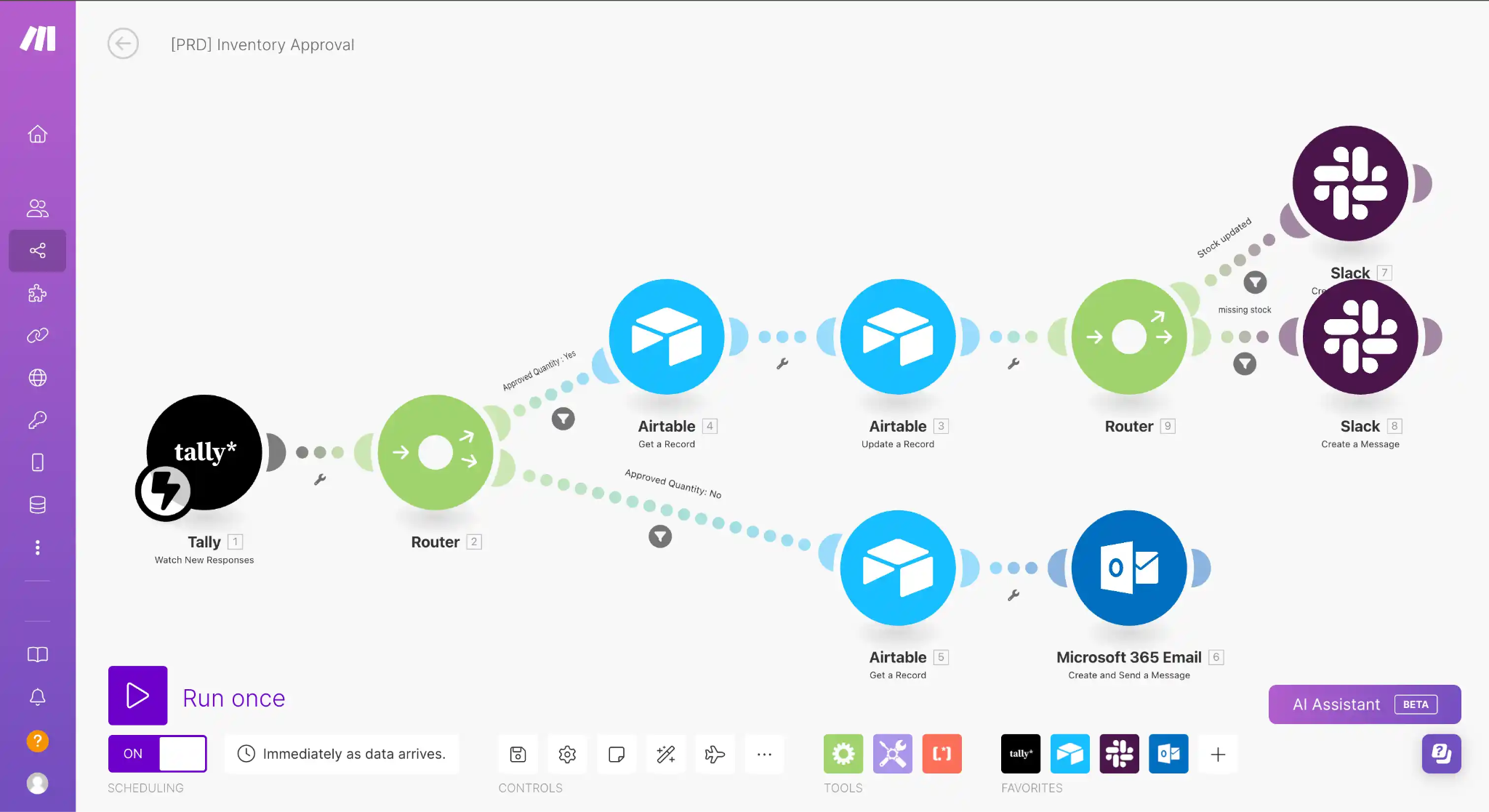
Make offers a visual, scenario-based workflow builder designed for more complex automation than IFTTT. It supports branching logic, loops, error handling, scheduling, and detailed data mapping between apps.
Compared to IFTTT’s simple trigger-action model, Make allows multi-step workflows with granular control over data flows. It supports over 1,400 native integrations and flexible API connections, making it suitable for marketing ops, CRM synchronization, lead enrichment, and custom automation logic.
Its pricing model is based on operations and data transfer. This makes it cost-efficient for growing teams with expanding automation needs. However, governance capabilities such as advanced role-based access control, audit trails, and enterprise compliance certifications are limited compared to enterprise automation platforms.
Best for: Teams that need customizable, multi-step workflows with strong data handling flexibility but do not require enterprise-grade governance.
Pricing: Tiered usage-based plans with a free tier offering limited operations. Paid plans start from $9 for 10k credits a month.
Tradeoffs:
- The visual builder has a learning curve for non-technical users.
- Enterprise compliance and security features are more limited than in high-end automation platforms.
4. Pabbly Connect
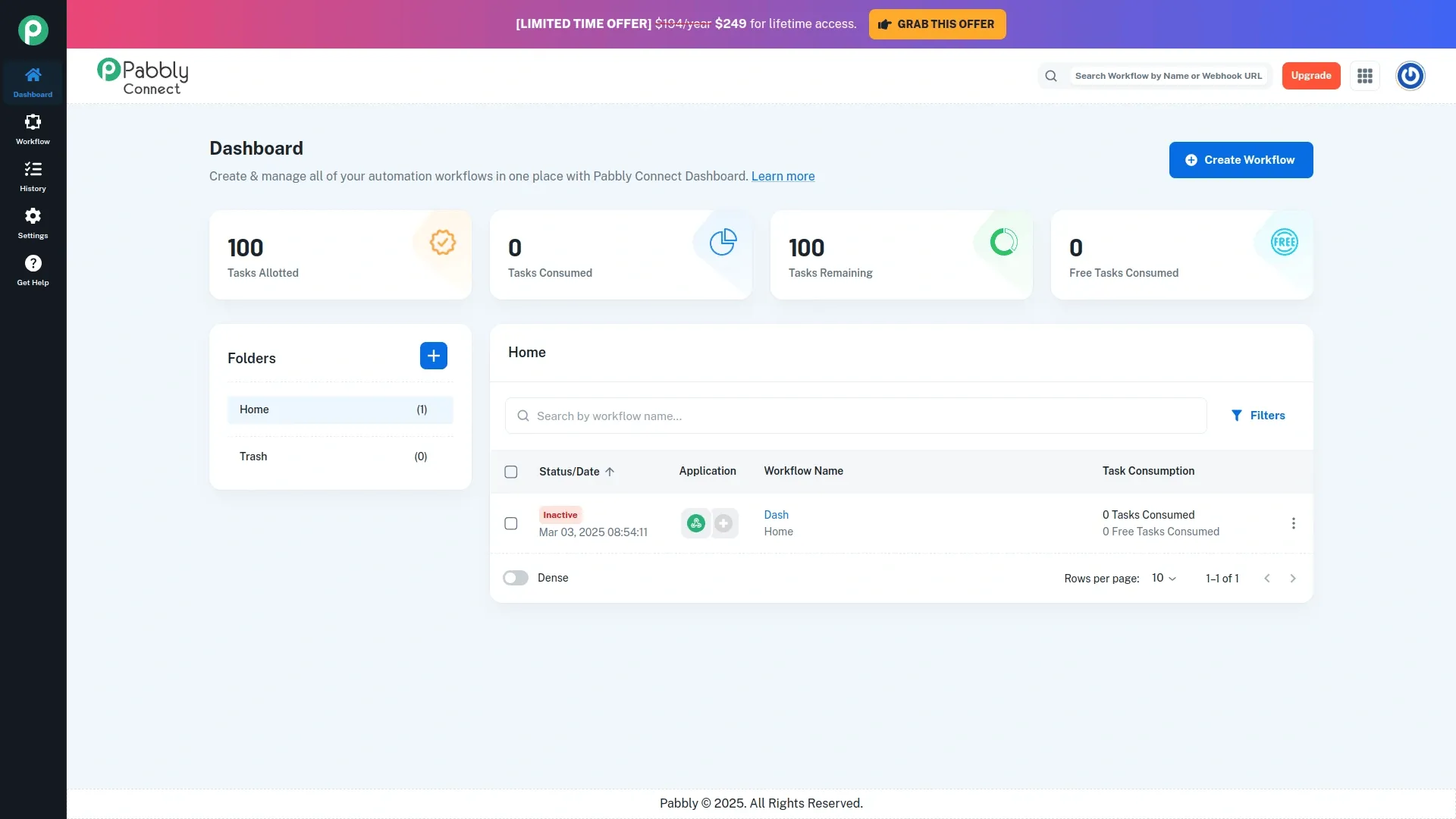
Pabbly Connect focuses on affordability and ease of use. It supports multi-step workflows, conditional logic, filters, and over 850 app integrations commonly used in marketing and ecommerce.
Compared to IFTTT’s simple trigger-action structure, Pabbly enables more advanced logic and chained automations. It allows unlimited workflows on paid plans, which makes it attractive for startups and small teams running multiple campaigns.
However, it lacks advanced AI capabilities, enterprise-grade security certifications, and deep governance controls. It is cloud-only, with no on-premise deployment option. This limits suitability for organizations with strict compliance or data residency requirements.
Best for: Budget-conscious small to mid-sized businesses needing multi-step automation beyond IFTTT’s simplicity.
Pricing: Affordable tiered plans starting from $14 a month.
Tradeoffs:
- Limited enterprise security, minimal AI functionality, and less suited for highly complex or regulated automation environments.
5. Improvado
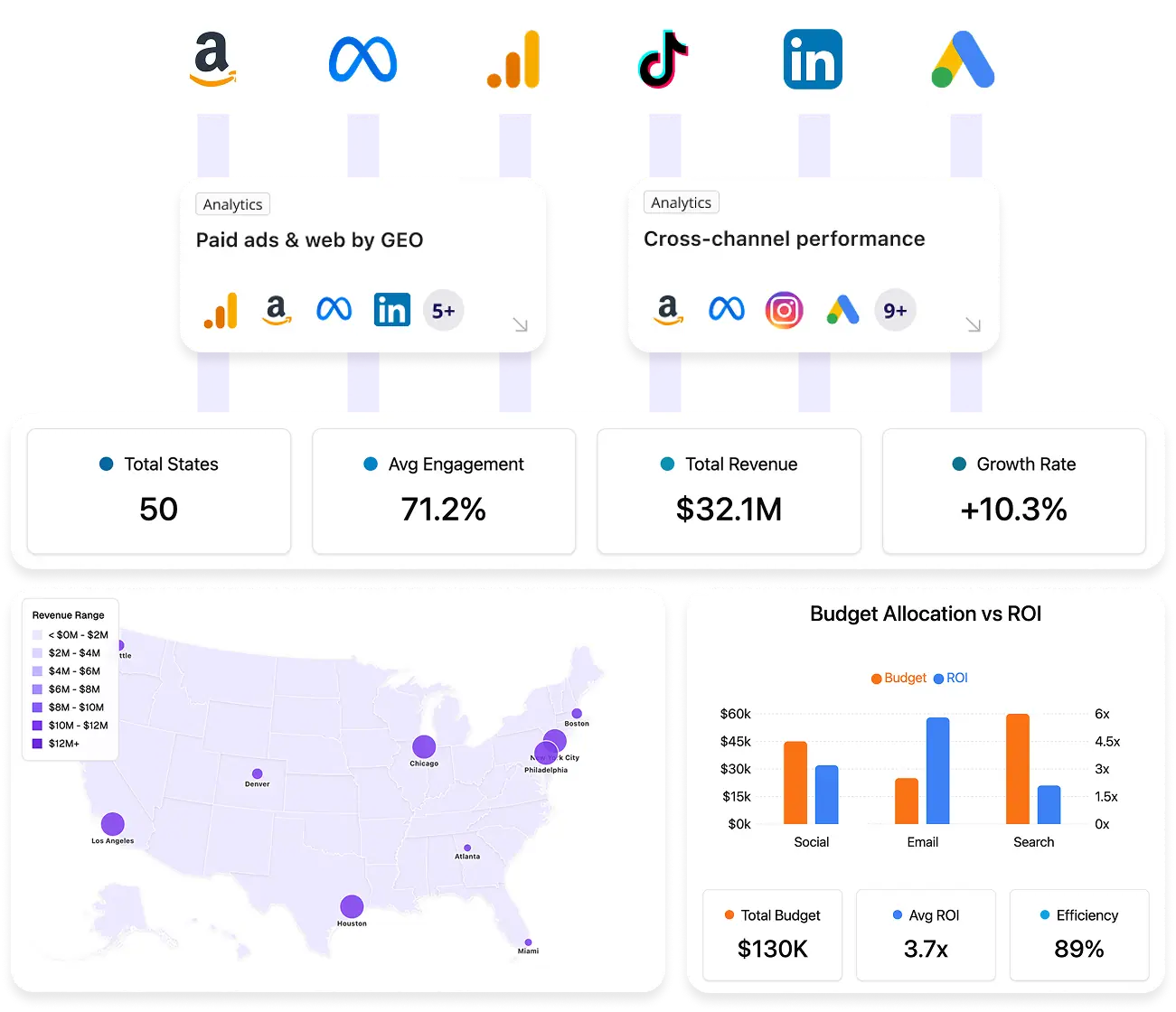
Improvado is not a basic task automation tool like IFTTT. It is built for structured marketing data automation at scale. The platform extracts, transforms, governs, and centralizes marketing data across 1,400+ advertising, analytics, and CRM platforms.
Unlike IFTTT-style automation that connects apps through simple triggers, Improvado automates full data pipelines. It handles API changes, schema alignment, attribution logic, naming normalization, and metric standardization. Built-in compliance frameworks (SOC 2, HIPAA, GDPR) support regulated environments.
Its AI Agent adds another layer. Users can query unified marketing data in plain English, generate dashboards instantly, and receive proactive insights. This reduces manual reporting time by up to 80% and accelerates analysis without SQL or engineering involvement.
Before Improvado, preparing reports at Signal Theory was a labor-intensive process, often taking four hours or more per report. Switching to Improvado reduced that time by over 80%, making reporting significantly more efficient and far less stressful.
Such drastic reductions in reporting overhead translate into faster insights and faster pivots when needed.
"Reports that used to take hours now only take about 30 minutes. We're reporting for significantly more clients, even though it is only being handled by a single person. That's been huge for us.”

Best for: Large organizations and agencies needing structured marketing data automation with embedded analytics and governance.
Pricing: Custom enterprise pricing. Higher investment and longer onboarding compared to lightweight automation tools like IFTTT.
Tradeoffs:
- Not designed for simple app-to-app triggers.
- Implementation requires planning and internal alignment.
- May be excessive for small teams with basic automation needs.
6. Tray.io
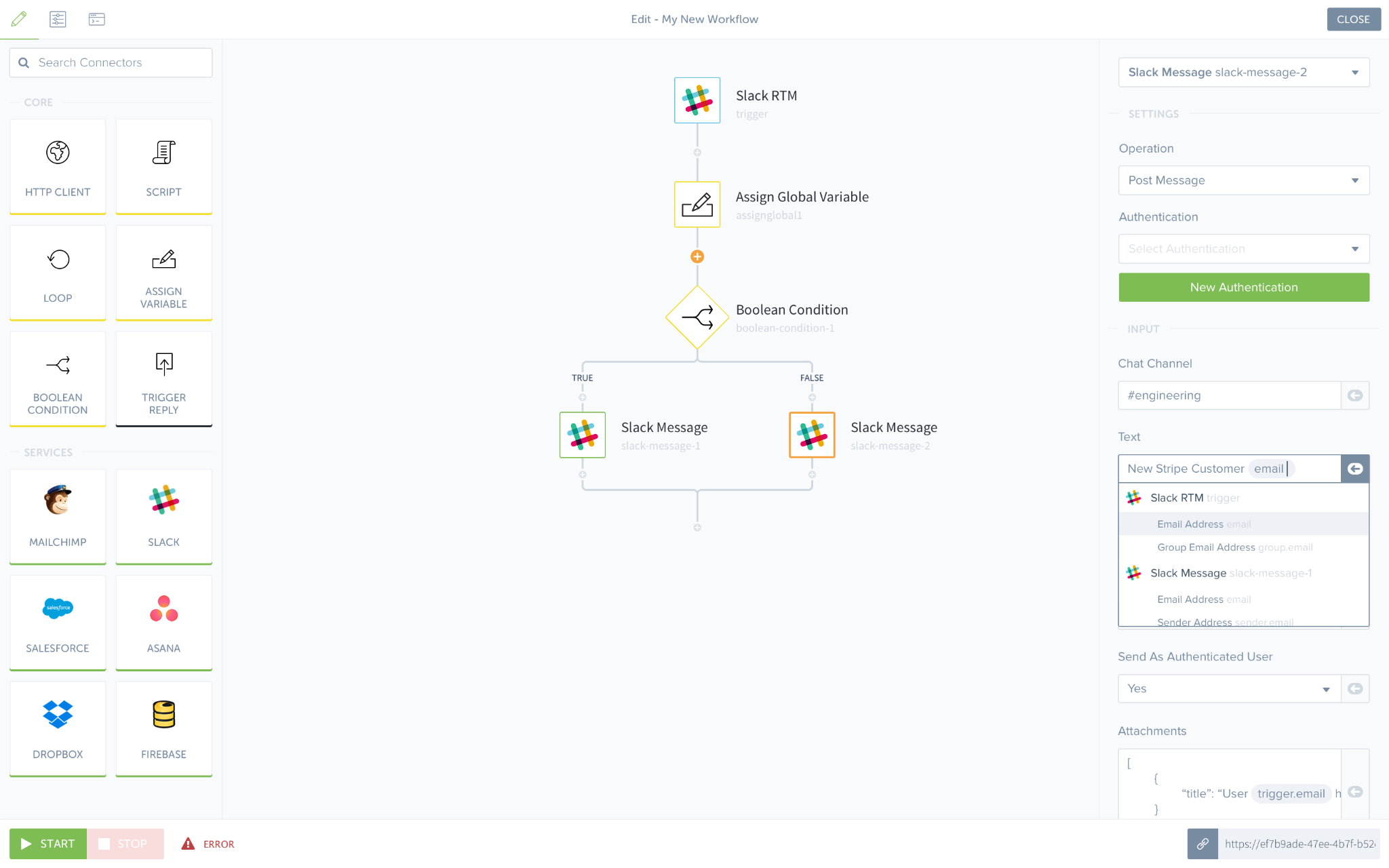
Tray.io is a low-code automation platform built for complex enterprise workflows. It supports branching logic, loops, custom data transformation, API calls, and structured error handling. It integrates with 450+ applications and supports custom API connections.
Compared to IFTTT’s simple trigger-action model, Tray.io enables deeply customized, multi-system orchestration. It includes governance controls such as audit logs, role-based permissions, and centralized monitoring, which are critical for enterprise environments.
Best for: Enterprises requiring customizable automation with strong governance and API extensibility.
Pricing: Tiered, enterprise-oriented pricing based on usage and feature requirements.
Tradeoffs:
- Higher cost and steeper learning curve than lightweight tools.
- Fewer out-of-the-box integrations compared to Zapier.
- Overpowered for simple automation use cases.
7. Workato
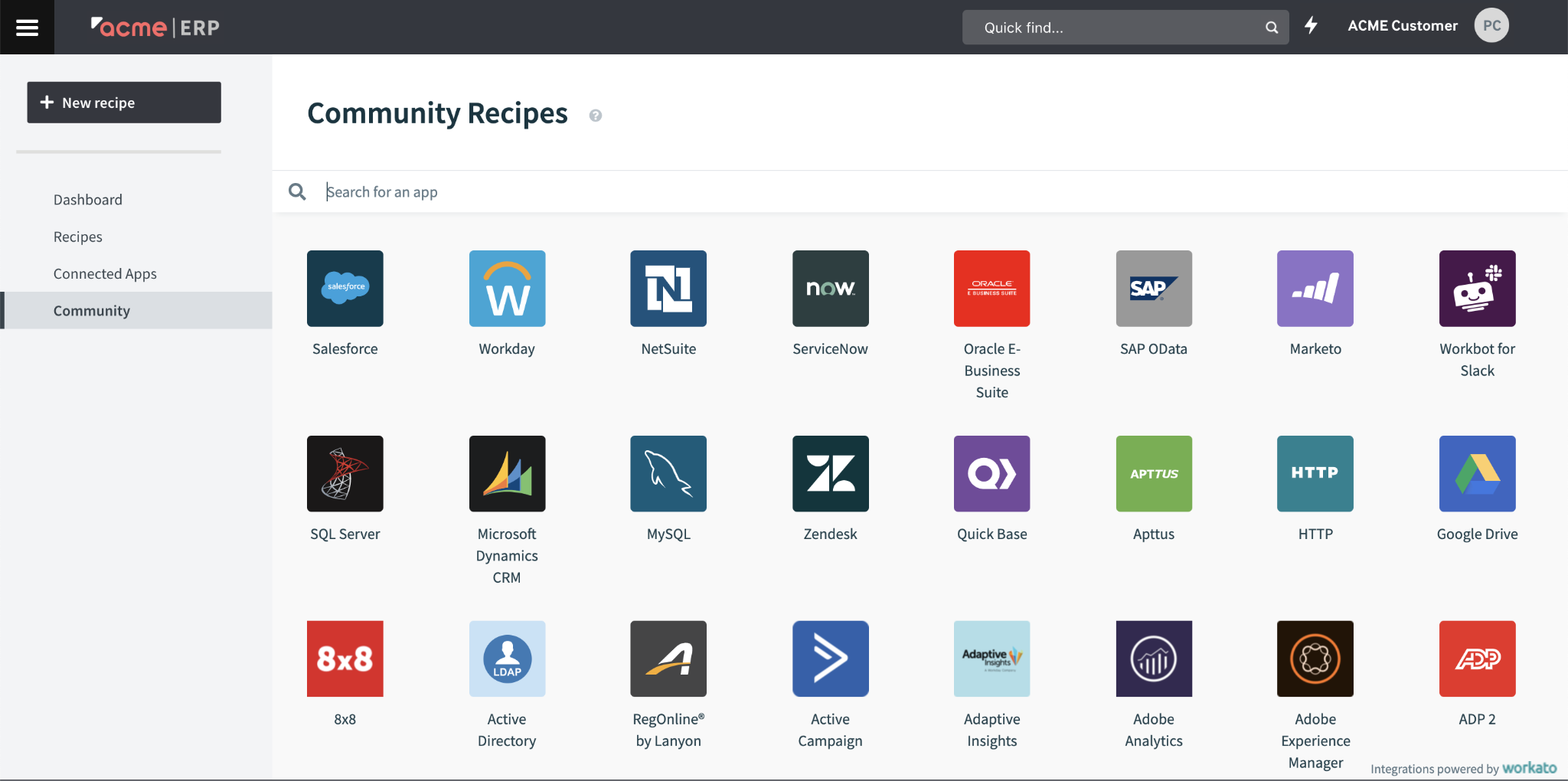
Workato is an enterprise automation platform built for complex, cross-functional workflows. It combines workflow orchestration, robotic process automation (RPA), API integration, and embedded AI capabilities. The platform supports 1,000+ connectors and strong compliance frameworks, including SOC 2 and GDPR.
Unlike IFTTT’s consumer-style trigger automation, Workato is designed for structured, large-scale process automation across marketing, IT, finance, and operations. It includes governance features such as role-based access control, audit trails, and centralized policy management.
Workato supports advanced use cases such as multi-system data synchronization, approval flows, backend automation, and AI-assisted process optimization.
Best for: Large organizations requiring advanced workflow orchestration, RPA, AI integration, and enterprise-grade governance.
Pricing: Custom enterprise pricing. Typically premium.
Tradeoffs:
- High cost and implementation complexity.
- May exceed the needs of smaller teams or simple automation scenarios.
Feature Comparison Table
| Feature / Platform | Microsoft Power Automate | Zapier | Make | Pabbly Connect | Improvado | Tray.io | Workato |
|---|---|---|---|---|---|---|---|
| Number of Integrations | 1000+ | 4000+ | 1000+ | 850+ | 1,400+ | 450+ | 1000+ |
| Workflow Complexity | Advanced | Medium | Advanced | Medium | Enterprise-grade | Advanced | Advanced |
| AI Capabilities | Basic | None | None | None | Advanced AI & Attribution | Limited | Advanced |
| Security / Compliance | SOC 2, GDPR | Basic | Basic | Basic | SOC 2, HIPAA, GDPR | SOC 2 | SOC 2, GDPR |
| Pricing Model | Per user / Flow | Tiered | Tiered | Tiered | Custom enterprise pricing | Tiered | Custom |
| Best Use Case | Enterprise automation | SMBs | SMB/Mid | SMB | Enterprise marketing data | Enterprise | Enterprise |
Decision Framework for Choosing the Right IFTTT Alternative in 2026
To streamline platform selection, consider the following decision points:
Primary Automation Goal:
- Simple task automation or notifications → Zapier, Pabbly Connect
- Complex, multi-step workflows with data transformation → Make, Power Automate, Tray.io
Number of Apps and Data Sources:
- Under 1000, common marketing apps → Pabbly Connect, Improvado
- Extensive ecosystem (4000+) → Zapier
Team Size and Automation Volume:
- Small teams with limited runs → Zapier, Pabbly Connect
- Enterprise with high volume and collaboration → Power Automate, Improvado, Workato
Security and Compliance Needs:
- Basic compliance → Zapier, Pabbly Connect
- Enterprise-grade compliance (SOC 2, HIPAA, GDPR) → Power Automate, Improvado, Workato
AI-driven Automation/Analytics:
- Minimal → Zapier, Make
- Advanced AI features → Improvado, Workato
Budget Constraints:
- Low to mid-range → Pabbly Connect, Zapier
- Enterprise-level investment → Power Automate, Improvado, Workato
Scoring Rubric: How to Objectively Evaluate IFTTT Alternatives
Use this rubric to rate platforms from 1 (poor) to 5 (excellent), adjusting weights for your priorities.
| Criteria | Weight (%) | Microsoft Power Automate | Zapier | Make | Pabbly Connect | Improvado | Notes |
|---|---|---|---|---|---|---|---|
| Integration Breadth | 25 | 4 | 5 | 4 | 3 | 4 | Zapier leads with 4000+ integrations |
| Workflow Complexity | 20 | 5 | 3 | 5 | 3 | 5 | Power Automate, Make, Improvado excel |
| Security & Compliance | 15 | 5 | 3 | 3 | 3 | 5 | Enterprise certifications critical |
| AI, Analytics Features | 15 | 3 | 1 | 1 | 1 | 5 | Improvado offers advanced AI |
| Usability, Onboarding | 15 | 4 | 5 | 4 | 4 | 3 | Zapier easiest; Improvado requires training |
| Pricing, Cost Efficiency | 10 | 3 | 4 | 4 | 5 | 3 | Pabbly most cost-efficient for SMBs |
Example Total Scores:
- Microsoft Power Automate: 4.2
- Zapier: 3.9
- Make: 3.9
- Pabbly Connect: 3.3
- Improvado: 4.5
Migration Guide: Switching from IFTTT or Zapier to a New Automation Platform
Migrating automation workflows requires careful planning to minimize disruptions:
- Audit existing workflows: Document all active applets (IFTTT) or Zaps (Zapier), noting triggers, actions, and dependencies. Identify critical workflows needing high reliability.
- Map equivalent functionality: Align existing workflow logic to new platform features. Identify gaps or differences requiring redesign, especially for complex or multi-step automations.
- Prioritize migration: Begin with simpler or less critical workflows to build familiarity. Gradually migrate mission-critical automations.
- Test in sandbox environments: Validate workflows in controlled settings or pilot groups. Monitor for errors and performance issues before full deployment.
- Train users: Provide documentation and training to facilitate adaptation to new interfaces and capabilities.
- Plan rollback and backup: Maintain the ability to revert to the old platform if needed. Backup configurations and data where possible.
Common Pitfalls:
- API rate limits causing automation failures.
- Differences in data field mappings leading to incorrect actions.
- User resistance due to interface changes or feature differences.
Example: A marketing team migrating social media posting workflows from IFTTT to Make had to rebuild content filters using Make’s conditional logic, requiring additional testing and user training.
What We Evaluated: Methodology Behind Our IFTTT Alternatives Review
This review is based on publicly available vendor documentation, pricing information, user reviews, and industry analyses current as of early 2026. Platforms were selected for their relevance to B2B marketing and data automation, market presence, integration breadth, and workflow capabilities.
Limitations include rapid software evolution and pricing changes that may not be fully captured. Hands-on testing was inferred from documented features and user feedback rather than exhaustive internal trials.
The evaluation focuses on workflow complexity, security and compliance, AI features, scalability, and suitability for marketing and data teams.
Conclusion
IFTTT remains useful for simple, one-step automations. But most B2B marketing and data teams need more. They need multi-step workflows, deeper integrations, governance, and AI-driven insights.
The right alternative depends on your complexity, compliance needs, and scale. Some platforms improve task automation. Others, like enterprise-grade solutions, automate full data pipelines and analytics.
Use the comparison tables and scoring rubric to guide your decision. Choose a platform that supports long-term growth, not just quick fixes.


